Unlock the professional-grade features for fast and reliable EML file conversion.
500 MB of hard disk space
4 GB of RAM
Intel® Core™ 2 Duo CPU E4600 @ 2.40GHz 2.39GHz
Windows 7, 8, 8.1,10 (32-bit & 64-bit)
Outlook 2010, 2013, 2016, 2019, 2021, and earlier versions.
Mac device with Apple Silicon (M1, M2, M3, or M4 series)
500 MB (1 GB or more recommended for optimal performance)
Sufficient free storage to save the recovered files/output
macOS Ventura (13), Monterey (12), Big Sur (11), and previous releases
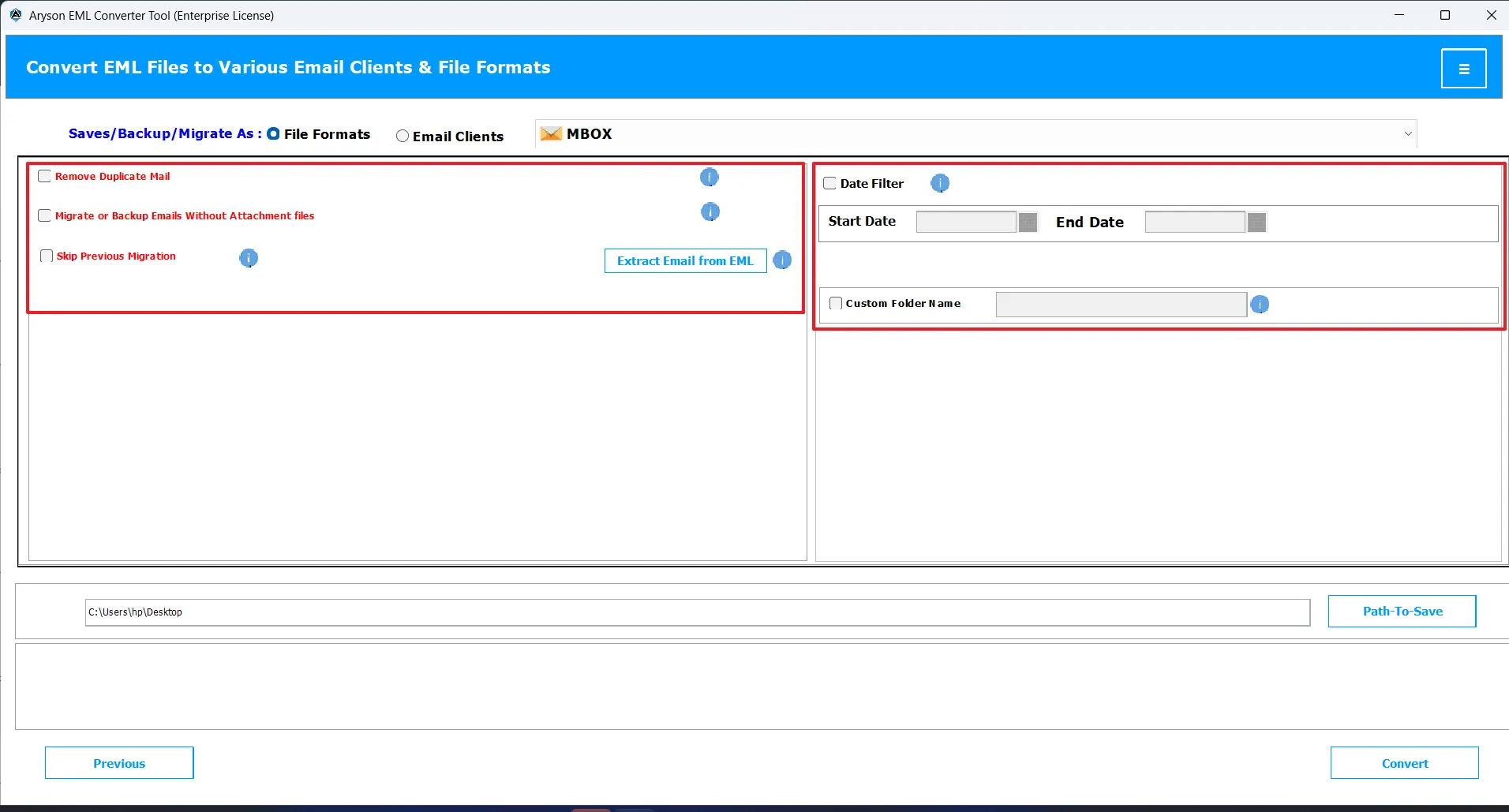
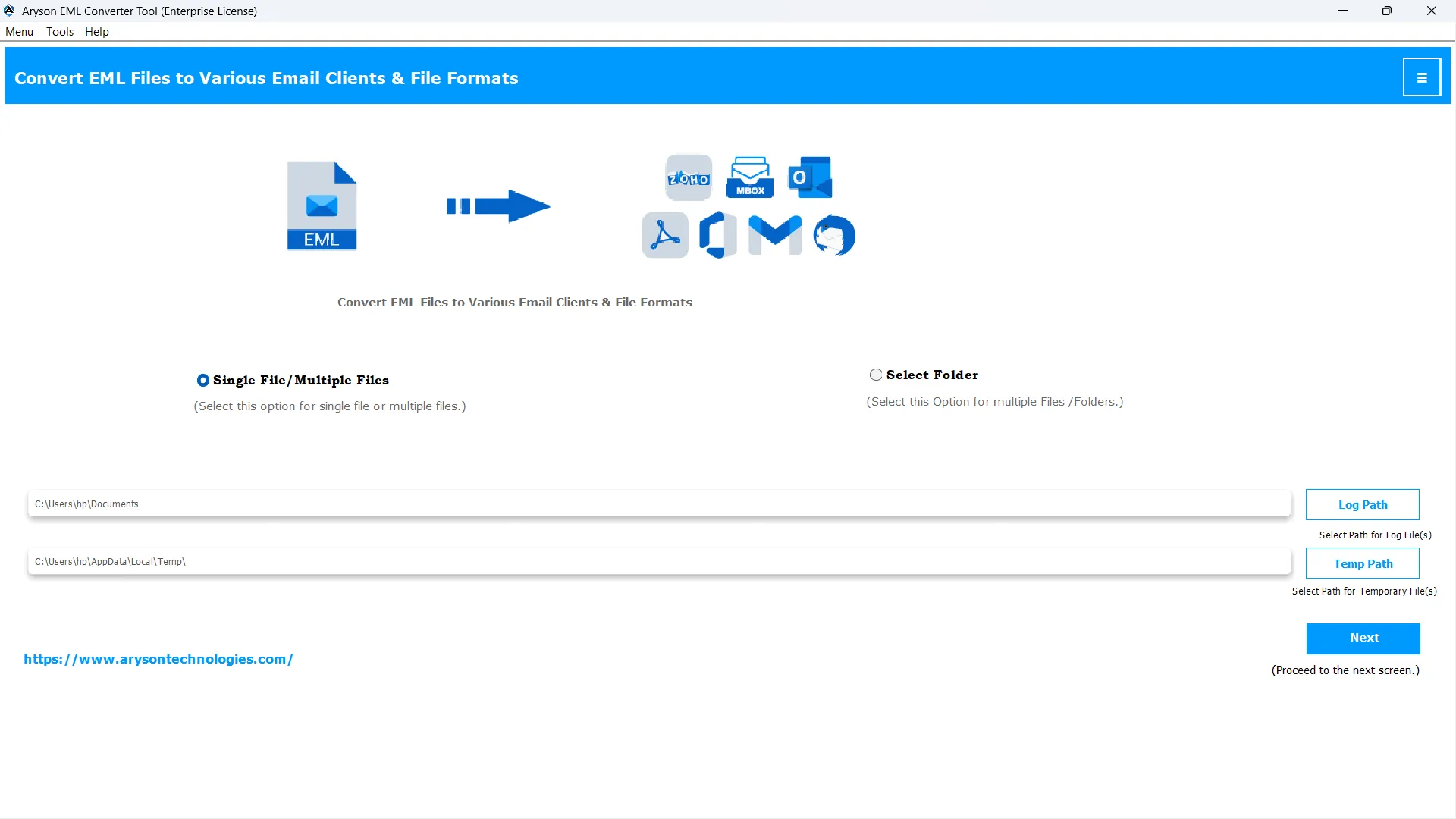
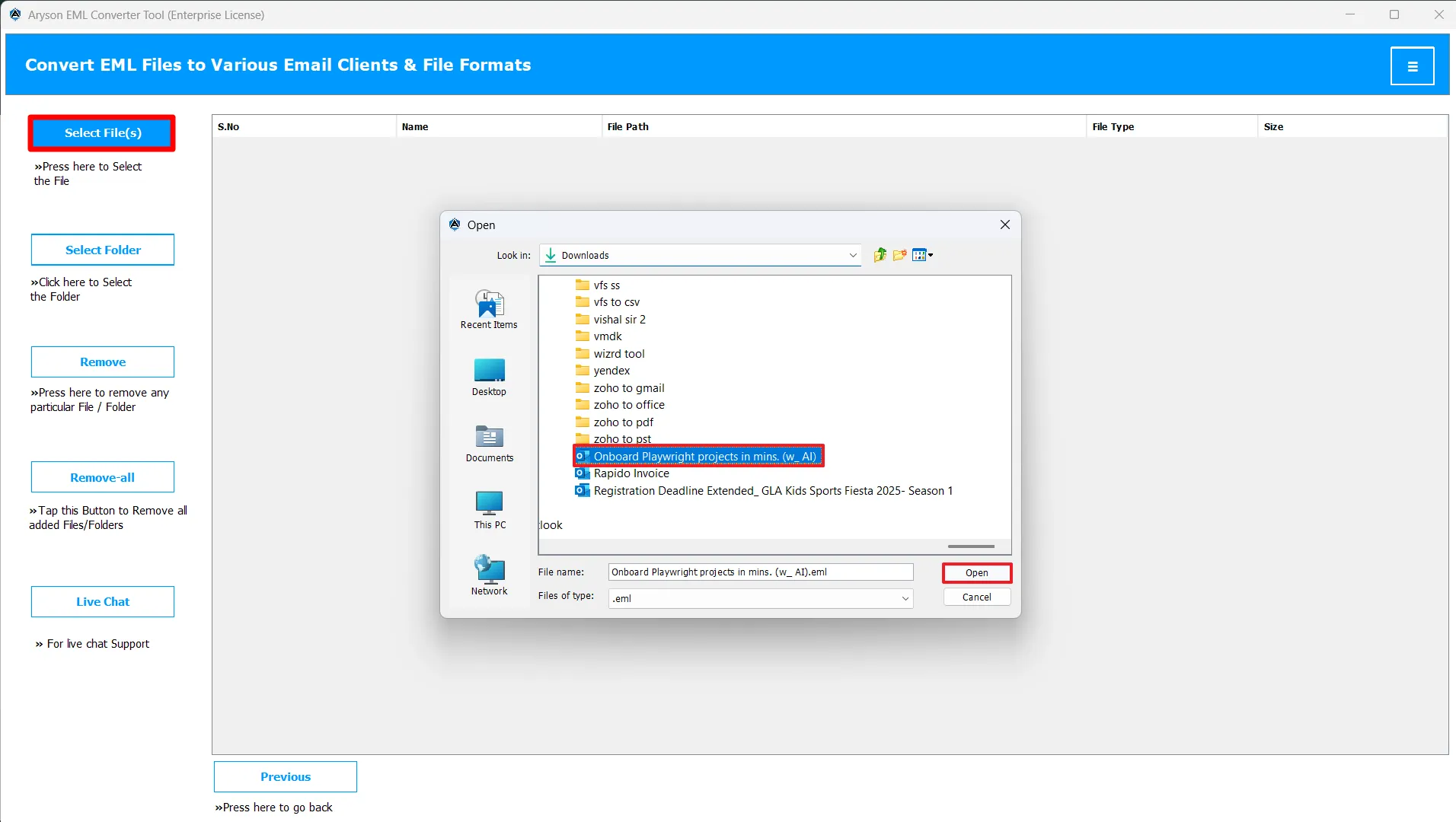
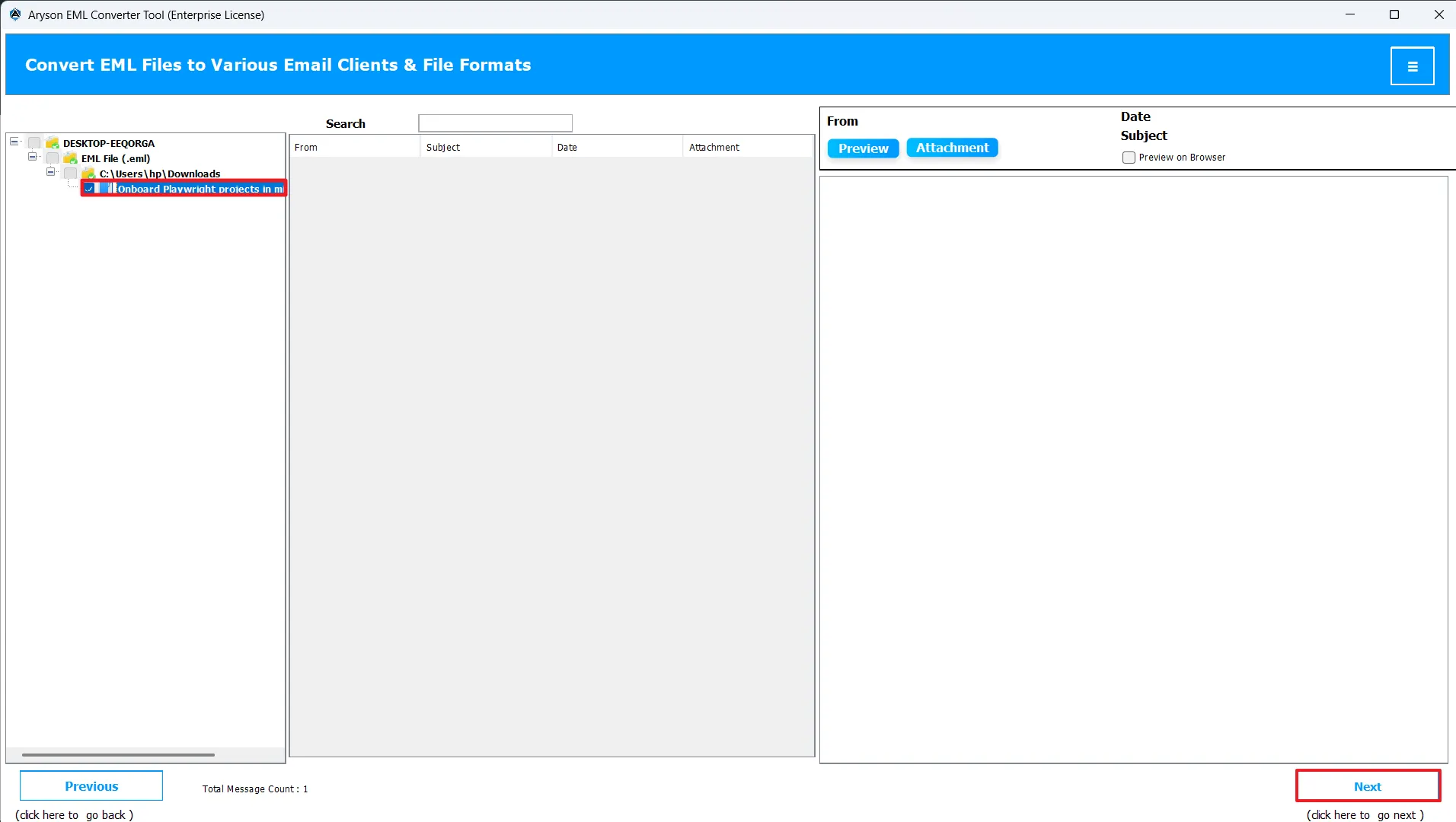
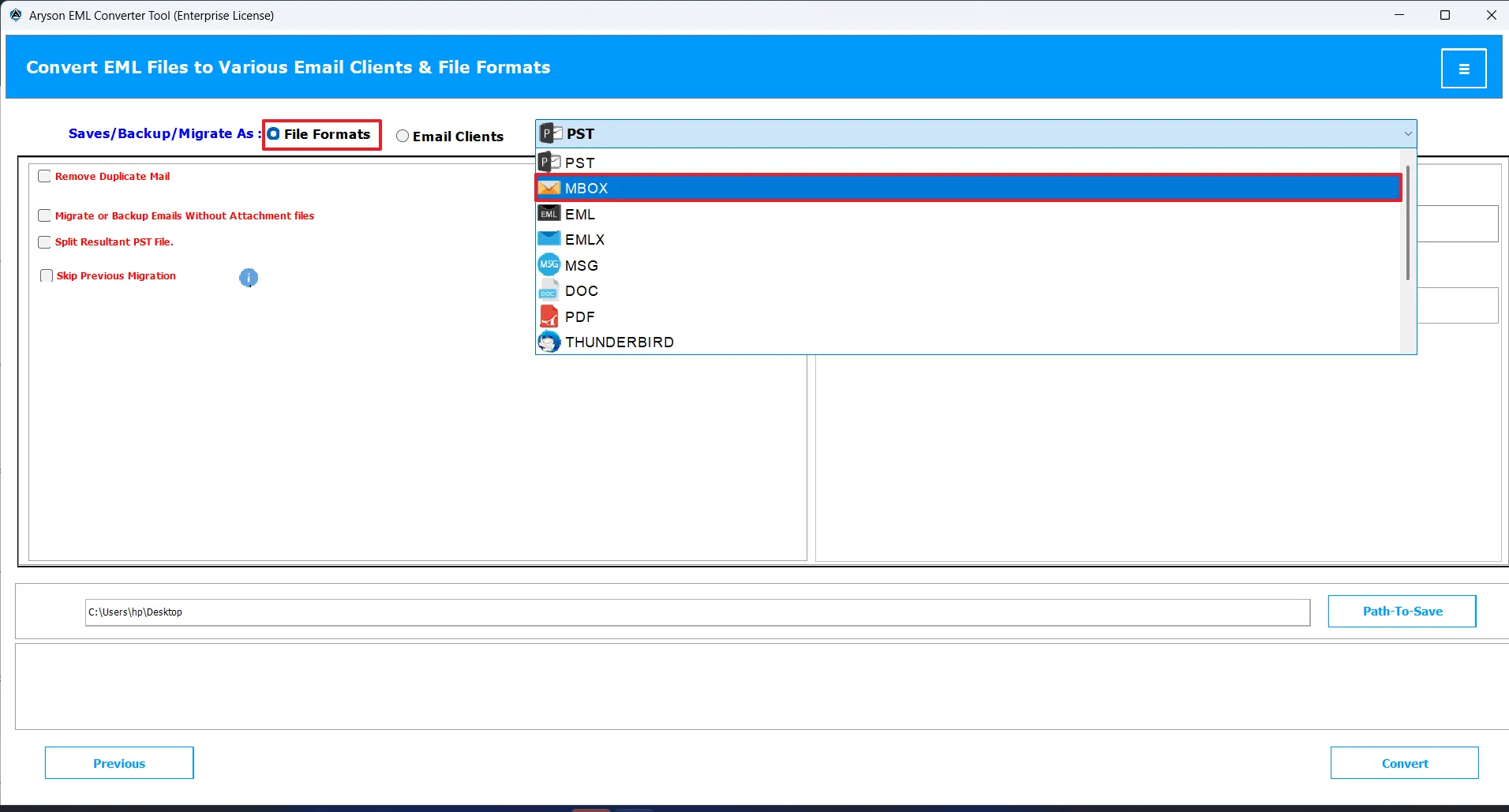
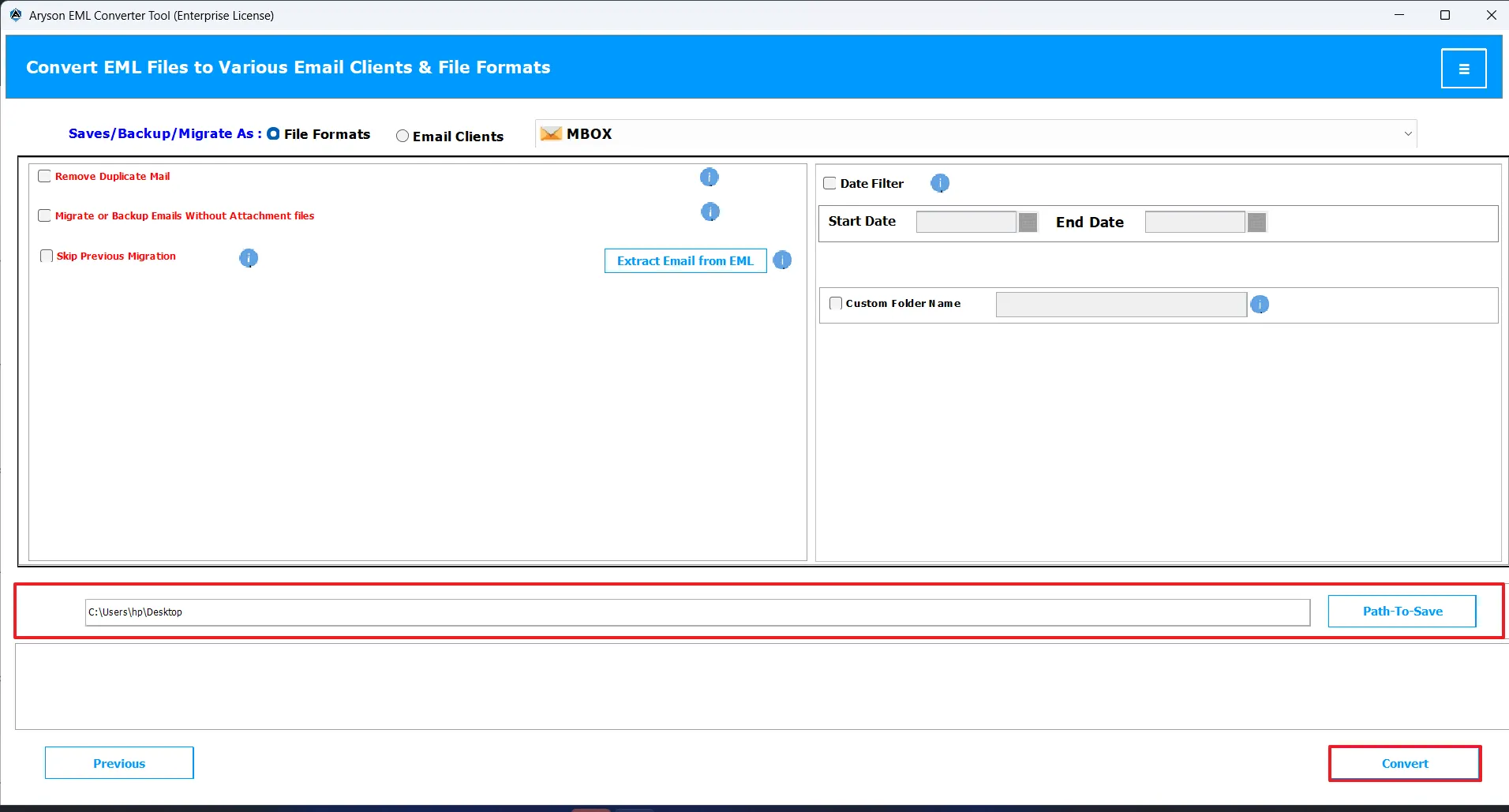
MSOutlookHelp EML Converter is a powerful, cross-platform solution to convert and migrate EML files into 15+ formats and popular email clients with ease and accuracy. Perform a precise, secure, and customized conversion of EML files by following the steps below carefully.
Discover the advanced features that simplify EML file management and enhance user productivity.
MSOutlookHelp EML Converter Wizard can quickly convert EML files into multiple file formats, including PST, MSG, MBOX, EMLX, PDF, HTML, DOC, DOCX, XLXS, CSV, and WDSEML. You can convert your files to any of the above formats within a small time frame.
The MSOutlookHelp EML Converter Software allows effortless migration of EML files to popular email platforms such as Office 365, Gmail, Yahoo Mail, AOL, Thunderbird, IMAP, Hotmail, GSuite, and Hostgator Mail. This makes it ideal for both format conversions and cloud migrations.
This software saves efforts and time by allowing batch conversion of EML files instead of converting them individually. This batch conversion feature fulfills the conversion needs of IT professionals and administrators who handle large datasets.
An advanced preview panel displays EML file contents in a tree-like structure before conversion. EML Converter Wizard preserves email formatting, metadata, and folder hierarchy to ensure data remains intact during migration.
Users can export only emails from a specific time frame by setting a start and end date. Whereas the Split PST file feature can divide large PST files into smaller, manageable parts. This eventually improves the performance of MS Outlook & eliminates oversized file issues.
Users can assign a specific name to the resultant folder., This helps them to find their desired files in the local system, and remove duplicate emails, contacts, or calendar items based on subject, sender, recipient, company, and other criteria.
The trial version of the MSOutlookHelp EML Converter allows conversion of the first 50 emails so users can get a hands-on experience with the software before purchasing the full version. The EML converter offers a simple, intuitive GUI, making it easy for non-technical users to use.
The MSOutlookHelp EML Converter supports both Windows and Mac systems. You can use EML files from all versions of Outlook, including Outlook 2010, 2013, 2016, 2019, 2021, and earlier versions. It can perform conversion effortlessly on Windows 7, 8, 8.1,10 (32-bit & 64-bit), making sure of the accessibility for every user.
Understand What is Included in the Trial and Full Software Versions
| Features Provided | Demo Version | Full Version |
|---|---|---|
| Convert EML to other File formats | First 50 emails only | Complete Mailbox |
| Migrate EML to multiple Email clients | First 50 emails only | Complete Mailbox |
| Date Range Filter | ||
| Supports Batch Conversion | ||
| Enhanced Preview Panel | ||
| Use Custom Folder Name Option | ||
| Data Integrity and Preservation of Attachments | ||
| Split large PST files | ||
| Download Report Feature | ||
| Enhanced Search Functionality | ||
| Compatibility with all Windows Versions | ||
Let our users tell you how the software worked for them.
I needed to convert thousands of EML files for a client project, and the manual methods were taking forever. MSOutlookHelp EML Converter for Mac handled everything in minutes and kept all my folder structures intact. This software saved me a full day of work.

Michael Turner,
System Analyst,
London
I was worried about losing email formatting and attachments during conversion, but MSOutlookHelp EML Converter exceeded my expectations. It processed my large EML batches smoothly, and the interface was incredibly easy to navigate.
Emily Rogers,
Operations Manager,
Texas
Some of my EML files were corrupted and refused to open. The Mac EML Converter restored everything without errors and even exported my data directly to Gmail. Fast, accurate, and reliable, exactly what I needed.
Jonathan Brooks,
Freelancer,
Chicago
Happy Users
Success Rate
Support
Average Rating
Find answers to the questions our users most often ask about the EML Converter Tool