-
Written By Evren Cole
-
Updated on November 8th, 2025
Import MSG File to Yandex Mail: Easy How-To Guide
Roseph’s Query: I want to access my MS Outlook MSG files across different devices and web interfaces. So, how can I import MSG file to Yandex Mail without losing attachments or email formatting? I am looking for the quickest and most reliable method to transfer all my emails safely.
Overview: MSG files are the default file type of MS Outlook. But unfortunately, this limits its accessibility to Outlook only. In order to improve accessibility, backup, and management of MSG files, it is important to import MSG to Yandex Mail. But the whole process may seem a little complicated to beginners. Therefore, this blog is written to help such users with a step-by-step tutorial to use the MSOutlookHelp MSG converter for quick and easy importing of MSG files.
Key Reasons to Import MSG to Yandex Mail
There are several reasons why a user would want to import Outlook MSG emails into Yandex Mail. Let us have a look at some of those reasons:
- After importing MSG files, users can access them anywhere, anytime, on different devices.
- Moreover, Yandex Mail is more secure, as it offers 2-factor authentication.
- The Yandex email client puts together all emails in one mailbox.
- Yandex offers an independent, web-based interface.
- Additionally, it keeps emails synchronized across web and mobile devices.
Seeing all the valid reasons for conversion, let me introduce you to an automated software.
All-In-One Solution to Import MSG File to Yandex Mail
The MSOutlookHelp MSG Converter is an easy-to-use yet powerful tool that lets you migrate, back up, and convert MSG to DOC, CSV, EML, EMLX, and many others. Moreover, it allows users to directly import MSG files to various email clients like Yandex Mail, Hotmail, Gmail, G Suite, Yahoo Mail, and more, without any need to install Microsoft Outlook. As well as it supports both single and bulk conversions and even allows users to preview their emails before importing them. Additionally, it provides users with various advanced features like date range filters, duplicate email removal, and attachment management.
Quick Steps to Import MSG File to Yandex Mail
- Install and open the MSOutlookHelp MSG Converter on your existing system.
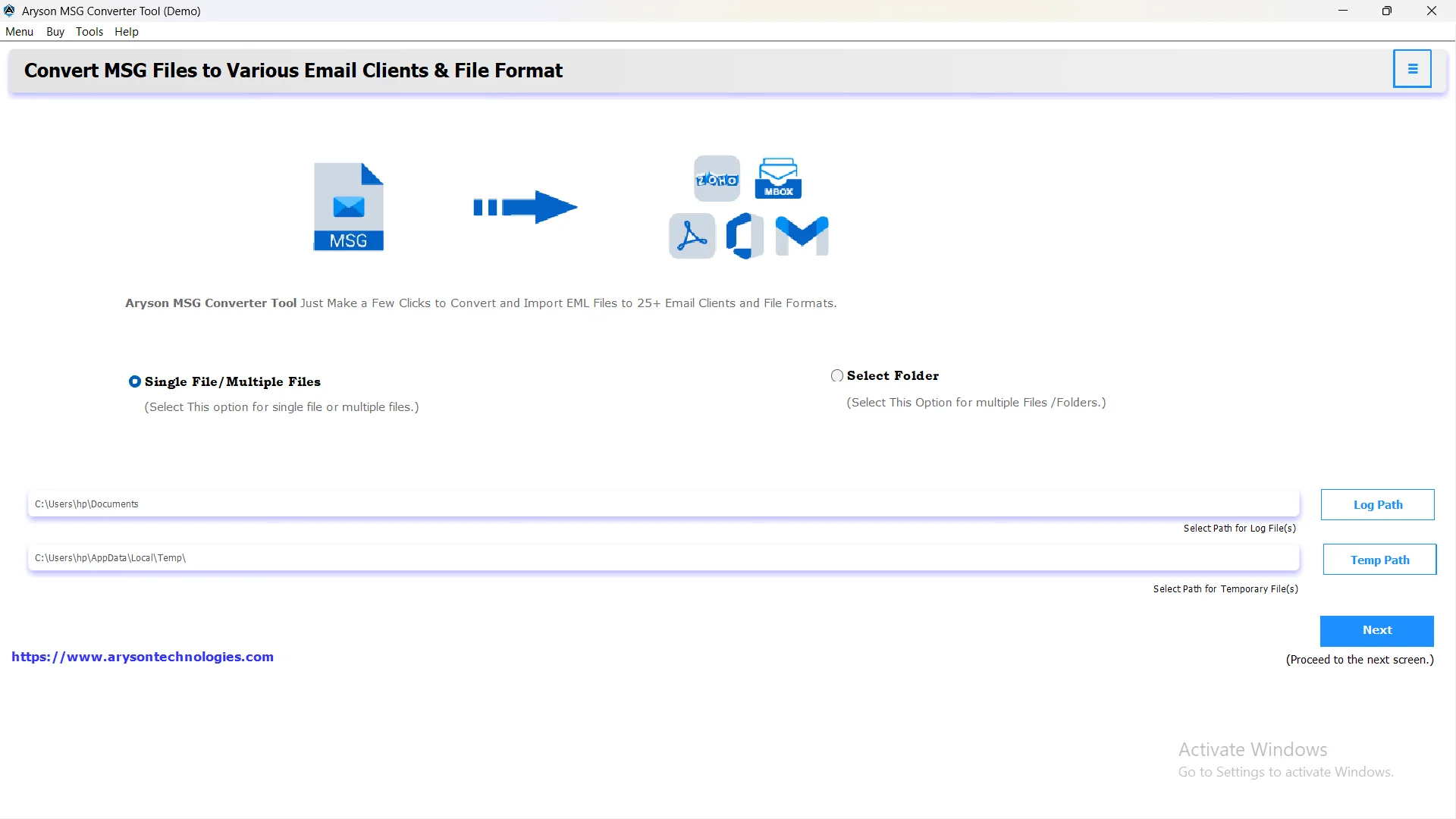
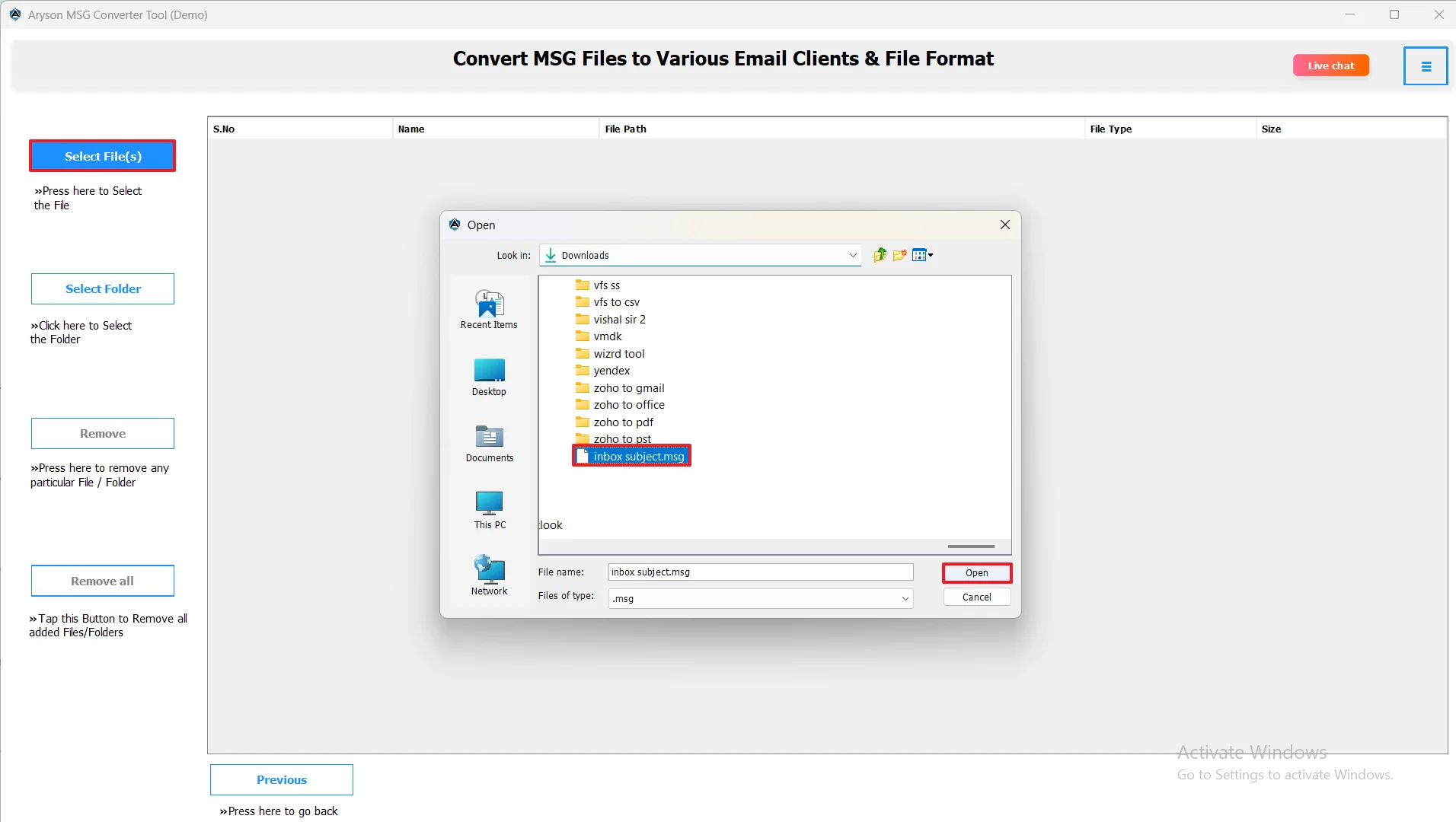
- Then, add MSG files by either using the Select Files/Folders option or simply dragging and dropping them into the software.
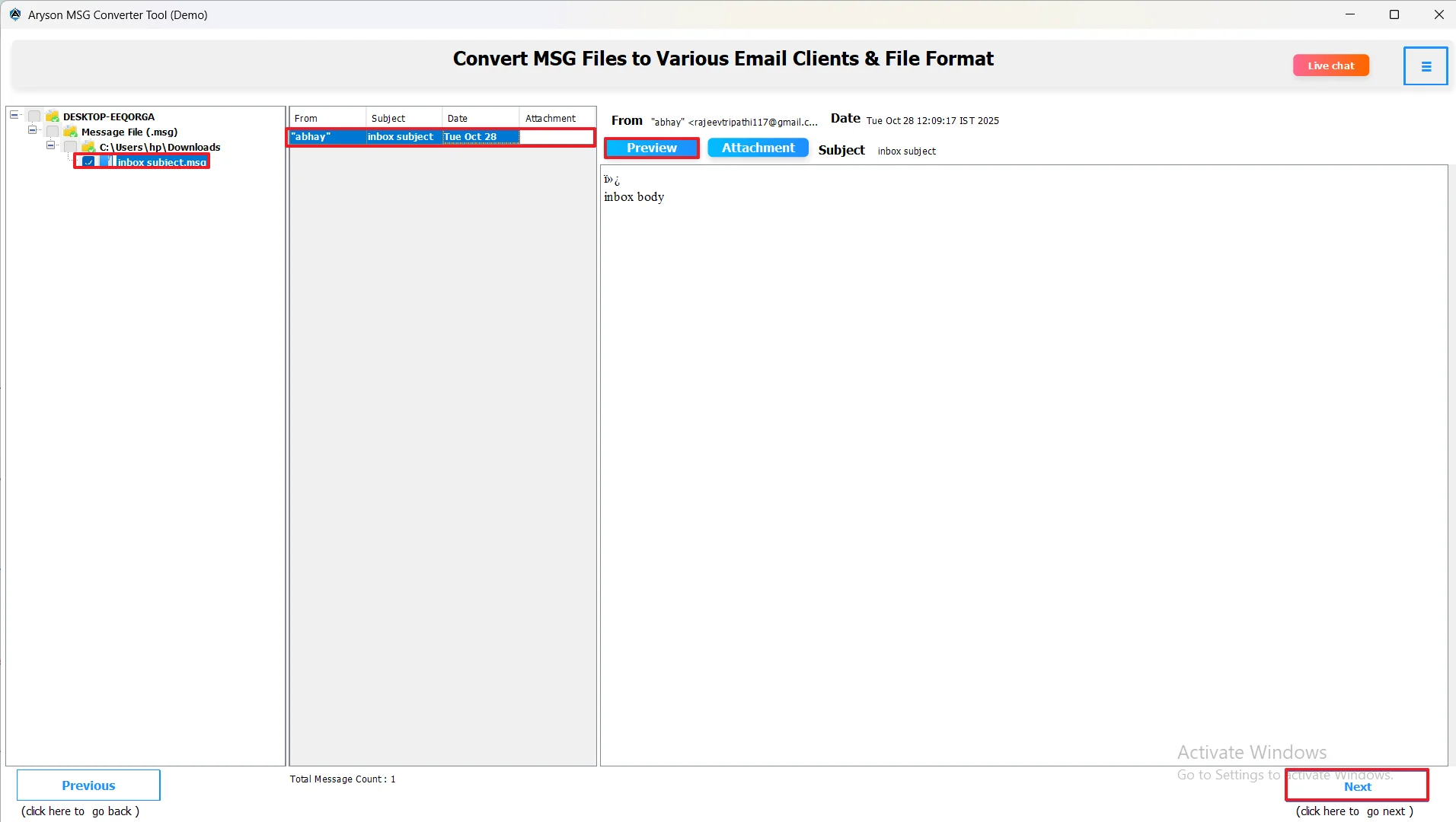
- After that, preview your emails and attachments in the right-hand panel once the files are loaded.
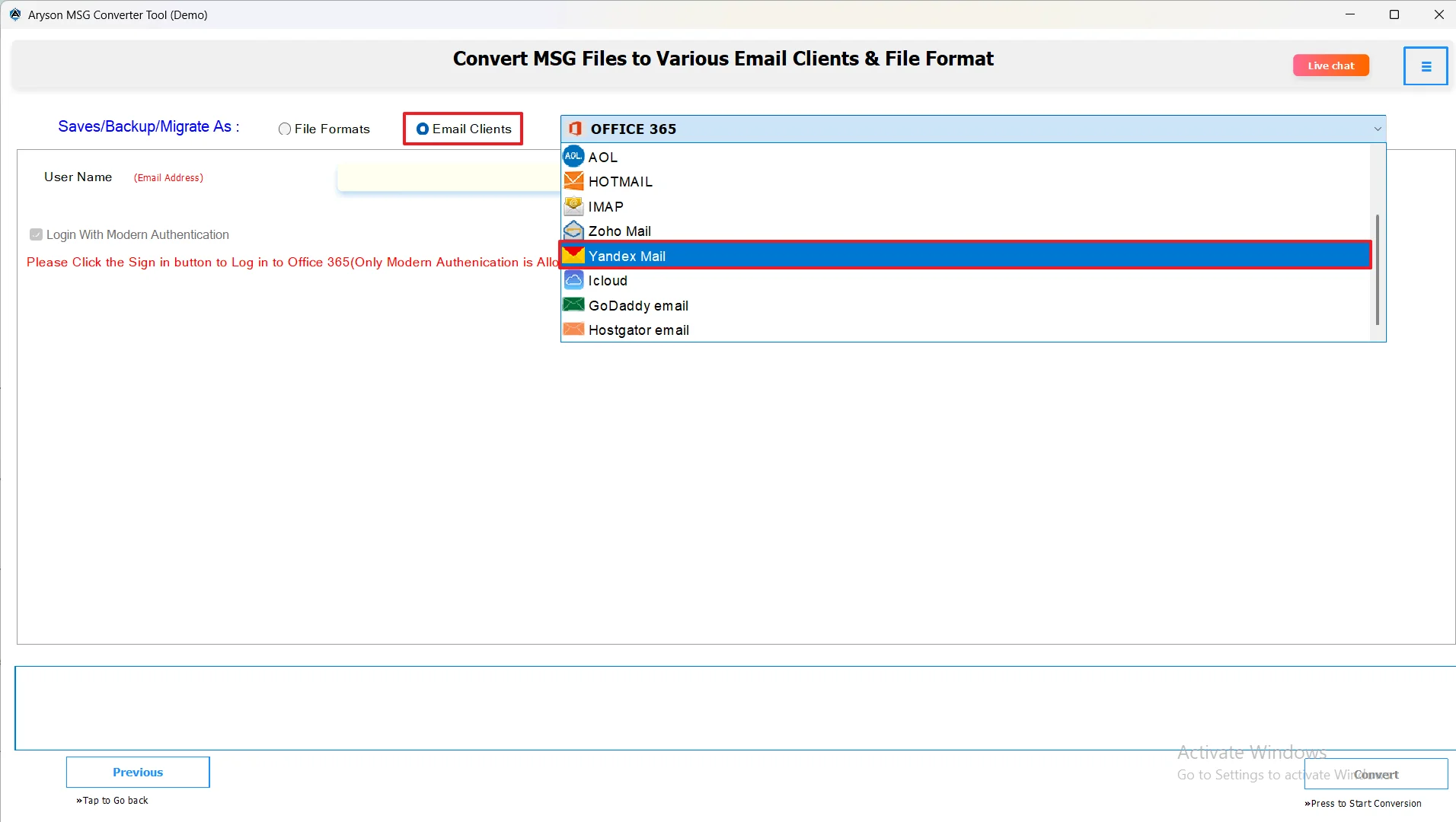
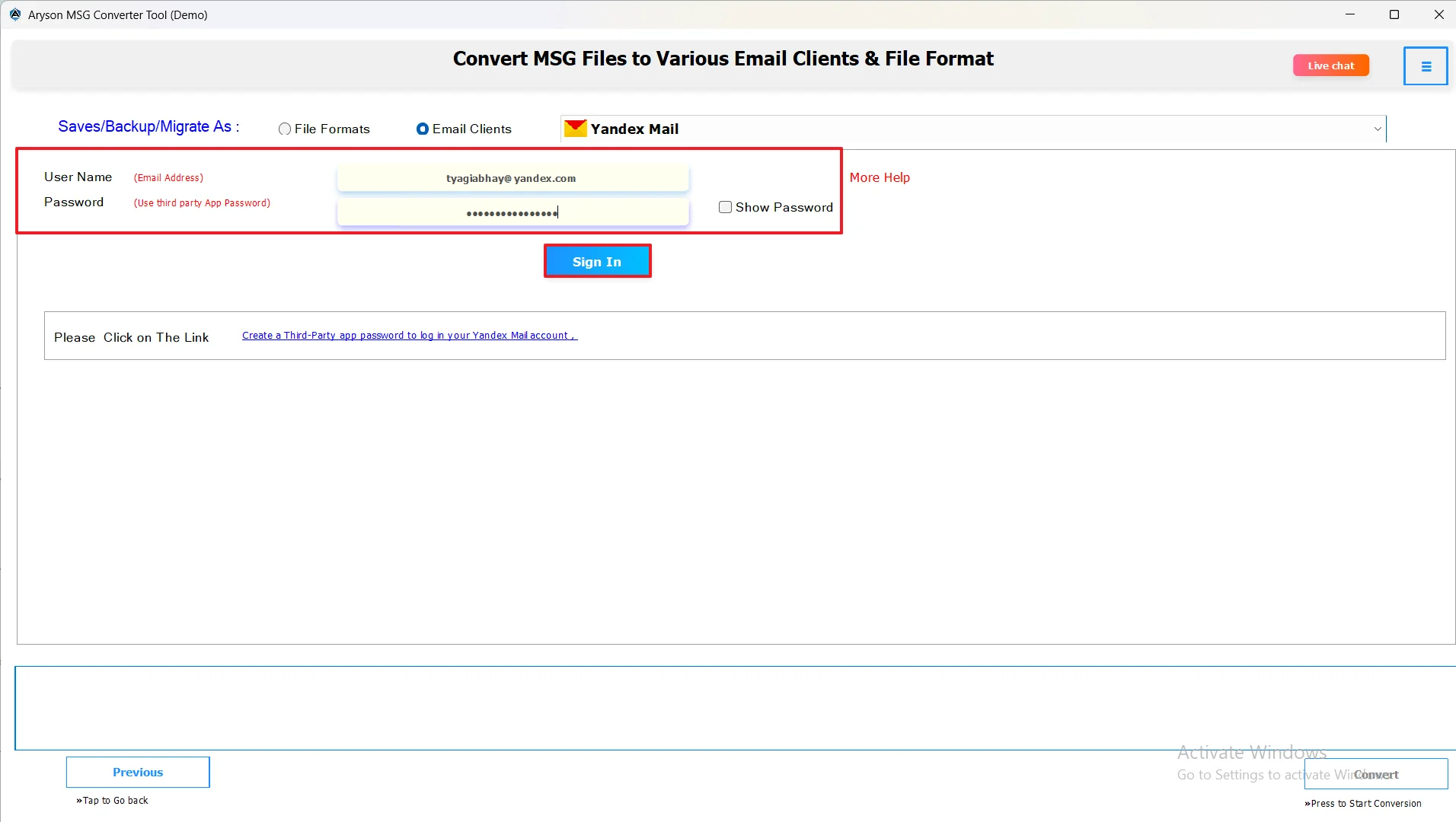
- Among all email clients, pick Yandex Mail as your desired one.
- Now, log in to your Yahoo Mail account using valid credentials.
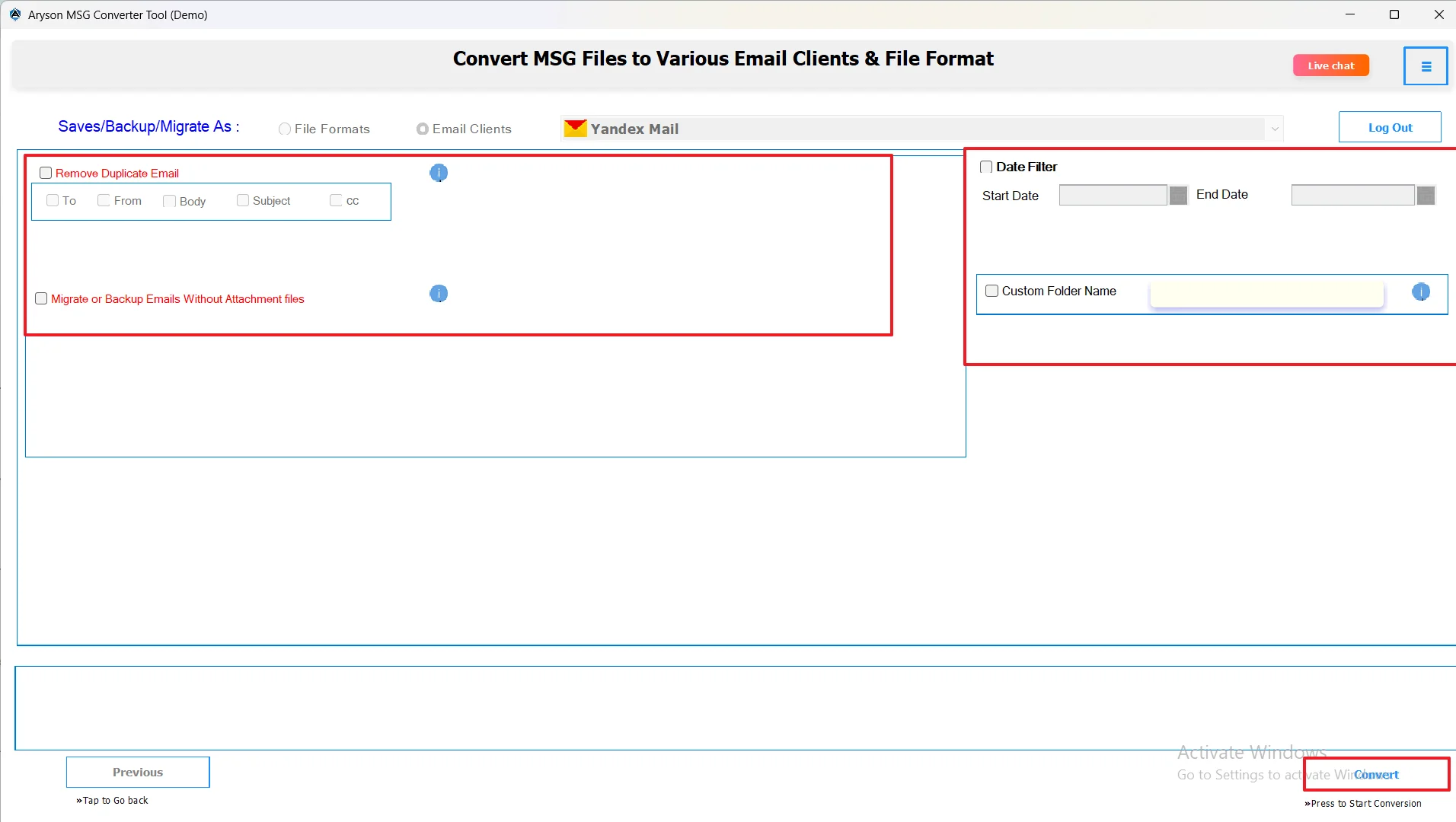
- Lastly, apply advanced filters if required & hit Convert to Import MSG Data to Yandex Mailbox.
Key Features of MSG Converter
- This software can convert MSG files into multiple file formats like PST, PDF, DOC, etc.
- Moreover, it can bulk import multiple MSG files all at once, without any data loss.
- It can directly migrate MSG files to Yandex Mail, Office 365, Yahoo, iCloud, and other clients.
- Users can remove duplicate emails automatically based on To, From, Subject, and Date.
- Also, it enables conversion or migration of emails within a specific date range.
- Allows users to preview MSG emails and attachments before conversion.
- Works well without needing Microsoft Outlook installed on the system.
Conclusion
In order to have better security, backup, and portability of MSG files, it is important to import MSG file to Yandex Mail. Hence, the above blog provided automated software for the same. This software can perform bulk import and is easy to use for beginners. Make sure to follow all the steps above carefully in order to avoid any kind of data loss or corruption.
Frequently Asked Questions:
Q.1 How do I import MSG files from Outlook to Yandex Mail?
Ans. You can import MSG files to Yandex Mail with the help of MSOutlookHelp MSG Converter.
Steps:
1. Download and run MSOutlookHelp MSG Converter.
2. Select files/folders for conversion.
3. Pick Yandex Mail as the email client.
4. Use additional features if required
5. Hit the Convert Button.
Q.2 What is the easiest way to convert my MSG files so I can import them into Yandex Mail?
Ans. The easiest way to upload MSG File to Yandex Mail is to use the automated software we discussed above.
Q.3 Why won’t my MSG files open in Yandex Mail?
Ans. Before importing, MSG files won’t open in Yandex Mail, as Yandex Mail doesn’t support the MSG format.
Q.4 Can I import multiple MSG files to Yandex Mail at once?
Ans. Yes, you can import multiple MSG files to Yandex Mail at once using MSOutlookHelp MSG Converter.
About The Author:

Evren Cole is an expert in Email and Data Management. She has a strong passion for technology and entrepreneurship. In her free time, she enjoys football, music, and reading books.