

-
Written By Evren Cole
-
Updated on November 24th, 2025
Import EML to Yahoo Mail: Complete Guide for Beginners
Overview: EML files are individual files that are used to store emails and attachments. On the other hand, Yahoo Mail is a popular email client that can easily organize, manage, and search your emails. Therefore, many organizations and large-scale businesses prefer to import EML to Yahoo Mail. Do you also have a large number of EML files and are searching for a quick solution to import them? If so, continue reading this blog. Here, we will discuss various methods of importing EML files, including the MSOutlookHelp EML Converter, which is used for a quick and secure bulk import.
Why Import EML Files to Yahoo Mail?
There are various reasons why a user would want to import EML file to Yahoo Mail. Some of those reasons are as follows:
- You can consolidate all your EML files into one Yahoo Mail account.
- As well as, Yahoo Mail keeps the email content, attachments, and folder structure intact.
- It becomes easier to access your EML files across multiple devices via Yahoo Mail.
- Moreover, you can efficiently organize and search your emails using Yahoo Mail.
- Also, Yahoo Mail offers a secure cloud backup to prevent data loss.
Best Solutions to Import EML to Yahoo Mail
Among the various solutions available to import EML files, here we are going to discuss the two most effective ones.
- The Manual Approach
- Using the Automated Software
Solution 1: Native Way to Migrate EML Data to Yahoo Mail
The manual import requires you to install Mozilla Thunderbird or Apple Mail to proceed with the import process. Moreover, it requires the user to have a certain level of technical understanding to complete the import without any errors. Now, let’s follow the steps below to import EML files effortlessly.
Steps to Open EML File in Yahoo Mail are as follows:
- Open Mozilla Thunderbird or Apple Mail as per your Operating System.
- Then, go to Add Account >> input your Yahoo Mail address.
- Now, either use an app password if two-factor authentication (2FA) is enabled or manually configure Yahoo Mail using IMAP settings.
- Wait until your Thunderbird/Apple Mail account completely syncs with Yahoo Mail.
- Make sure that your required EML files are available in your email client.
- Now, create a new folder in the synced Yahoo Mail account and give it a name.
- At last, simply drag and drop your EML files from Thunderbird or Apple Mail into this newly created Yahoo Mail folder to complete the import process.
Shortcomings of the Manual Method
- This method is very time-consuming for importing a large number of EML files.
- As well as it can’t import multiple EML files in one go.
- Moreover, there is no guarantee of data integrity.
- In addition, it requires the user to resolve the errors all by themselves.
- Also, it is a must to install Thunderbird or Apple Mail to proceed with this solution.
Solution 2: Efficient Solution to Import EML to Yahoo Mail
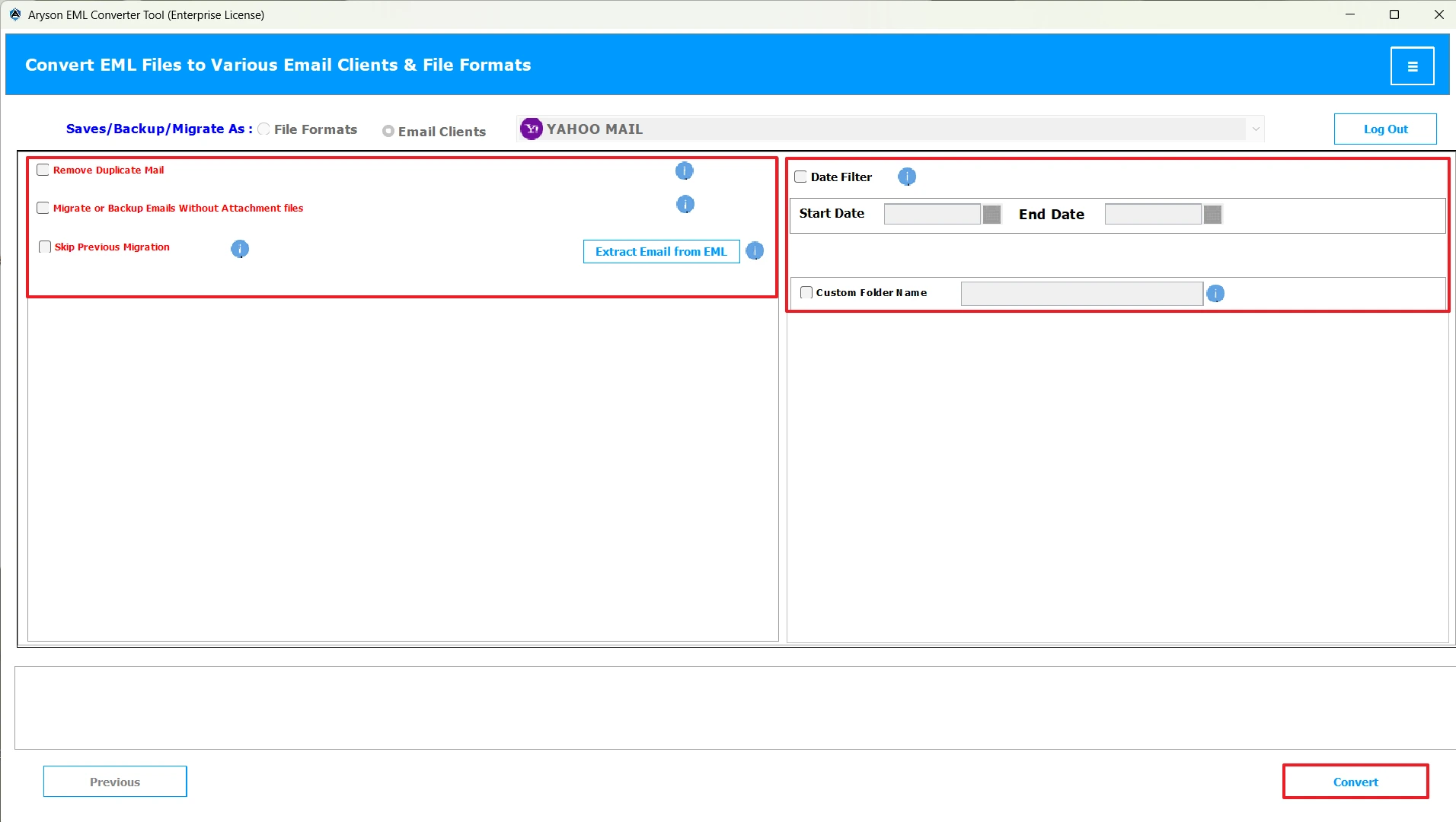
MSOutlookHelp EML Converter is the most reliable solution for importing EML files into Yahoo Mail. This software can import multiple EML files within seconds without any data loss. Moreover, it keeps the emails, attachments, and the original formatting intact during the import process. Additionally, it allows users to preview their emails and attachments before importing them. It makes it easy for beginners to effortlessly import EML to IMAP, Thunderbird, Yahoo Mail, Office 365, etc. Also, you can use the advanced filter options, such as Remove Duplicate Mails, Skip Previous Migration, Custom Folder Name, etc. Now, follow the steps below to avoid any kind of errors during the import
Quick Steps to Import EML to Yahoo Mail
- Download and open the MSOutlookHelp EML Converter on your existing system.
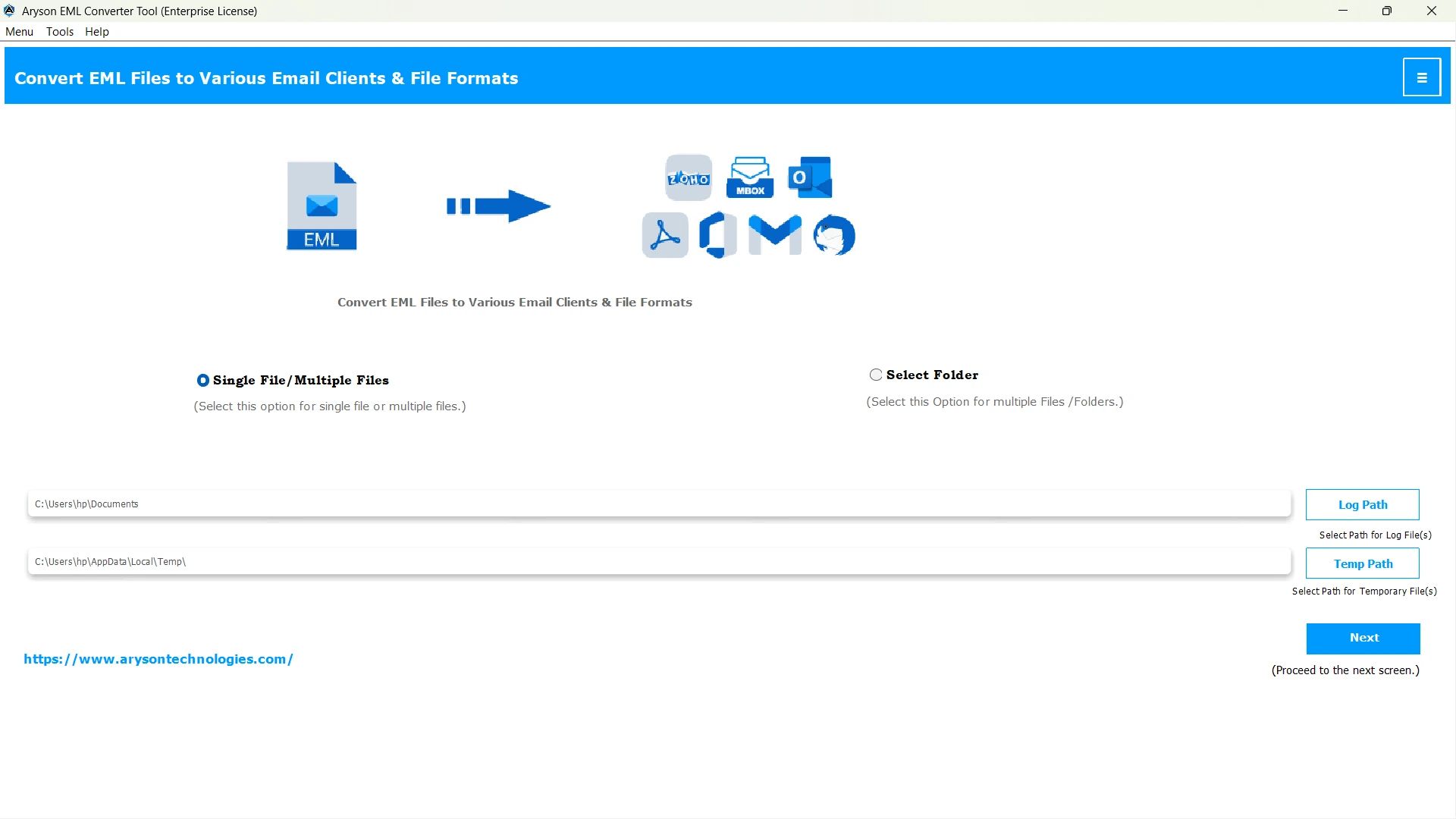
- Then, use the Select Files/Folders option to add your EML files & press Next.
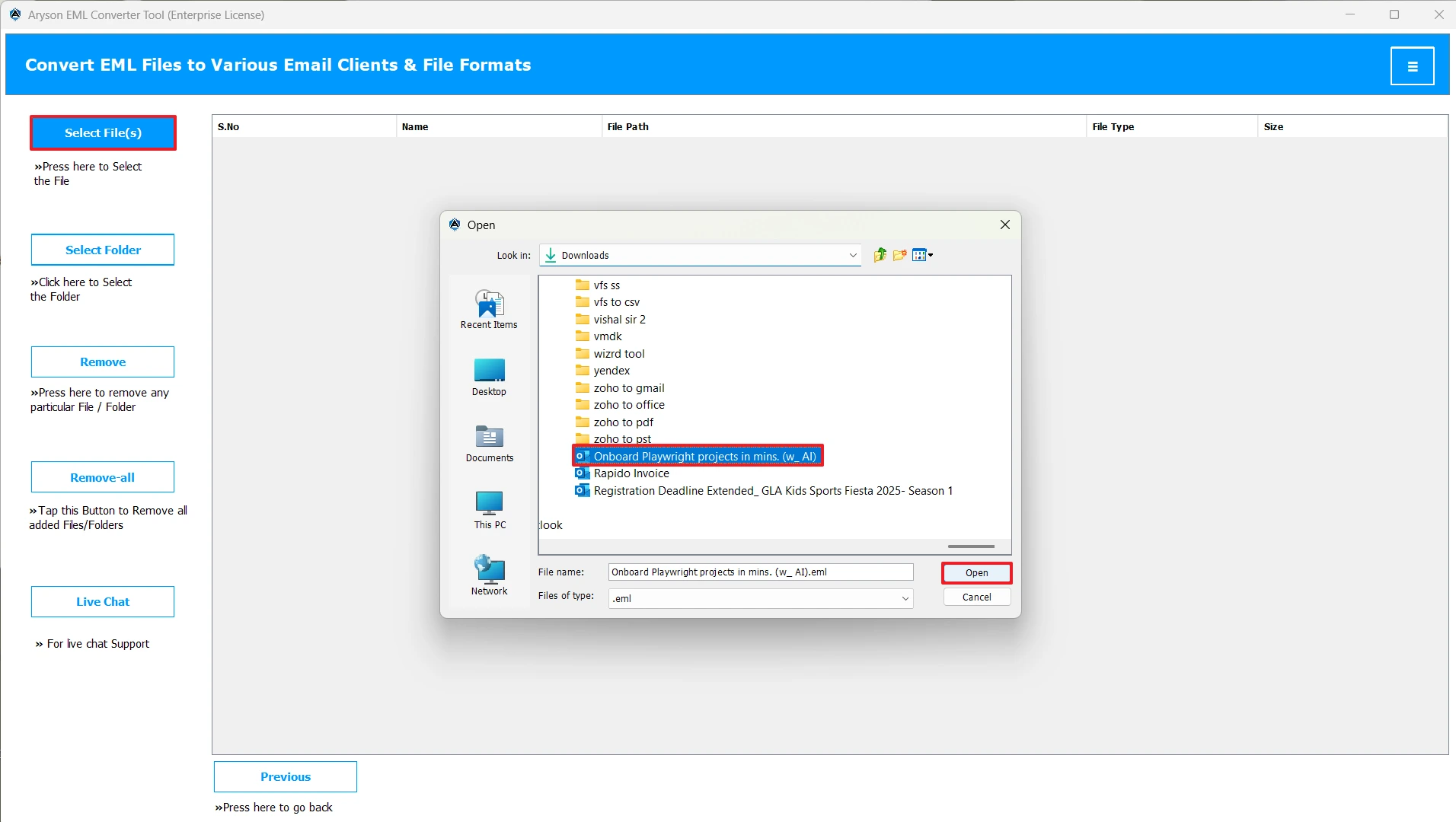
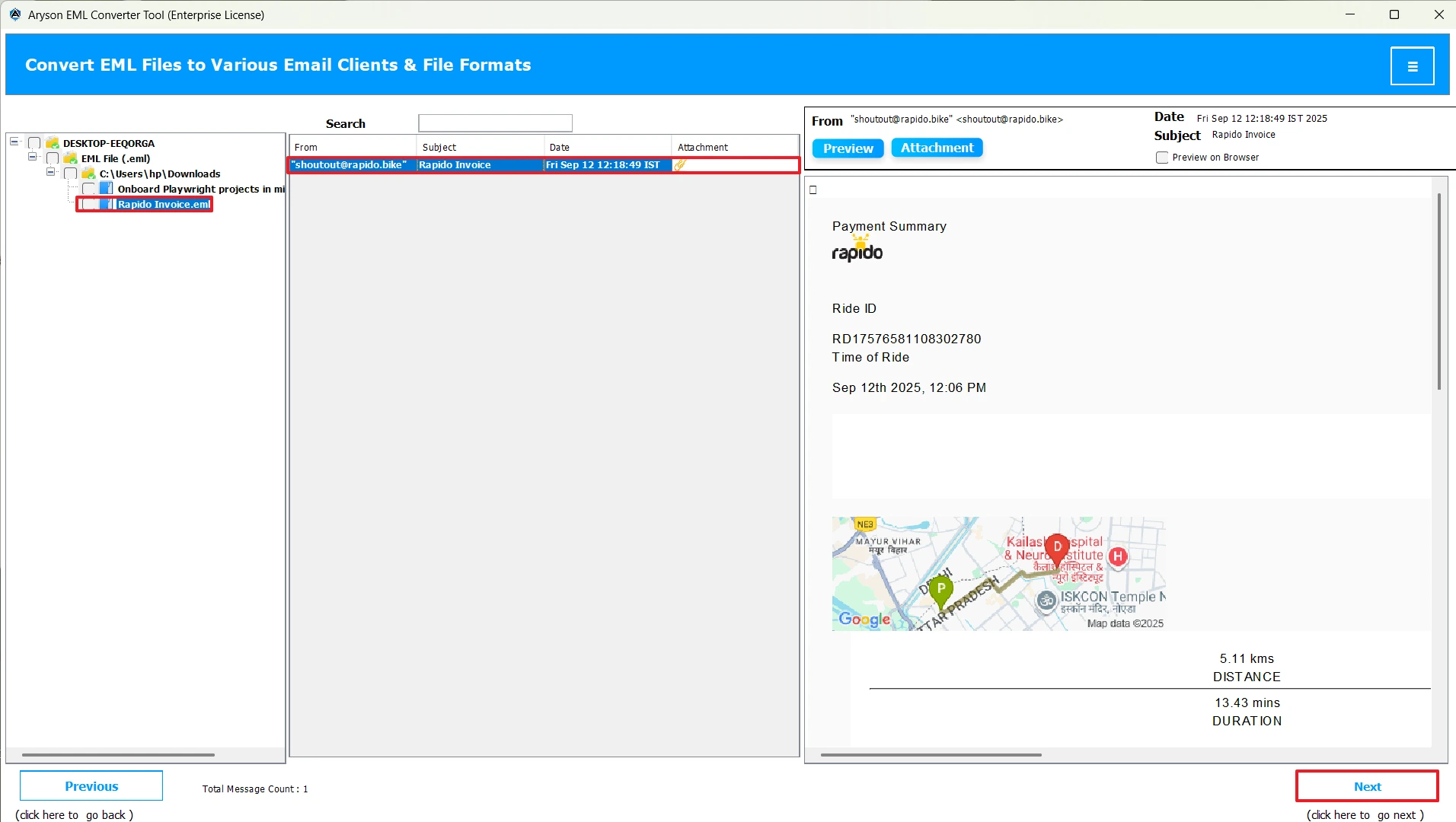
- After that, select single or multiple EML files >> preview them >> Next.
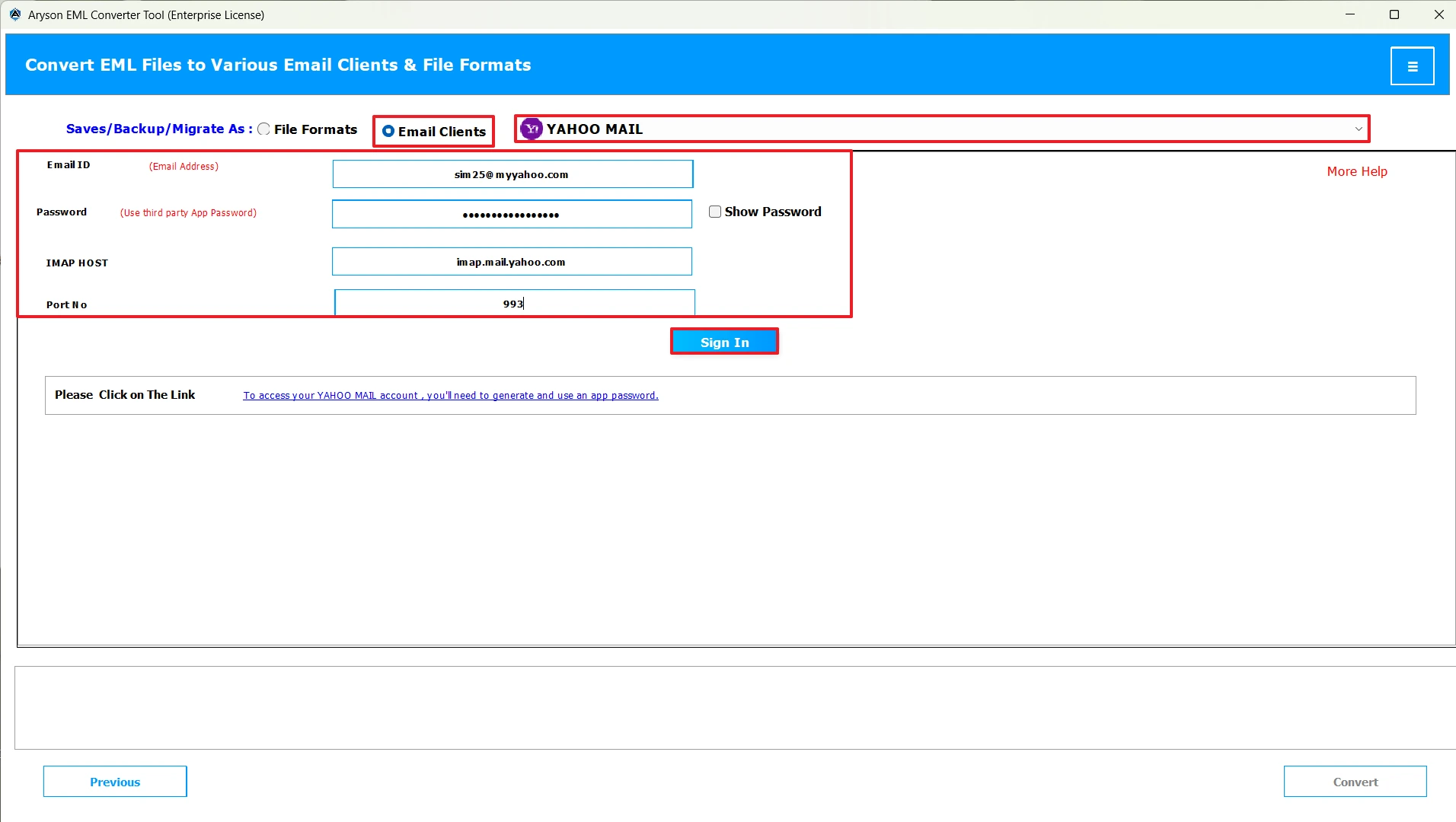
- Now, select Yahoo Mail under the listed email clients >> and log in to it.
- Finally, use the advanced filter as per the requirements >> click Convert.
Conclusion
In short, it becomes easier to manage, organise, and search your EML files once you import EML to Yahoo Mail. Now, the choice of import method may differ from user to user, depending upon their needs and expertise. The manual method is suitable for individuals who have fewer EML files to import. On the other hand, the automated software is used by many organizations to manage their data efficiently. For better clarity and understanding of the entire import process, you may use the demo version of the software.
Frequently Asked Questions:
Q.1 Is it safe to use third-party software to import EML to Yahoo Mail?
Ans. Yes, it is safe to use the MSOutlookHelp EML Converter to import EML to Yahoo Mail.
Q.2 What is the best way to migrate EML data to Yahoo Mail?
Ans. The best way to transfer EML Emails to Yahoo Mail is by using the MSOutlookHelp EML Converter.
Q.3 Why won’t my EML file open in Yahoo Mail?
Ans. You can’t open your EML files directly in Yahoo Mail as it doesn’t support the EML file format natively. However, once you import them to Yahoo Mail, using the above automated solution, you can easily open them there.
Q.4 Does Yahoo Mail support EML files by default?
Ans. No, Yahoo Mail doesn’t support the EML files by default.
About The Author:

Evren Cole is an expert in Email and Data Management. She has a strong passion for technology and entrepreneurship. In her free time, she enjoys football, music, and reading books.

