G
Unlock enterprise-level key capabilities for Google Workspace Backup Software.
512 MB is Required
4 GB of RAM
Intel® Core™ 2 Duo CPU E4600 @ 2.40GHz 2.39GHz
Windows 11, 10, 8.1, 8, 7, Vista, XP, 2000, 98, NT, and 95
500 MB of free hard disk space required
4 GB of RAM
Mac Computer with Intel Processor, Mac Computer with Apple Silicon (Apple M1)
10.15 Catalina, 10.14 Mojave, 10.13 High Sierra, 10.12 Sierra, OS X 10.11 El Capitan, 10.10 Yosemite, 10.9 Mavericks, and 10.8 Mountain Lion
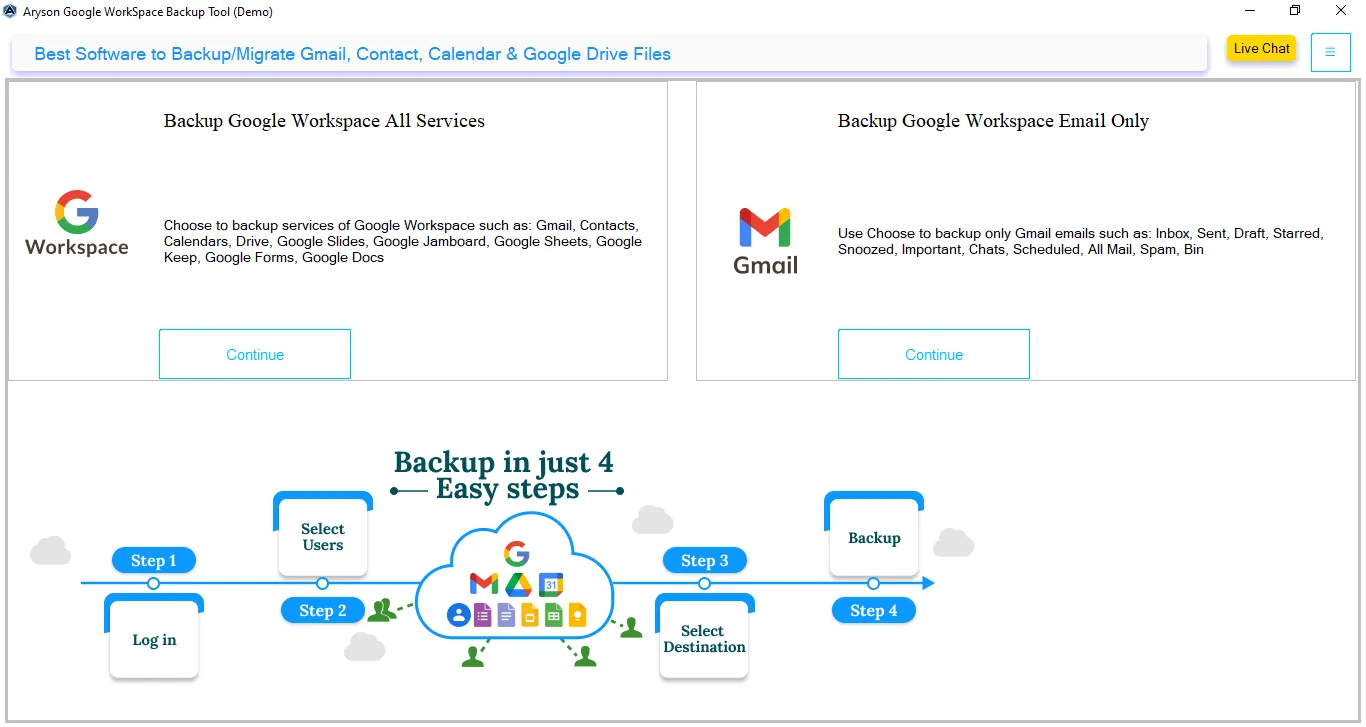
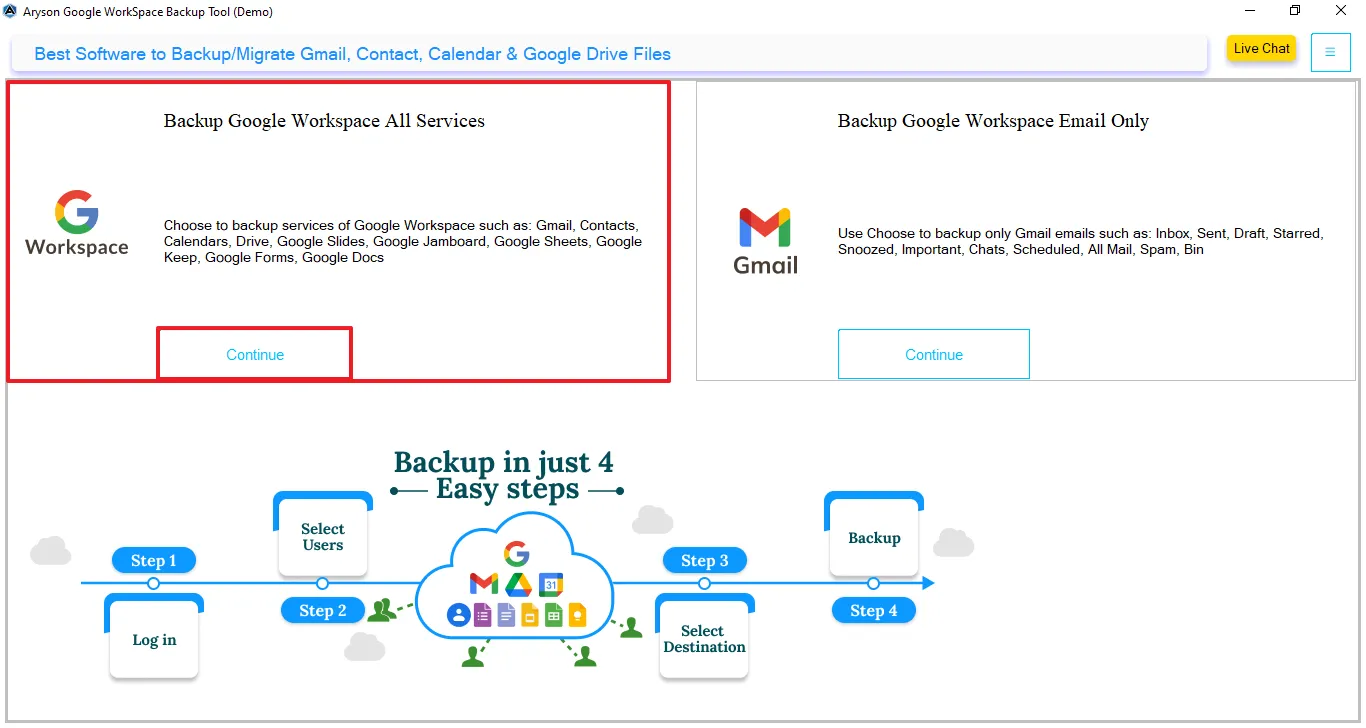
Google Workspace Backup Tool delivers a complete, secure, and dependable solution for exporting your entire Google Workspace mailbox, including Gmail, Drive, Contacts, and Calendars with absolutely zero data loss. Follow the simple steps below to effortlessly back up or migrate your Google Workspace data to a wide range of file formats and email clients, all from one easy-to-use platform.
This software offers a reliable solution for backing up your entire Google Workspace account to a local system. It enables you to securely download all mailbox and app data, including Gmail emails, Contacts, Calendar events, Drive files, Docs, Sheets, Meet data, Forms, Chats, and more, while ensuring complete accuracy and data integrity throughout the process.
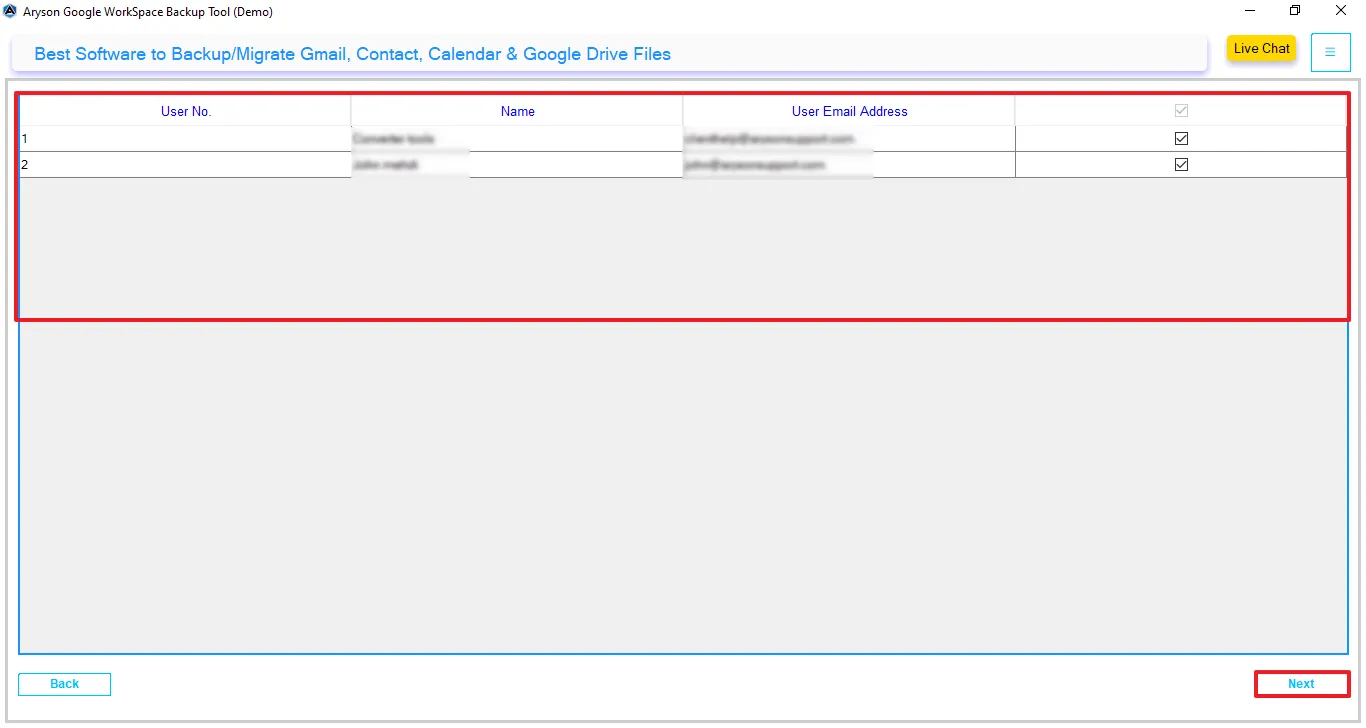
Trusted by IT professionals and organizations, Google Workspace supports managing data across multiple user accounts. This tool makes it easy to back up several mailboxes at once, allowing you to securely download and store data from multiple Google Workspace accounts in a single, streamlined process.
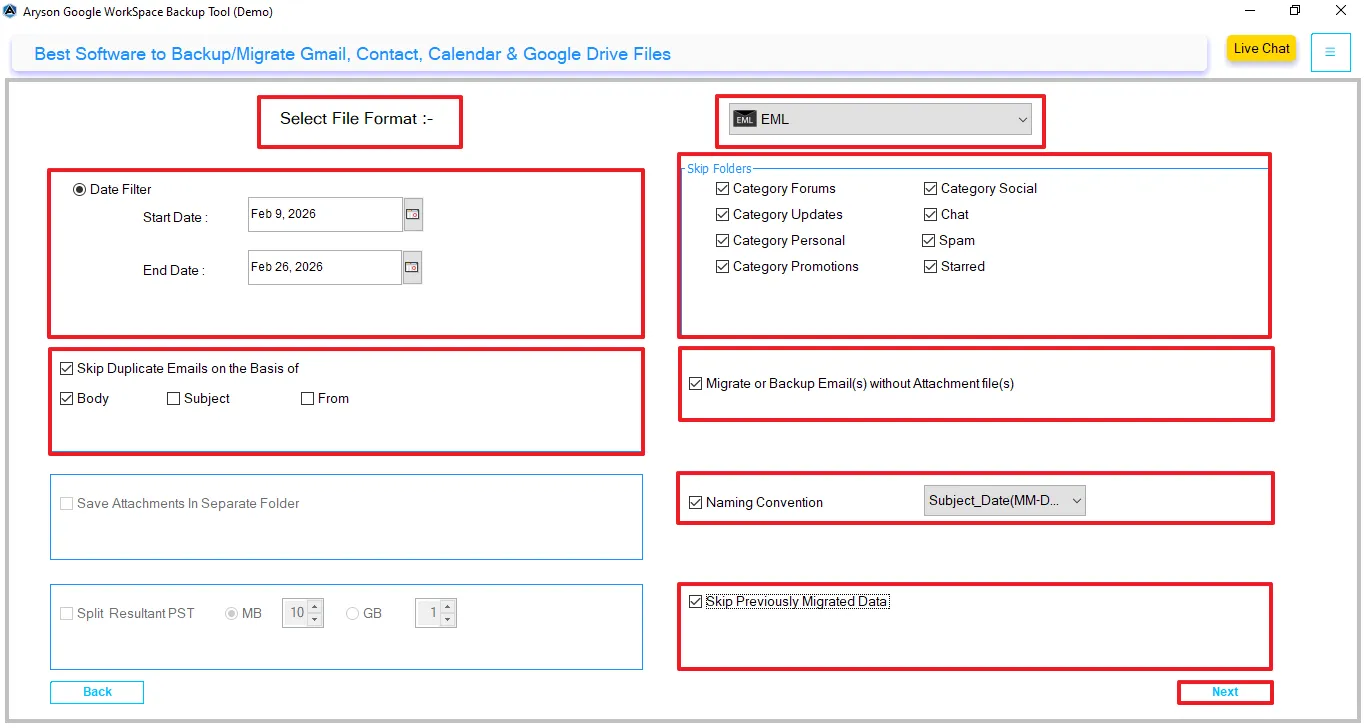
The G Suite Email Backup Tool lets you avoid saving data you don’t actually need. You can choose to back up emails from a certain time period or leave out unwanted items. Also, it has an option to select Start and End dates to make sure a selective data migration. This helps users to keep the backup in a simple and organized way.
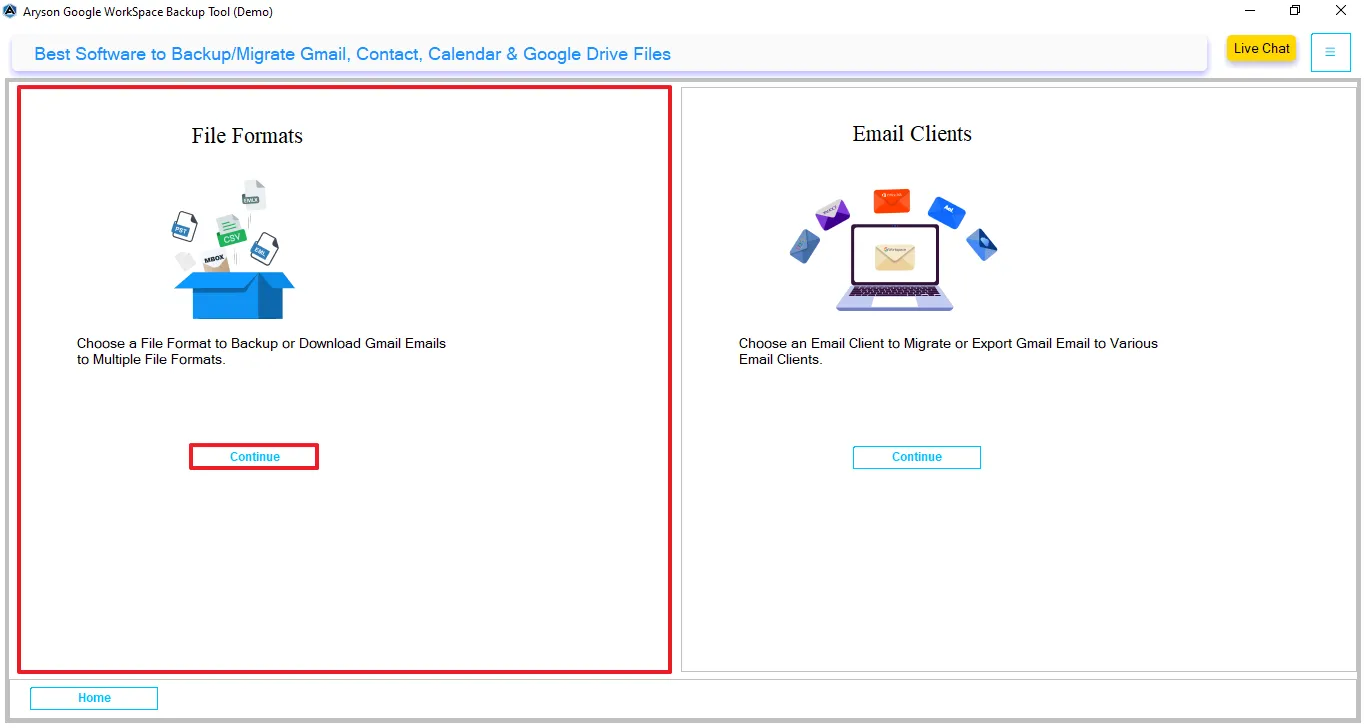
With the help of file formats, users can save mailbox data to any format. Moreover, it supports multiple output options which include EML, PDF, PST, MSG, EMLX, MBOX, and CSV. Users can easily choose the desired format to make sure compatibility with different email clients, such as Hotmail, Gmail, Office 365, G Suite, IMAP, iCloud, Zoho, Yahoo & AOL Mail, and storage needs.
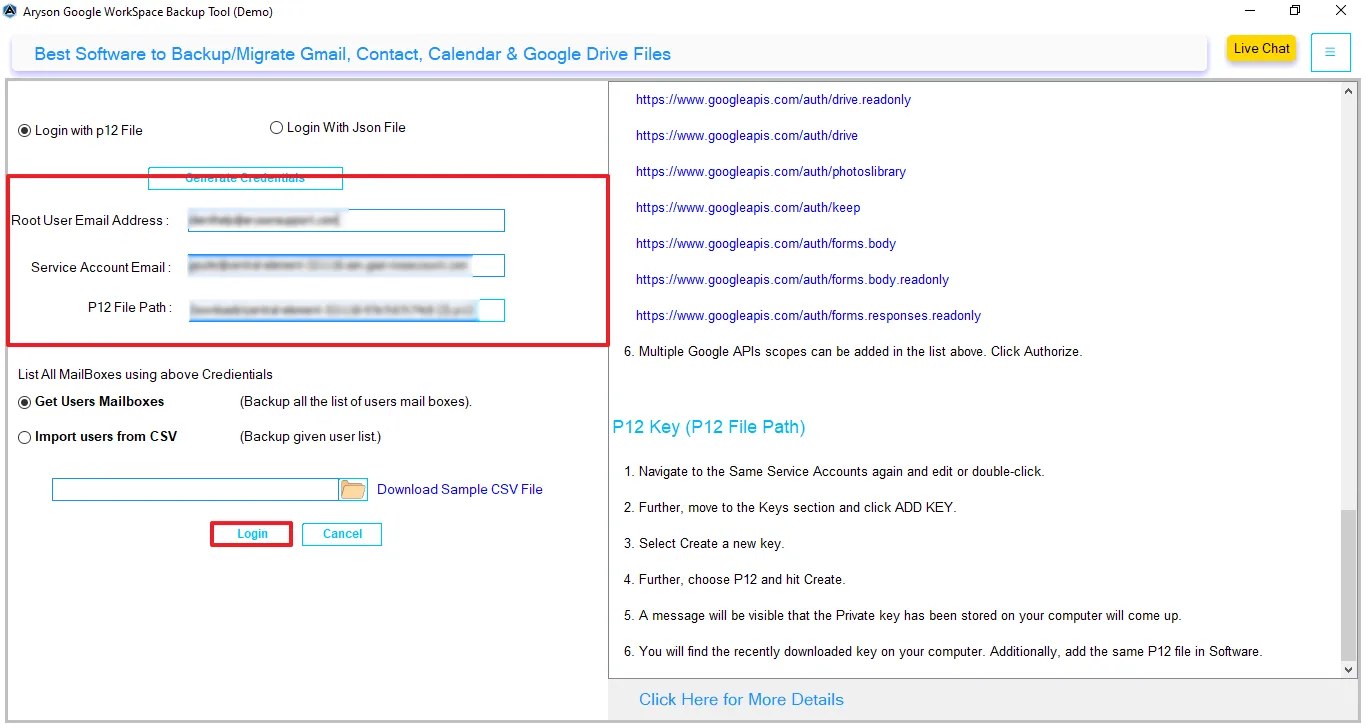
This backup tool ensures a smooth and secure login process for your Google Workspace account. Simply enter your username, service account ID, and upload the P12 key file to get started. In case of any login issues, you can use the provided help link or reach out to the support team for quick assistance.
With an advanced mechanism, the G Suite Mail Backup Tool comes with a feature that maintains complete data integrity during the backup process. It includes a built-in option to split the generated file when exporting data to PST format. Users can customize the file size by splitting the PST file based on MB or GB and make it easier to manage and store large data volumes efficiently.
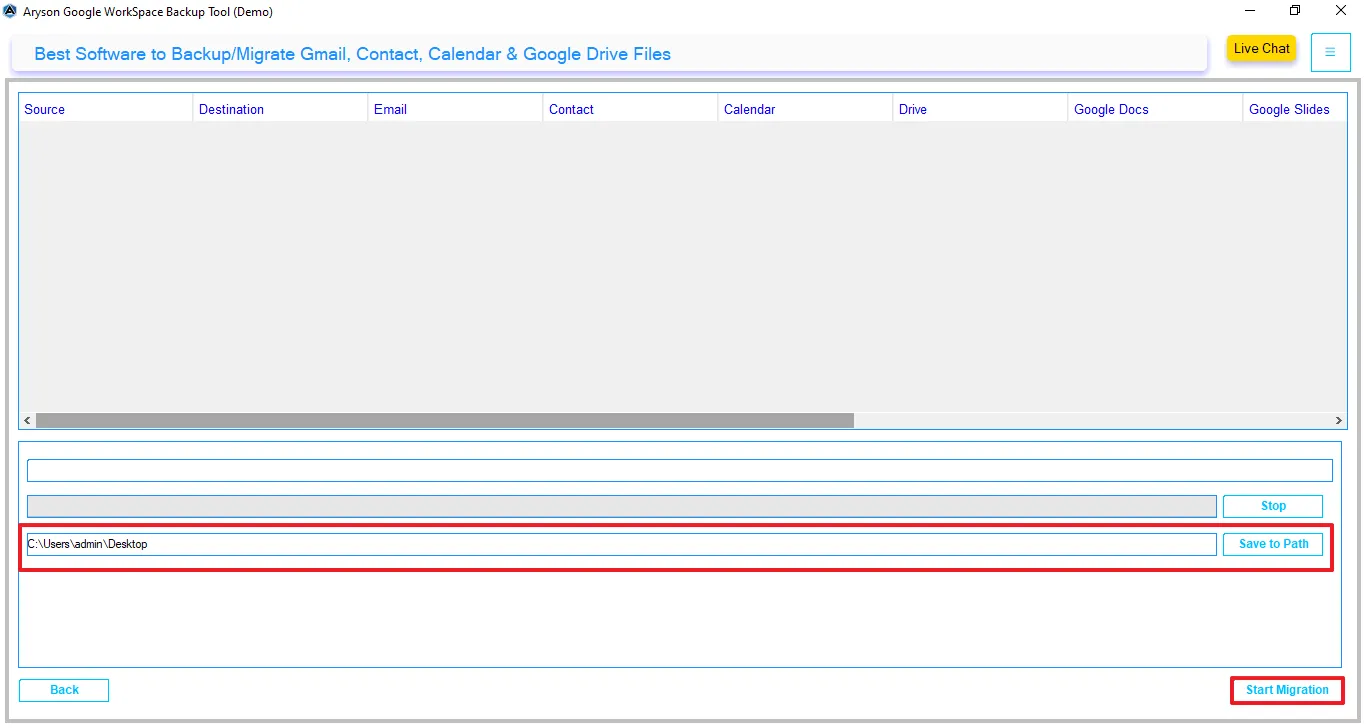
Offers advanced filtering options that allow users to back up Google Workspace data to a location of their choice. You can easily select a preferred destination folder to store the output files as per your convenience. By default, the software saves the backup on the desktop, but you can change the path anytime based on your requirements.
We have a free trial version of the G Suite Backup Tool. It allows users to test compatibility, functions, and performance. One can download the trial version and save the first 50 items from each folder. Also, it works well on most Windows systems, including Windows 11, 10, 8.1, and 7. It installs without any hassle and runs smoothly on different setups.
| Product Features | Demo Version | Full Version |
|---|---|---|
| Export G Suite Mailbox to PST, PDF, EML & others. | 50 items per folder | Complete Mailbox Data |
| Migrate G Suite to Office 365, Gmail, IMAP & others. | 50 items per folder | Complete Mailbox Data |
| Download Google Contacts, Calendars, Meets & others. | 15 items only | Complete Mailbox Data |
| Gmail only Backup option | ||
| Multiple Users Account Backup | ||
| Skip Duplicate Emails | ||
| Backup Emails Without Attachments | ||
| Split PST Files | ||
| Save Attachments Separately | ||
| Windows Compatibility | ||
| 24/7 Technical Support | ||
Choosing the Google Workspace Backup Tool is essential to make sure of data security and long-term accessibility. This solution stands out as a reliable and performance-driven G Suite Backup Software made to meet both individual and enterprise users' needs.
Whether you are an IT admin, business owner, or individual user, this tool ensures seamless and secure backup operations.
Using a professional Google Workspace Backup Software provides multiple advantages beyond just data storage. It helps organizations stay protected, compliant, and efficient.
Protect your critical business data from accidental deletion, cyber threats, ransomware attacks, or server failures by creating a secure backup.
Maintain records for audits, legal requirements, and compliance by storing data in secure and accessible formats.
Quickly migrate Google Workspace data to other platforms like Office 365, Gmail, or IMAP servers without data loss.
Access your emails and data anytime, even without an internet connection, by saving them locally.
Organize and manage large volumes of emails and files efficiently with filtering and categorization options.
Reduce manual effort and operational costs with automated and bulk backup features.
Don’t just rely on what we say—hear directly from our users about their real experiences.
Hi, I am Nimisha, an IT manager, finding a backup solution I could actually trust was a priority. G-Suite holds a lot of critical data for us, and the thought of losing any of it kept me on edge. After trying this software, that stress went away pretty quickly. What really stood out was the accuracy & backed up exactly as expected, and nothing was missing.
Nimisha David,
IT Manager
Before this tool, Google Workspace backups were honestly a pain. Someone on the team had to babysit the whole process, and it still wasn't reliable. Switching to this software was one of the better decisions we made last year. The filters alone saved our important time. Export options are flexible too, which matters when different teams need data in different formats. And this software fulfils our needs.
Amrita Singh,
Operations Head
Hello users, I want to share my experience as I'm not a tech person at all. Its simple interface helps me out. No confusing menus, no steps where I had to stop and Google what something meant. I backed up my Google Workspace data without any issues. There was one moment where I wasn't sure about a setting, and I reached out to support. They got back to me quickly and sorted it out.
Rohan Gupta,
Small Business Owner
Happy Users
Success Rate
Support
Average Rating