

-
Written By Evren Cole
-
Updated on June 10th, 2026
Migrate Roundcube Emails to New Server: Explore Best Methods
User’s Query: I’m planning to self-host my email, and Roundcube looks like a good option. However, I need a way to automatically download emails from my mail provider and remove them from the original server, similar to how POP3 works. Since Roundcube appears to be IMAP-only, is there a way to achieve this with Roundcube or an additional tool?
Summary:- Email migration from Roundcube to another server is considered the most common requirement for those companies that wish to switch hosts or upgrade hardware. This is due to the fact that Roundcube is an online mail client that allows user to store the emails on the email server via the Internet Message Access Protocol (IMAP). The right approach can help to minimize the downtime and prevent data loss. In this guide, we will explore the different methods, which include the MSOutlookHelp IMAP Backup Wizard, to efficiently migrate Roundcube emails to new server.
Below are the methods to accomplish the migration of Roundcube to a New Server.
Professional Method to Migrate Roundcube to New Server
The IMAP Backup Wizard is designed to help organizations move their multiple Roundcube mailboxes to another email server. It supports bulk migration and keeps the email folder and messages intact at the time of process. This software does not store users’ credentials and their data.
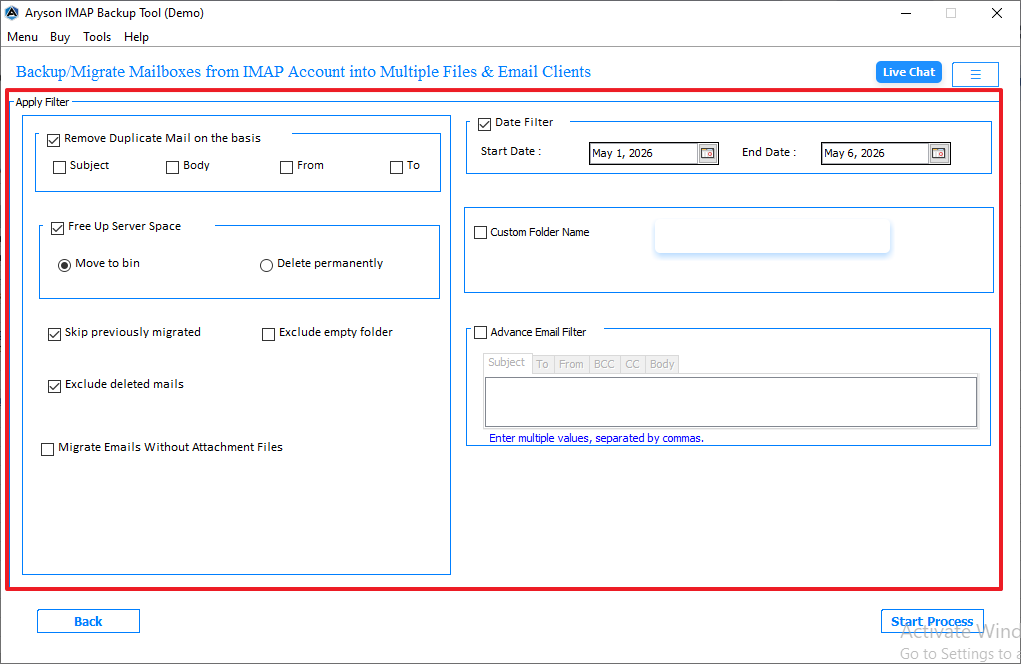
This software includes various options such as email preview, duplicate email removal, and date range filters. It helps the user to transfer their Roundcube emails to Office 365 and other IMAP-supported email services. Apart from that, the user can migrate IMAP to Yandex Mail and other email servers.
Working Steps to Migrate Roundcube Emails to New Server
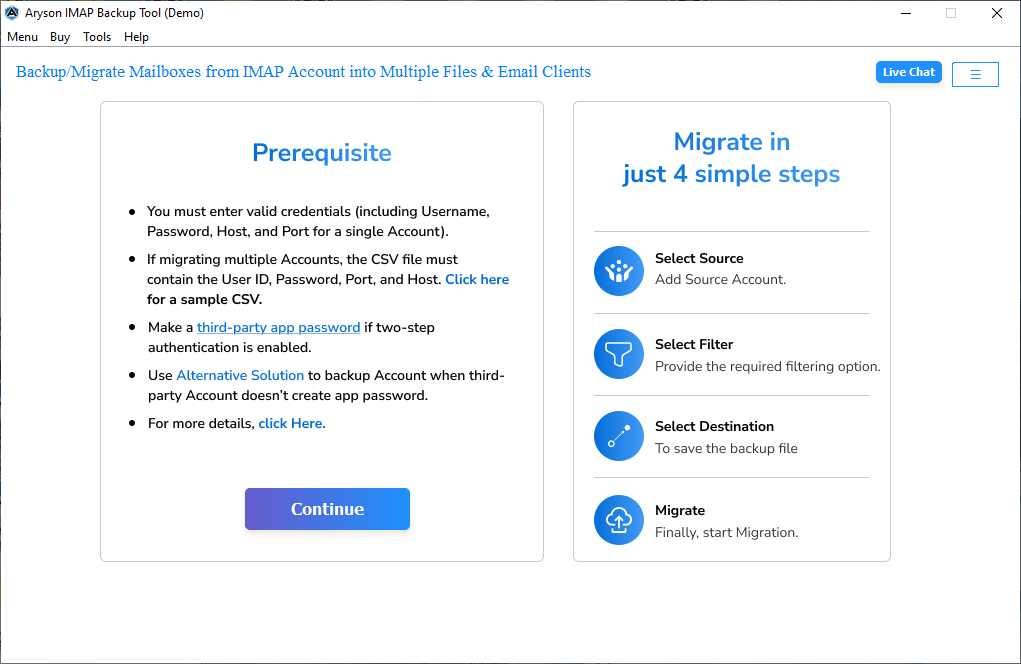
- Download and install the IMAP Backup Wizard on your system.
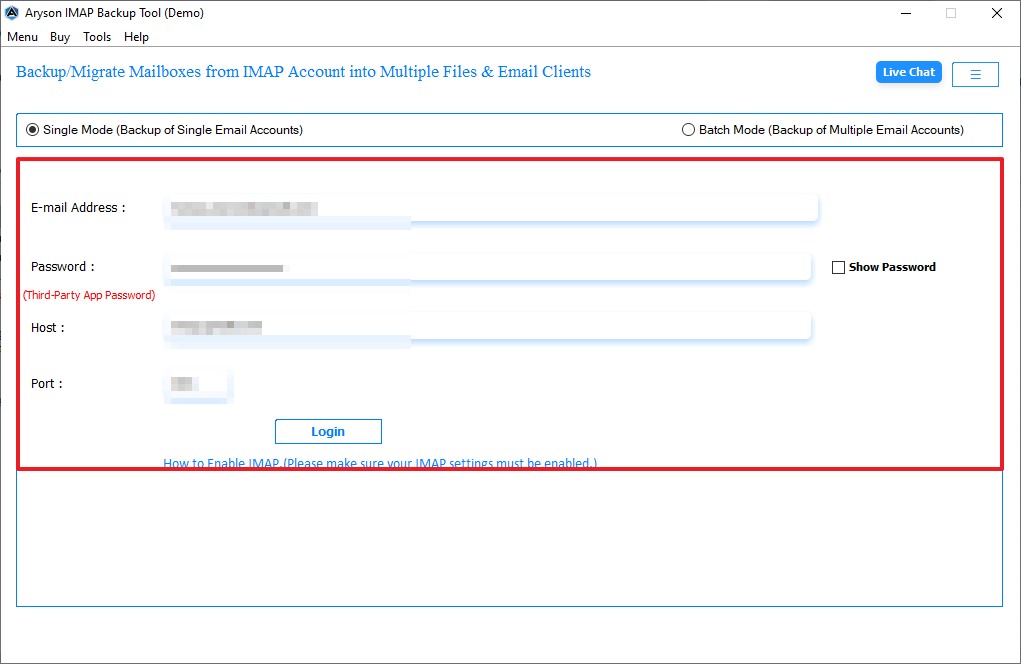
- Provide the correct Roundcube email login credentials.
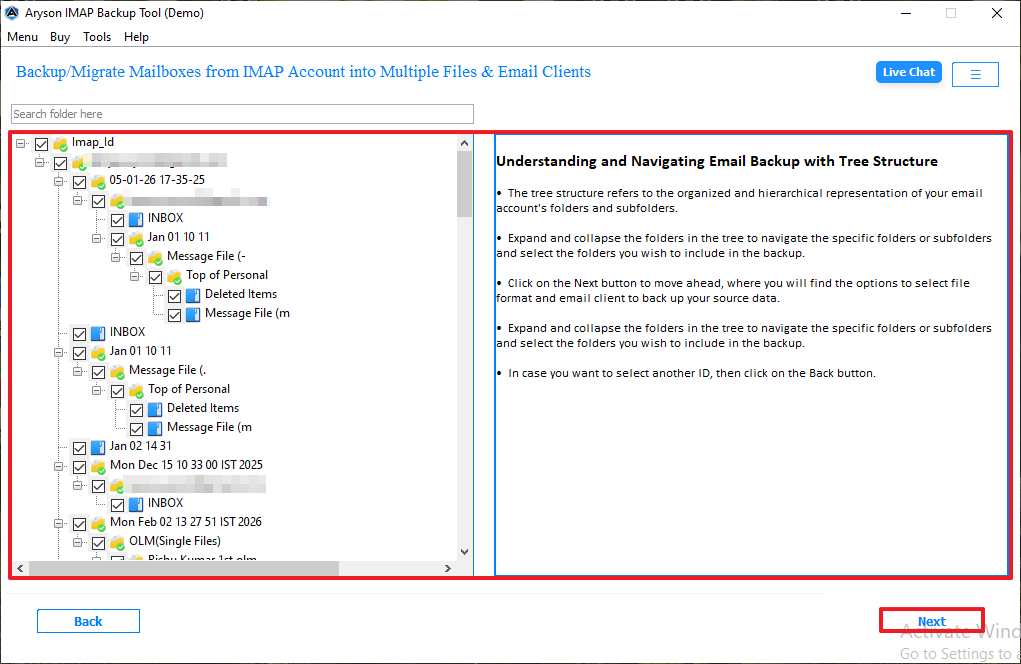
- It will fetch all the mailbox folders, select, and click Next.
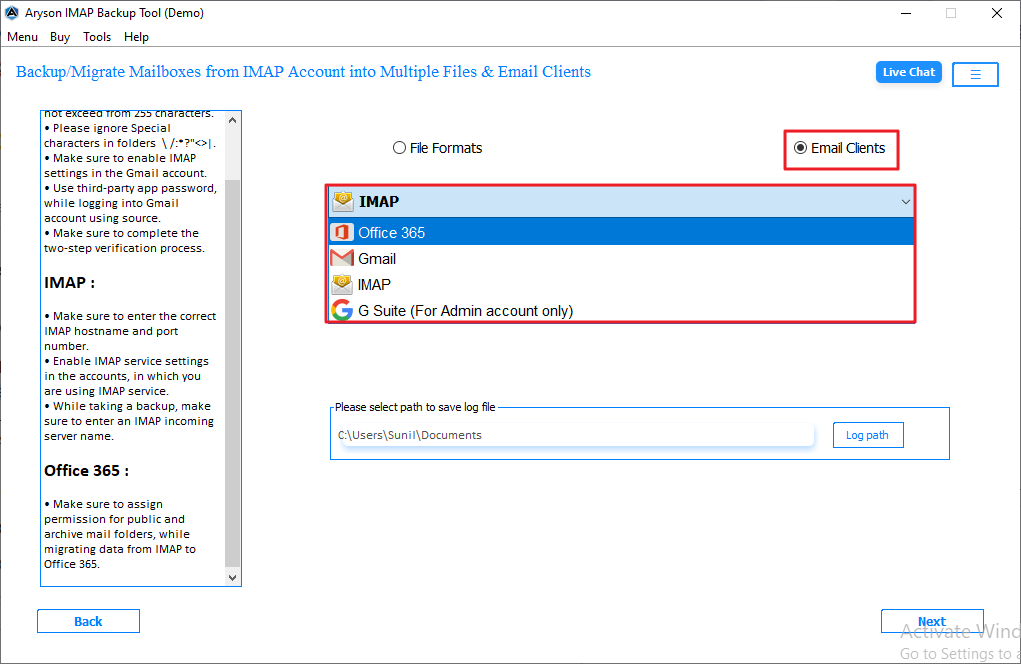
- Moreover, you have to select IMAP from the email client and enter the credentials.
- Apply additional filters to selectively migrate data.
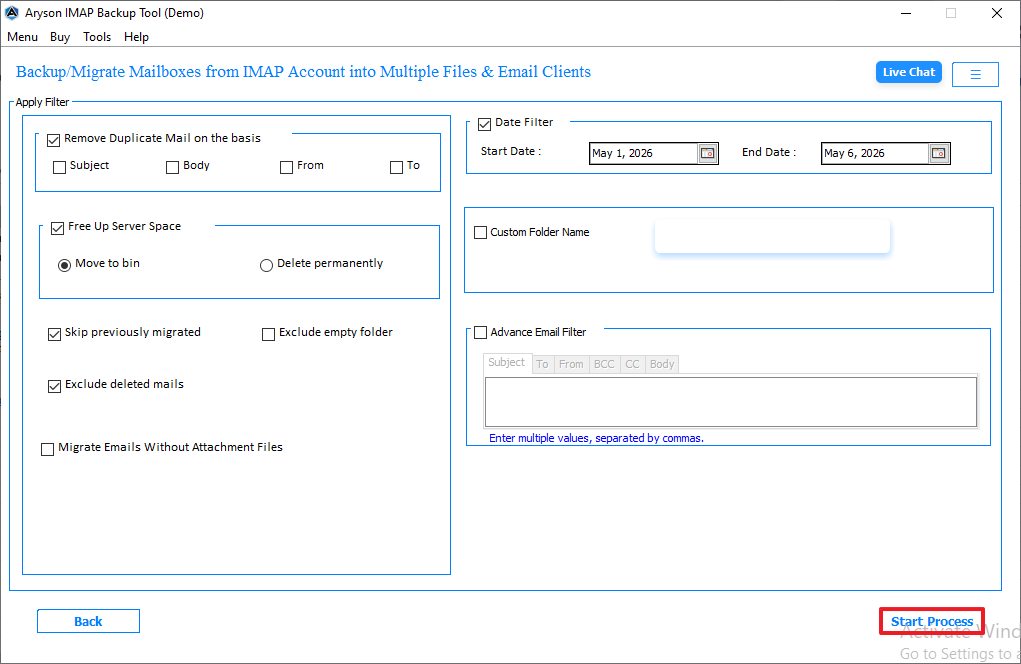
- Thereafter, click on the Start Process to begin the migration process.
Real-Life Scenario
A small market agency uses a Roundcube webmail outgrew its shared hosting environment due to limited storage and performance issues. At the time of migration to a cloud server, the manual transfer attempts to cause. With the help of a professional IMAP tool, the agency can securely migrate Roundcube to another Roundcube Server, mailboxes, and data without downtime.
Manual Method to Migrate Roundcube Emails to New Server
If you have to manage only a small number of mailboxes and are familiar with server administration, then this option is also reliable. However, the process involves email storage and server configurations. So, it is important to execute the process carefully.
Follow the Steps to Migrate Roundcube from One Server to Another Server
Follow these simple steps to move Roundcube from one server to another without complications. Maintain data integrity and ensure a smooth migration process.
Phase 01: Create a Backup of the Roundcube Database
The contact information, identities, and preferences are stored by Roundcube in its database. Make sure to export your database before migrating using any suitable method; for example, you can use either phpMyAdmin or MySQL dump tool.
|
Mysqldump -u root -p roundcube > roundcube_backup.sql |
This stores the backup file safely so it can be restored later on the destination server.
Phase 02: Transfer Roundcube Program Files
After that, copy the entire Roundcube installation directory from the existing server. It depends on your setup; the files may be located in directories such as:
|
/var/www/html/roundcube |
Or
|
/public_html/webmail |
Use SCP, rsync, or an FTP client to move these files to the new server.
Phase 03: Migrate Roundcube Emails to New Server
Because Rouncube acts as a webmail client, actual messages are typically stored on the mail server. Locate the mailbox storage directories and copy all your email data to the new environment.
|
/var/mail/ |
Or
|
/home/user/mail/ |
Make sure that every mailbox is transferred correctly to prevent missing emails after the migration.
Step 04: Set Up Roundcube on the Destination Server
Thereafter, install the same Roundcube release on the new VPS or dedicated server. Now, configure all the required components, which include PHP, Apache or Nginx, MySQL or MariaDB, IMAP services, and SSL/TLS certificates.
Once the environment is ready, restore the database backup and apply the original configuration settings.
Step 05: Modify DNS and Email Routing Records
Once you verify that the functions work correctly, you have to update you DN seetings to direct email traffic to the new server. This typically includes MX records and DKIM records.
Keep this thing in mind that DNS changes may take several hours to propagate worldwide. At this period, some users may connect to the old server until the updates are fully recognized.
Limitations of the Manual Method
- This migration process can be lengthy and requires multiple configuration steps.
- The user needs access to both the old and new mail servers to complete the transfer.
- Moreover, the large mailboxes may take a significant amount of time to migrate.
- There is a risk of data loss if the migration is interrupted or configured incorrectly.
Conclusion
In this guide, we covered all the aspects to migrate Roundcube emails to New server. Use the correct methods to accomplish the migration process. The manual method is reliable for small emails, but it has several limitations. For bulk migration and efficient migration, use a professional IMAP tool. Also, this software offers a demo version to test the software functionality.
Frequently Asked Questions
Q1. How do I migrate Roundcube emails to a new server without losing data?
Ans. You can migrate Roundcube emails with the help of IMAP Backup Wizard. Creating a backup before the migration helps you to prevent accidental data loss.
Q2. Can I transfer all Roundcube mailboxes, folders, and attachments to another server?
Ans. Yes, emails and mailbox structure can be moved to another server. The professional method is used to determine how much data is transferred and preserved.
Q3. My old hosting provider and new hosting provider both use Roundcube. Is it possible to transfer everything directly?
Ans. Yes, if both the mail servers support IMAP, you can transfer mailbox data directly between them. This helps the user to maintain the folder hierarchy and email structure.
Q4. Can I migrate Roundcube emails to Google Workspace or Microsoft 365?
Ans. Yes, Roundcube mailboxes can be migrated to Google Workspace or Microsoft 365 via the IMAP Backup Tool. This allows emails and folders to be transferred to the new platform.
Q5. What’s the easiest way to move thousands of Roundcube emails to a new server?
Ans. An IMAP Backup Wizard tool is usually the simplest option for large mailbox migrations. It can transfer bulk emails efficiently while reducing manual effort.
About The Author:

Evren Cole is an expert in Email and Data Management. She has a strong passion for technology and entrepreneurship. In her free time, she enjoys football, music, and reading books.

