

-
Written By Evren Cole
-
Updated on May 19th, 2026
How to Migrate IMAP to Yandex Mail Step-by-Step
Summary: Nowadays, most of the users prefer to migrate IMAP to Yandex Mail for secure email management and better mailbox accessibility. Yandex Mail supports IMAP synchronization, making email transfer simple for personal and business users. In this article, we will walk you through the manual method and the enterprise-level IMAP Backup Tool. You will move your emails smoothly without any loss of your important data.
Why Import IMAP to Yandex Mail?
- Yandex Mail provides centralized email management for emails.
- Users prefer it so they can easily access emails from one platform.
- It offers a better mailbox organization for your emails.
- Yandex Mail provides a secure backup and long-term accessibility.
- Most importantly, it is easily synchronized across different devices.
Pre-Requisites Required When You Migrate IMAP to Yandex Mail
- Make sure you have active IMAP account credentials.
- The connectivity of your internet is stable.
- Keep the IMAP settings enabled for 2FA.
- You must have a valid Yandex Mail account for migration.
- Before the migration, you take a backup of your important mailbox data.
Native Method to Transfer IMAP to Yandex
This method is for IMAP mailbox migration to Yandex Mail manually.
Step 01: Prepare Your Old Email Account
Before you link your Yandex Mail, you must make sure your current email provider allows external connections.
- Log in to your old email provider’s website.
- Go to its Settings menu.
- Locate the IMAP/POP settings section >> make sure Enable IMAP is turned on.
- Generate a unique 16-character App Password explicitly for Yandex. You will use this instead of your normal password.
|
Important for security: If your old account uses Two-Factor Authentication (2FA), search its security settings for App Passwords. |
Step 02: Access the Import Tool in Yandex Mail
- Now, open your web browser and log in to your Yandex Mail account.
- Hit the Gear icon in the top corner of the screen.
- Click All settings at the bottom of the pop-out side menu.
- From the left sidebar menu, click on Import email from other mailboxes.
Step 03: Connect and Sync the Accounts
- In the Email address field, type your full old email address and password.
- Click the Enable collector button.
Step 04: Monitor the Process
- Yandex will verify the login credentials and attempt a connection.
- Once verified, the sync will automatically begin running quietly in the background.
- It can take anywhere from a few minutes to several hours to finish copying your emails, depending on how large your mailbox is.
- You can safely close your browser tab; the servers will handle the migration automatically. Your old folders will appear in the left-hand folder list in Yandex Mail.
Disadvantages of the Manual Method
- It is a time-consuming process for large mailboxes.
- You need a manual configuration.
- There is a risk of skipped emails at the time of migration.
- Not offers advanced filters, and difficult for non-technical users.
- It is limited to bulk data migration when move IMAP emails to Yandex Mail.
Common Errors During IMAP to Yandex Migration
|
Expert Solution to Migrate IMAP to Yandex Mail
To migrate your data in a much faster way, use the IMAP Backup Tool. It offers various file formats and email clients to export your data. This software also allows you to import IMAP to iCloud for Apple Mail and migrate IMAP to Yahoo Mail for personal email management. Its advanced filters allowed you to migrate specific data and reduce the mailbox data by eliminating duplicate emails.
Step-by-step Process to Migrate IMAP Emails to Yandex Mail
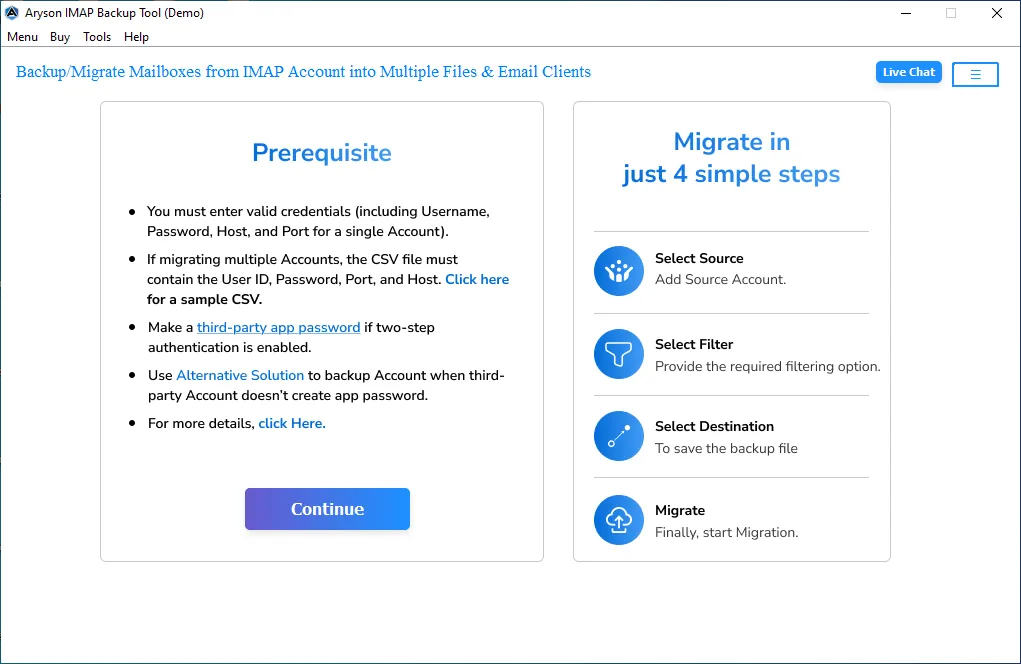
- Download and install the IMAP Backup Tool on your device.
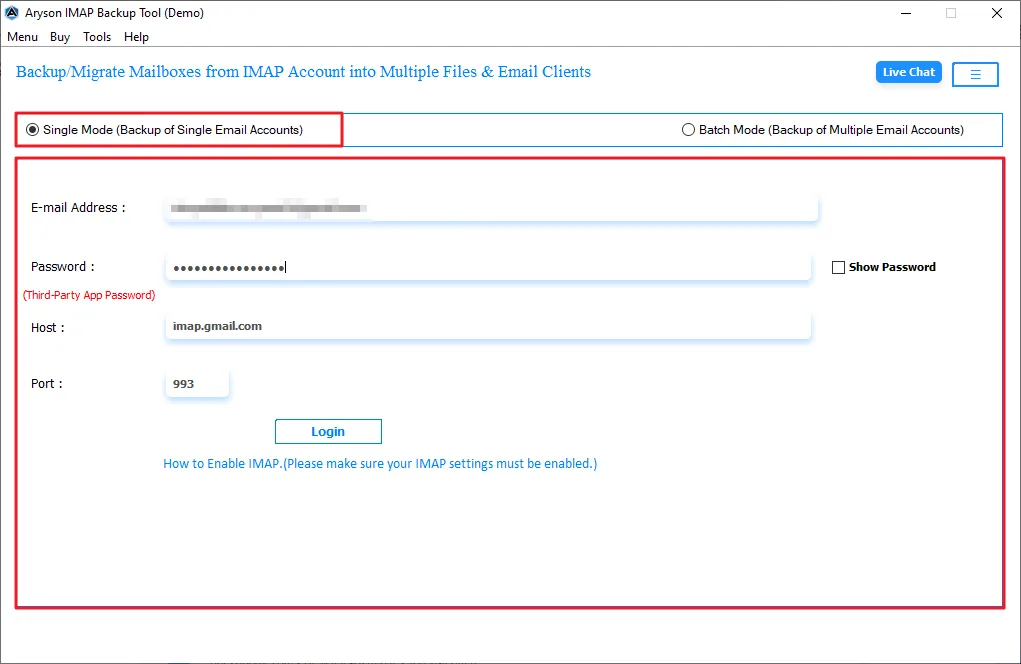
- Provide the IMAP account credentials along with the host and port number.
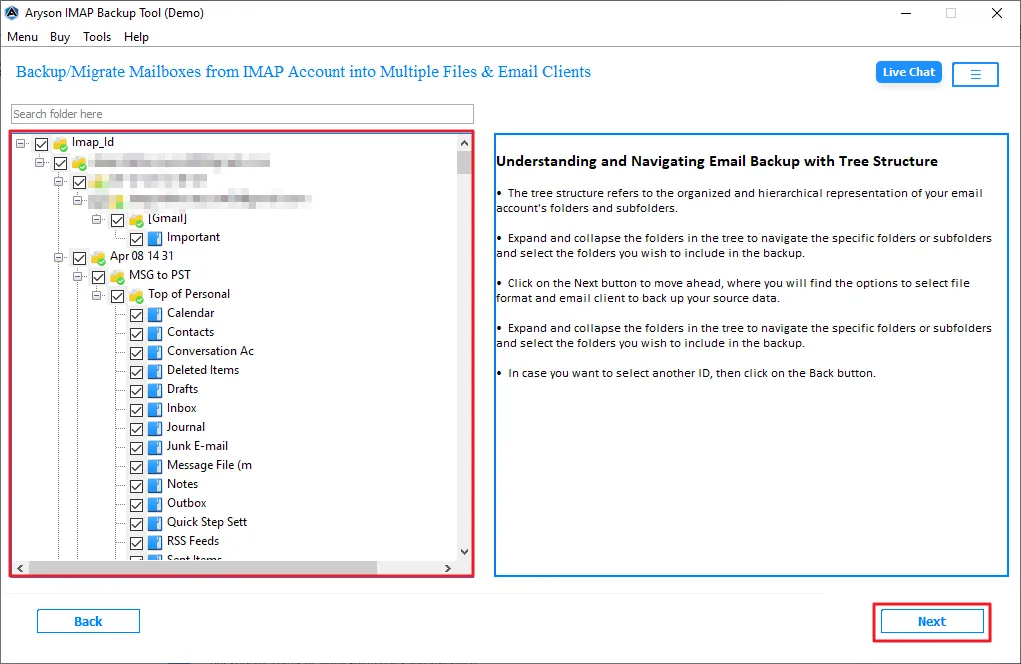
- It will fetch all your mailbox data, and you can select the folders to migrate >> Next.
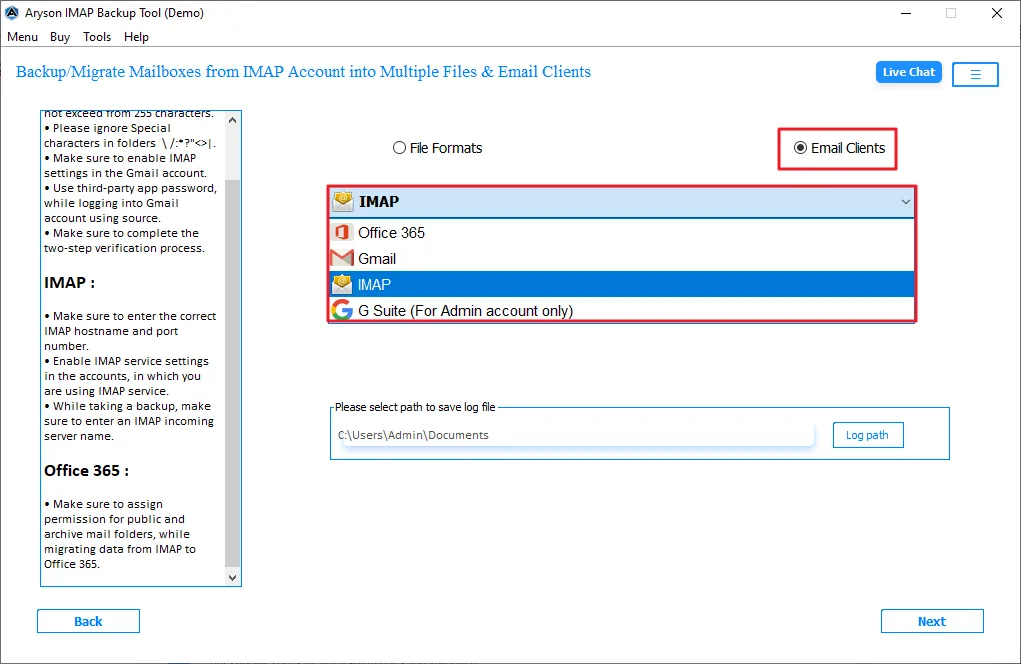
- Choose IMAP as the destination email client, & enter your Yandex credentials.
- Enable the filters that are required for you for selective migration.
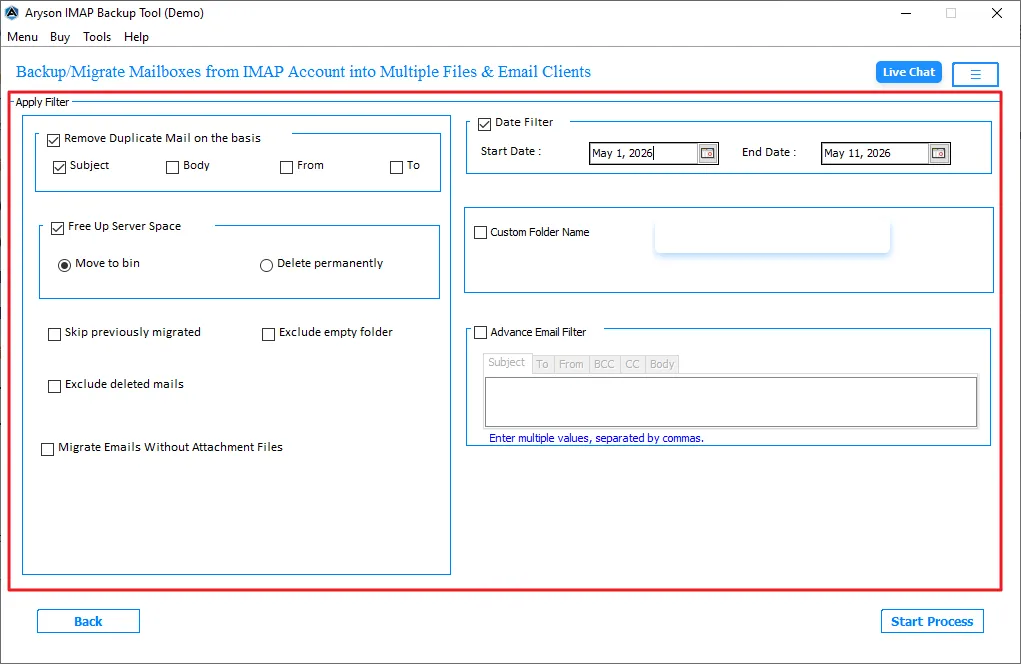
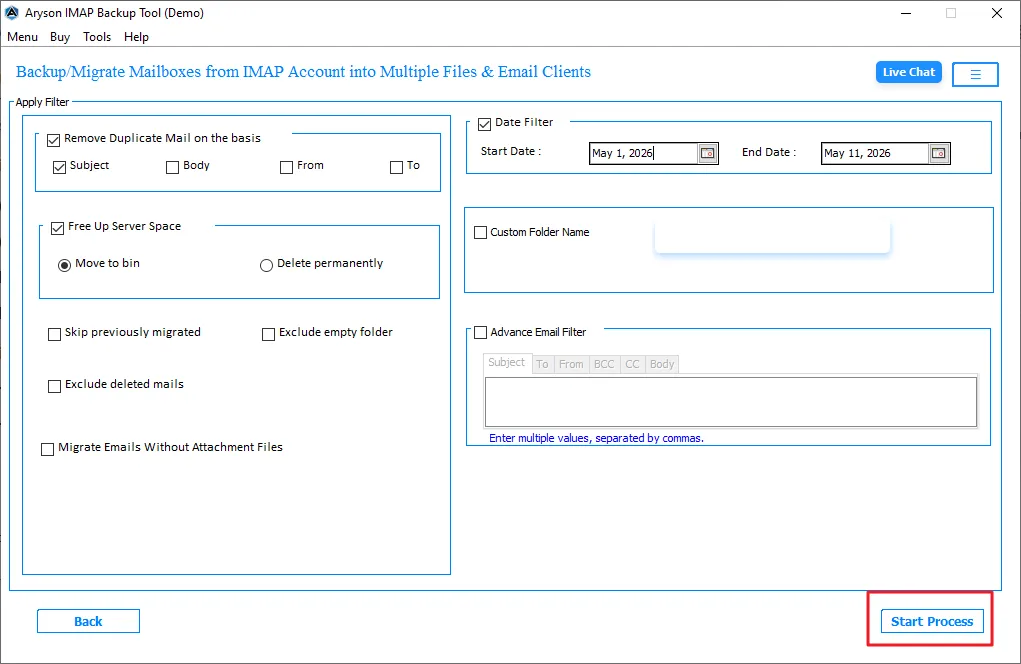
- In the end, click on the Start Import to begin the migration.
Features of IMAP Backup Tool
- It offers bulk migration of your emails in one go.
- This allows exporting to PST, EML, MBOX, MSG, and other formats.
- Offers two modes: Single for one account and batch for multiple accounts via CSV.
- Offers a preview of your mailbox folders after login.
- Also, it has a demo version to test the software performance.
Comparison for IMAP to Yandex Mail Migration: Native Method vs Expert Solution
|
Features |
Native Method |
Expert Solution |
|
Bulk Migration |
Limited support |
Yes |
|
Migration Speed |
Slow |
Fast |
|
Folder Hierarchy |
May Vary |
Maintained |
|
Interface |
Moderate |
User-Friendly |
|
Suitable for |
Small migration |
Large migration |
Closing Note
To finish it up, we covered all the aspects that generalize the reasons to migrate IMAP to Yandex Mail. Both methods are suitable for the migration, but the manual method is time-consuming and not reliable for large file migration. That’s why it is recommended to use an expert solution for large mailbox data migration. It’s up to you to choose the best method for your mailbox data migration.
Frequently Asked Questions:
Q.1. How do I connect an external mailbox to Yandex Mail?
Ans. Open Yandex Mail settings, choose Mail Collector, and enter your external IMAP account credentials with server details.
Q.2. What are the best methods to migrate IMAP emails to Yandex Mail?
Ans. You can migrate IMAP emails manually through Yandex settings or use a professional migration tool for faster transfer.
Q.3. Can I import Yahoo Mail to Yandex Mail?
Ans. Yes, Yahoo Mail can be imported to Yandex Mail using IMAP configuration and account synchronization settings.
Q.4. Which port does Yandex Mail use for IMAP?
Ans. Yandex Mail uses IMAP port 993 with SSL encryption for secure email synchronization.
About The Author:

Evren Cole is an expert in Email and Data Management. She has a strong passion for technology and entrepreneurship. In her free time, she enjoys football, music, and reading books.

