

-
Written By Evren Cole
-
Updated on June 17th, 2026
Migrate cPanel Email to Google Workspace: Complete 2026 Guide
User Query: I’m currently migrating a client’s email system from cPanel webmail hosted with Crazy Domains to Google Workspace and need an efficient way to transfer all emails. The client has around 10 email accounts that need to be migrated. The migration process I’ve tried so far is extremely slow, with only a small percentage of emails transferred after several days. I’m looking for a faster, reliable solution that can migrate all mailboxes while preserving emails, folders, and metadata.
Overview: Most of the businesses are moving from traditional cPanel webmail services to Google Workspace to benefit from its advanced collaboration features and email management. However, migrating emails from cPanel-hosted accounts, such as those provided by Crazy Domains can be difficult, especially when and large volumes of email data. A slow migration process can lead to delays and potential business disruption.
Therefore, a reliable migration method is essential to make sure a smooth transfer of emails and metadata. In this guide, we will explain the manual method and the MSOutlookHelp IMAP Backup Wizard to migrate cPanel email to Google Workspace in a smooth migration.
What Makes Google Workspace Different from cPanel?
- Google Workspace operates in the cloud, while cPanel email relies on the resources of a web server.
- Teams can collaborate on documents & spreadsheets in real time through Google Workspace applications.
- Moreover, Google Workspace plans provide flexible cloud storage that can grow with business requirements.
- Users can securely access emails & files from desktops, smartphones, & tablets with synchronization.
- It provides the familiar Gmail interface with advanced search & productivity features.
Best Ways to Migrate cPanel Email to Google Workspace
Follow the given methods to accomplish the migration of cPanel email to Google Workspace.
- Manual Method Via IMAP
- Professional Software
Manual Method to Migrate Emails from cpanel to Google Workspace Via IMAP
This manual method is generally used by most of the users to move their cPanel data. Follow the steps to accomplish the migration.
- You have to create your Google Workspace account, verify the domain >> add all users mailboxes that will receive the migrated emails.
- Gather all email credentials for each cPanel mailbox.
- Log in to cPanel and make sure IMAP is enabled >> test the mailbox credentials.
- Sign in with an admin account >> navigate to Data Migration from Admin Console dashboard.
- Choose Email as the migration source & select Other IMAP Server. Enter cPanel credentials.
- Map each cPanel email account to its corresponding Google Workspace mailbox through manually or CSV file.
- Start the migration process & track its progress from the migration dashboard.
- After completion, update your domain’s MX records to route email via Google Workspace.
Disadvantages of the Manual Method
- Migrate cPanel to Google Workspace with this method can be a slow process for large mailboxes.
- Usually it migrates emails only (not contacts, calendars, tasks, etc.).
- Moreover, large-scale migrations involves most of the users which may take several days.
- Migration speed depends on server performance and internet bandwidth.
- It requires a valid IMAP credentials for all source mailboxes.
Professional Solution to Migrate cPanel Email to Google Workspace
IMAP Backup Wizard is a powerful and reliable solution to back up and migrate emails from IMAP-enabled email accounts. Also, it enables users to securely save mailbox data from various email services while it preserves folder hierarchy and email properties. It allow users to migrate IMAP to Gmail. This software supports bulk mailbox, advanced filtering options, and multiple file formats, making email backup and migration simple and efficient.
Steps to Migrate cPanel Email to G Suite
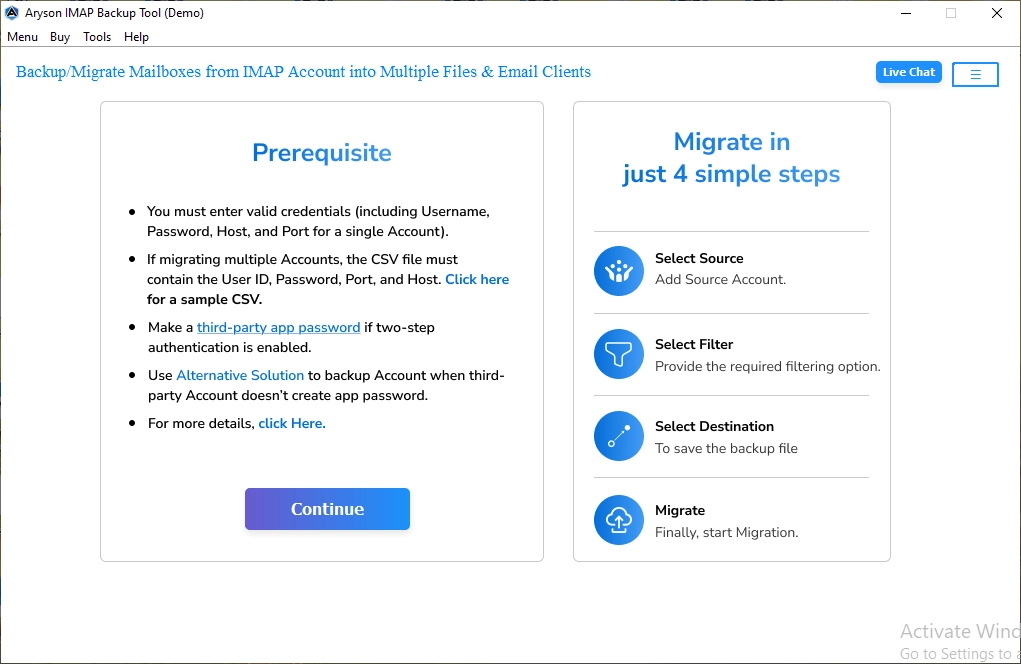
- Launch the IMAP Backup Wizard on your system and run it.
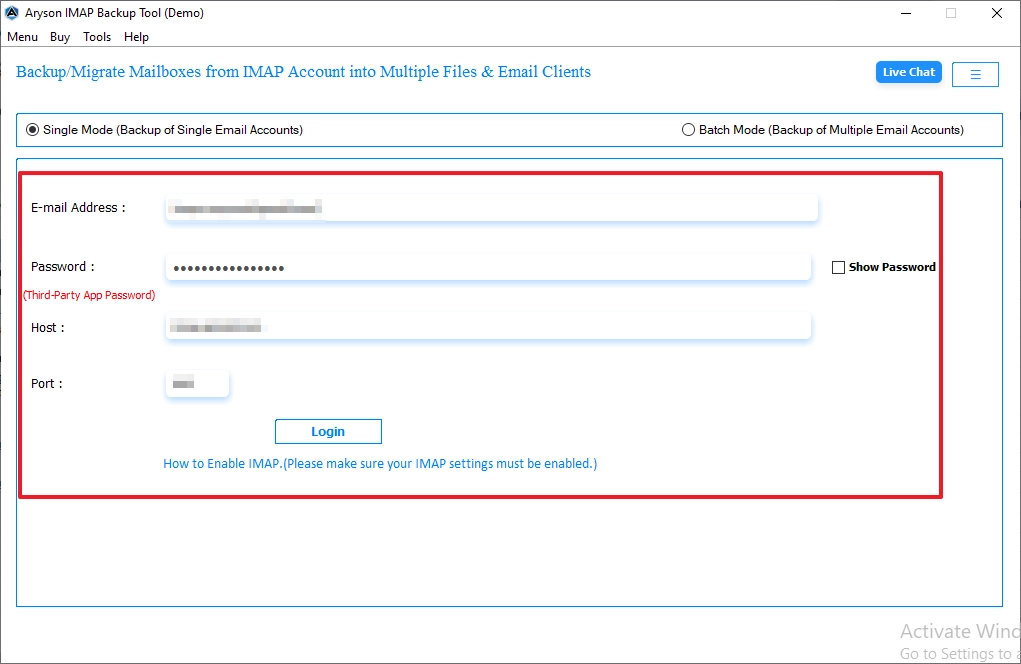
- You have to enter the valid IMAP credentials for the cPanel and sign in.
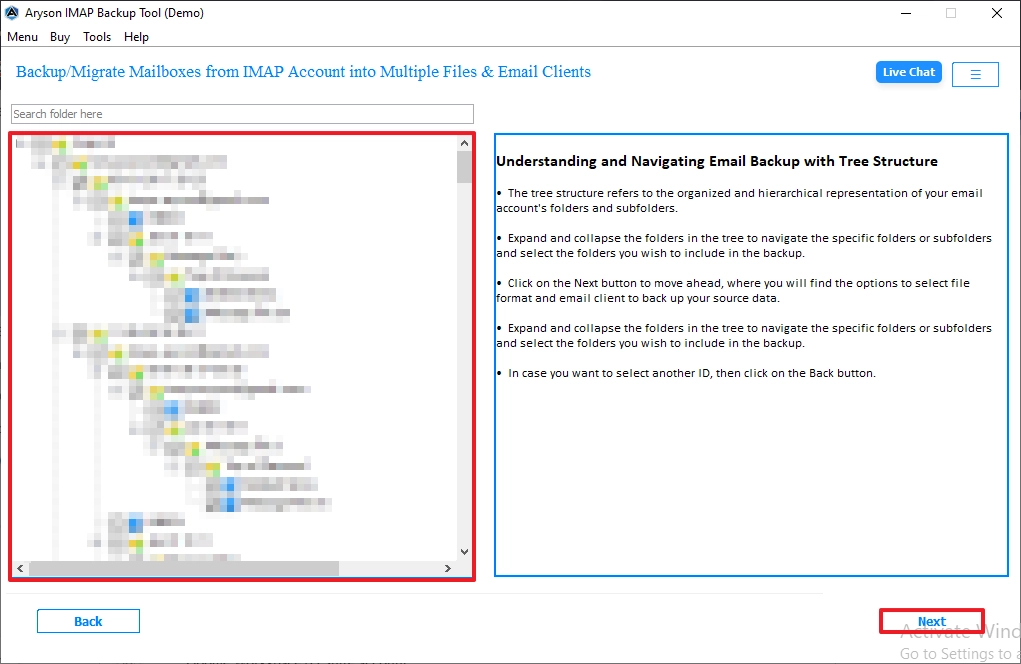
- A list of mailbox folders appears on the left side. Select and click on Next.
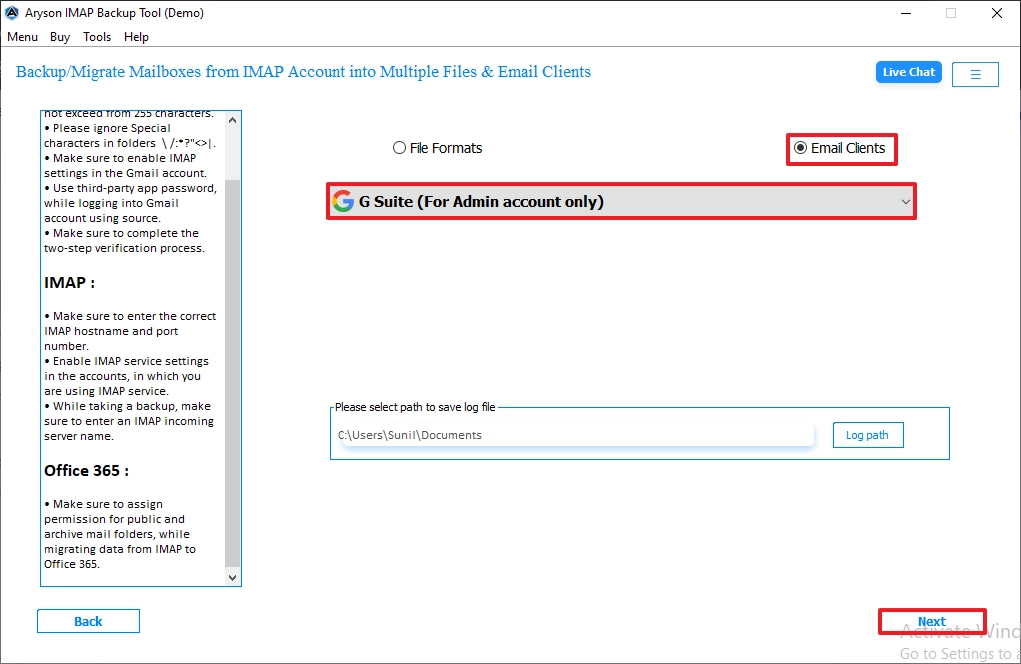
- Choose the Google Workspace from the email clients and enter Next.
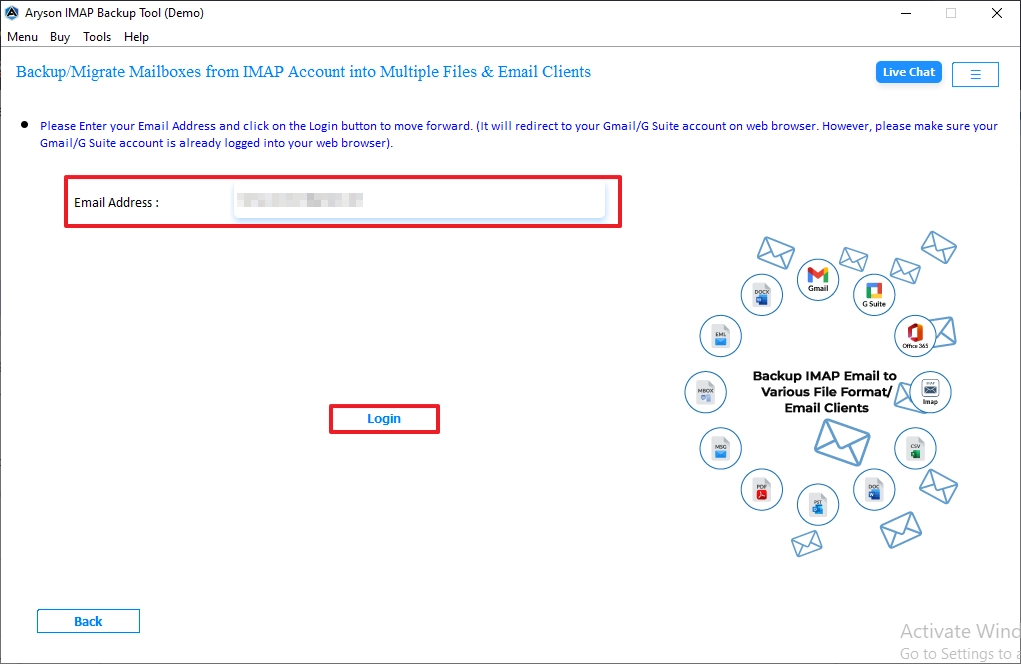
- Enter the login credentials and click on login button.
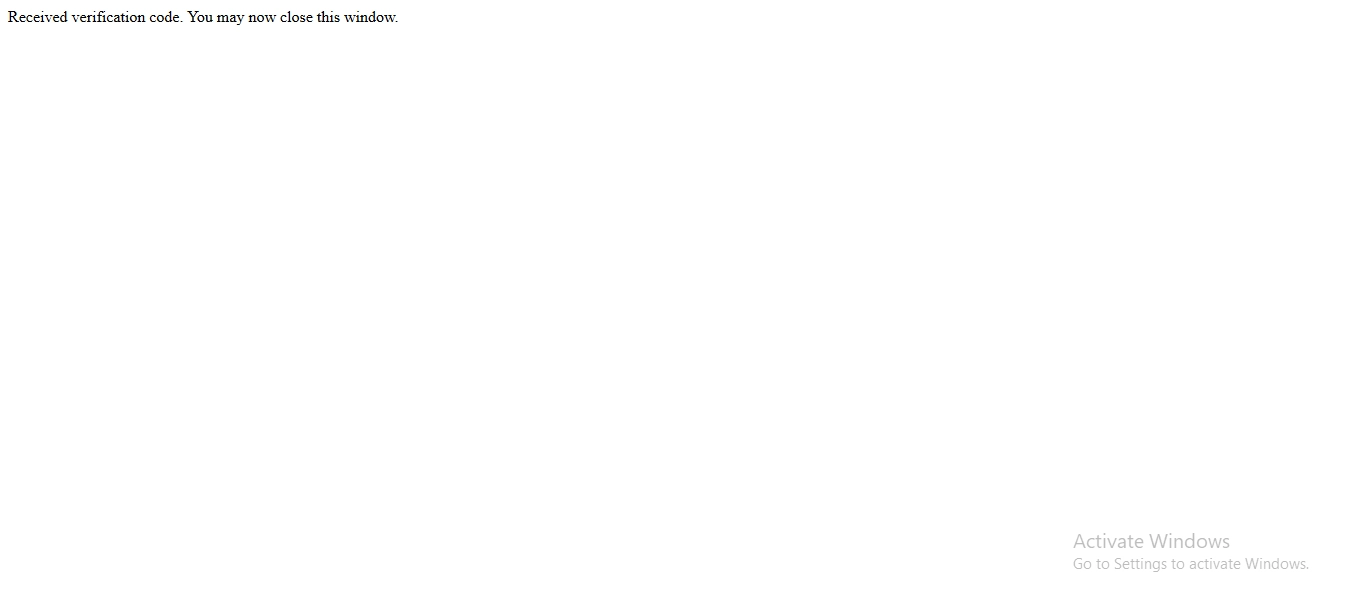
- Then, complete the verification process and close the window.
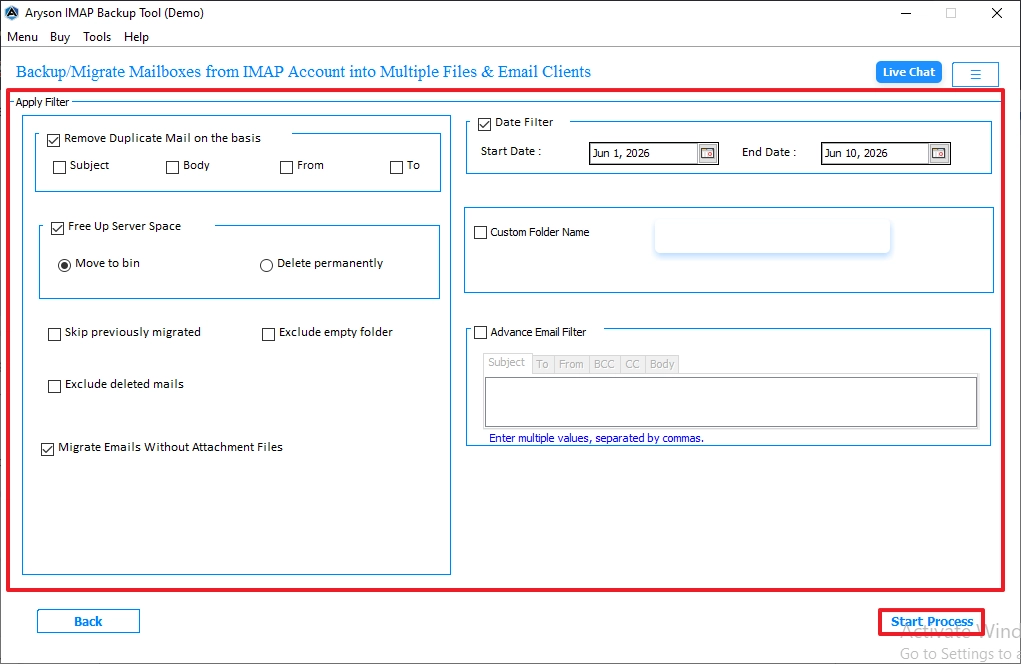
- Enable the additional filter features and click on Start Process.
Advanced Features of this software
- You can migrate roundcube emails to new server and Office 365.
- It supports multiple IMAP accounts for simultaneous backup & migration.
- Maintains Folder Hierarchy & preserves email metadata throughout the process.
- Advanced Mail Filter Option to back up emails within a specific date range.
- Direct Migration Feature to transfer emails from cpanel to Google Workspace.
- User-Friendly Interface that simplifies backup and migration for both technical and non-technical users.
Conclusion
To wrap it up, we discussed all the aspects to perform the migration of cPanel emails to Google Workspace. While the manual method is suitable for the migration but it has some limitations. For the users who want a secure process can use a professional IMAP Backup Tool which can migrate cPanel email to Google Workspace. It offers a smooth migration and maintains folder hierarchy.
Frequently Asked Questions:
Q1. What data can be migrated from cPanel to Google Workspace?
Ans. With the IMAP Backup Tool, you can migrate emails, attachments, mailbox folders, and email metadata such as sender details, timestamps, and subject lines from cPanel email accounts to Google Workspace while maintaining data integrity.
Q2. Can I migrate selected management accounts to Google Workspace while keeping other accounts on cPanel?
Ans. Yes. IMAP Backup Tool allows you to migrate specific cPanel mailboxes to Google Workspace. This enables organizations to move management or executive accounts first while continuing to use cPanel for other users.
Q3. How do I avoid duplicate emails when migrating from cPanel to Google Workspace?
Ans. IMAP Backup Tool includes options that help prevent duplicate email migration by identifying already migrated items. This ensures a cleaner mailbox structure and avoids unnecessary duplication in Google Workspace.
Q4. Is it possible to migrate hundreds of cPanel mailboxes to Google Workspace without any downtime?
Ans. Yes. IMAP Backup Tool supports bulk mailbox migration, allowing administrators to transfer multiple cPanel accounts to Google Workspace efficiently. Since the migration runs in the background, users can continue accessing their existing email accounts during the process, minimizing downtime.
Q5. Can I download an MBOX or backup file from cPanel and upload it directly to Google Workspace?
Ans. Google Workspace does not provide a direct option to upload MBOX files into user mailboxes. However, IMAP Backup Tool can migrate emails directly from cPanel IMAP accounts to Google Workspace, eliminating the need for manual MBOX exports and imports.
About The Author:

Evren Cole is an expert in Email and Data Management. She has a strong passion for technology and entrepreneurship. In her free time, she enjoys football, music, and reading books.

