-
Written By Evren Cole
-
Updated on November 6th, 2025
How to Convert MSG to DOC Quickly Without Outlook
User Query: I need to convert MSG to DOC format so I can easily edit and highlight important details. It will also help me share the emails with teammates who don’t have Outlook installed. So, is there any secure way to convert my MSG files to DOC format?
Overview: MSG is the default file format of Microsoft Outlook. A MSG file stores a single email message, including its sender, recipients, subject, body, attachments, and metadata. But the MSG file’s accessibility is limited to the Outlook application only, as well as it is not editable. Therefore, to access your Outlook data anywhere, anytime, and offline on different platforms, it is important to convert MSG files to DOC format. Hence, this article is written to help users in the conversion process. Here, you will come across different methods of conversion, including the MSOutlookHelp MSG Converter for quick conversion.
Why Users Might Want to Convert MSG to DOC?
There are a variety of reasons why a user would want to convert a MSG file to DOC format. Some of them are listed below:
- To view emails without installing Microsoft Outlook.
- For easily editing, highlighting, and formatting the email content.
- To share emails with others in a readable format.
- For offline accessibility and printing purposes.
- To create backups for future reference or include emails in reports.
Best Solutions to Convert MSG File to Word Format
Among a large number of possible ways available to perform the conversion of MSG files, here we will discuss only the two most important ones in detail.
- Method 1: Optimized Solution to Convert MSG files to DOC.
- Method 2: Manually Convert MSG to Word.
Method 1: Optimized Solution to Convert MSG to DOC
The MsOutlook Help MSG Converter is an all-in-one and intelligent solution designed to convert, migrate, and back up MSG to DOC, CSV, EML, EMLX, and any other file formats. Moreover, it allows us to import MSG file into Hotmail, Gmail, G Suite, Yahoo Mail, and other email clients without needing Microsoft Outlook. It also supports single as well as batch file conversion, and allows users to preview their email content before the actual export. In addition, its advanced functionalities include date range selection, duplicate removal, and attachment management, which make the whole process convenient for the user.
Steps to Export MSG to DOC are as follows:
- Download and run the MSOutlookHelp MSG Converter on your system.
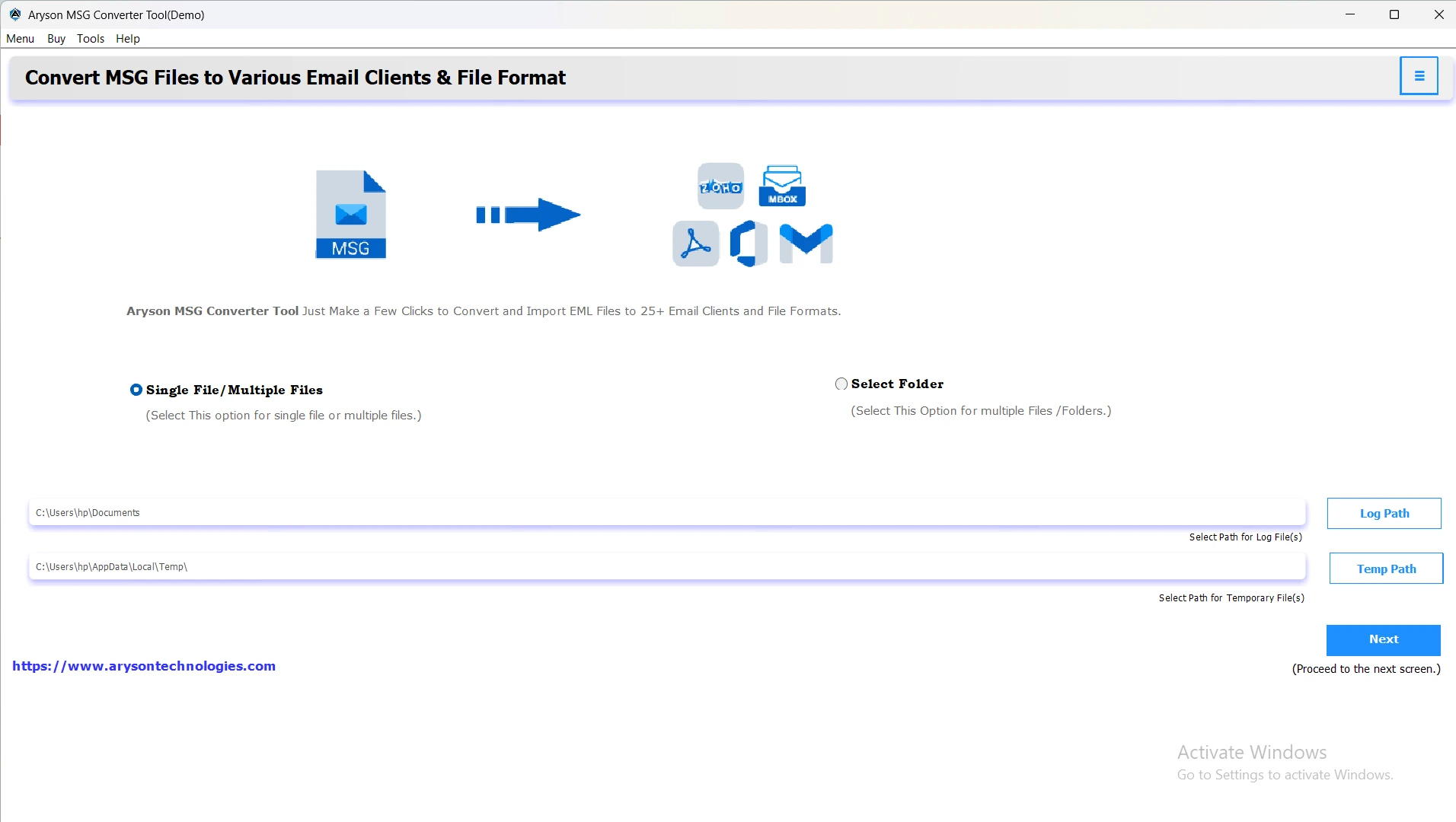
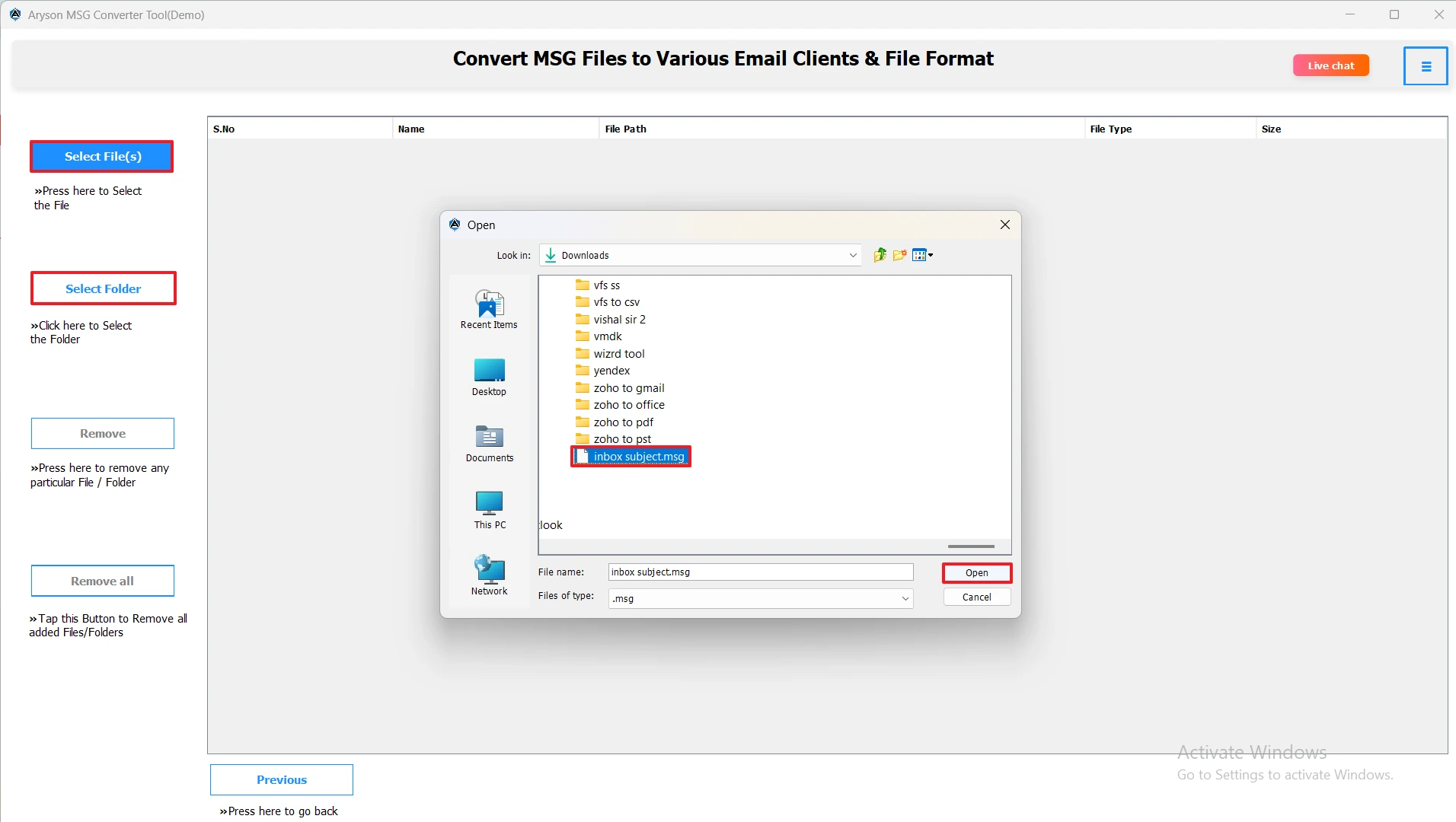
- Then, add your desired MSG files using the Select Files/Folders or drag and drop method.
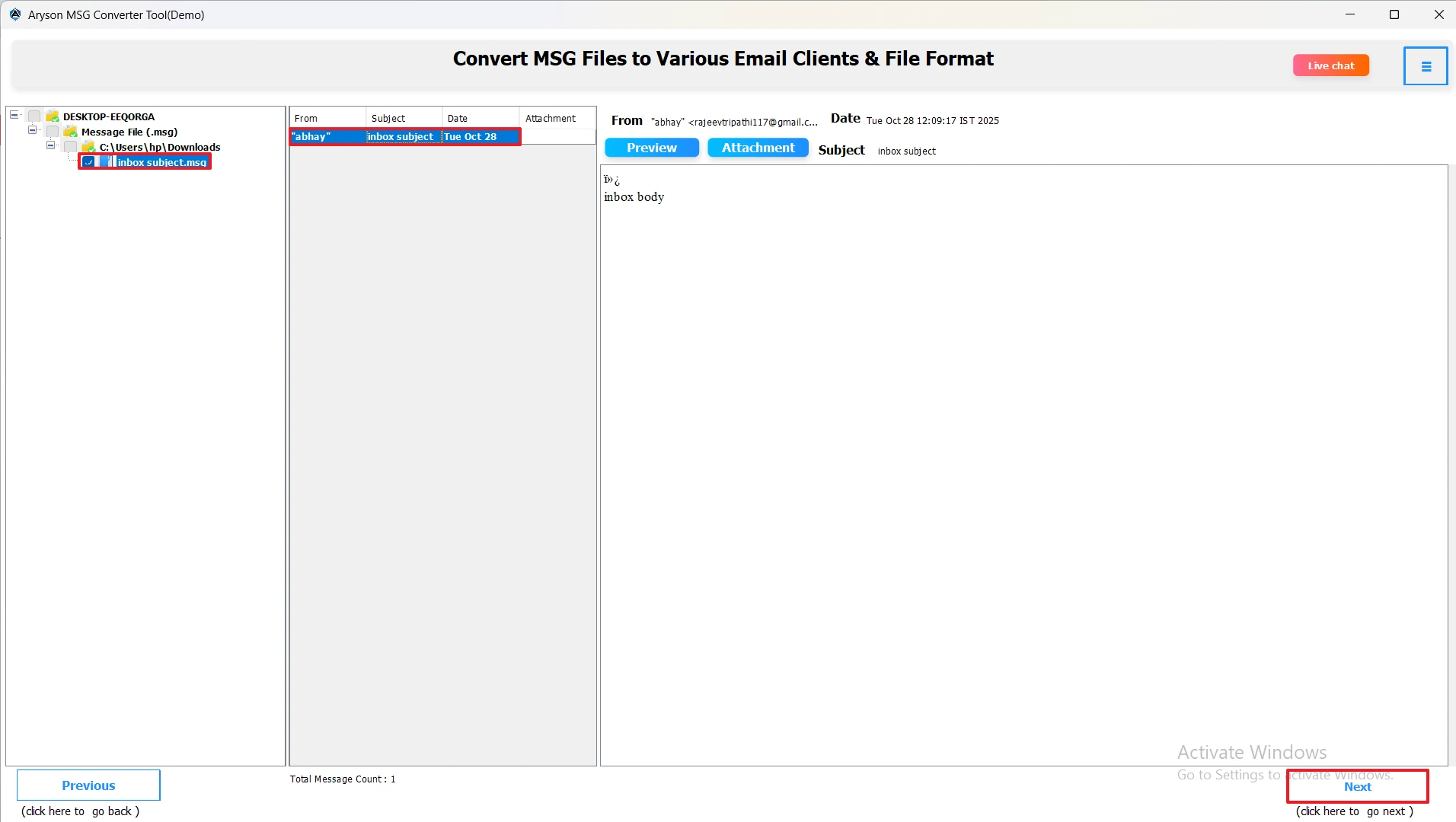
- After that, select the MSG files and preview them along with attachments in the right panel.
- Now, choose DOC as the restaurant file format.
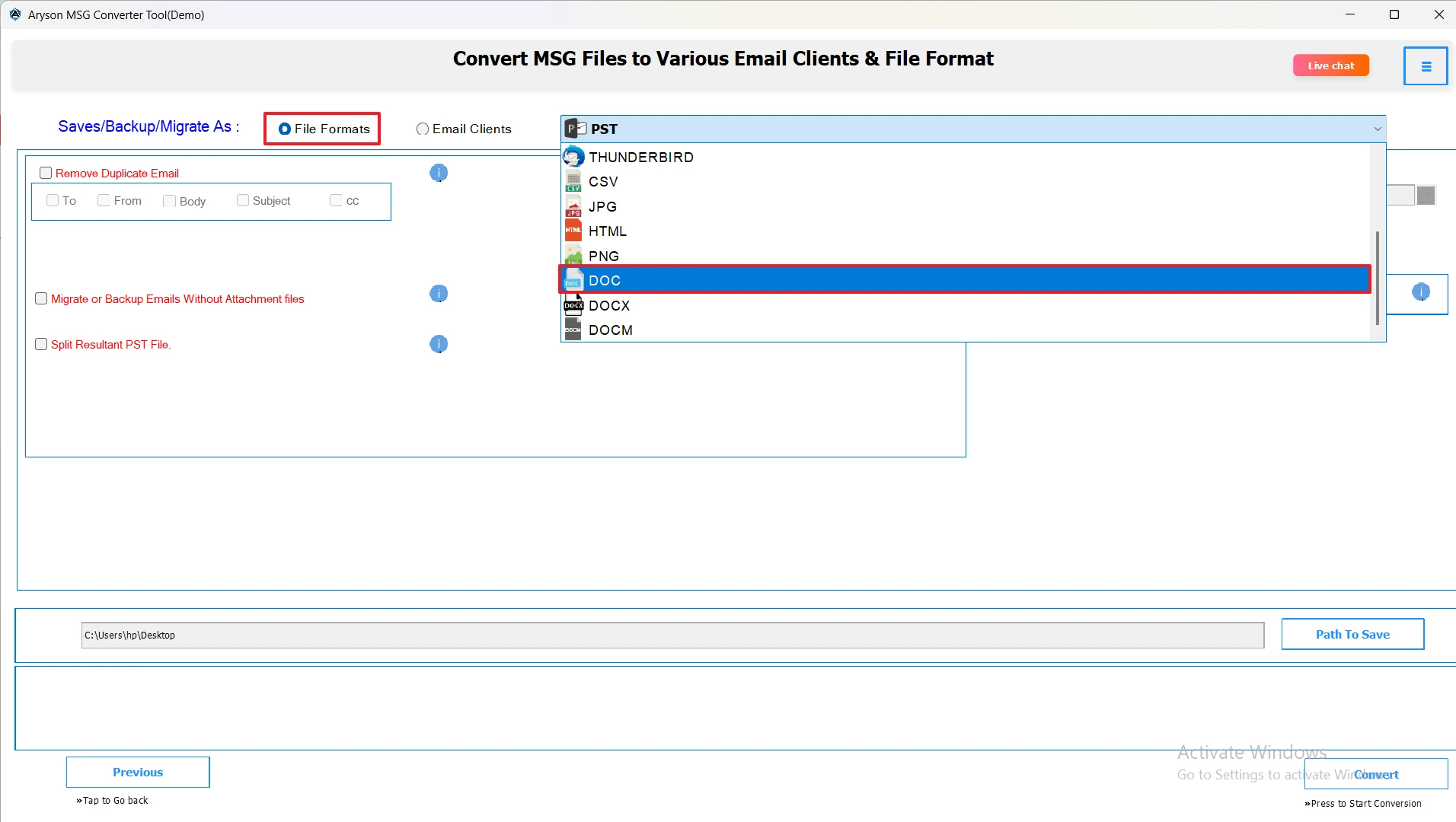
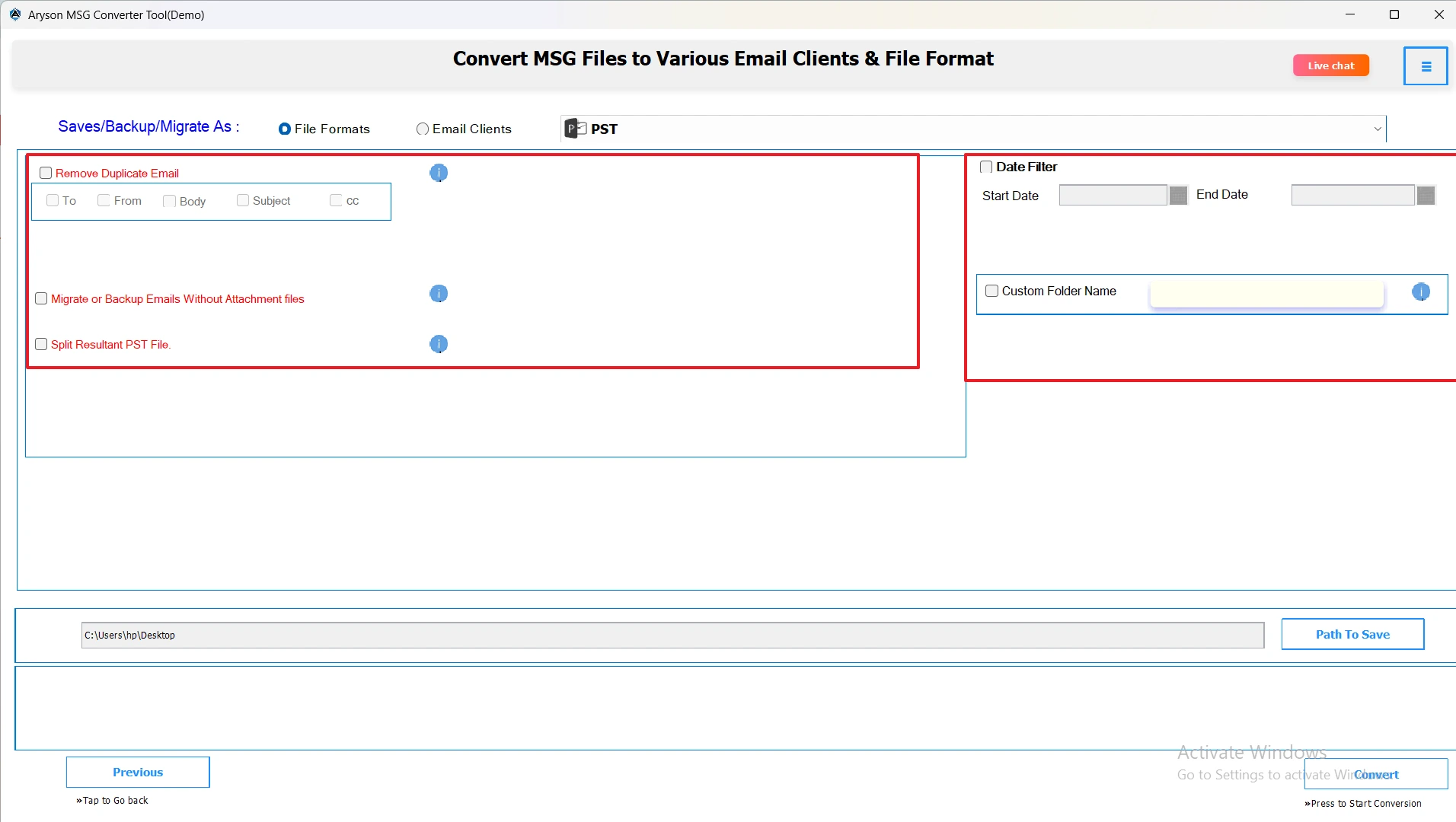
- Next, apply the required filters on the selection if needed.
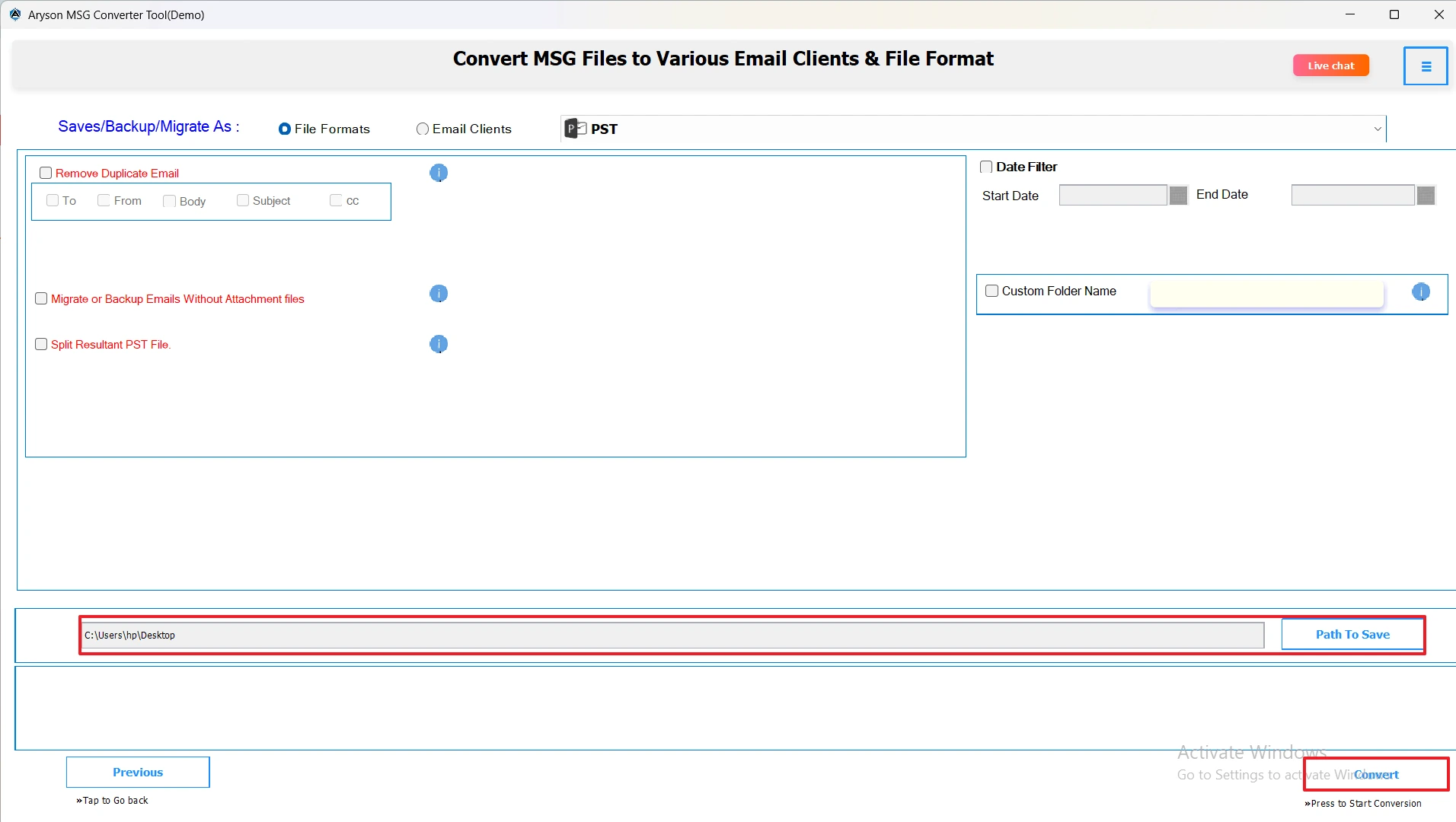
- Lastly, provide the path to save for your MSG files and hit the Convert button.
Important Note: Though the automated solution is the most reliable and secure method to choose, users can go for the manual conversion if they have enough time to invest in conversion and resolving errors on their own. In case you are technically sound, you can refer to the manual method ahead.
Method 2: Convert MSG to DOC via Copying/Pasting
- Install and open the MS Outlook application on your existing PC.
- Then, open your MSG file from the Inbox.
- After that, copy the entire content, including the subject, body, and attachments.
- Now, open MS Word on your system and then create a blank document.
- In that blank document, paste the entire data >> go to File >> press Save As.
- Now, select the DOC/DOCX file format as per your needs.
- Save this document with an appropriate name and location.
- Lastly, click the Save button to convert the MSG file.
Conclusion
It becomes important to convert MSG to DOC in order to access the Outlook data anywhere, anytime, on different email platforms. To help beginners as well as advanced users with this task, the automated solution is used. Whereas, in the case of handling a small amount of data, users can move ahead with the manual method. But in the end, the choice of method depends upon the user’s needs and requirements.
Frequently Asked Questions:
Q.1 Can I export MSG emails to DOC format with attachments?
Ans. Yes, you can export emails along with their attachments, either embedded in the DOC file or saved in a separate folder, with the help of MSOutlookHelp MSG Converter.
Q.2 Is it possible to convert multiple MSG files to DOC at once?
Ans. Yes, it is possible to convert multiple MSG files to DOC at once with the help of MSOutlookHelp MSG Converter.
Q.3 Do I need Microsoft Word to convert MSG to DOC?
Ans. Not necessarily, the automated software above can convert Outlook MSG Files to Word DOC without Word installed.
Q.4 What is the best way to convert MSG files to Word DOC quickly?
Ans. Using the MSOutlookHelp MSG Converter is the fastest and most reliable method, as it handles batch conversion and preserves formatting.
Q.5 Can I preserve email formatting when converting MSG to DOC?
Ans. Yes, the automated software preserves the original email formatting, including fonts, images, tables, and hyperlinks.
About The Author:

Evren Cole is an expert in Email and Data Management. She has a strong passion for technology and entrepreneurship. In her free time, she enjoys football, music, and reading books.