

-
Written By Evren Cole
-
Updated on January 8th, 2026
Migrate Office 365 to Zoho Mail: Step-by-Step Guide
Overview: To get control over your email data, reduce the operational cost, & simplify email management, organizations choose to migrate from Office 365 to Zoho Mail. This is because Zoho Mail provides a secure, ad-free environment to the user, which eventually makes it an ideal choice for businesses looking for privacy & flexibility. To help such organizations, this blog provides you with different ways to migrate Office 365 to Zoho Mail, including the MSOutlookHelp Office 365 backup Tool for a quick migration.
Why Move from Office 365 to Zoho Mail?
- Zoho Mail provides cost-effective pricing as compared to Office 365.
- User gets strong data privacy & security controls after the export.
- Moreover, it is Zoho Mail is easier to use & offers a clutter-free interface.
- Additionally, it delivers reliable email performance with minimal downtime.
- Also, it offers integrated productivity tools without extra licensing.
Best Methods to Migrate Office 365 Data to Zoho Mail
In this section of the blog, we will mainly discuss two approaches for the migration of O365 emails.
- The Automated Software
- Manual Approach
Method 1: Reliable Software to Migrate Office 365 to Zoho Mail
MSOutlookHelp Office 365 Backup Tool is a quick & reliable software that can export a large number of emails from Office 365 to the IMAP account effortlessly. This software can perform the entire export within a few seconds without affecting the data integrity and security. Moreover, the advanced preview panel of the software allows users to cross-verify the data selected. Also, you can apply filters as per the specificity you want. Not only the email clients, but it can also export Office 365 to CSV, MSG, PDF, EML, etc. file formats.
Simplified Tutorial to Migrate Microsoft 365 to Zoho Mail via automation:
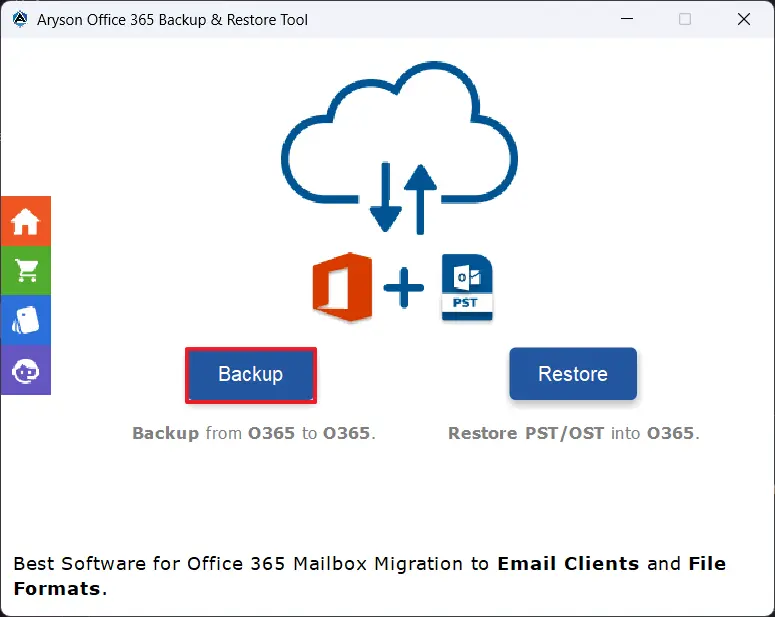
- Firstly, install the MSOutlookHelp Office 365 Backup Tool >> open it >> Backup.
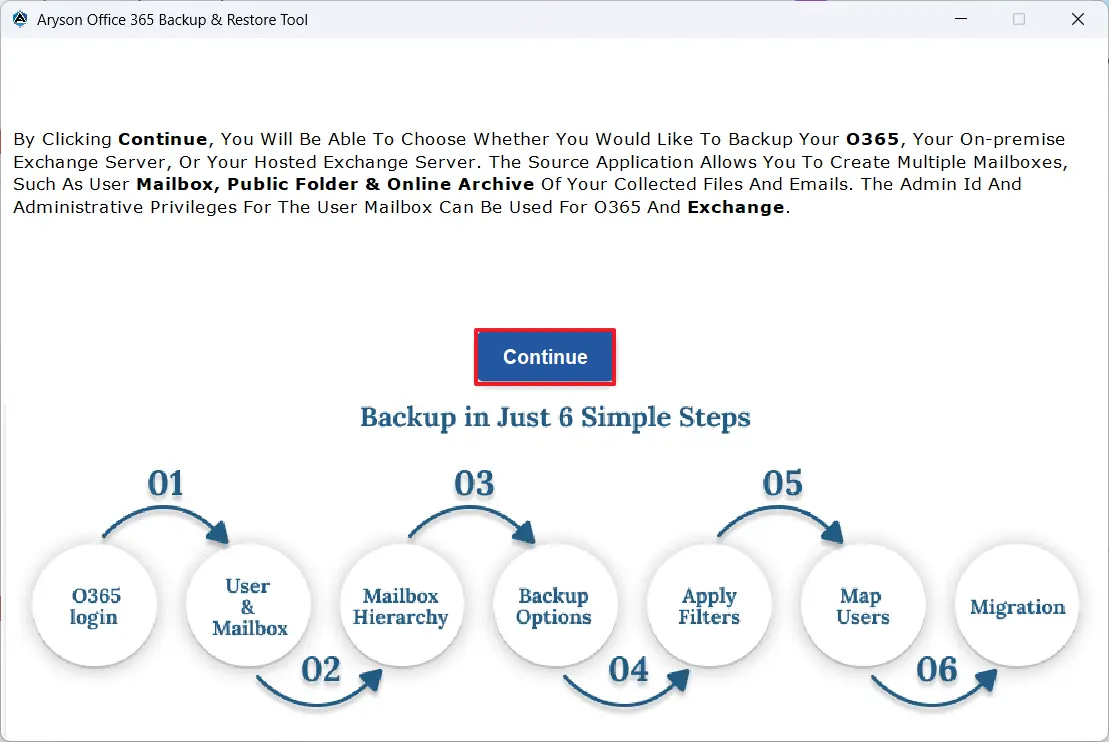
- After that, click Continue to move further with migration.
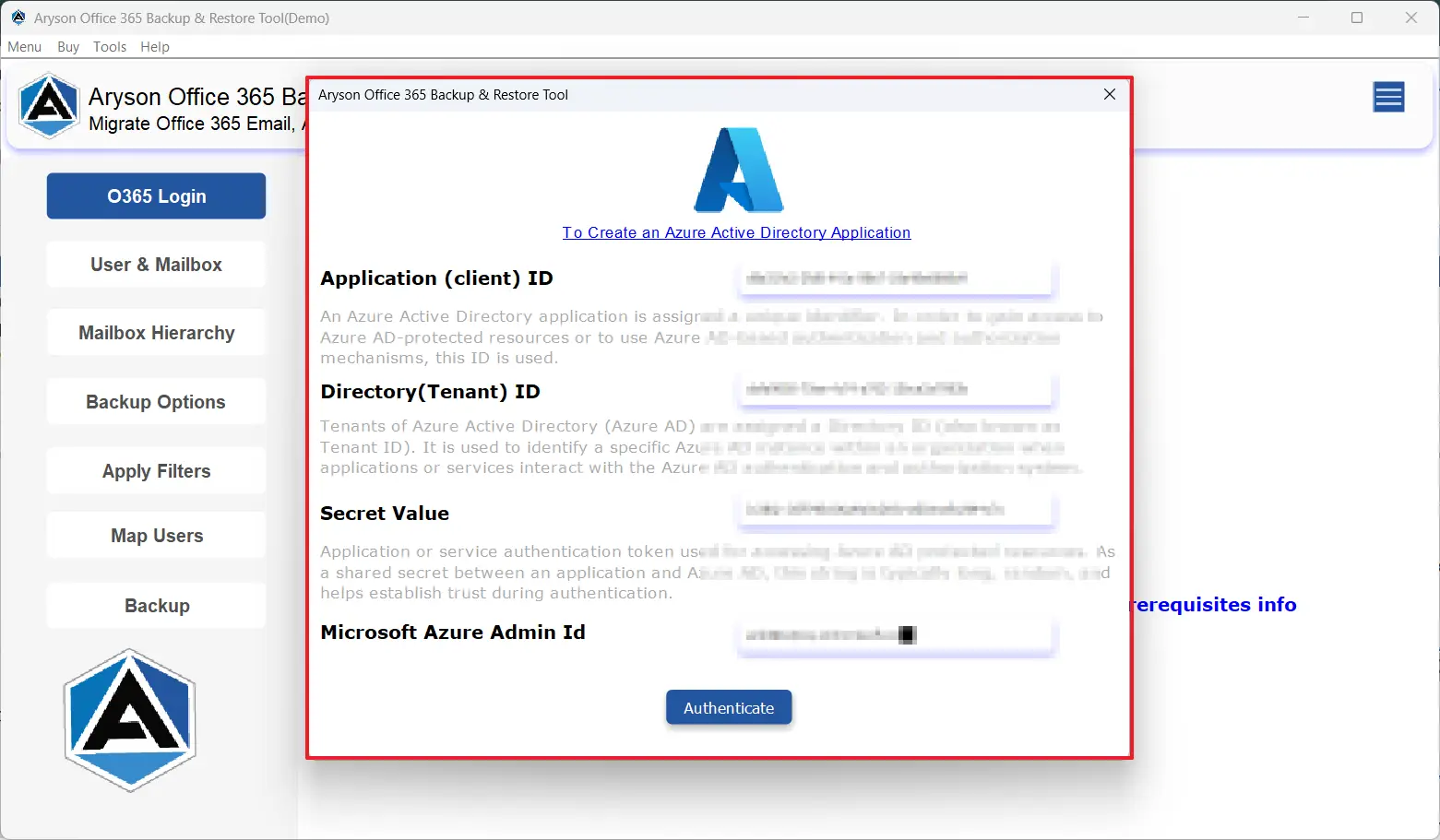
- Next, log in to your O365 active account using its credentials >> Sign in.
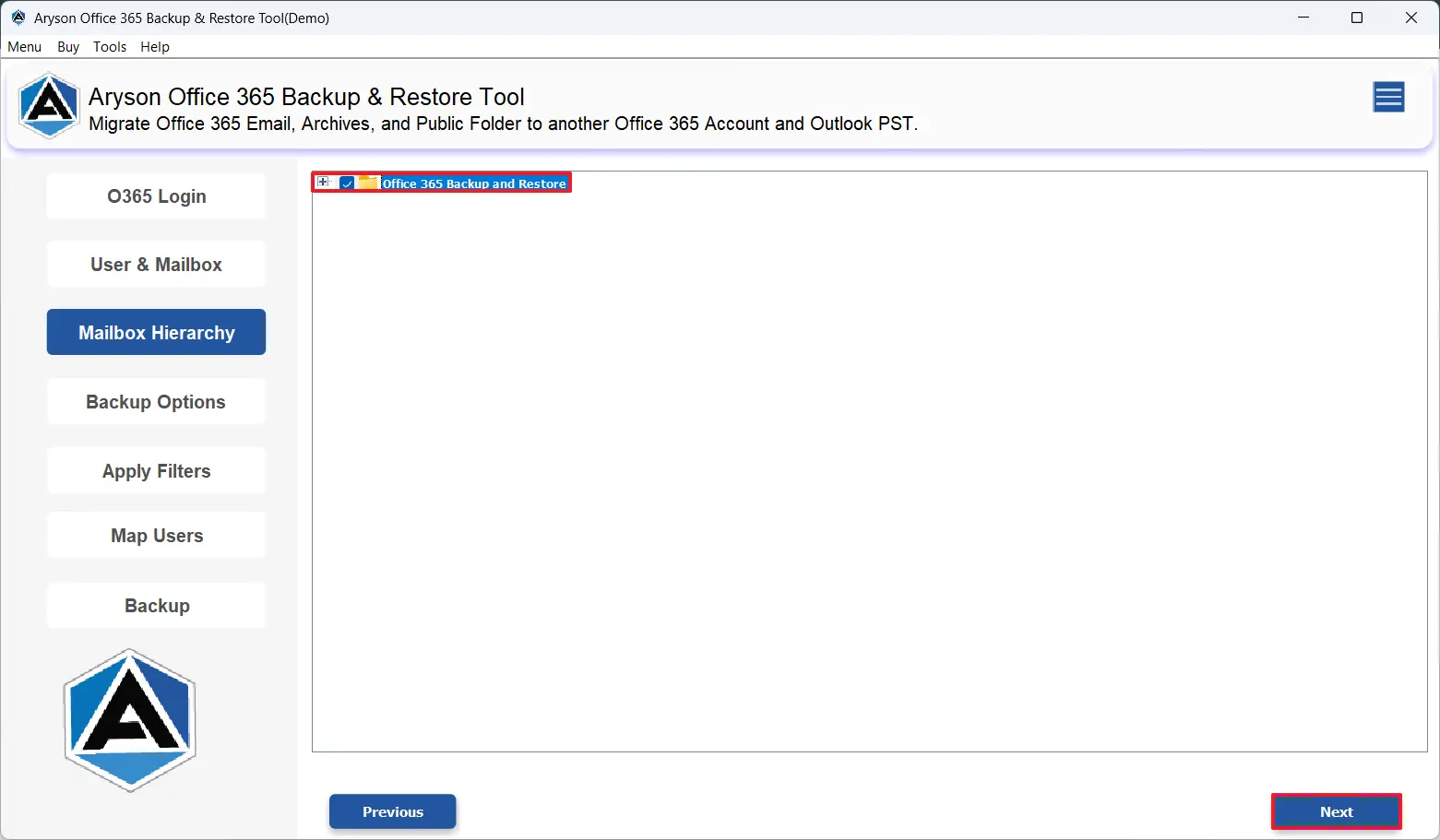
- Then, select the required files/folders that you want to migrate.
- Now, pick IMAP under the drop-down list of email clients.
- Next, input your Zoho Mail credentials and log in to it.
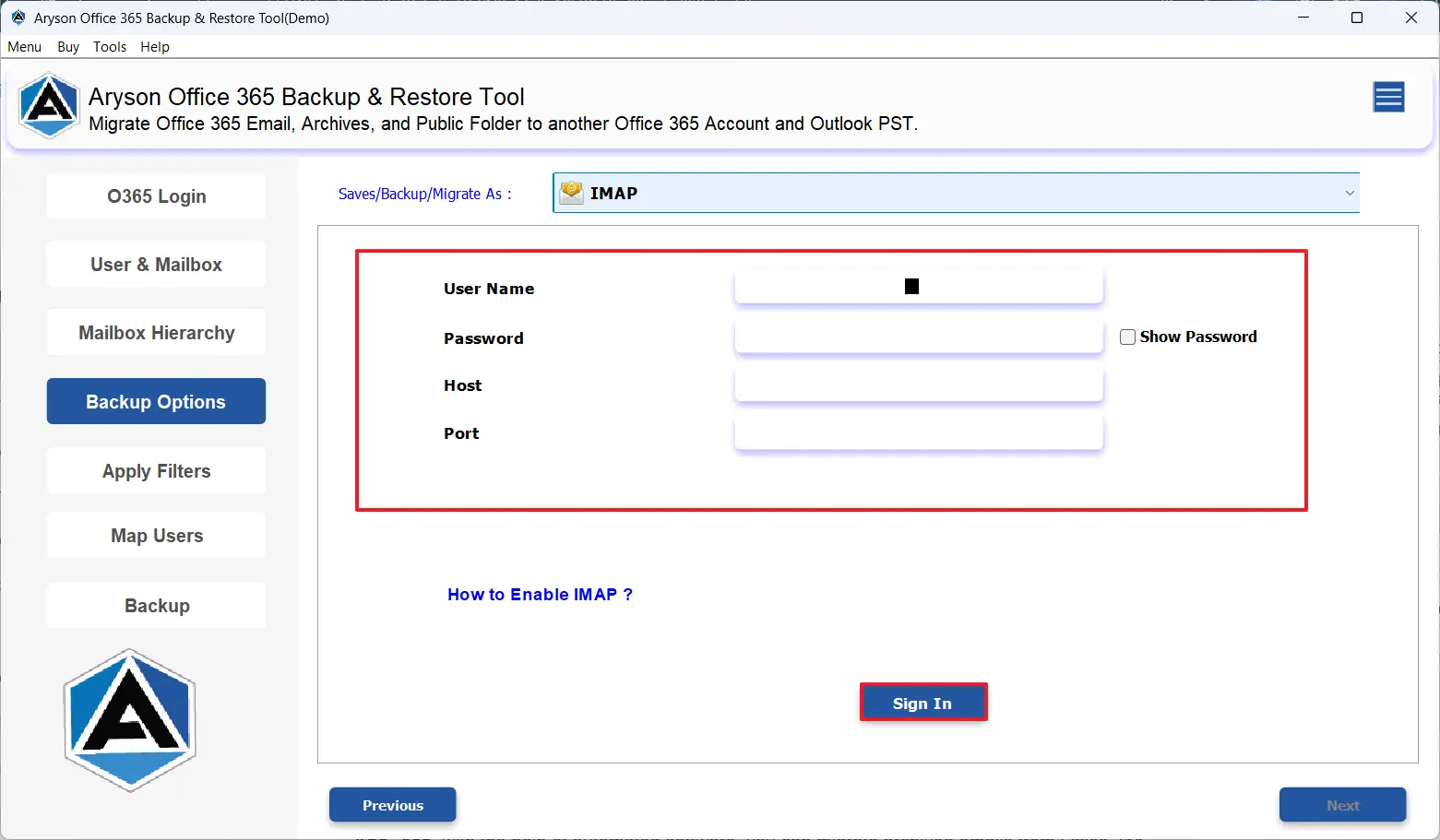
- At last, apply the required filters >> Next.
A Real-World Success Story
A few days back, a New York-based MNC had to move its several Gmail mailboxes to an IMAP-based email server. While some of their employees tried to perform the migration using manual methods, a small team of interns decided to use the MSOutlookHelp Office 365 Backup Tool for quick migration. The software transferred all their emails effortlessly, keeping folders & data intact.
Method 2: Migrate Office 365 to Zoho Mail Manually
- To begin, install the Outlook application on your system.
- Then, sign in to your Office 365 account using valid login details.
- After that, go to the File tab >> click on Open & Export >> select Import/Export.
- Then, select the Export to a File option appearing on the screen.
- Post that, choose the Outlook Data File (.pst) & export the required mailbox folders.
- Now, after completing the PST export, log in to your Zoho Mail account.
- Then, upload your PST file using the Import Emails or the Zoho Migration Wizard.
- Verify whether the emails migrated correctly & remove duplicates if any.
Drawbacks of the Manual Office 365 to Zoho Mail Migration
- This method is time-consuming, especially for large Office 365 mailboxes.
- Moreover, it requires the installation of Outlook and the correct configuration details.
- Additionally, the manual import & export of PST files requires technical knowledge.
- Also, there is a high risk of duplication of emails while exporting.
Conclusion
In the above blog, we discussed why it becomes essential for large-scale businesses and admins to migrate Office 365 to Zoho Mail. For that, some of them use the manual approach and most opt for an automated solution as per their migration needs. However, an automated solution works best in today’s digital world and the increasing need for data security. Moreover, while using the software, beginners can seek help via the live chat support.
Frequently Asked Questions:
Q.1 Can I migrate Office 365 shared mailboxes to Zoho Mail?
Ans. Yes, using the MSOutlookHelp Office 365 backup Tool, you can migrate Office 365 shared mailboxes to Zoho Mail.
Steps to migrate are:
1. Launch the MSOutlookHelp Office 365 Backup Tool >> choose Backup.
2. Click Continue and sign in using your active Office 365 credentials.
3. Select the required mailboxes or folders you want to migrate.
4. From the email client list, choose Zoho Mail.
5. Enter your Zoho Mail login details and apply the needed filters.
6. Click Next to transfer mailbox from Office 365 to Zoho Mail.
Q.2 Can I move from Office 365 to Zoho Mail for a single user?
Ans. Yes, you can move from Office 365 to Zoho Mail for a single user using the modern authentication login method.
Q.3 Can I migrate archived emails from Office 365 to Zoho Mail?
Ans. Yes, with the help of automated software, you can migrate archived emails from Office 365 to Zoho Mail.
Q.4 Which is the best tool to migrate Office 365 to Zoho Mail?
Ans. MSOutlookHelp Office 365 Backup Tool is the best tool to migrate Office 365 to Zoho Mail.
About The Author:

Evren Cole is an expert in Email and Data Management. She has a strong passion for technology and entrepreneurship. In her free time, she enjoys football, music, and reading books.

