

-
Written By Evren Cole
-
Updated on December 15th, 2025
Import PST to Yahoo Mail: Complete Tutorial for Beginners
Overview: Struggling to access your old Outlook data in Yahoo Mail? You’re not alone; most of the industry professionals and IT admins feel stuck and frustrated when their important data gets locked inside PST, affecting their work continuity. If you have the same scenario, and nothing seems to work, this article will guide you on using the MSOutlookHelp PST Converter for a quick and reliable import.
Advantages of Importing PST Files to Yahoo Mail
Listed below are the various benefits that motivate users to import their PST files to Yahoo Mail.
- Yahoo’s cloud-based platform allows users to access their emails anywhere.
- As well as, it also provides the user with 1TB of storage to support large PST data.
- Moreover, it offers advanced search functionality to find old emails quickly.
- On top of that, there is no chance of PST corruption, size limits, or Outlook crashes.
- Also, Yahoo Mail provides a simple, user-friendly interface for better email management.
Considering all the above-mentioned benefits of Yahoo Mail, it is important to move on to the actual migration process.
Proven Methods to Import PST to Yahoo Mail
To provide you with some clarity on the entire process, we will discuss the two most impactful approaches. Go through each one of them & adapt the method that fits your needs and convenience.
Method 1: Import PST File to Yahoo Mail Using MS Outlook
MS Outlook provides users with an Import/Export feature that can import PST files to Yahoo one at a time. To get better clarity, follow the steps below to import your PST files.
Step 1: Configure your Yahoo Mail account in Outlook
- To begin, open the MS Outlook application on your computer.
- After that, go to the File menu>> Info >> Add Account option.
- Next, input your valid Yahoo Mail email address if prompted.
- Then, go to Advanced Options >> check the “Let me set up my account manually.”
- Now, select the IMAP option >> enter your Yahoo Mail App Password.
- After completing, you will see your Yahoo Mail account in Outlook.
Bonus Tip: In case MS Outlook’s automatic setup fails, you can use these verified server settings:
|
Server Type |
Server Address |
Port |
SSL |
|
Incoming |
imap.mail.yahoo.com |
993 |
Yes |
|
Outgoing |
smtp.mail.yahoo.com |
465,587 |
Yes |
Step 2: Import PST File into Yahoo Mail via Outlook
- Next, move to the File tab >> Open & Export >> Import/Export option.
- After that, you have to select the Import from another program or file >> click Next.
- Then, choose Outlook Data File (.pst) among the ones appearing >> click Next.
- Now, click the Browse button to find PST files in your system.
- Select Next >> pick your Yahoo Mail account >> Import all files into the same folder.
- Finally, click Finish to import Outlook PST to Yahoo Mail.
Drawbacks of the Manual Approach
- The manual method takes long hours to complete is & requires technical expertise.
- There might be errors while configuring your Yahoo Mail in Outlook.
- This approach is not suitable for importing large PST files.
- You might face syncing issues between Outlook and Yahoo Mail.
Daniel Harris’s Query
I have 18 GB of old PST emails from my client projects and need everything in one place for better accessibility. Therefore, I chose Yahoo Mail as the destination client to import all my important emails. But I am getting frustrated using the manual methods for importing, as they are very slow. Hence, I need an automated software for migration such that there is no data loss.
Method 2: All-In-One Solution to Import PST to Yahoo Mail
Sometimes, it becomes frustrating to perform the manual import of PST files, especially when you have voluminous data to import and an upcoming deadline. To help you with this issue, we present to you MSOutlookHelp PST Converter. This software is widely used to convert PST files to EML format without any data loss. With the help of this software, many enterprises have met their conversion needs faster than expected. Moreover, the self-explanatory interface of the software allows beginners to effortlessly convert PST to EML, MSG, MBOX, HTML, and many other file formats. Additionally, this utility supports the bulk import of large PST files. Also, you can use the email preview option, date filter, custom folder name feature, etc, to optimise your file selection and aim for complete data integrity.
Step-By-Step Guide to Import PST to Yahoo Mail
- Firstly, download the MSOutlookHelp PST Converter on your system.
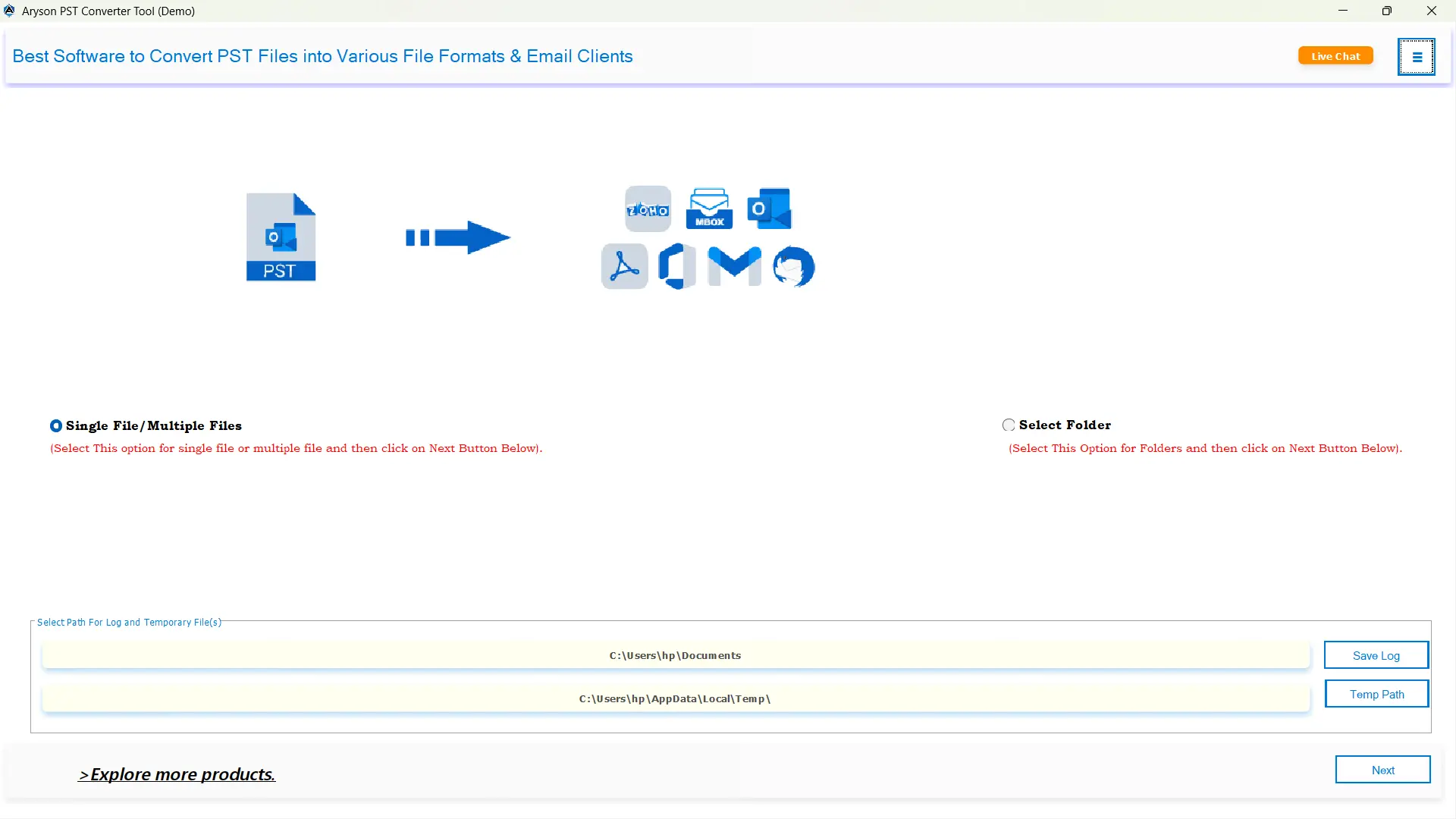
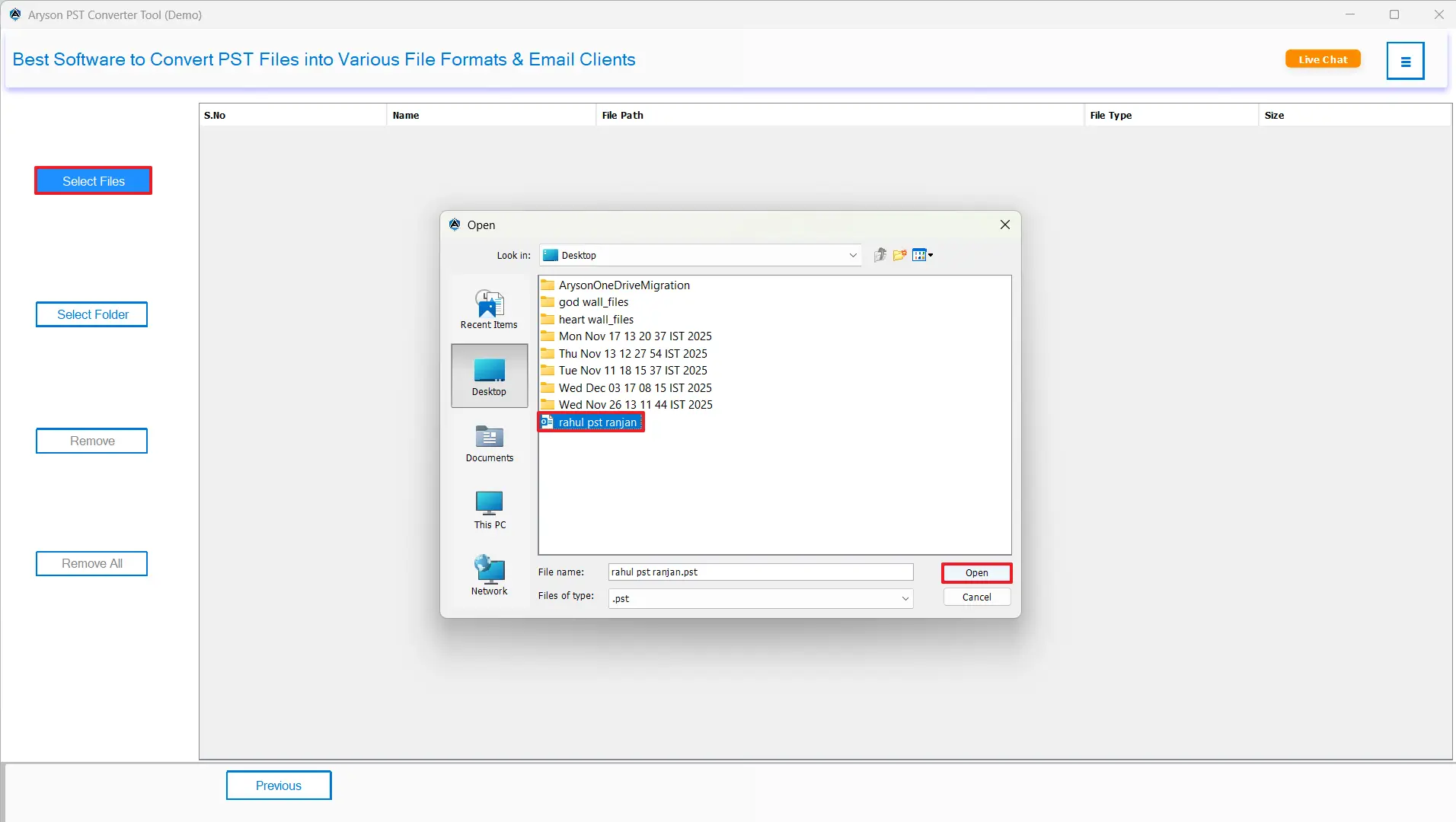
- Then, run it as administrator >> add one or more PST Files to import >> click Next.
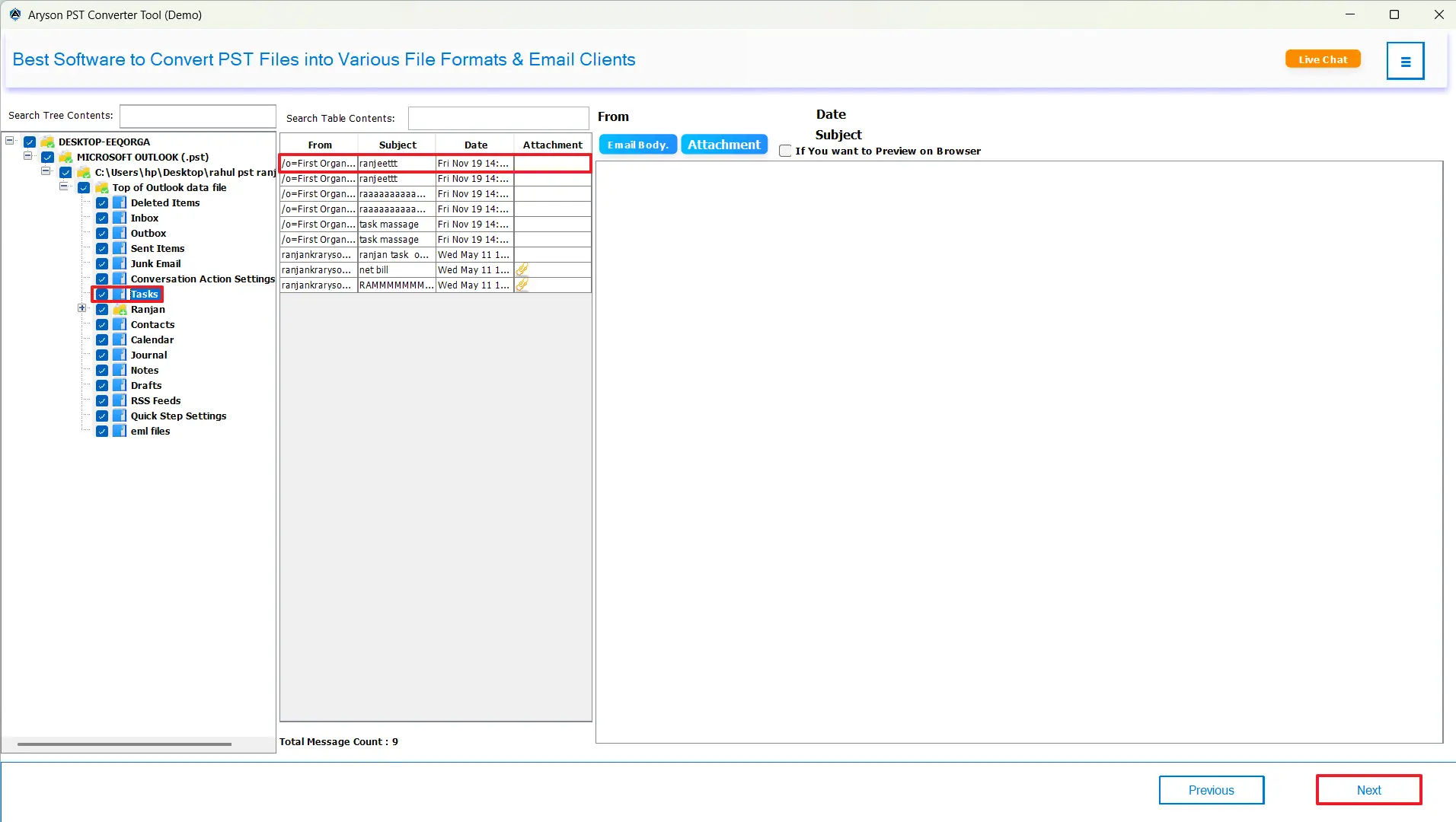
- After that, choose files/folders from the directory structure >> preview them >> and Next.
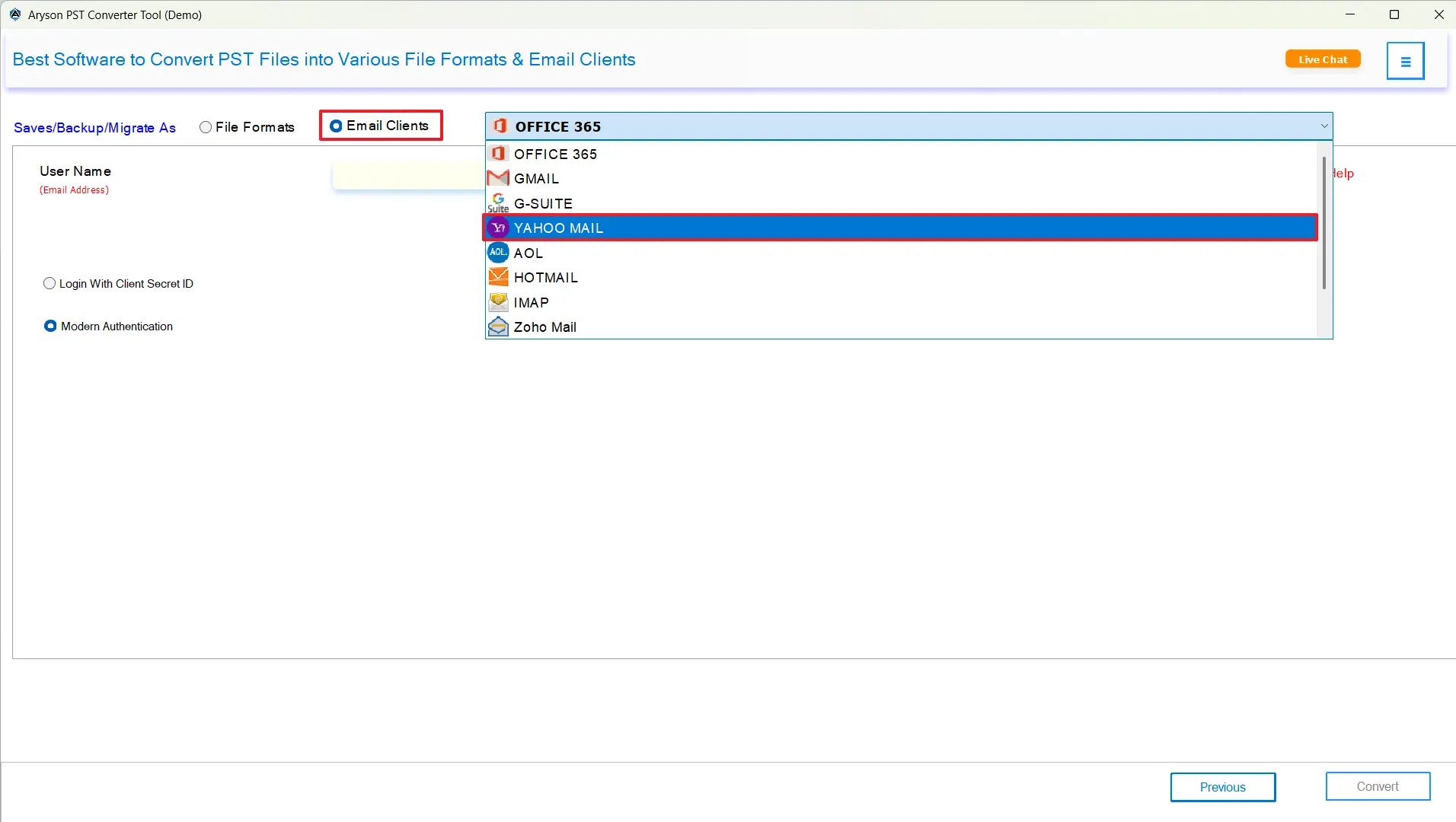
- Now, pick Yahoo Mail as the email client from the dropdown list.
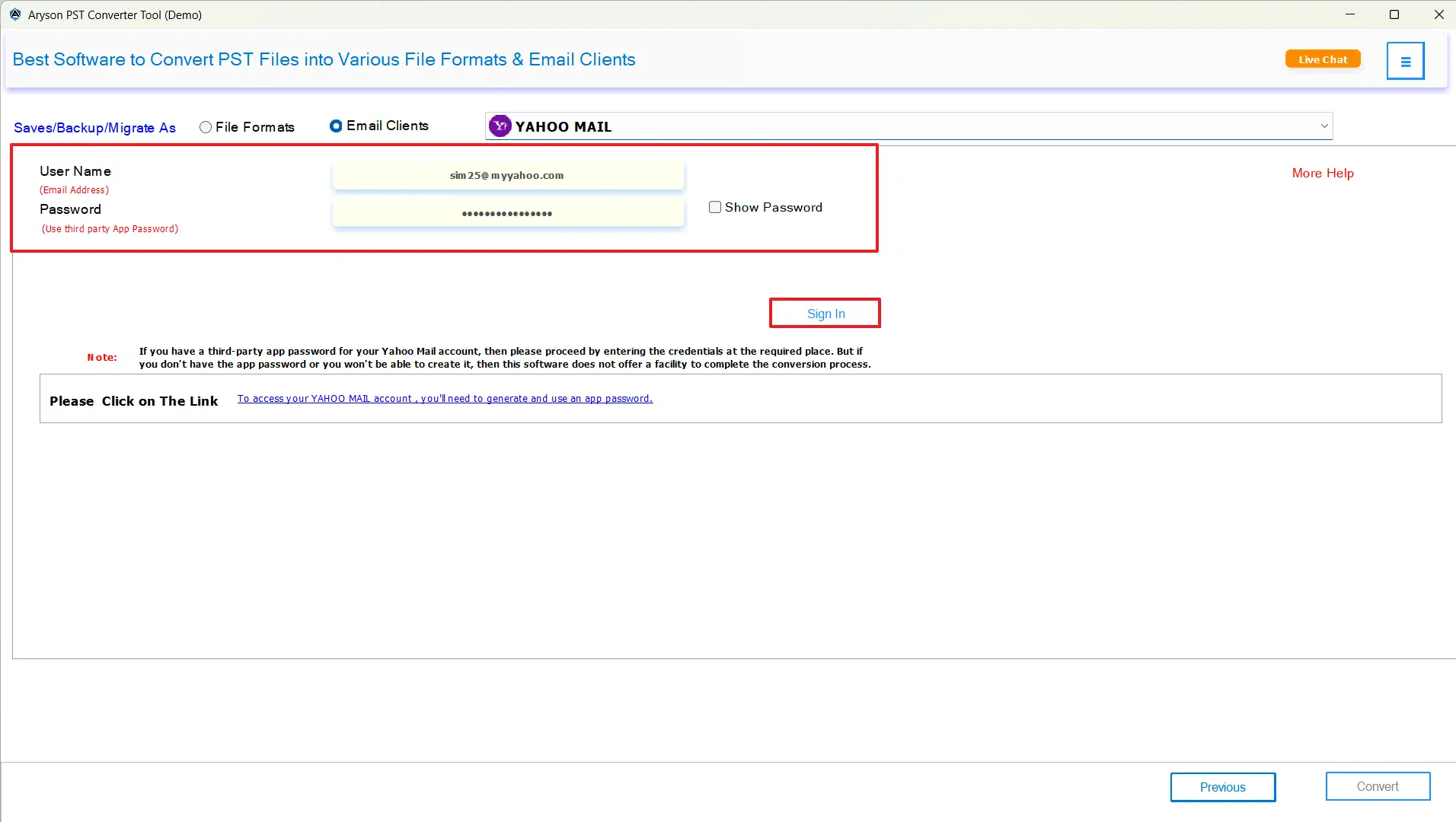
- Next, enter your valid Yahoo Mail credentials to log in.
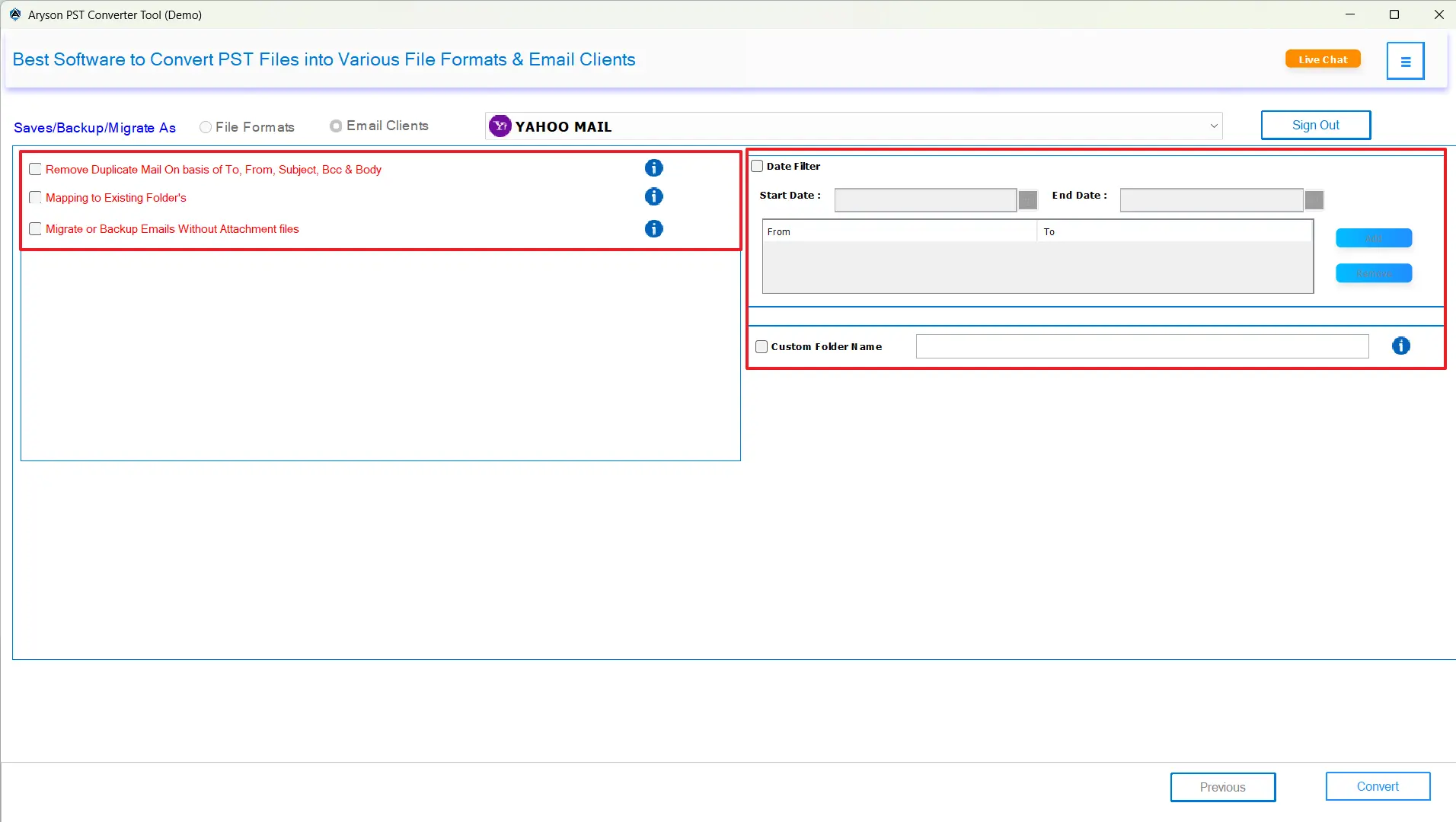
- If you need, you can utilize the advanced features provided.
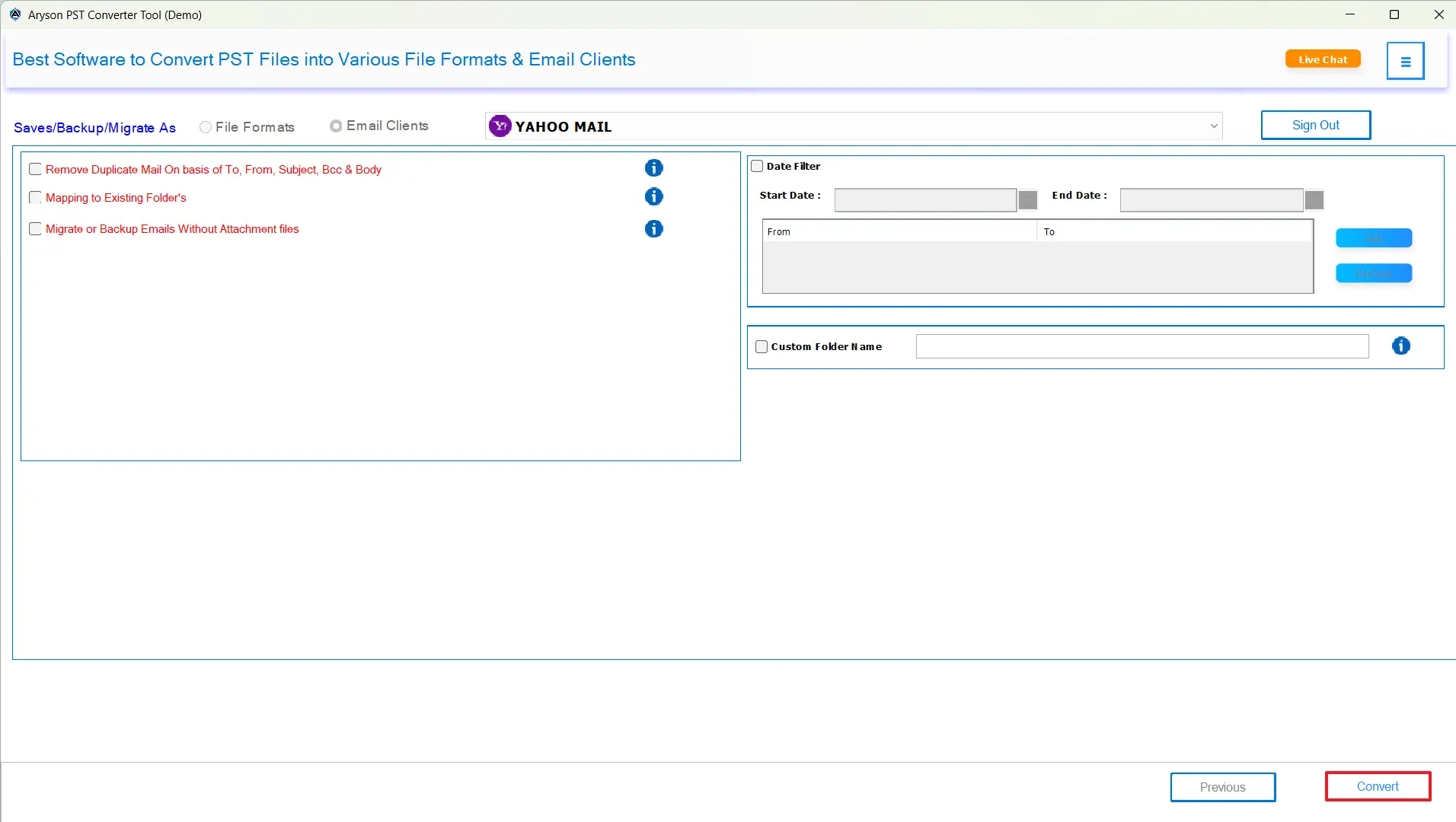
- Lastly, click the Convert button to open PST file in Yahoo Mail.
Conclusion
In the above blog, we discussed two different methods to import PST to Yahoo Mail in detail. Both approaches had their own advantages and were suitable for different kinds of users and their expertise. While Single users pick the manual method as they have few files to import, IT admins opt for the automated solution. However, even if you are an individual who has a small amount of data to import, you can use the software to improve your work efficiency. Still, in case of doubts, the tech support team is 24*7 available.
Frequently Asked Questions:
Q.1 Can I import contacts from a PST file into Yahoo Mail?
Ans. Yes, with the help of MSOutlookHelp PST Converter, you can import contacts from a PST file into Yahoo Mail.
Q.2 Is it safe to use third-party tools to import PST into Yahoo Mail?
Ans. Yes, if you are using the above automated solution, you can safely import PST into Yahoo Mail.
Q.3 Do I need a Yahoo App Password to import PST files?
Ans. Yes, you need the Yahoo Mail app password to import PST files. You can also generate this app password.
Q.4 How do I fix “Cannot connect to Yahoo Mail” while importing PST?
Ans. If you are using the MSOutlookHelp PST Converter, you will not face this issue. In case it still occurs, reach out to the tech support team.
Q.5 Can I import PST emails to Yahoo Mail if Outlook is not installed?
Ans. Yes, using the MSOutlookHelp PST Converter, you can transfer PST Emails to Yahoo Mail if Outlook is not installed.
About The Author:

Evren Cole is an expert in Email and Data Management. She has a strong passion for technology and entrepreneurship. In her free time, she enjoys football, music, and reading books.

