

-
Written By Evren Cole
-
Updated on November 27th, 2025
How to Convert EML to Word Easily – Comprehensive Guide
Overview: EML files are the standard messages saved by different email clients like Thunderbird, Outlook, and Windows Mail. On the other hand, DOC files are an editable, shareable, and printable form of email messages. Now, as enterprises deal with a large collection of EML files, they prefer to convert EML to Word in order to use their emails for documentation purposes easily. If you are also searching for a reliable way to perform EML to DOC conversion, go through this article to learn the right steps of using MSOutlook Help EML Converter for a quick conversion.
Why Do We Need to Convert EML File to Word?
Among the various reasons behind the EML to Word conversion, some of the most common ones are given below.
- Users can easily use their emails for creating reports, presentations, or official records.
- As well as, You can also effortlessly edit and customize your resultant DOC file.
- Moreover, the DOC format is widely supported across devices and platforms.
- Additionally, DOC format is printer-friendly and suitable for official documentation.
- Also, you can easily share and collaborate with others.
Proven Methods to Convert EML to Word
There are two most effective methods to convert EML files to DOC format. The first one is a reliable software, which you can use for a quick and effortless conversion. Whereas the second one is the manual approach, where you just have to save your EML files to the DOC format. Read both the methods carefully and choose either of the two as per your needs and expertise.
Method 1: Automated Software to Export EML to Word
MSOutlookHelp EML Converter is the most reliable software used to convert multiple EML files to DOC format within a few seconds. Moreover, it allows users to cross-verify their file selection before importing it. Additionally, the user-friendly and interactive interface of the software enables beginners to effortlessly import EML to HostGator Mail, Hotmail, Thunderbird, Yahoo Mail, Office 365, and more email platforms. Also, you can utilize the additional features of the software, like the Date Range Feature, Skip Previous Migration, Remove Duplicate Mail, etc., to optimise your file selection. Now, let’s start the conversion by following the steps below.
Simplified Tutorial to Convert EML to Word
- Launch the MSOutlookHelp EML Converter on your existing PC.
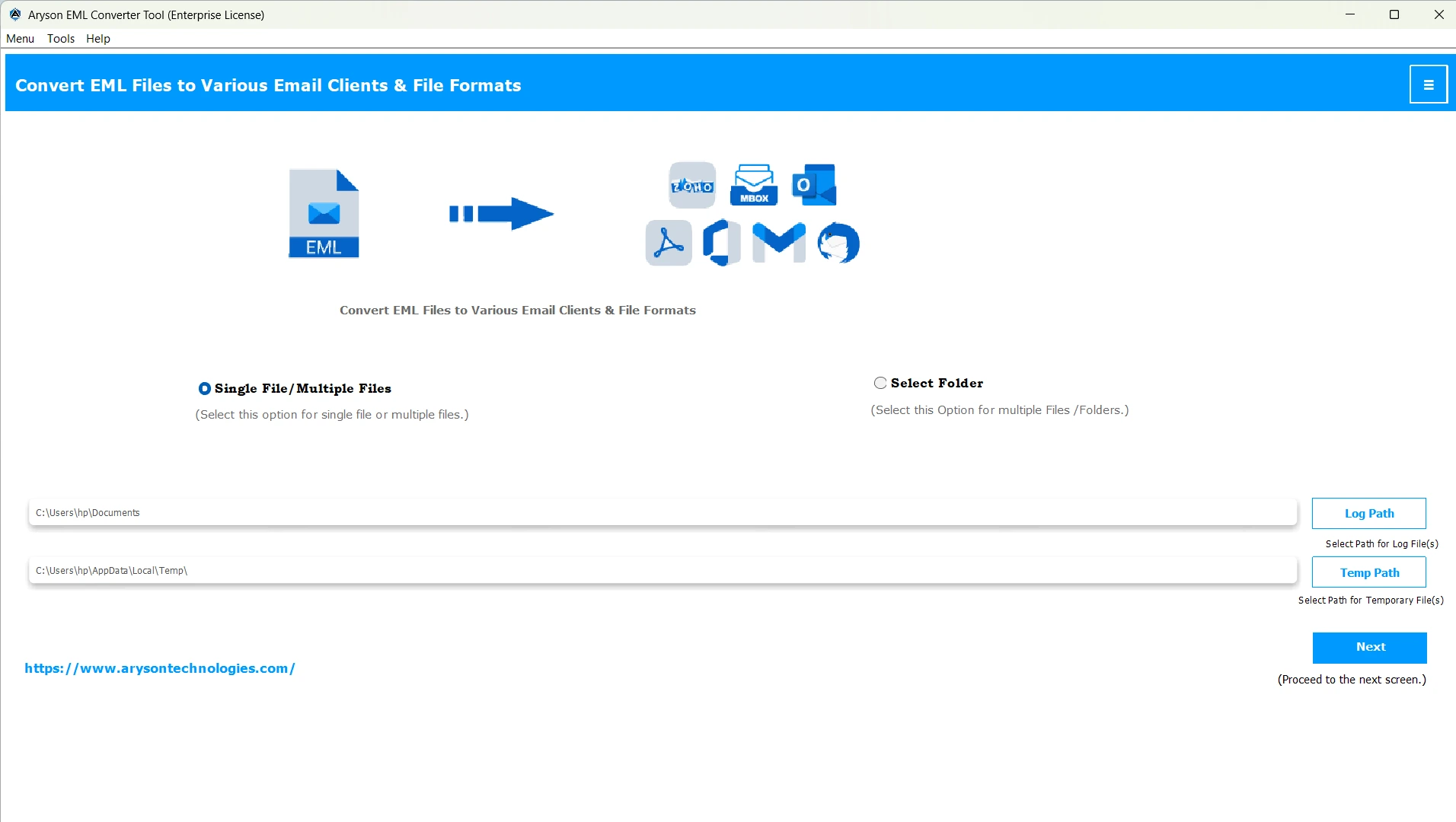
- Then, use the Select Files/Folders option to add your EML files & click Next.
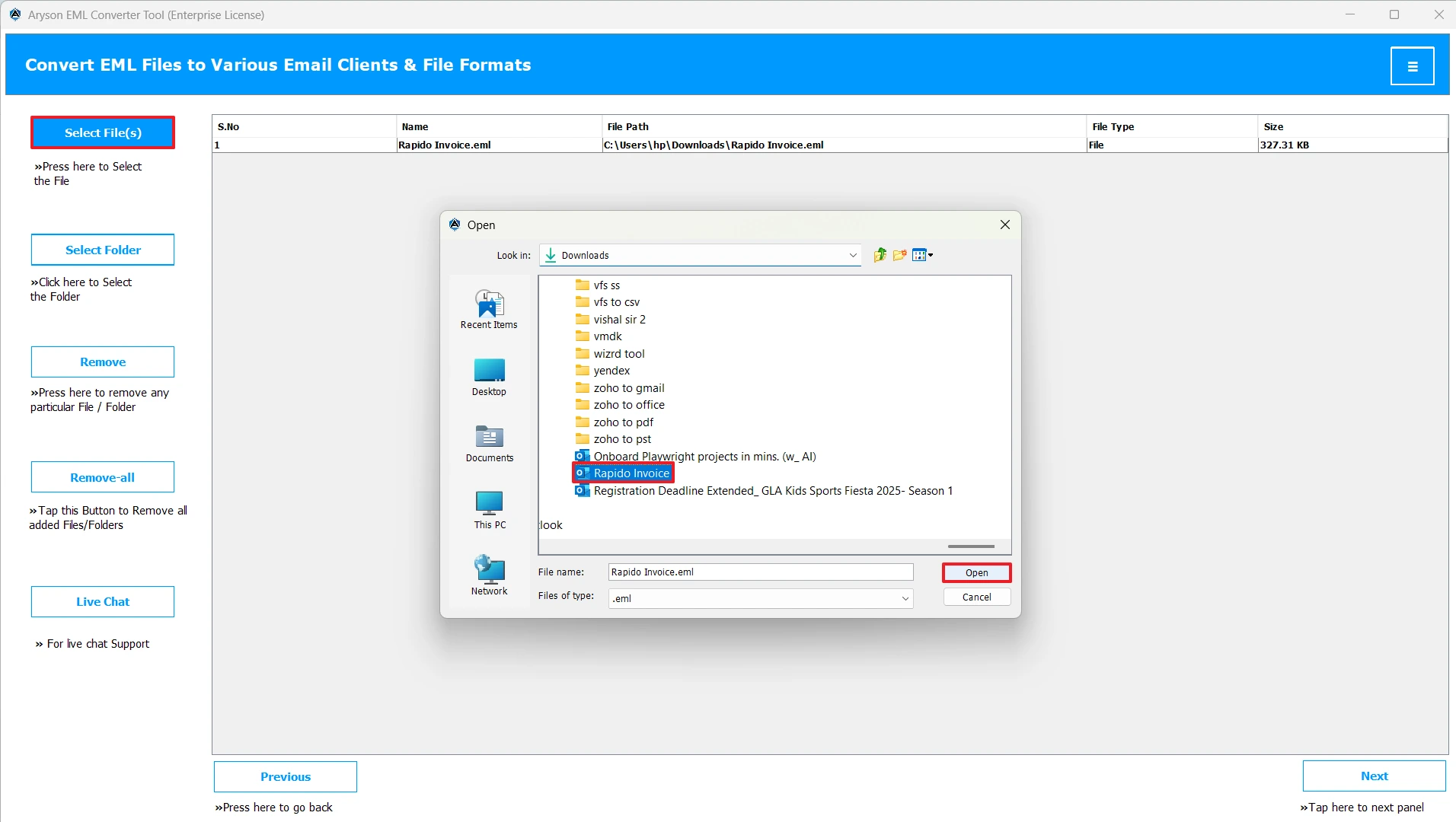
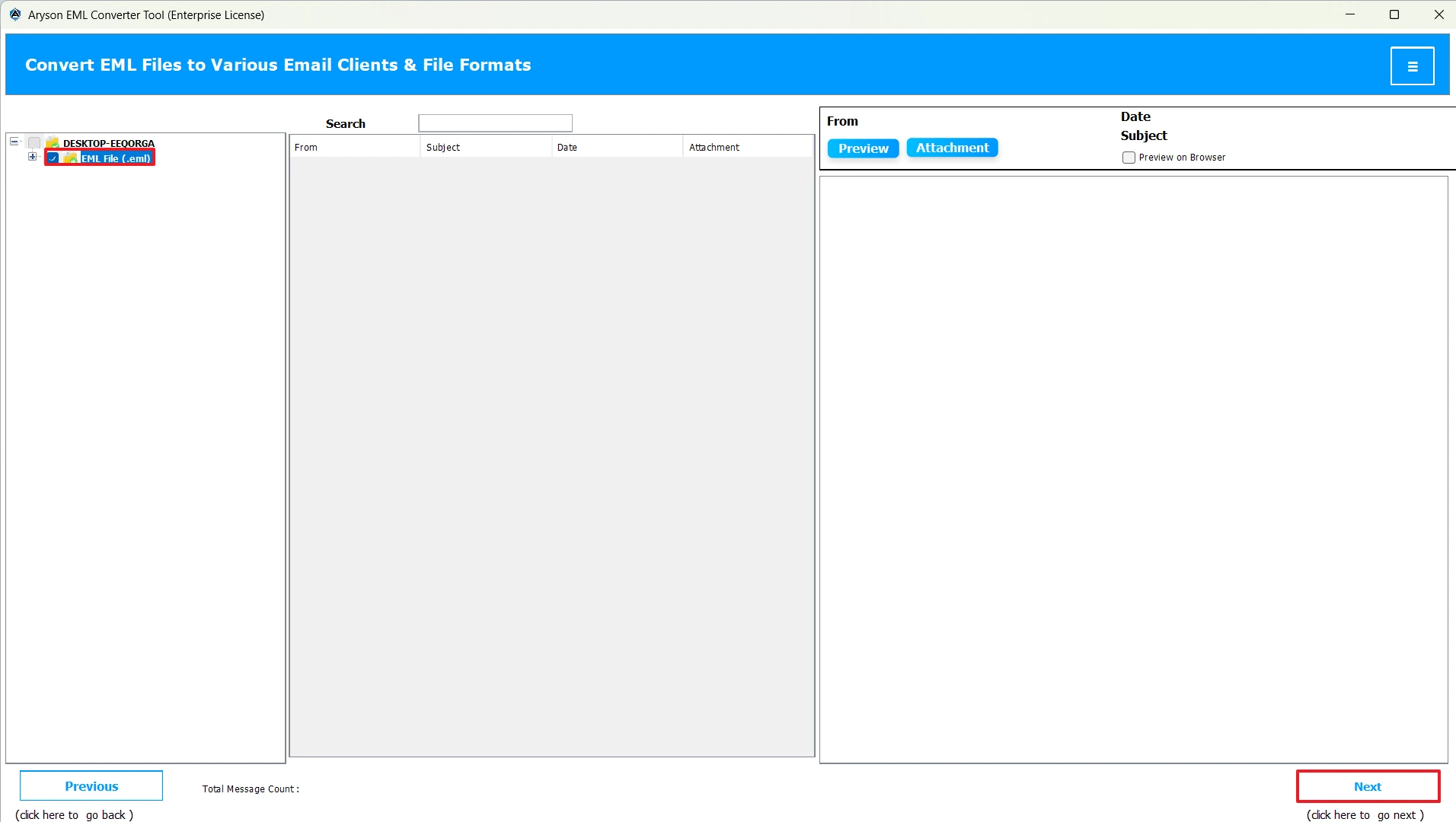
- After that, select one or more files/folders, preview them & click Next.
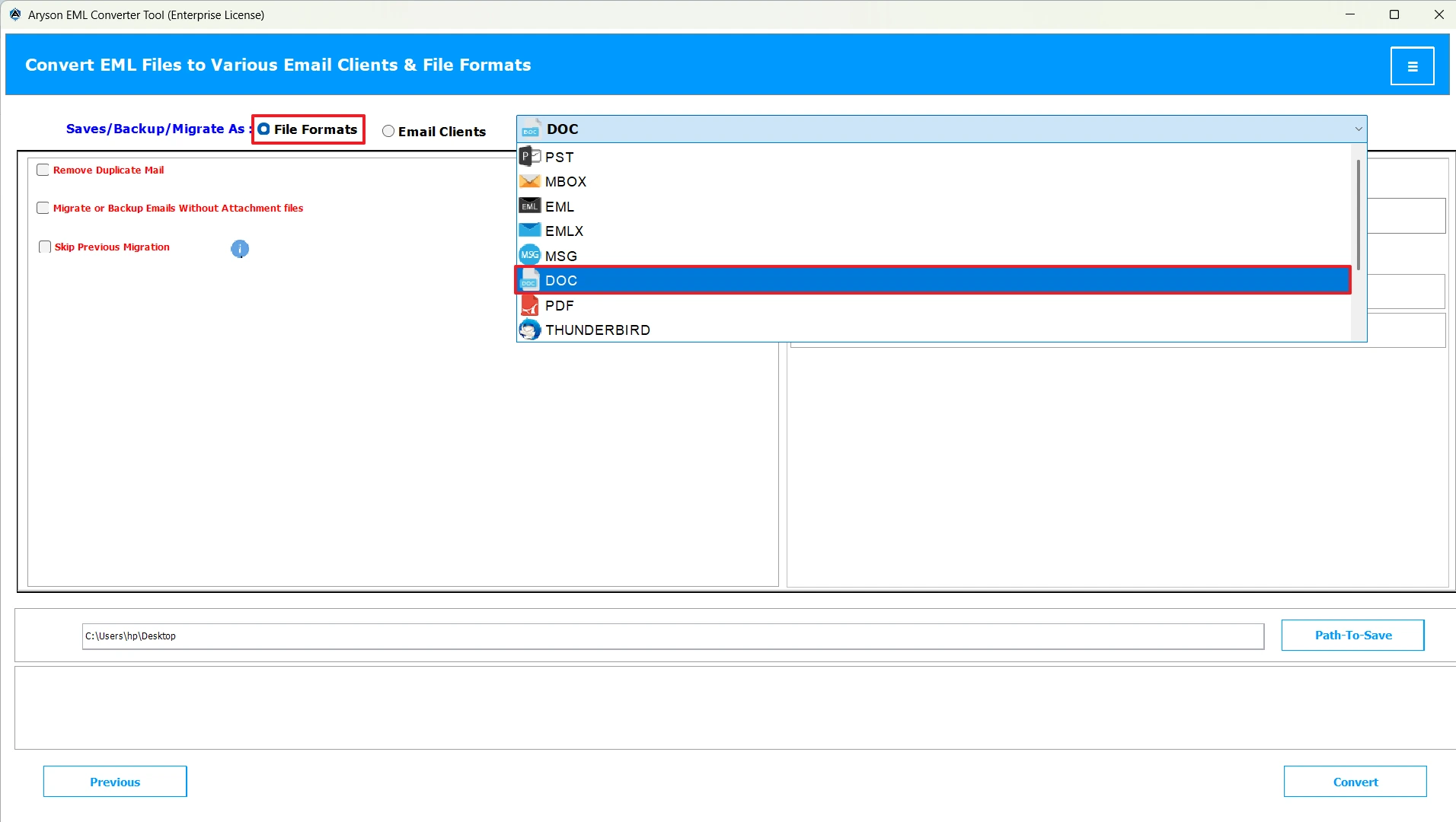
- Now, mark the file formats option and select the DOC format.
- Next, use the additional features of the software if you require.
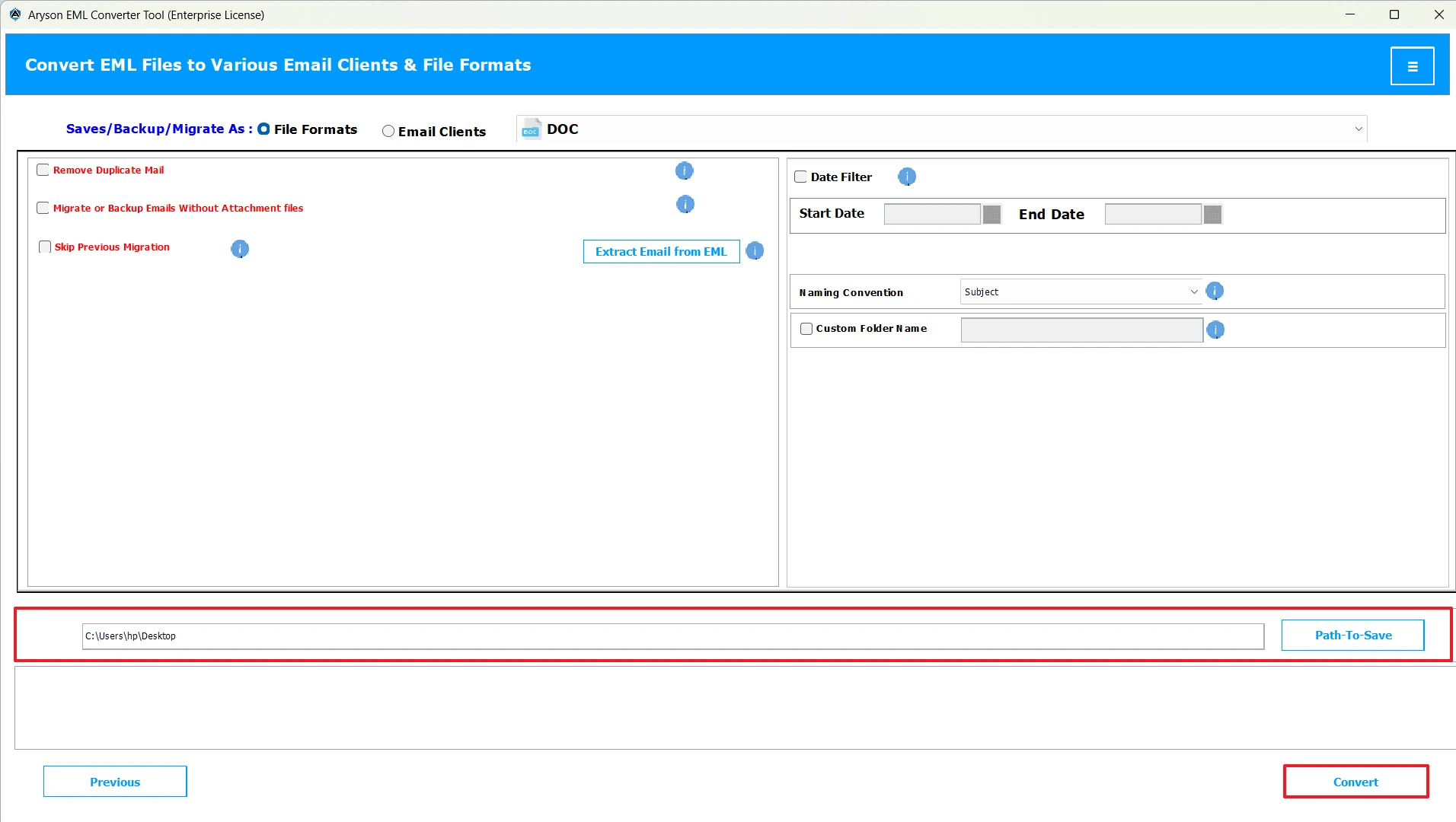
- At last, provide the path to save your resultant DOC file, & Click Convert.
Important Note: Using the above solution is the easiest and most secure method to convert your EML files. However, if you have a few emails, have a basic understanding of MS Word, and prefer a hands-on approach, we have provided an alternative solution ahead.
Method 2: Convert EML to Word Using MS Word
If you have a few EML files to convert, you may use the Microsoft Word application. This method takes two stages to complete. The first stage includes the opening of EML files in MS Word, whereas in the second stage, we will save the EML file in DOC format. However, this method is straightforward; it is time-consuming to convert each EML file via this approach. Given below are the steps to perform the manual conversion.
Stage 1: Load your EML File in MS Word
- To begin, locate the folder where you have saved your EML files.
- Then, right-click on your required EML file and click on the Open With option.
- After that, click the Choose Another App option >> select More Apps.
- Next, choose Microsoft Word from the applications listed.
Stage 2: Save the EML File as DOC or DOCX
- This will open your EML file inside Microsoft Word.
- Next, click the File tab >> select Save As from the menu.
- Now, choose the .doc as the output format.
- Then, provide the destination path to save the converted file.
- At last, click Save to convert EML to Word Document.
Conclusion
The above blog covered two different approaches to convert EML to Word. The first approach is ideal for beginners and enterprises that deal with a large number of EML files. Whereas, for individuals and small startups, it is advised to use the manual method. In case the manual method is not working well, you can use the automated solution. Still, if you have any queries, we provide a 24*7 customer support service. Hope you found this article helpful.
Frequently Asked Questions:
Q.1 How do I save an EML file as a Word document manually?
Ans. To manually save EML as Word Document, you have to open your EML files in MS Word and then save these EML files to Word format.
Q.2 Can I export multiple EML files to Word at once?
Ans. Yes, using MSOutlookHelp EML Converter, you can export multiple EML files to Word at once.
Q.3 Does converting EML to Word change attachments?
Ans. No, if you are using the automated solution above, converting EML to Word will not change your attachments.
Q.4 What is the easiest way to convert EML to DOCX?
Ans. Among all the methods available, MSOutlookHelp EML Converter is the easiest way to convert EML to DOCX.
About The Author:

Evren Cole is an expert in Email and Data Management. She has a strong passion for technology and entrepreneurship. In her free time, she enjoys football, music, and reading books.

