

-
Written By Evren Cole
-
Updated on November 26th, 2025
How to Import EML to HostGator Mail (Beginner’s Guide)
Overview: Are you also struggling with a large number of EML files and want to put them together in your HostGator mailbox all at once? If yes, then it’s better to import EML to HostGator Mail. HostGator Mail is an email service that allows users to create domain-based email accounts and access them through Webmail or IMAP/POP. Moreover, it helps them to manage, organise, and consolidate their emails to enhance their work efficiency. Many organisations use the MSOutlookHelp EML Converter for quickly importing their EML files. Read this write-up till the end to get more insights and clear all your queries.
Why Open EML File in HostGator?
There are several reasons why enterprises and large-scale businesses choose to import their EML to HostGater Mail. Some of them are as follows:
- Users can easily migrate their old emails from another email client after the import.
- HostGater Mail helps users restore their previously backed-up EML messages.
- Moreover, it allows you to access all your emails online via HostGator’s IMAP account.
- Additionally, users can consolidate all their scattered emails into one HostGator mailbox.
- Also, HostGator Mail makes it easy to search and access archived EML emails anytime.
Best Solutions to Import EML to HostGator Mail
Here, in this section, we will discuss two simple yet impactful solutions to import EML files to HostGator Mail. Read through the following solutions in detail to adapt the ideal one for you.
- The Automated Software
- Using Manual Approach
Solution 1: Efficient Solution to Import EML File to HostGator Mail
MSOutlookHelp EML Converter is the most reliable software that is used to import EML files into HostGator Mail. This software can quickly import multiple EML files without losing any data. Moreover, it maintains 100% data accuracy and integrity by allowing users to preview their selected files before importing them. Along with that, it keeps the emails, attachments, and original formatting intact during the import. The beginner-friendly interface of the software makes it easy for users to import EML to Hotmail, Thunderbird, Yahoo Mail, Office 365, and other email platforms. Additionally, it provides users with advanced features such as removing duplicate emails, skipping previously migrated items, and customizing folder names. Perform the following steps carefully to avoid any kind of errors.
Simplified Guide to Import EML to HostGator Mail
- Firstly, install & launch the MSOutlookHelp EML Converter on your PC.
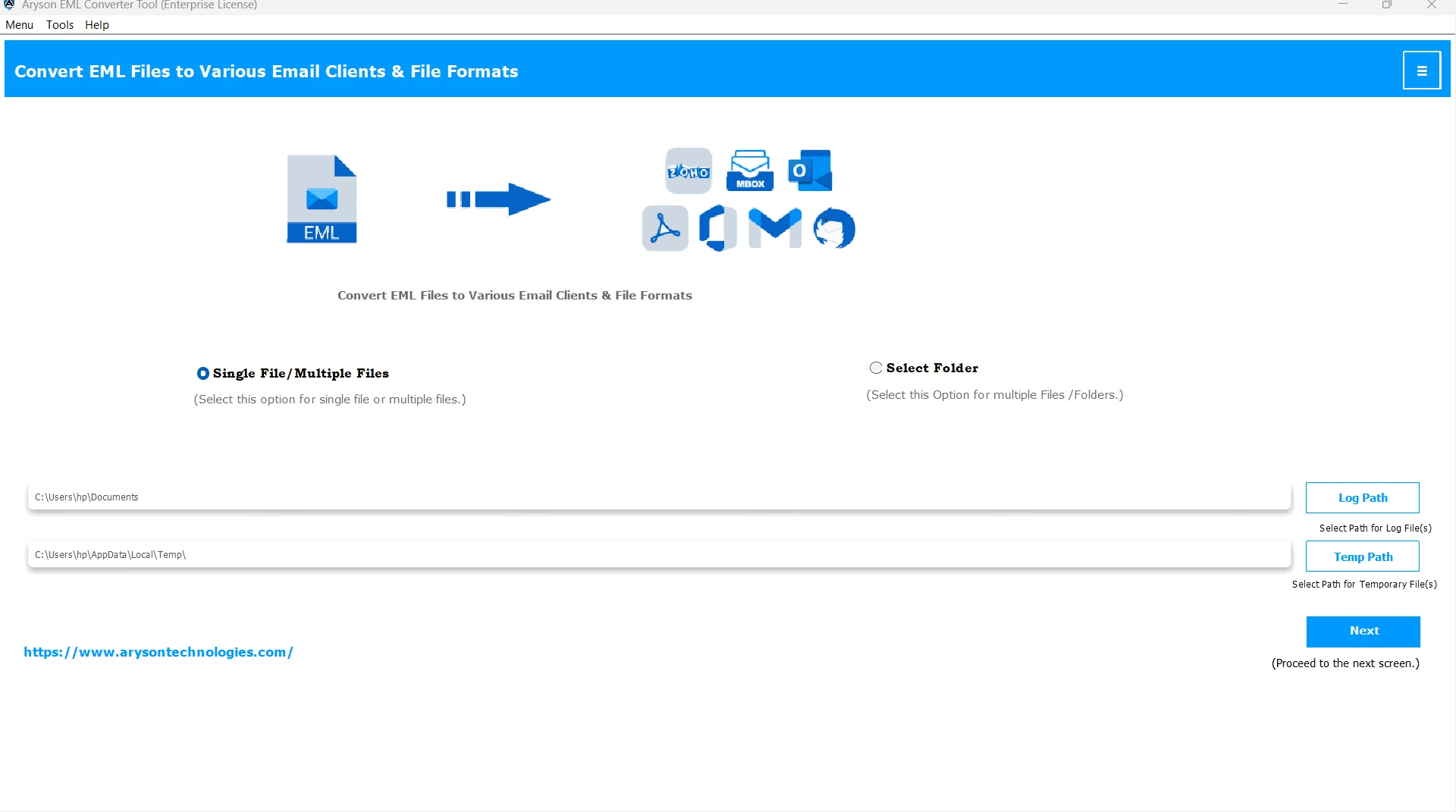
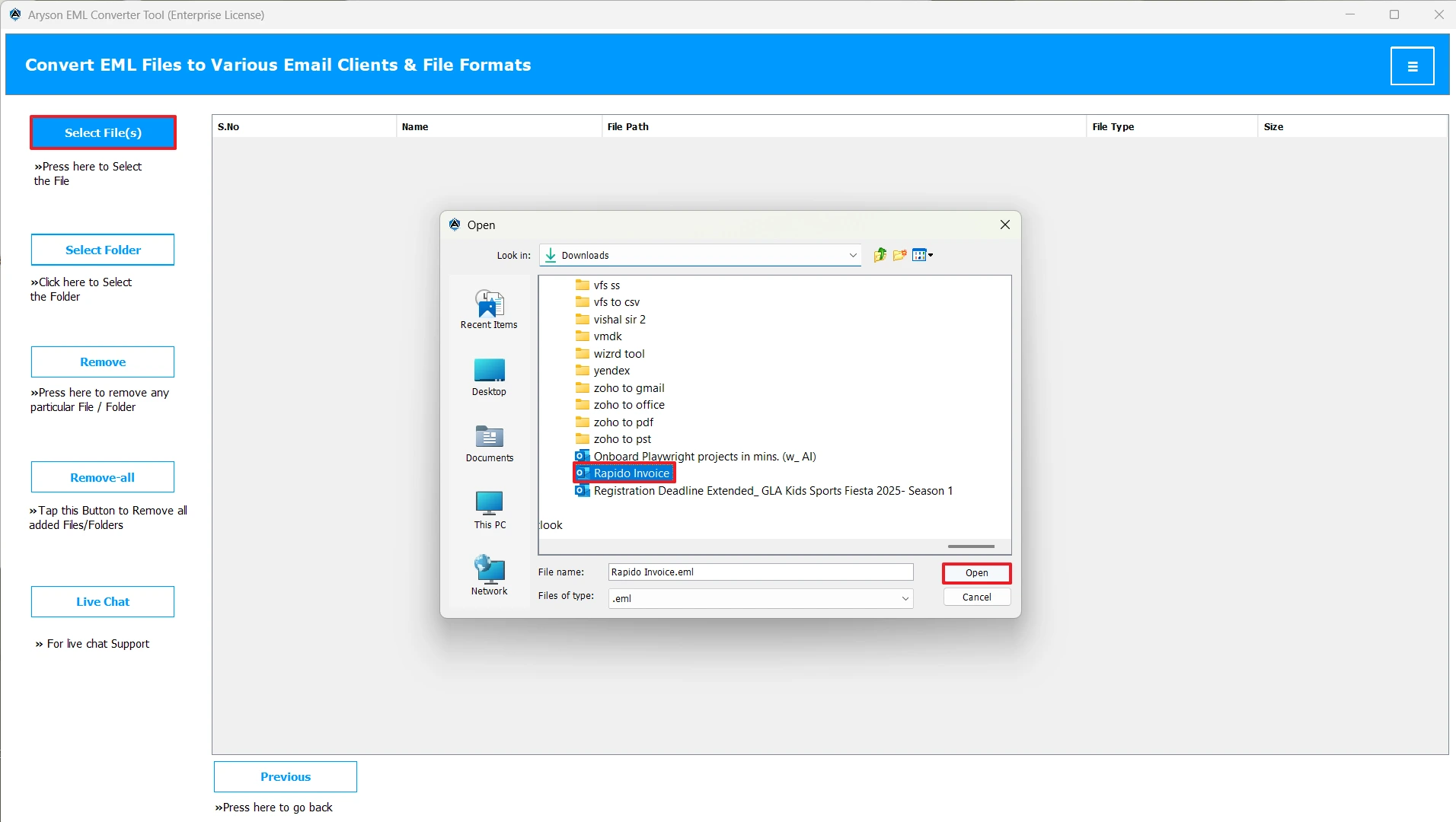
- Then, click Select Files/Folders to load your EML files to the software & click Next.
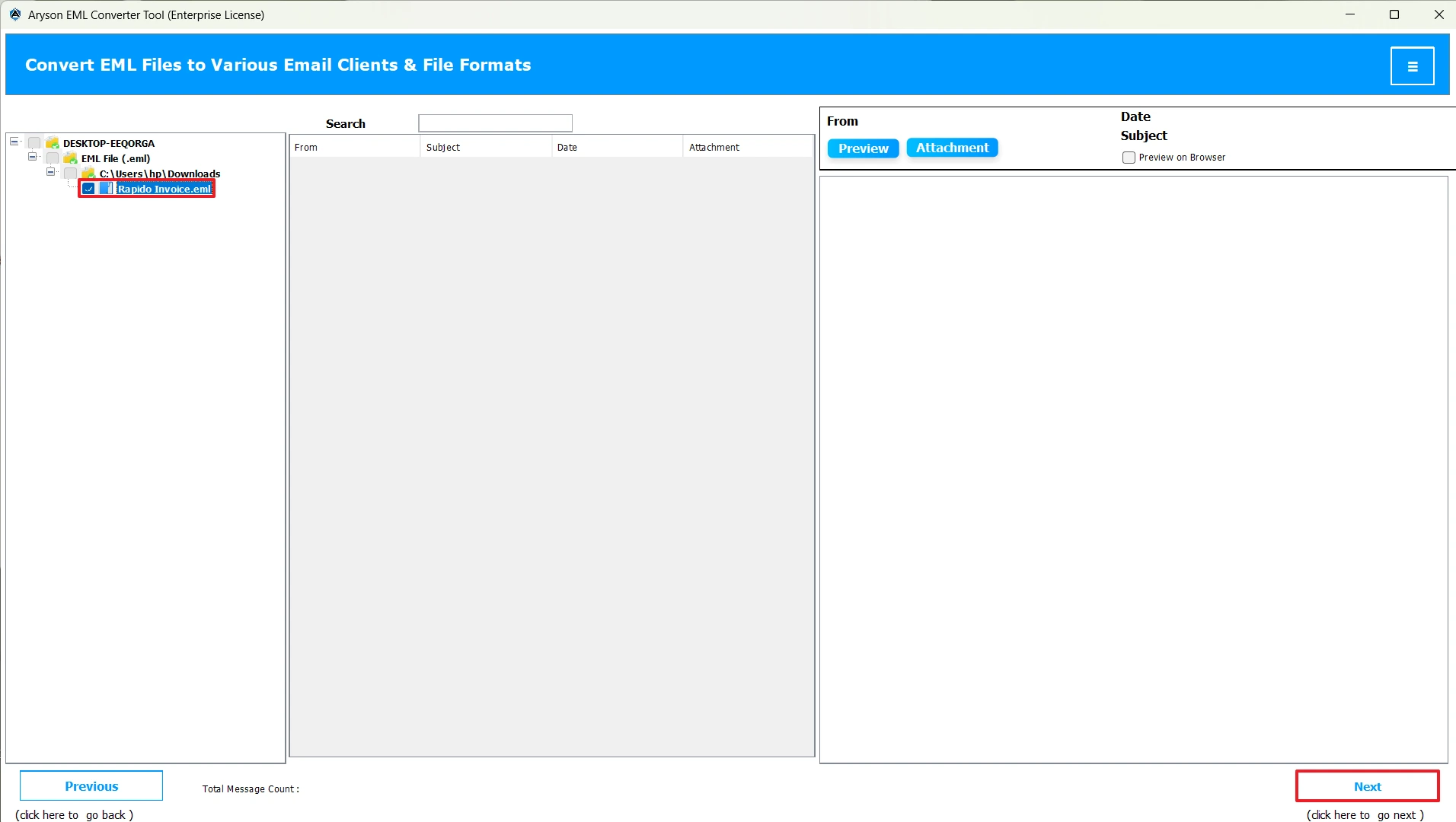
- After that, select one or more EML files to preview in the right panel and press Next.
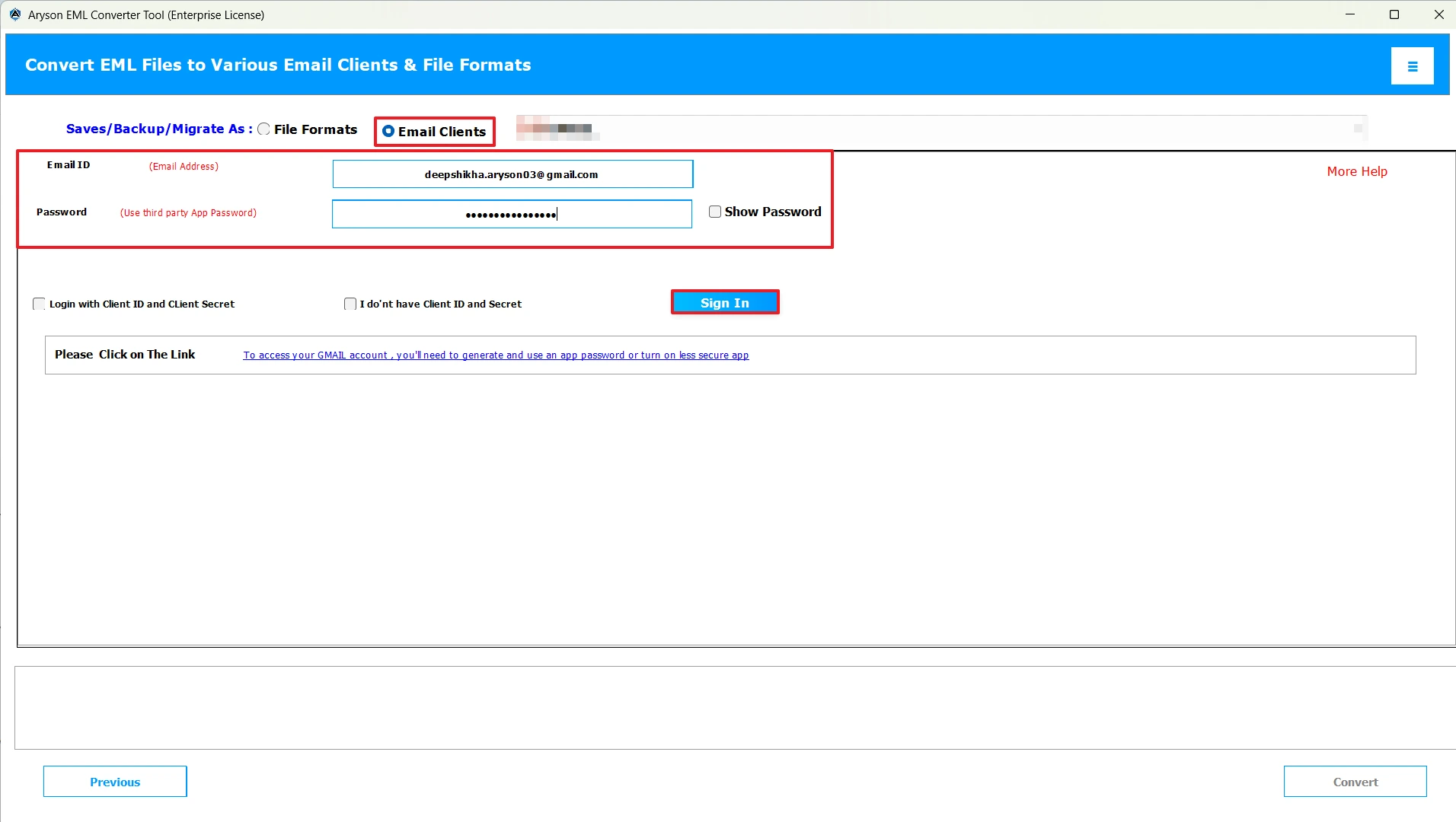
- Now, mark the email clients radio button >> select HostGator Mail.
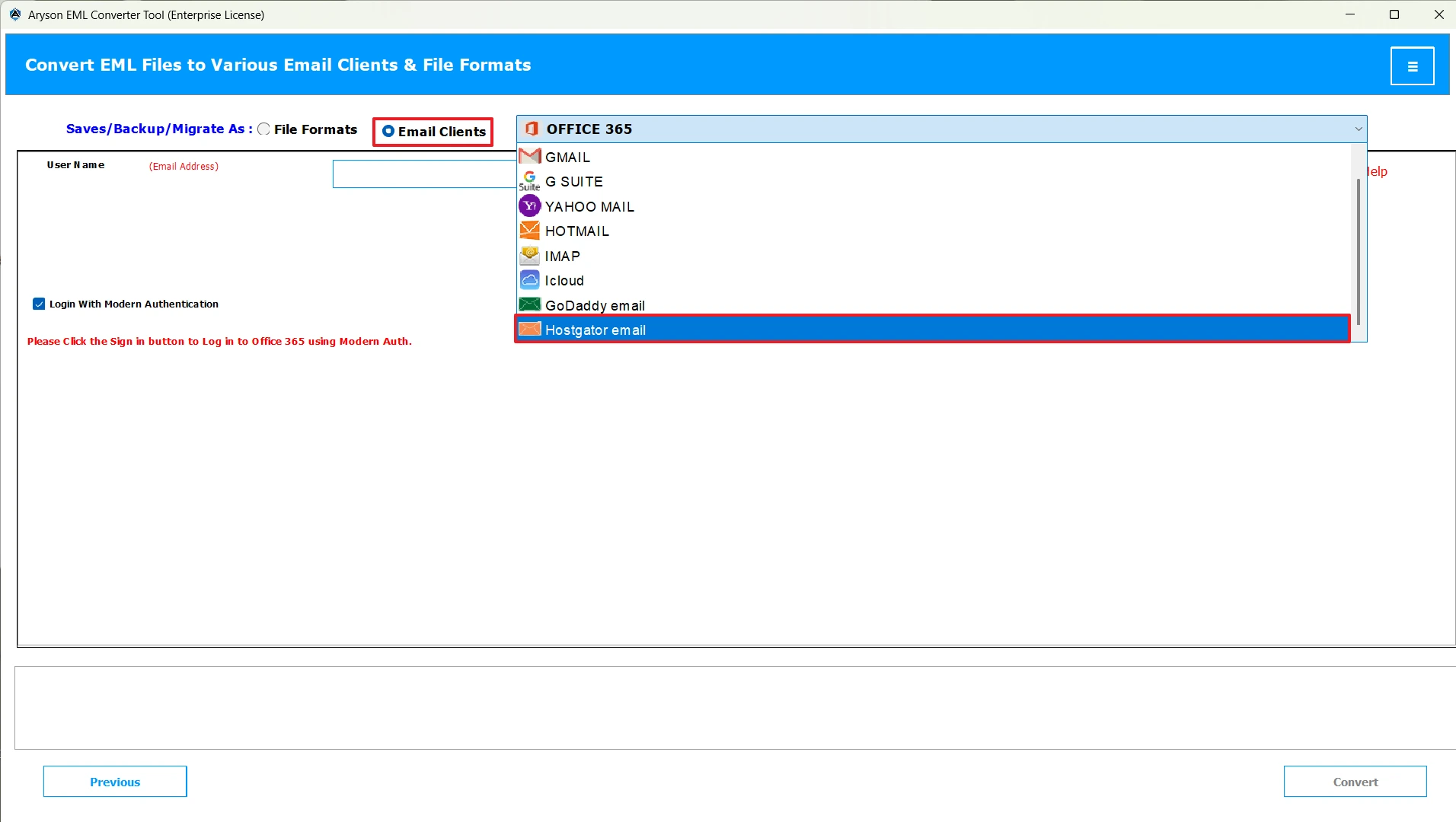
- Next, enter your Hostgator credentials to login.
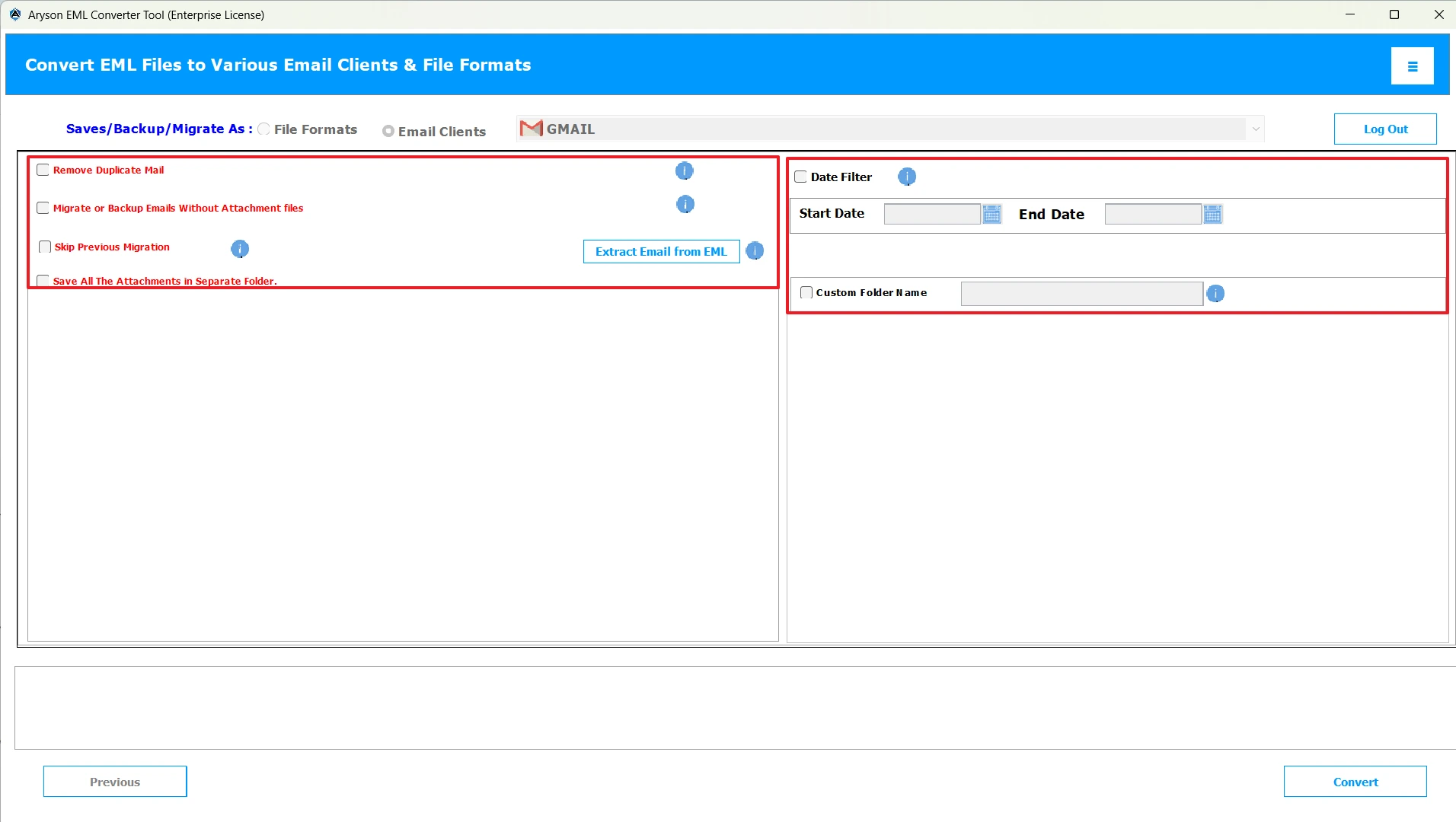
- You can use the built-in features of the software.
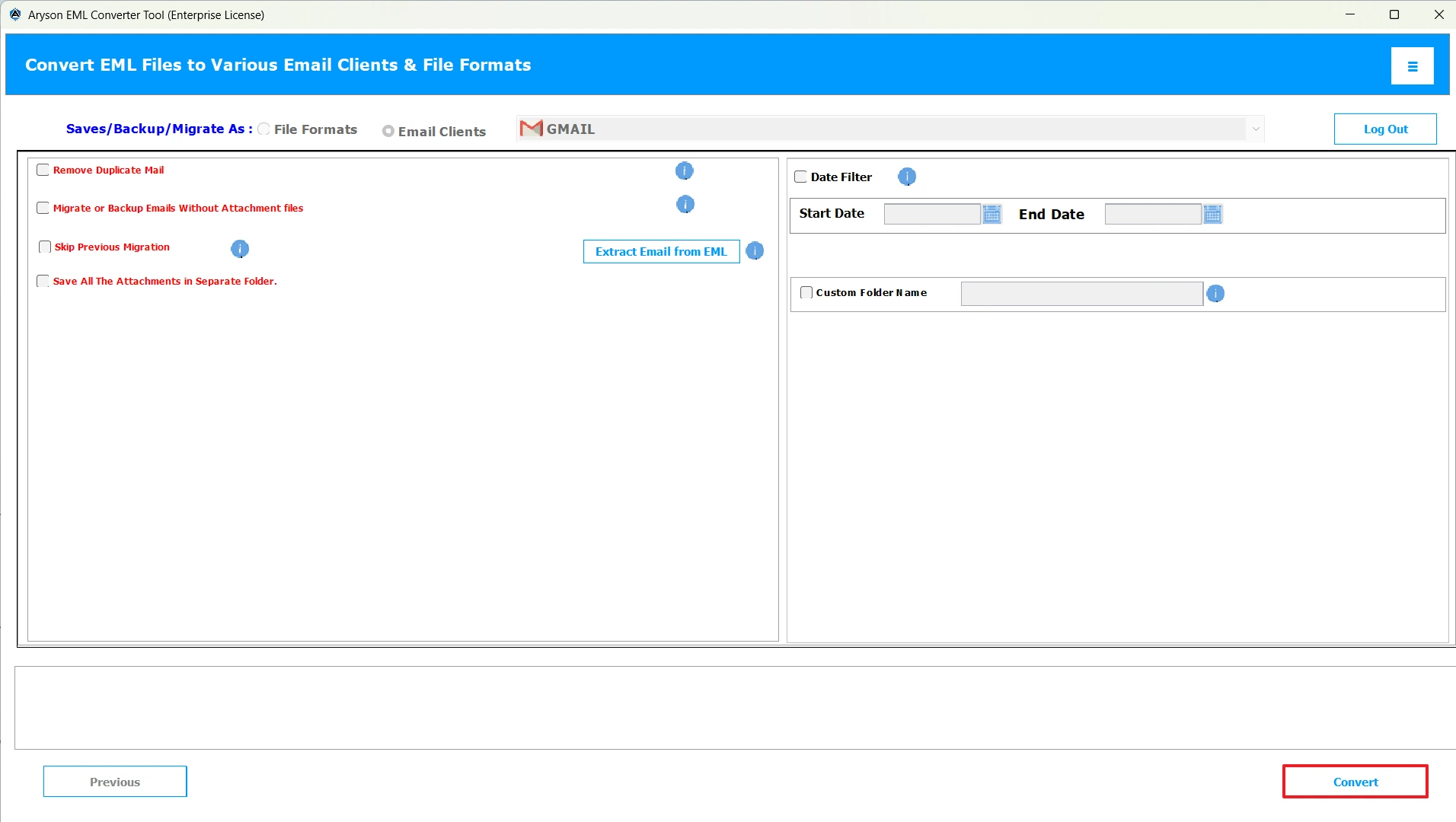
- At last, click the Convert button to upload EML File into HostGator Account.
Additional Note: This method works efficiently and will enhance your productivity. But if you have a basic understanding of technical concepts and are familiar with the Roundcube Webmail interface, you can proceed with this method.
Solution 2: Import EML to HostGator Mail Using Roundcube Webmail
In case you have a few emails to import, you can follow the manual approach. This method includes the use of HostGater Roundcube Webmail. Moreover, there are some prerequisites for performing this method successfully. Hence, you must possess a basic understanding of the technical concepts to proceed this way. Now, follow the prerequisites as well as the steps to achieve data accuracy.
Prerequisites for the Manual Import
- Firstly, you have to log in to your HostGator Roundcube webmail.
- Then, collect all your desired EML files you want to migrate.
- Now, choose a folder in Roundcube where you want your EML files to appear.
Steps to Import EML files to HostGator Mail Manually:
- To begin, go to the HostGator Email dashboard and log in.
- Then, select your Inbox or create a new folder from scratch to import emails.
- After that, click on the gear icon >> choose the Import messages option.
- Now, click the Choose File option>> select the required EML files & click Import.
- At last, cross-verify whether your emails are imported into the selected folder.
Conclusion
Hope this article helped you. As we discussed two different ways to import EML to HostGator Mail. Although both methods have their own advantages, you can choose either of them as per your needs and convenience. However, the automated method is the most trusted method and has been found to enhance work efficiency at various enterprises. You can also use the software and in case you get stuck anywhere during the process, reach out to our tech support team.
Frequently Asked Questions:
Q.1 Is there a limit to the size of EML files I can upload to HostGator?
Ans. No, if you are using the MSOutlookHelp EML Converter, there is no limit in the size of EML files you can upload to HostGator.
Q.2 Does HostGator support bulk migration of EML emails?
Ans. Yes, HostGator Webmail can import multiple EML files at once, but using MSOutlookHelp EML Converter is considered more ideal for saving both time and effort.
Q.3 How do I import emails into HostGator?
Ans. You can import emails into HostGator using the automated software above.
Steps to import are as follows:
1. Open the MSOutlookHelp EML Converter.
2. Click Select Files/Folders to add EML files to the software.
3. Preview your selected files.
4. Choose HostGator Mail as the email client and log in
5. Use the additional features & click Convert.
Q.4 What is the easiest way to migrate EML emails to HostGator Mail?
Ans. MSOutlookHelp EML Converter is the easiest way to migrate emails from EML to HostGator.
About The Author:

Evren Cole is an expert in Email and Data Management. She has a strong passion for technology and entrepreneurship. In her free time, she enjoys football, music, and reading books.

