

-
Written By Evren Cole
-
Updated on November 21st, 2025
How to Import EML to IMAP: Easy Upload & Convert Guide
Jessica’s Query: I have thousands of EML files stored in my MS Outlook account, making it difficult to manage. Therefore, I want to import them on the IMAP server, so that I can consolidate them in one place. Suggest a reliable solution to import EML files to IMAP without losing data and attachments.
Overview: EML files are individual email files that usually store email messages along with attachments and metadata. On the other hand, IMAP is an email protocol that keeps emails on the server, allowing users to access them from multiple devices. Are you also looking for the same? If yes, no more search required. This blog explains various methods to import EML to IMAP, including the use of MSOutlookHelp EML Converter, for a quick and secure conversion.
Benefits of Importing EML files to IMAP
Listed below are various benefits offered by the IMAP Server, which motivate users to upload EML to IMAP Server.
- IMAP Server allows users to access emails on multiple devices and webmail.
- As well as it can also consolidate a large number of emails in one place.
- Moreover, it provides synchronisation across different devices in real time.
- Additionally, it simplifies the task of email organisation, management, and searching.
- Also, IMAP reduces the risk of data loss by storing emails on the server.
Proven Techniques to Import EML to IMAP
In this section, we will discuss the two most effective techniques to import EML files in detail.
- Use of Mozilla Thunderbird
- Using an Advanced Software
Read both the methods carefully and adapt either of two as per your import needs and expertise.
Technique 1: Import EML to IMAP Server Using Mozilla Thunderbird
In this method, we will use Mozilla Thunderbird for importing EML files to the IMAP Server. This method works best for users who have a few EML files to import. In this approach, we use Mozilla Thunderbird as the intermediary email platform to convert EML to IMAP. Follow the steps below to perform the import process:
- Install and open the Mozilla Thunderbird application on your system.
- Make sure all your EML files are present.
- But in case they are not, use the ImportExportTools NG add-on to import them into Thunderbird first.
- After that, go to More >> select New Account >> input IMAP login details >> Continue.
- After configuring the IMAP account, create a new folder.
- Now drag and drop your EML files from File Explorer into this newly created folder.
Once the transfer completes, all your EML files will appear directly inside the IMAP account.
Drawbacks of the Manual Approach
- This method requires you to install Mozilla Thunderbird on your system.
- As well as, The user must be familiar with Thunderbird’s interface.
- There might be various errors that take place when you import this way.
- It can’t import multiple EML files at the same time.
Technique 2: Most Reliable Software to Import EML to IMAP
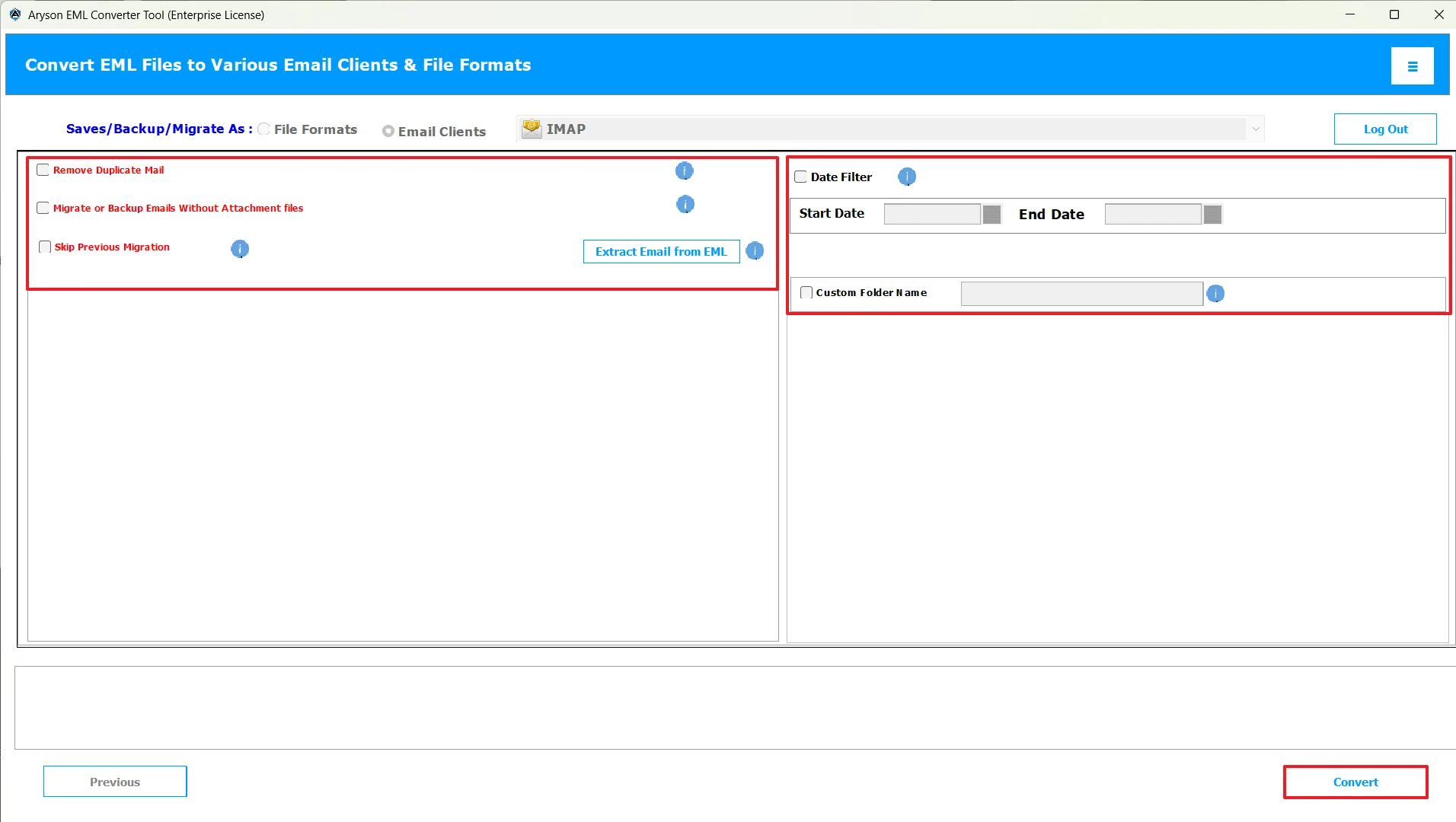
If you want to quickly import EML Files into IMAP Server, MSoutlookHelp EML Converter is the best software to use. This software allows users to import a bulk of EML files to an IMAP Server in one go. Moreover, it keeps the data integrity, attachments, and original formatting intact during the import. In case you are a beginner, it is going to be your go-to software whenever you want to convert EML to CSV, EMLX, PST, HTML, etc. In addition to it, you can use the various features provided, like the Date Range filter, the custom folder name feature, skip previous migration, and many more. Also, the user-friendly interface of the software makes the entire process simple. Follow the step-by-step tutorial below to avoid any data loss.
Step-by-Step Guide to Import EML to IMAP
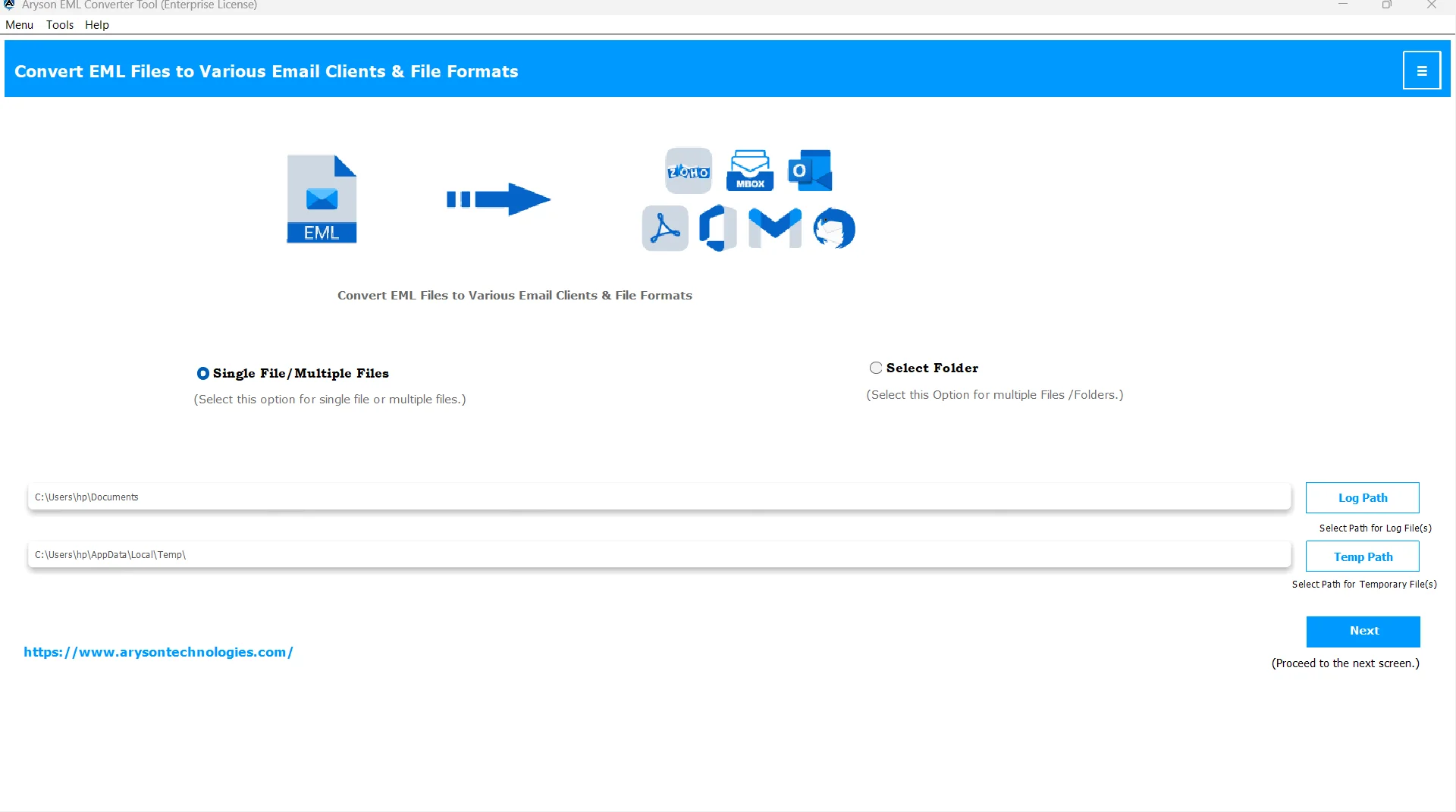
- Install and start the ConverterTools EML Converter on your system.
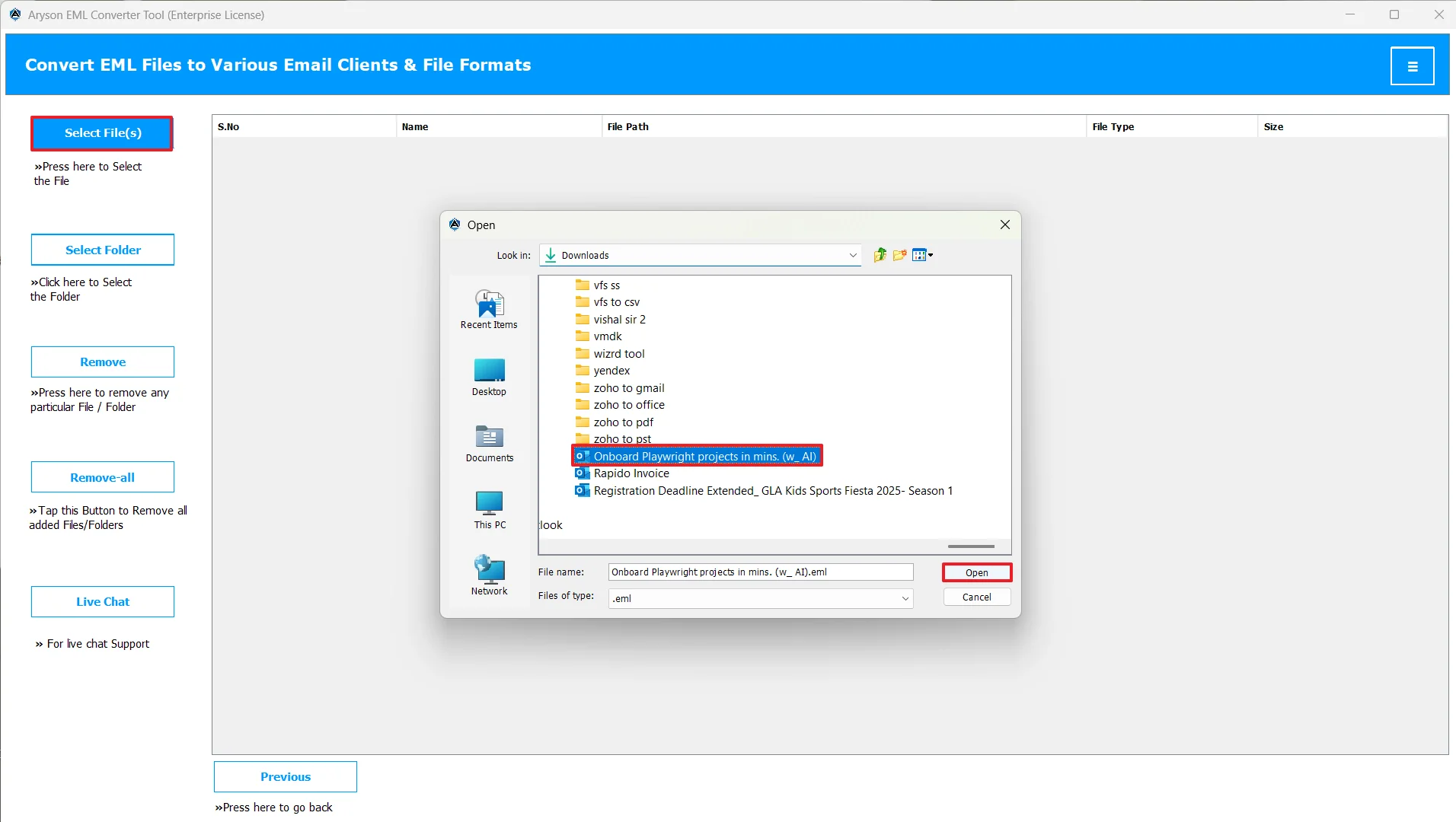
- After that, load your desired EML files into the software by using the Select Files/Folder option.
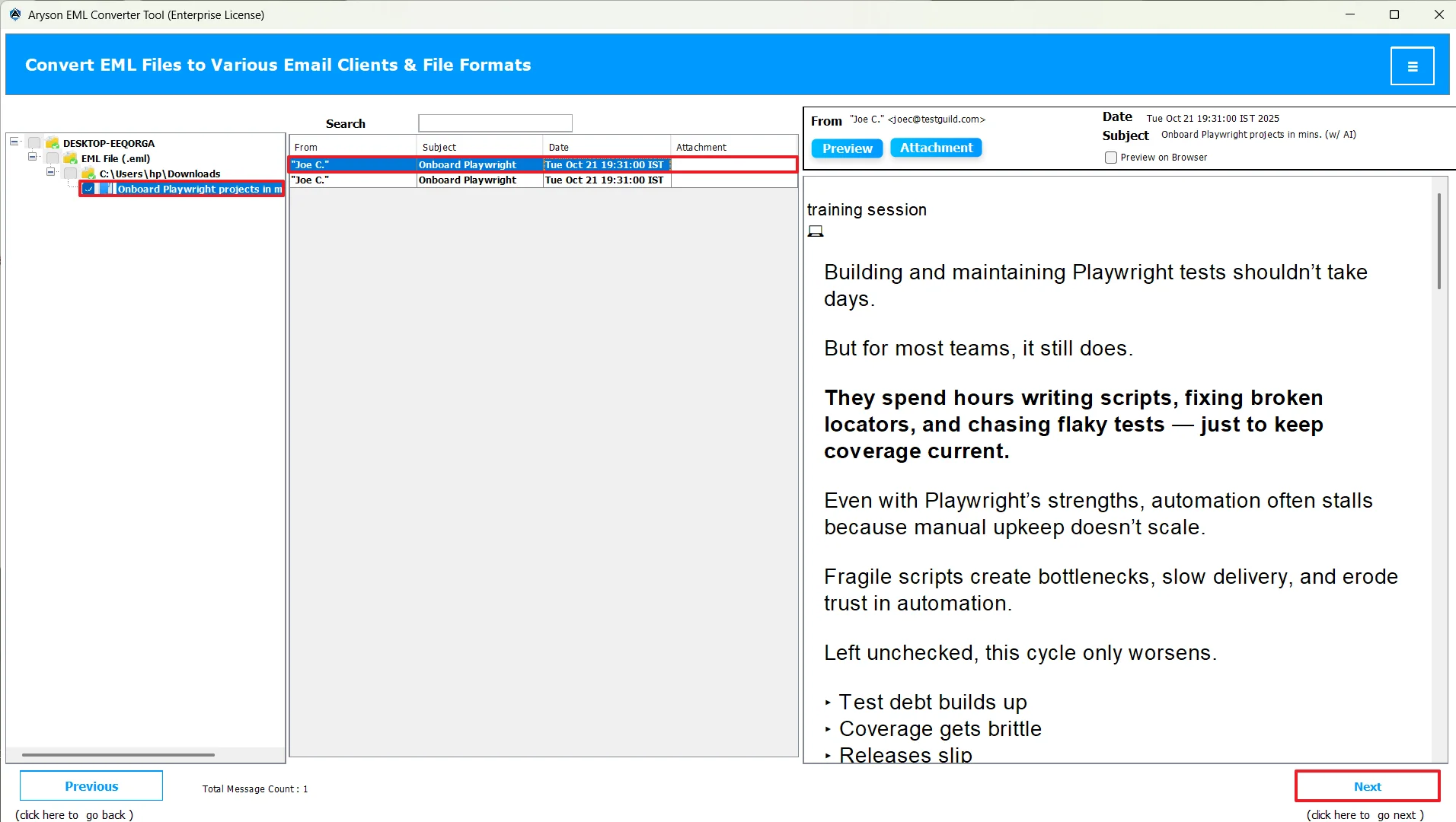
- Then, expand the tree structure >>select EML files >>Preview them >>Next.
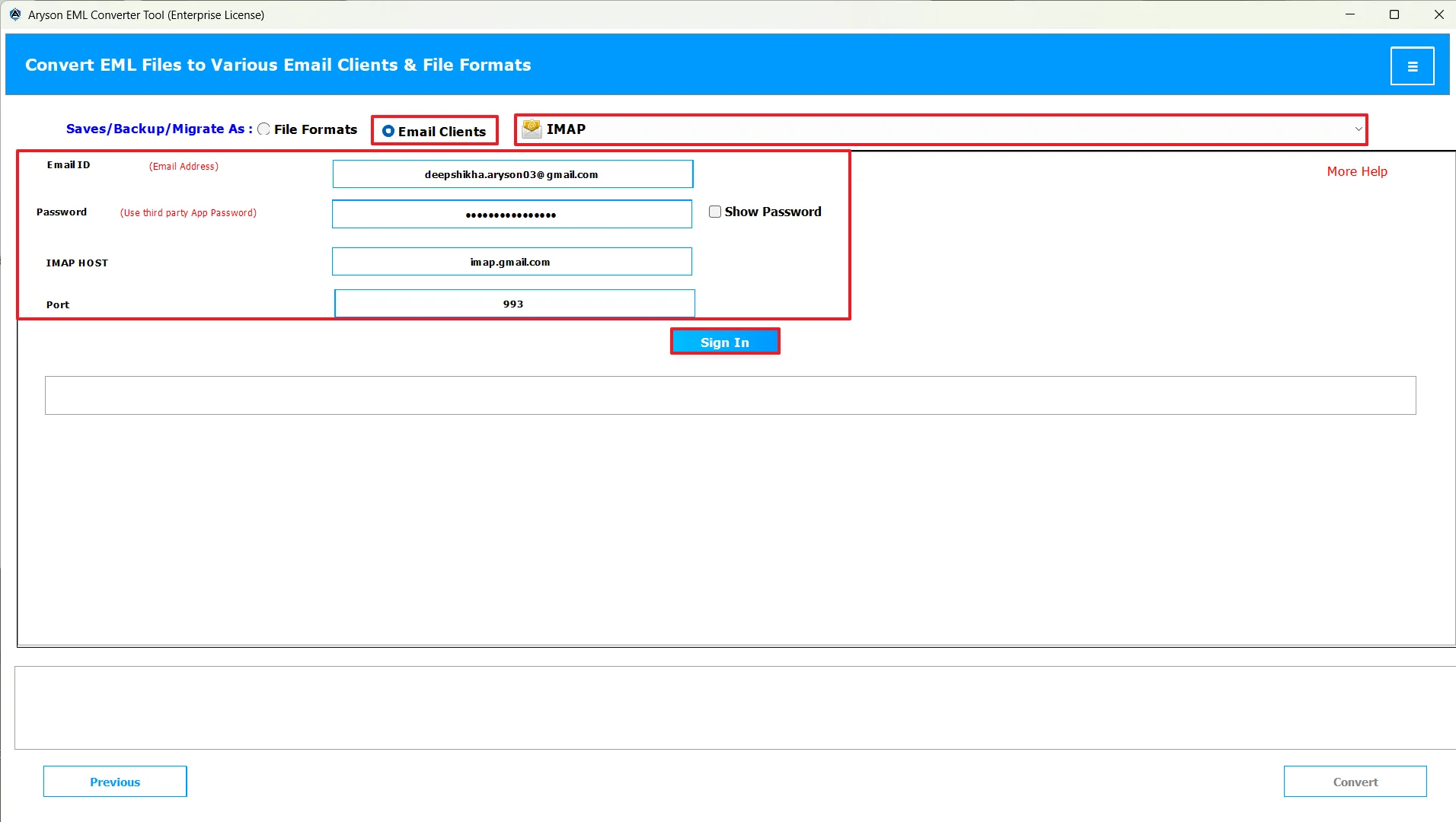
- Now, choose IMAP as the desired email client >> enter credentials >> and log in to it.
- At last, use the additional built-in features as per requirements >> hit Convert.
Conclusion
In short, it becomes easier to manage data when you import it into a server like IMAP Server. It provides better organization, management, and searching of files. Now, to import EML to IMAP, you may use the manual method or the automated software, depending on the number of EML files you have. Many organizations prefer to go for the automated software because of its custom filters and 24*7 live chat support, which enhances their work efficiency.
Frequently Asked Questions:
Q.1 What is the fastest way to upload EML to an IMAP server?
Ans. The fastest way to upload EML to an IMAP server is by using the ConverterTools EML Converter.
Q.2 How can I bulk import multiple EML files into an IMAP mailbox?
Ans. You can bulk import multiple EML files into an IMAP mailbox, with the help of the reliable solution above.
Q.3 Can I convert EML to IMAP without using Outlook or any email client?
Ans. Yes, you can import EML Emails to IMAP without using Outlook or any email client, with the help of ConverterTools EML Converter.
Q.4 Do EML to IMAP imports preserve folder structure and metadata?
Ans. Yes, when you use the ConverterTools EML Converter, EML to IMAP imports preserve folder structure and metadata.
About The Author:

Evren Cole is an expert in Email and Data Management. She has a strong passion for technology and entrepreneurship. In her free time, she enjoys football, music, and reading books.

