-
Written By Evren Cole
-
Updated on October 27th, 2025
Import MSG to AOL Mail: Quick & Easy Guide
Summary: Email communication is vital for both personal and work-related purposes. Many users, depending on Microsoft Outlook, may save emails in the format of MSG files. However, when they switch to webpage services like AOL Mail, they have difficulties accessing their saved Outlook MSG files. This article will guide you on how to import MSG to AOL Mail quickly and safely. You’ll also discover how to ensure a seamless migration while maintaining complete data security using the MSOutlookHelp MSG Converter Tool.
A Brief About MSG and AOL Mail
MSG Files: MSG files are email files generated by Microsoft Outlook. Each MSG file contains an individual email message along with attachments, sender and recipient information, subject, and formatting. MSG files are only compatible with Microsoft Outlook and cannot be opened in webmail.
AOL Mail: AOL Mail is a free, web-based email service from AOL that provides all users with cloud-based access to their messages, attachments, and contacts. Users can access their messages, contacts, and attachments from any device or anywhere via both IMAP and POP configurations.
Why Users Do MSG to AOL Email Migration
There are a few reasons why professionals and individuals need to bring MSG files into AOL Mail:
- Access Anywhere: Emails are saved in the cloud for anytime, anywhere access.
- Safe Storage: Among other things, AOL Mail provides safer, cloud-based storage than what they have on a local drive.
- Business Continuity: Professionals and individuals can also experience business continuity when moving to AOL Mail from Outlook and not worry about losing messages.
- Communication Control: They can also keep all old and new emails more organized in one inbox.
- Backup of Management: It provides the opportunity to document old Outlook conversations and still be able to access them in an active AOL email account.
Method 1: Manual Way to Import MSG files into AOL Mail
Although AOL Mail cannot open MSG files natively, users can transfer them to their AOL email accounts by way of Microsoft Outlook if they set up an AOL email account using the IMAP settings in Outlook. This means you can sync Outlook to your AOL account and then import the MSG files there. This method is a three-step process:
Step 1: Set up AOL Mail in Outlook
- Firstly, open Microsoft Outlook on your computer.
- Then, click on File and then Add Account.
- Enter your AOL email address and click on Connect.
- Select IMAP as your account type.
- Once you enter your AOL Mail password, click on Next.
- Then, wait for Outlook to connect and sync with your AOL account.
- At last, for successful completion, you will see AOL Mail in the folder panel of Outlook.
Step 2: Import the MSG Files to AOL Mail
- Locate the MSG files and simply drag and drop the MSG files from your desktop to your AOL Mail inbox in Outlook.
- And then wait for Outlook to sync the emails with your AOL Mail account.
Step 3: Look at Your Emails
- After syncing is done, you can launch AOL Mail from the web browser.
- You should have access to all the transferred MSG emails on your AOL Mail account.
Disadvantages of the manual method:
- You need to install Microsoft Outlook.
- It can take considerable time to transfer multiple MSG files.
- The process is manual, which increases the risk of data loss if interrupted.
Method 2: Seamless way to Import MSG to AOL Mail
The MSOutlookHelp MSG Converter Tool provides a direct and reliable method to migrate MSG files into your AOL Mail without fear of data loss or corruption. This tool supports the migration of multiple MSGs at once, restores folder hierarchy, and has full security through a URL you’d log into. This tool also takes the hassle out of migrating files—there’s no need to install Outlook, and it’s easy for non-technical users.
Key Features of the MSG Converter:
- Mass Transfer: Transfer unbounded MSG files to AOL Mail at once.
- Selective Filtering: Filter MSG emails based on date range, subject, or sender to selectively import.
- Direct import: The User can directly import MSG to Google Workspace and other email clients.
- Secure Login: Authorize your account with secure login data.
- Multiple Supporting Platforms: You can import MSG files to AOL Mail, Gmail, Office 365, Yahoo, or other IMAP accounts.
A Brief Guide to Upload MSG file into AOL Mail
- Firstly, download and install the MSG Converter software on your computer.
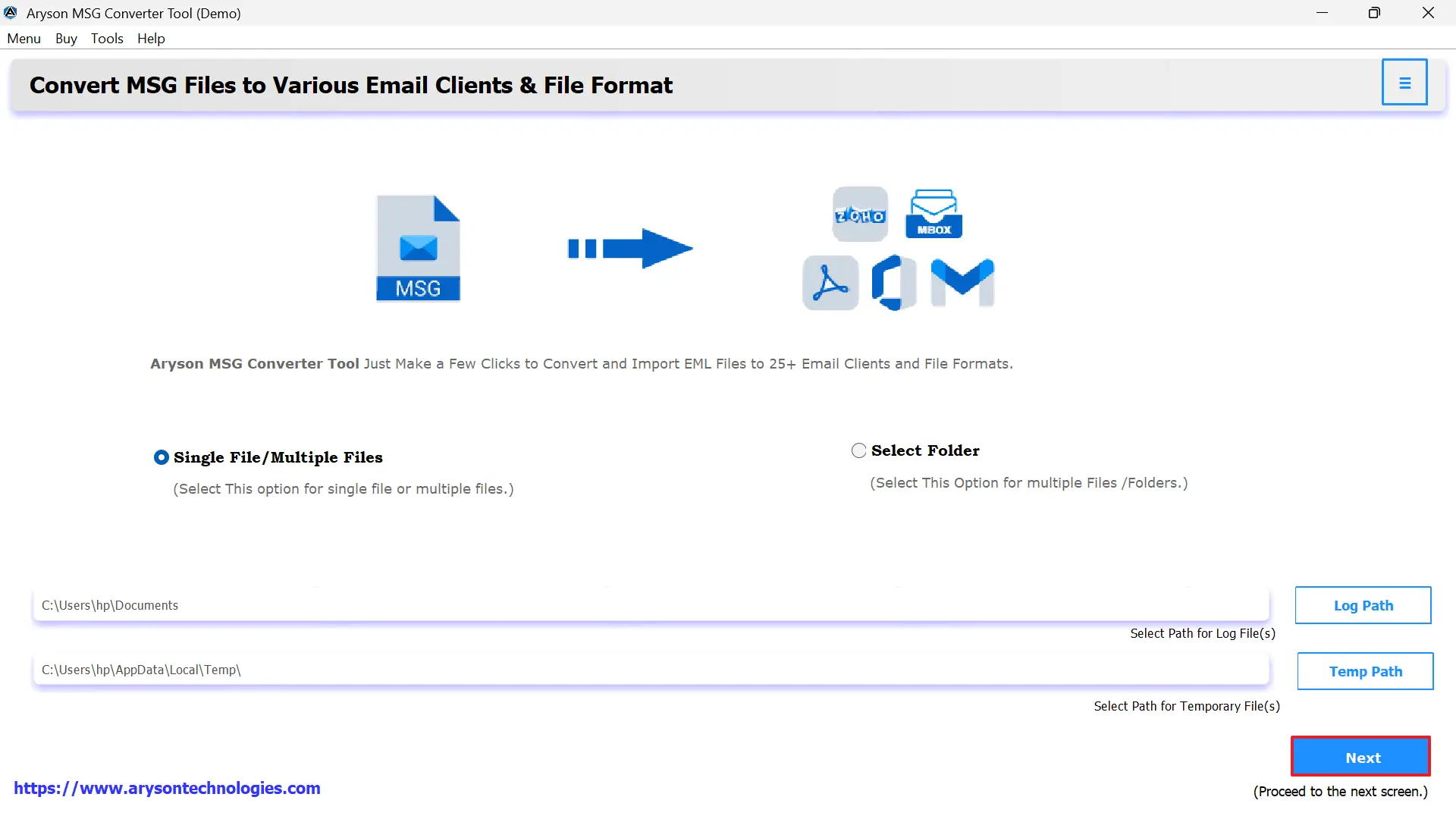
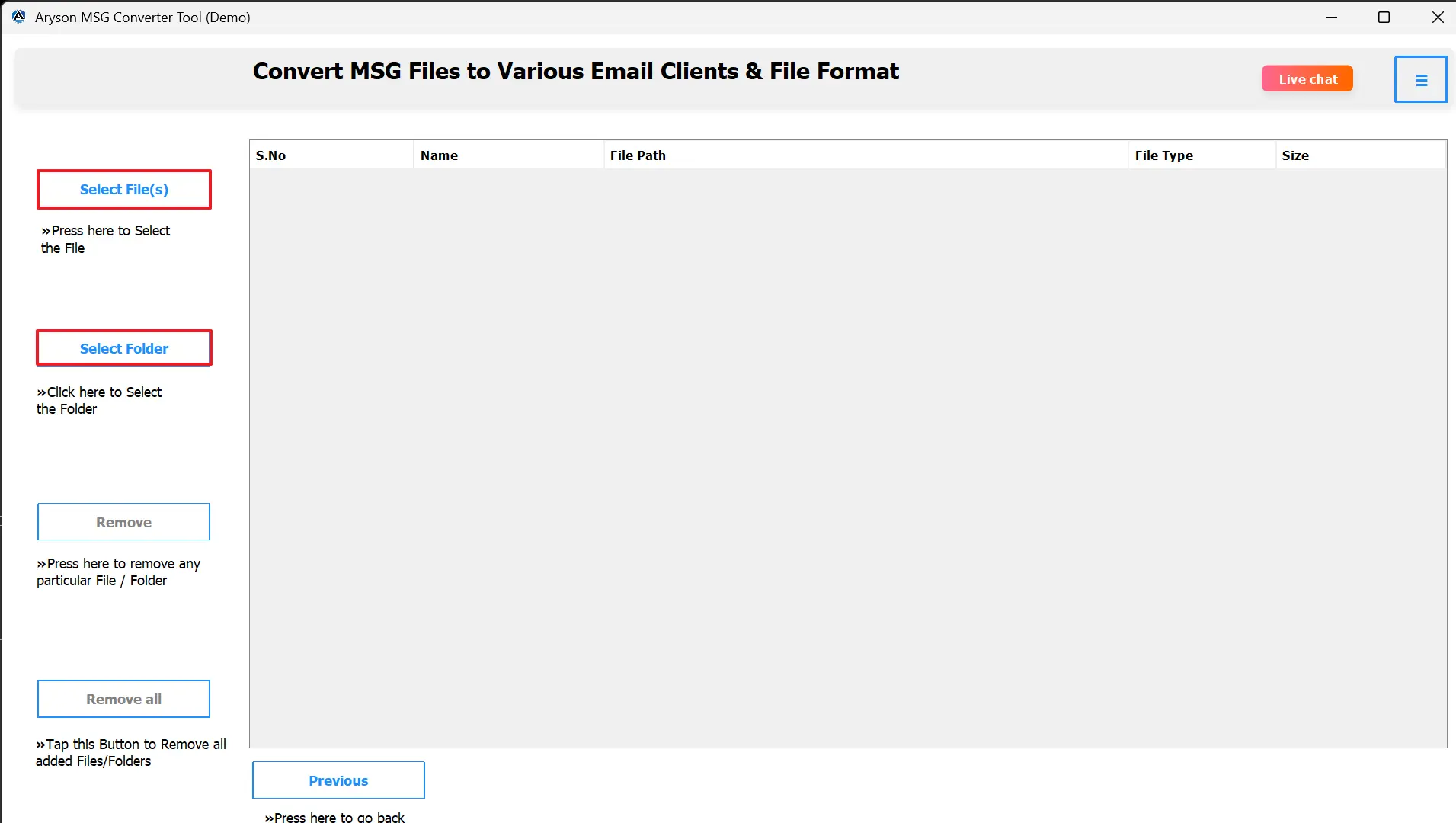
- You can either select Select File or Select Folder if importing a single MSG file or multiple MSG files.
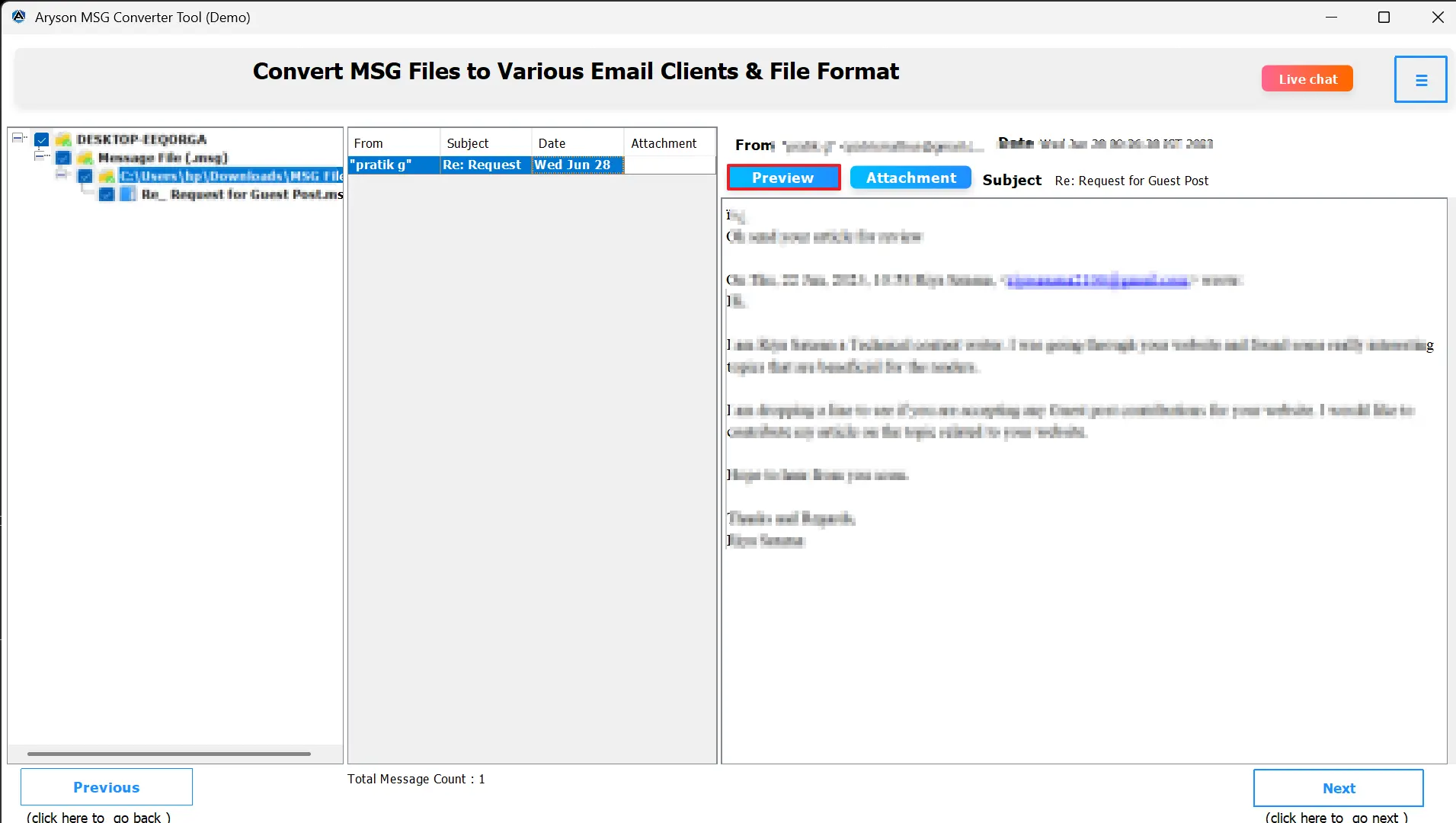
- You’ll be able to review your emails, attachments, and metadata information before you migrate items into AOL Mail.
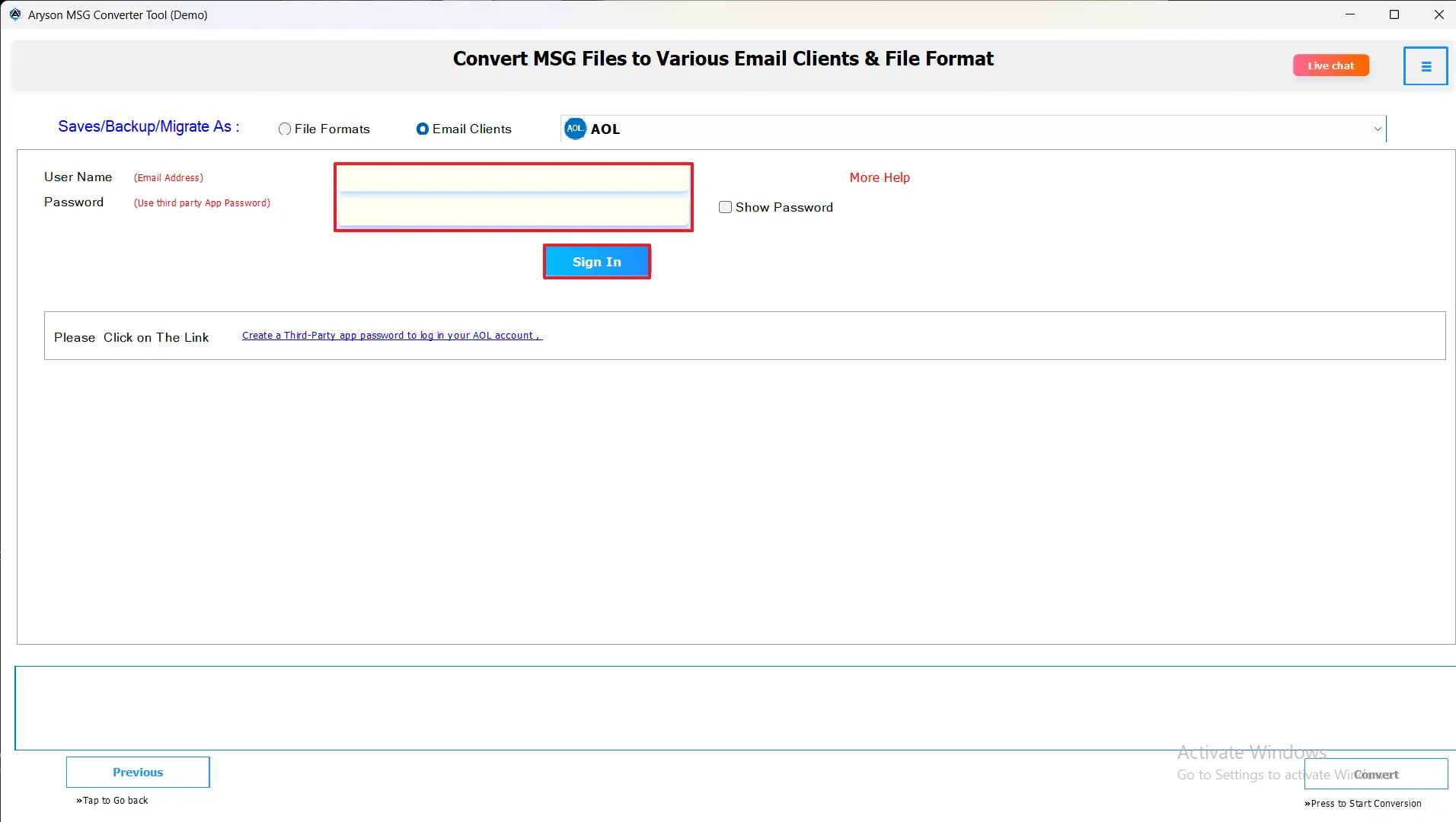
- Select AOL Mail from the drop-down menu to migrate the selected files to.
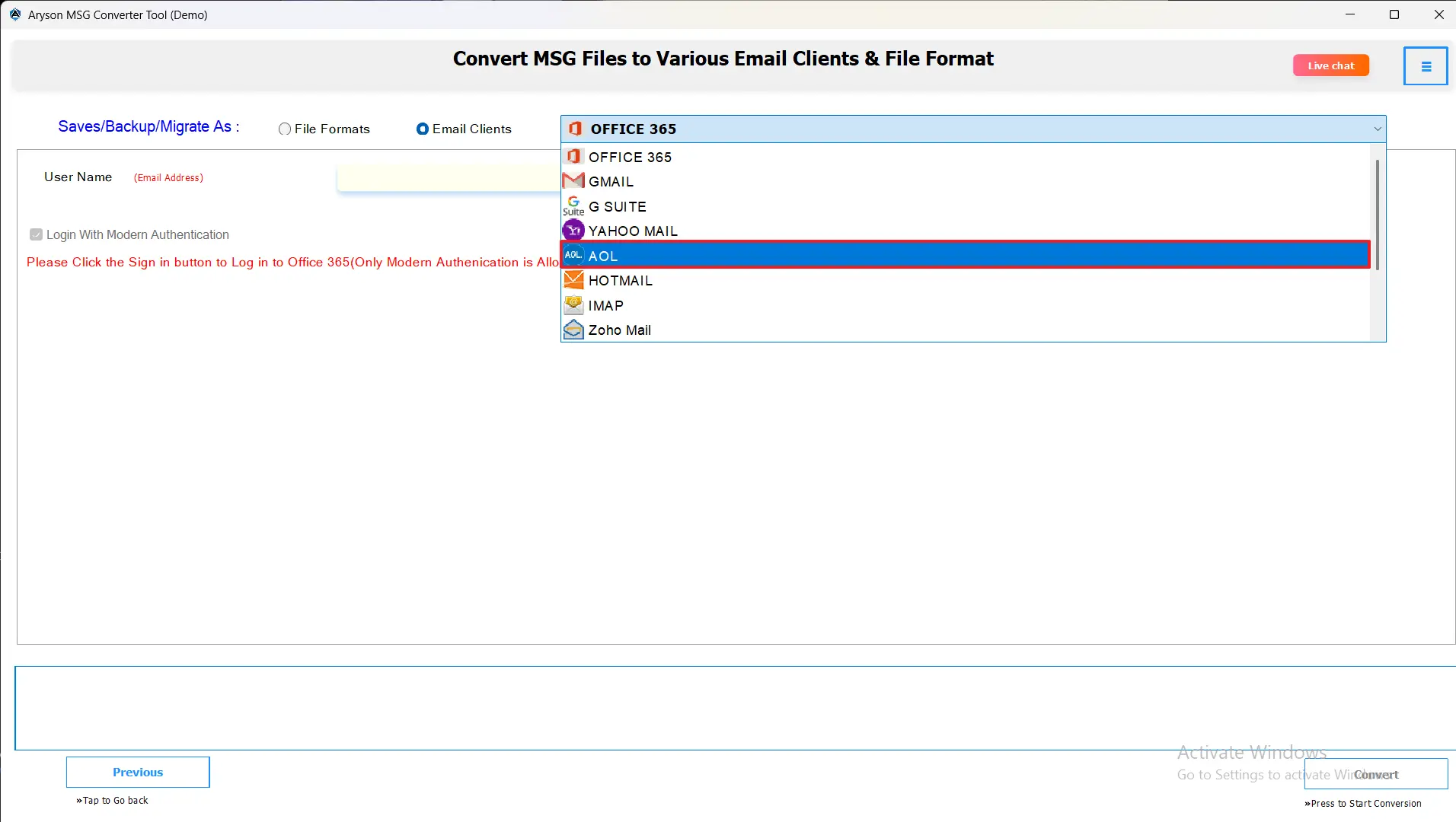
- Then, you will enter your AOL email and password into the program.
- You can apply Advanced filters to make the output specific.
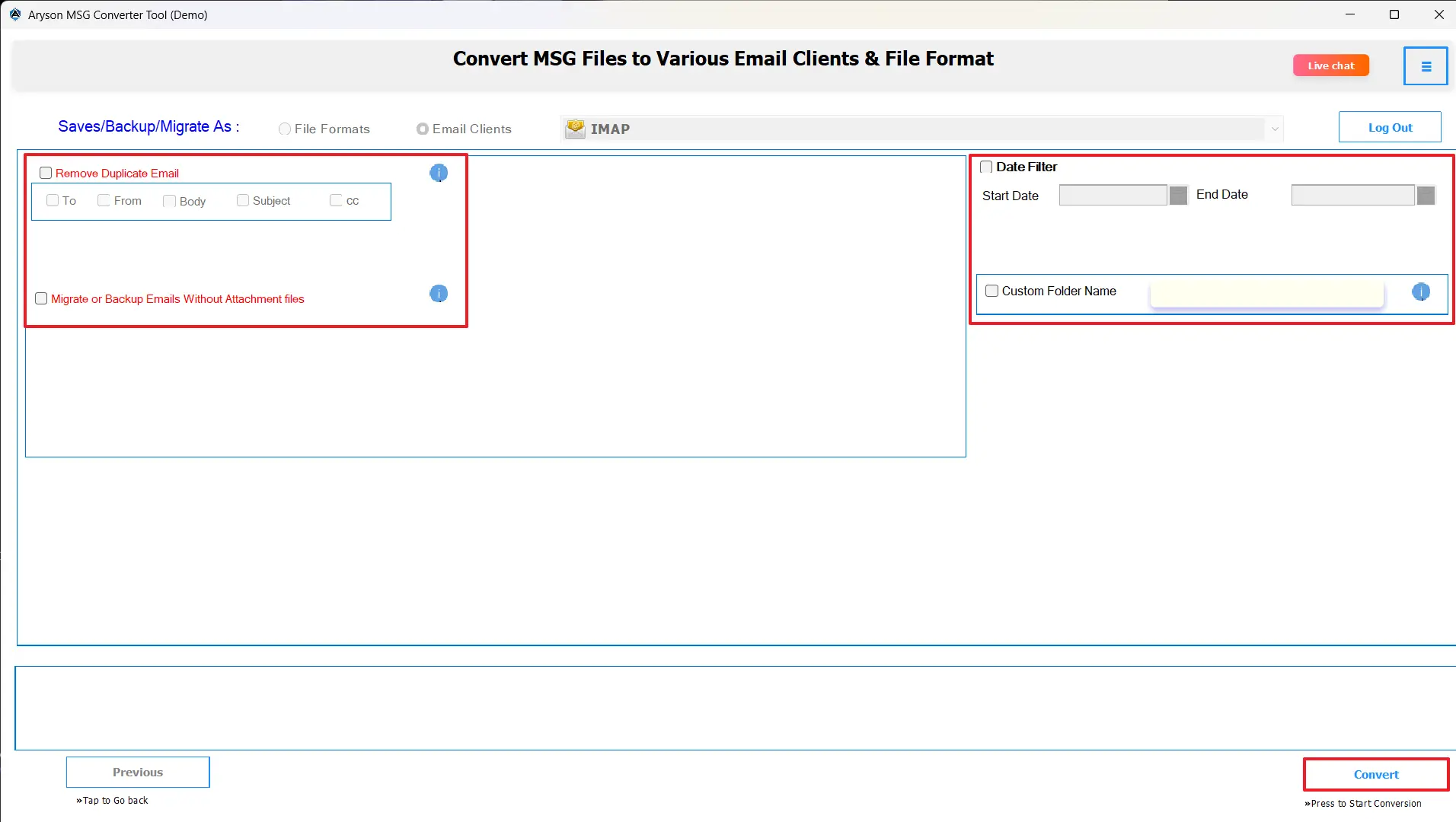
- Finally, you will click Convert to import Outlook MSG Files into AOL Mail.
Final Thoughts
When you import MSG to AOL Mail, it provides flexible, secure access and management. In this guide, we have gone through a lot of information about the file formats with their conversion and its process. While the IMAP setup in Outlook does permit migration of small amounts of email manually, it can become burdensome when migrating a large volume of data. The above-recommended professional solution can provide an advanced and safe option to migrate your MSG files without the need to configure IMAP.
Frequently Asked Questions:
Q.1 What is the best way to convert MSG files to AOL Mail?
Ans. The best method is to use a professional tool like the MSOutlookHelp MSG Converter Tool. It supports direct migration to AOL Mail, ensuring no data loss, no technical hurdles, and full folder structure preservation.
Q.2 Why can’t I import MSG files directly to AOL Mail?
Ans. AOL Mail doesn’t recognize the MSG format, as it’s specific to Microsoft Outlook. You need to either configure AOL Mail in Outlook and move the emails manually or use a converter tool to perform the migration automatically.
Q.3 Can I batch import multiple MSG files to AOL Mail at once?
Ans. Yes. The MSOutlookHelp MSG Converter Tool allows batch importing of hundreds or thousands of MSG files into AOL Mail in one go, saving time and effort.
Q.4 Is there a limit to the number of MSG files I can upload to AOL Mail?
Ans. There is no strict limit on the number of files. However, ensure your AOL Mail account has sufficient storage space. The converter tool can handle large-scale migrations smoothly and efficiently.
About The Author:

Evren Cole is an expert in Email and Data Management. She has a strong passion for technology and entrepreneurship. In her free time, she enjoys football, music, and reading books.