

-
Written By Evren Cole
-
Updated on January 9th, 2026
Migrate Office 365 to Yandex Mail: Step-by-Step Guide
Overview: Need to reduce the cost of email management & store large-sized emails efficiently? No worries. Migrating Office 365 to Yandex Mail can help you store data securely in bulk. Moreover, there are several organizations that do the same to leverage the storage space, spam protection features, and integrated tools to manage their data efficiently. Continue reading this blog to get more insights into the process and learn the use of the MSOutlookHelp Office 365 Backup Tool to migrate Office 365 to Yandex Mail efficiently.
But What Distinguishes Office 365 and Yandex Mail?
There are various factors that make a significant difference between Office 365 and Yandex Mail. Some of the most common ones are mentioned in the table below:
|
Features |
Office 365 |
Yandex Mail |
|
Cost & Accessibility |
You would require a subscription for business email hosting with full features |
While it is free to use, there is no subscription needed for basic email. |
|
Storage |
Mailbox storage depends on plan (e.g., 50 GB to 100 GB+) |
Whereas Yandex Mail offers unlimited or large storage in many accounts. |
|
Spam Filtering |
The Spam protection is not as robust as that of Yandex Mail. |
On the other hand, Yandex Mail offers advanced spam filtering for the high security of data. |
|
Ease of Use |
O365 interface has a feature-rich interface, which takes time to learn. |
On the contrary, Yandex Mail offers a simple and easy-to-use interface that makes it easy for beginners to pick up quickly. |
|
Integrated Tools |
You can integrate it with calendar/contacts and Microsoft services. |
In contrast, here you get a built-in calendar, task manager, translator, and integration with the Yandex ecosystem. |
|
Large Attachment Handling |
It can store attachments up to ~150 MB. |
Whereas, Yandex Mail can attach up to ~25 MB by mail, larger ~1 GB via Yandex Disk integration without any extra cost. |
Considering the above advantages of Yandex Mail, you would have understood the importance of the migration. Thus, let me present you with a simple yet most effective solution to migrate Office 365 files to Yandex Mail.
Best Solution to Migrate Emails from Office 365 to Yandex Mail
MSOutlookHelp Office 365 Backup Tool is the most efficient method used to migrate their Office 365 data to Yandex Mail. There are a number of organizations and industry professionals who rely on this software for migration. This is because the software considers the conversion/migration needs of the user. Moreover, it can migrate Office 365 to Zoho Mail, Thunderbird, Yahoo Mail, IMAP, and many more email clients. In addition, it offers various filters to decide the specificity of data selection. Also, you can use these filters and the interactive GUI to increase the efficiency of your work. Now, follow the steps as follows.
Quick Steps to Migrate Office 365 to Yandex Mail
- Firstly, install the MSOutlookHelp Office 365 Backup Tool >> launch it.
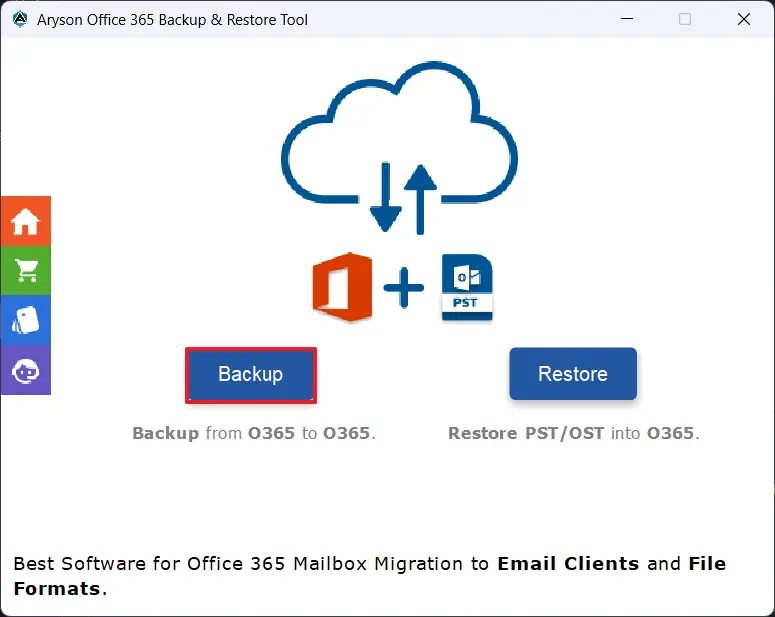
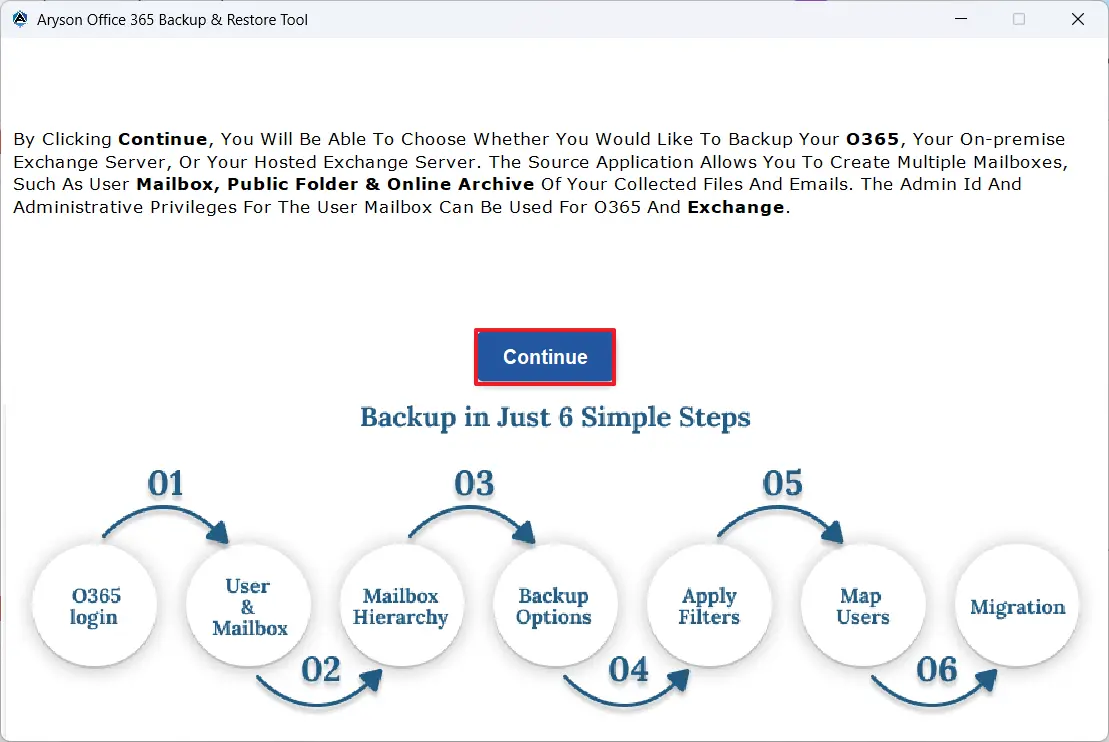
- Then, select the backup button >> Continue to proceed.
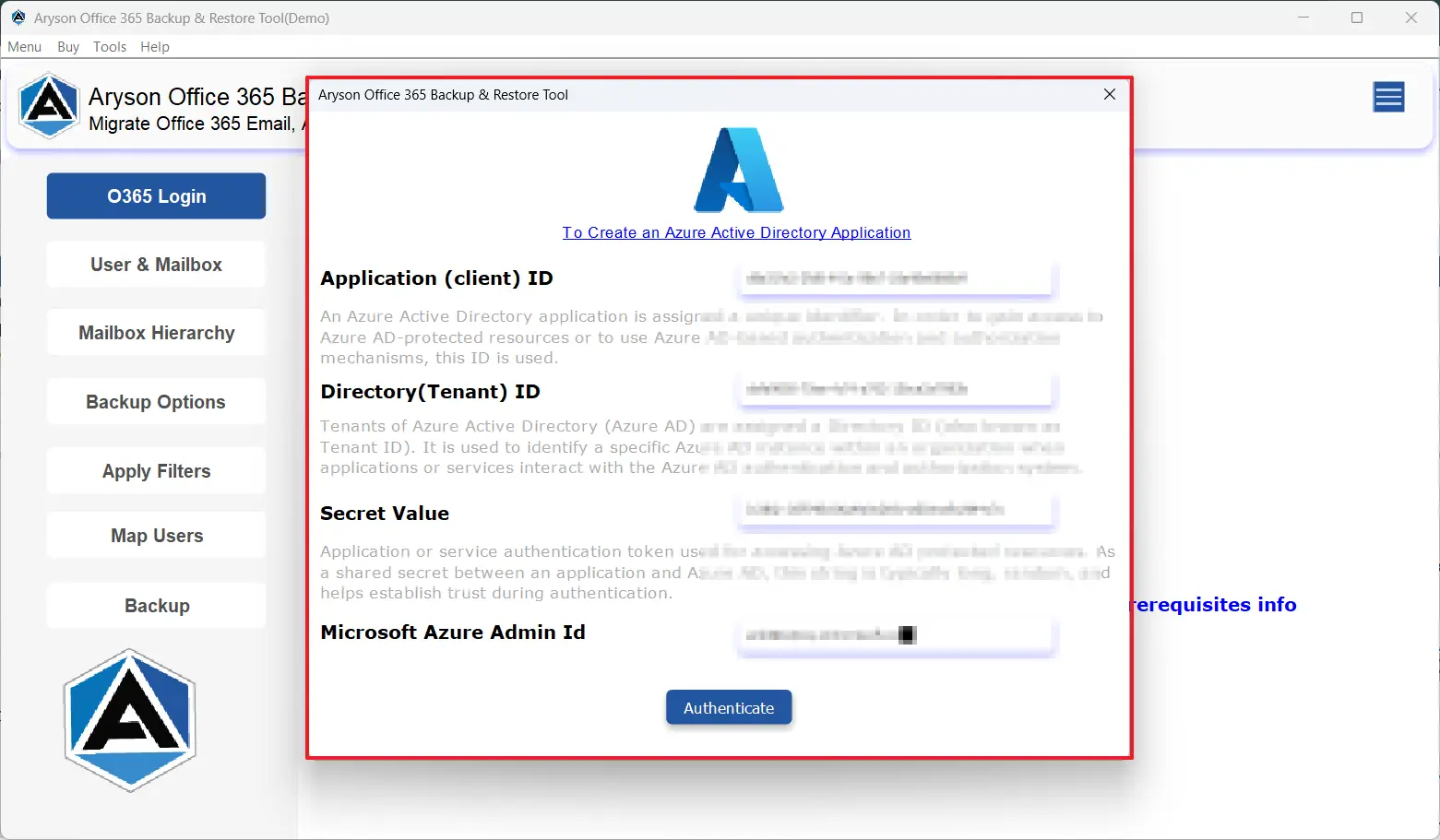
- After that, input your Office 365 credentials >> Sign in.
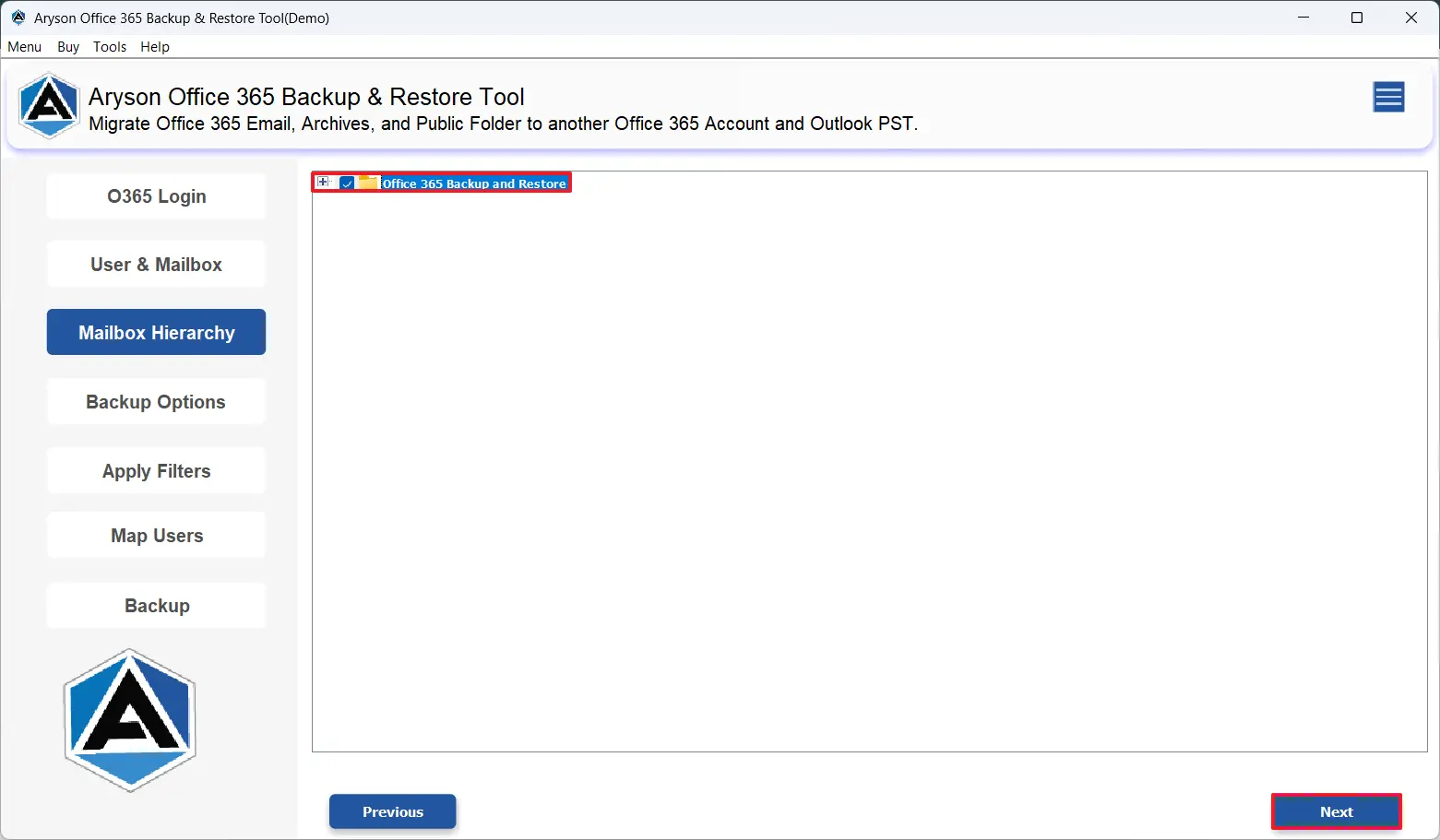
- Next, select the desired mailbox & preview your attachments >> Next.
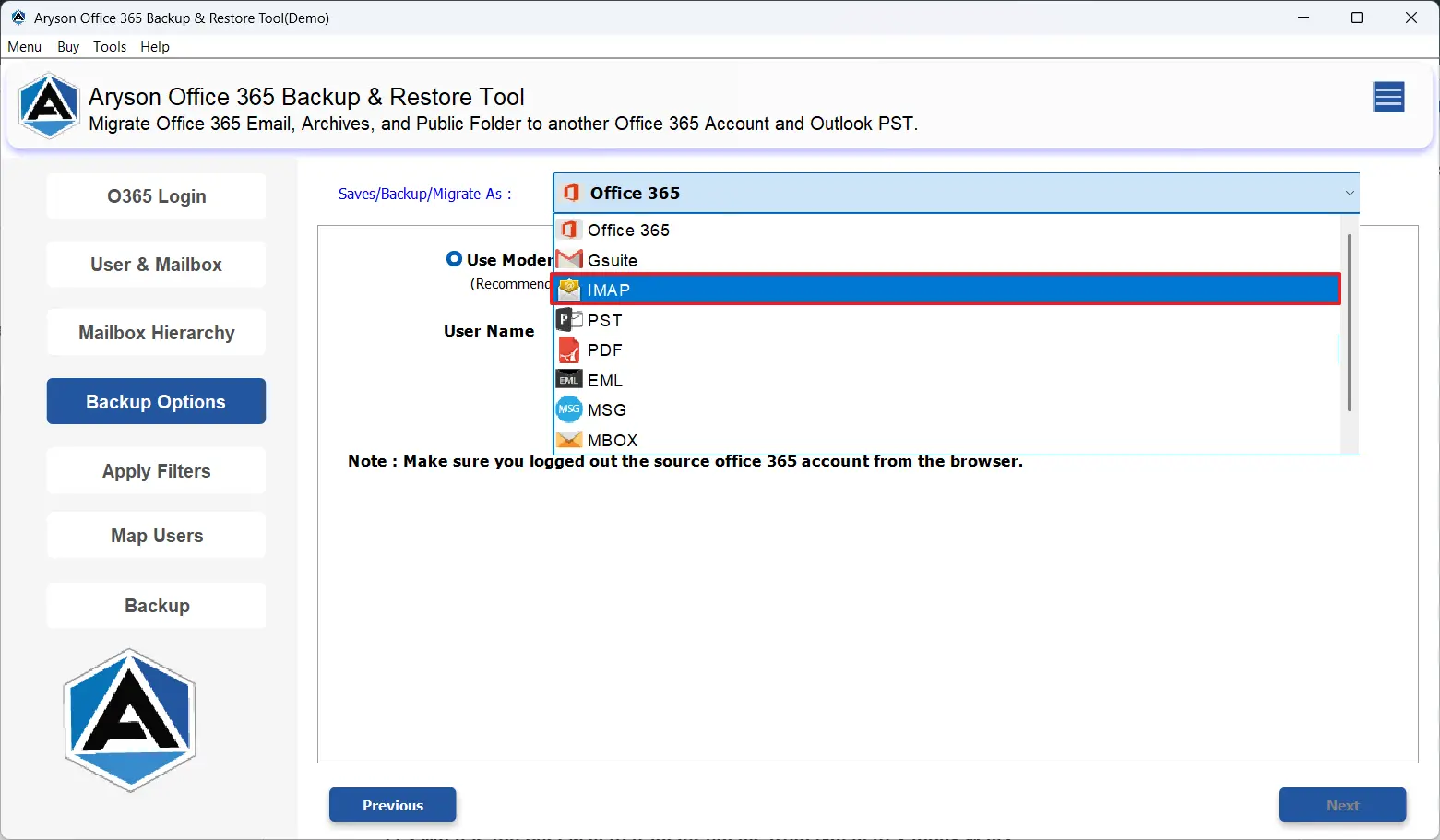
- Now, under the email clients, select IMAP.
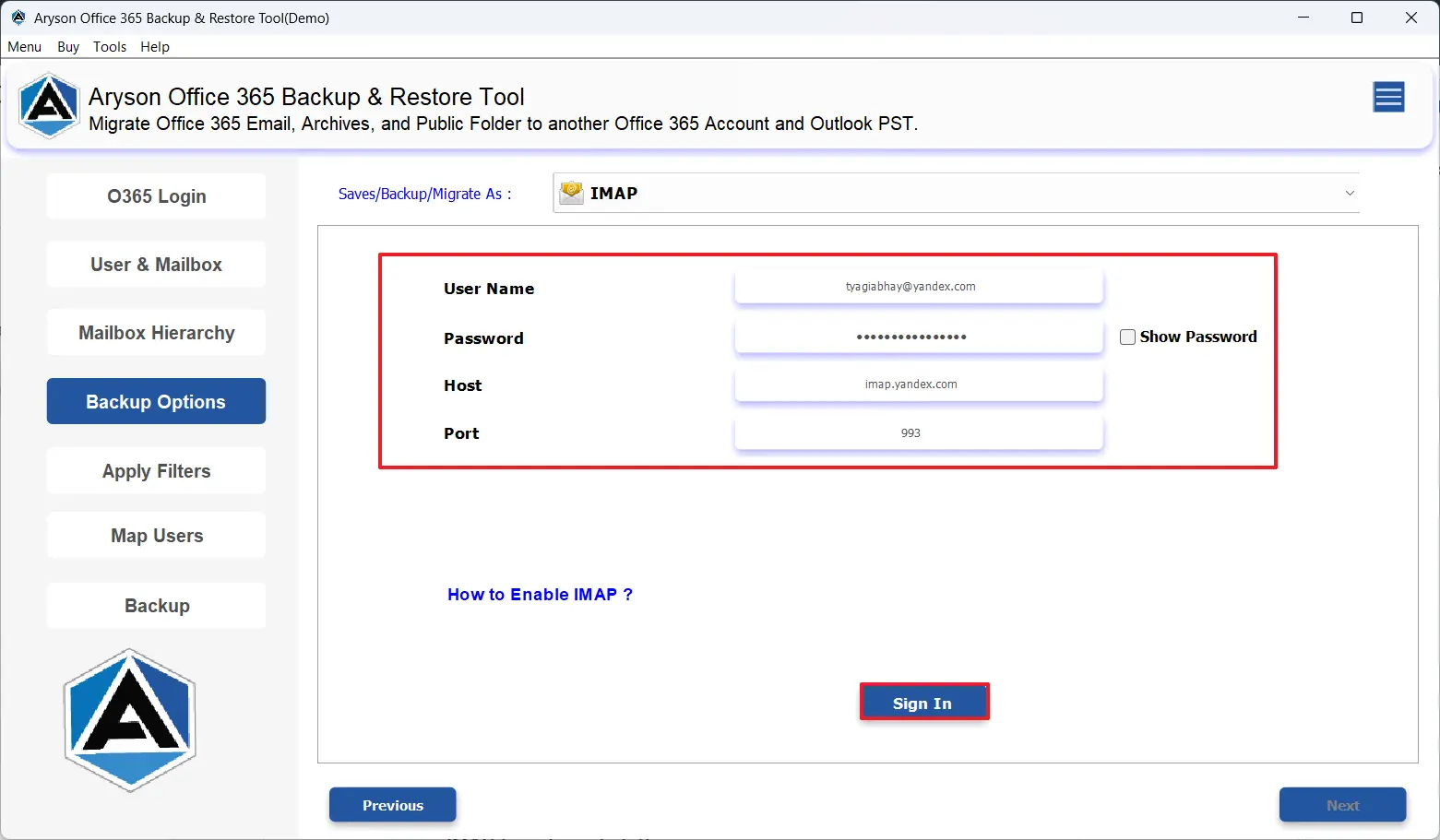
- Sign in to your Yandex Mail account using valid credentials.
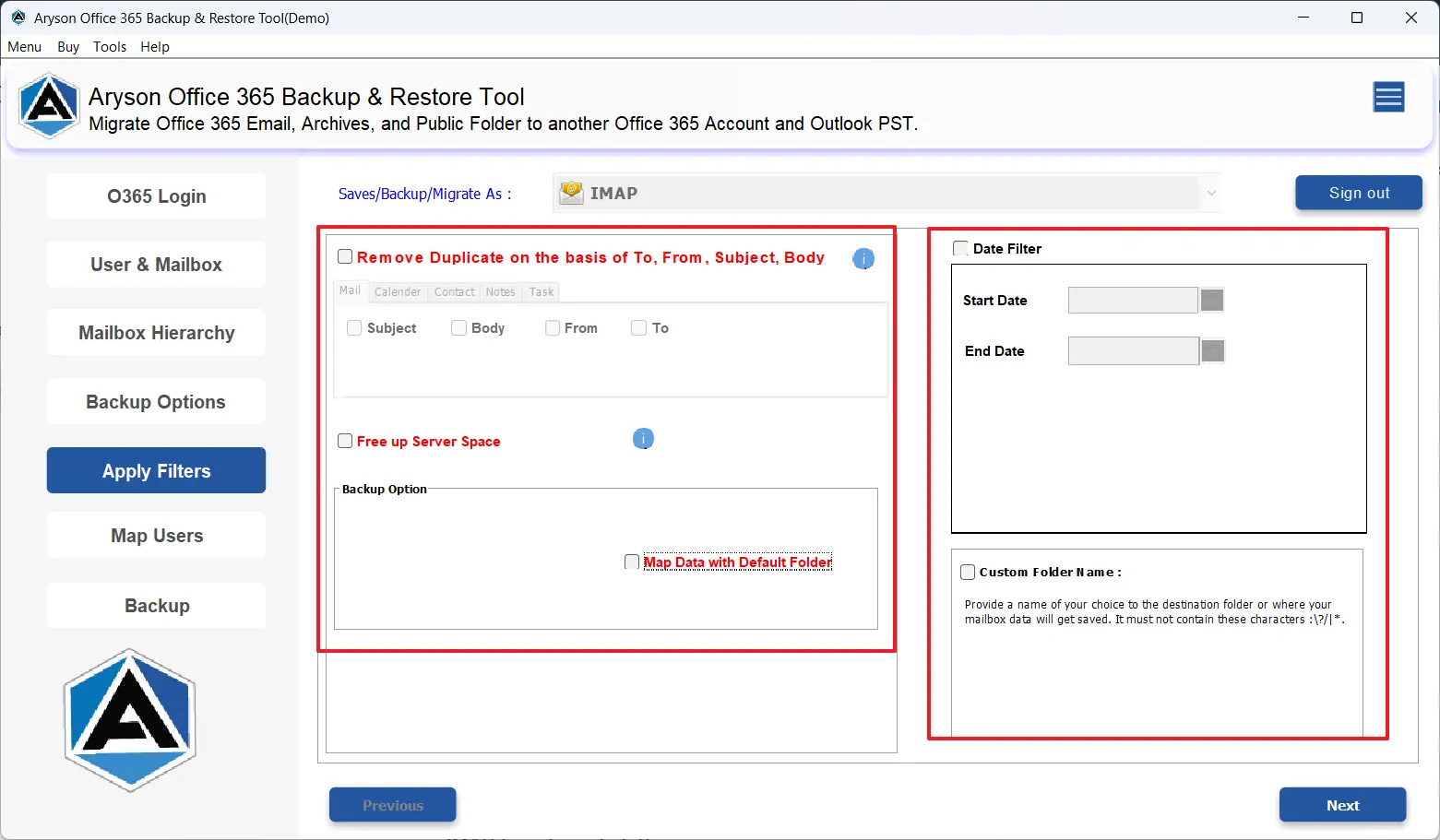
- Use the advanced filters provided if you require.
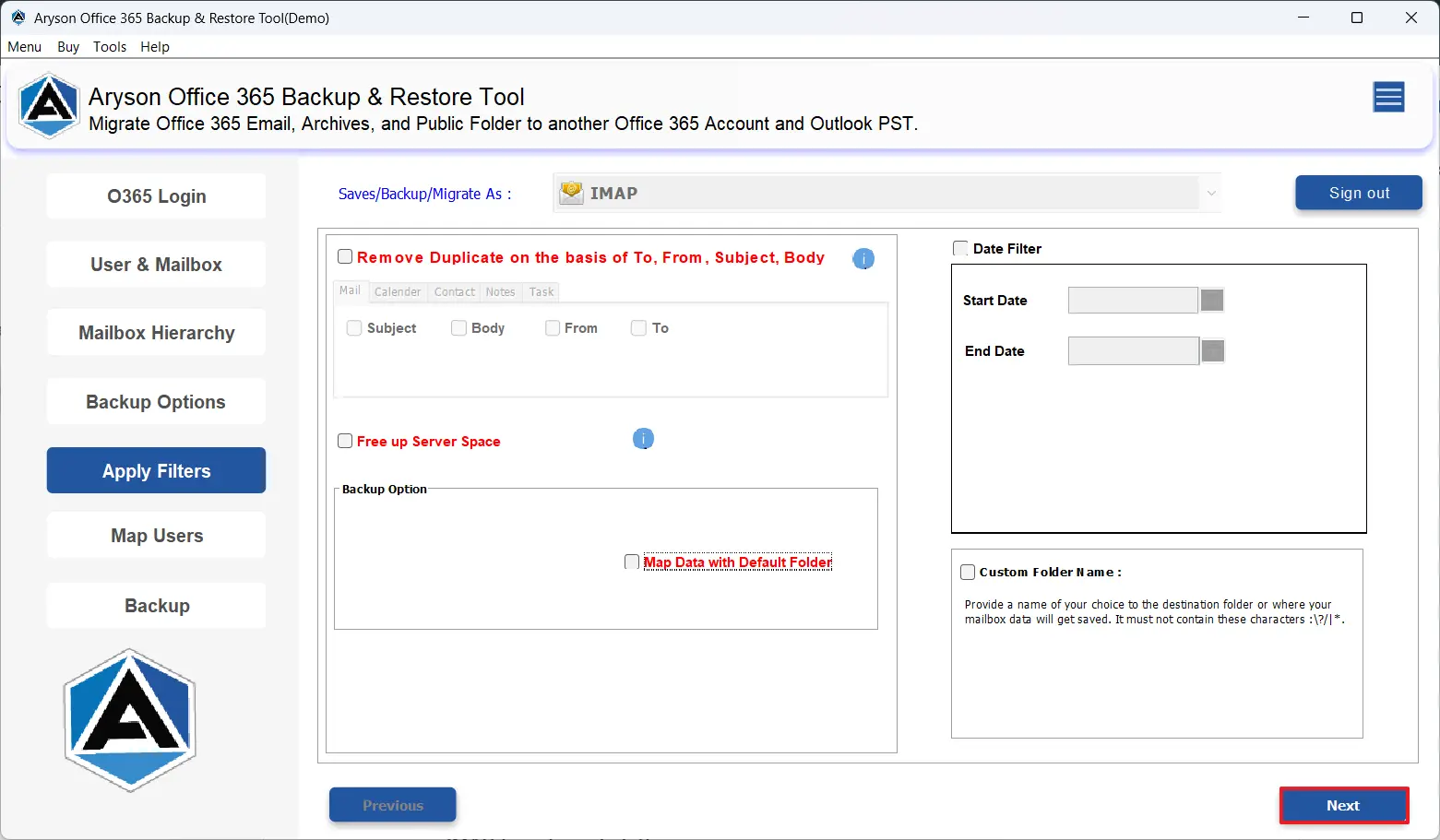
- At last, click on the Next button to transfer emails from Office 365 to Yandex Mail.
Apart from the various features discussed above, this software provides users with various other benefits for Office 365 to Yandex Mail migration. Let’s discuss them in the upcoming section.
Exclusive Benefits of MSOutlookHelp Office 365 Backup Tool
- This software can back up Office 365 emails into PST, PDF, EML, etc. file formats.
- Moreover, users can migrate their Office 365 emails to G Suite, Gmail, Office 365, & IMAP-based email platforms.
- Additionally, the software can preview your mailbox data before the actual migration.
- You can back up multiple Office 365 user mailboxes to save your time and effort.
- On top of that, it can back up their mailboxes, public folders, & online archives.
- Also, the Remove duplicate and date-range filter can be used for optimized backups.
A Real World Success Story
A large-scale enterprise was facing frequent data losses & time consumption while they were backing up their Office 365 data. Hence, they decided to use MSOutlookHelp Office 365 Backup software, and the team backed up their data with complete accuracy. This software reduced the backup time by over 70% and made sure of zero data loss during audits. Even, it helped them increase the efficiency of their work and their productivity.
Let’s Wrap Up
From the above, you would have understood the importance of migrating Office 356 data to Yandex Mail. Along with that, we also came across efficient software to migrate Office 365 to Yandex Mail accurately & efficiently. Users can opt for the additional features as well to be more specific with their data selection. Still, if you encounter any sort of difficulty during the migration, use the live chat support to contact us.
Frequently Asked Questions:
Q.1 How can I migrate Office 365 to Yandex Mail step by step?
Ans. You can migrate Office 365 to Yandex Mail step by step, following the steps below:
1. Install and launch the MSOutlookHelp Office 365 Backup Tool.
2. Click Backup and sign in using your Office 365 credentials.
3. Select the mailbox and preview emails/attachments.
4. Choose Yandex Mail as the destination email client.
5. Log in to your Yandex Mail account with valid credentials.
6. Apply advanced filters if required.
7. Select the destination path and click Next to start the migration.
Q.2 What is the best method for Office 365 to Yandex Mail migration?
Ans. MSOutlookHelp Office 365 Backup Tool is the best method to migrate email from Microsoft Office to Yandex Mail.
Q.3 How to fix authentication errors during Office 365 to Yandex Mail migration?
Ans. Firstly, check your login credentials, and in case the issue persists, reach out to our tech support team at MSOutlookHelp.
About The Author:

Evren Cole is an expert in Email and Data Management. She has a strong passion for technology and entrepreneurship. In her free time, she enjoys football, music, and reading books.

