-
Written By Evren Cole
-
Updated on October 16th, 2025
How to Easily Import MSG to Zoho Mail: Complete Guide
Summary: In personal and professional work, email is the foundation of communication. Many professionals use Microsoft Outlook for daily email usage. While transitioning from Outlook to a different email service like Zoho Mail, users can face difficulty accessing saved Outlook emails saved as MSG files. MSG files do not open directly in Zoho Mail. Therefore, users who are old Outlook clients must import MSG to Zoho Mail accounts. This blog reviews the entire process to do so seamlessly and without complication. The blog also discusses how the MSOutlookHelp MSG Converter Tool allows users to convert MSG files into their Zoho Mail account with complete data security.
What Are MSG Files and Zoho Mail?
It is helpful to know the formats of the emails before users import MSG Emails to Zoho Mail.
MSG Files: An MSG file is an Outlook email file that saves all of the message information: sender, recipient, subject line, date, body, and any attachments, of which every file is considered one email message. The file can only be opened using Microsoft Outlook or a program that supports the MSG email format.
Zoho Mail: Zoho Mail is a secure, cloud-based email service that has a user-friendly interface and provides business functionality. Using Zoho Mail allows you to send, receive, and organize emails from anywhere. This cloud-hosted solution provides safety for data, accessibility, and collaboration.
Why Import MSG Files into Zoho Mail?
Users have various reasons to upload MSG files into Zoho Mail.
- The ability to access emails anywhere: Users have access to messages to view from any location or device.
- This is safer than Local Storage on a hard drive: Anything can happen to hard drives, and users can have all their messages stored in Zoho Mail.
- For Business: Whenever a user moves from Outlook to Zoho Mail, a user may adopt Zoho Mail, users will need to carry their old communication history with them.
- All Devices are in one Inbox: A user can organize all emails from one application and does not have to have different windows open for each application.
- Keep All Past Conversations: If a user uploads an MSG file, then they will always have a backup of all past conversations.
These reasons make Zoho Mail a perfect application for the user to migrate from Outlook, or they might just have a need to access their past emails from the cloud.
Challenges to Import MSG to Zoho Mail
Before using any method, you must know that manual import is not simple. Zoho Mail does not provide a direct option to open MSG files. You would have to use intermediate mail clients such as Outlook and Thunderbird to move the emails.
Manual Method to Upload MSG file to Zoho Mail
You cannot directly open MSG files (specific to Outlook) in Zoho Mail, but if you want to complete the task in a manual fashion, the following procedure can be followed for importing.
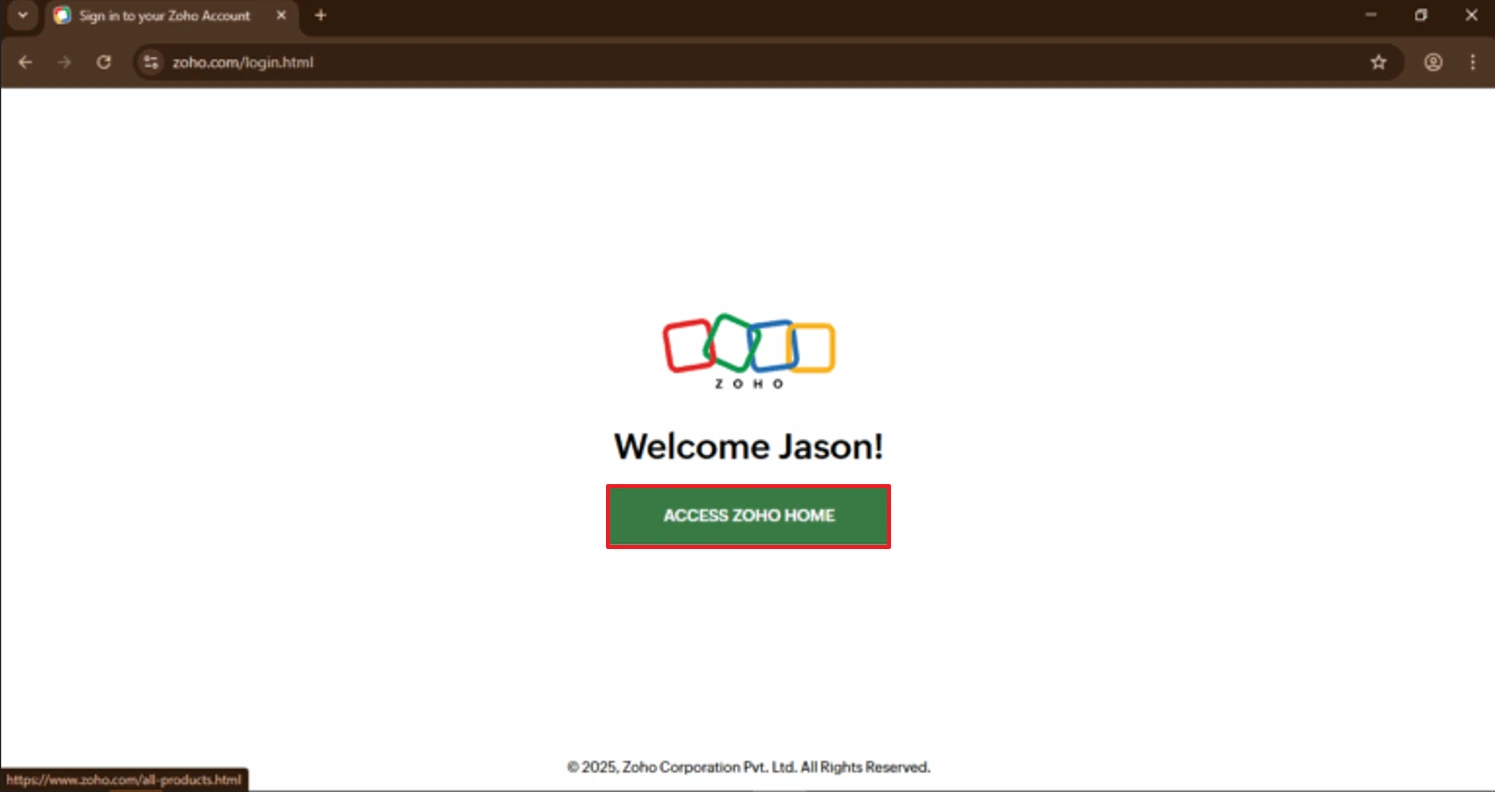
- Open any web browser and navigate to the Zoho Mail website. Log in with valid credentials.
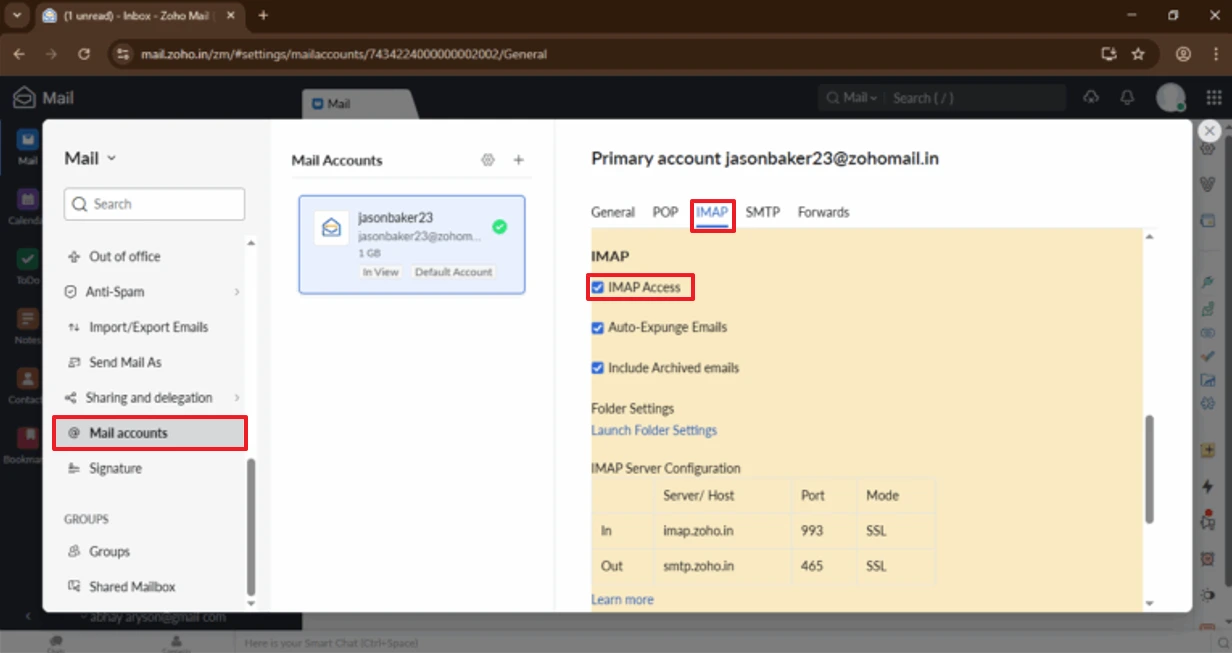
- Once you are in, access Settings, and in Mail Accounts, enable IMAP access.
- Install and launch the Microsoft Outlook application on your computer.
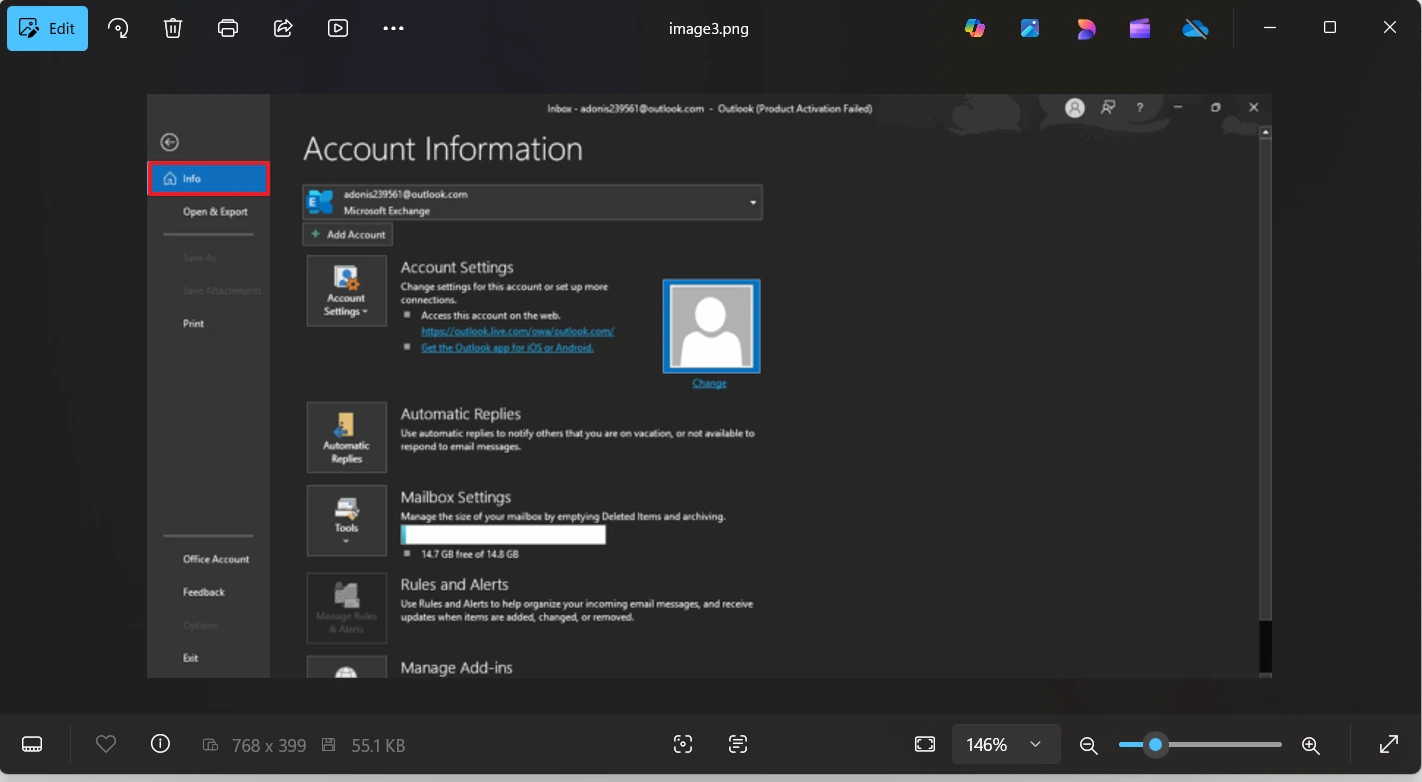
- Go to the File tab and select the Info page.
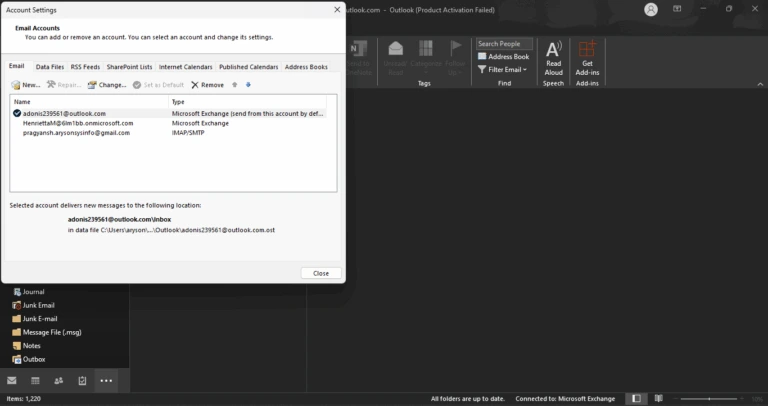
- Next, click on Account Settings and select New to add a new mail account.
- Add your Zoho Mail ID and go through the process of configuration.
- Once the configuration is complete, scan through your computer for your MSG files or mailboxes you want to migrate.
- Select the folder or email that you want to move and drag and drop it into the original Zoho Mail folder inside Outlook.
- Once this happens, you can check and verify that all of your emails can be seen and accessed in Zoho Mail.
Best Automated Solution to Import MSG to Zoho Mail
The safest method to transfer MSG files into Zoho Mail is through the use of the MSOutlookHelp MSG Converter Tool. This automated tool helps you migrate MSG files directly into the Zoho Mail account. It enables hassle-free and reliable data transfer while upholding the folder hierarchy and all mail attributes. This software is built for technical and non-technical users with an intuitive interface while providing advanced options to assist in the migration of the data. It can also import MSG to iCloud Mail. It also facilitates easy migration from other web clients and mail platforms such as Gmail, Office 365, Thunderbird, and IMAP servers.
Steps to Import MSG Files into Zoho Mail Using MSOutlookHelp MSG Converter Tool
- First, install the MSOutlookHelp MSG Converter Tool on your system.
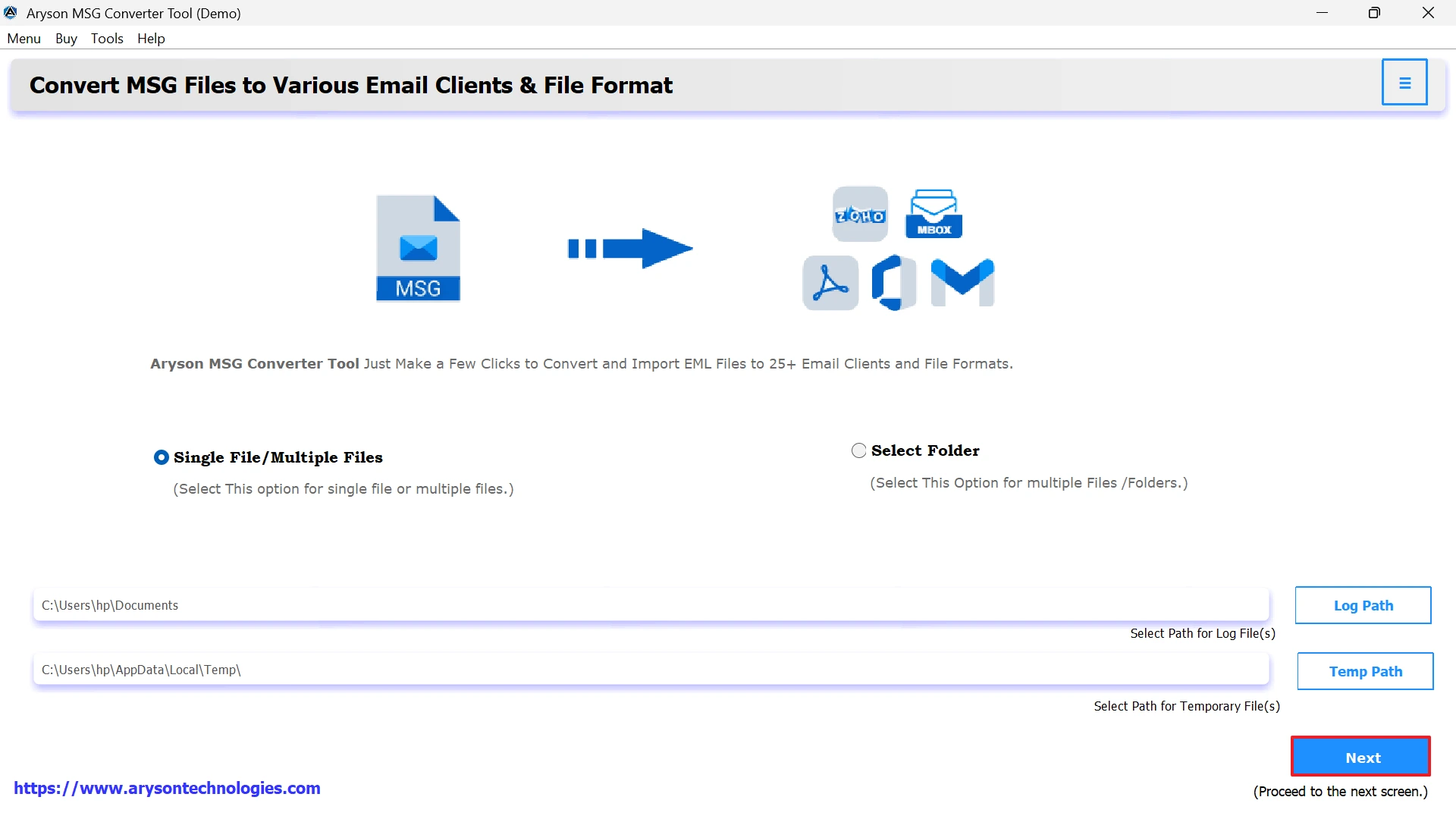
- Click on Select File or Select Folder to add individual MSG files or an entire folder.
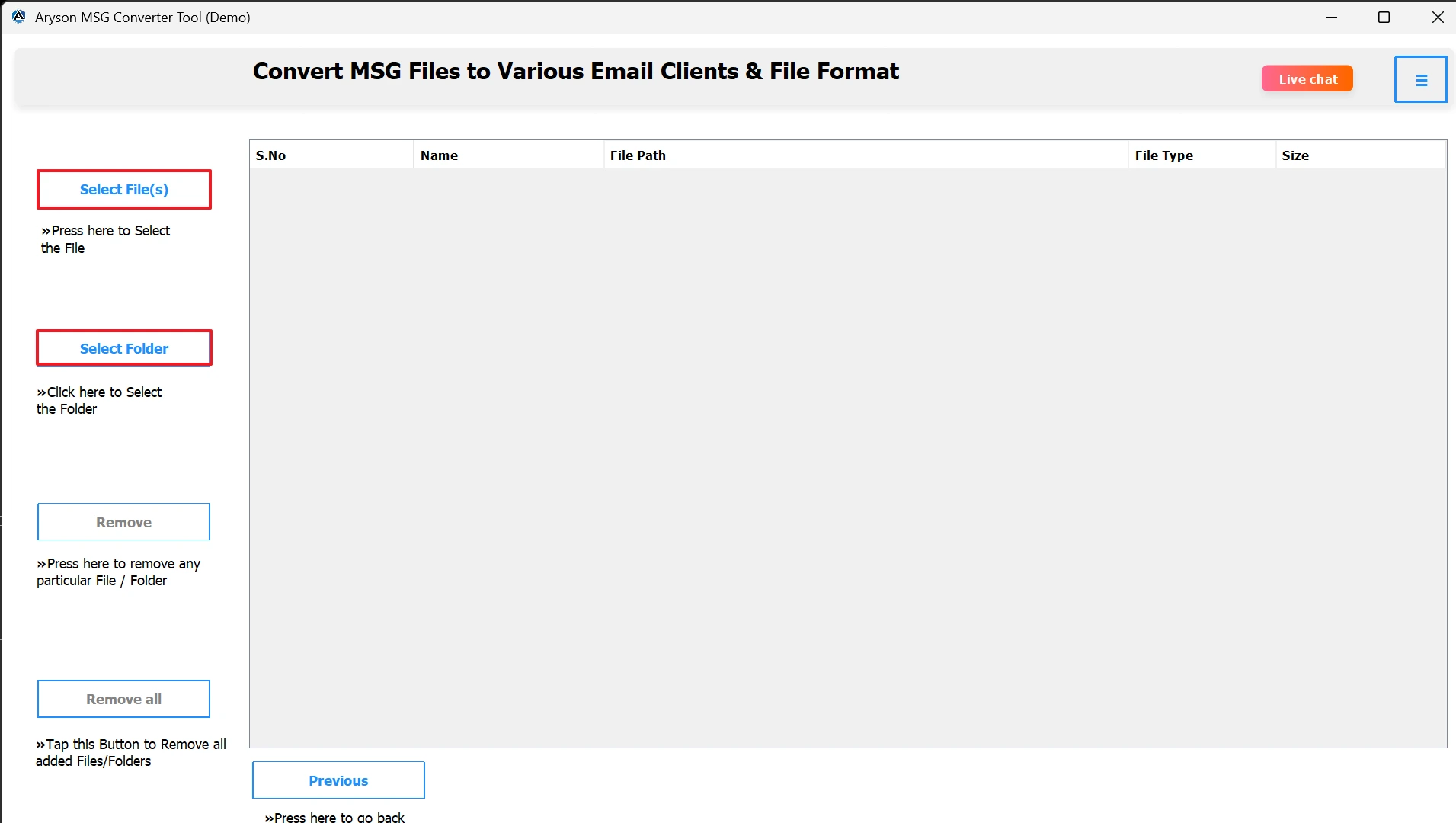
- After loading, you can preview each email, including attachments and metadata.
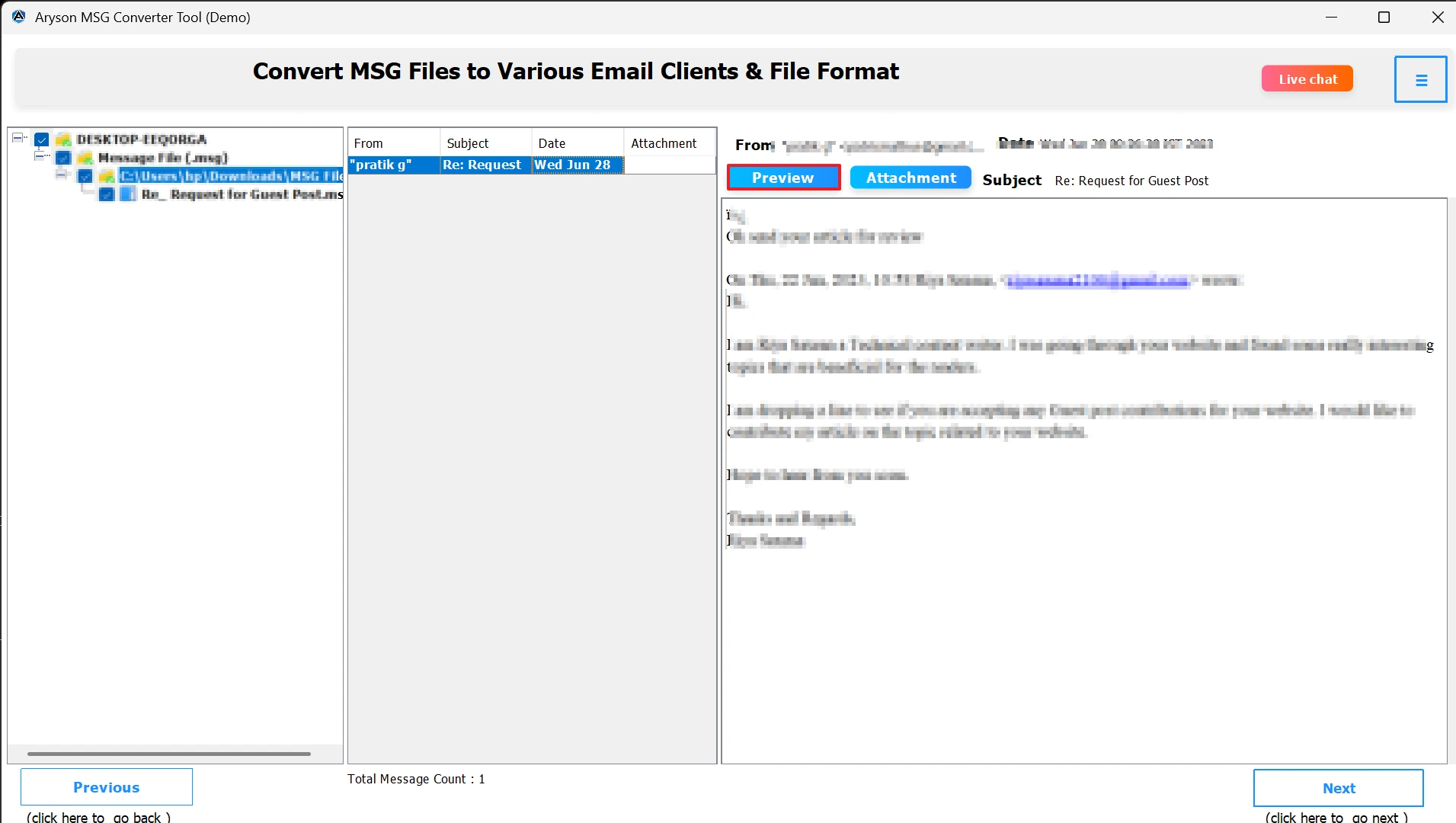
- From the list of email platforms, select Zoho Mail.
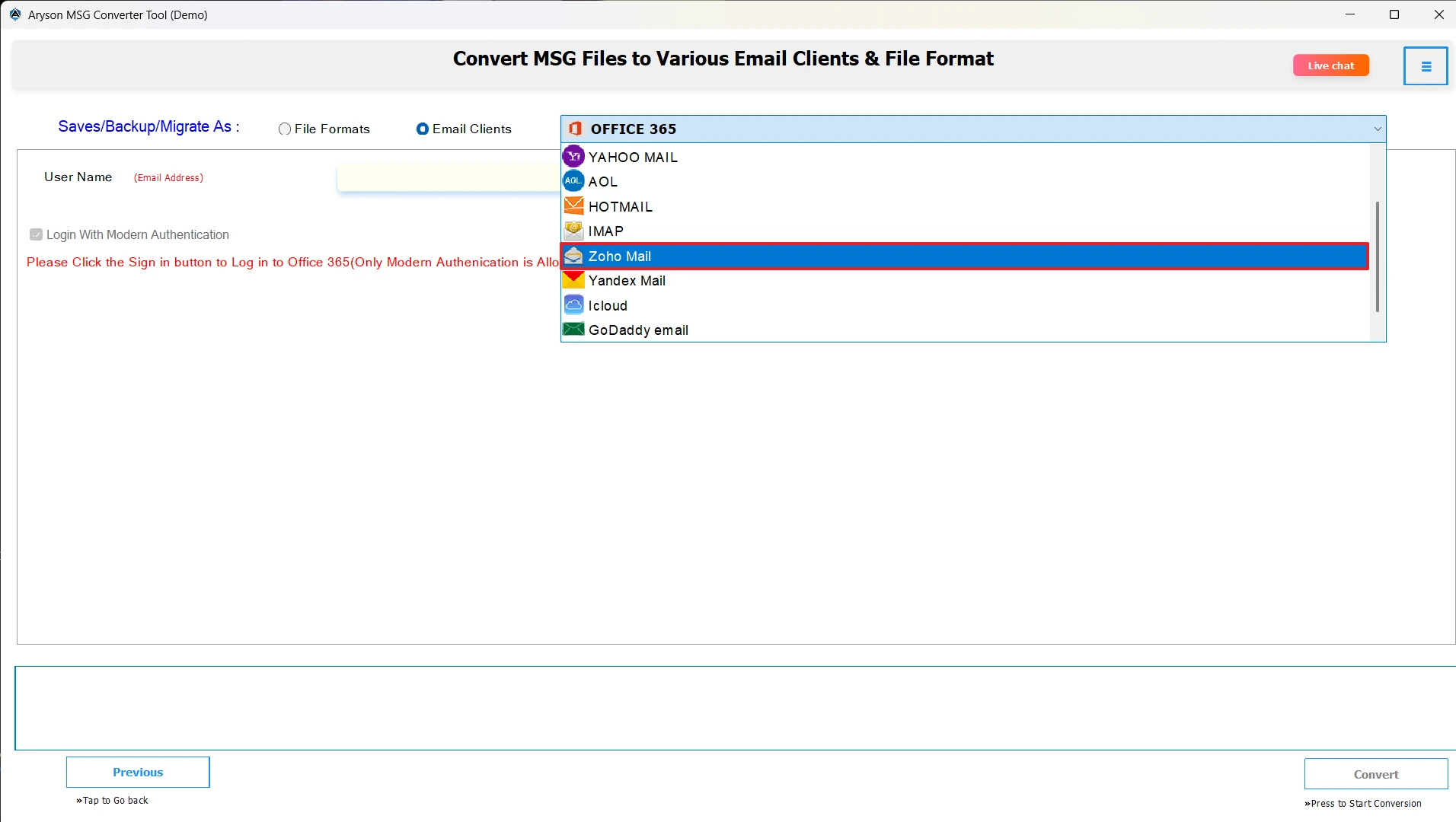
- Provide your Zoho Mail login credentials securely in the tool interface.
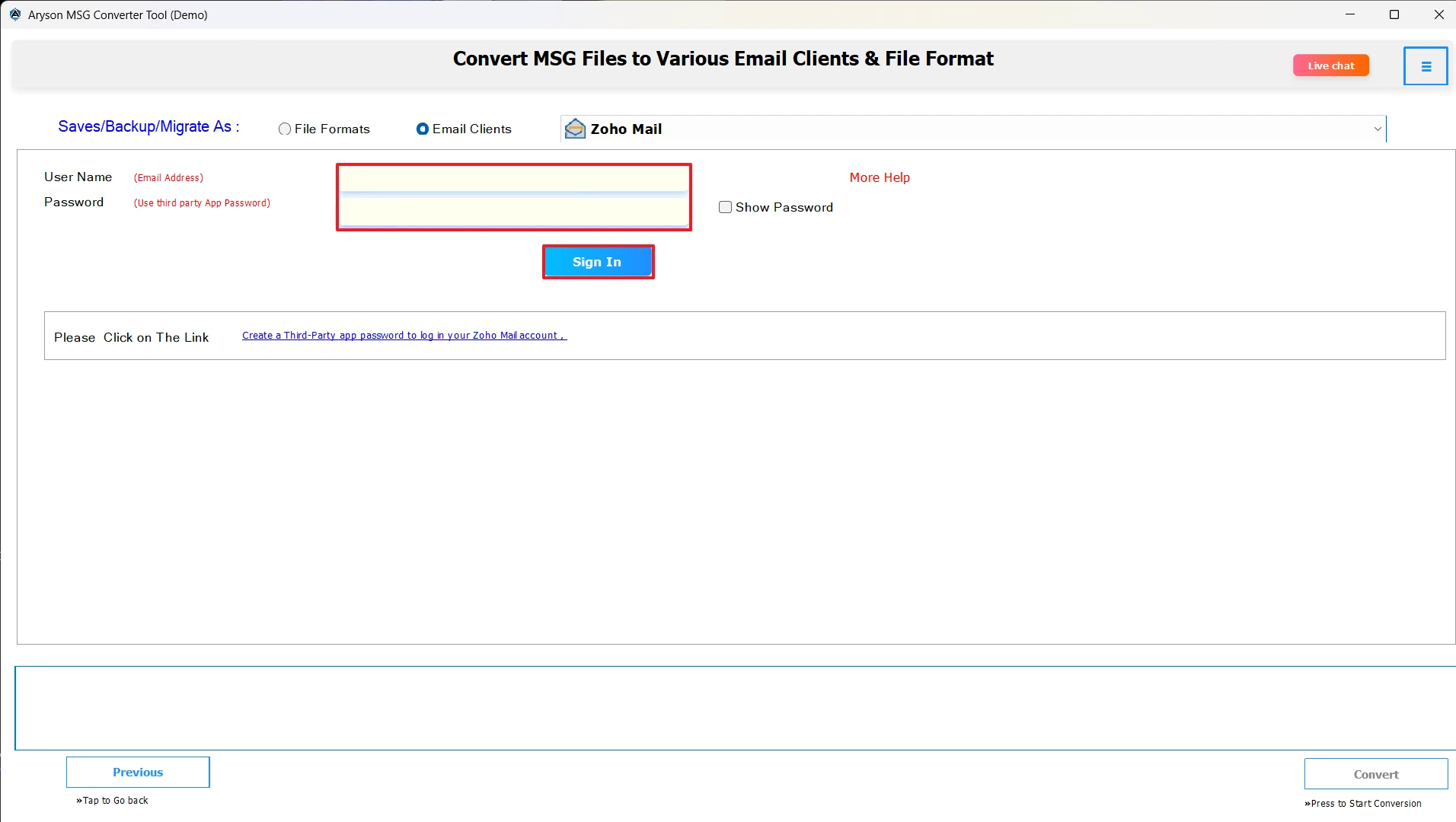
- If required, apply filters based on date, subject, or sender to import only desired emails.
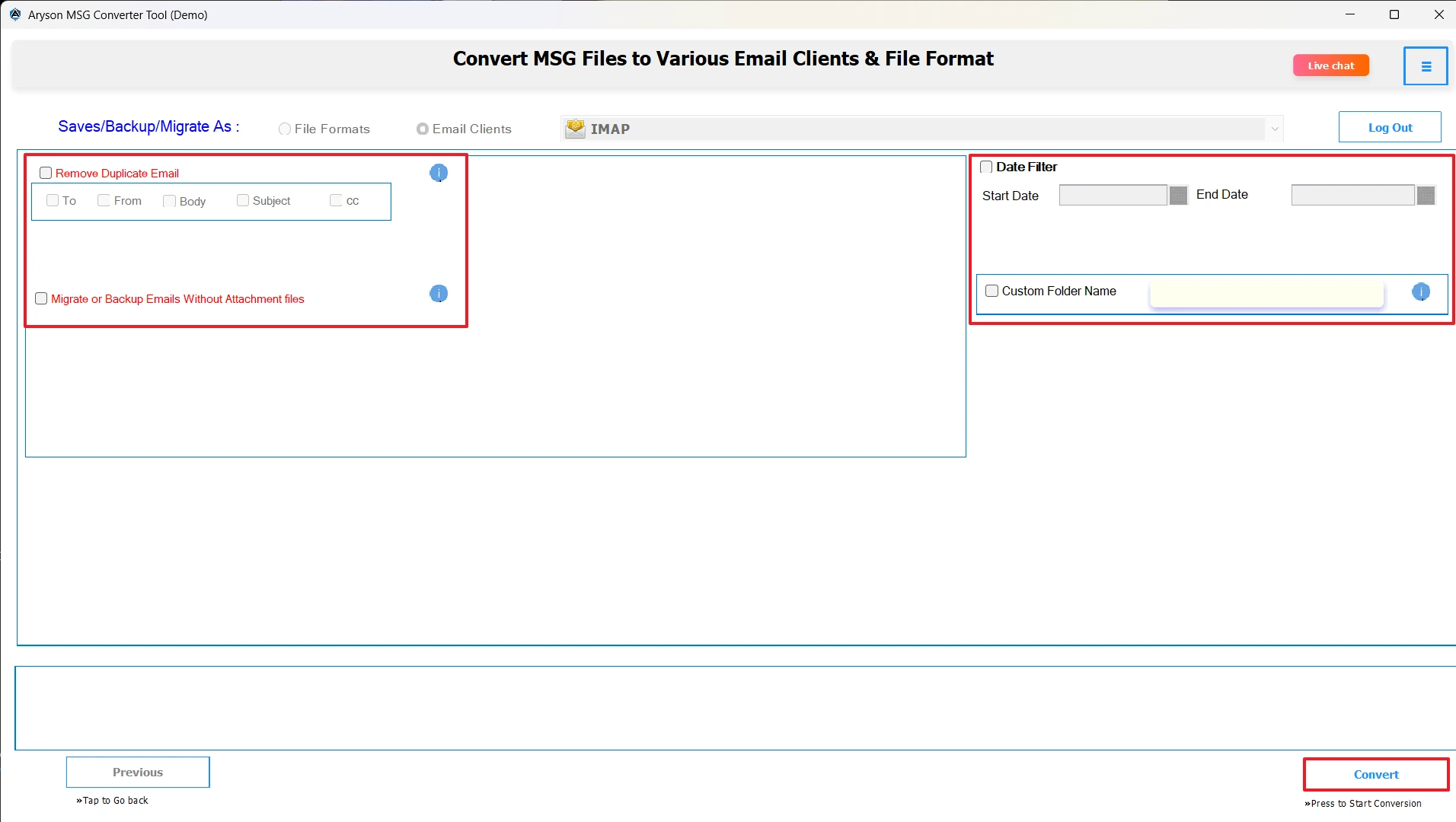
- Click the Convert button to transfer Outlook MSG Files to Zoho Mail.
Conclusion
You have learned about the MSG file and Zoho Mail and the methods to import MSG to Zoho Mail, allowing users to access Outlook emails at any time and from anywhere. This enhances data security as well as easy email management at work. The manual method is suitable for a few files but can be very time-consuming, and there is a risk involved. The MSOutlookHelp MSG Converter Tool is the recommended tool to migrate MSG files into Zoho Mail quickly and safely, while preserving folder structure and Migrating files without losing data.
Frequently Asked Questions:
Q.1 Can I upload MSG files directly to Zoho Mail?
Ans. No, Zoho Mail does not support direct MSG file upload. You can use the MSOutlookHelp MSG Converter Tool for this task.
Q.2 Will importing MSG files affect my existing Zoho Mail data?
Ans. No, the MSOutlookHelp MSG Converter Tool ensures that your current Zoho Mail data remains unchanged during the import process.
Q.3 How long does it take to import MSG files to Zoho Mail?
Ans. The duration depends on the number and size of MSG files, but the MSOutlookHelp MSG Converter Tool ensures a quick migration process.
Q.4 Can I import Outlook folders (with MSG files) into Zoho Mail?
Ans. Yes, the MSOutlookHelp MSG Converter software supports folder-based import and maintains the original folder hierarchy after migration.
About The Author:

Evren Cole is an expert in Email and Data Management. She has a strong passion for technology and entrepreneurship. In her free time, she enjoys football, music, and reading books.