

-
Written By Evren Cole
-
Updated on May 9th, 2026
How to Convert IMAP Emails to EML on Mac & Windows Instant
Summary: Nowadays, managing IMAP emails across various platforms can be difficult. Especially for those users who want a format like EML. Whether you want to create a local backup or access messages offline, convert IMAP emails to EML format is the best solution. Moreover, EML files are highly compatible with various email applications and allow users to store individual messages along with attachments. In this guide, we’ll walk you through a simple and effective manual method and a professional IMAP Backup Tool to make sure a smooth and hassle-free conversion process.
Important Reasons to Convert IMAP to EML
There are some reasons why users plan to switch their IMAP emails to EML.
- EML files can be opened anytime without an internet connection or server access.
- IMAP emails are stored on the server, but EML keeps a secure copy on your system for secure offline access.
- EML is supported by many email clients, which makes the transfer process easy.
- Moreover, each file stores complete email data with attachments without any loss.
- EML is preferred for legal purposes because it keeps emails in their original form.
Manual Way to Export IMAP Account Emails to EML
With this method, you can manually export IMAP emails to EML through an email client. This method is one of the easiest methods, through Mozilla Thunderbird, as it supports direct EML saving.
- To initiate the process, open Mozilla Thunderbird on your computer.
- Afterward, go to Account Settings >> enter your IMAP email credentials.
- After that, you need to open the desired IMAP folder.
- Select single, multiple, or all emails (Ctrl + A).
- Thereafter, right-click on selected emails and then click Save As >> File.
- Next, you have to choose a destination folder on your system.
- Finally, open the saved EML files to make sure emails & attachments are intact.
Limitations of the Manual Method
- It is a time-consuming process for large mailboxes to perform the migration.
- There is a risk of missing emails when you do it manually.
- Moreover, there is no bulk automation for multiple accounts.
Make sure Data Integrity During IMAP to EML Conversion
When you convert IMAP emails to EML, it is important to maintain the original structure of your data. Most of the users focus on exporting emails but overlook whether the data remains unchanged.
- Email Metadata: Details like sender, receiver, and subject should remain the same.
- Attachments: All files linked with emails must be exported without corruption or loss.
- Folder Hierarchy: Moreover, your mailbox structure should stay organized.
- Email Formatting: The layout of inline images and HTML format should not be altered.
Another concern is duplicate emails. In manual methods, there are higher chances of duplication. This can create confusion and consume extra storage space. A reliable approach is when you deal with large mailboxes that are used to provide a solution, like:
- Accurate email mapping
- Duplicate removal options
- Detailed export reports
Make sure of data integrity, you not only secure your emails, but also make them usable for the future.
Professional Software to Convert IMAP Emails to EML
An IMAP backup tool keeps a safe copy of your emails. Instead of migrating email one by one at a time, it migrates your entire mailbox in one go, which includes folders, attachments, and all the small details. Moreover, this software has a simple user interface, so you don’t need an IT background to get through it. It supports various email clients to migrate emails from IMAP to Zoho Mail and others. In addition, for anyone serious about long-term email storage, it’s honestly one of the simpler decisions you can make. This software is compatible with both Windows and Mac operating systems.
Step-by-Step process to Migrate IMAP to EML
- To initiate the process, launch the IMAP Backup Tool.
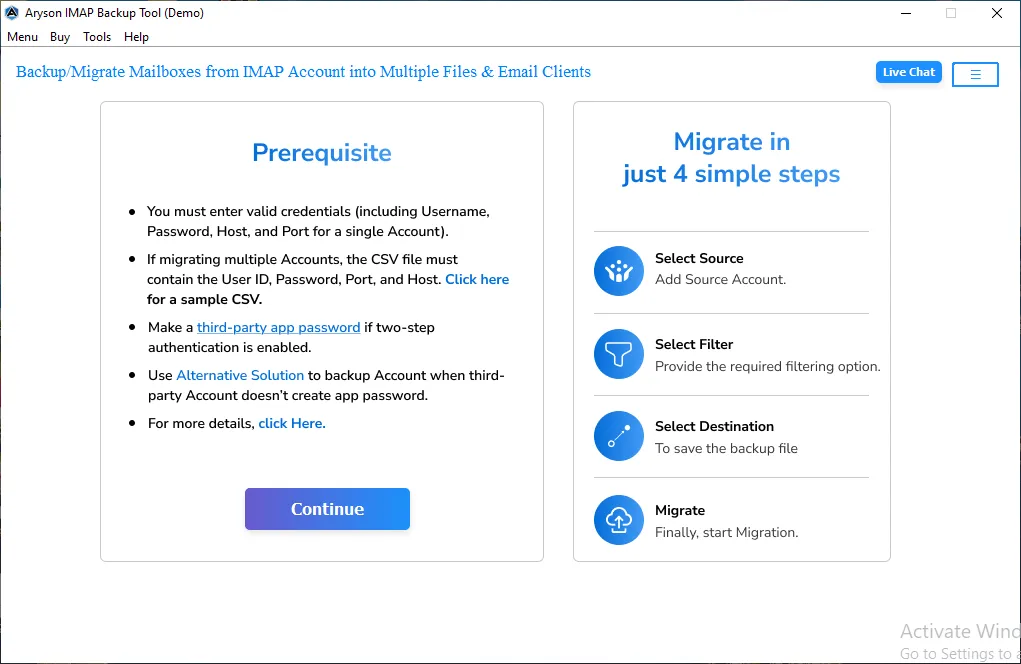
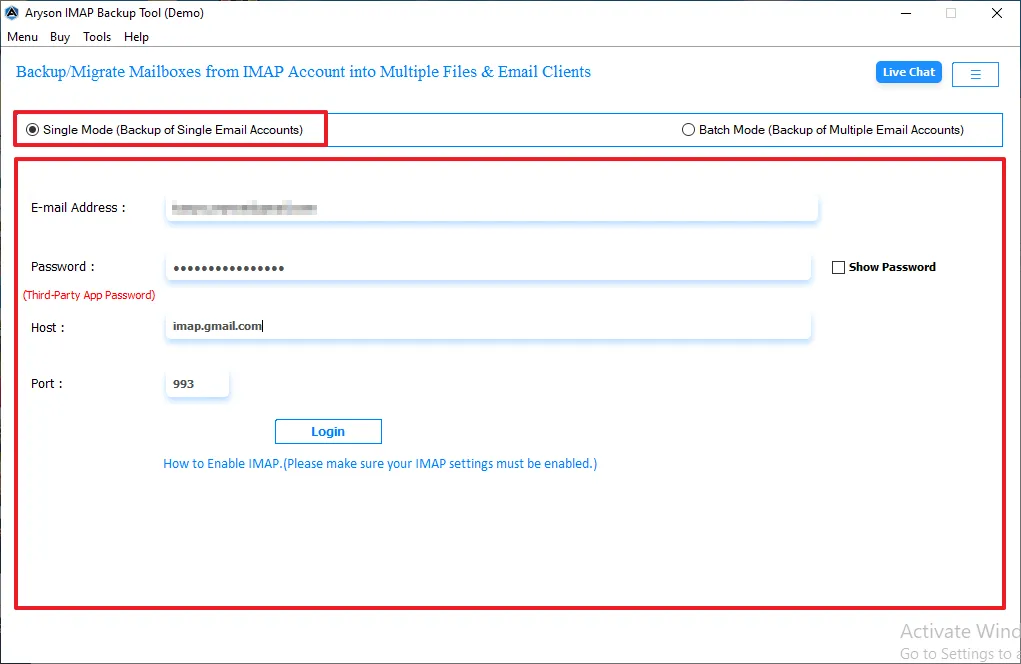
- After that, enter the login credentials, such as email, password, host, and port.
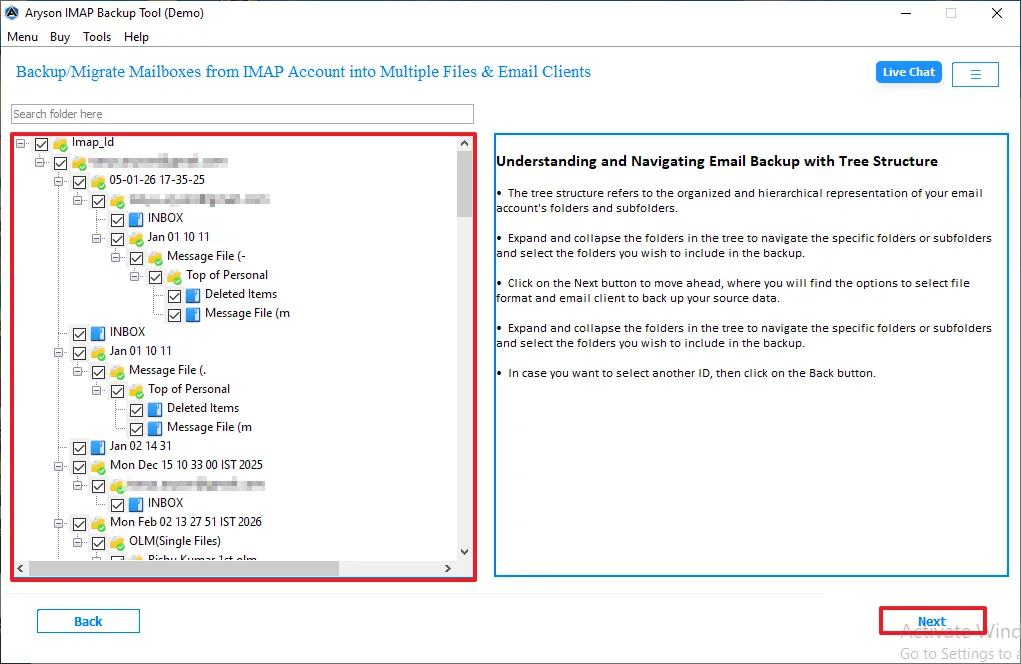
- Then, select and preview the mailbox folders and click on Next to proceed.
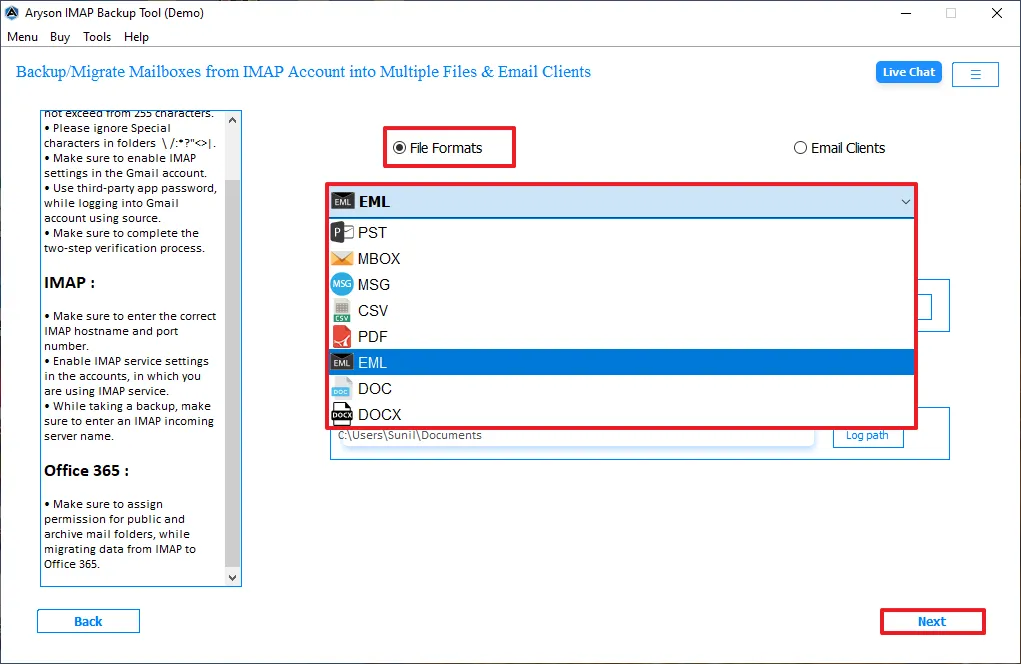
- Now, select EML as the output format and choose the destination to save files >> Next.
- Afterward, apply the filters to migrate only the required data.
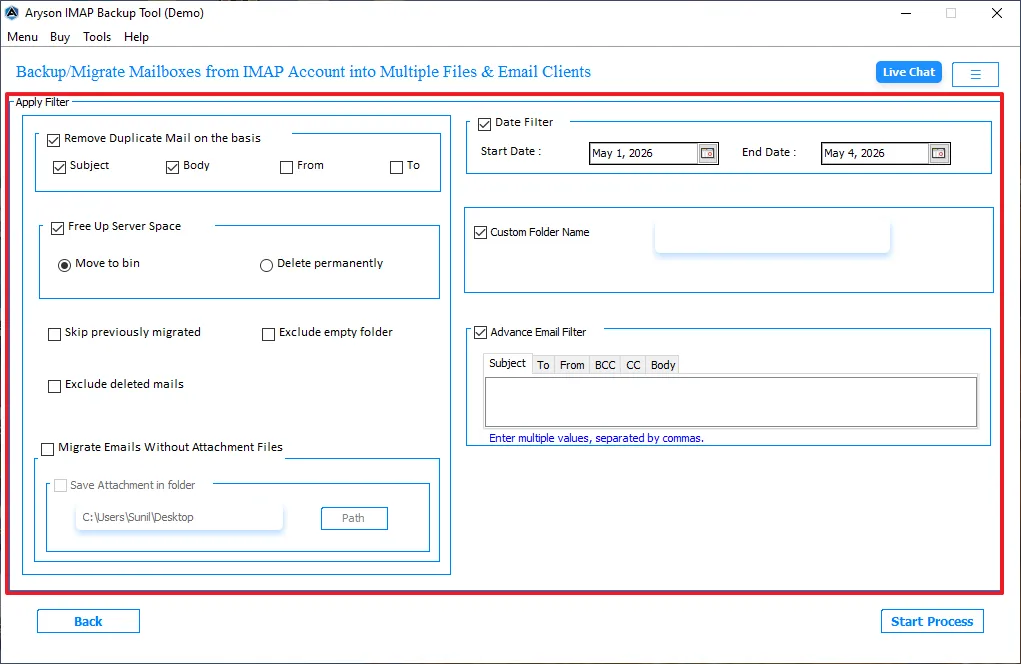
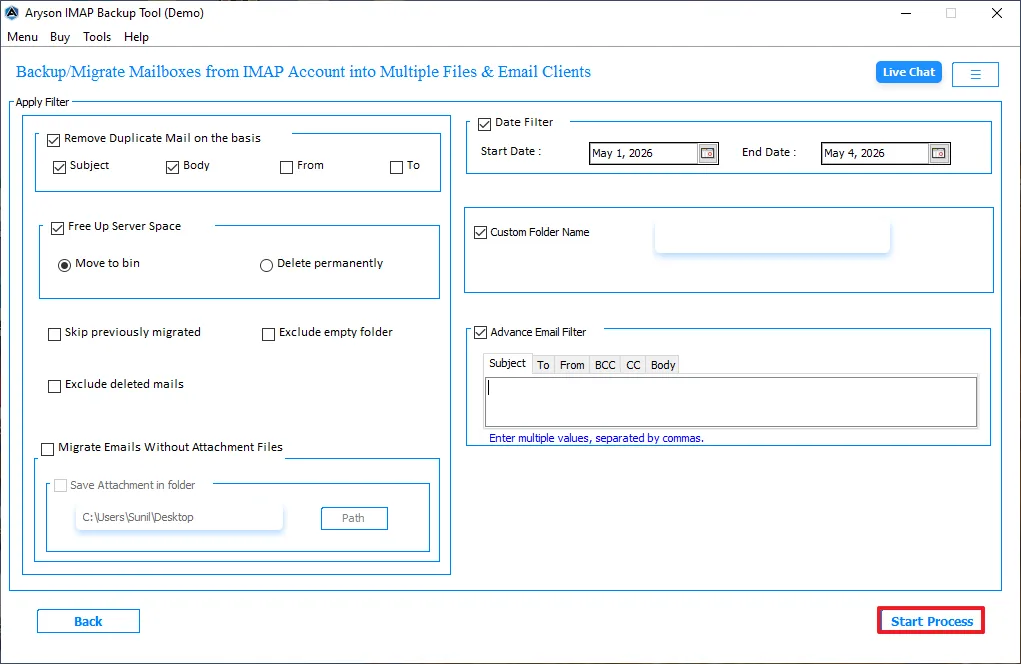
- In the end, click on Start process to export IMAP to EML.
Read More: If you want to remove a password from your PST file, then read our detailed guide on Remove Password from PST.
Manual Method vs Professional Software: Comparison
|
Features |
Manual Method |
Professional Software |
|
Bulk Export |
Limited or not efficient |
Supports bulk migration |
|
Risk of data loss |
Higher |
Minimal risk with full backup |
|
Multiple Accounts |
Not supported efficiently |
Supports multiple accounts |
|
Filters |
No advanced filtering |
Advanced filters available |
Conclusion
To finish it up, we have discussed all the aspects to migrate IMAP emails to EML. It is advised to choose the right method to accomplish the migration. While the manual method is best suited for small files. Therefore, it is suggested to use professional software that convert IMAP emails to EML data in a smooth way.
Frequently Asked Questions:
Q.1. What are the benefits of converting IMAP to EML?
Ans. It allows you to create a local backup, access emails offline, and easily move messages between different email clients. It also preserves the original email structure, including attachments and metadata, making it useful for long-term storage and legal purposes.
Q.2. How do I migrate IMAP to EML for backup purposes?
Ans. Configure your IMAP account in Mozilla Thunderbird or Microsoft Outlook, then export emails as EML, or use a professional tool for quick bulk backup.
Q.3. What are the steps to export IMAP to EML securely?
Ans. Follow these simple steps to export IMAP to EML:
1. First, log in to your IMAP account.
2. Then, select & preview the mailbox folders.
3. Choose the EML as the output format and apply filters.
4. Export the emails to a secure location.
Q.4. Do I need technical knowledge to migrate IMAP emails to EML?
Ans. No, you don’t need advanced technical skills. This software is made with a simple UI, which makes it easy for both beginners and professionals to convert IMAP to EML.
About The Author:

Evren Cole is an expert in Email and Data Management. She has a strong passion for technology and entrepreneurship. In her free time, she enjoys football, music, and reading books.

