

-
Written By Evren Cole
-
Updated on January 24th, 2026
Export Gmail to MBOX Using Safe and Reliable Methods
Overview: Imagine there is a user who wants to switch email platforms or take a long-term backup of their Gmail data. Now, when there are years of important conversations stored online, it is not practical to solely rely on cloud access. Therefore, nowadays users export Gmail to MBOX to securely archive their emails in a universally supported format. This makes their data easy to access across multiple email clients. To get more insights on the same and learn the use of MSOutlookHelp Gmail Backup Tool to perform a secure and accurate conversion.
Why Export MBOX from Gmail?
Given below are the reasons behind the Gmail to MBOX export.
- Users can access their Gmail emails in multiple email clients that support MBOX.
- You can create a universal, open-format backup of your Gmail data.
- Moreover, users can migrate their Gmail data to Thunderbird or Apple Mail.
- Additionally, you can store large mailboxes efficiently in a single file.
- Also, after the export, users can preserve their Gmail data for the long term.
Best Methods to Export Gmail to MBOX
In this section of the blog, we will discuss the following two methods to export Gmail emails to MBOX.
- The Automated Software
- Manual Approach
Method 1: Automated Software to Save Gmail Emails to MBOX
Many organisations and enterprises opt for the MSOutlookHelp Gmail Backup tool to export Gmail data to MBOX format. This software allows such users to accomplish the entire export task within a few clicks without any data loss. Moreover, this utility maintains data integrity and security via the preview panel of the software. Additionally, the advanced features of the software, such as the remove duplicate mails filter, eliminate the data redundancy, if any. Also, the same software can be used to export Gmail to EML, PDF, PST, MSG, etc. file formats.
Step-Wise Guide to Export Gmail Emails to MBOX
- Firstly, download the MSOutlookHelp Gmail Backup Tool on your system.
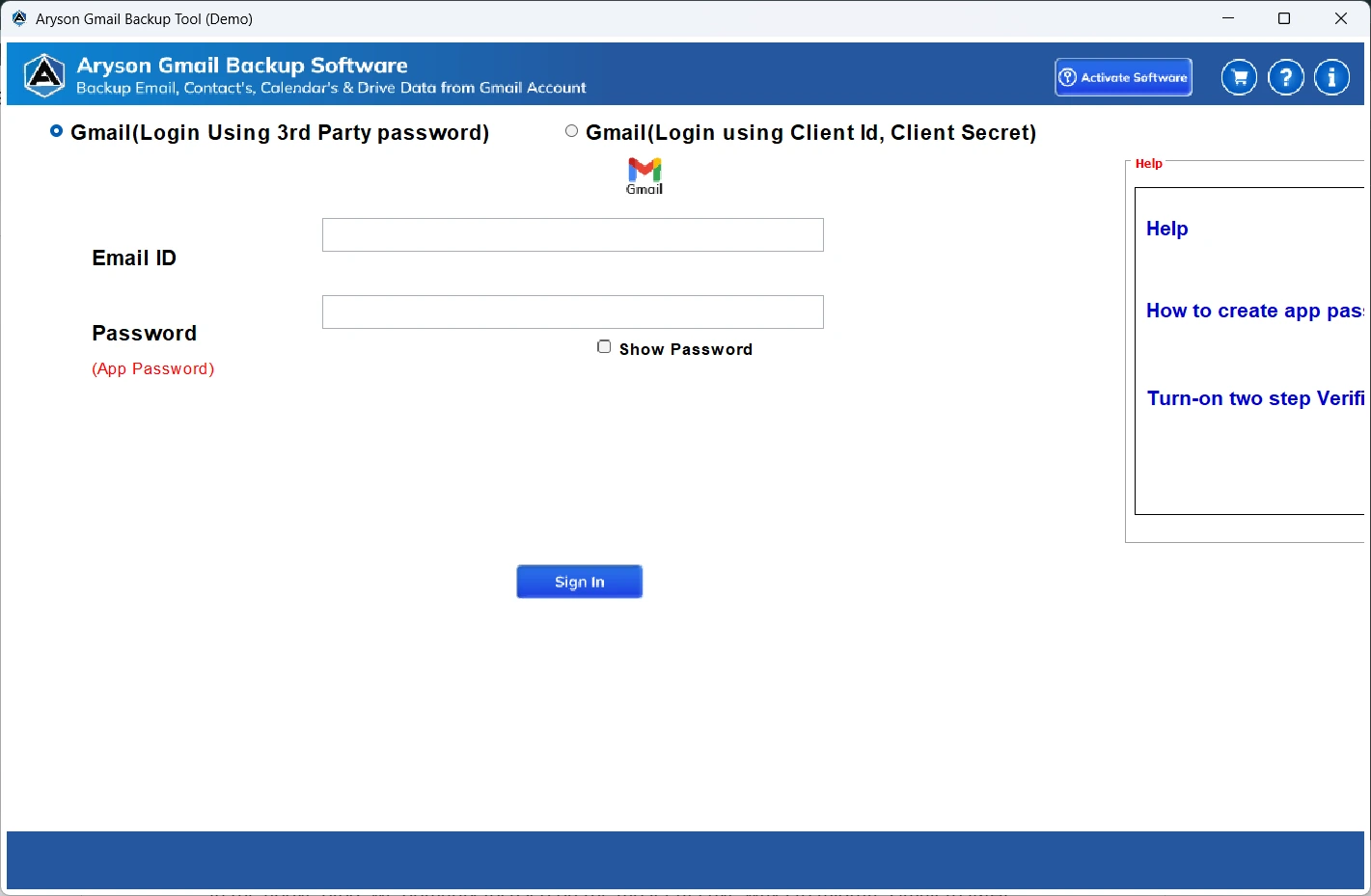
- Then, open it >> sign in to your Gmail account using the valid login details.
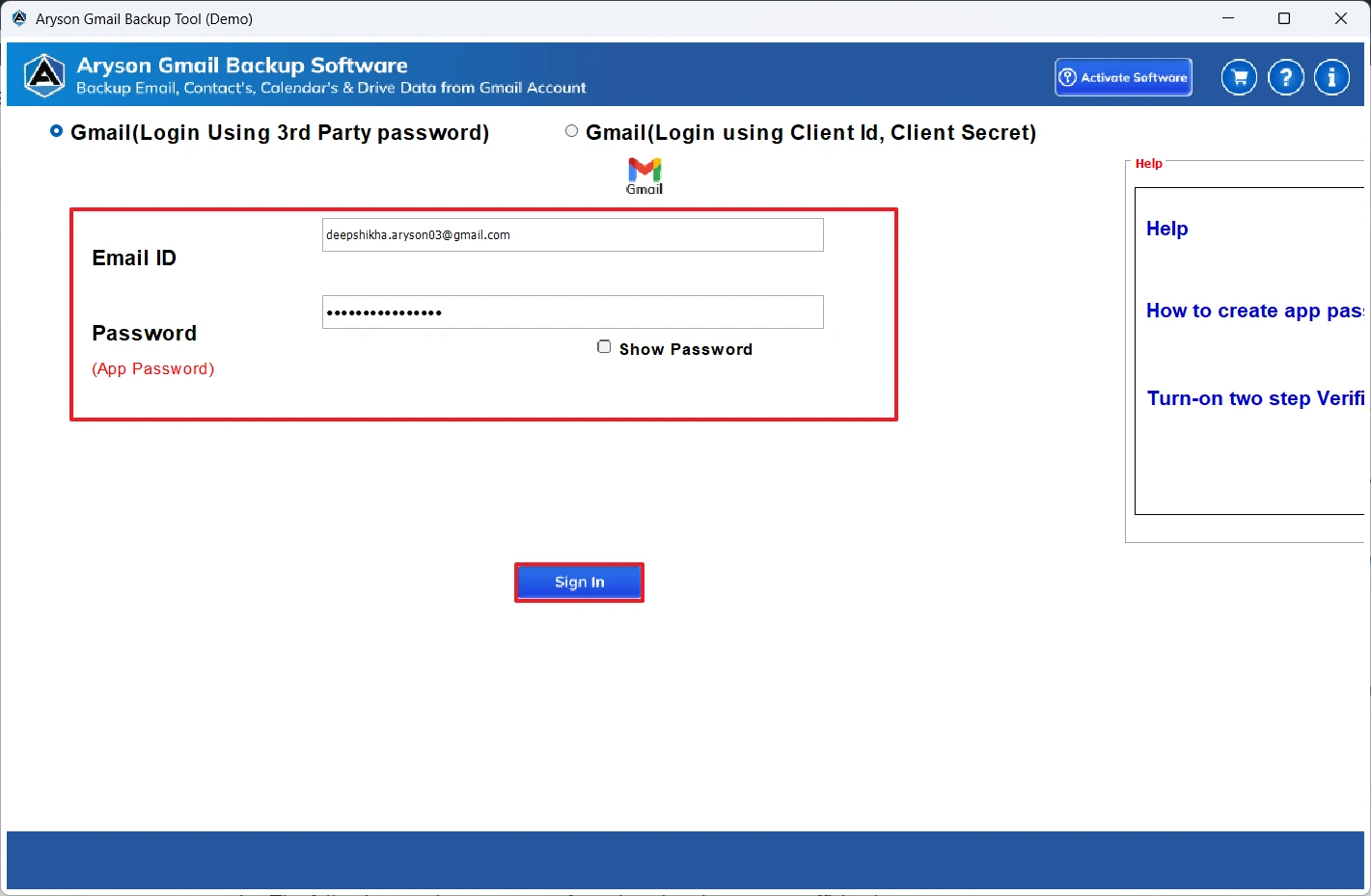
- After that, select the desired Gmail data to preview & click Next.
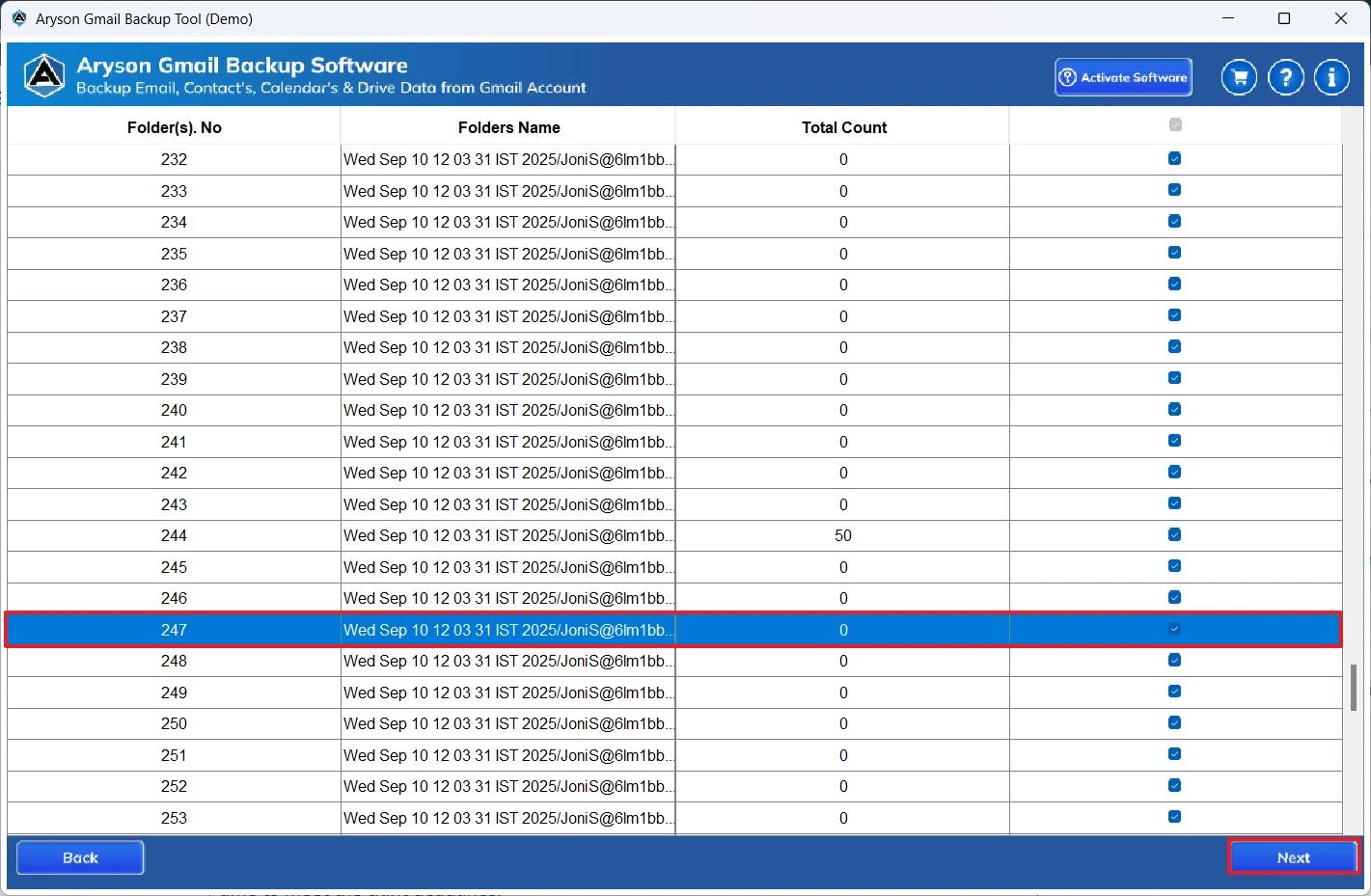
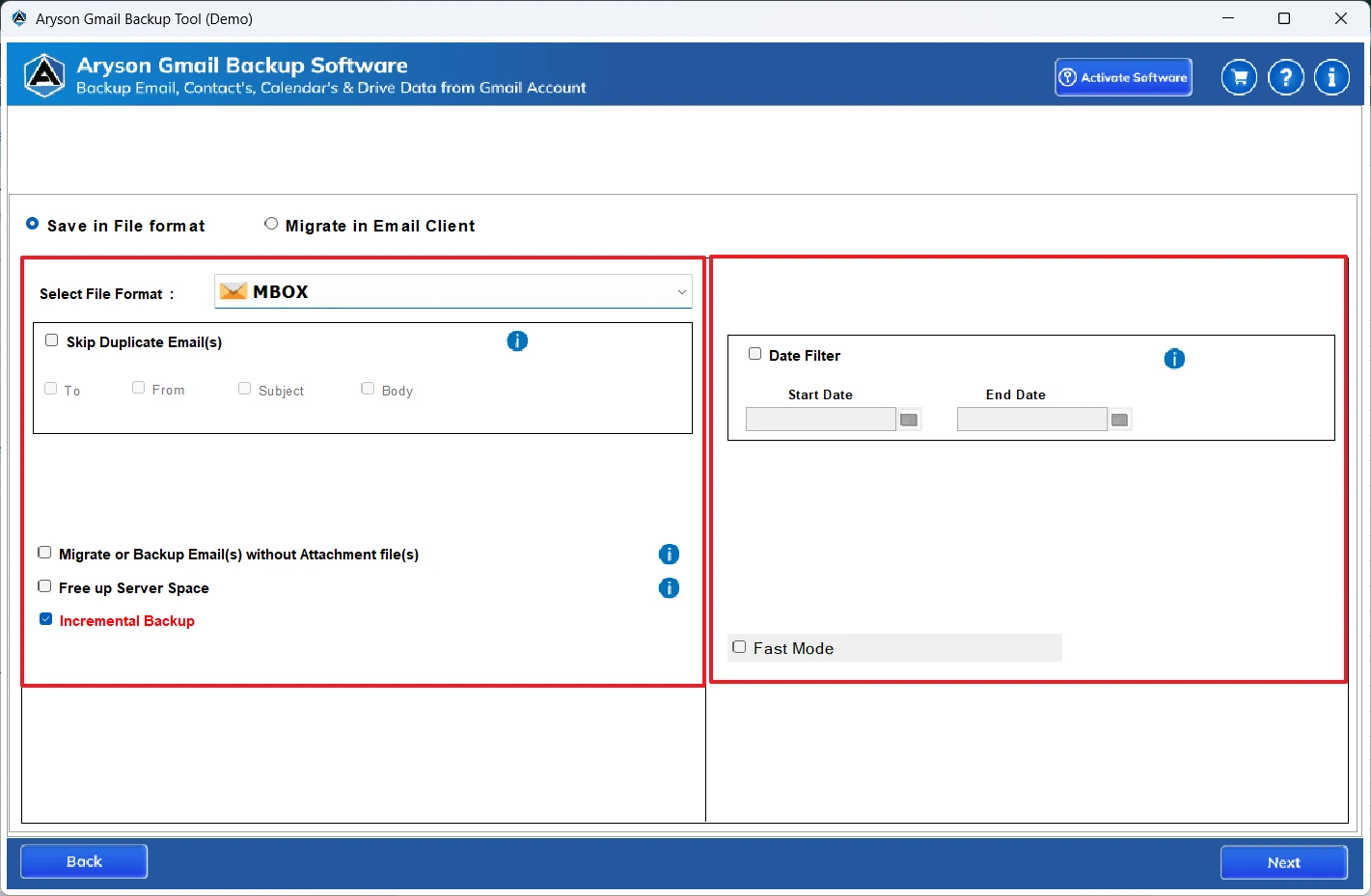
- Then, select MBOX under the listed file formats.
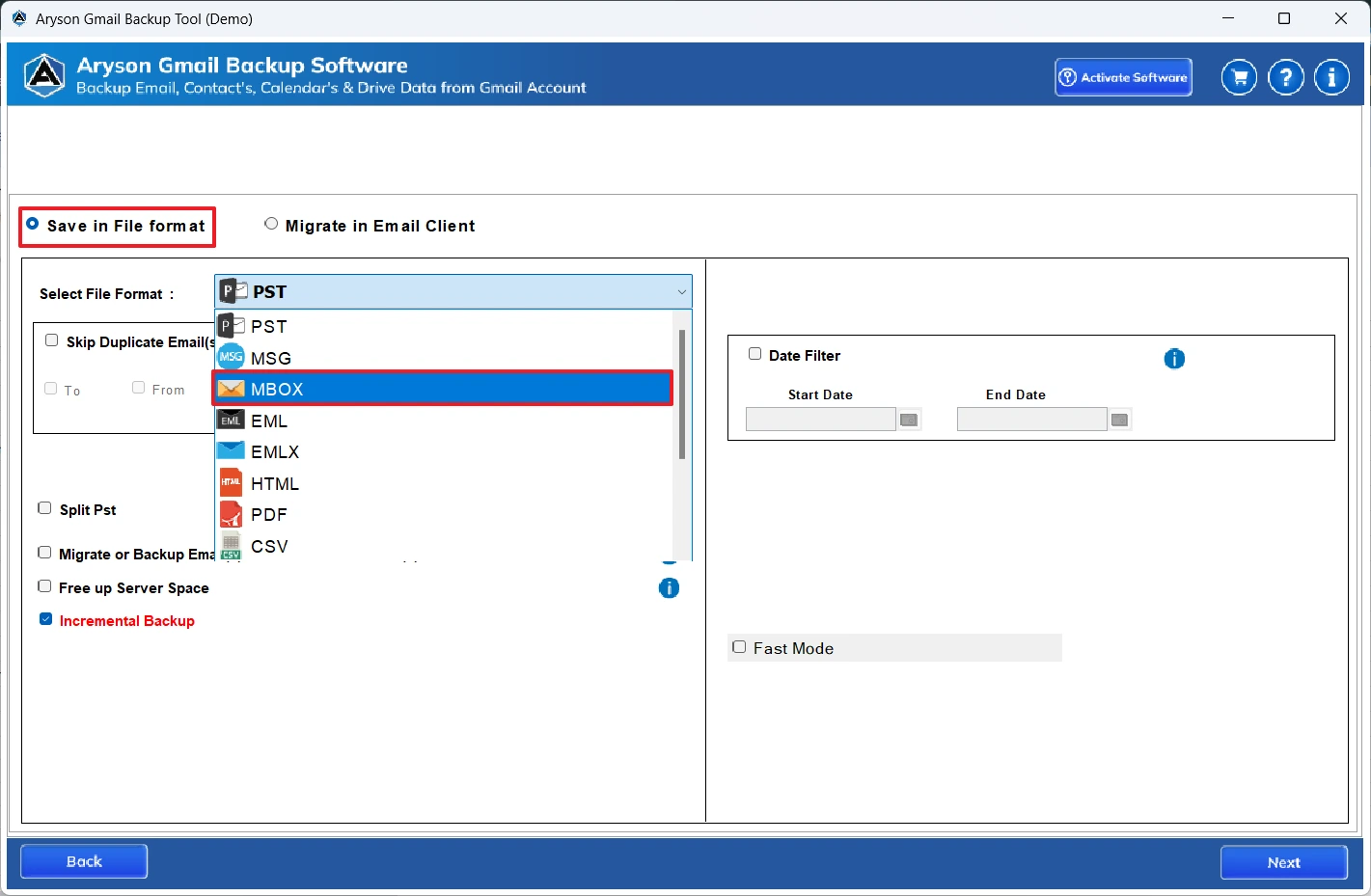
- Use the built-in features of the software if you require >> Next.
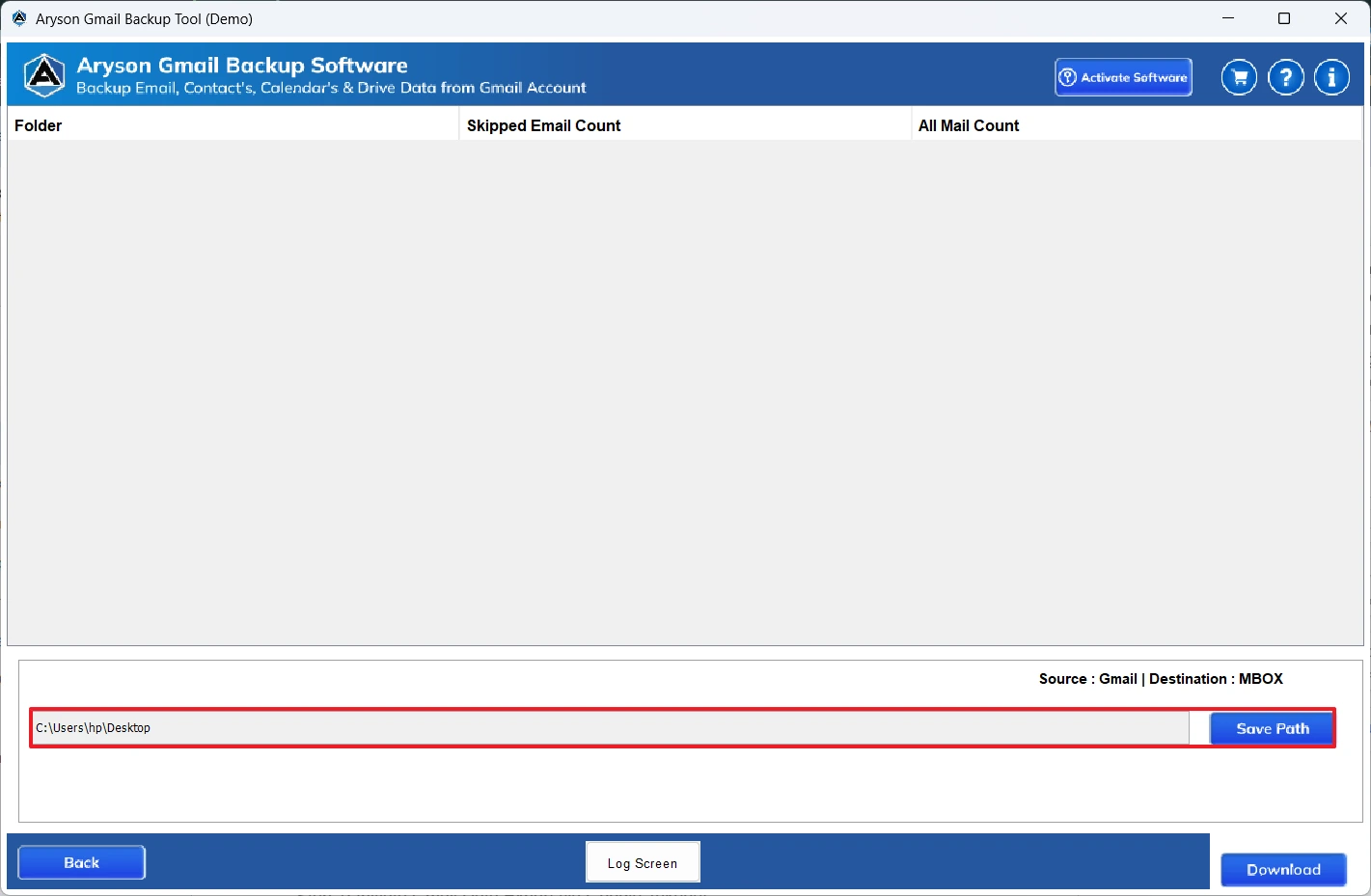
- Provide the path to save the Gmail data on your local system.
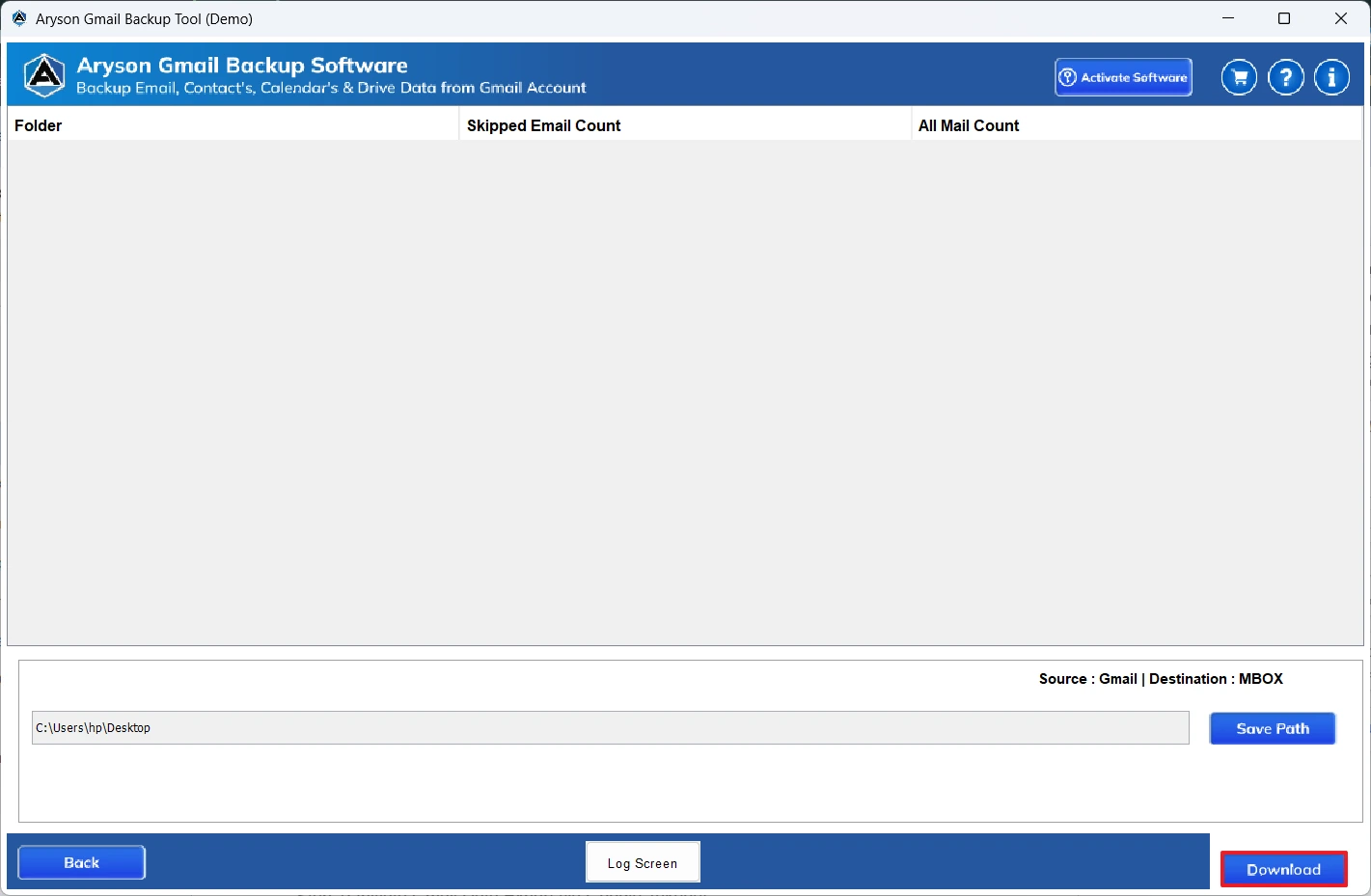
- At last, hit the Download button to begin the actual migration.
Additional Note: However, this automated software works well for both small and large mailboxes. For users who prefer to manually perform the entire process, let me introduce an alternate approach. But keep in mind that this method requires you to have knowledge of Google Takeout and time to invest in the entire process.
Method 2: Export Gmail to MBOX Manually
Google provides an official service named Google Takeout that allows users to download their Gmail data in MBOX format. Now, follow the steps below to export your Gmail emails safely and securely.
Step 01: Initiate Gmail Data Export via Google Takeout
- First, open the official Google Takeout page & sign in to your Gmail account.
- The Download your data screen will appear >> click Deselect all.
- After that, scroll down the page & select the Mail option.
- Then, click on the Next step option to proceed further.
- Now, choose Send download link via email as the delivery method.
- Next, under the file types, select ZIP & define the needed archive size.
- Click on the Create export option to start the process.
Step 02: Install and Extract the MBOX File
- Next, you will receive a download notification email.
- Open that email >> click on the Download button.
- After downloading, extract the ZIP file on your system.
- Your Gmail data will be saved in the MBOX format in the ZIP file.
Conclusion
In this blog, we discussed two different methods to export Gmail to MBOX. In the manual method, we used Google Takeout for the export. But this approach was practical for small mailboxes only. Whereas the automated software was a quick and efficient way to export both small and large mailboxes. Users can also reach out to the tech support team to ask for any queries regarding the conversion process.
Frequently Asked Questions:
Q.1 Are Gmail attachments preserved in MBOX exports?
Ans. Yes, if you are using the MSOutlookHelp Gmail Backup Tool, your Gmail attachments will remain intact after MBOX exports
Q.2 Can I export Gmail to MBOX without using Google Takeout?
Ans. Yes, with the help of the above automated software, you can transfer Gmail to MBOX without using Google Takeout.
Q.3 Will exporting Gmail to MBOX delete emails from Gmail?
Ans. No, if you are using the MSOutlookHelp Gmail Backup Tool, exporting Gmail to MBOX will not delete emails from Gmail.
About The Author:

Evren Cole is an expert in Email and Data Management. She has a strong passion for technology and entrepreneurship. In her free time, she enjoys football, music, and reading books.

