

-
Written By Evren Cole
-
Updated on January 6th, 2026
Export Office 365 to MSG: Secure Email Backup
Overview: Nowadays, it has become essential for organizations and individuals to keep their emails secure. Whether the purpose is to maintain long-term email storage or get better accessibility, the need to export Office 365 to MSG format is growing rapidly. This is because the MSG files allow users to save their Outlook emails with complete metadata & attachments intact. Through this blog, you will learn everything about the export process, including the use of MSOutlookHelp Office 365 Backup software and a hands-on approach. Continue your reading to get more clarity on the subject & software.
Why Do We Need to Export Office 365 Email to MSG?
Among the various reasons behind performing the export process, listed below are the most common ones.
- The MSG format keeps the email properties, attachments, & formatting intact.
- Users can easily access their individual emails directly in Microsoft Outlook.
- Moreover, you can effortlessly share specific emails with your clients or team members.
- In addition, this format is ideal for long-term archiving & legal validation.
- Also, it becomes simpler to organize and manage your emails in MSG format.
Proven Solutions to Export Office 365 to MSG
Although there are a number of methods of converting Office 365 emails to MSG format, here we are discussing the two most effective ones. Considering the pros and cons of both solutions, you can pick the one that suits your needs the best. The following are the methods you will discover in detail in the upcoming sections of the blog.
- Automated Software (Recommended)
- Manual Approach Using Outlook
Method 1: Secure Way to Save Outlook 365 Email as MSG
At present, most users prefer to use the MSOutlookHelp Office 365 Backup Tool to export Office 365 emails to MSG format. This software allows them to perform the entire conversion within a few clicks and without compromising on data security. This saves their time & improves the efficiency & productivity of their work. Moreover, this utility helps beginners to migrate Office 365 to Yahoo Mail, Thunderbird, IMAP, etc., email clients. Additionally, the advanced built-in features of the software make the entire process quicker and simpler to execute. You don’t even need to install Outlook, which makes it an ideal solution for users who want to convert Office 365 emails to MSG without installing Outlook.
Quick Tutorial to Export Office 365 to MSG
- Firstly, download & open the MSOutlookHelp Office 365 Backup Tool.
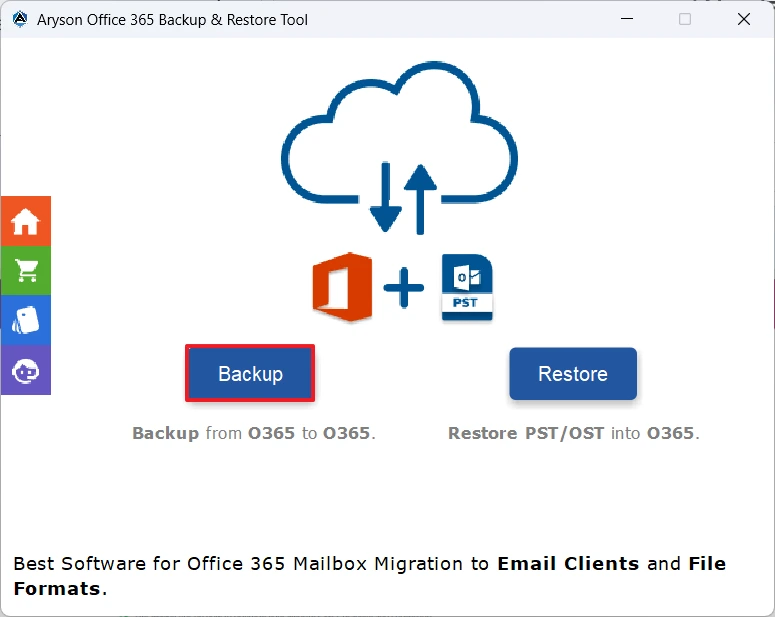
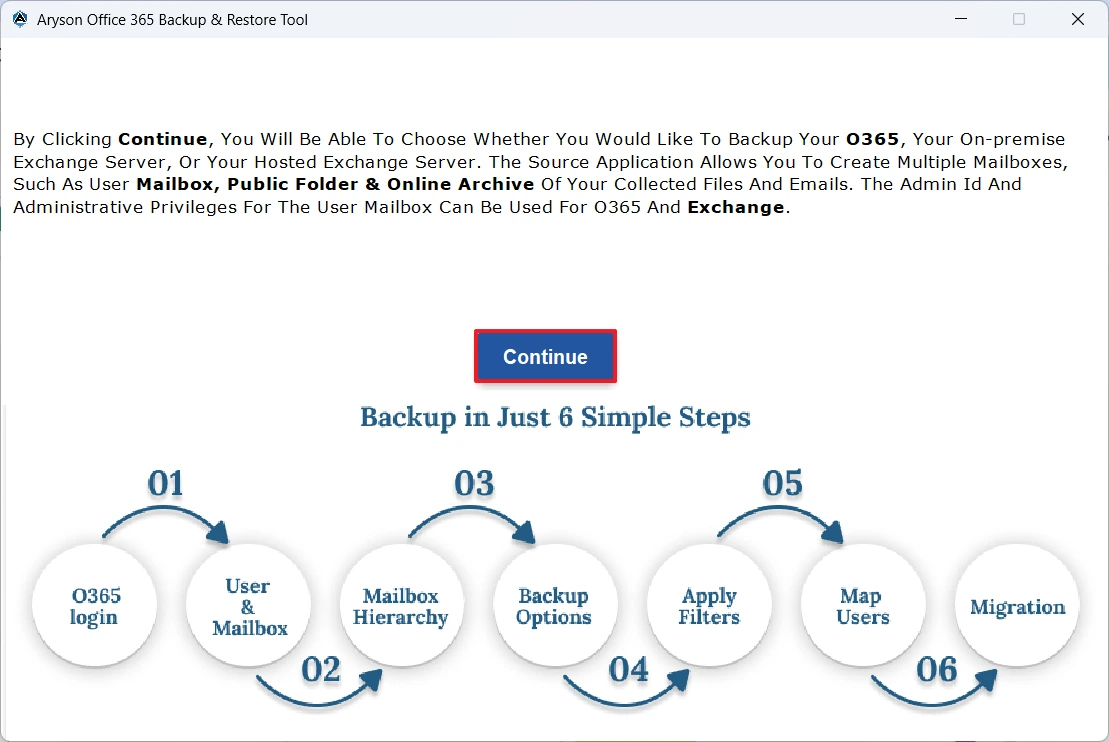
- After that, click on the Backup button >> and then Continue to move forward.
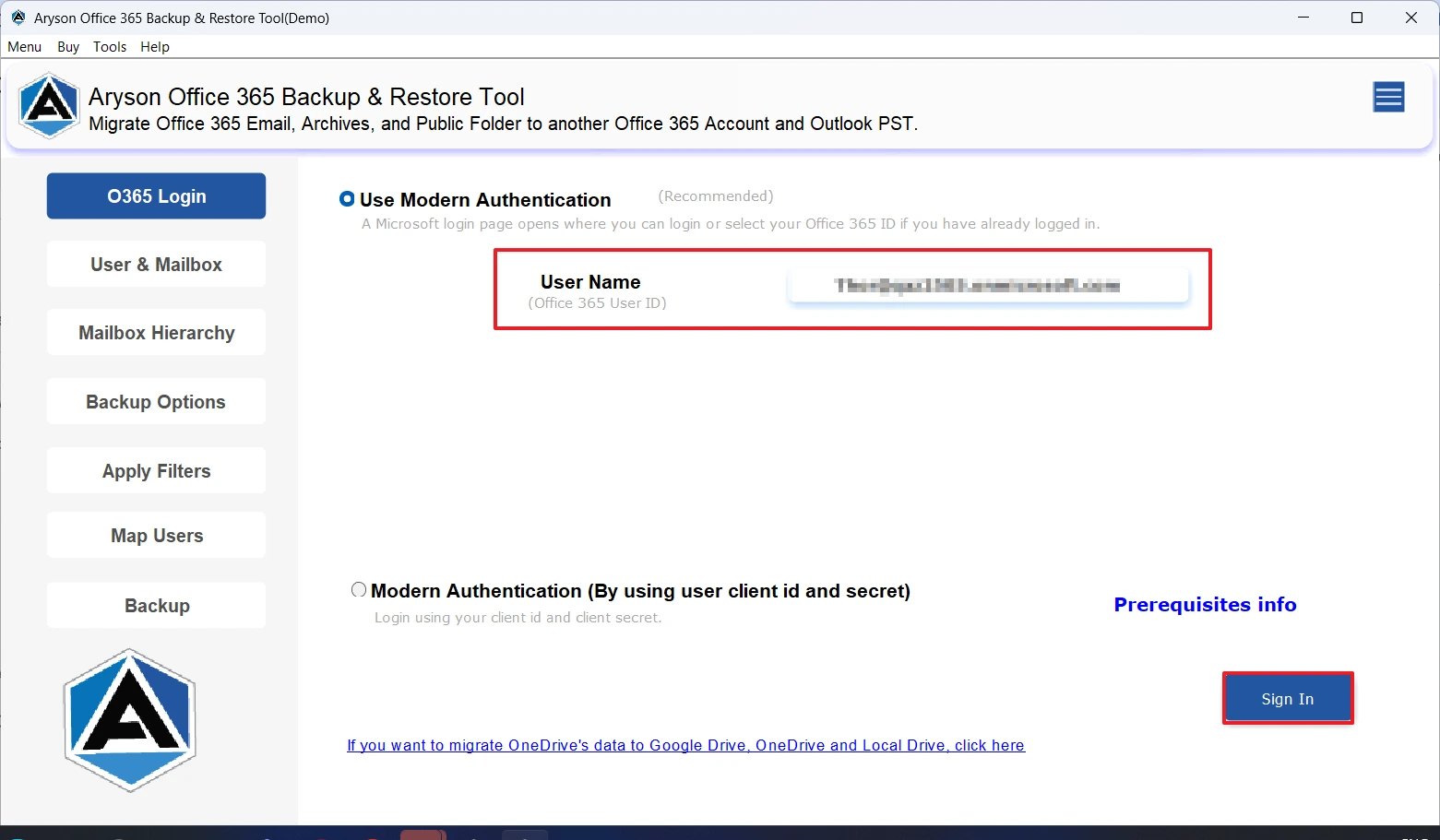
- Then, enter the credentials of your Office 365 account and sign in.
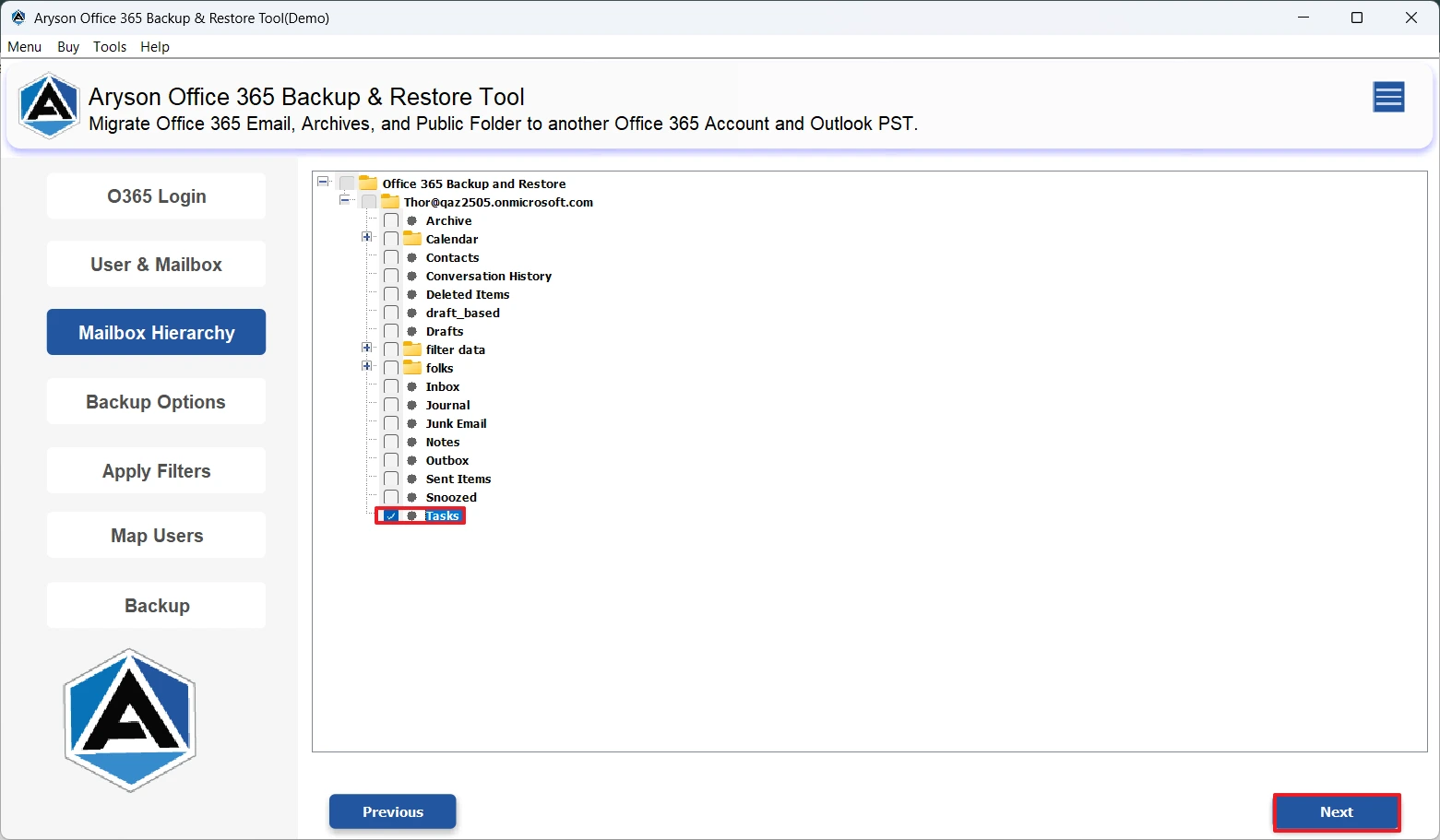
- Next, select the required data from the folder hierarchy appearing on the screen.
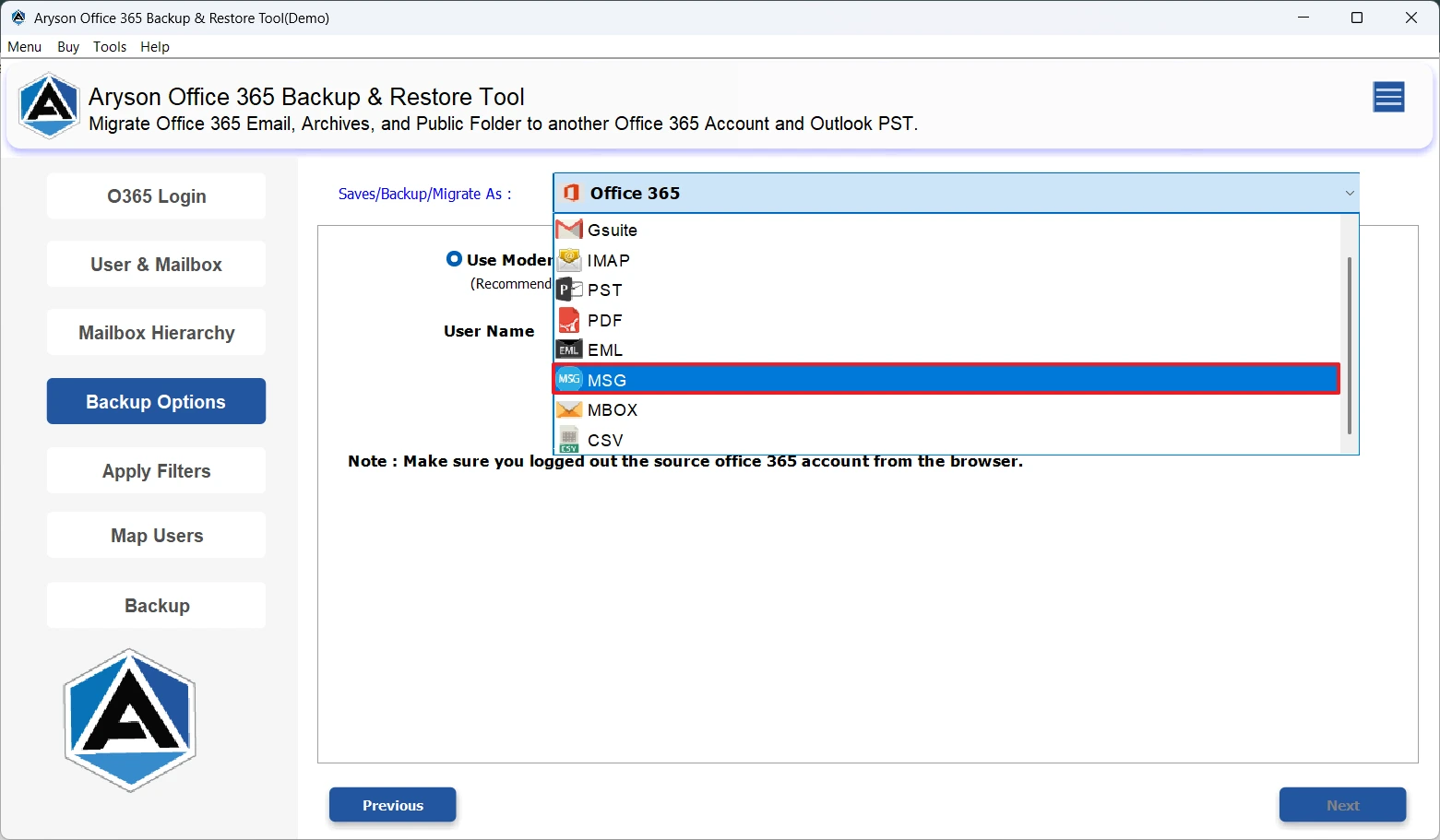
- Now, select MSG from the list of file formats.
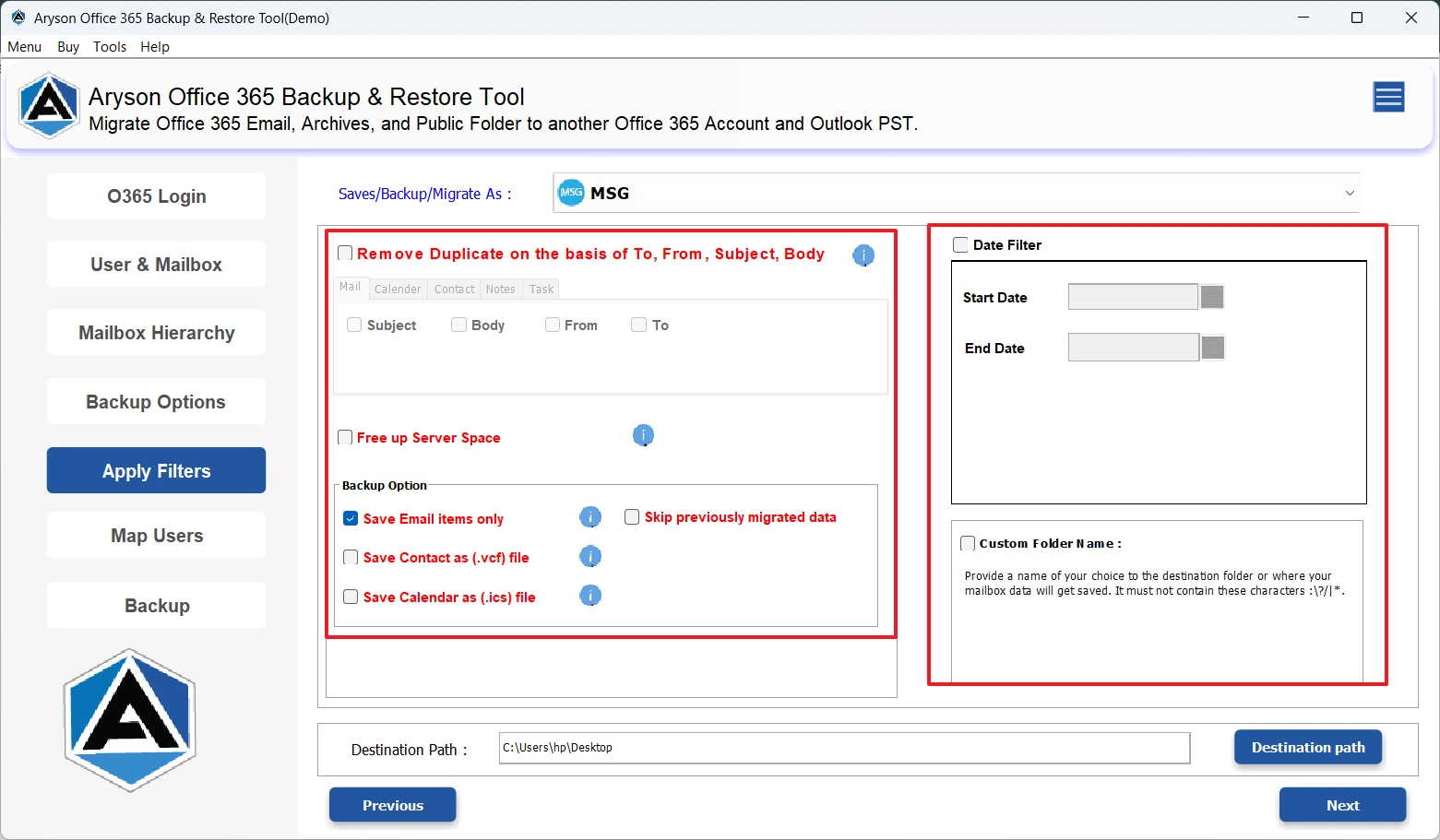
- Then, use the advanced filters as per your need.
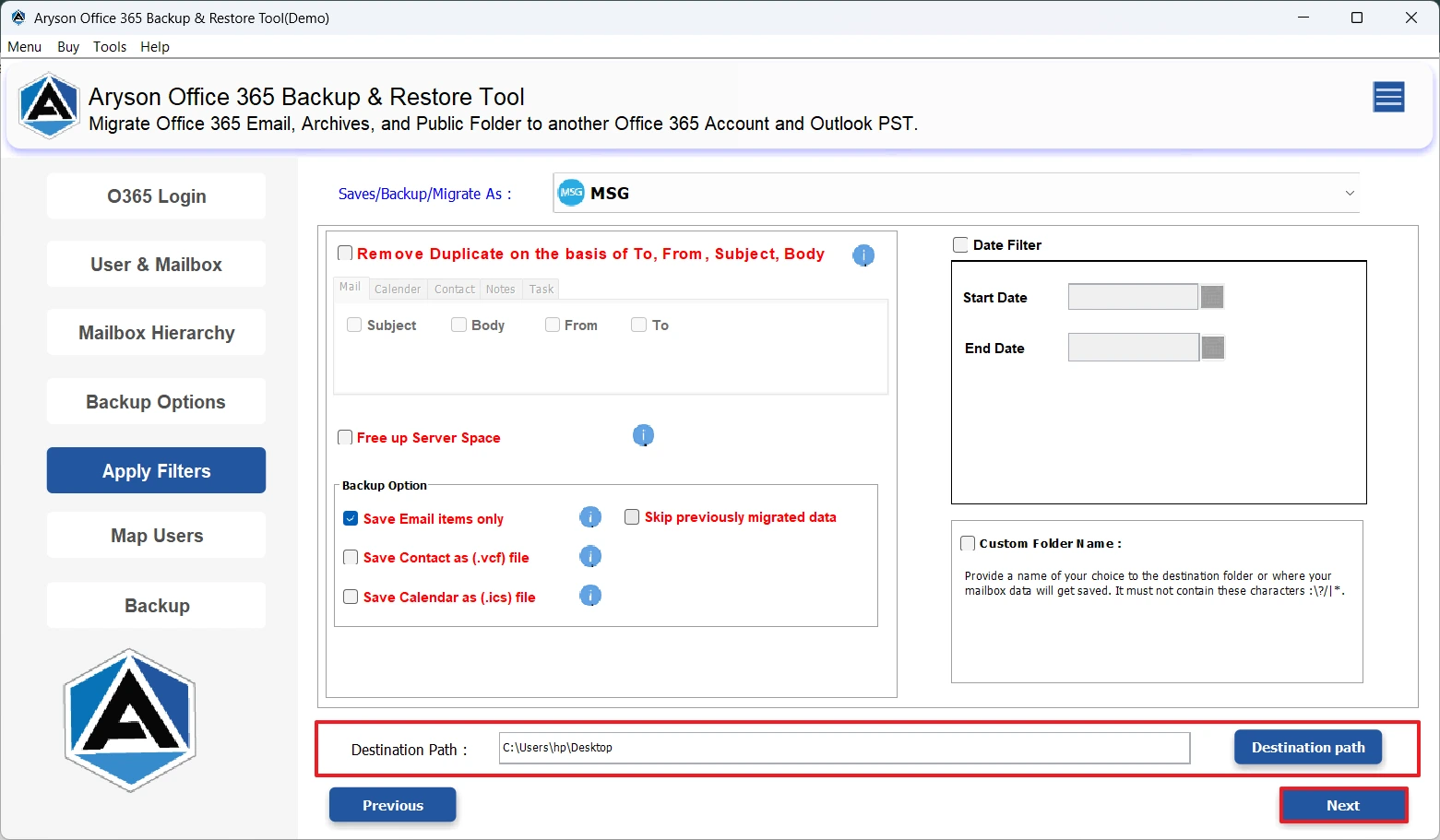
- At last, specify the path to save the output file and click Next.
Additional Note:
Using this software is suitable for you only if you have large mailboxes to handle. However, if you have some familiarity with MS Outlook and a limited amount of data to export, you may opt for the manual method discussed below. But remember, if you follow this approach, you have to fix the human errors and duplication, if any.
Method 2: Manual Method to Convert Office 365 Emails to MSG
In case you have Outlook already installed on your system & you are very familiar with its interface, you can follow this approach. Although this approach is simple, it requires you to export your files one by one, which is not suitable for bulk backups.
Step 1: Configure Office 365 Account in Outlook
- To begin, install Microsoft Outlook on your system and launch it.
- After that, navigate to the File tab >> click the Add Account option.
- Then, enter your Office 365 credentials to login.
- Next, the setup will start & it may take some time for the mailbox to sync completely.
Step 2: Export Office 365 Email to MSG Format
- Now, open the folder where you have saved your emails to export.
- Then, select that particular email you want to convert.
- After that, click on File Tab >> select the Save As option.
- Next, oick the destination location on your computer.
- Under the Save as type dropdown list, select Outlook Message Format (*.msg).
- At last, click on Save option to export the email in MSG format.
A Real-Life Success Story
A UK-based legal consulting organization successfully managed its sensitive client communications by using the MSOutlookHelp Office 365 Backup Tool to securely back up and maintain its Office 365 mailboxes. This software allowed them to take a secure local backup of emails & attachments in PST format with complete data integrity.
Conclusion
In the above write-up, we discussed why it is important to export Office 365 to MSG, along with the relevant solutions for the same. Well, it might get challenging for some users to execute the process. However, following the right approach, one can complete the entire conversion efficiently. Therefore, it is important to pick the method that fits your conversion needs the most. In case you choose the automated solution, better to explore its demo version to get a hands-on experience. Still, if you come across any queries, reach out to our tech support team for personalized technical assistance.
Frequently Asked Questions:
Q.1 How to save Outlook 365 Email as MSG?
Ans. You can save Outlook 365 email as MSG with the help of MSOutlookHelp Office 365 Backup software. Steps to export are
1. Launch the MSOutlookHelp Office 365 Backup Tool.
2. Click Backup >> Continue.
3. Sign in with your Office 365 credentials.
4. Select the required mailbox folders.
5. Choose MSG as the output format.
6. Apply filters (if needed) & set a save location >> Next.
Q.2 Can I export Office 365 emails to MSG without Outlook?
Ans. Yes, you can export backup Office 365 Mailbox to MSG without Outlook using the above automated solution.
Q.3 Does exporting Office 365 mailbox to MSG keep attachments?
Ans. Yes, if you are using the MSOutlookHelp Office 365 Backup software, exporting Office 365 mailbox to MSG will preserve all your email attachments, metadata, and formatting.
About The Author:

Evren Cole is an expert in Email and Data Management. She has a strong passion for technology and entrepreneurship. In her free time, she enjoys football, music, and reading books.

