

-
Written By Evren Cole
-
Updated on November 13th, 2025
Convert EML to DOC File – Complete Conversion Guide
User Query: I receive hundreds of contracts in EML format on a daily basis, but I need them in Word documents for editing, sharing, and printing. How can I efficiently convert EML to DOC without losing data and attachments?
Summary: EML files are used to store individual emails along with their metadata. But regrettably, users can’t edit them in word processors. That is why they prefer to export EML to DOC for easier editing, printing, and sharing. To help such users, this blog explains different methods to convert EML files to DOC, including the MSOutlookHelp EML Converter for a quick and reliable conversion.
Advantages of Converting EML to DOC
There are different benefits of EML to DOC conversion. Therefore, a large number of individuals as well as businesses prefer to convert EML to DOC for editing purposes. Some of those benefits are as follows:
- The DOC format allows users to easily edit them in Word or any other word processor.
- As well as this file format provides better accessibility across devices and platforms.
- The DOC format is useful for creating professional records or reports.
- DOC files are easier to back up and archive for future use.
- Also, these files are compatible with non-Email applications for collaboration or presentations.
Best Methods to Convert EML File to DOC
In case you are seeking a free way to convert EML files to DOC, the following two approaches will provide you with a reliable and effective conversion without any cost.
- Manual Conversion using MS Word
- Using a Reliable Software
Method 1: Manually Convert EML to DOC using MS Word
The user can use the MS Word application to convert the EML files to DOC format. This method takes two stages to complete. The process is straightforward, but time-consuming; at the same time, it requires you to just open each EML file in MS Word and save it in DOC format. Follow the steps below carefully.
Stage 1: Open EML File in Microsoft Word
- To begin, navigate to the folder where you have saved EML files.
- Then, Right-click on the EML file and select the Open With option.
- Select Choose Another App >> More Applications,
- After that, choose Microsoft Word from the list appearing.
Stage 2: Save the EML file as a DOC or DOCX File
- Now, your selected EML file will appear in MS Word.
- You just have to click on the File tab >> Save As from the left panel.
- Next, select .doc or .docx as the file format from the drop-down menu.
- Provide a location to save the resultant DOC file
- Lastly, click the Save button to complete the process.
Downsides of Using the Manual Technique
- This method doesn’t allow you to perform bulk conversion.
- Manual conversion may take long hours to complete for a large volume of EML files.
- Moreover, this method will save only the message’s body text and may skip headers, attachments, or other email details.
- Also, the user must be familiar with the interface of MS Outlook.
- There may be multiple human errors during the manual conversion of EML files.
Method 2: Most Efficient Way to Convert EML to DOC
In case you want to convert multiple EML files to DOC format for editing purposes, you should use the MSOutlookHelp EML Converter for the same. This software can convert EML files to DOC format without any data loss. Moreover, it keeps the data, attachments, and folder structure intact during the conversion. It outperforms the manual conversion as it allows the user to convert multiple EML files all at once. The user-friendly interface of the software allows beginners to convert EML to EMLX, PST, CSV, MBOX, and many other file formats easily. In addition, it provides the user with various built-in features like date range filter, custom folder name features, and remove duplicate emails, etc.
Step-by-Step Tutorial for EML to DOC Conversion
- Install and open the EML Converter software on your existing system.
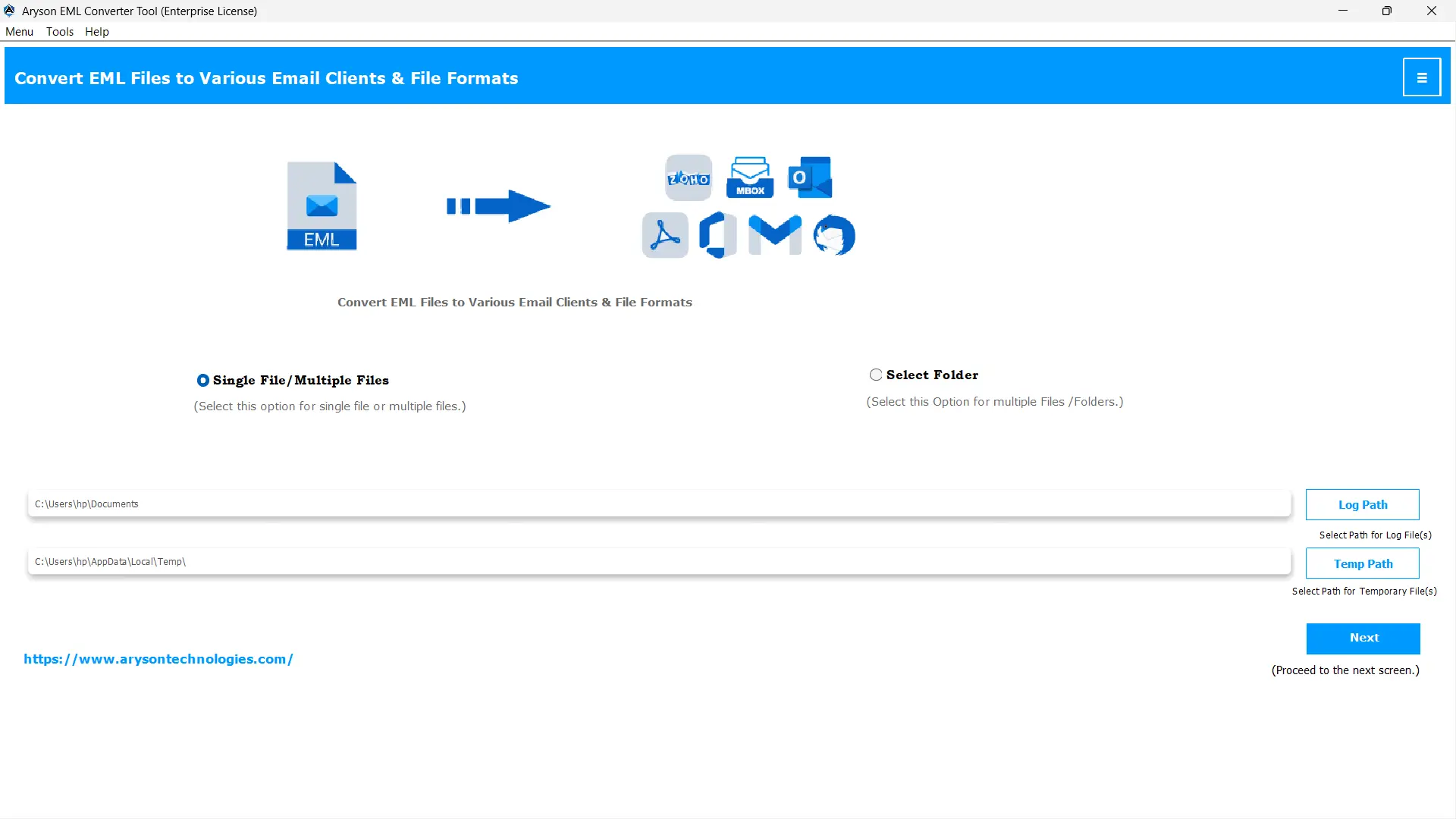
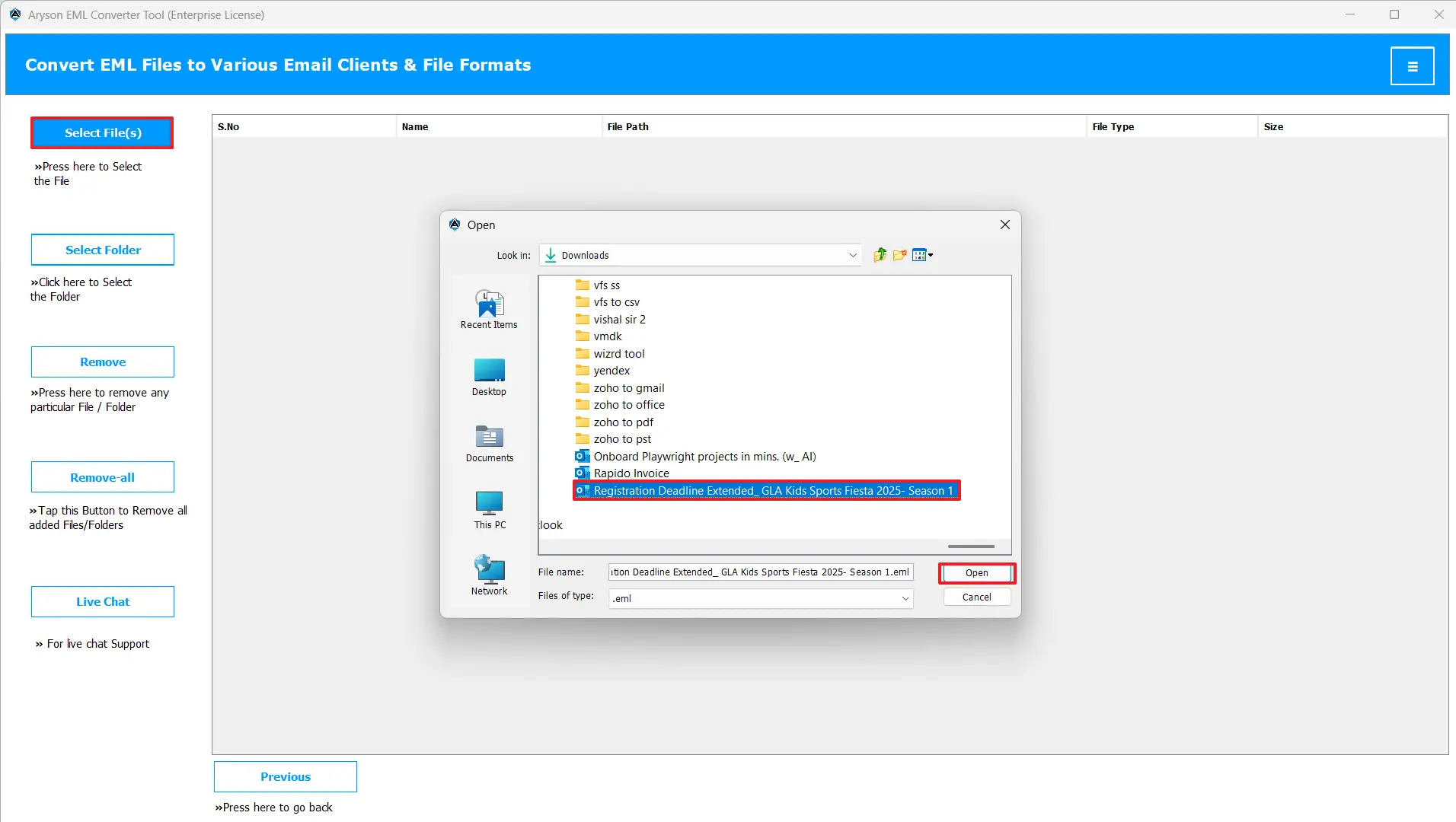
- Then, click on the Select Files or Select Folders options to import your EML files.
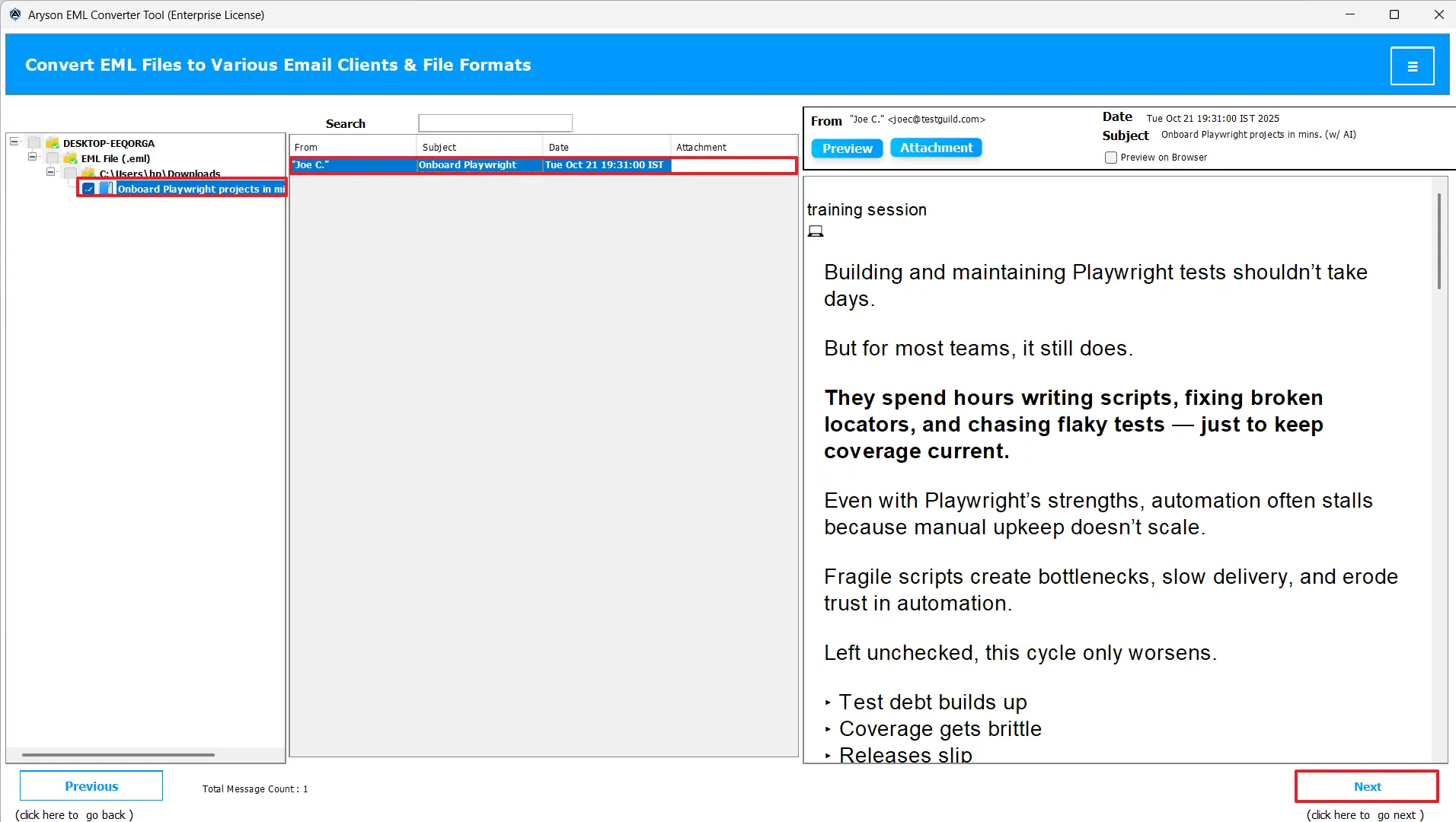
- After that, select the desired EML files in hierarchy, preview them & click Next.
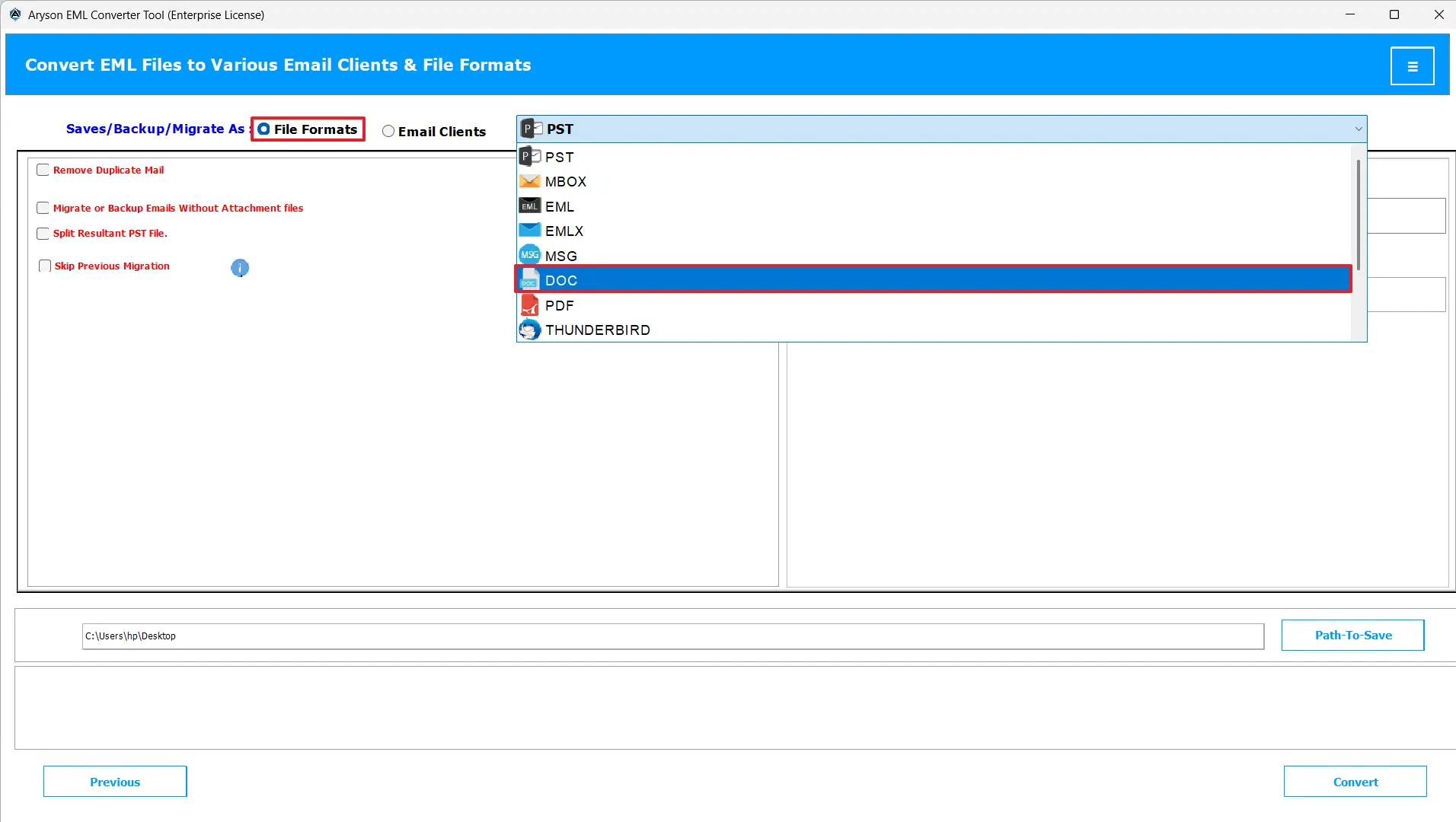
- Now, mark the file formats radio button and select DOC from the listed file formats.
- Utilize the built-in features to refine your file selection.
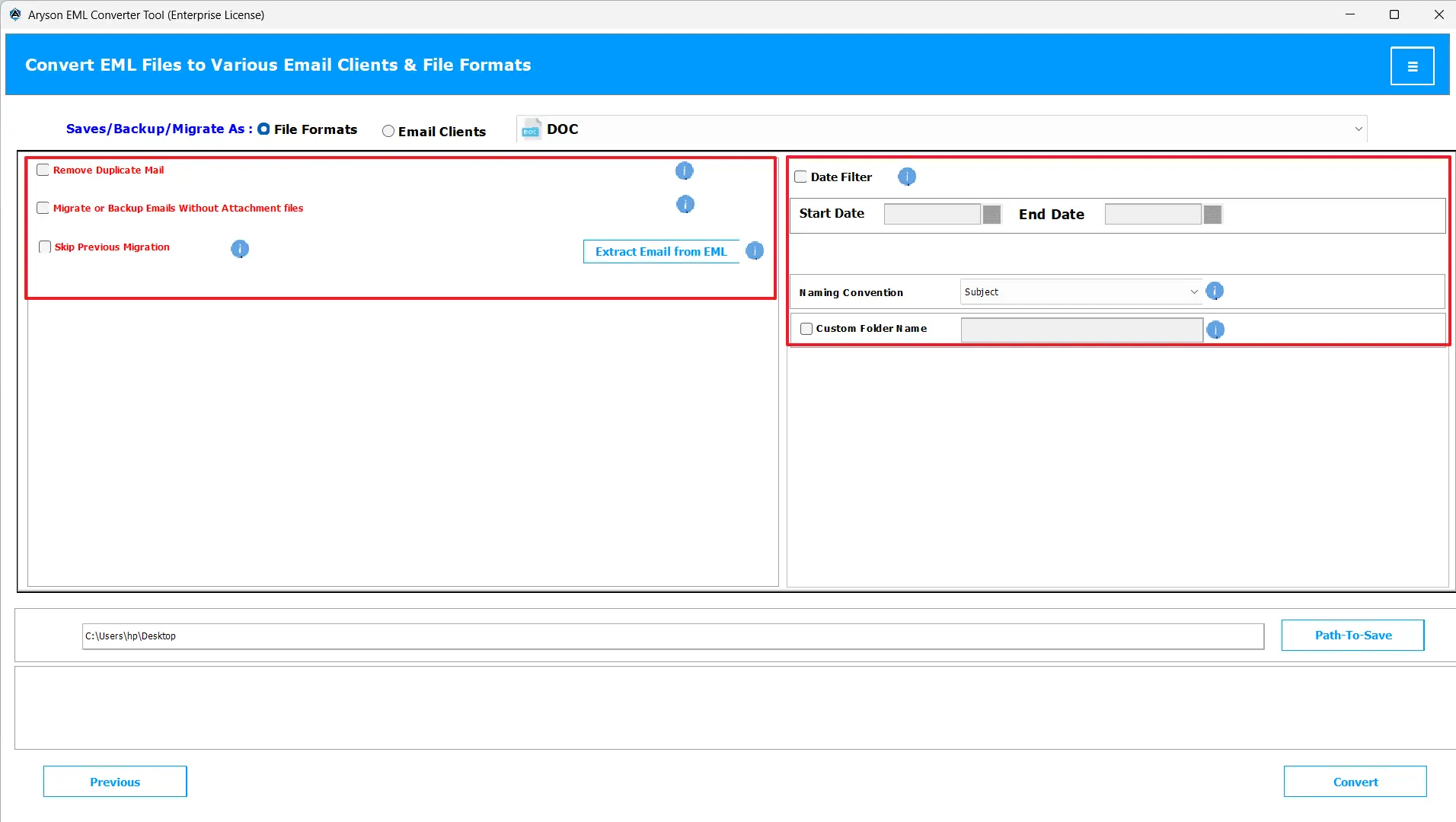
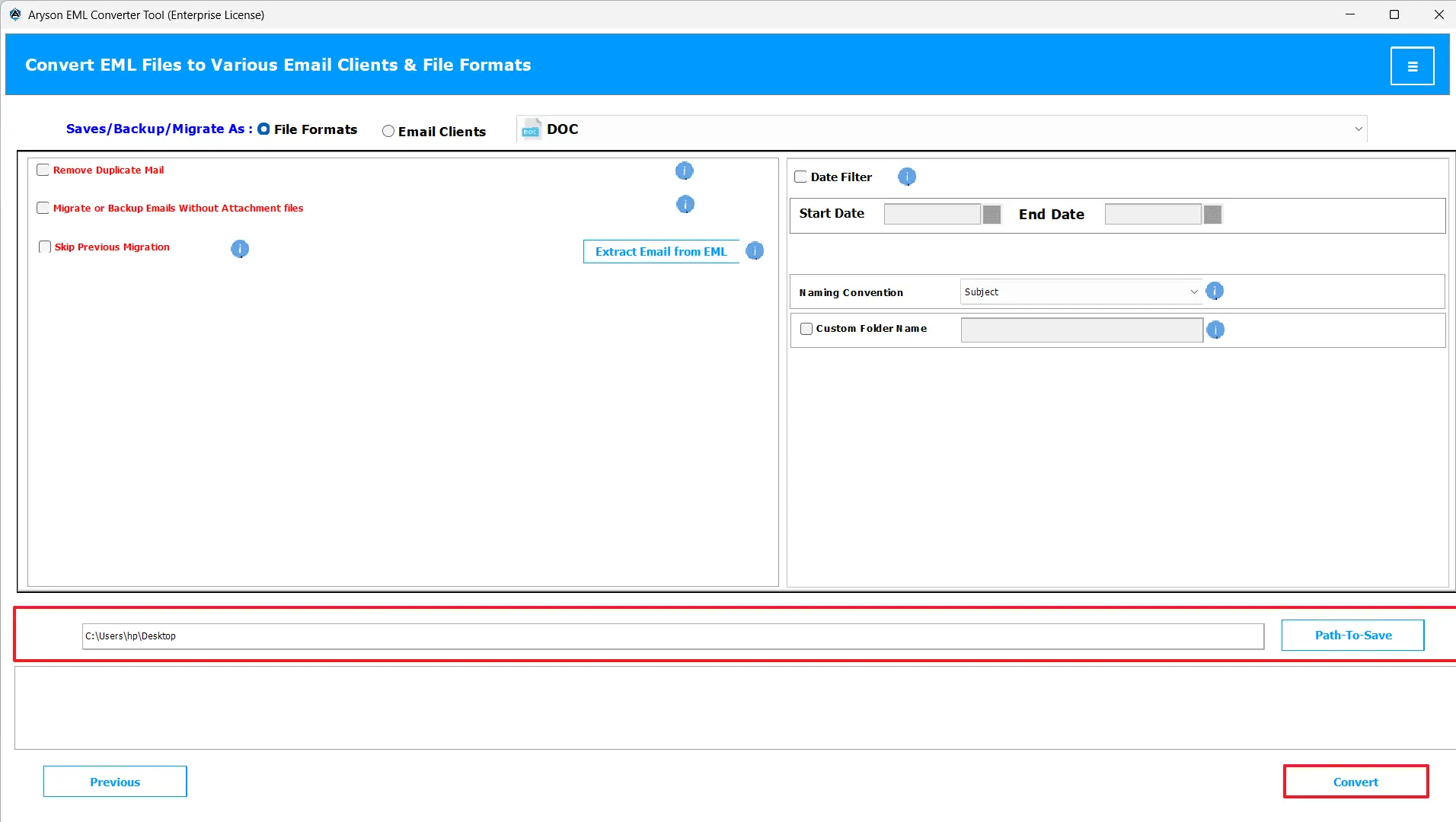
- Lastly, provide the path to save the resultant DOC & hit Convert to begin the conversion.
Conclusion
In the above blog, we discussed different methods to import EML to DOC without any data loss. You can follow the given steps for an error-free and accurate conversion. In case of a voluminous amount of data, you can use the free version of the automated software. This will help you understand the working of the software better.
Frequently Asked Questions:
Q.1 What is the best way to export EML to DOC?
Ans. The best way to change EML File to DOC File is by using the MSOutlookHelp EML Converter.
Q.2 Why would I need to convert EML to DOC?
Ans. The DOC format helps you access, edit, and share emails easily in Microsoft Word without needing any email client.
Q.3 Will attachments in EML files be converted to DOC as well?
Ans. Yes, if you are using the MSOutlookHelp EML Converter, your attachments in EML files will be converted to DOC as well.
About The Author:

Evren Cole is an expert in Email and Data Management. She has a strong passion for technology and entrepreneurship. In her free time, she enjoys football, music, and reading books.

