-
Written By Evren Cole
-
Updated on October 31st, 2025
How to Import MSG File into Hotmail: A Comprehensive Guide
Summary: Emails play a key role in storing valuable communication and attachments when it comes to Outlook MSG files. However, accessing these locally stored MSG files on web-based platforms like Hotmail can be a challenge for many users. To make your data accessible anytime and from anywhere, users find the necessity to import MSG File into Hotmail. We are here with this guide to provide you simplified solution along with MSOutlookHelp MSG Converter to import the complete MSG data in your Hotmail account with complete data accuracy. Whether you have a few messages or an entire folder of MSG files, this comprehensive guide will help you complete the process safely and efficiently.
Some Key Reasons to Transfer MSG File to Hotmail Account
There are many simple reasons why people move their MSG files to Hotmail. Below are some of the main ones:
- With Hotmail, you can open your emails anytime and from any device.
- Hotmail keeps your emails secure from system crashes or file damage.
- You can handle all your emails, including MSG files, from one single place.
- Moving MSG files to Hotmail helps you keep a safe online backup of your messages.
- Emails in Hotmail can be easily shared or forwarded without any formatting problems.
Now, you better understand how this import process can be helpful to the users. This process keeps your important data safe and easily accessible whenever required.
Simplified Solutions to Import MSG File into Hotmail
You can import MSG files into your Hotmail account in a few simple ways. One way is to use Microsoft Outlook and do it manually. Another way is to use a software tool that can complete the process automatically. If you only have a few emails, then you can proceed with this approach. In case you have an MSG file in a batch the most users prefer the reliable software to accomplish the task with ease. Now, navigate to the next section and perform both methods one by one individually:
Solution 01: Manual Way to Import MSG Files to Outlook
The manual method helps you move MSG files to your Hotmail account using Microsoft Outlook. To proceed with this manual method, you need to have Outlook already installed on your computer. If you already have, follow the steps below to access Outlook MSG Files in Hotmail:
- First, navigate and open Microsoft Outlook on your computer.
- Next, sign in using the correct credentials of your Hotmail account.
- Then, go to the folder on your system where your MSG files are saved.
- After that, select the specific MSG files that you want to import.
- Now, drag and drop the selected MSG files into your Outlook inbox or any other folder.
- When it completes, you should wait for Outlook to process.
- After that, it will display all the imported emails on your screen.
- Afterwards, Outlook will automatically sync these imported emails with your Hotmail account.
- Now, you can open your Hotmail account online and check whether all MSG emails are available in your mailbox or not.
After the sync is complete, you can access all the imported MSG emails directly from your Hotmail account.
Limitations Associated with the Manual Import Process
Although the manual method helps you move MSG files to Hotmail, it has some clear disadvantages, of which you should be aware:
- You can’t perform this method without having Microsoft Outlook installed.
- It becomes very time-consuming when you need to import many MSG files.
- There is a risk of missing attachments or losing the original email format.
- Also, Hotmail does not support MSG file import directly, so Outlook acts as a bridge.
- Along with that, this process may feel difficult for beginners who are not familiar with Outlook.
Because of these drawbacks, most of users prefer an automated solution to save time and ensure complete data safety.
Solution 02: Automated Way to Import MSG File into Hotmail
MSOutlookHelp MSG Converter is a reliable and user-friendly solution to simplify the MSG to Hotmail migration. You can transfer your Outlook MSG emails directly to Hotmail in just a few clicks. There is no risk of data loss. This utility makes sure that all email properties, including attachments, metadata, and folder hierarchy, remain intact throughout the process. Moreover, it supports batch conversion. Hence, it will be helpful for users to save time when dealing with large numbers of MSG files. With the simple interface and advanced features, it becomes a quick and efficient way to access your Outlook emails on Hotmail anytime, anywhere.
Simple Working Steps of Software to Import MSG File into Hotmail
- First, download and open the MSOutlookHelp MSG Converter on your system.
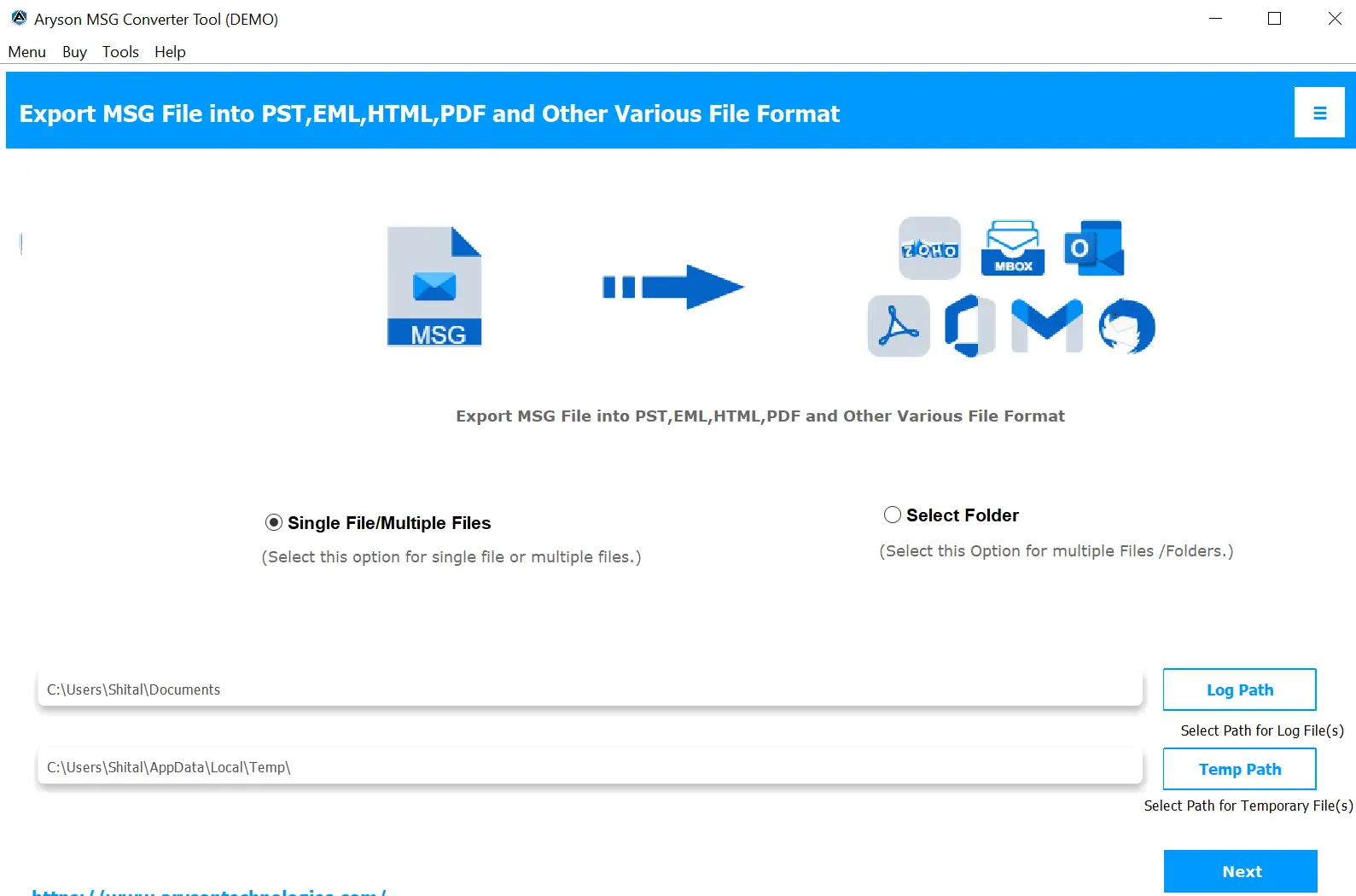
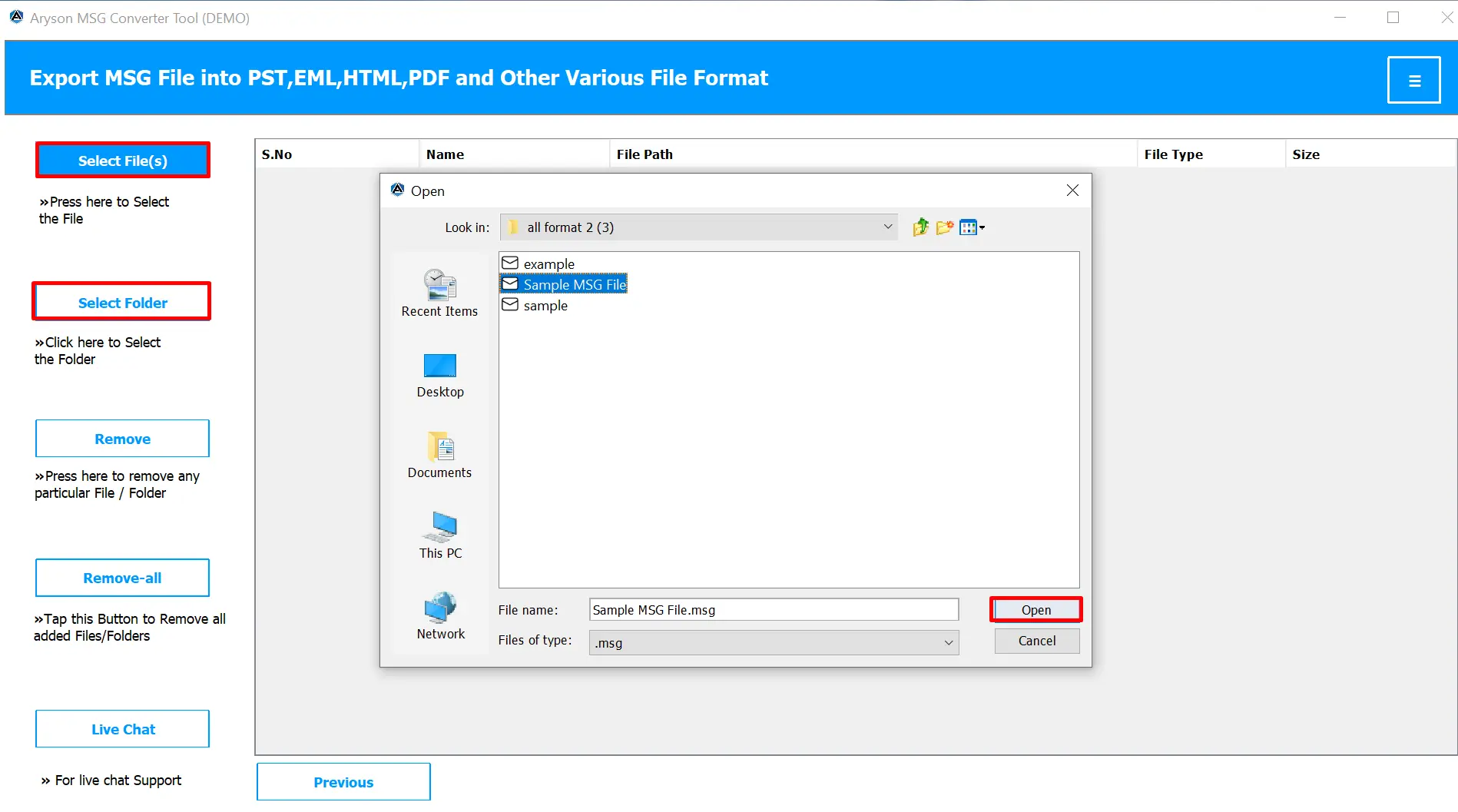
- Next, click on the Select Files button to add the MSG files you want to import.
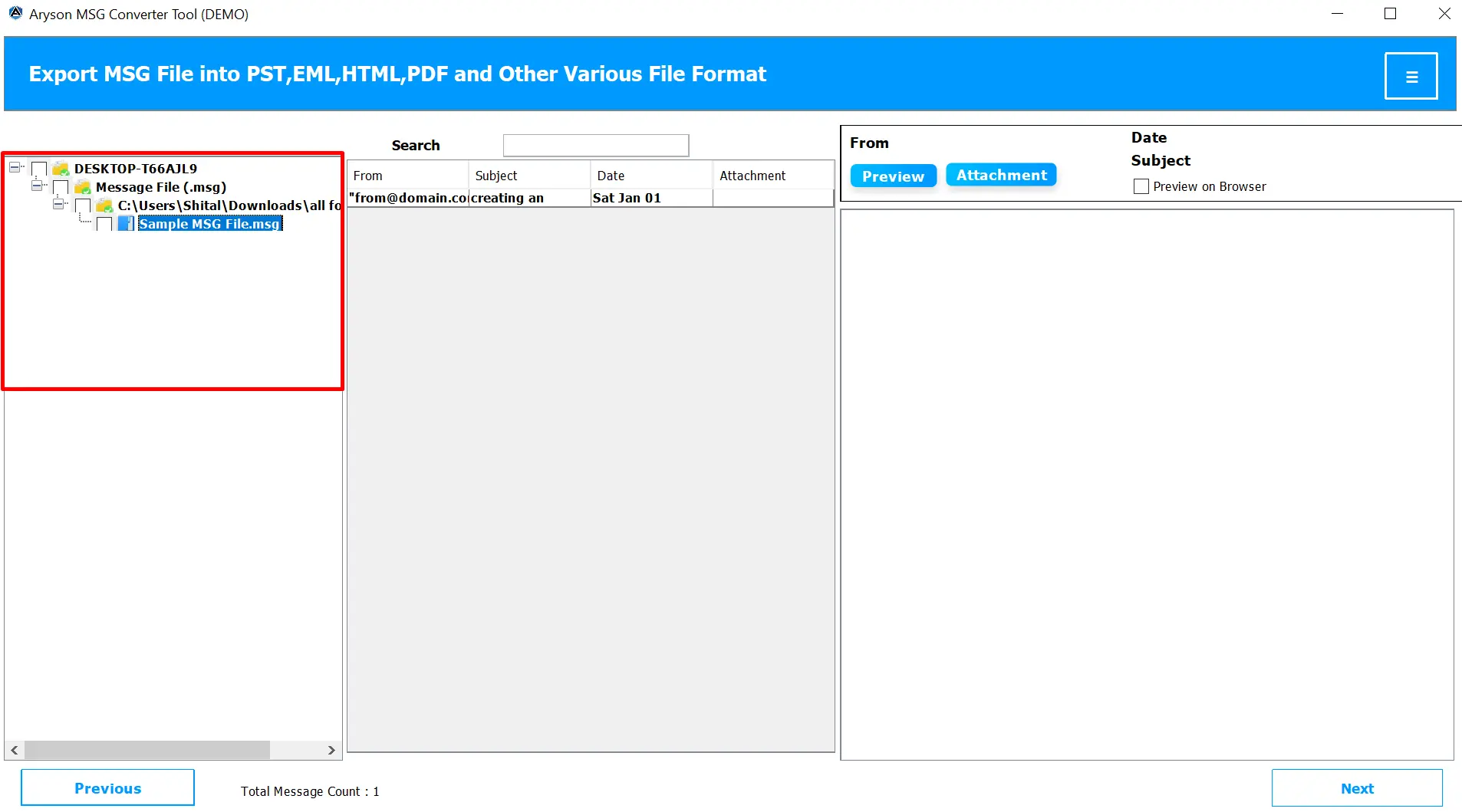
- Then, preview the added MSG files if needed to ensure all emails are correctly loaded.
- After that, pick Hotmail from the available list of email platforms.
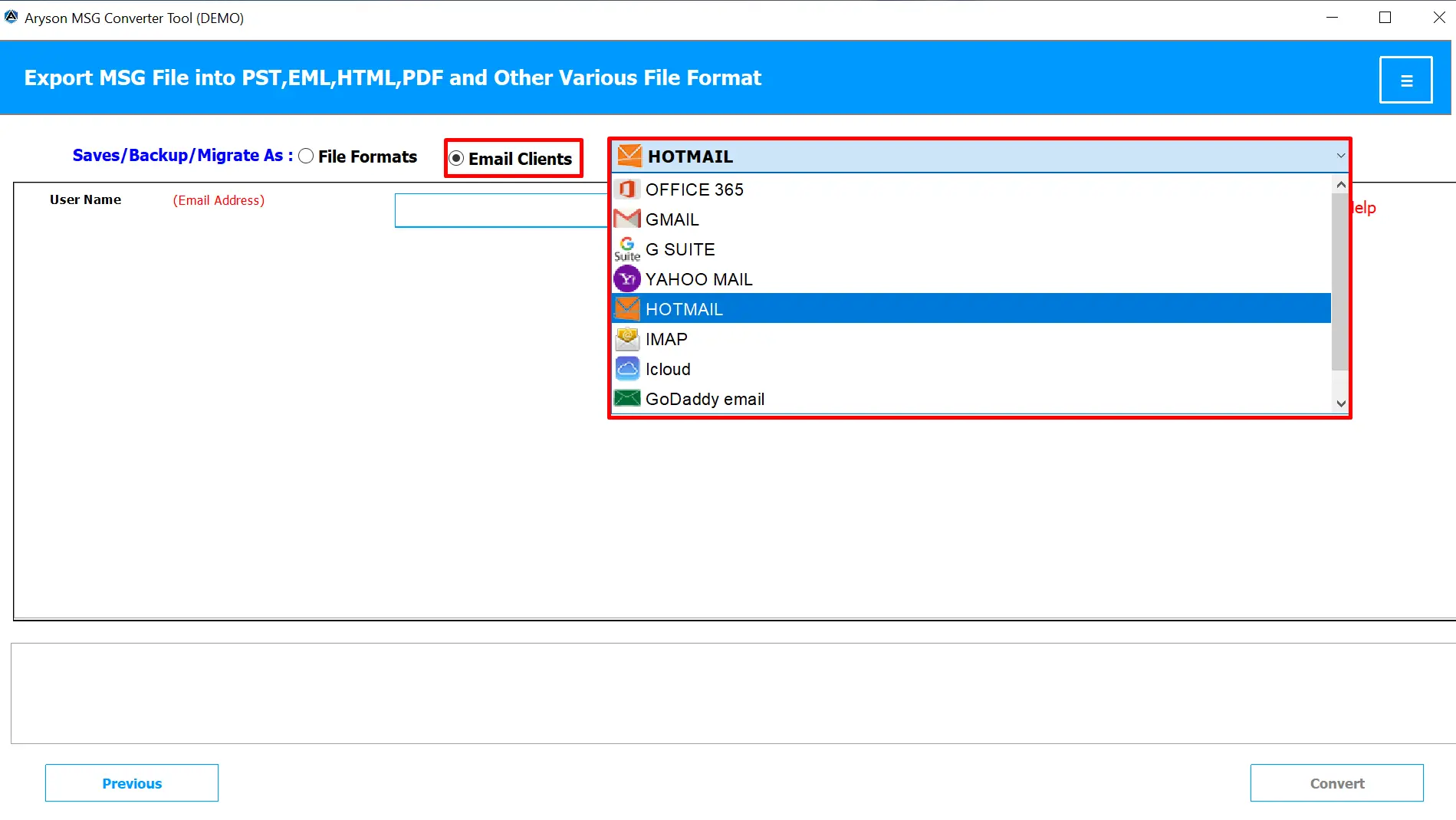
- Now, enter your Hotmail account credentials and click on the Sign In button.
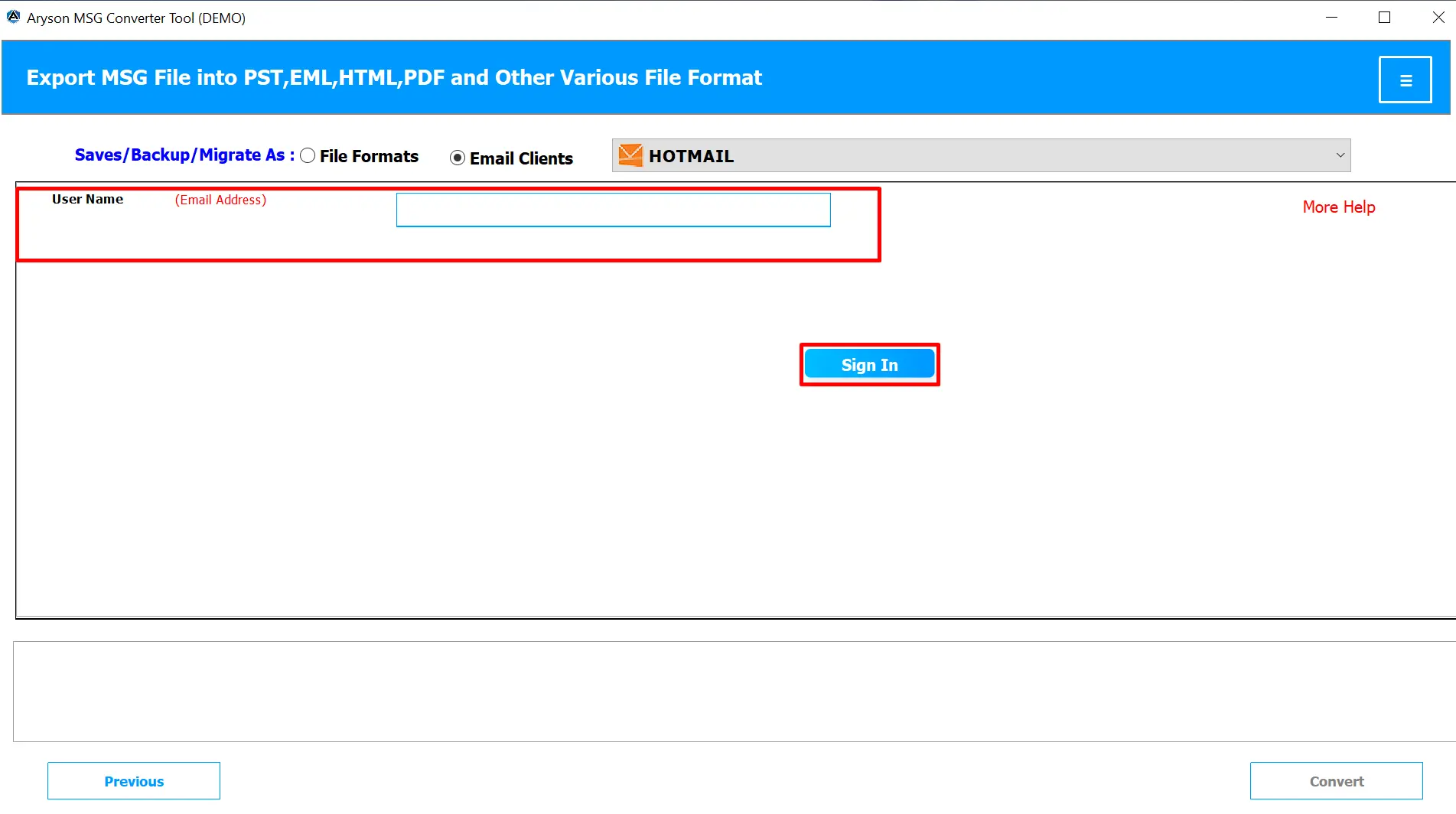
- Optionally, apply filters accordingly to import only specific MSG emails.
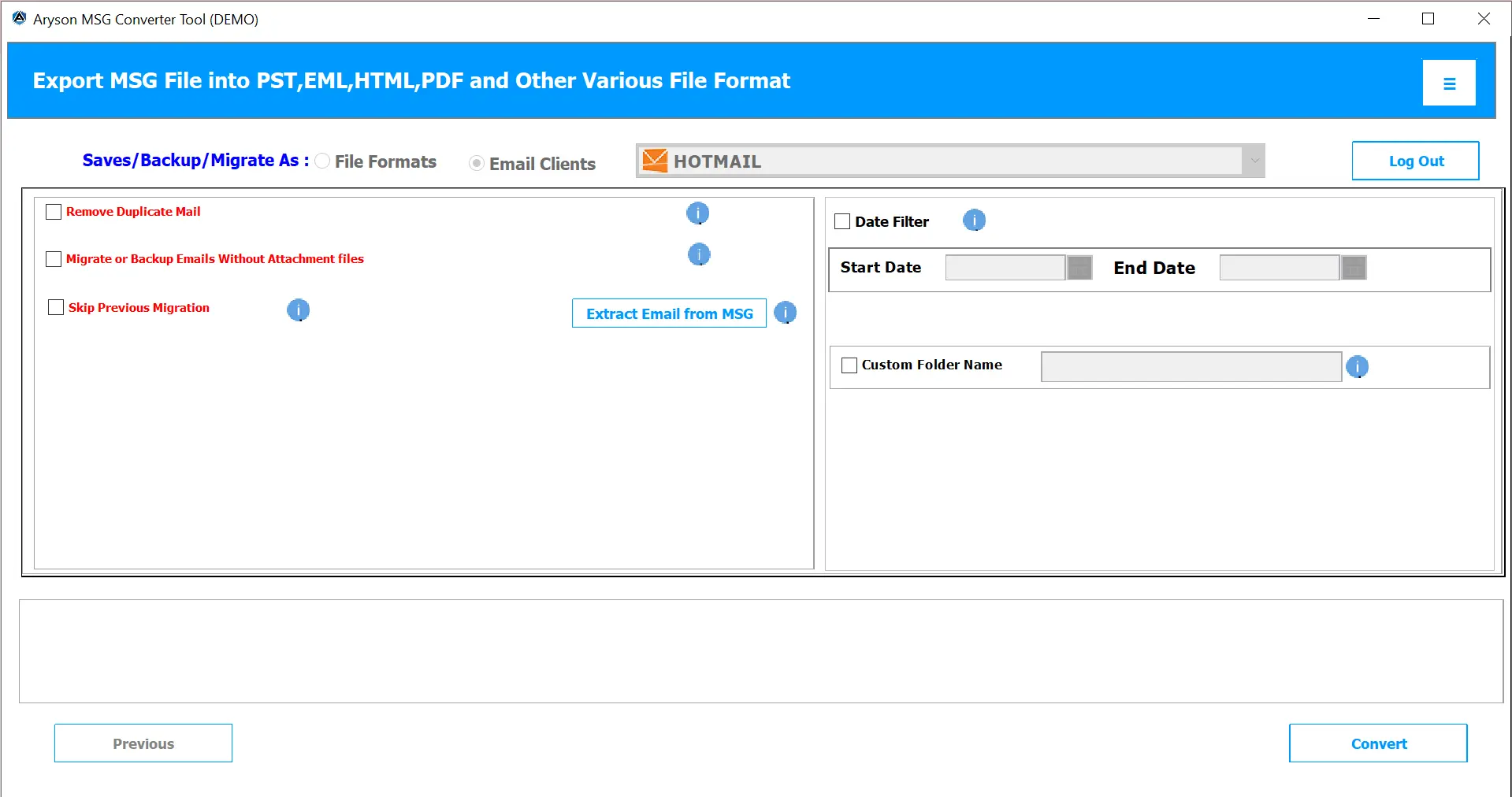
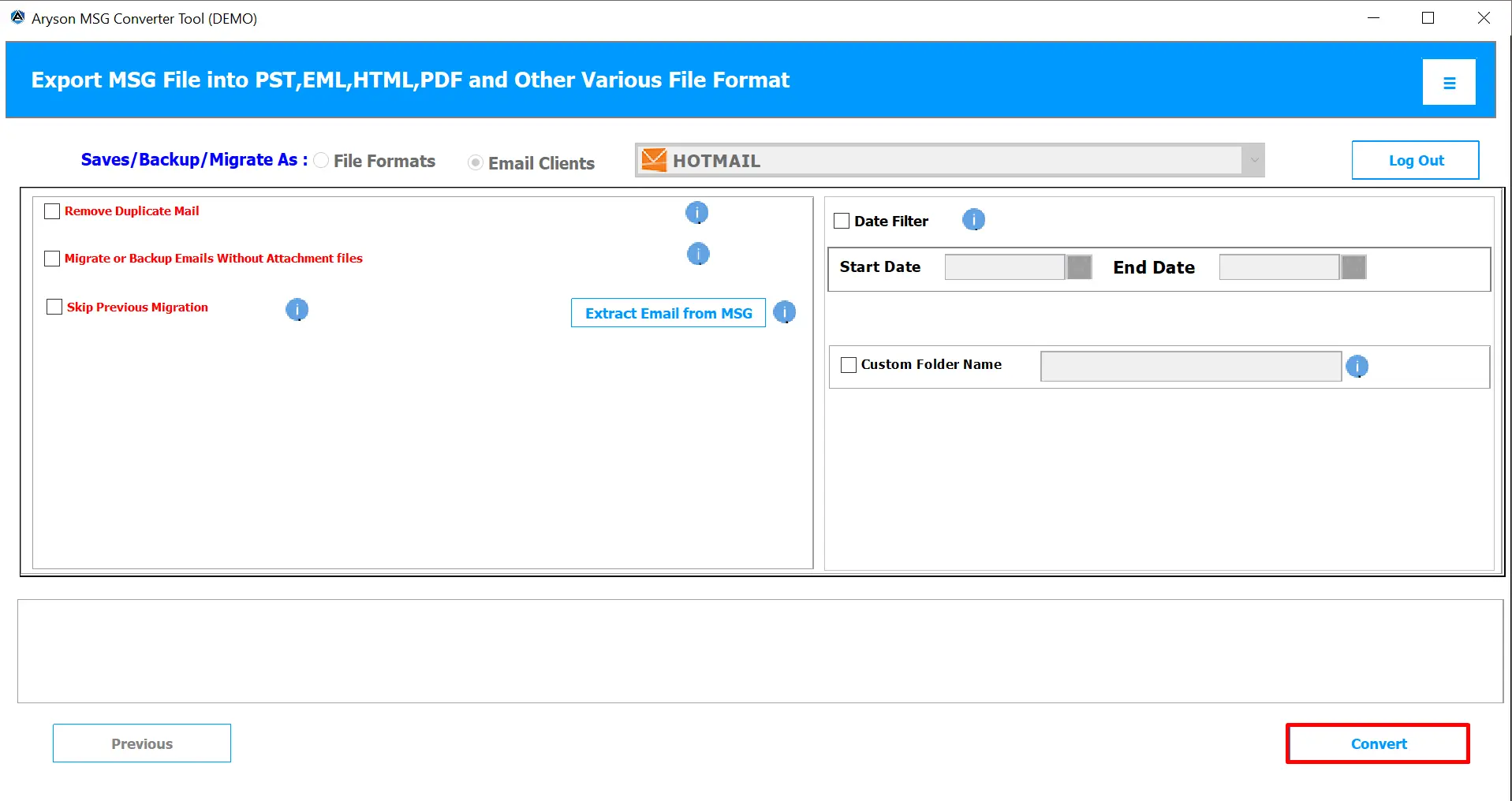
- Once done, click on the Convert button to import MSG File into Hotmail.
This utility is quite compatible with several email clients as well. So, you can import MSG to AOL Mail, Yahoo, Thunderbird, Office 365, HostGator, Gmail & others.
Final Words
When you move MSG files to a Hotmail account, it helps keep your emails safe and accessible on any device. Now, you have the two simplified solutions to import MSG File into Hotmail. However, the manual approach is appropriate for a small number of files. But it takes time and involves several steps. Hence, it’s better to use the Aryson MSG Converter Tool, which makes the process fast and secure. This software supports bulk migration, preserves attachments and formatting properly.
Frequently Asked Questions:
Q.1 Do I need Outlook installed to access MSG files?
Ans. Yes, MSG files are Outlook-based email files, so you need Microsoft Outlook to open them manually. However, if you use an automated tool like the MSOutlookHelp MSG Converter, you can view and import MSG files without installing Outlook.
Q.2 Can I access MSG files in Hotmail without converting them?
Ans. No, Hotmail doesn’t support MSG files directly. You must first convert or import them using Outlook or MSOutlookHelp MSG Converter to make them accessible in your Hotmail account.
Q.3 What’s the easiest way to import MSG files into Hotmail?
Ans. The easiest and safest way is to use the MSOutlookHelp MSG Converter. It allows you to upload multiple MSG files directly to your Hotmail account without data loss or manual effort.
Q.4 Can I import MSG files to Hotmail without Outlook?
Ans. Yes, you can. The MSOutlookHelp MSG Converter lets you import MSG files straight to Hotmail without needing Microsoft Outlook. It provides a quick and reliable way to transfer all your emails safely.
About The Author:

Evren Cole is an expert in Email and Data Management. She has a strong passion for technology and entrepreneurship. In her free time, she enjoys football, music, and reading books.