

-
Written By Evren Cole
-
Updated on October 14th, 2025
How to Import MSG to iCloud Mail: Step-by-Step Guide
Summary: Email has become an essential form of personal and business communication in recent years. Many users use Microsoft Outlook to manage their personal and business email and frequently keep messages in an MSG format for backup, sharing, or migration. All of this is fine until the user needs to move the email to the Apple ecosystem, and they want to import MSG to iCloud Mail. Unfortunately, iCloud does not directly support the MSG format, so you will need to follow a little strategy before transferring your email. This article will provide you with everything you need to successfully convert and import. Also, we will introduce you to the MSOutlookHelp MSG Converter Tool, which will help you import MSG files into your iCloud Mail with ease.
What are MSG Files and iCloud Mail?
Before we open Outlook MSG files in iCloud Mail, we should have an overview of the two components involved:
- MSG Files: MSG is a proprietary file format created by Microsoft Outlook to store email messages and information. Each MSG file contains one email file storing the email contents, the sender and recipient information, any attachments, the email formatting, and any metadata.
- iCloud Mail: iCloud Mail is Apple’s email service and is used within macOS, iOS, and the web. Cloud email services, like iCloud Mail, are administered off the desktop client. Cloud emails are stored on the cloud, so emails are synced across platforms. This gives the user a single place to administer their email message and to be able to access emails from different devices.
When you import MSG files to iCloud Mail, messages will now be visible on any Apple device you utilize. The messages will retain their attachments and formatting in a web-based email format that is iCloud-compatible.
Why Import MSG to iCloud Mail?
Here are a few possibilities for why people choose to transfer MSG files to iCloud Mail:
- iCloud Mail allows you to read your emails from your iPhone, iPad, Mac, and online.
- iCloud mail files are secured in Apple’s cloud environment, which is one of the safest ways to access your emails.
- When you store all your emails in iCloud, the task of organization is simplified (as opposed to managing email files scattered across multiple devices).
- Users transitioning from Windows-based Outlook to Apple devices can retain important emails without losing data.
- When you import MSG files into iCloud, it effectively creates a cloud-based backup of your Outlook emails.
Method 01: Manual Approach to Import MSG to Apple Mail
Apple Mail, the default email client for macOS, can be used to facilitate the migration. Since iCloud Mail is integrated with Apple Mail, importing MSG files here indirectly moves them to iCloud.
Steps to Transfer MSG Files to iCloud Mail:
- First, launch Apple Mail on your Mac.
- Configure iCloud Account: Ensure your iCloud account is connected by navigating to Mail > Accounts and verifying your iCloud email is added.
- Since Apple Mail does not support MSG directly.
- You need to convert MSG files to MBOX format, which is compatible with Apple Mail.
- Several third-party tools allow this conversion without altering attachments or formatting.
- Choose File > Import Mailboxes > Files in MBOX format.
- Then select the converted files to import.
- When the files are imported into Apple Mail under your iCloud account.
- All emails will sync automatically to iCloud Mail.
- Log in to iCloud.com and verify that the emails and attachments appear in your mailbox.
Method 02: Import MSG to iCloud Mail in Just a Few Clicks
MSOutlookHelp MSG Converter is a direct software that helps to import MSG to iCloud Mail, etc. It is used for importing MSG files to iCloud Email and other email platforms, and is fast and does so with complete data safety. You can import your MSG files to iCloud with all attachments, email metadata, and folder structure. Also, you can import bulk MSG files, you can even use filters, remove duplicates, and see MSG data before converting. There is no risk of data loss, you do not need to install Outlook, and it works on every version of Windows and is an easy process. Additionally, we can also import MSG to Yahoo Mail directly in a few clicks.
Simple Steps to Upload MSG to iCloud Mail:
- Firstly, install the MSG Converter on your Mac or Windows system.
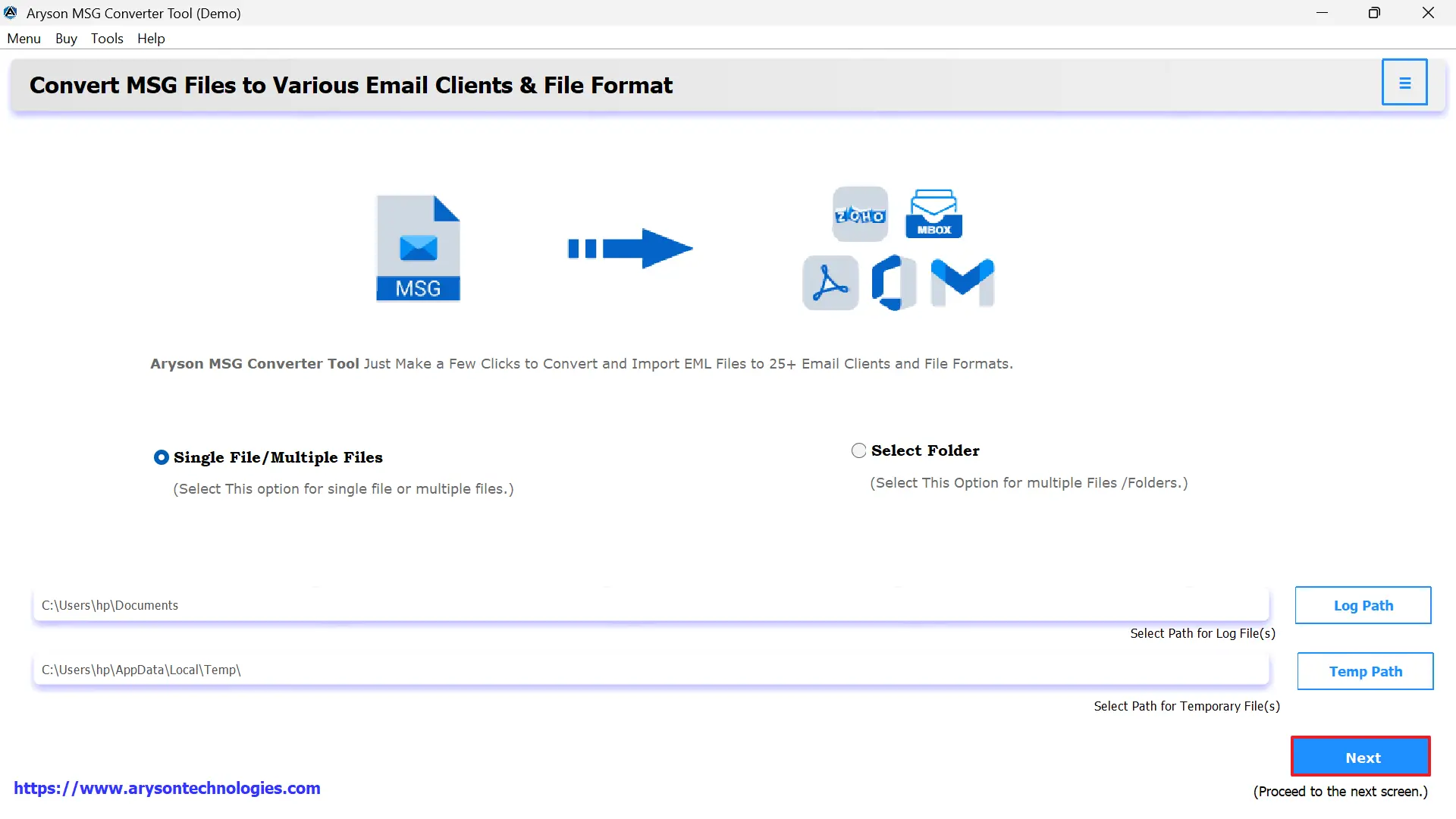
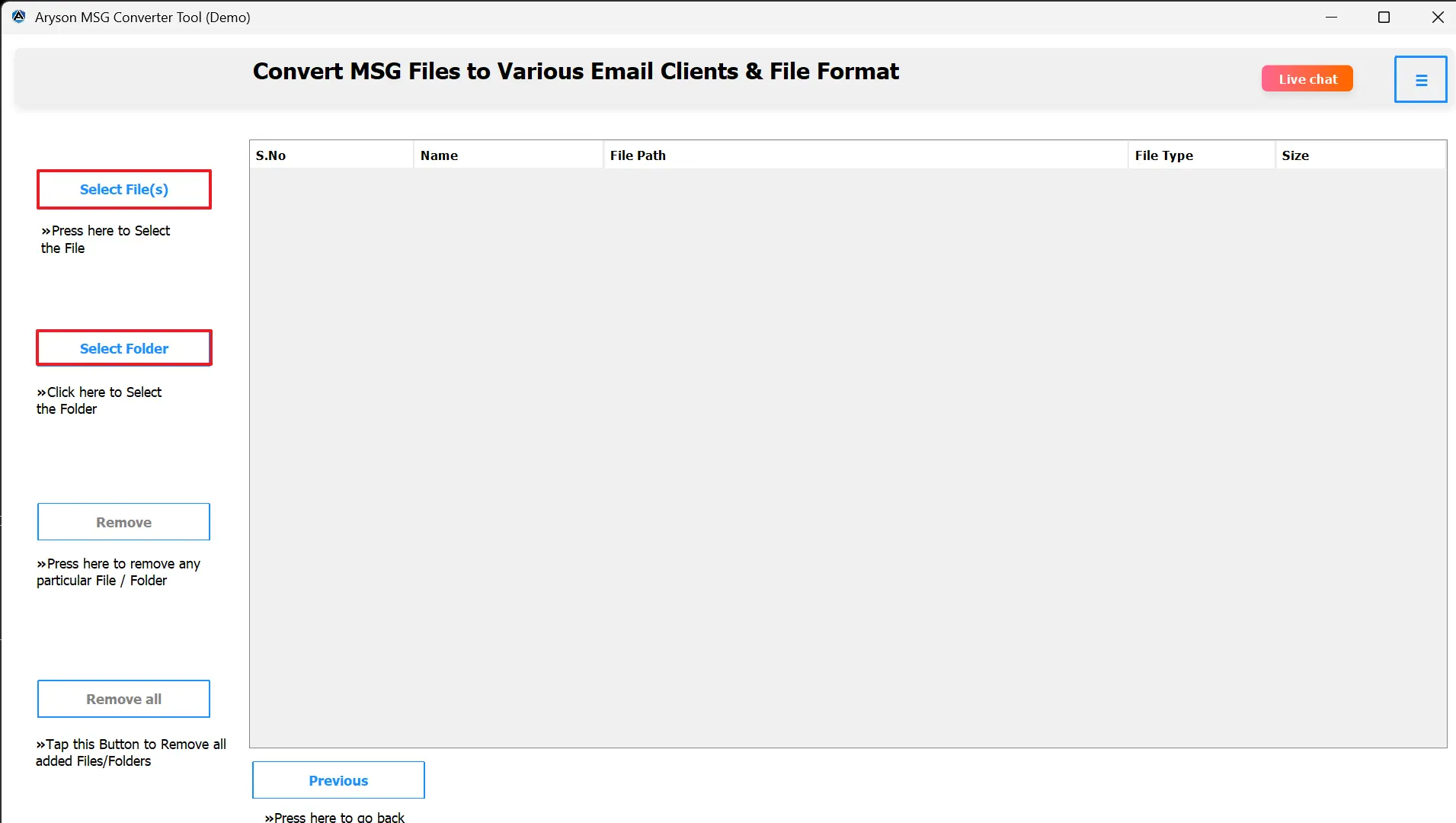
- Upload your MSG files or the folder with multiple MSG files.
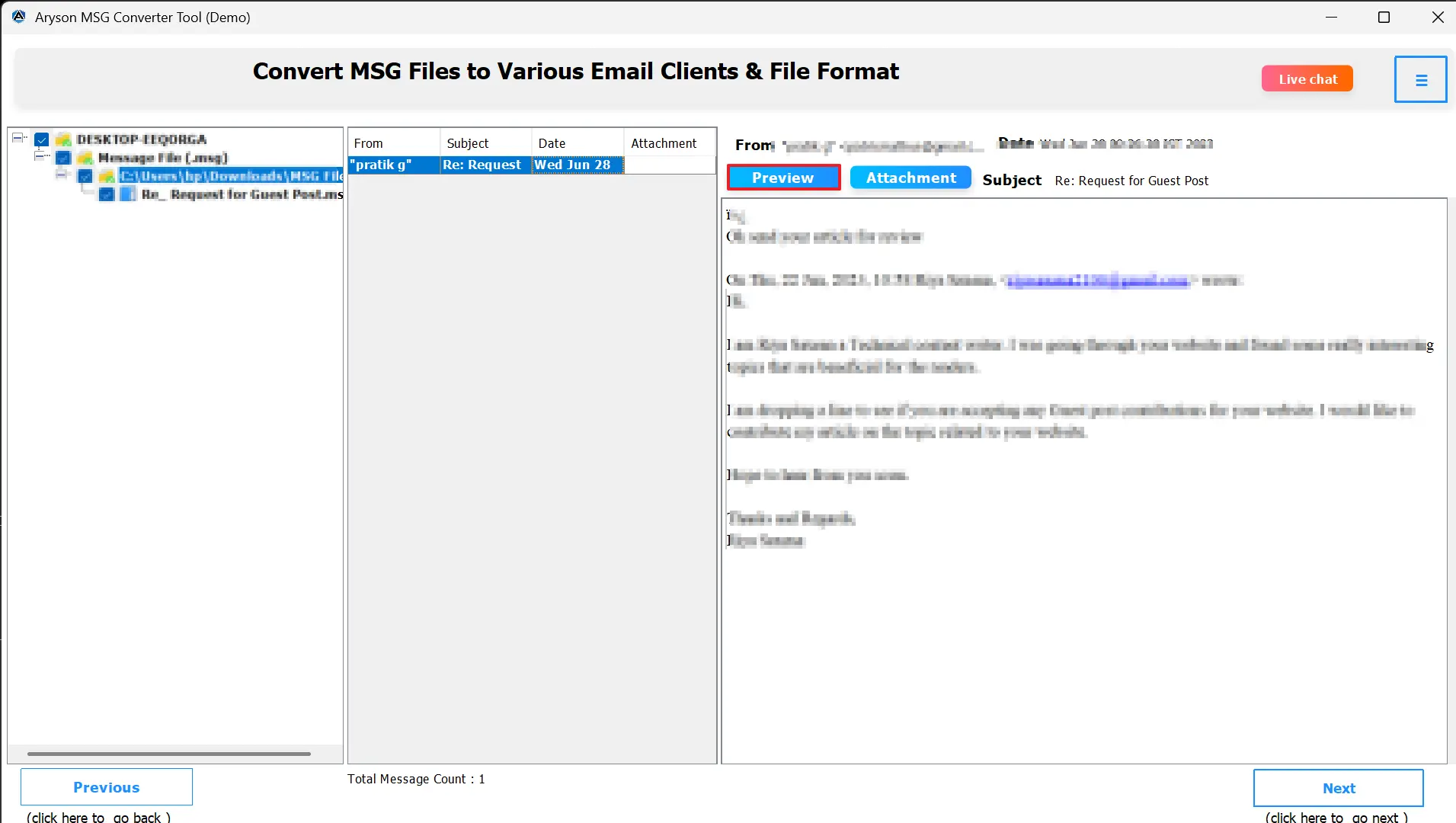
- View emails and attachments to verify accuracy.
- Select iCloud as the output format.
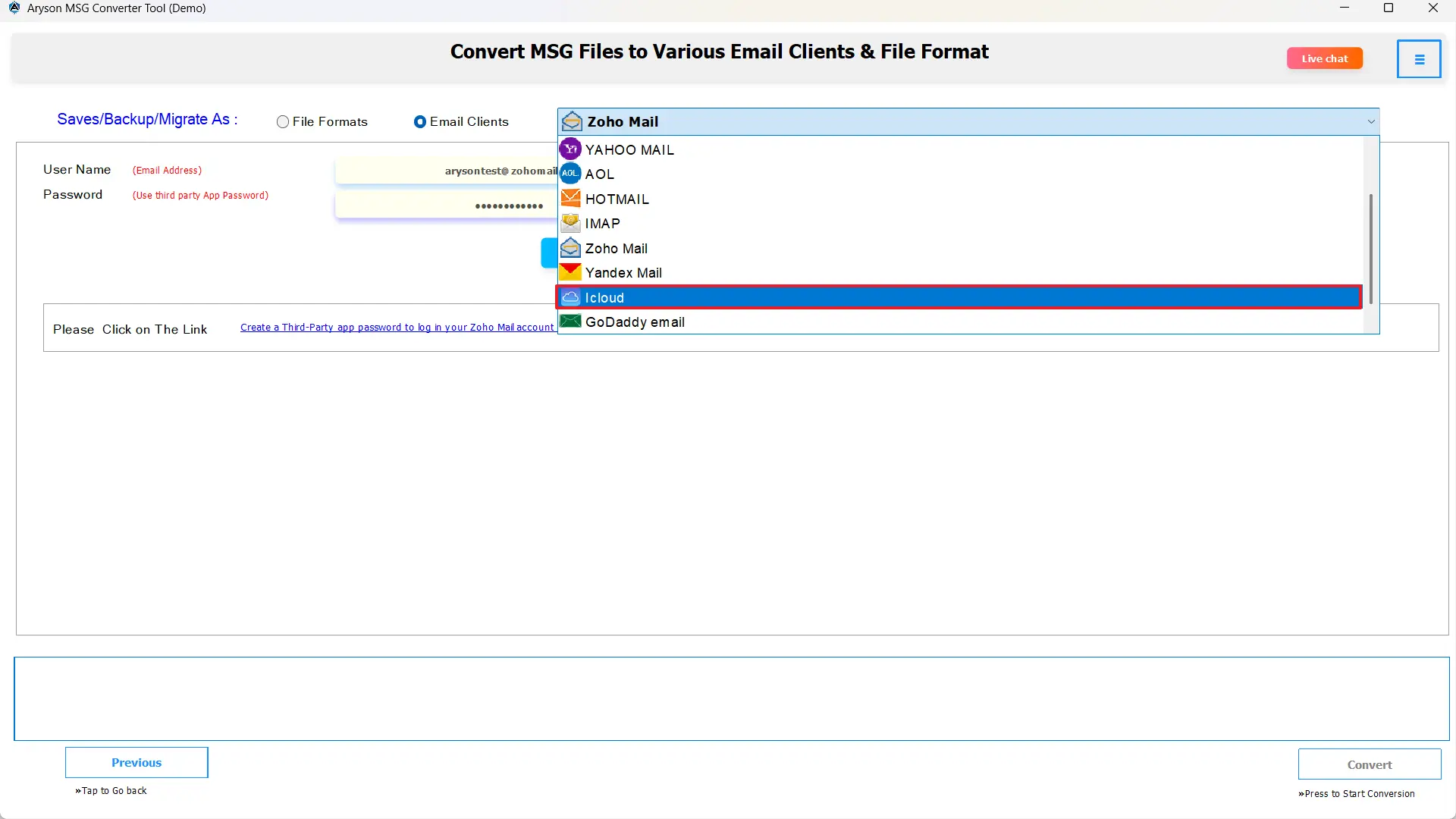
- Provide iCloud credentials (email address and app-specific password if necessary).
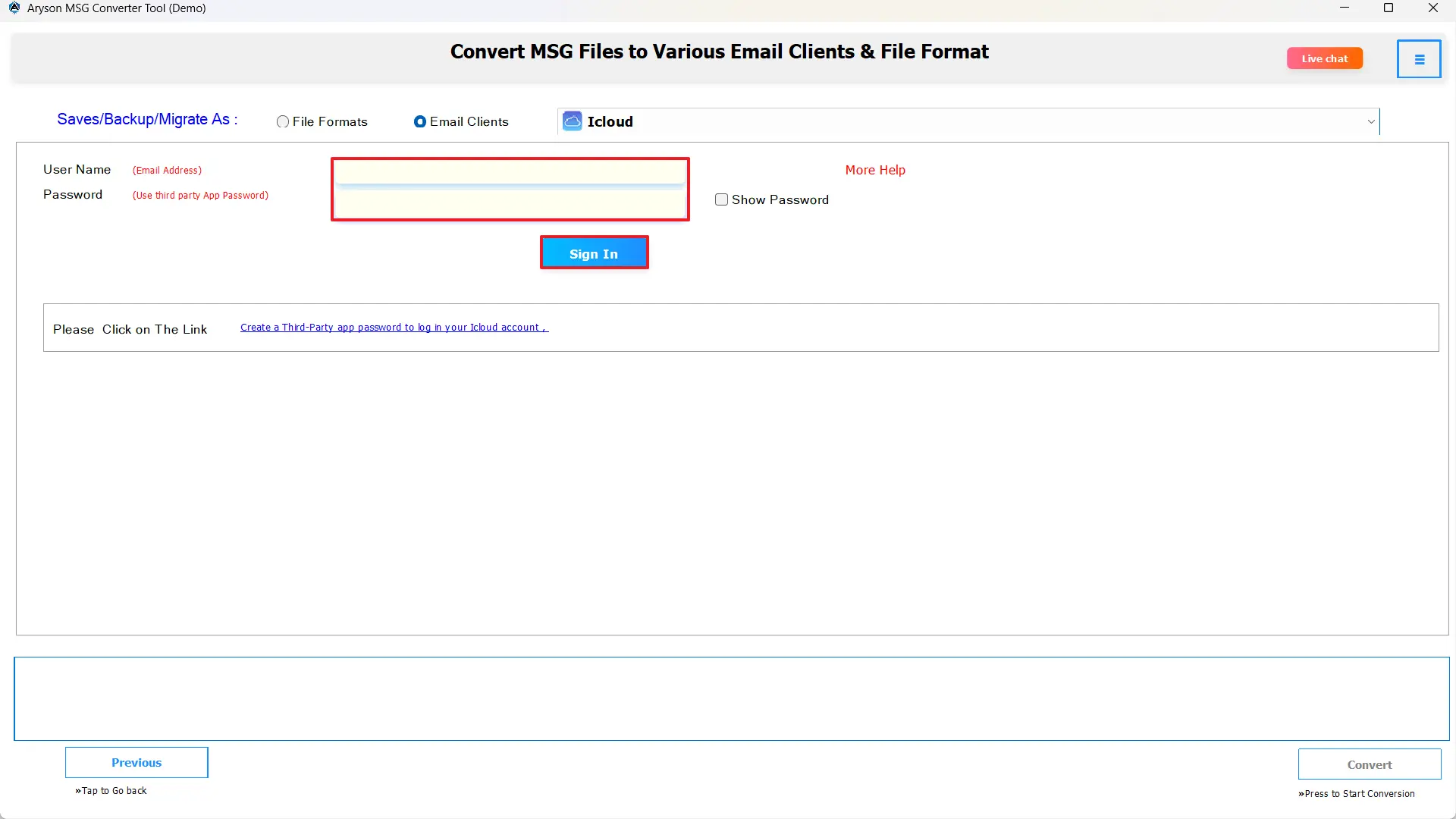
- Use any additional options, such as date filters or suppression of duplicates.

- Finally, click on convert and transfer MSG file to iCloud Mail.
Client Success Story: “At first, migrating my Outlook MSG files to iCloud Mail appeared to be complicated. I relied on a safe option to move all my archived Outlook messages and access them seamlessly on Apple devices without any data loss. I tried many manual methods that were confusing and annoying to accomplish, then I tried the MSOutlookHelp MSG Converter Tool. After using this tool, the whole process was easy; every email, attachment, and folder migrated perfectly into iCloud Mail. The tool was very user-friendly, and the conversion was quicker than I imagined.”
– Sarah Thompson, IT Coordinator, Canada
Conclusion
When you upload MSG to iCloud Mail, your Outlook emails will then be available on all Apple devices. This process also maintains the email metadata, attachments, and read/unread status. You can use either Apple Mail or the MSOutlookHelp MSG Converter Tool to convert MSG files and safely import them into iCloud Mail. You will have improved email accessibility and a place to retain all your important information in one place.
Frequently Asked Questions:
Q.1 How do I open an MSG file on a Mac?
Ans. MSG files cannot open natively on macOS. You need to convert them to MBOX or EML format first, then open them in Apple Mail or other compatible email clients.
Q.2 What’s the best way to import MSG files to Apple Mail?
Ans. The most reliable approach is to convert MSG files to MBOX using a trusted MSG converter tool and then import them via Apple Mail’s Import Mailboxes option.
Q.3 Can I convert MSG files to a format that iCloud Mail supports?
Ans. Yes. MBOX and EML formats are compatible with Apple Mail, which syncs directly with iCloud Mail. Most MSG converter tools handle this conversion while keeping attachments intact.
Q.4 Do I need an iCloud App Password to Import MSG Files to iCloud Mail?
Ans. Yes. For security, Apple requires an app-specific password for third-party email tools or applications to access iCloud Mail.
Q.5 Is there a way to bulk upload MSG files to iCloud Mail?
Ans. Bulk upload is possible using the MSOutlookHelp MSG converter software. This method allows thousands of MSG files to be imported with minimal manual effort.
About The Author:

Evren Cole is an expert in Email and Data Management. She has a strong passion for technology and entrepreneurship. In her free time, she enjoys football, music, and reading books.

