-
Written By Evren Cole
-
Updated on September 2nd, 2025
How to Import OFT Files into Thunderbird Quickly
User Query: “I am John Wilson from uk and have recently switched from Outlook to Thunderbird, but my data, mostly saved emails, is in OFT format. Thunderbird doesn’t open them directly, and I need to reuse these templates. Are there many quick ways to import OFT files into Thunderbird without any data loss?”
Summary: When users like John switch from Outlook to Thunderbird and have many OFT email templates. The question might arise about how to access them without losing any data. In this technical blog, we will be discussing the solution, which is to convert OFT emails to Thunderbird by converting them into EML or MBOX formats. We will have manual methods that can work for a few emails and use a professional utility, MSOutlookHelp OFT File Converter, for fast, safe, and reliable conversion.
Use Cases of People Using Thunderbird and not Outlook
Many users switch from Outlook’s OFT templates to Thunderbird for practical reasons :
- Thunderbird is completely free to use, while Outlook requires a paid license.
- Unlike Outlook, which mainly focuses on Windows, Thunderbird works smoothly on Windows, Mac, and Linux.
- Thunderbird can also support formats like EML and MBOX natively, which can be widely used for email migration and backup.
- Thunderbird can be easily used, as it has a very user-friendly interface.
How to Import OFT Files into Thunderbird
When a user recently tried to move from Outlook to Thunderbird but still has OFT templates, you might feel stuck because Thunderbird doesn’t open OFT files directly. Fortunately, there are two effective ways to access your emails: manually or using a professional tool.
Method 1: Manual Conversion Using Outlook
This technique can only handle the situation when users have a few OFT files:
- Open your Mozilla Thunderbird email client and ensure at least one account is set up.
- Navigate and click the Menu icon, then go to Tools > Import.
- In the import window, select Import from another program or Mail, choose Outlook, and click Next or Continue.
- Choose the files you wish to import, such as emails, and click Next.
- Then, simply follow the on-screen instructions to finish the import process.
- Thunderbird will transfer your Outlook data with the formatting, attachments, and folder structures.
- After the process is complete, verify your Thunderbird folders to ensure all emails and attachments have been imported correctly.
Limitations:
- Thunderbird uses fewer system resources, so it handles emails more quickly without slowing your computer.
- It can also support multiple accounts and popular formats like EML and MBOX, which makes it simple to organize all emails in one place.
Method 2: Automated Method to Import OFT Files into Thunderbird
The MSOutlookHelp OFT File Converter Tool is the solution to convert Outlook OFT files into many file formats. Can also be used to directly Convert OFT to CSV, MBOX, and more. This tool helps users quickly open OFT files in Thunderbird while keeping the original email format and attachments intact.. The tool can support bulk conversion with direct migration to cloud services like Gmail and Office 365. It consists of advanced features like date-based filtering and custom folder naming.
Follow the simple steps to import the OFT into Thunderbird:
- Firstly, download and install the MSOutlookHelp OFT File Converter Tool.

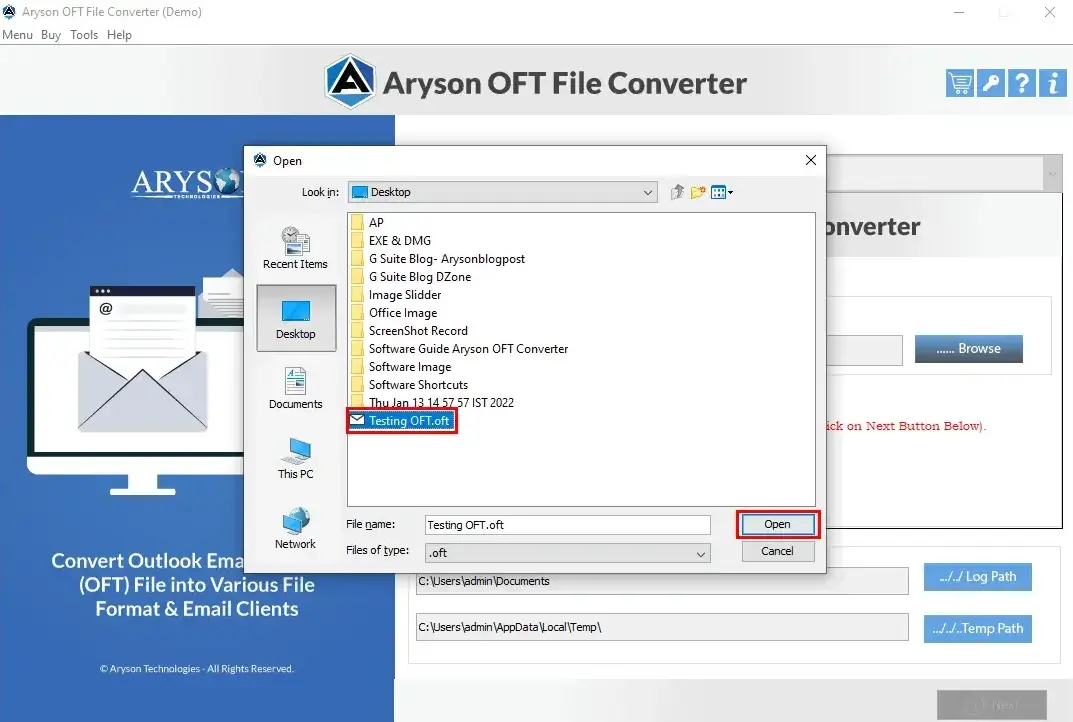
- Similarly, click on Add OFT files or entire folders for conversion.
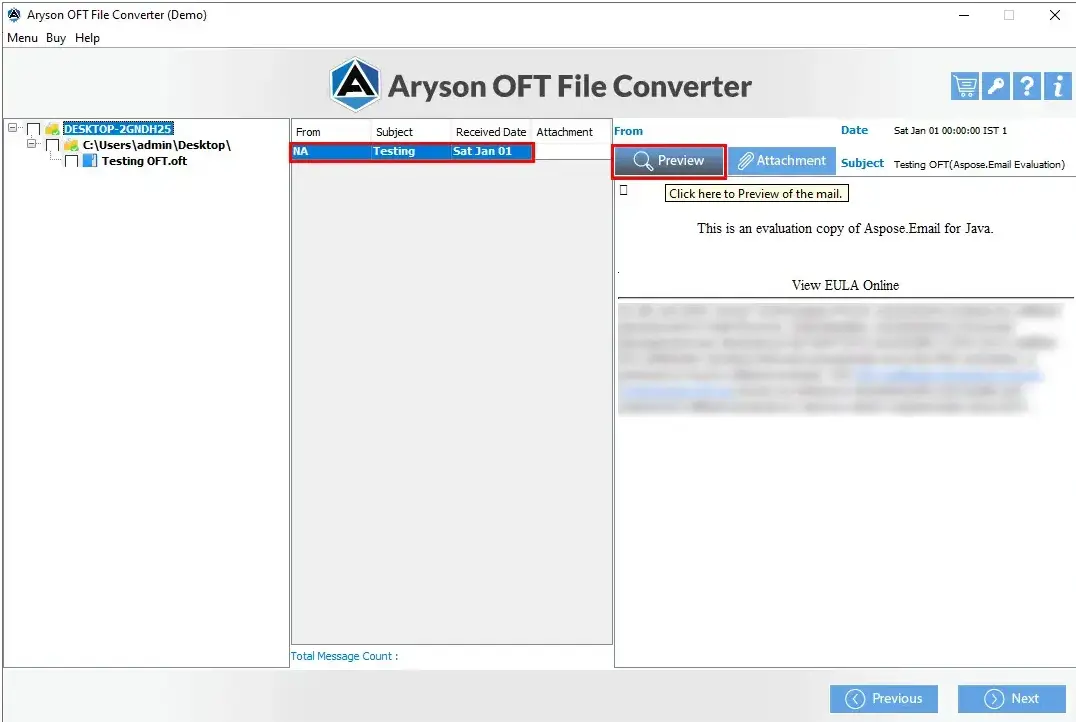
- Preview the file before the conversion.
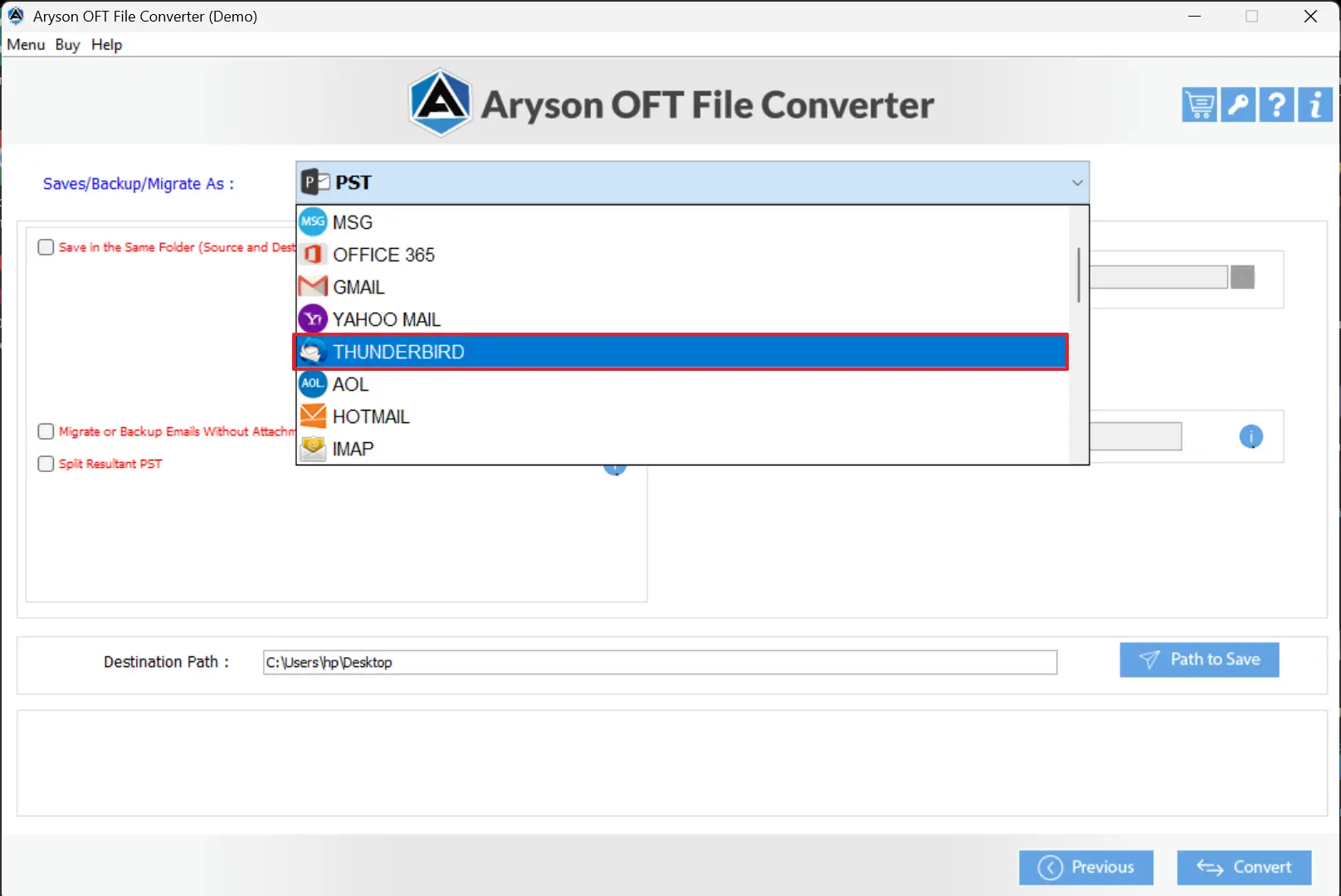
- From the output email client, select Thunderbird.
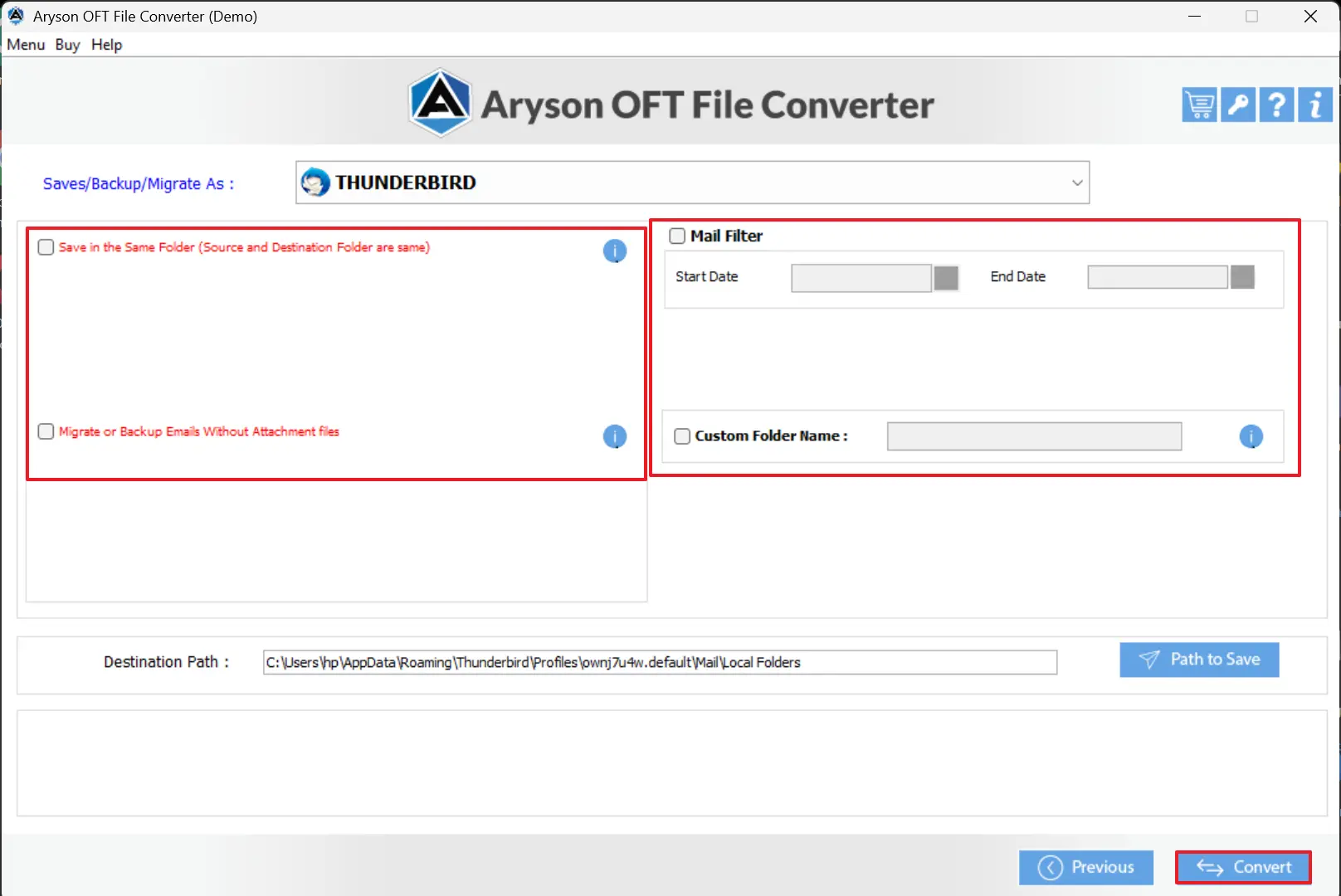
- Finally, apply all filters accordingly and click Convert for OFT to Thunderbird Conversion.
Conclusion
In this technical blog, we have discussed how to safely import OFT files into Thunderbird without losing any data. Above mentioned methods include Manual methods that work for a few emails. The Aryson OFT File Converter Tool performs the conversion with speed and accuracy while ensuring that attachments and the original structure remain intact. even during bulk file transfers without any risk of data loss.
Frequently Asked Questions:
Q.1 What is an OFT file and why can’t Thunderbird open it directly?
Ans: An OFT file is an Outlook Template used to save email messages, including text, formatting, attachments, and metadata. Thunderbird cannot open OFT files directly because it only supports formats like EML and MBOX
Q.2 Do I need Outlook installed to convert OFT to Thunderbird?
Ans: Outlook is required only if you plan to use the manual method or Thunderbird’s built-in import feature. Using a professional tool like the OFT File Converter allows you to convert OFT files into Thunderbird-supported formats without Outlook.
Q.3 How do I change Outlook to Thunderbird?
Ans: To switch from Outlook to Thunderbird, you need to convert your existing emails, including OFT templates, into a format that Thunderbird can read, such as EML or MBOX. After conversion, import the files into Thunderbird.
About The Author:

Evren Cole is an expert in Email and Data Management. She has a strong passion for technology and entrepreneurship. In her free time, she enjoys football, music, and reading books.