Get access to the advanced enterprise-grade features of the OLM file Converter
11, 10, 8.1, 8, 7, Vista, XP, 2000, 98, NT, and 95.
Office 365, 2021, 2019, 2016, 2013, 2010, 2007, 2003, 2002, 2000, 98, and 97
Intel® Core™ 2 Duo CPU E4600 @ 2.40GHz 2.39GHz
4 GB of RAM (4 GB is recommended)
500 MB of free hard disk space required
10.15 Catalina, 10.14 Mojave, 10.13 High Sierra, 10.12 Sierra, OS X 10.11 El Capitan, 10.10 Yosemite, 10.9 Mavericks, and 10.8 Mountain Lion.
Outlook for Mac 2016 16.53.1 and all previous versions.
Mac Computer with Intel Processor, Mac Computer with Apple Silicon (Apple M1)
4 GB of RAM (4 GB is recommended)
50 GB of free hard disk space required
Convert complete email text from OLM files without modifying the original content or formatting.
Supports conversion of attachments like contacts, images, calendars, documents, PDFs, hyperlinks, and inline images.
The software preserves email categories and priorities during the conversion process.
Retains essential attributes such as From, To, Cc, Bcc, Date, Subject, Signature, Read/Unread status, and folder hierarchy.
Supports conversion of Inbox, Sent Items, Drafts, Junk Email, Deleted Items, Outbox, and other custom folders.
Enables users to export or migrate specific emails within a selected date range for precise data conversion.
The Mac OLM Converter Tool exports complete calendar data, including events, meetings, reminders, and schedules, while preserving all details like time, date, and duration.
The Mac OLM Converter Tool efficiently transfers all contact information, including personal details, phone numbers, addresses, and emails, ensuring no data is lost during migration.
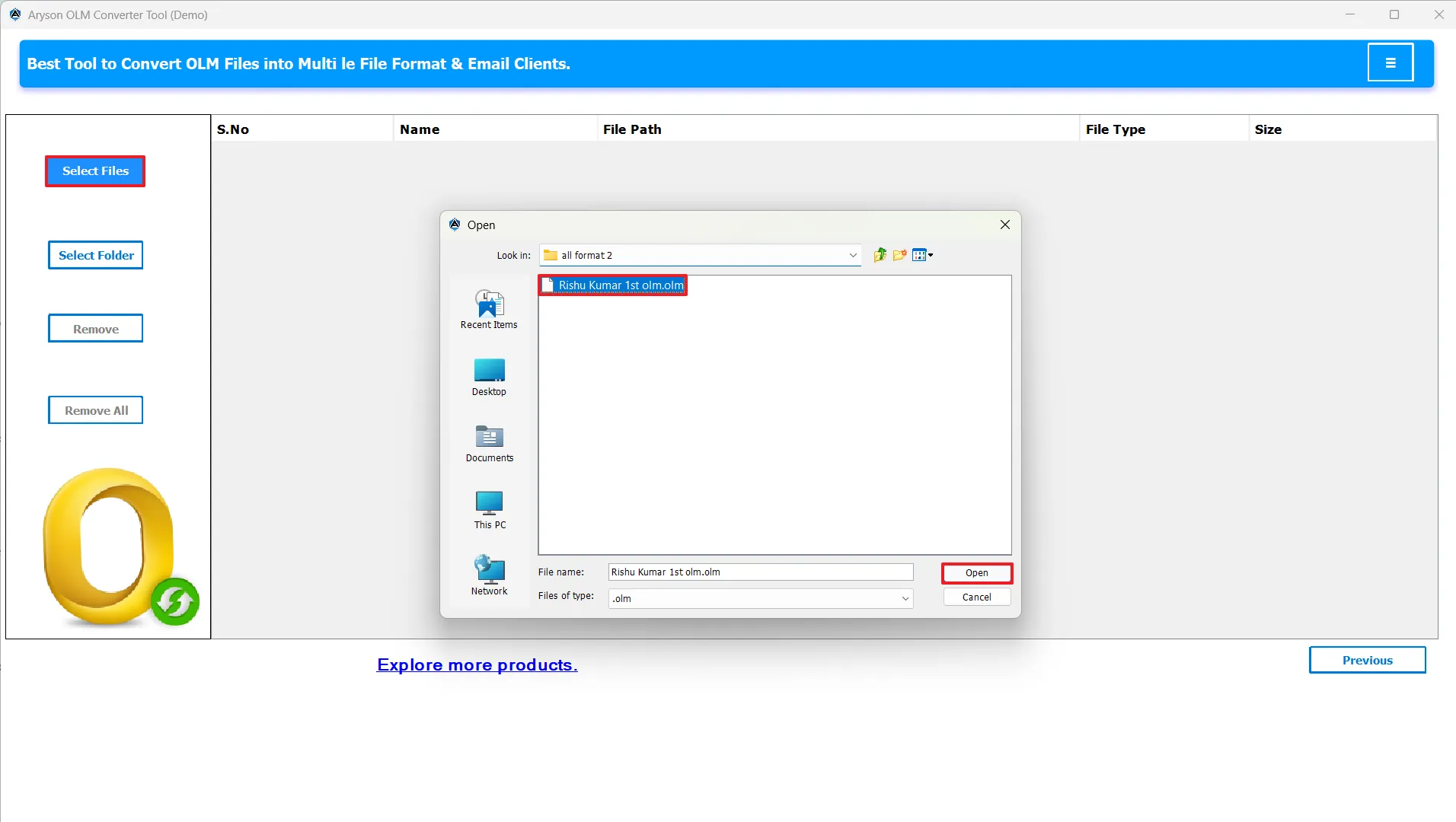
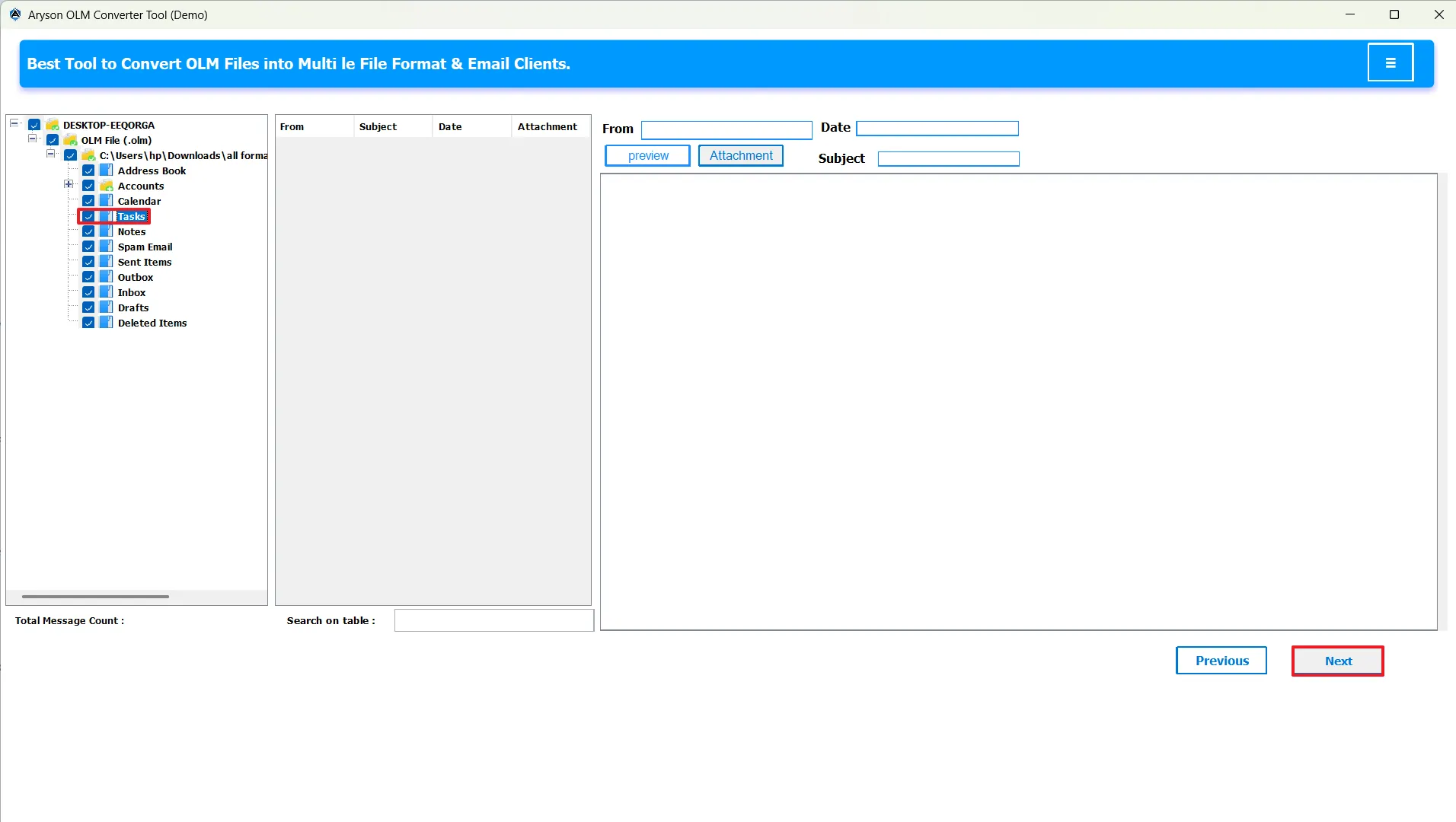
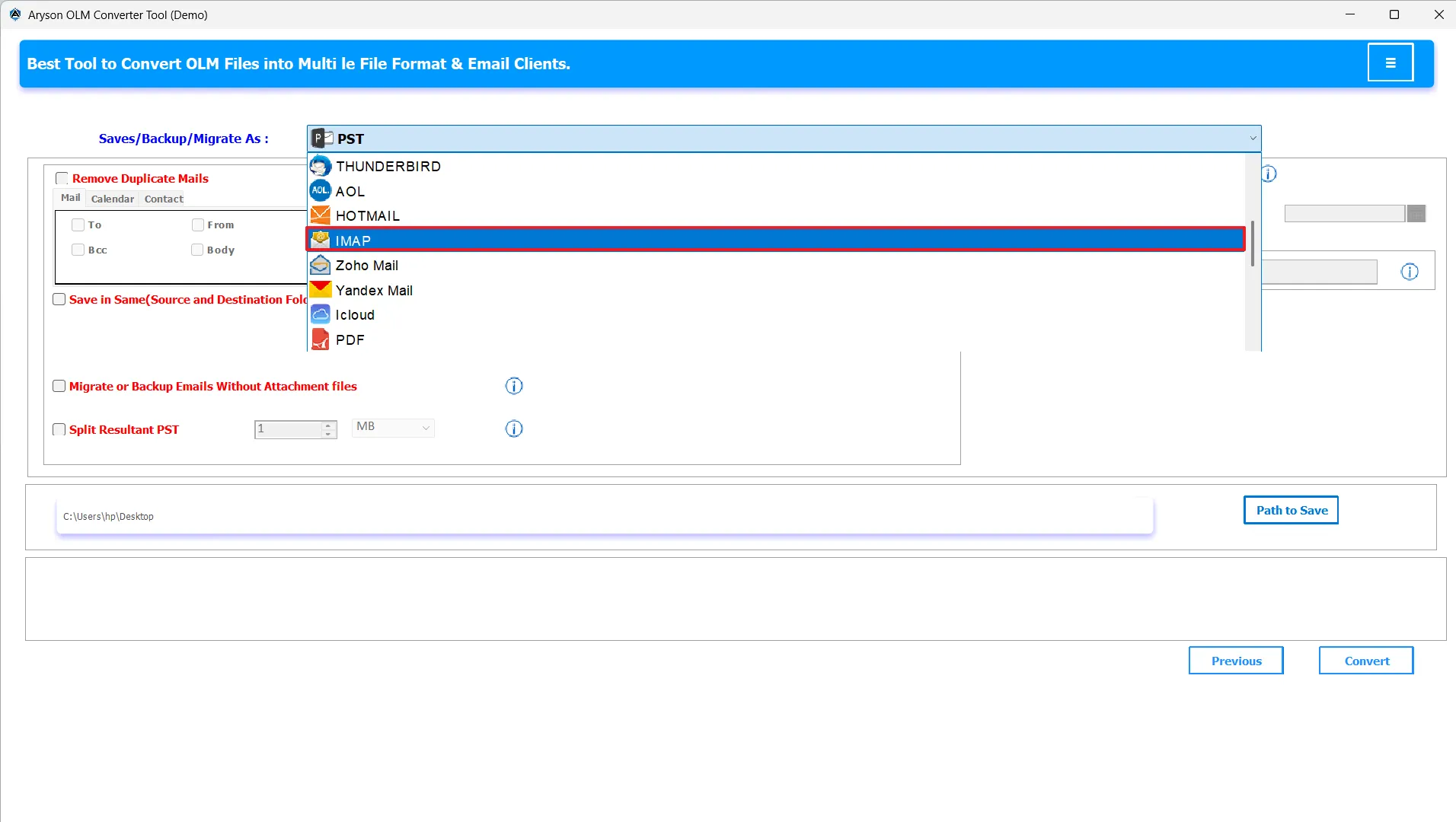
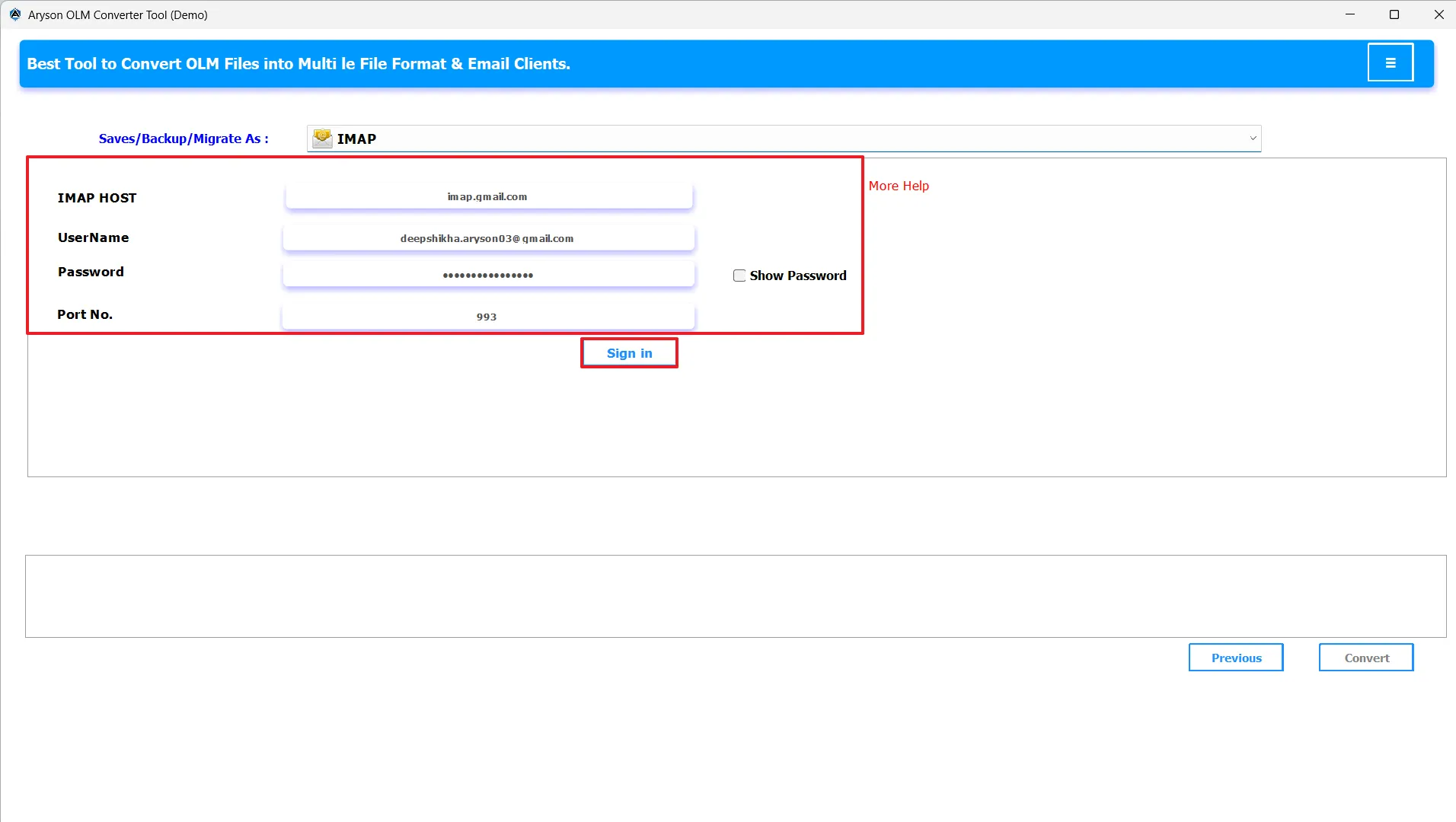
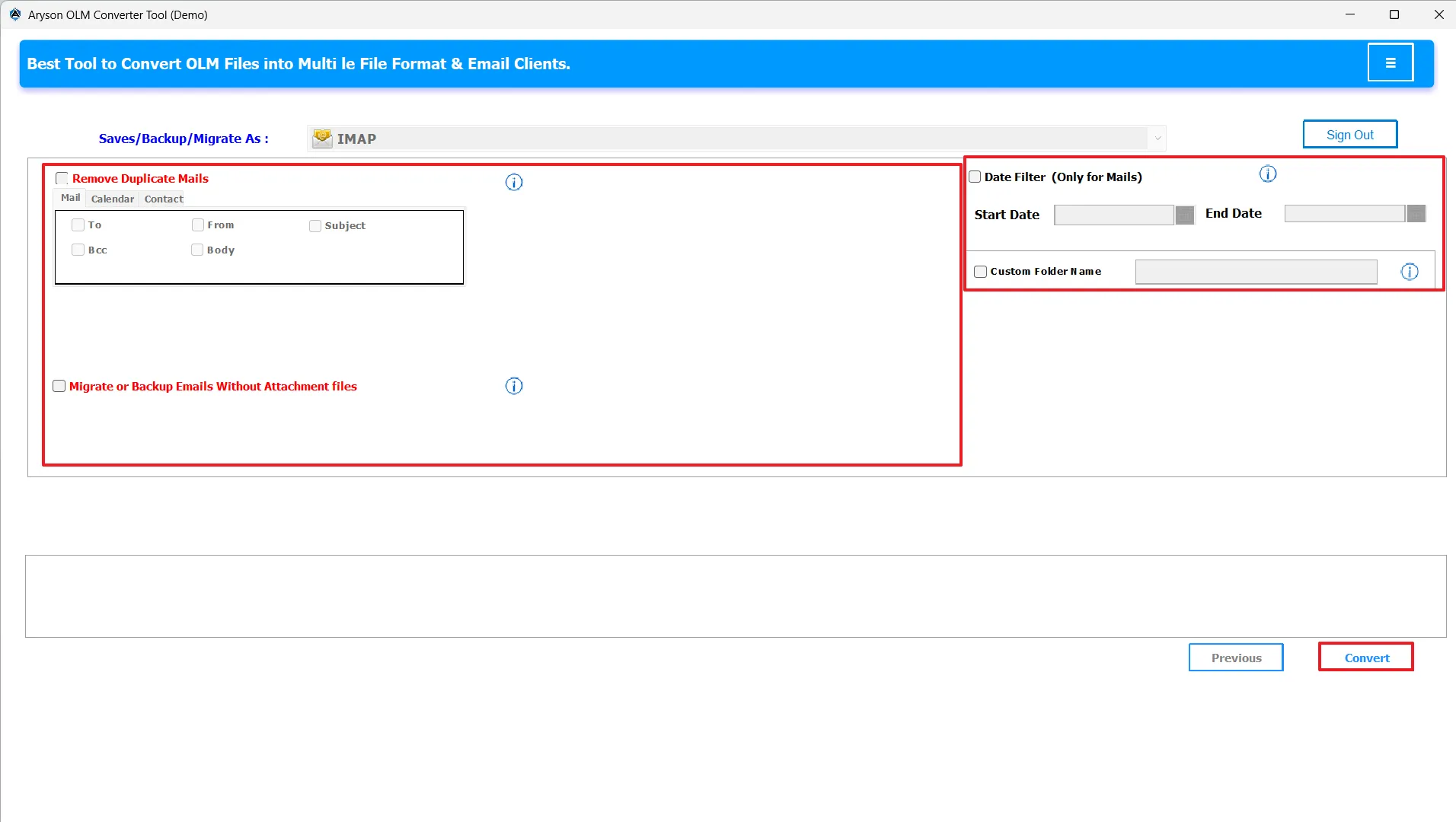
To perform accurate, customized, and secure conversion of OLM Files, follow the steps below carefully. The conversion process includes selecting files/folders, choosing the resultant file format/email client, applying relevant features, and starting the actual conversion.
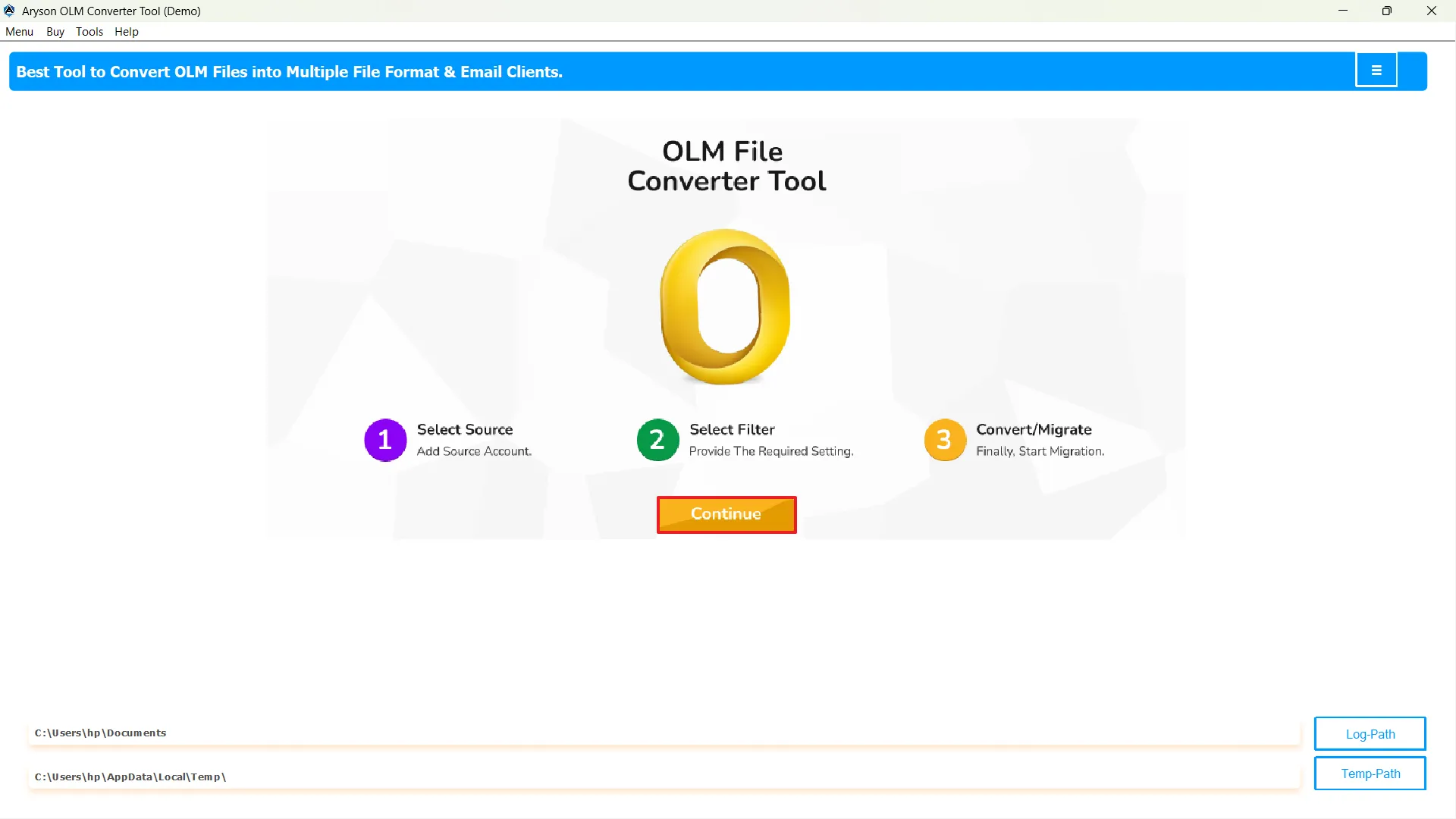
Explore the powerful features that enhance User Experience
The user can convert the OLM files to 15+ file formats like PST, MBOX, EML, EMLX, MSG, PDF, CSV, HTML, and many more. Along with that, it can also convert it to image formats like GIF, JPG, TIFF, and PNG.
With the help of the OLM File Exporter, users can export their OLM files to multiple email services like Thunderbird, Gmail, GSuite, Yahoo Mail, AOL, IMAP, Hotmail, and others. Hence, it is best for both cloud migration and conversion.
Instead of converting a single OLM file at a time, the user can batch convert multiple files simultaneously. This makes the software suitable for IT admins who work with large volumes of data. This eventually saves a lot of time and reduces repetitive work and effort.
OLM Converter for Mac and Windows offers compatibility with both platforms. It supports OLM files from all Outlook versions, including Office 365, 2021, 2019, 2016, 2013, 2010, 2007, and earlier, and runs easily on Windows 11, 10, 8.1, 8, 7, Vista, XP, and older versions, which provides complete accessibility to every user.
This OLM Converter Tool consists of an advanced preview panel. This panel displays a tree-like structure with all the contents of the OLM file before conversion. Along with that, it maintains the email formatting, metadata, and folder hierarchy during the conversion process.
This OLM Migrator automatically searches out all the OLM files from your system using the software's auto-search feature. And, allows you to open the ones you want. This makes it easier to convert or migrate them without having to browse through the system for a long time.
If a user wants to convert only files from a specific time period, they can use the date filter. By selecting a start and end date, only the files created within that provided range will be exported or migrated.
When users convert OLM files to PST format, in case the resultant PST file is large, OLM Converter Tool becomes important that they can easily split large PST files into smaller, manageable parts based on size limits to improve Outlook’s performance.
The user can provide a desired name to the resultant files, using the Custom folder Name option. Also, they can filter out unique (mail, calendar, contacts) files from the selected ones on the basis of their subject, to, from, company name, and other file elements.
OLM Converter Tool software provides the user with an intuitive and interactive interface. Along with that, it also offers free conversion of the first 50 emails. In case it satisfies the user's needs, they can buy the paid version.
Get a comparison between the trial and full versions of the software
| Software Features | Trial Version | Full Version |
|---|---|---|
| Convert OLM to PDF, PST, EML, MSG, DOC, and other formats | Up to 50 Emails only | Entire Mailbox |
| Migrate OLM to Gmail, Yahoo Mail, AOL, IMAP, and more | Up to 50 Emails only | Entire Mailbox |
| Convert OLM to JPG, GIF, JPG, TIFF, and PNG | Up to 50 Emails only | Entire Mailbox |
| Accessibility to Date Filter | ||
| Batch Conversion | ||
| Preview before export | ||
| Custom Folder Name feature | ||
| Data Integrity and Preservation of Attachments | ||
| Split large PST files | ||
| Saving resultant file | ||
| Downloading conversion report | ||
| Auto Search Feature | ||
| Supports all Windows Versions | ||
Don’t just take our word for it, see what our users say about their experience
I had to migrate my hundreds of OLM files from Mac Outlook to Office 365, and initially, this task seemed a bit complicated to me. But this Mac OLM Converter made it quick and effortless. It even maintained the data integrity and kept all my emails and attachments intact. Honestly, it saved me hours of manual work.

Shroff Zeff
IT Administrator
California
Initially, I doubted the performance of this software, but the MSOutlookHelp OLM Converter worked better than I expected. It handled large files smoothly & even preserved the original formatting. The interface is intuitive and easy to use, and no technical knowledge is required for the conversion!
David Chen
Marketing Manager
Singapore
I had some old OLM files that wouldn’t open in Outlook anymore. This software recovered everything, all my emails, contacts, and even calendars, without even a single error. The accuracy and speed are top-notch. I would highly recommend this software for the conversion and migration of OLM files!
Ayesha
Freelancer
New York
Happy Users
Success Rate
Support
Average Rating
Have a look at what our users frequently ask about the OLM Converter Tool
Steps for conversion are: