Windows 11, 10, 8, 8.1, (32-bit & 64-bit), and other versions below.
Intel® Core™ 2 Duo CPU E4600 @ 2.40GHz 2.39GHz
4 GB of RAM (4 GB is recommended)
500 MB of free hard disk space required
NetScape, Thunderbird, SeaMonkey, Endura Mail, Google Takeout, Entourage, Opera Mail, Apple Mail, etc.
OS X Mountain Lion(10.8), OS X Mavericks(10.9), OS X Yosemite(10.10), OS X El Capitan(10.11), macOS Sierra(10.12), macOS High Sierra(10.13), OS X Mojave(10.14)
Intel® Core™ 2 Duo CPU E4600 @ 2.40GHz 2.39GHz
4GB RAM Recommended
This robust MBOX Converter Tool effortlessly handles every variant of the MBOX file format, including Mozilla Thunderbird, Apple Mail (Mac Mail), Eudora Mail, Entourage, Postbox, Google Takeout, Opera Mail, SeaMonkey, Claws Mail, Netscape Mail, Spicebird, Mulberry, Evolution, PocoMail, GyazMail, Sylpheed, & Others. Hence, it provides comprehensive access and flawless conversion capabilities for your entire email archive.

Thunderbird
Apple Mail
SeaMonkey
Eudora
The Bat!
Sylpheed
Pegasus Mail
Entourage
Opera Mail
Evolution
Google Takeout
Horde Mail
Flawlessly supports conversion of MBOX files to various formats, desktop email clients, and popular cloud services on both Mac and Windows.
To fully leverage the capabilities of this software, let's explore the extensive feature set of the MBOX Exporter Tool:
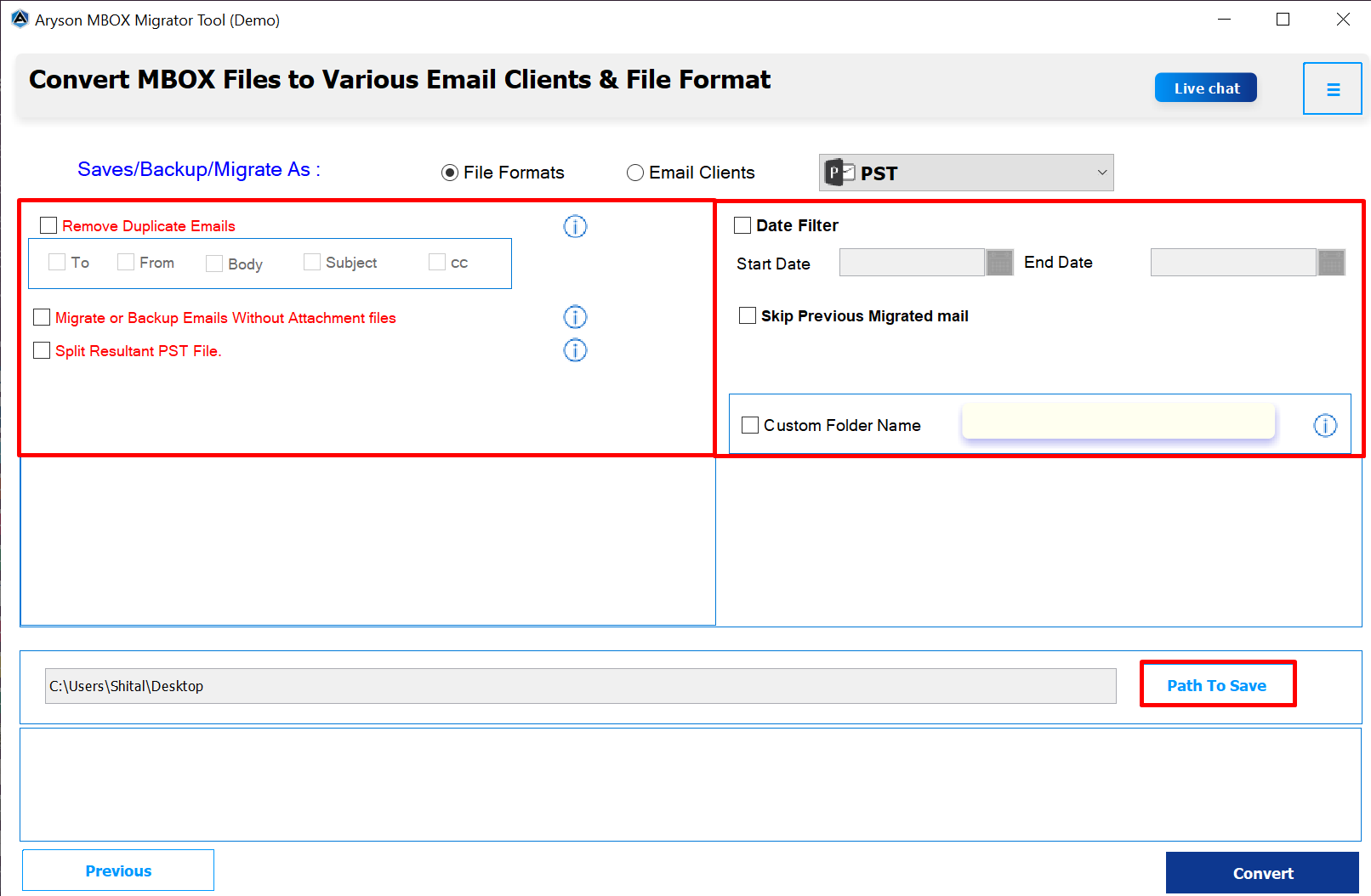
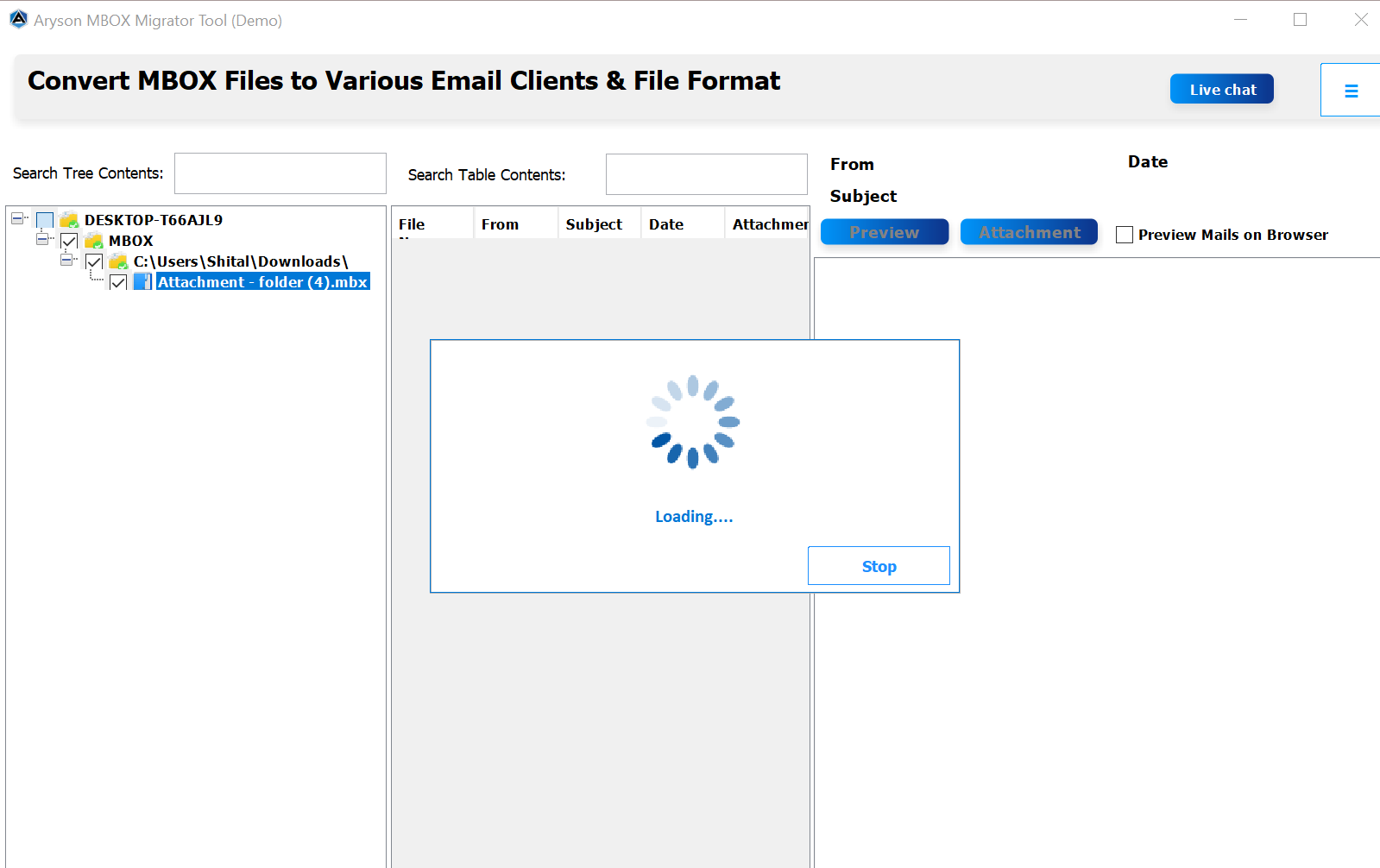
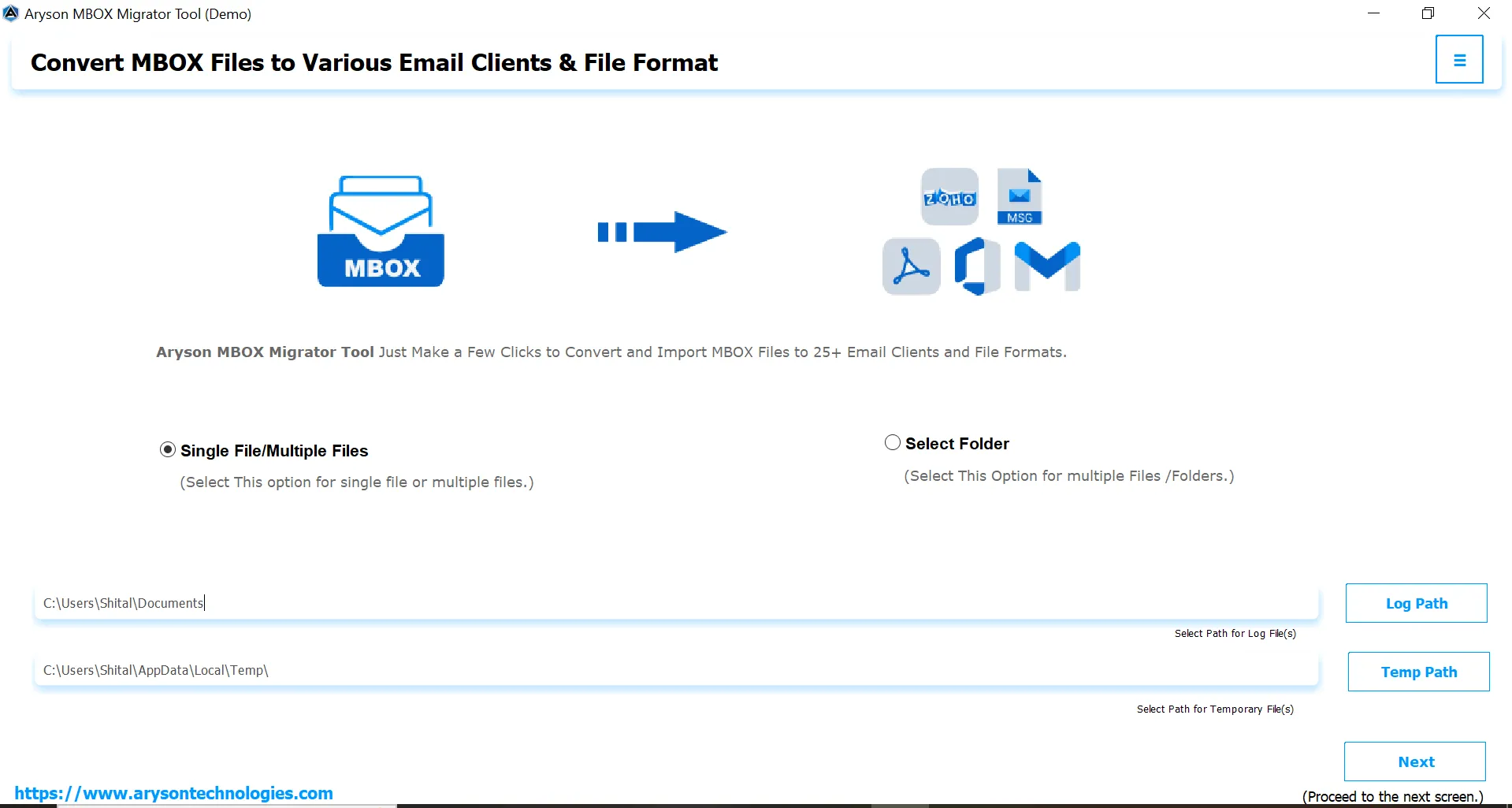
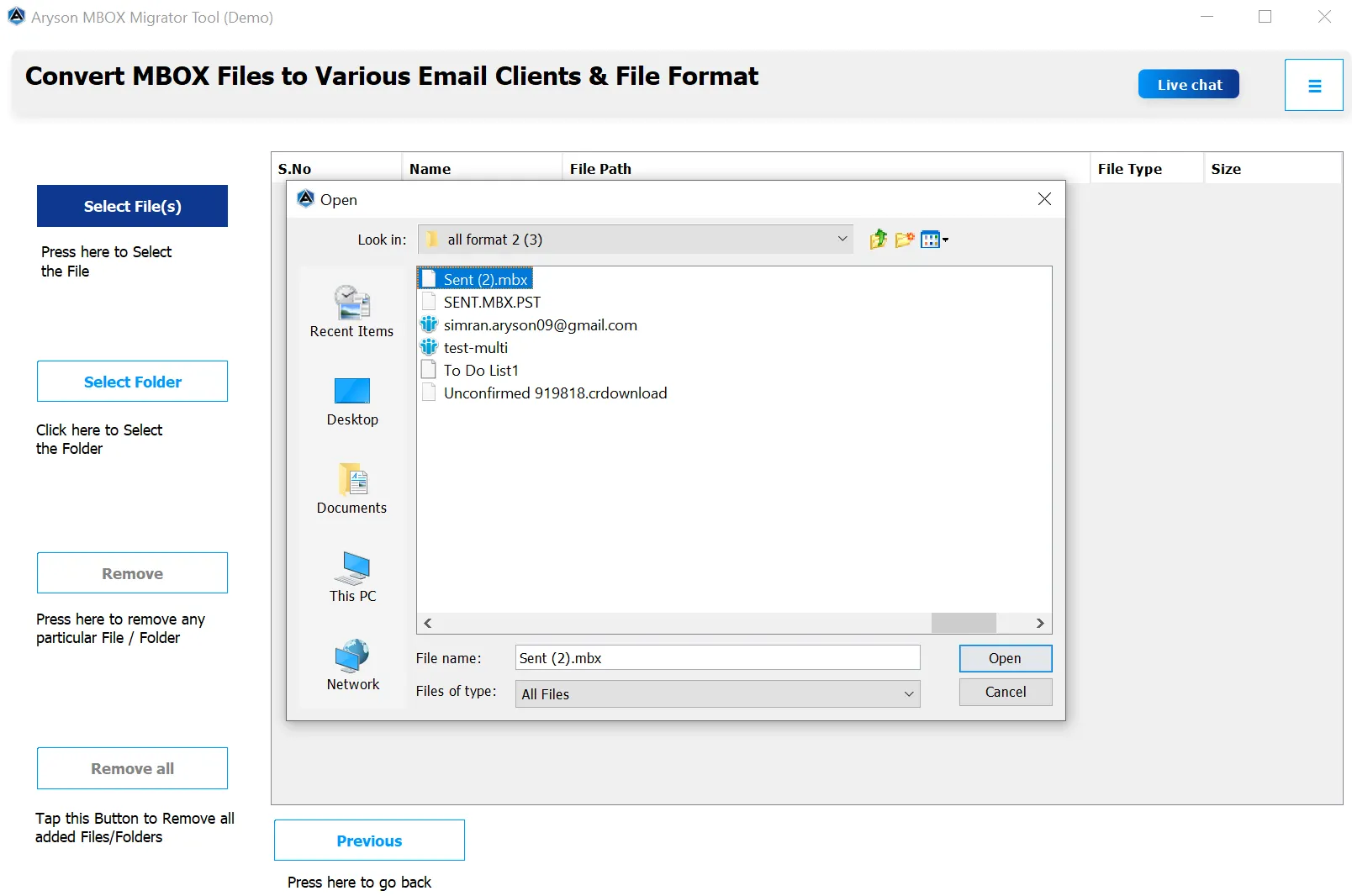
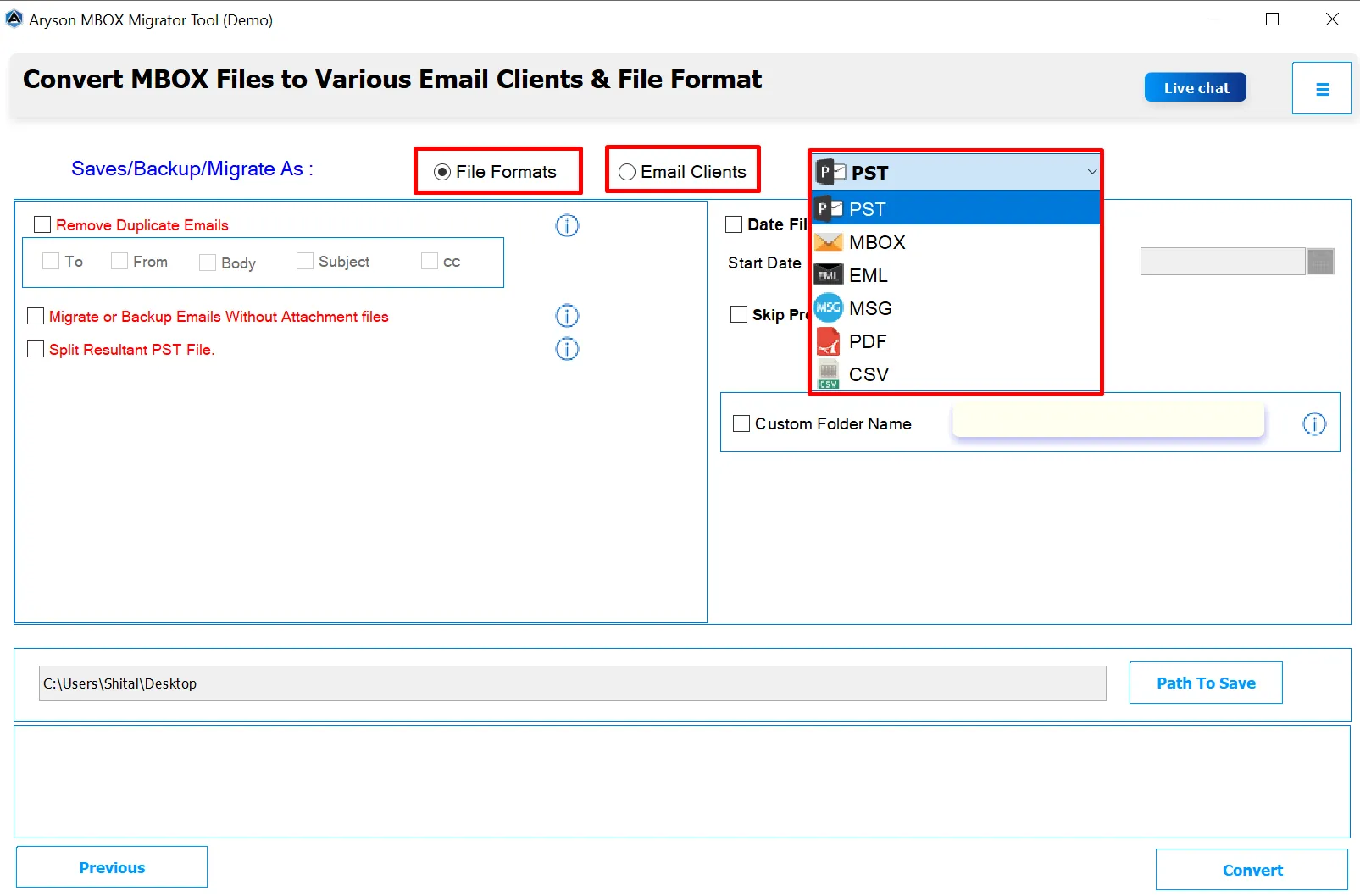
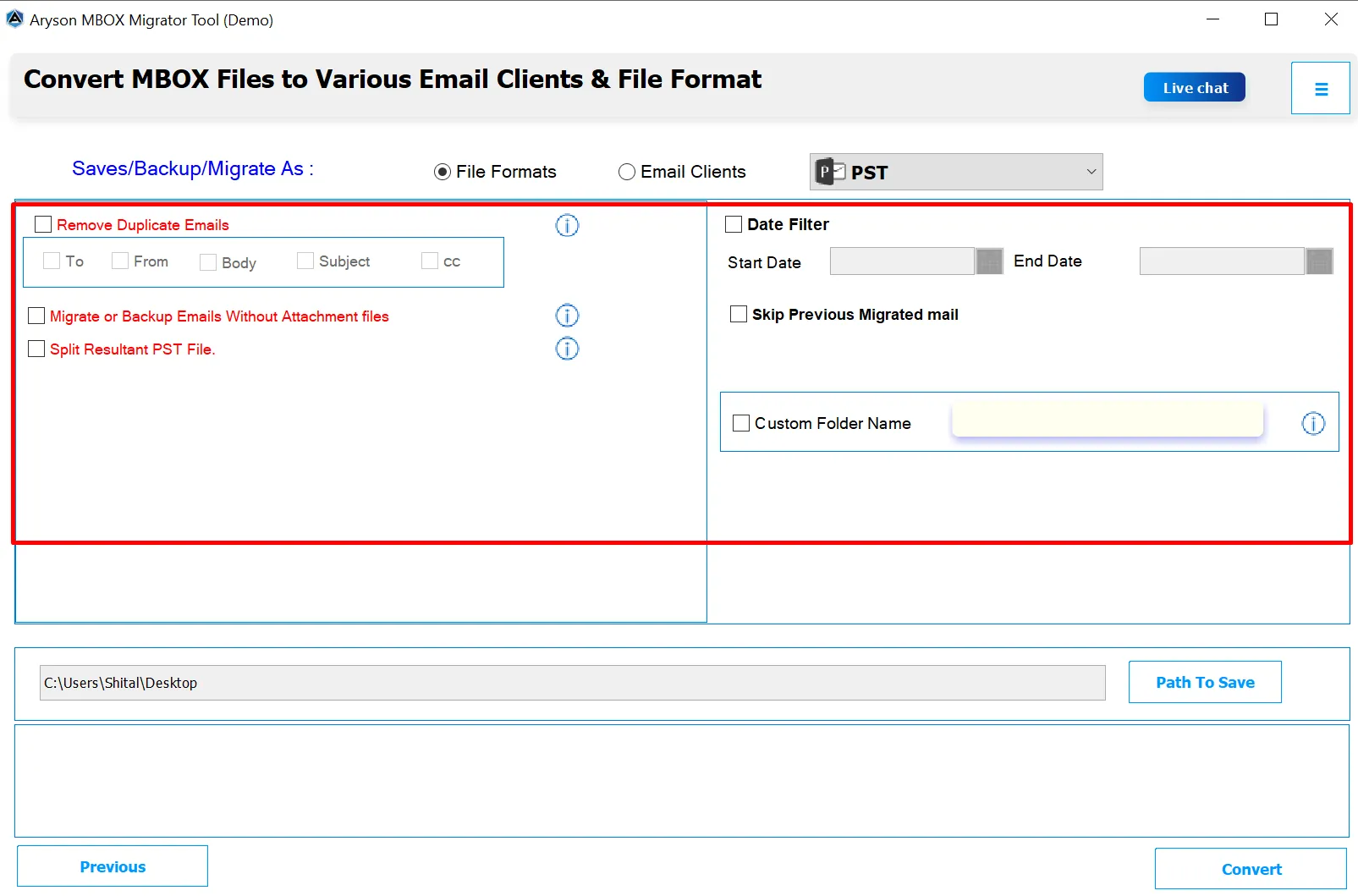
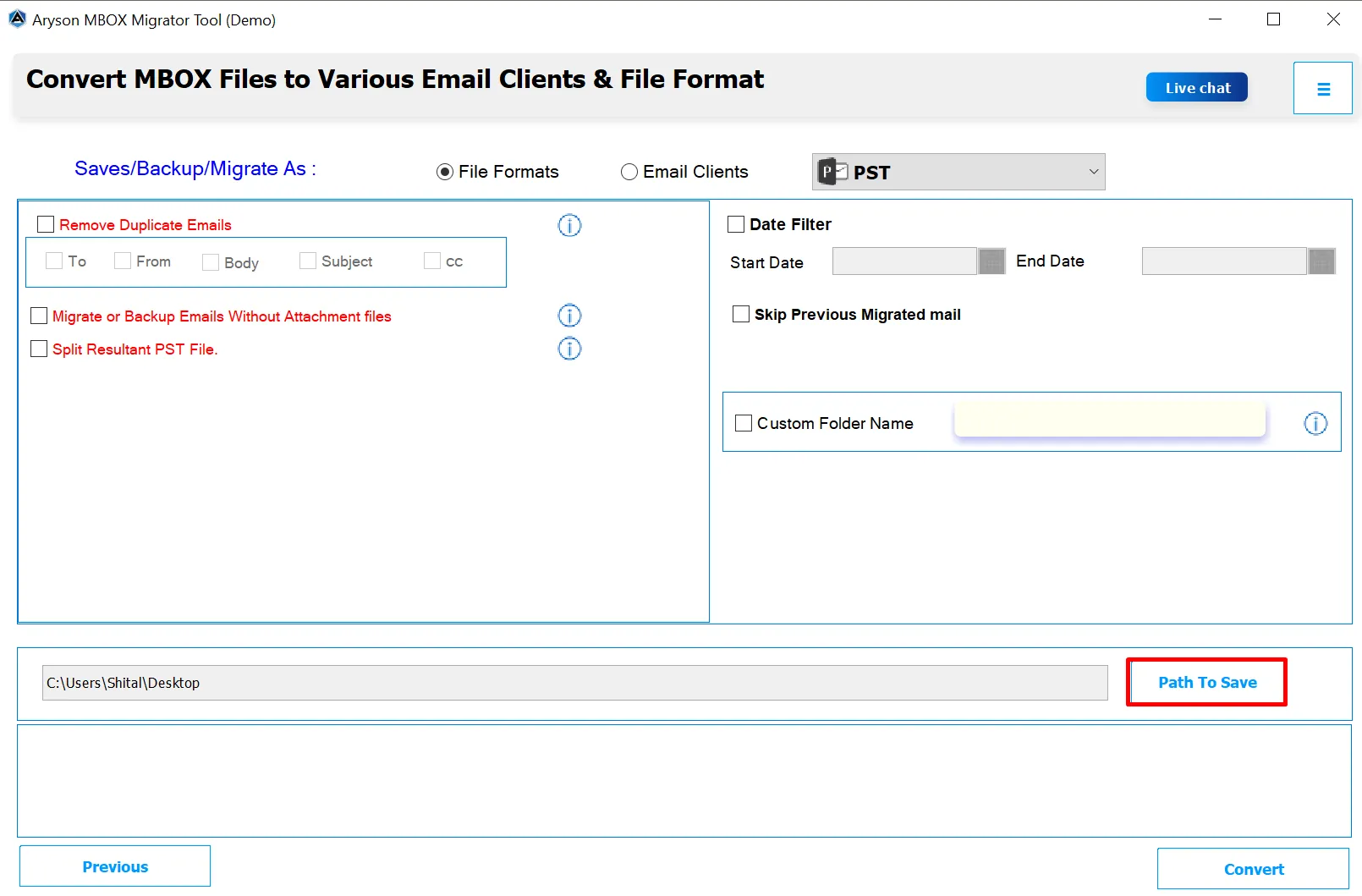
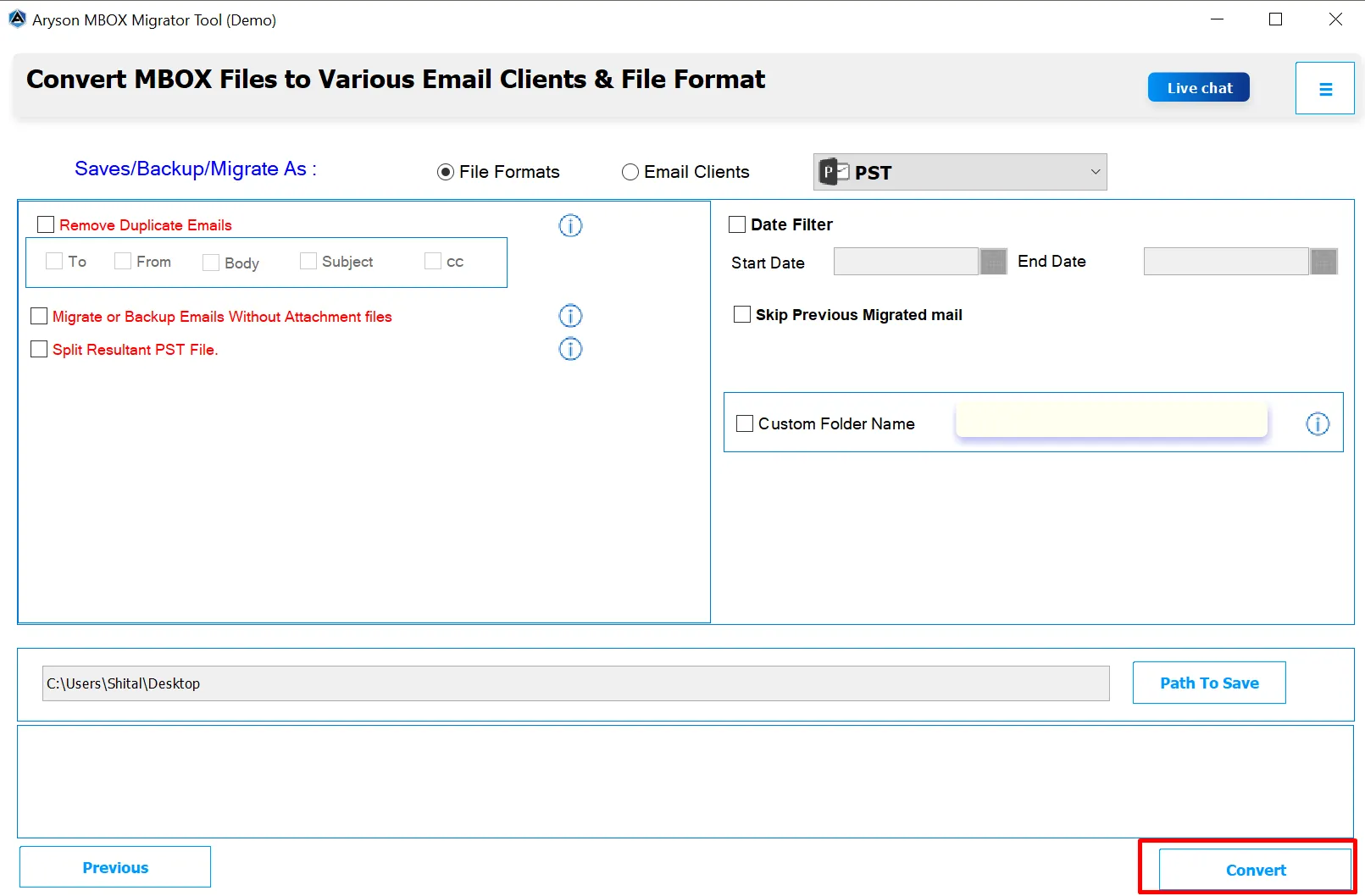
To achieve frequent and customized migration of your MBOX files using the MBOX Converter Tool, follow the steps below. This process details how to load your files, select your desired output, and apply advanced features for optimal results.
Here are advanced features that establish it as the premier choice for MBOX file conversion:
The main function of the MBOX Converter Tool is to convert MBOX files into different file formats that are not tied to any specific email client. Users can easily convert MBOX to PST, EML, PDF, CSV, MSG, and other formats as well. These formats are useful to perform backup of emails for a long time.
Beyond creating standalone files, this feature allows users to perform a direct, server-to-server data migration. This is vital for migrating to cloud platforms like Microsoft 365 / Office 365 and Gmail / Google Workspace, as well as other common services like Yahoo Mail, Hotmail, or any standard IMAP-based account.
The MBOX Converter Software allows users to select and convert multiple MBOX files at once. Batch conversion is especially helpful for organizations or individuals with large email archives. This feature saves significant time and reduces repetitive work, while maintaining the integrity of all emails and attachments.
One of the key advantages is that the MBOX Converter maintains the original folder structure. All folders, subfolders, and nested directories are preserved, so after conversion, your Outlook mailbox mirrors your original MBOX mailbox layout exactly. It avoids confusion and ensures a smooth transition.
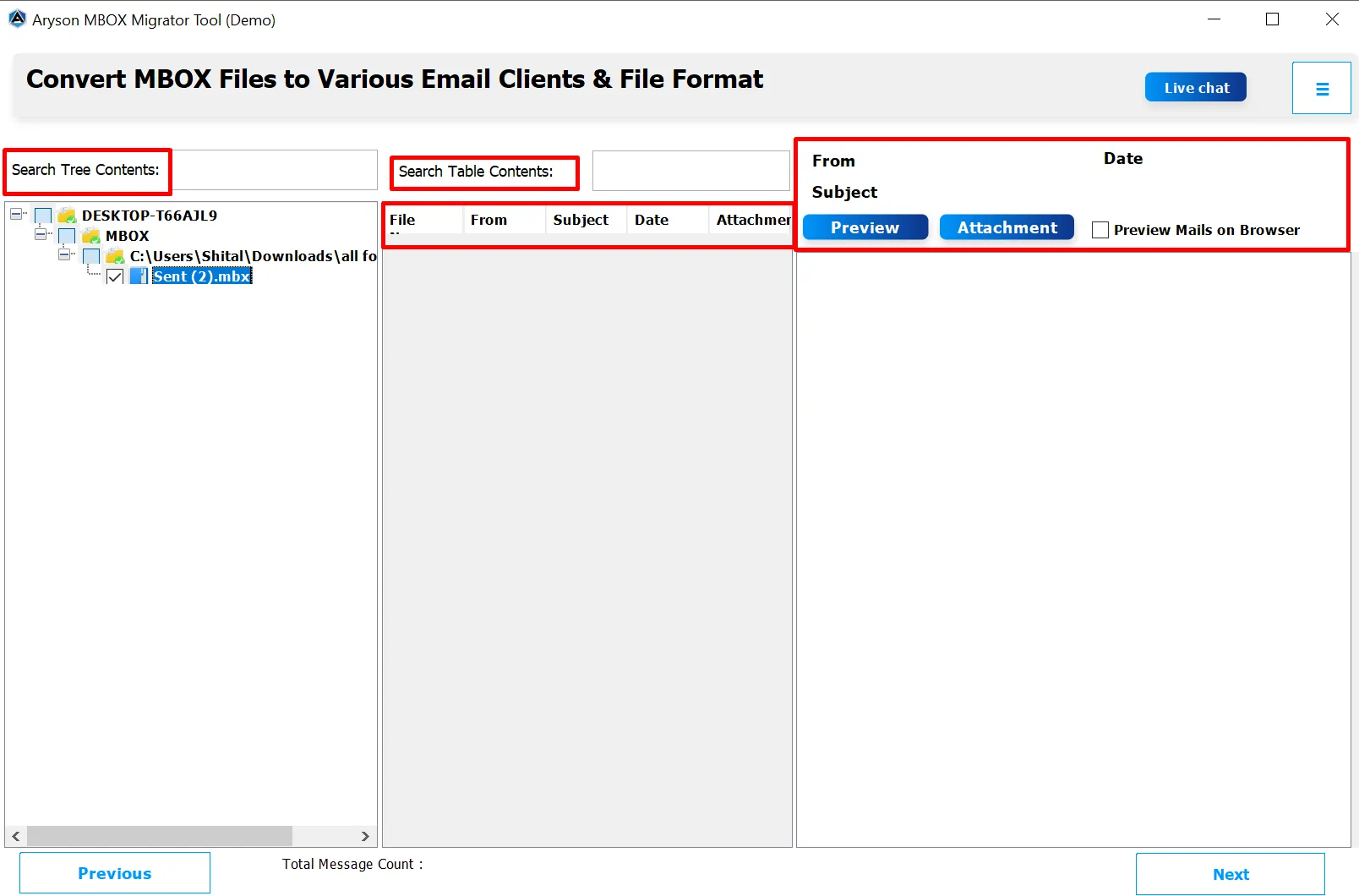
Before starting the conversion, users can preview emails along with their attachments. MBOX Converter allows verification of data integrity. As an outcome, it helps to ensure that the correct emails are being converted. It also gives confidence that nothing important will be skipped or lost.
There is an additional option to manage the attachment files. Users who need to reduce the size of the migrated mailbox. So, you can only focus on the core message content. When selected, the software performs the conversion and skips all attached documents, images, and other files.
With the Date Filter, you can select a specific time range and convert only those emails that fall within it, saving both time and space. At the same time, the Remove Duplicate Emails option automatically finds and deletes repeated messages based on factors like sender, subject, and date. Together, these options help you convert only the necessary emails.
This advanced organizational feature grants the user the ability to personalize the name of the final output folder. Instead of being constrained by generic, default naming conventions assigned by the software or operating system, users can specify a clear and meaningful title in the designated field. This capability is extremely beneficial for maintaining detailed organization.
This software includes an advanced option to split large PST files into smaller parts. This helps prevent Outlook performance issues and file corruption caused by oversized PST files. You can choose the size limit for each file according to your needs. Then, it automatically divides the oversized output PST file into multiple smaller, segmented PST files based on user-defined size parameters.
The MBOX Converter comes with an easy-to-use interface that anyone can handle, even without technical skills. All options are clearly labeled, and the step-by-step process makes conversion quick and hassle-free. In addition, users get access to reliable technical support for guidance during installation, setup, or conversion. This ensures a smooth and stress-free experience from start to finish.
| Software Features | Trial Version | Full Version |
|---|---|---|
| Convert MBOX to PST, PDF, MSG, EML, & others. | 50 Emails per folder | Complete Folder |
| Migrate MBOX to another Email Client | 50 Emails per folder | Complete Folder |
| Batch Convert MBOX Files | ||
| Remove Duplicate Emails | ||
| Date Filter | ||
| Skip Previously Migrated Emails | ||
| Specific Option for Attachments | ||
| Split Resultant PST File | ||
| Custom Folder Name | ||
| Windows & Mac MBOX Converter | ||
| 24*7 Tech Support & secure 100% | ||
Don't just take our word for it—see what satisfied professionals have to say about their experience using our MBOX converter.
I had a large number of emails in Thunderbird that I needed to move to Outlook, and I was worried about losing data. This converter handled everything flawlessly. It preserved the entire folder structure, maintained all attachments, and ensured no data corruption. The process was smooth, fast, and stress-free. I’m genuinely impressed!
Thomas Ellis
IT Manager
TechCorp Solutions
Before buying the full version, I tried the demo and it instantly gave me confidence. The tool is very intuitive, easy to navigate, and supports batch conversion, which saved me so much time. Every email was converted accurately, and nothing was lost. Customer support was also very helpful when I had questions. Highly recommended for anyone switching to Outlook.
Cameron Jones
System Administrator
Global Enterprises
Converting hundreds of MBOX files seemed like a daunting task, but this MBOX Converter made it simple. Every folder, subfolder, and attachment was converted perfectly. I particularly liked the preview feature, which let me check emails before conversion. The support team was responsive and guided me whenever I needed help. Overall, it exceeded my expectations!
Charlotte Adam
Data Migration Specialist
CloudTech Inc.
Happy Users
Success Rate
Support
Average Rating
Find answers to common questions about our MBOX Converter