

-
Written By Evren Cole
-
Updated on June 1st, 2026
Export Zoho Mail to EML Format – Complete Step-by-Step Guide
Peter’s Query: Hey, I’ve had my Zoho Mail email for over 5 years, but my company is switching our team over to a new desktop setup where we need local backups. Is there an easy way to move all my old folders and emails out of Zoho into standard EML files without losing anything? Do I have to download them all manually one by one, or can Zoho bundle my folders into EML format automatically?
Summary: Zoho Mail is widely used for managing business communication and everyday email activities. Most of the users export their mailbox data to EML format for easier access across different email applications. The EML format stores individual email messages along with attachments and message details in a separate file. This makes it useful for email migration and record management. In this guide, you will learn the process to export Zoho Mail to EML format with the manual method and the professional MSOutlookHelp Zoho Mail Backup Tool in a simple way.
|
Quick Steps for Zoho Mail to EML Converter
|
Reasons to Export Zoho Mail to EML
- Most of the users export to EML format to keep a local copy of their important emails for future access.
- The EML format allows users to open and view their email messages in various email applications that support this file type.
- It also preserves individual email messages along with their attachments and email properties.
- EML files make email migration more convenient and long-term record management.
|
Why Choose EML Format for Email Storage? EML is a simple file format used to save emails on your computer. Almost every email application out there can open an EML file, so you do not have to worry about compatibility. One of the biggest benefits is that each email gets saved as its own separate file. You can also share a single email with someone just by sending them that file. |
Best Solutions to Export Zoho Mail to EML
There are different ways to move your Zoho Mail data to EML format. In this guide, we will walk you through the methods that actually work and help you get the job done without any confusion.
- Manual Method
- Professional Method
Before You Begin: What to Prepare to Save Zoho Emails as EML Files
- Keep your Zoho Mail credentials ready before begin the migration.
- Make sure your internet is stable for smooth migration.
- Check that you have enough free storage space.
- Close all the unnecessary apps that are not required when you migrate the emails.
- Review the mailbox data and identify the folders that need to be exported to EML format.
Manual Method to Convert Zoho Mail to EML Via Thunderbird
Follow this method to export your Zoho Mail via Thunderbird.
- Download and install Thunderbird on your system >> click Email to add a new account.
- Enter your Zoho Mail credentials >> Continue, select IMAP, and complete the account setup.
- Allow Thunderbird to synchronize all Zoho Mail folders & mailbox data.
- Open the desired mailbox folder and select the email messages you want to export. Use the Ctrl key to select multiple emails.
- Thereafter, right-click the selected emails >> choose the Save As option from the menu.
- Select a destination location on your system and save the emails in EML format.
Downside of the Manual Method
- This process requires a configuration of Zoho Mail with Thunderbird.
- When you export a large number of emails, it takes time and effort.
- Users need to manually select and save the emails, which is not ideal for bulk export.
- This method may not preserve the mailbox organization as efficiently.
Advanced Solution to Export Zoho Mail to EML
For bulk and secure migration, you can use the Zoho Mail Backup Tool. It is designed to simplify the migration process for different email clients and file formats. This software makes sure to maintain the folder hierarchy and keeps the email formatting intact. If you want to access Zoho Mail in Outlook, then migrate Zoho Mail to MSG format.
Step Process for Bulk Export Zoho Mail to EML
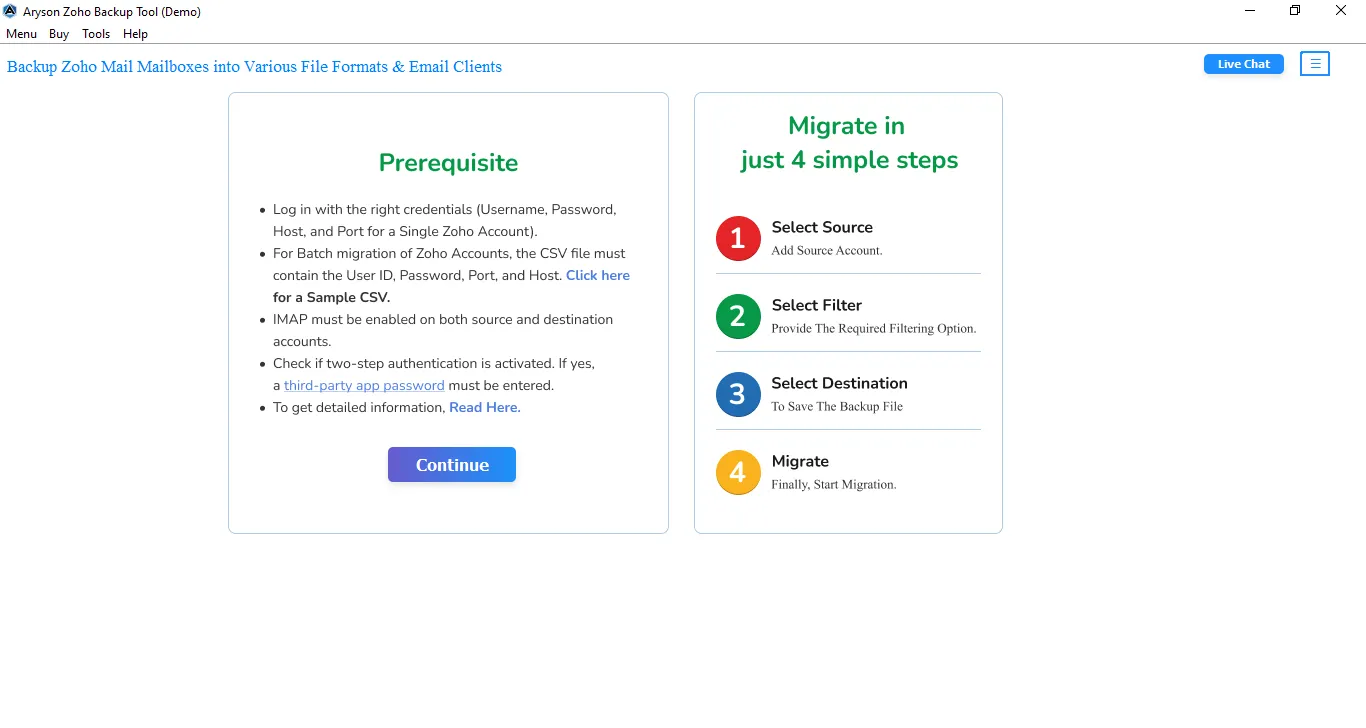
- Launch and run the Zoho Mail Backup Tool on your system.
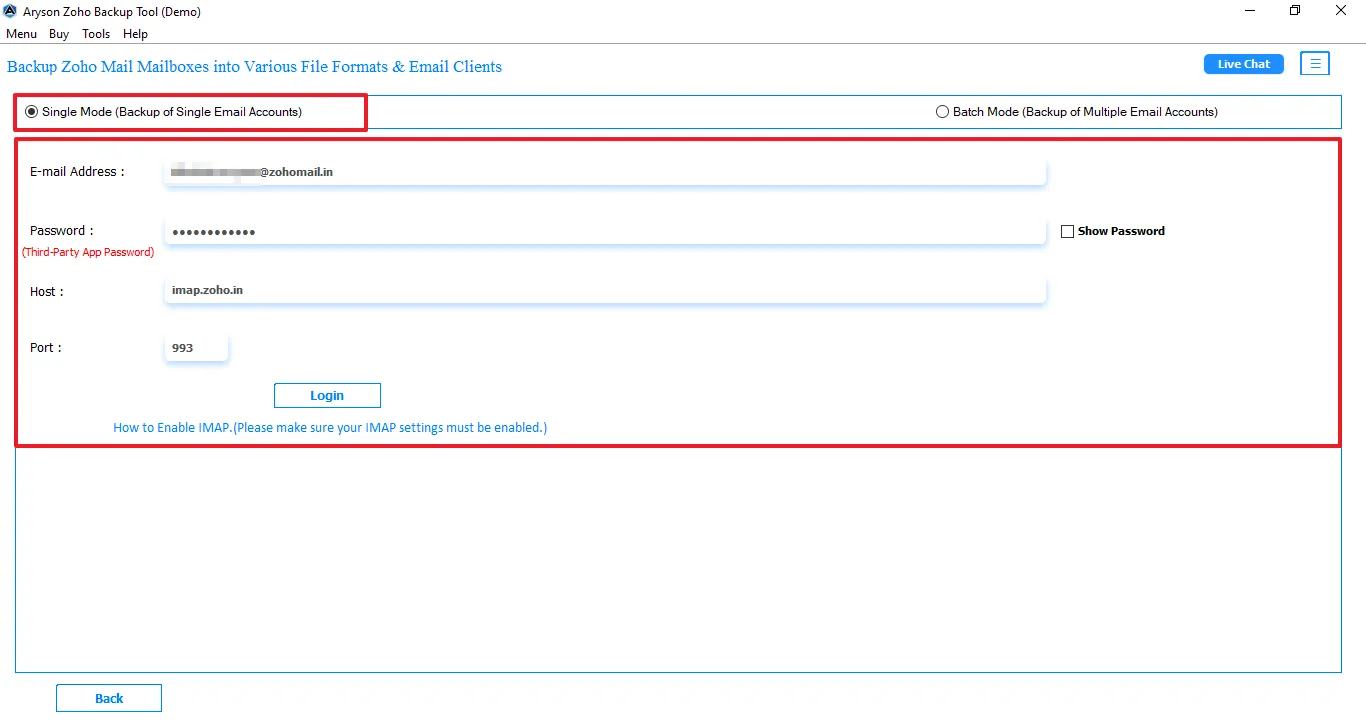
- Enter the Zoho Mail login credentials for secure authentication.
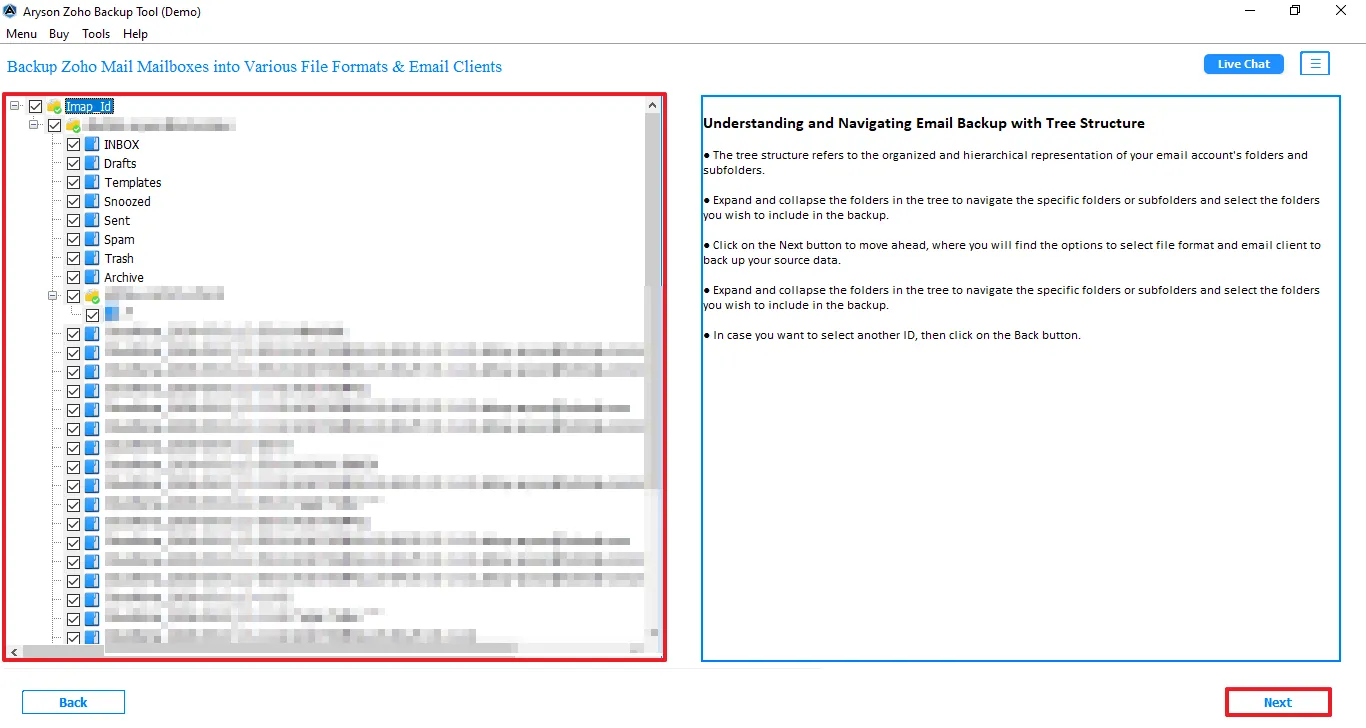
- After that, you can view the folder >> click on Next to proceed.
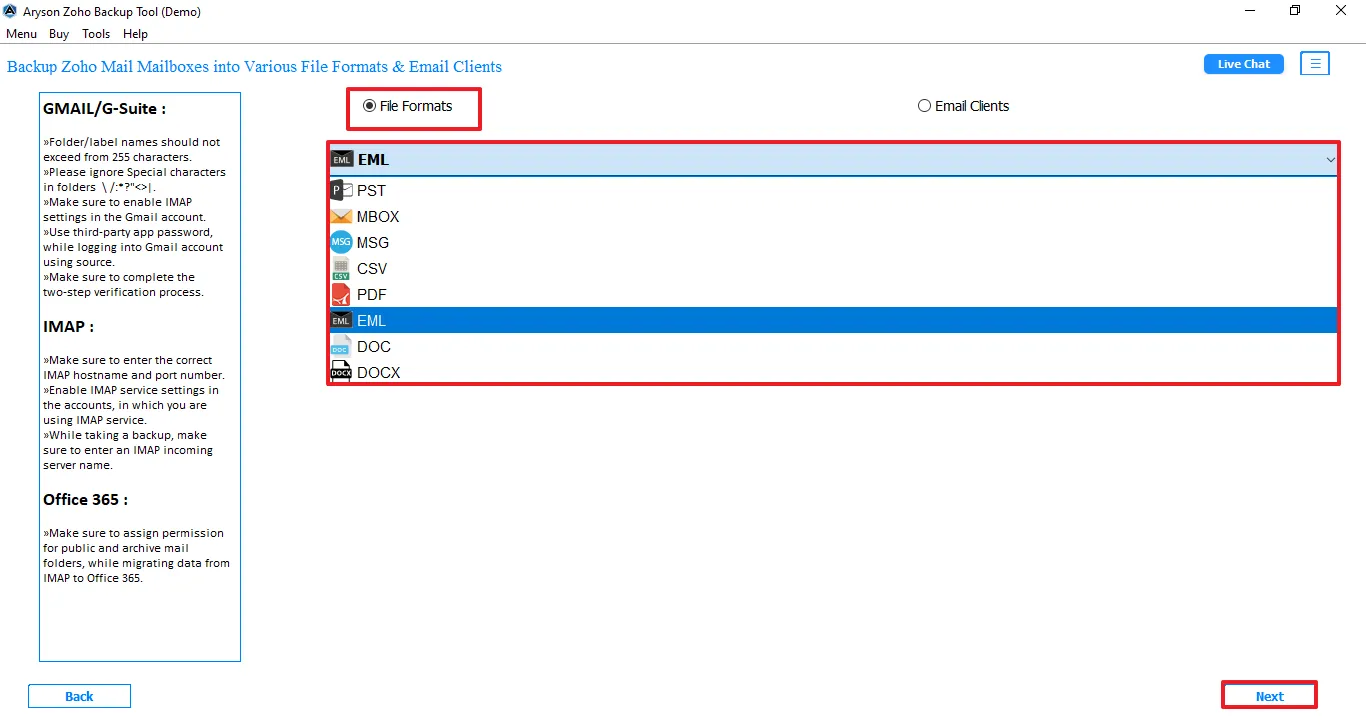
- Select EML as the output format from the given file formats.
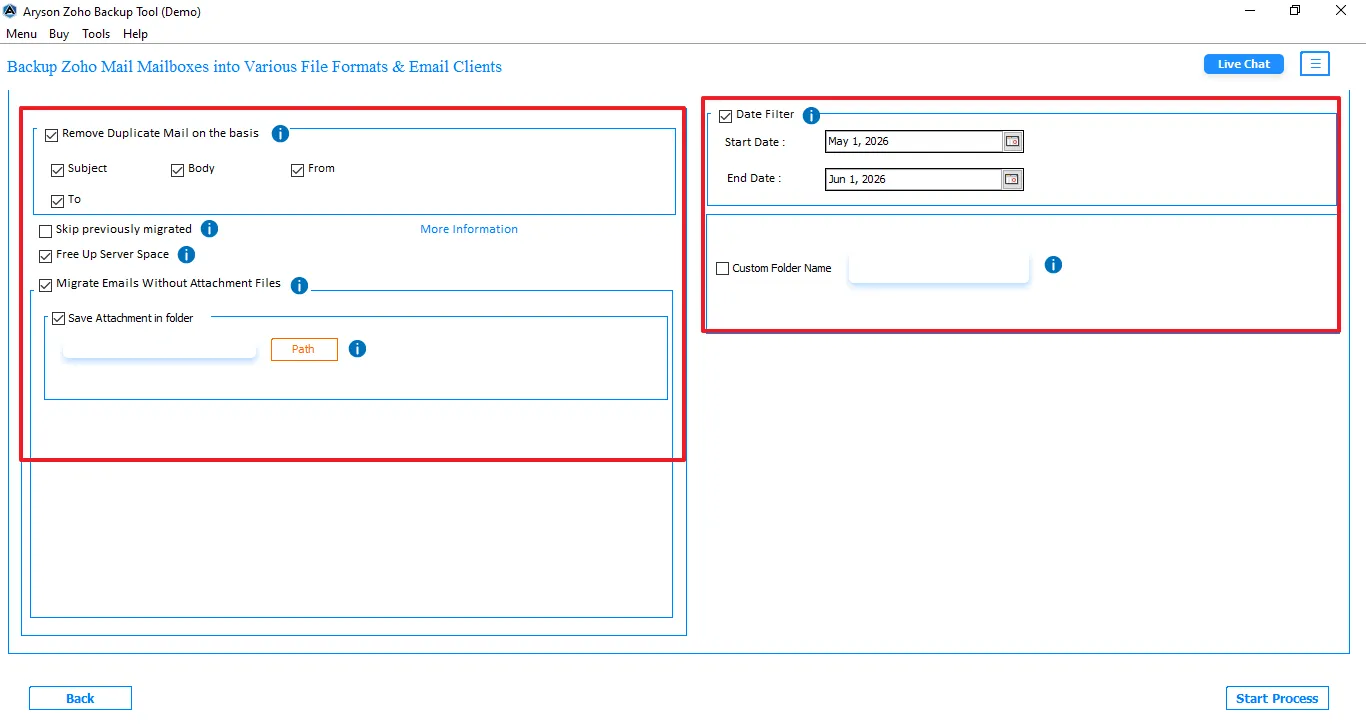
- Afterward, apply the advanced filters for selective data migration.
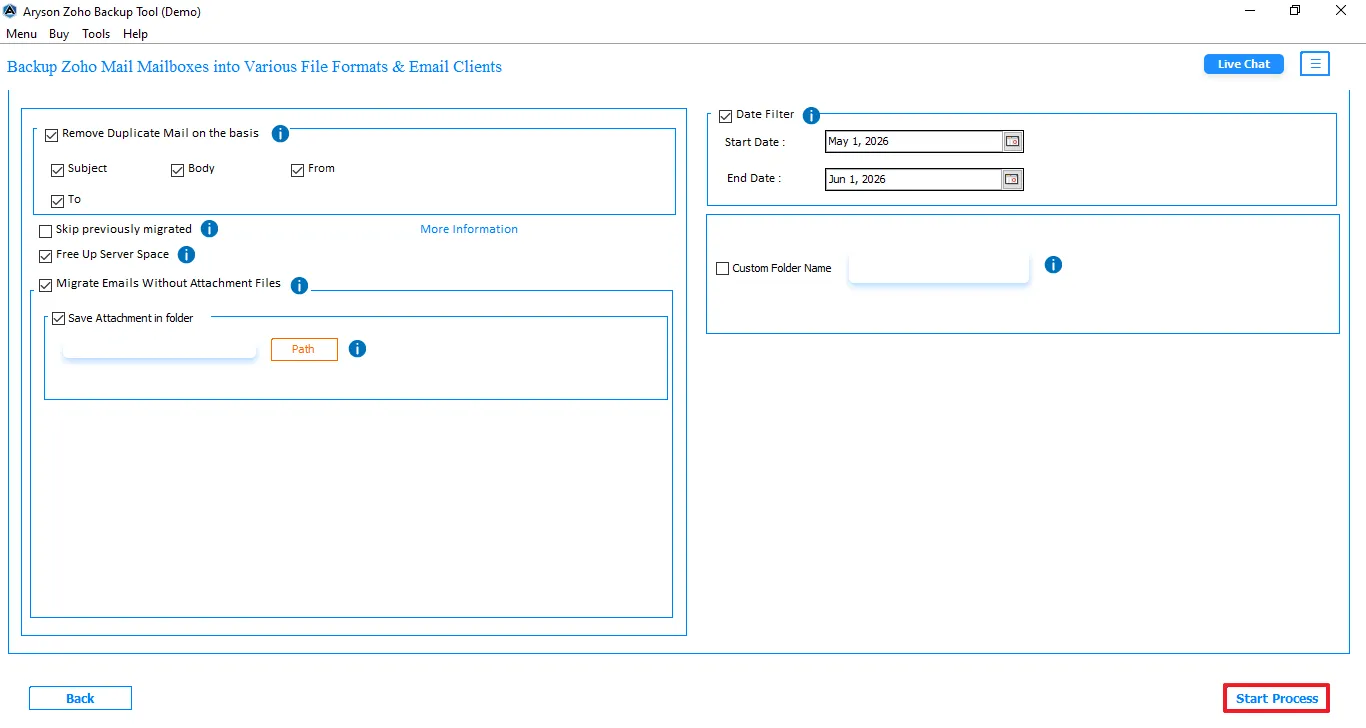
- Start the migration process by tapping on Start Process.
Benefits of Zoho Mail to EML Converter Software
- Provide Single-Mode and Batch-Mode for email account backup.
- It migrate Zoho Mail to IMAP, Office 365, Gmail, and Google Workspace.
- Offers different file formats in the destination output, such as PST, MBOX, etc.
- You can remove the duplicate emails on the basis of Subject, To, From, and Body.
- For selective migration, it offers a date range filter option.
Conclusion
To finish it up, we covered all the aspects of why users export Zoho Mail to EML. Along with that, we discuss the two methods that can completely migrate your files. The manual method is suitable for small files, it does not support bulk exportation. However, if you want to export files in bulk, then use the professional method. Choose the best method which filful your requirements.
Frequently Asked Questions:
Q.1. Is it possible to export Zoho Mail with attachments to EML?
Ans. Yes, Zoho Mail emails can be exported to EML format along with their attachments. A professional conversion tool helps preserve attachments and email properties during the export process.
Q.2. How to convert Zoho Mail to EML with attachments?
Ans. You can use a Zoho Mail to EML Converter to export emails with attachments. Simply connect your Zoho Mail account, select the required folders, choose EML as the output format, and start the conversion.
Q.3. Is there a free method to export Zoho Mail to EML?
Ans. Some manual methods may allow you to save individual emails, but they are not suitable for bulk exports. For multiple emails and folders, a professional tool provides a more efficient solution.
Q.4. Can I convert multiple Zoho Mail folders to EML simultaneously?
Ans. Yes, professional Zoho Mail to EML conversion software supports bulk export of multiple mailbox folders at the same time. This helps save time while maintaining the original folder structure.
About The Author:

Evren Cole is an expert in Email and Data Management. She has a strong passion for technology and entrepreneurship. In her free time, she enjoys football, music, and reading books.

