-
Written By Evren Cole
-
Updated on August 29th, 2025
Learn How to Convert OFT to MSG Files – Complete Guide
User Query: “How do I convert huge batches of OFT files to MSG files? I tried to download software, but it didn’t work properly.”
Summary: OFT files act as templates but do not work as regular emails. Many users choose to convert OFT to MSG Files for better access, editing, and sharing. Outlook can allow a Save As method for single templates, yet it fails when multiple files exist. A dependable solution is MSOutlookHelp OFT File Converter, which provides a direct and quick way to handle bulk conversion without data loss or technical complexity.
What Are OFT and MSG Files?
Before the conversion is done. Let us briefly understand what the 2 files are:
- OFT is a template file created by Microsoft Outlook. It is used to design reusable email formats.
- MSG is a file format for standard Outlook email files containing a single message with all its properties: sender, recipient, subject, attachments, etc.
OFT files can be used for the templates, but can’t be used like normal emails. That’s why many users want to convert OFT files to MSG for easier access, sharing, and backup.
Key Reasons to Convert OFT to MSG Files
- Templates cannot be used directly for the messages, but after the files are converted into MSG. The converted file becomes an email that can be sent or stored easily.
- Unlike OFT files, which are limited in use, MSG files preserve email content safely and remain readable even after years of storage.
- Converting OFT to MSG makes migration smoother when moving emails to different systems or platforms, avoiding compatibility problems.
- Users can edit, customize, or add attachments in MSG files before sending, which is not possible with basic OFT templates.
- They work well with archiving tools and can be transferred without losing structure, unlike OFT templates, which are restrictive.
Top Techniques to Convert OFT to MSG Files
You can convert OFT to MSG as given below. The first is a manual method that takes extra effort, while the second uses a professional tool that makes the task quicker and more reliable.
Technique 1: Manual Method for OFT to MSG Conversion
If you have Microsoft Outlook installed, you can easily perform the conversion using a simple drag-and-save method.
- Firstly, open Microsoft Outlook.
- Go to File, and after that select Open > Open Outlook Data File
- Once it opens as a new message, you can edit it or leave it as is.
- After that, navigate to the File and select Save As from the options.
- From the dropdown menu of the “Save as type,” select Outlook Message Format MSG.
- Choose a location and click on Save.
Additional Note: This method is for the condition when you have only a few files to convert. It’s not efficient for large batches.
Technique 2: Easy Methods to Convert OFT to MSG Files
The MSOutlookHelp OFT Converter Tool can provide a smoother and more reliable solution to convert OFT to MSG compared to the manual method. This tool can let you transfer multiple OFT files at once without any limits. It also keeps the original folder structure intact, along with email formatting and attachments. Even when handling large data files, the software works efficiently and avoids errors. You can also convert OFT files to EML with the utility. This allows even non-technical users to complete the import quickly and without complications.
Steps to Import OFT into MSG Using the Utility:
- Firstly, download and run the MSOutlookHelp OFT Converter on your computer.
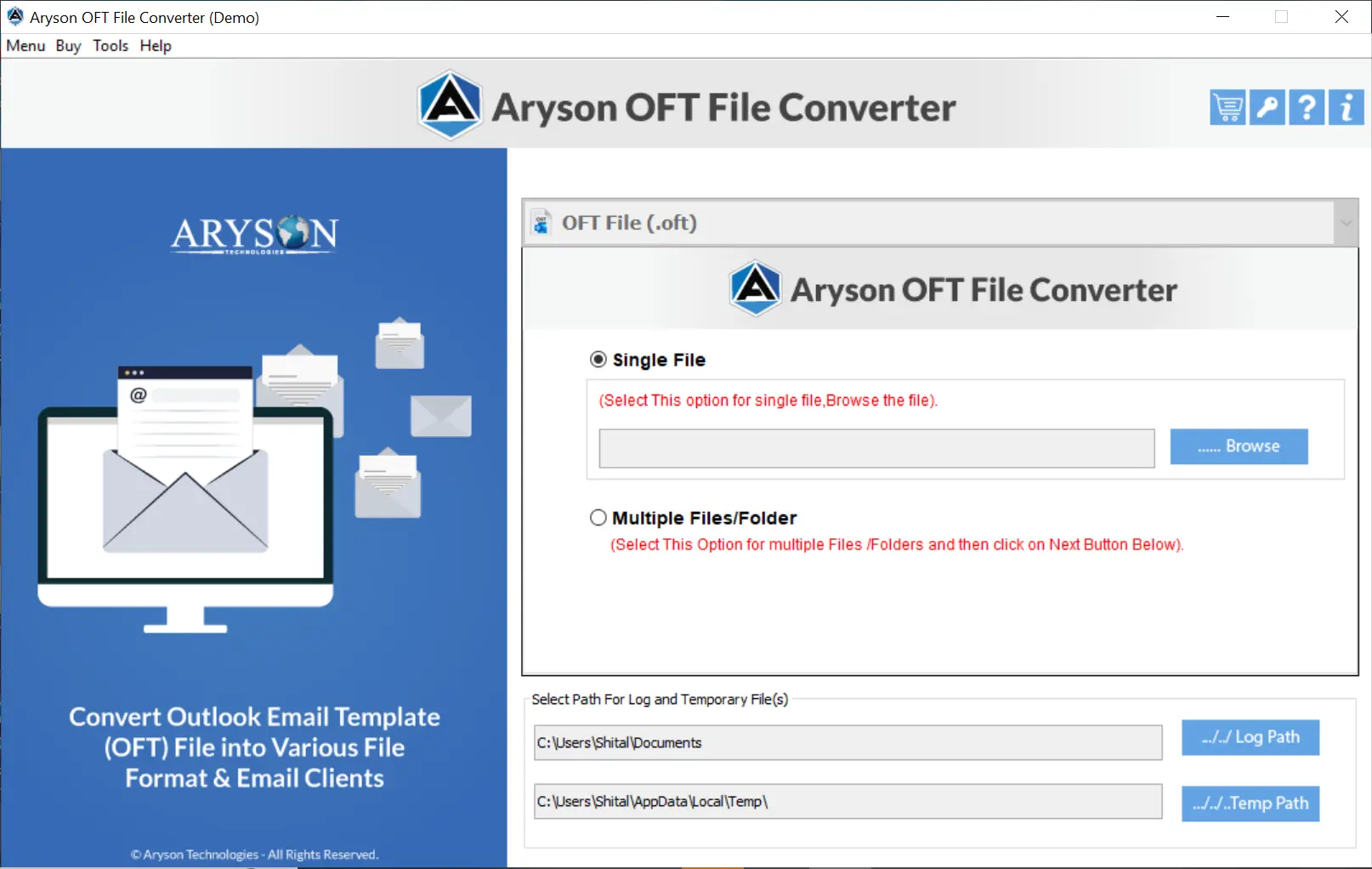
- After that, click on Add Files/Folders to upload your OFT files.

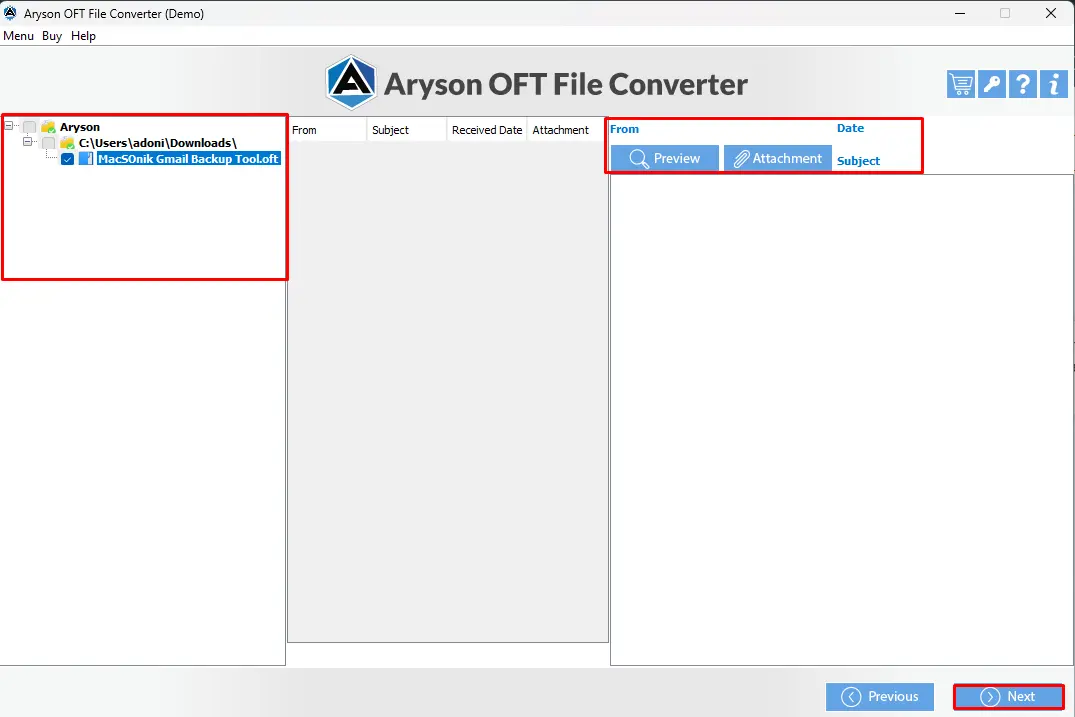
- Select the OFT files if you want to preview.
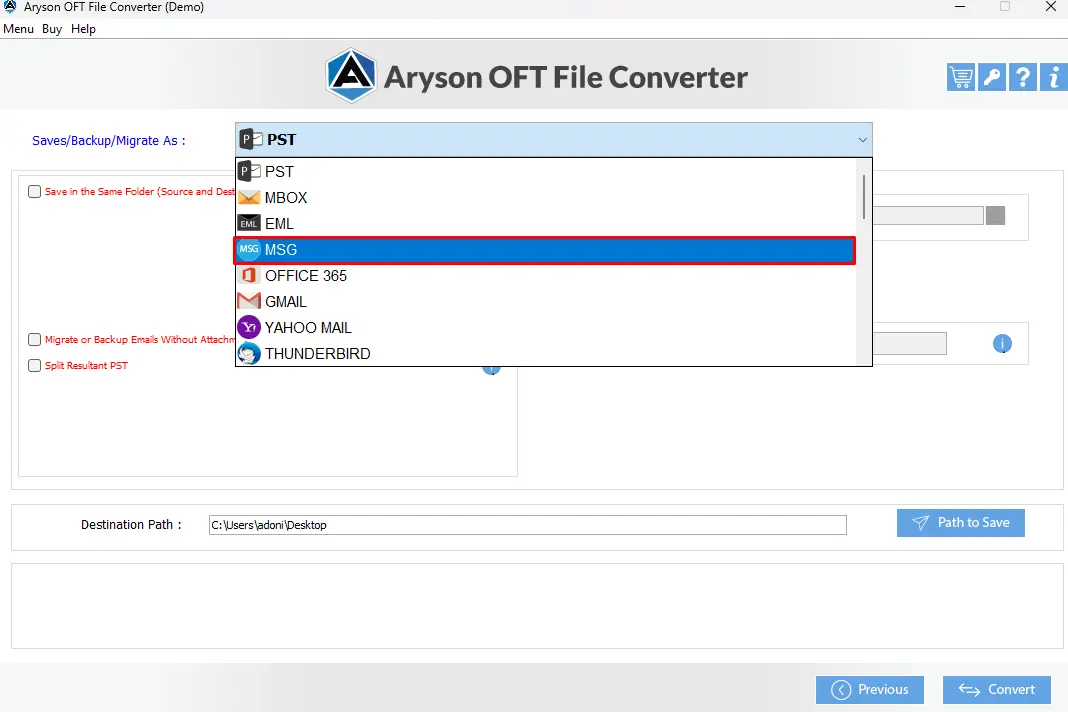
- From the dropdown list, choose MSG as the email client.
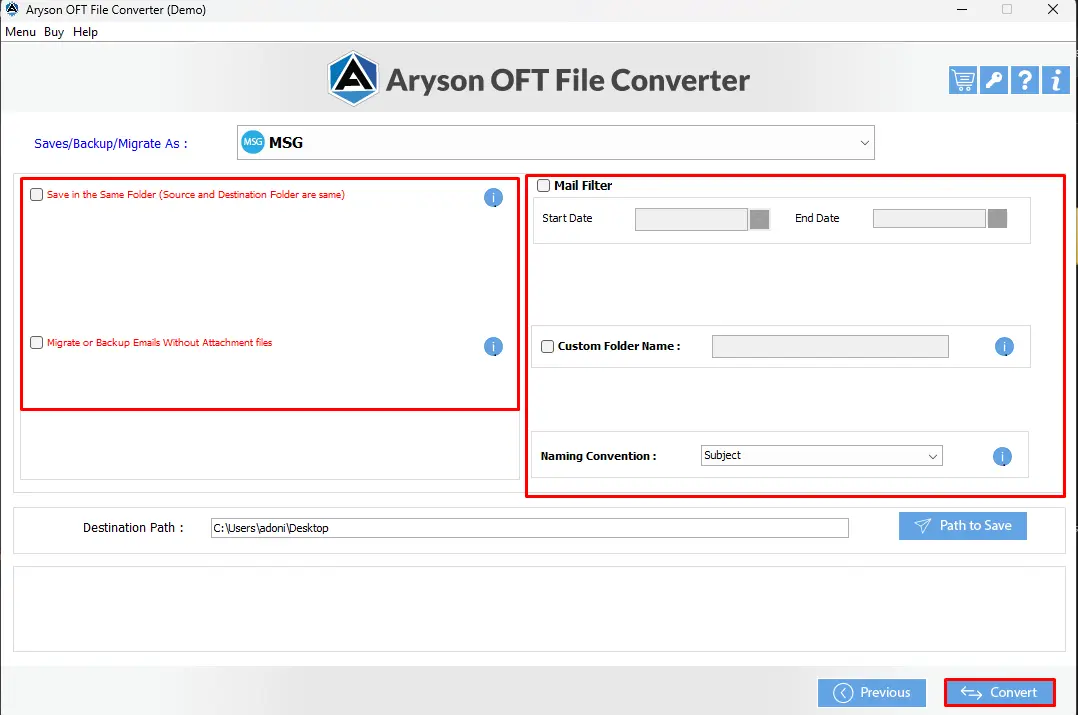
- Click on Convert to start the conversion process.
Conclusion
Manual techniques can allow users to save one template each time, which can limit productivity. On the other hand, a dedicated solution helps to convert OFT to MSG Files with accuracy and speed. MSOutlookHelp OFT File Converter provides batch support, data security, and simple steps for all levels of users. This makes it the best choice for professionals who want a reliable way to access and reuse their email templates.
Frequently Asked Questions:
Q.1 Why would I need to convert OFT files to MSG format?
Ans: OFT files are templates, not real messages. Converting to MSG lets you treat them like normal Outlook emails for sending, editing, or archiving.
Q.2 Is there a way to batch convert multiple OFT files to MSG at once?
Ans: Yes. You can use the MSOutlookHelp OFT File Converter to batch convert multiple OFT files to MSG at once:
1. Download and run the MSOutlookHelp OFT Converter on your computer.
2. After that, click on Add Files/Folders to upload your OFT files.
3. Select the OFT files you wish to preview.
4. From the dropdown list, choose MSG as the email client.
5. Click on Convert to start the conversion process.
Q.3 Can I use PowerShell or VBA to automate OFT to MSG conversion?
Ans: Yes. Both PowerShell and VBA can automate the process if Outlook is installed, but they require scripting skills and careful setup.
About The Author:

Evren Cole is an expert in Email and Data Management. She has a strong passion for technology and entrepreneurship. In her free time, she enjoys football, music, and reading books.