

-
Written By Evren Cole
-
Updated on December 3rd, 2025
Convert ICS to MSG: Complete How-To Guide
Overview: Do you also want to manage and share your calendar events effortlessly? If yes, you must convert ICS to MSG file format. This is because ICS is a universal file format for calendars, whereas MSG is an Outlook-supported file type that is used for emails, tasks, and appointments. By converting ICS files to MSG format, you can easily access and edit your calendar events in Outlook. In case you find the entire conversion complicated, refer to this blog to learn how to use MSOutlookHelp ICS Converter and another hands-on approach to perform the conversion more accurately.
Why Convert ICS File to MSG Format?
Listed below are several reasons why users convert ICS files to MSG format.
- You can easily access your calendar events on Microsoft Outlook.
- As well as, Users can easily edit, view, & organize appointments directly inside Outlook.
- Moreover, you can record and keep your events better in MSG form.
- Additionally, the MSG format simplifies the sharing of event details with Outlook users.
- Also, you can access and manage your calendar events offline.
Proven Techniques to Convert ICS to MSG
There are two proven methods to convert ICS files to MSG format. Both of them are discussed below in detail.
- The Manual Technique
- The Automated Approach
Make sure to go through both methods carefully and adapt either of the two as per your convenience and experience.
Technique 1: Use MS Outlook for ICS to MSG Conversion
If you have MS Outlook already installed on your system, you can use it to convert your ICS files to MSG format. But remember, you must be familiar with Outlook’s interface to proceed wth this method. Also, you can’t convert multiple ICS files in one go using this method.
- Firstly, install and start Microsoft Outlook on your computer.
- Then, double-click or import your desired ICS file if it is saved locally on your system.
- After opening the ICS file, click Save & Close to add it to your Outlook calendar.
- Then, navigate to your Calendar >> locate the newly added event >> open it.
- Now, go to the File menu >> click Save As.
- In the Save As dialog box, choose the Outlook Message Format (*.msg).
- You can also select Unicode for better compatibility.
- At last, provide your desired location & click the Save button.
Cons of the Manual Approach
- This method completely depends upon the installation of MS Outlook.
- As well as, It also requires a certain familiarity with Outlook’s interface.
- Moreover, you can’t convert multiple ICS files in one go.
- Along with that, there are high chances of data loss and corruption.
- There is no advanced feature available like in automated software.
Technique 2: Most Recommended Software to Convert ICS to MSG
MSOutlookHelp ICS Converter is the most reliable software used to convert the ICS files to MSG format without losing any event details. This software supports bulk conversion. Moreover, the intuitive and user-friendly interface of the software allows even beginners to convert ICS to EML, EMLX, MSG, PDF, PST, etc. file formats. Additionally, you can maintain data integrity by previewing your selected files before conversion using this software. Also, you can use the additional features like event preview, date filters, and duplicate removal feature, etc. Follow the steps below to quickly convert ICS files to MSG format.
Quick Steps to Convert ICS to MSG
- Download and launch the MSOutlookHelp ICS Converter.
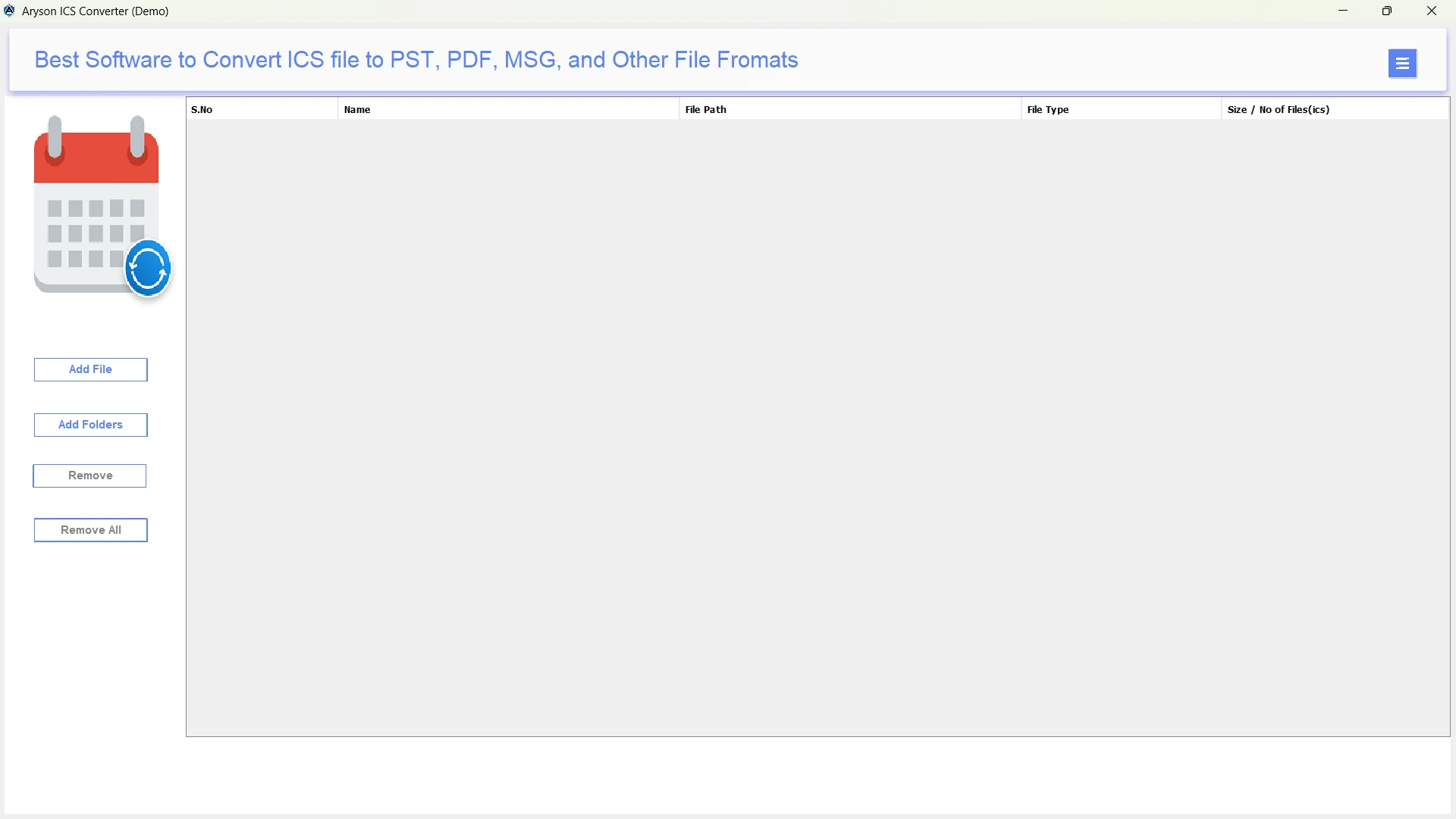
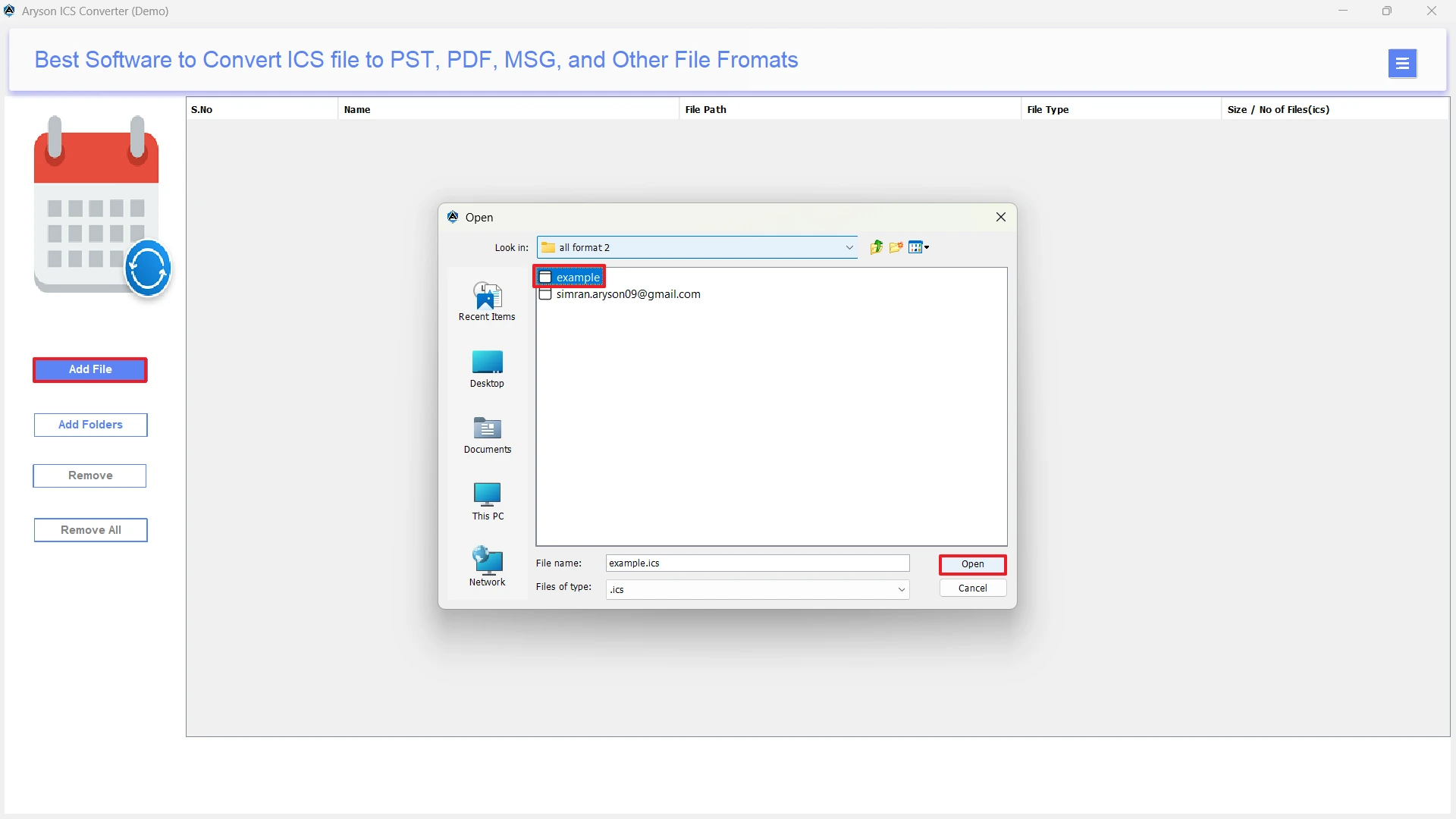
- Then, press the Select Files/Folders button >> add your ICS files & click Next.
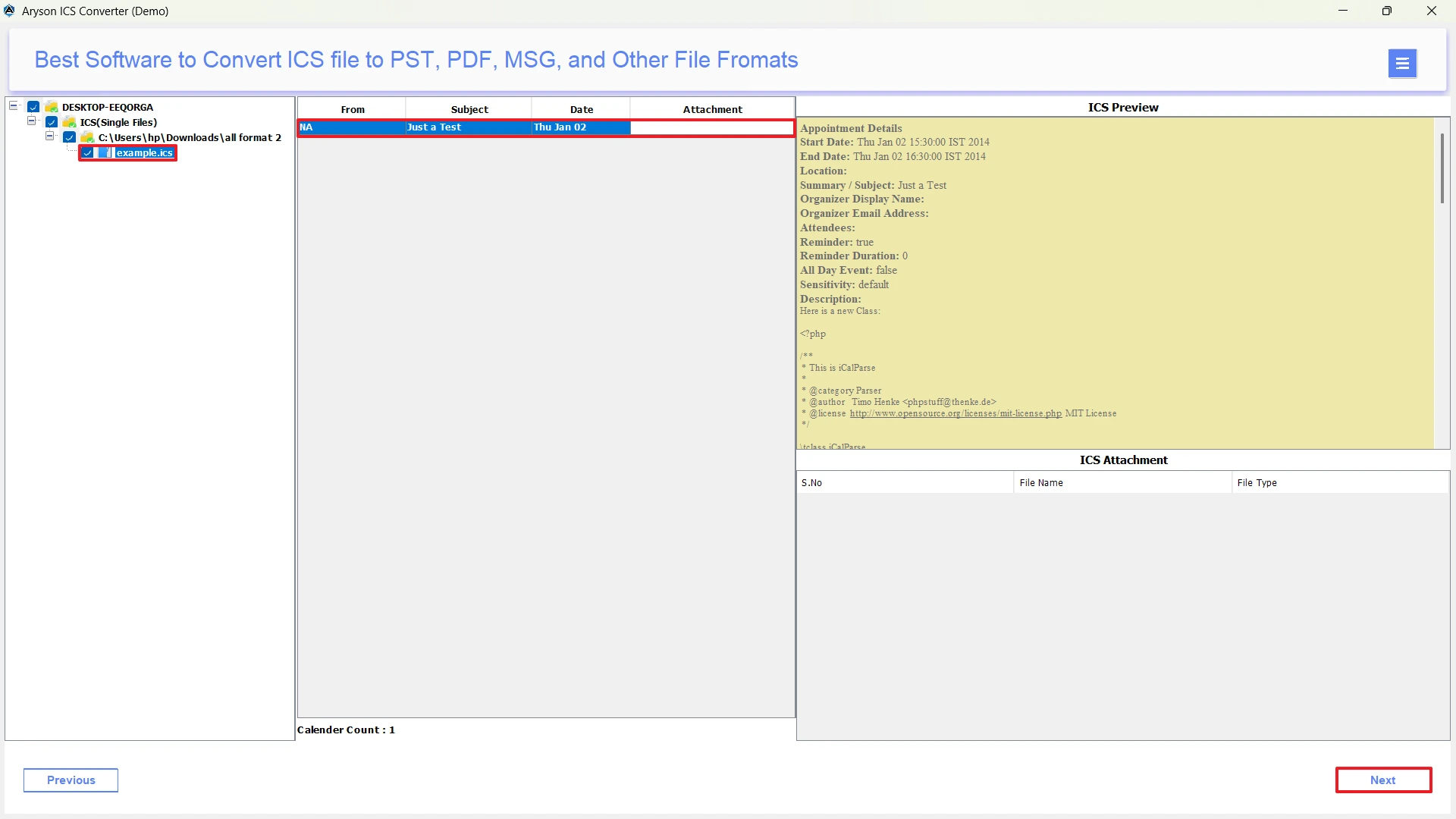
- After that, select the ICS files you wish to convert >> preview them & click Next.
- Now, select the MSG format as the output format.
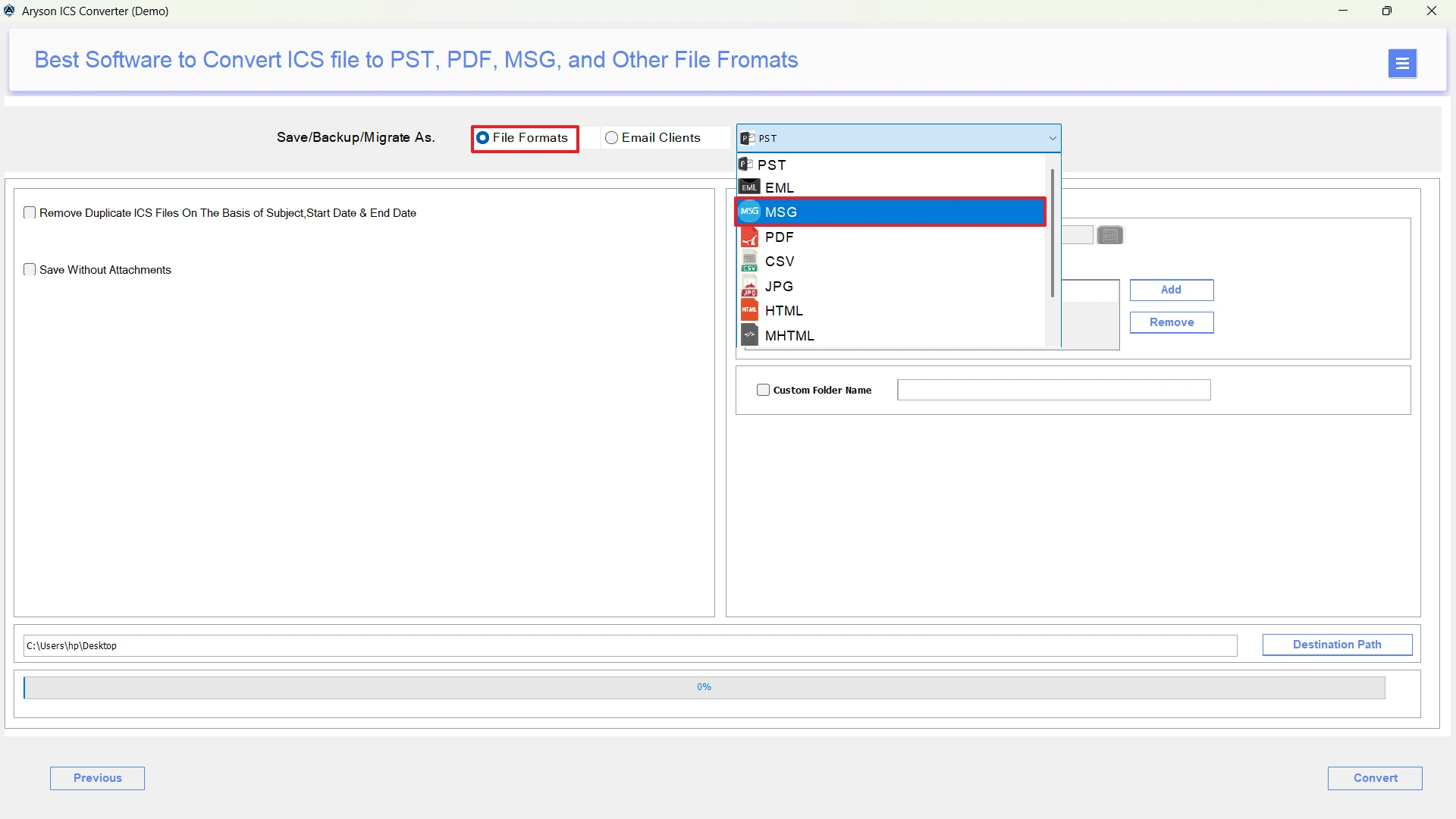
- Next, use the advanced filters to optimise your selection if required.
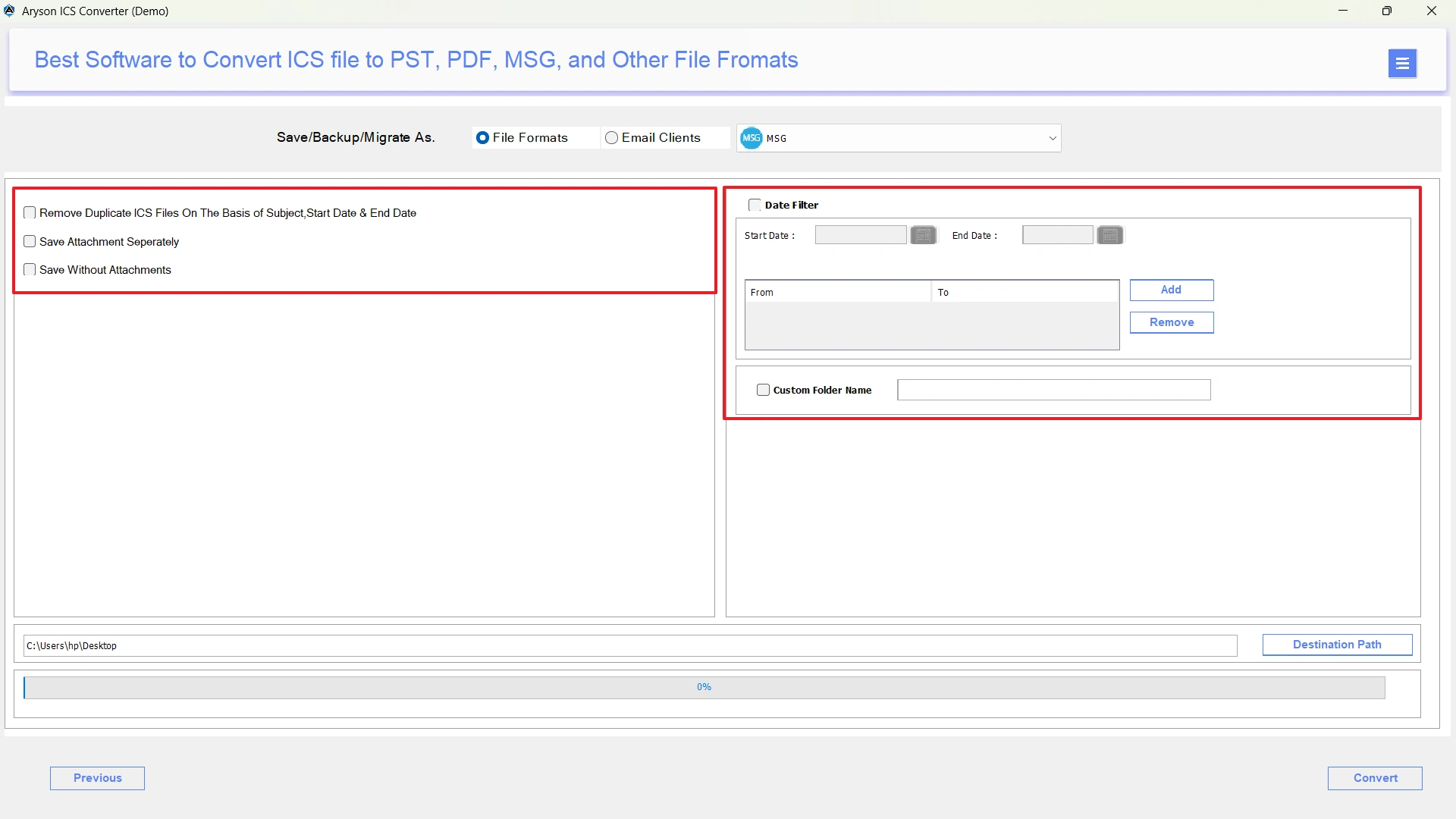
- Provide the path to save the resultant file on your system.
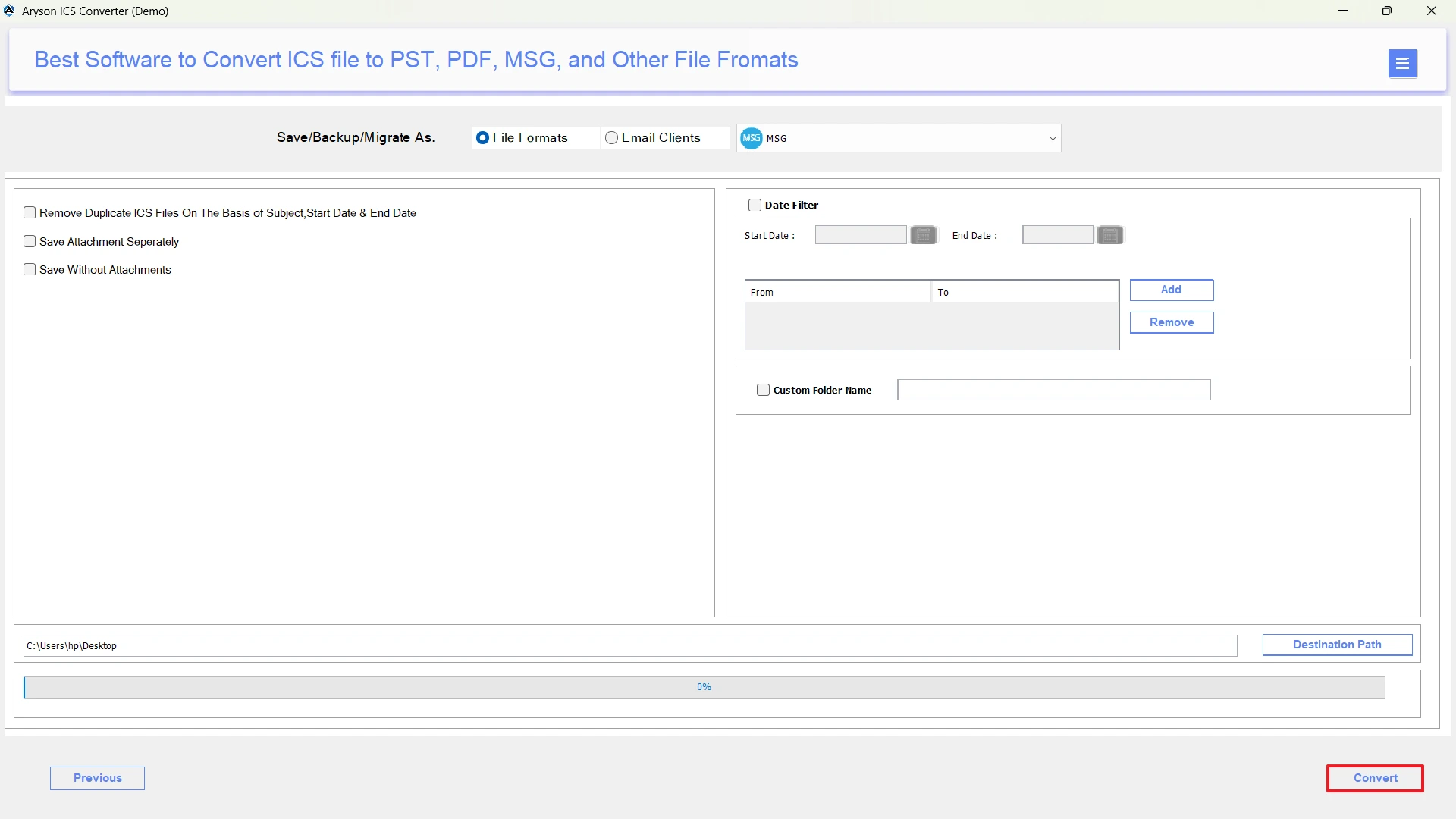
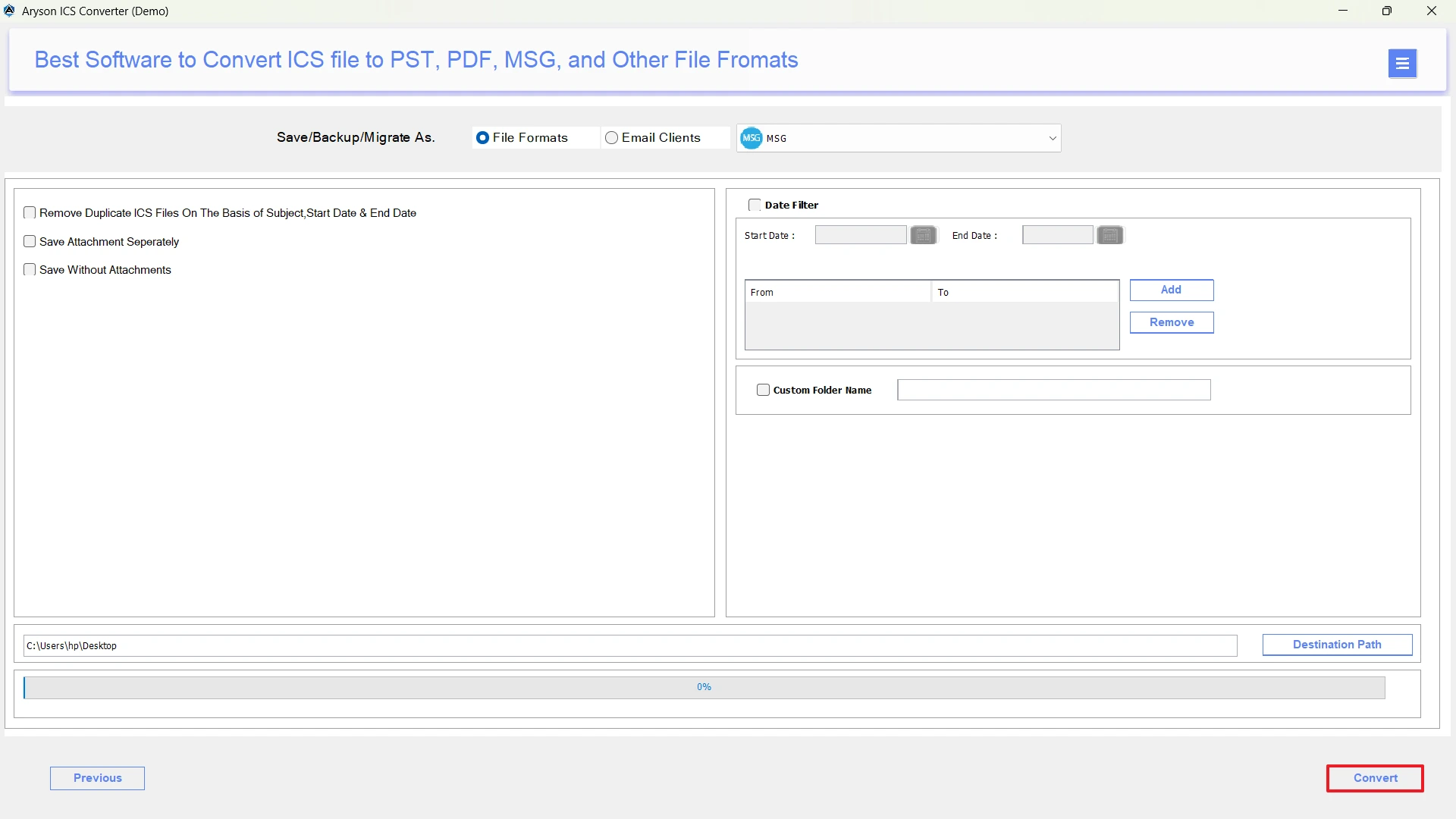
- At last, click the Convert button to export ICS to MSG.
Conclusion
Hope this article helped you to effortlessly convert ICS to MSG, using the MSOutlookHelp ICS Converter and the manual approach. You can proceed with either of the two methods depending on the number of files and your expertise you have. In case you have a few ICS files, try the hands-on approach, but if it doesn’t work for you efficiently, opt for the automated software.
Frequently Asked Questions:
Q.1 Can I convert ICS to MSG without using Outlook?
Ans. Yes, with the help of MSOutlookHelp ICS Converter, you can convert ICS to MSG without using Outlook.
Q.2 Which is the best method to export ICS to MSG?
Ans. MSOutlookHelp ICS Converter is the best method to convert ICS Calendar file to MSG.
Q.3 How do I convert multiple ICS files to MSG at once?
Ans. You can use the above automated software to convert multiple ICS files to MSG at once.
About The Author:

Evren Cole is an expert in Email and Data Management. She has a strong passion for technology and entrepreneurship. In her free time, she enjoys football, music, and reading books.

