

-
Written By Evren Cole
-
Updated on September 30th, 2025
How to Convert OLM to EMLX Format (Step-by-Step Guide)
Michael’s Query: “I, with my team, have been using Outlook for Mac for years, and now we want to switch to Apple Mail. The problem lies in the file format in which all my emails are stored; it is OLM format, but Apple Mail supports EMLX. Can I somehow convert OLM Emails to EMLX files without losing formatting?”
Summary: OLM files are only used by Outlook for Mac, whereas EMLX is only used by Apple Mail to store single email messages. The direct conversion between these formats is not possible manually, which creates a big challenge for users switching from Outlook for Mac to Apple Mail. To make this process smooth, this blog explains manual as well as professional methods to convert OLM to EMLX. For a secure migration, the MSOutlookHelp OLM Converter Tool is recommended. This tool can make the conversion safe to EMLX without data loss, keeping emails and attachments.
Know What OLM and EMLX Files Are
- OLM Files: It was created automatically when the data was exported from Outlook for Mac. It contains an array of mailbox items, including all emails, contacts, notes, calendar, and task items. However, OLM cannot be accessed in any other email client.
- EMLX Files: This format is only supported by Apple Mail on macOS. However, this file format can store individual email messages. Each of the EMLX files contains one email along with its content, which makes it easy to manage.
When users want to convert OLM to EMLX, they are preparing for their Outlook for Mac data to be imported into Apple Mail.
Why Do Users Need to Export OLM files to EMLX?
There are several reasons why someone like Michael may need this conversion. Some of the common ones are:
- When transferring from Outlook for Mac to Apple Mail, emails need to be converted to EMLX because Apple Mail does not support OLM.
- It’s simple to open, search, and manage EMLX files on practically any Mac.
- Many individuals save emails in EMLX format for compliance purposes or for long-term backup.
- There are also many companies that are going to bulk convert their emails to EMLX format because they are moving users from Outlook for Mac to the Apple experience.
- You can use applications like Apple Spotlight to index and quickly find your way through the EMLX files for fast access to email searching and better accessibility.
You may use applications like Apple Spotlight to index and quickly search through EMLX files, making emails easier to search and more accessible.
Best Means to Convert OLM to EMLX
There are two primary methods to perform this task:
- Manual conversion using configured accounts
- Automated conversions using a professional tool
Let’s review each option in detail.
Approach 1: Manually Convert OLM to EMLX
Outlook for Mac doesn’t have a method to export emails in EMLX format at this time, either directly or indirectly. However, you can still use Apple Mail as a potential workaround.
Follow the steps below to do this:
- Firstly, start by opening the Apple Mail app on your Mac.
- After that, go to the settings option and select the Mail option.
- Under the Mail option, choose the Add Mail Account option.
- Here, enter all the relevant data of the MS Outlook for Mac application.
- Wait for a second to sync the MS Outlook with Apple Mail.
- After that, browse and choose the desired mailbox that you want to convert.
- Then, drag and drop all the relevant mail into the Apple Mail label.
- After transferring the mailbox, open the Menu option and choose Save As.
- Finally, at the end of the process, supply the necessary saving details and Save Outlook OLM files to EMLX.
Limitations of the Manual Method:
- It takes a lot of time for large OLM files.
- It requires an accurate IMAP setup.
- Risk of losing attachments or email formatting.
- Not suitable for bulk export.
- This method works if you only have a few emails to transfer. When the migration is for a large file, the manual process can become ineffective.
Approach 2: Convert OLM to EMLX with Automated Solution
The MSOutlookHelp OLM Converter tool is the best option for a faster solution to convert OLM Emails to EMLX files. This tool is made for the conversion of OLM bulk data without losing any data. It is not only for supporting EMLX but also offers multiple saving options like PST, MBOX, PDF, Gmail, Office 365, iCloud, and more. The software comes with an easy interface that helps both technical and non-technical users complete the task with ease. In addition, it preserves the original folder structure and attachments, ensuring that no element of your emails is altered during conversion. With the help of this tool, we can import OLM files to Hotmail and other file formats.
Easy 6 Steps to Export OLM Emails to EMLX Files:
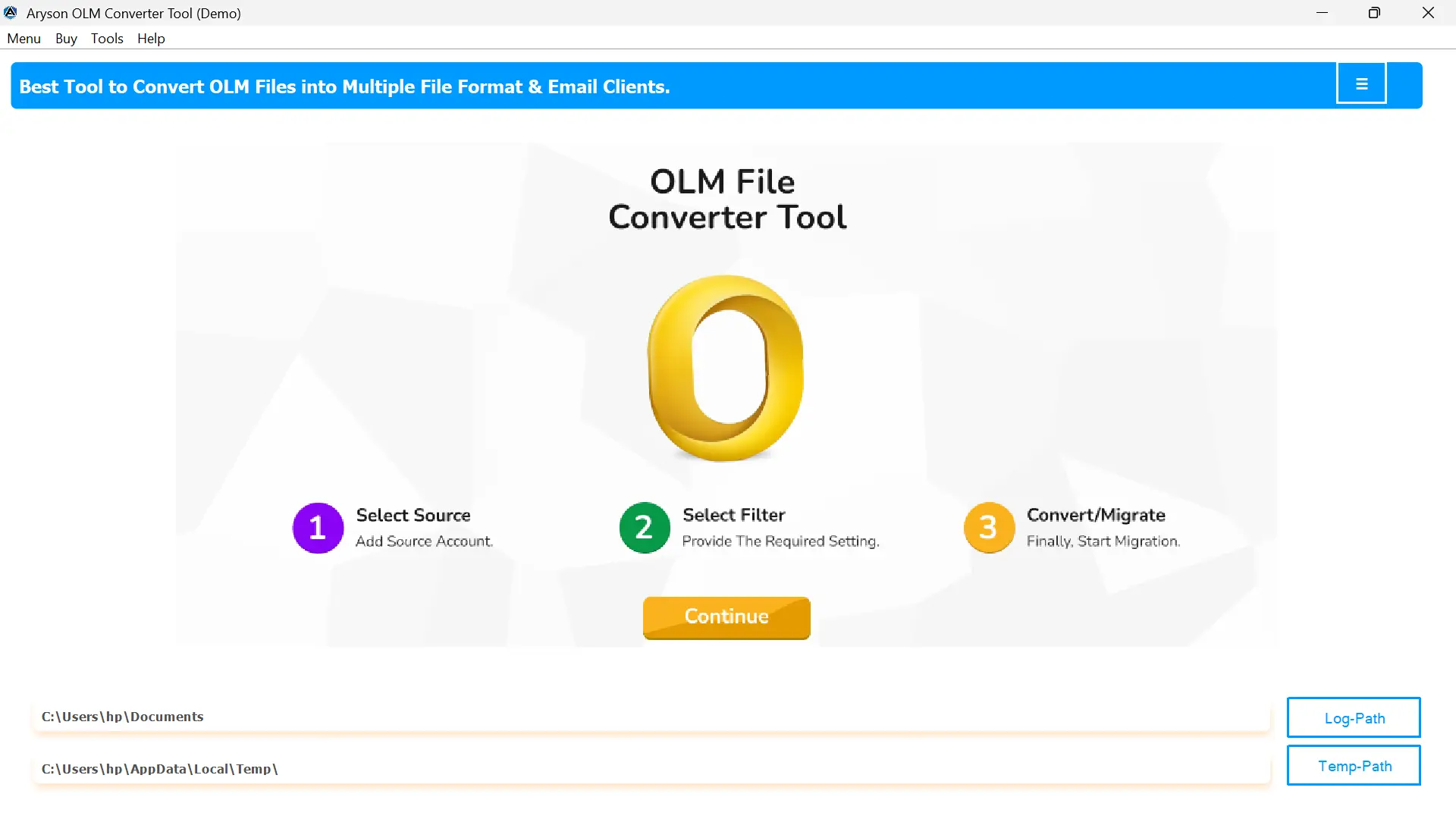
- First of all, download and install the OLM Converter on your system.
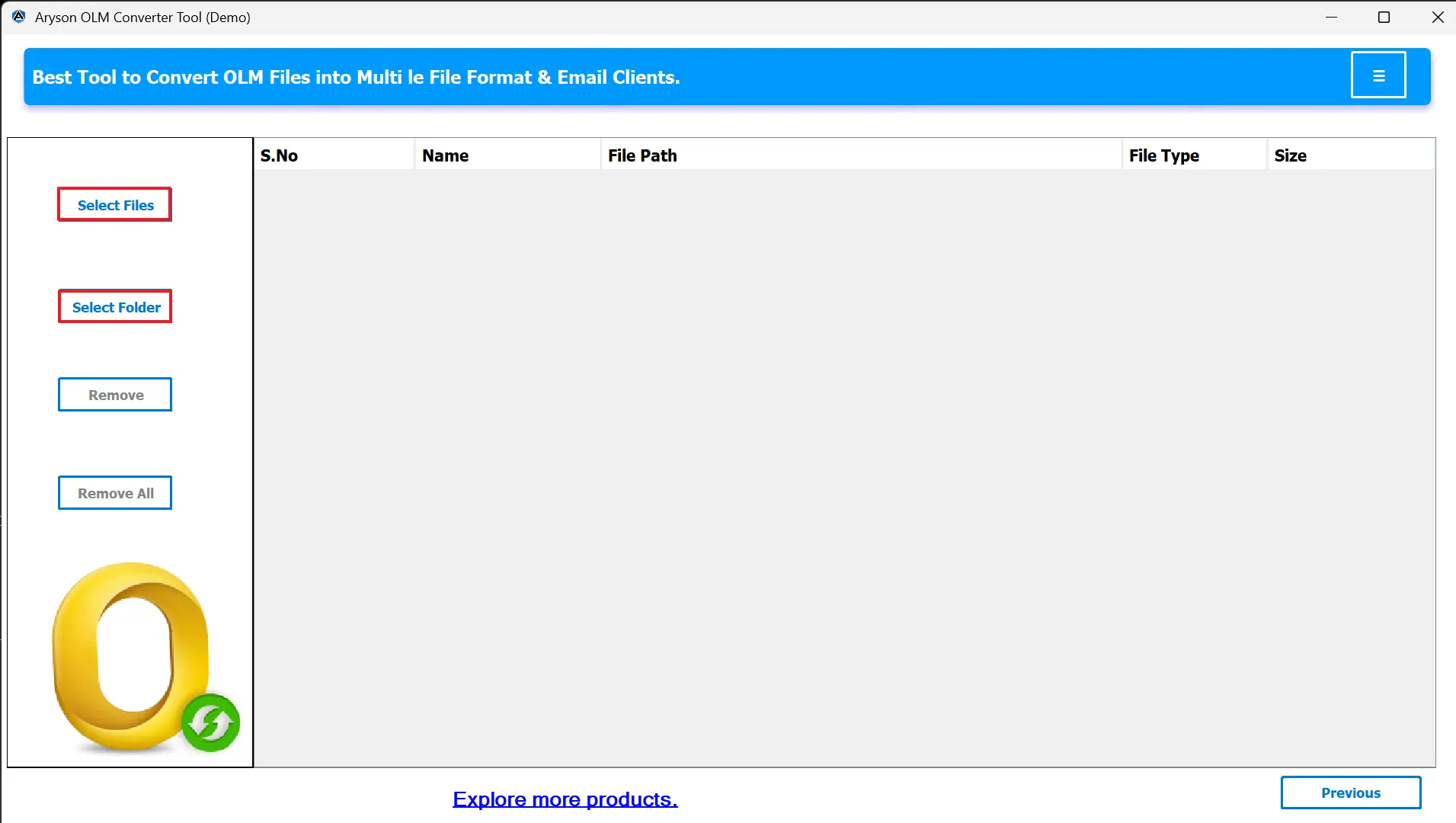
- For importing files, click on Select Files/Select Folder to add OLM files.
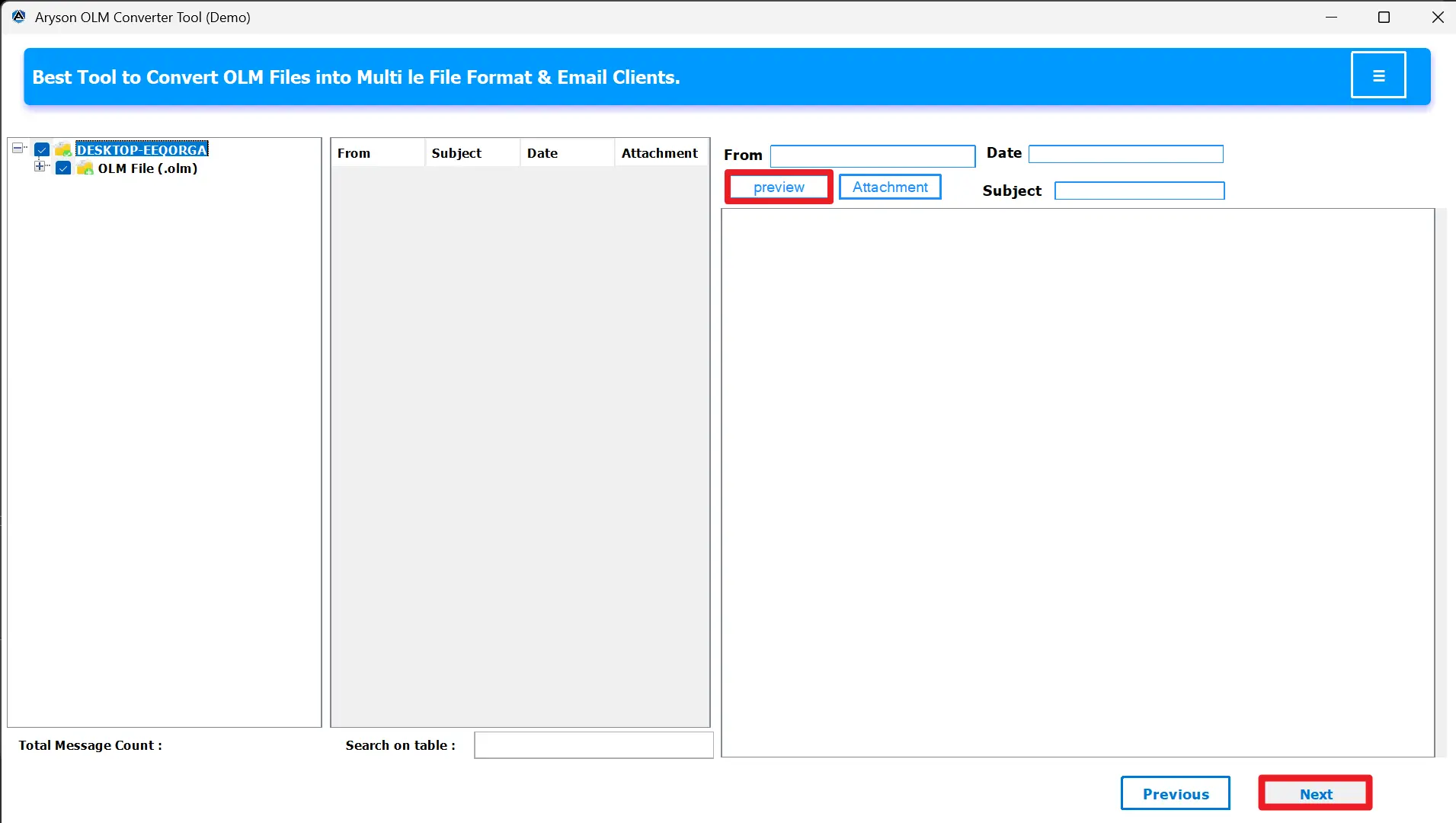
- Preview your OLM mailbox data within the tool’s interface.
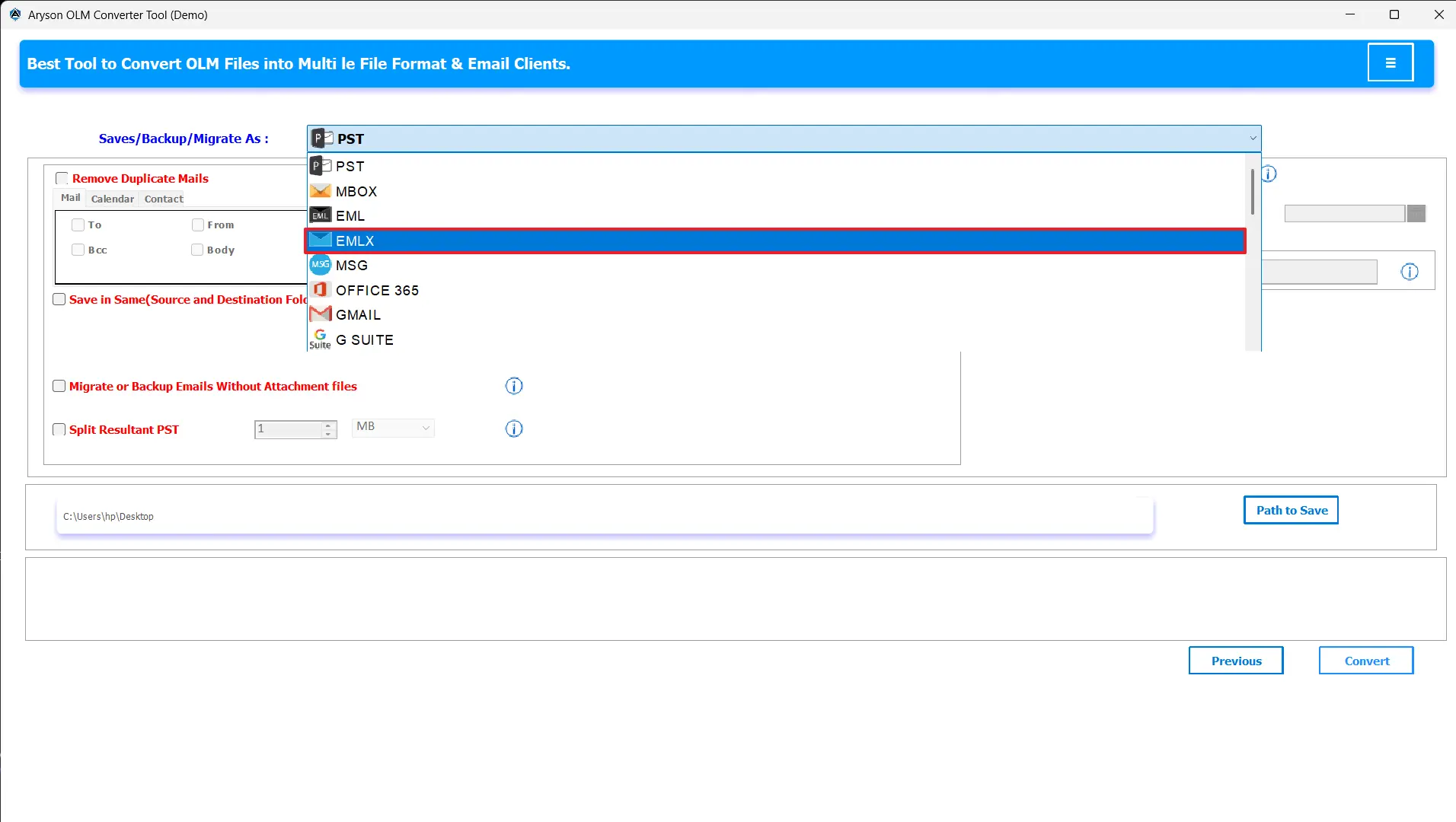
- From the export drop-down options, choose EMLX as the file format.
- You can apply advanced filters and give the destination to the file.
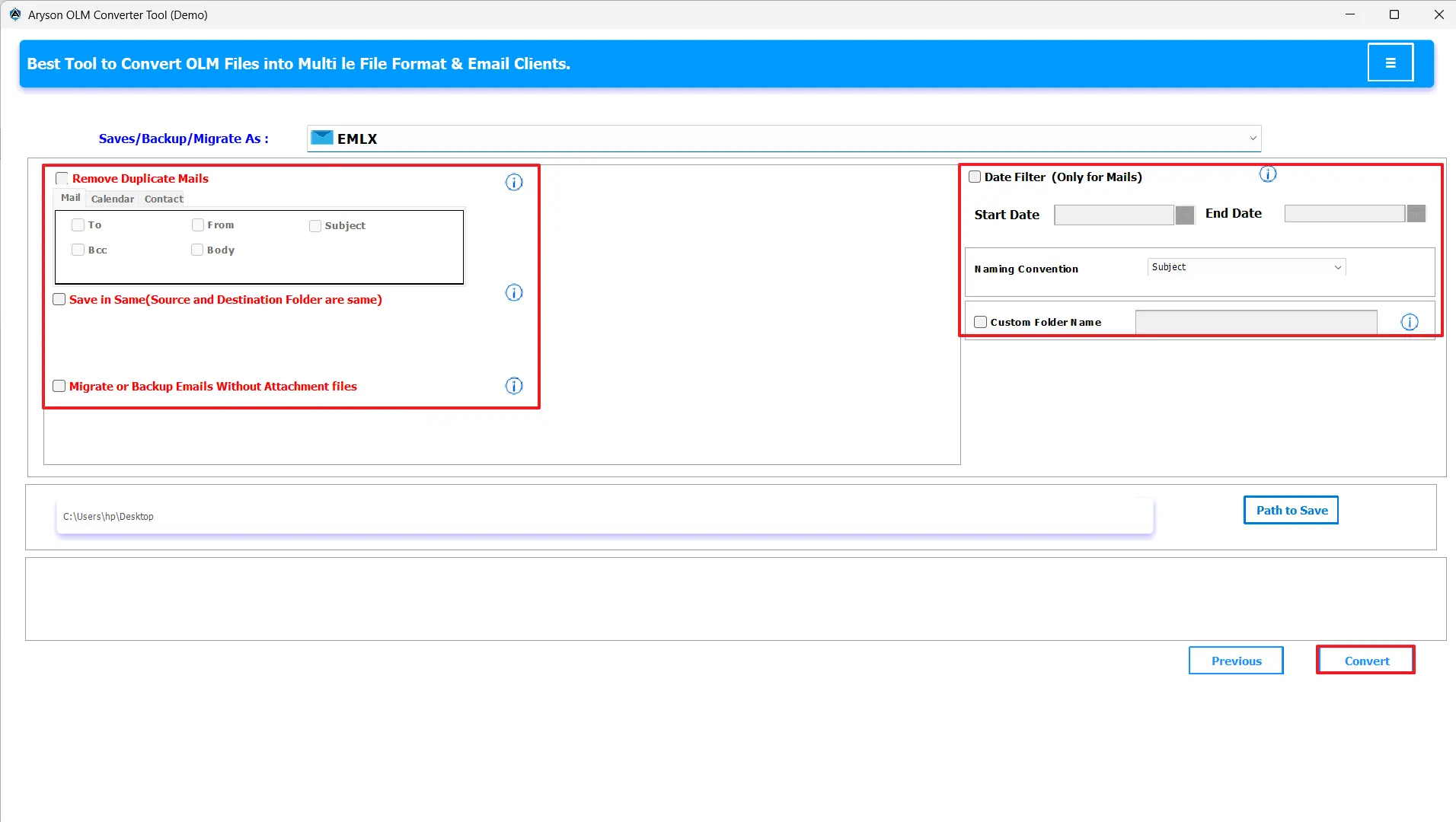
- Finally, click on the convert button to convert OLM to EMLX.
Conclusion
When you convert OLM files to EMLX, it becomes necessary when switching from Outlook for Mac to Apple Mail. While the manual IMAP method can work for small data transfers, it is not practical for large files. In this blog, we have seen that the OLM Converter tool can provide a seamless way to export OLM to EMLX while maintaining all attachments. It is all up to the user to choose the above-mentioned methods according to their needs.
Frequently Asked Questions:
Q.1 What is the best way to convert OLM files to EMLX on Mac?
Ans. The best way is to use the MSOutlookHelp OLM Converter tool. It directly converts OLM to EMLX without requiring Outlook or any complex setup.
Q.2 Can I save Outlook OLM files as EMLX manually?
Ans. Yes, by configuring your Apple Mail account in Outlook for Mac via IMAP, you can manually drag emails into Apple Mail, where they are saved in EMLX format. However, this method is slow and may not preserve all attachments.
Q.3 Can I directly convert OLM to EMLX without Outlook?
Ans. Yes, MSOutlookHelp OLM Converter tool allows you to export OLM to EMLX without needing Outlook installed.
1. Download and install the OLM Converter on your system.
2. Click on Select Files/Select Folder to add OLM files.
3. Preview your OLM mailbox data within the tool’s interface.
4. From the export drop-down options, choose EMLX as the file format.
5. You can apply advanced filters and give the destination to the file.
6. Finally, click on the Convert button to convert OLM to EMLX.
Q.4 Is it possible to export selected emails from OLM to EMLX?
Ans. Yes, the MSOutlookHelp OLM Converter tool provides filter options such as date range and folder selection, which let you export only specific emails to EMLX.
About The Author:

Evren Cole is an expert in Email and Data Management. She has a strong passion for technology and entrepreneurship. In her free time, she enjoys football, music, and reading books.

