

-
Written By Evren Cole
-
Updated on September 29th, 2025
How to Import OLM Files to Hotmail (Mac & Windows)
User Query: “My name is Alex Thompson. I have been working with Outlook for the last 10 years and recently changed my company, so now all my important emails are stored in Outlook as OLM files. I just switched to Hotmail because I need cloud access on my devices, and Hotmail does not support OLM files. Can anyone help me and tell me how to transfer my OLM to Hotmail without losing my email or attachments?
Summary: When you import OLM files to Hotmail, it can be difficult since Hotmail doesn’t support the OLM format directly. All mailbox data, including emails with attachments, can be stored in OLM files when using Outlook for Mac, and Hotmail works in a cloud environment to access your email from any device. In this blog, we will learn why many users migrate like Alex and the available solutions for it. For quick and risk-free results, using the MSOutlookHelp OLM Converter Tool is the best approach for zero data loss.
What Are OLM Files?
Outlook for Mac employs OLM files as the default storage files. OLM files contain emails, contacts, tasks, notes, calendars, and attachments. OLM files can only be viewed in Outlook for Mac, and do not work with webmail services like Hotmail.
Top 5 Reasons to Import OLM Files to Hotmail?
Users open OLM Files in Hotmail for several reasons:
- Hotmail accounts can be opened from any browser or mobile app.
- Cloud storage protects emails from corruption or accidental loss.
- Hotmail keeps your mailbox updated across all devices.
- Hotmail organizes all of your folders, metadata, and attachments, making it easy to manage your emails.
Methods to Import OLM Files to Hotmail
There are two ways to move OLM data into Hotmail:
- Manual migration using IMAP configuration in Outlook.
- Automated migration with a professional OLM Converter Tool.
Method 1: Transfer OLM Files to Hotmail via IMAP
This manual method consists of connecting your Hotmail account with Outlook by using IMAP sync to transfer emails.
- First, log in to your Hotmail account with your email ID and password.
- Second, click on the settings icon on the top right, and select Options. Next, click on More mail settings to continue.
- Next, select the Accounts section and then click on Import/Export. Now, choose Import from another program or file, and then select Next.
- Then, from the given file types, select Outlook Data File (.pst) and click Next.
- Then, browse and select the saved PST file’s location, and click Next.
- Then, select the mailbox or folders where you want the data to be imported, and select Next.
- Finally, review the import opportunities and select Finish to Import OLM Emails to Hotmail.
Disadvantages of the IMAP Method
- Time-consuming and complex for beginners.
- Does not migrate contacts or calendars effectively.
- Requires Outlook for Mac to be installed.
- Not suitable for bulk migration or large mailboxes.
- Risk of missing attachments or corrupted folders.
- For these reasons, businesses and users with large amounts of data usually prefer the automated method.
Method 2: Import OLM Files to Hotmail Using a Professional Tool
The best way to transfer OLM files into Hotmail is through the use of the MSOutlookHelp OLM Converter Tool. This software provides a direct and secure way to transfer your OLM data without lengthy or complex setups. It is perhaps the best utility to use, particularly when you want to keep your emails with attachments intact during your migration. You can work on Mac or Windows; the tool supports both platforms. Users can also apply filters to refine output, which makes the process more customized. Most importantly, it can offer a safe transfer with no risk of data loss. Additionally, you can directly import OLM files to Yandex Mail along with many other file formats.
Steps to Import OLM Files to Hotmail with the Tool
- Firstly, download and install the OLM Converter Tool.
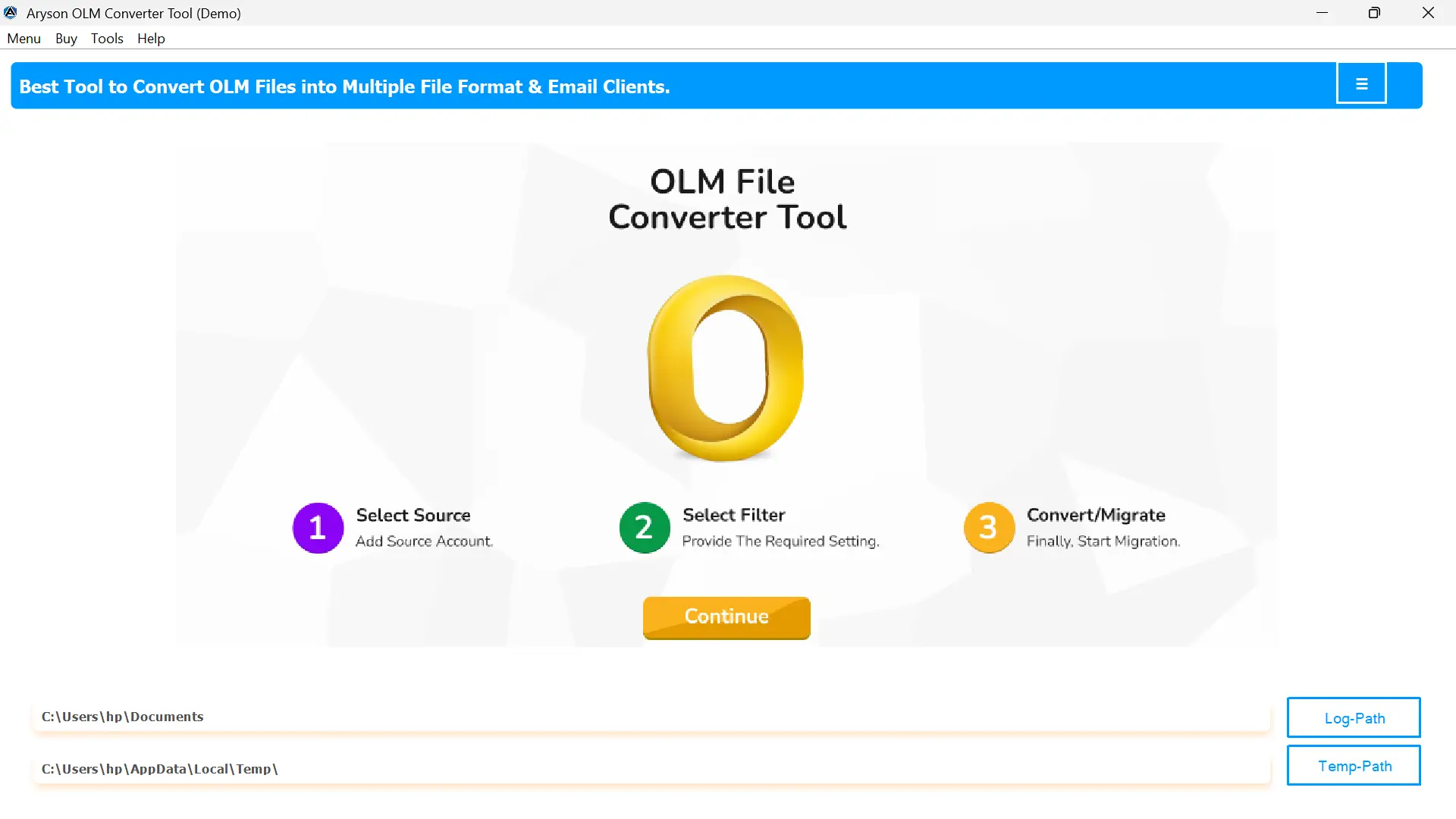
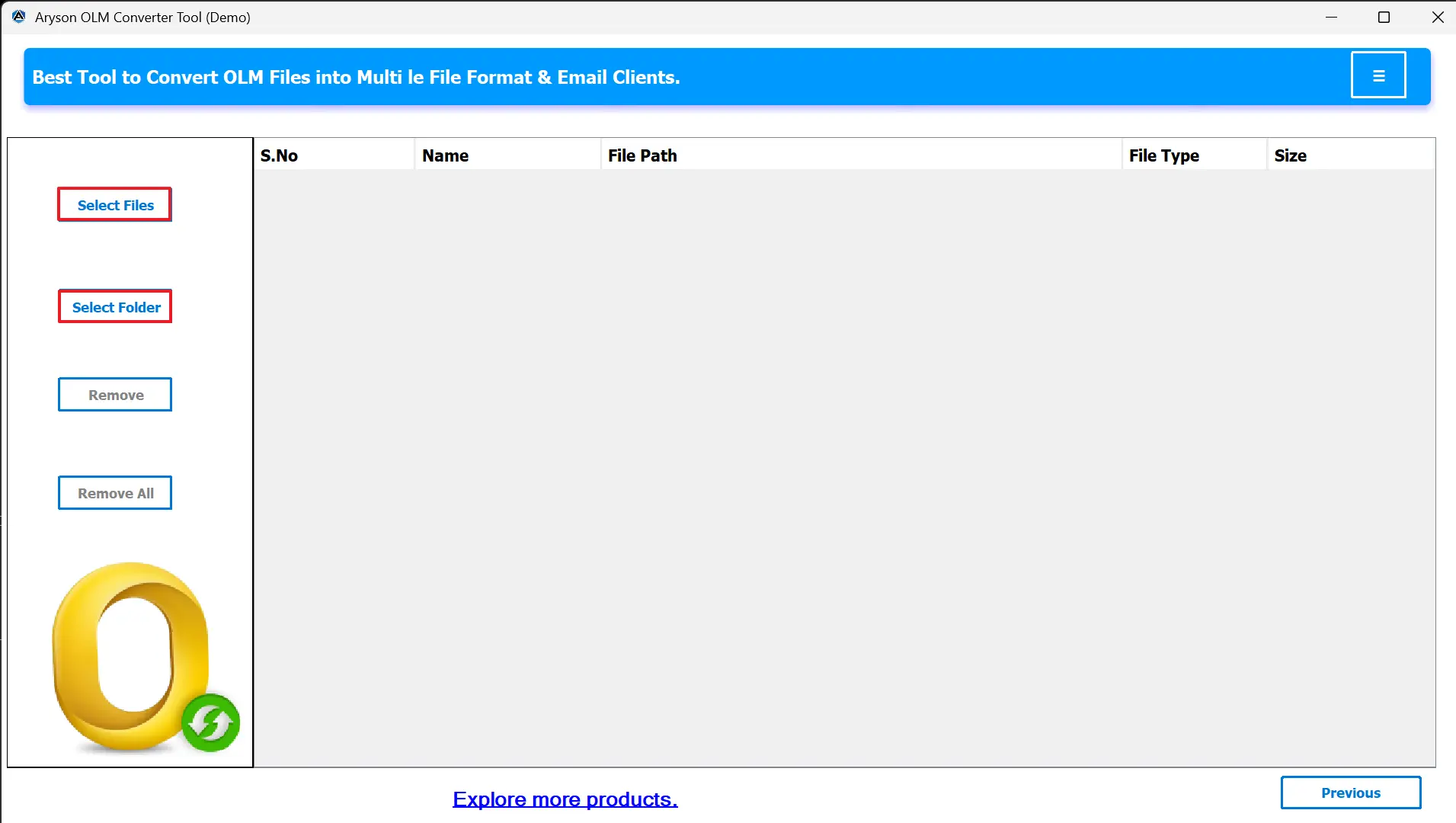
- After that, click Select File/Folder to upload your OLM files.
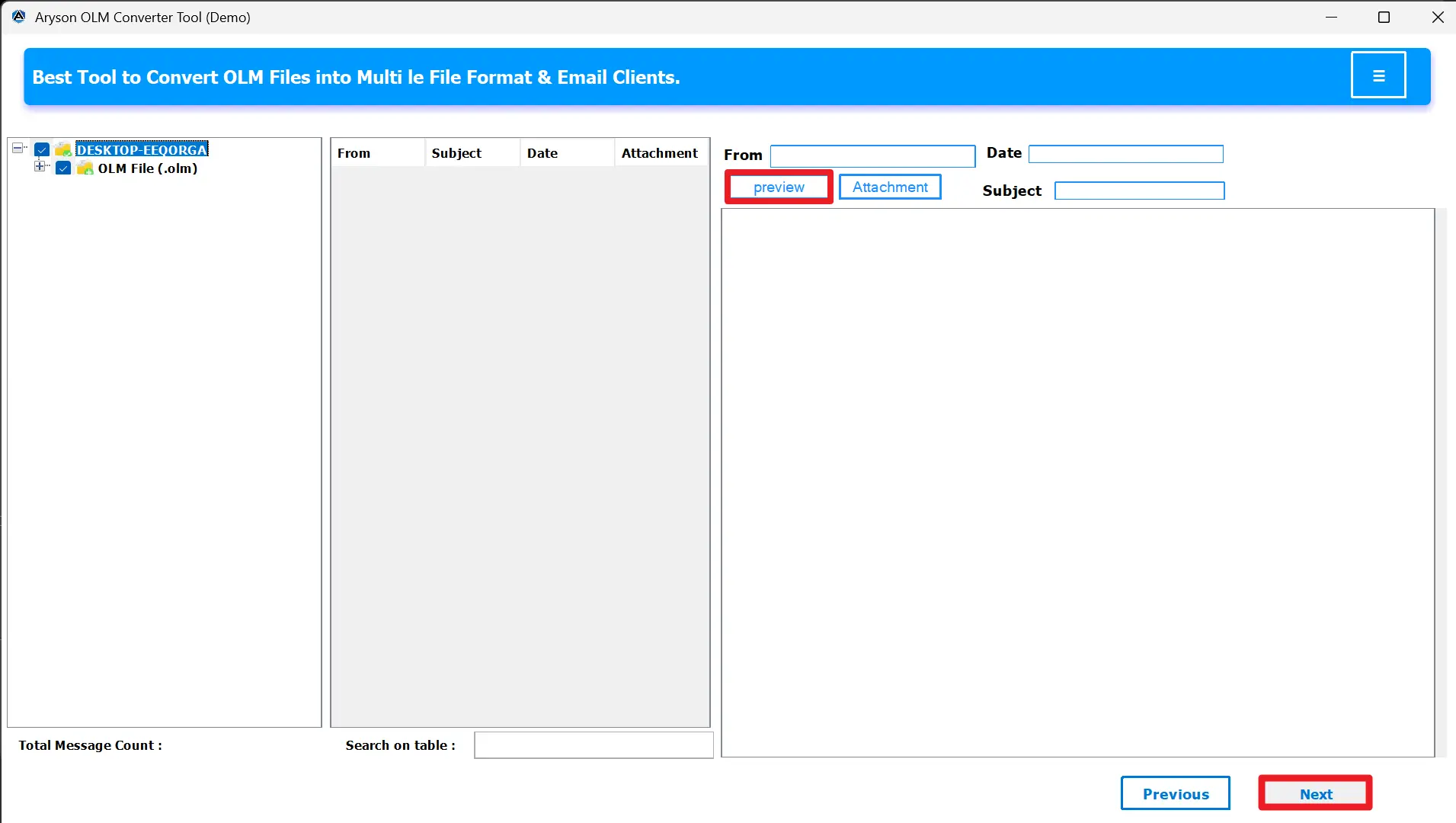
- Preview your data (emails, attachments, contacts, calendars).
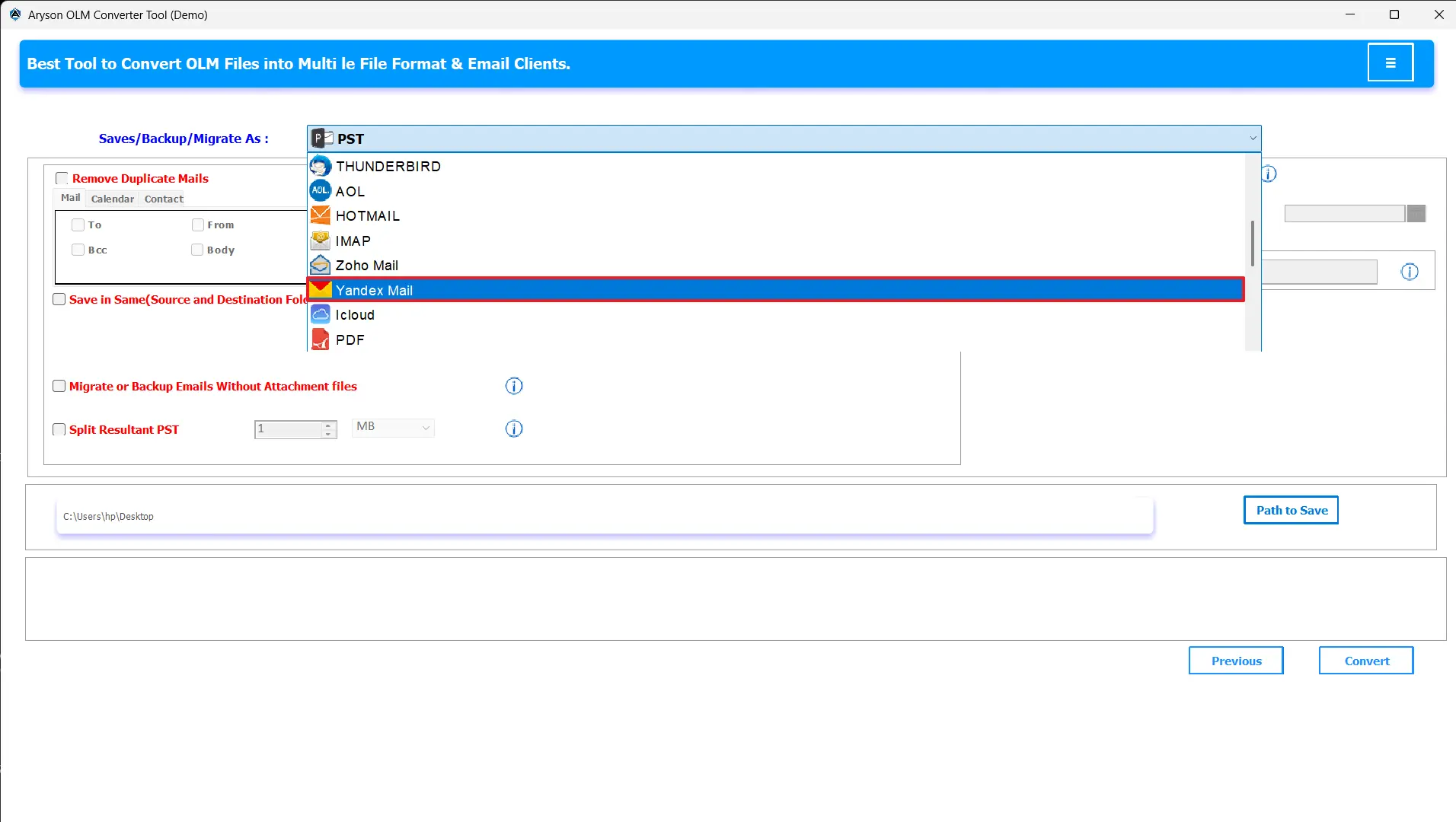
- From the saving options, select Hotmail.
- Enter your Hotmail login details.
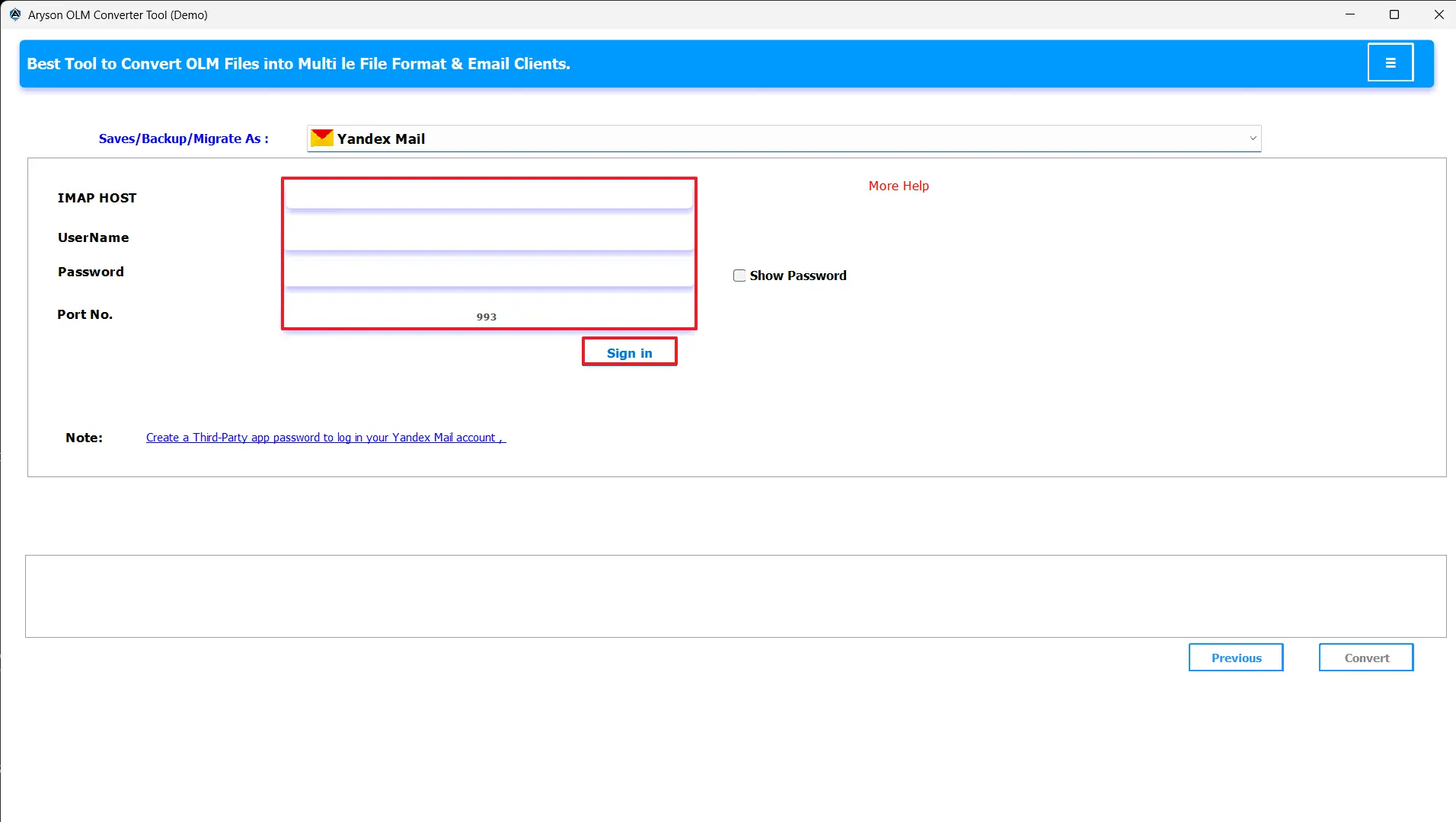
- Apply filters to refine migration by folder or date range.
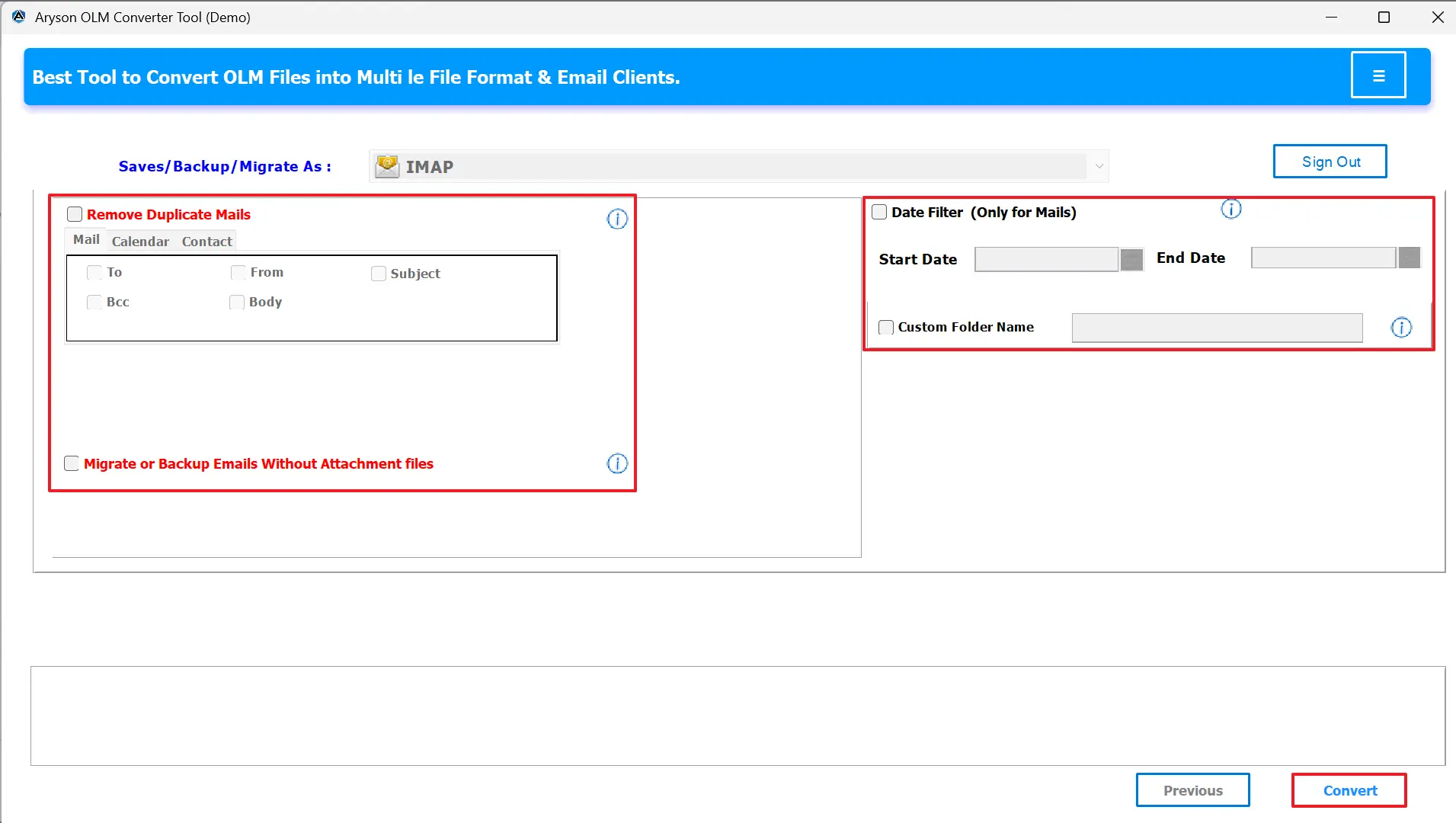
- Click Convert to Move OLM file to Hotmail on Mac.
Conclusion
When you try to import OLM files to Hotmail, it is not straightforward since Hotmail does not support the OLM format. In this blog, you have seen the manual IMAP method, which can work for small transfers; it has several limitations, such as incomplete migration and time consumption. For a faster and trusted solution, using the MSOutlookHelp OLM Converter Tool is a good choice. It lets you seamlessly transfer OLM emails right into Hotmail without any threat, for both Mac and Windows users.
Frequently Asked Questions:
Q.1 Can I directly import OLM files to Hotmail?
Ans. Yes, by using the MSOutlookHelp OLM Converter Tool.
1. Download the OLM Converter Tool.
2. Click Select File/Folder to upload your OLM files.
3. Preview your data before Migration.
4. From the saving options, select Hotmail.
5. Enter your Hotmail login details.
6. Apply filters to refine migration by folder or date range.
7. Click Convert to start transferring OLM data into Hotmail.
Q.2 How can I transfer OLM files to Hotmail on Mac?
Ans. You can configure your Hotmail account in Outlook for Mac and drag and drop emails into the mailbox. For quick results, use the OLM Converter Tool.
Q.3 Is it possible to import OLM emails to Hotmail without using Outlook?
Ans. Yes. With the MSOutlookHelp OLM Converter Tool, you can directly import OLM files into Hotmail without relying on Outlook.
Q.4 What’s the best method to open OLM files in Hotmail?
Ans. The best way is to use the MSOutlookHelp OLM Converter Tool, as it is faster, safer, and capable of handling bulk migration without errors.
About The Author:

Evren Cole is an expert in Email and Data Management. She has a strong passion for technology and entrepreneurship. In her free time, she enjoys football, music, and reading books.

