

-
Written By Evren Cole
-
Updated on September 18th, 2025
How to Import OLM to AOL Mail Easily
David’s Query:“I really want to transfer my Outlook for Mac OLM files to AOL Mail. How can I migrate all my OLM emails and their metadata without losing any information and attachments?”
Summary: OLM files hold emails, attachments, contacts, and calendars. But they are not directly supported by AOL. Managing OLM files from Outlook for Mac can be challenging if you need to transfer them into AOL Mail. Since. In this blog, we will discuss simple and effective ways to import OLM to AOL Mail without losing data or folder structure. In addition, you can use a reliable MSOutlookHelp OLM Converter Tool for a secure migration.
Understand: What are OLM Files
OLM is a File format that is used for the Mac in Outlook, used to store emails and all their data. Because AOL Mail does not accept OLM files directly, a proper conversion or migration method is necessary to ensure no data is lost during transfer.
Why Should You Import OLM Emails to AOL?
Transferring emails from Outlook for Mac to AOL Mail has several benefits:
- It helps to access all data & attachments from any device.
- Changes in your AOL account update instantly across devices.
- Cloud storage keeps emails, attachments, and contacts safe.
- Also, importing OLM files can be used to maintain the folder structure.
Best Methods to Import OLM to AOL
In this section, we discuss two possible methods to import your OLM data into AOL format, such as
- Manual Method using Outlook
- With the help of the Professional Tool
Let’s discuss each method in detail.
Approach 1: Import OLM Files to AOL Mail Manually
If you don’t want to install third-party tools or software. You can manually transfer your OLM emails to AOL Mail using MS Outlook for Mac.
The following are the steps to follow:
- Firstly, open MS Outlook for Mac on your system.
- Then, go to File > click Import and choose the OLM file you want to add.
- Once imported, go to the Tools > and choose the Accounts section.
- After that, click + (Add Account) and choose Other Email or IMAP.
- Now, enter your AOL Mail credentials:
- Incoming Mail Server: imap.aol.com | Port: 993 | SSL: Yes
- Outgoing Mail Server: smtp.aol.com | Port: 465 | SSL: Yes
- After the account is added, your AOL mailbox will appear in Outlook.
- Further, select the imported OLM emails and drag them into the AOL folder.
- Finally, sync to complete the migration of OLM to AOL mails.
Drawbacks of the Manual Method
While the manual process is free to use. But it has several limitations that make it an irrelevant choice for many users. Some of the limitations are:
- It takes too much time for large mailboxes.
- Needs Outlook for Mac installed.
- This tool is not used to perform bulk migration.
- Risk of missing emails or attachments.
- Also, it requires correct IMAP setup and technical knowledge.
Easy Method to Import OLM to AOL
The MSOutlookHelp OLM Converter Tool is a fast and reliable solution to transfer Outlook for Mac OLM files to AOL Mail and other platforms. It can also keep emails, contacts, calendars, tasks, attachments, and folder structure intact while supporting multiple migrations. It has a user-friendly interface. Therefore, it makes the conversion secure, fast, and error-free even for users with minimal technical expertise. Furthermore, it can directly import OLM to Zoho Mail with other email clients.
Simple Steps to Transfer OLM File Data to AOL Mail Using a Professional Tool:
- Firstly, download the OLM File Converter on your PC.
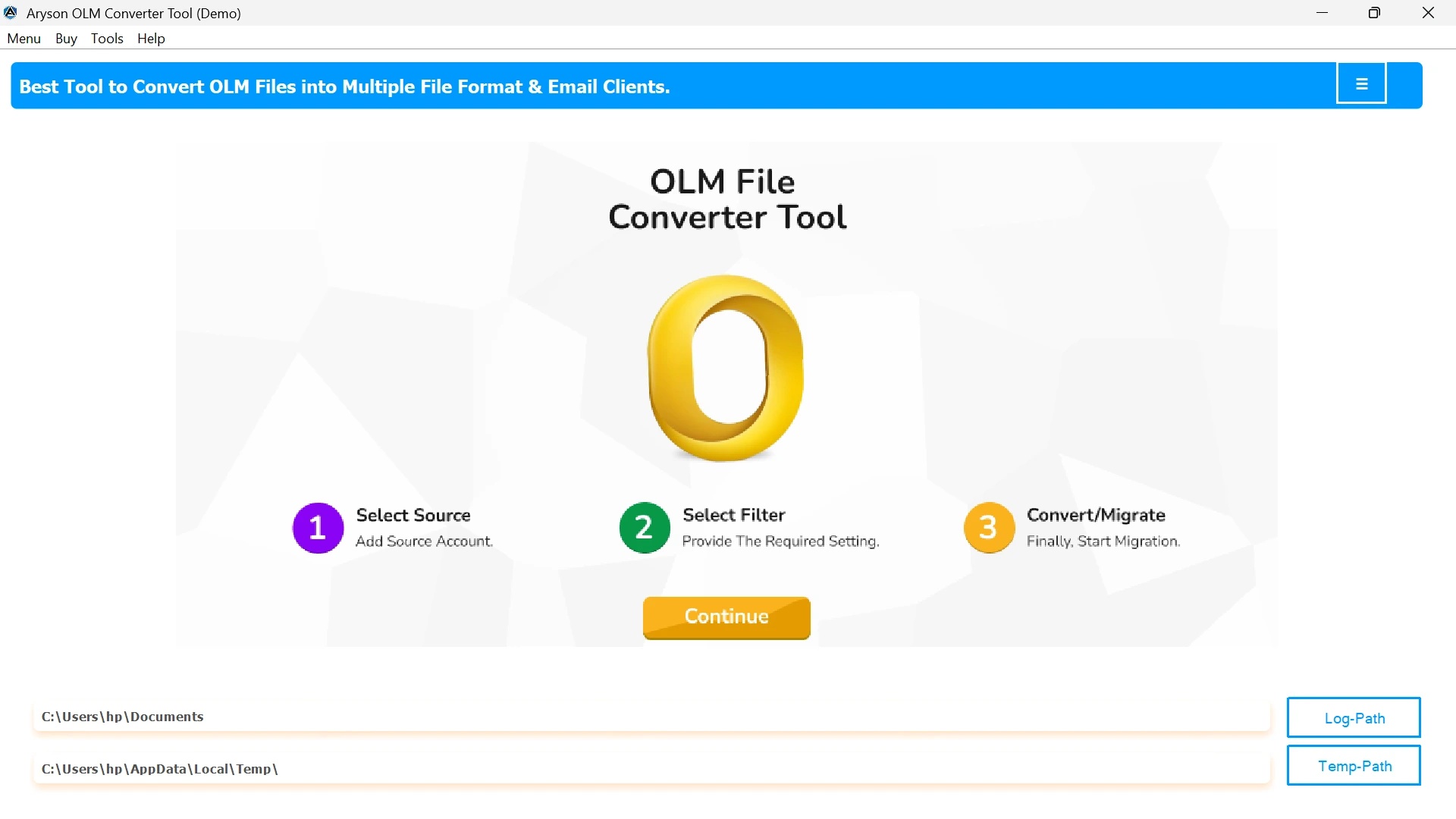
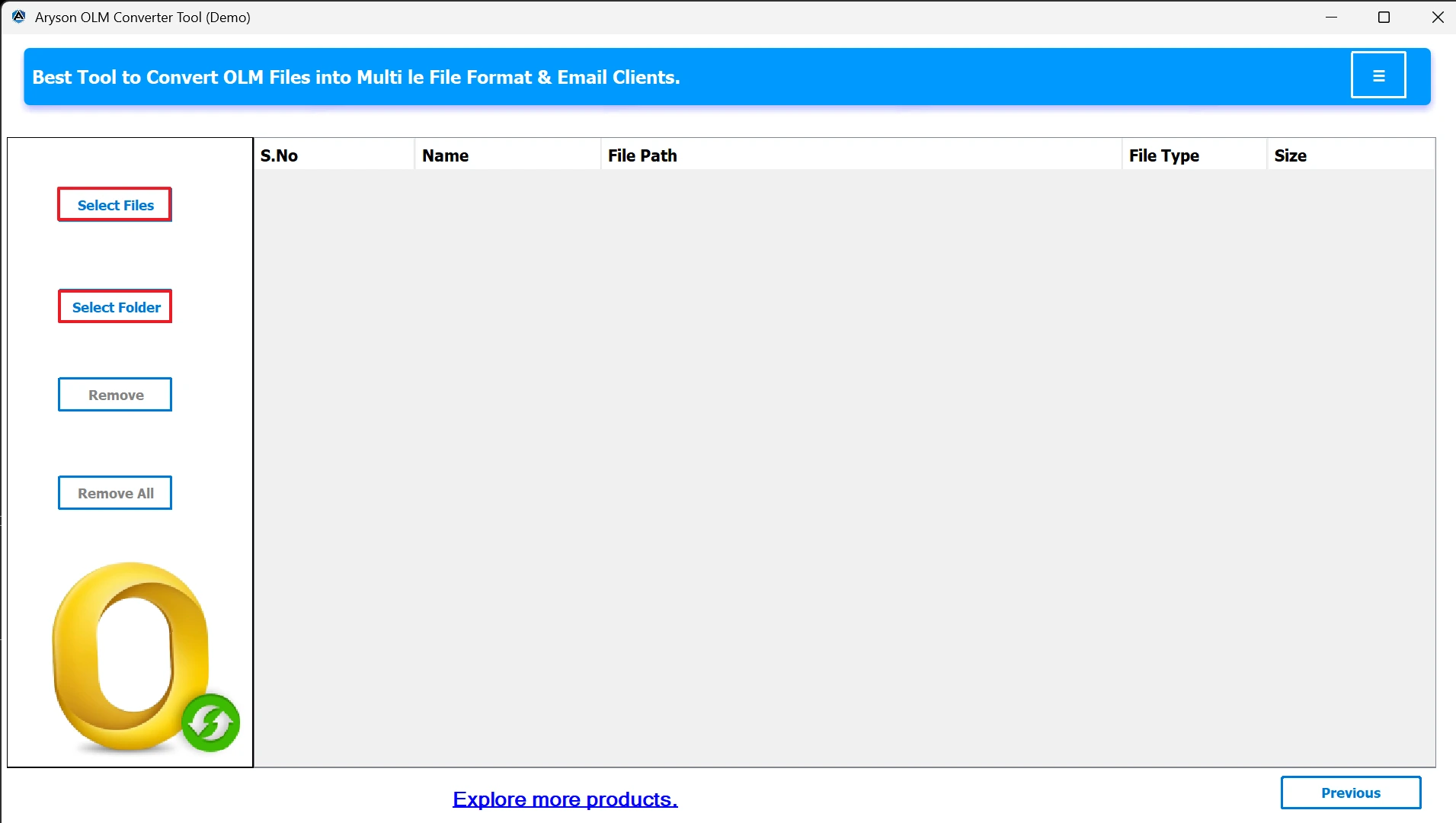
- Now, choose: Select Files or Select Folder to upload the OLM files.
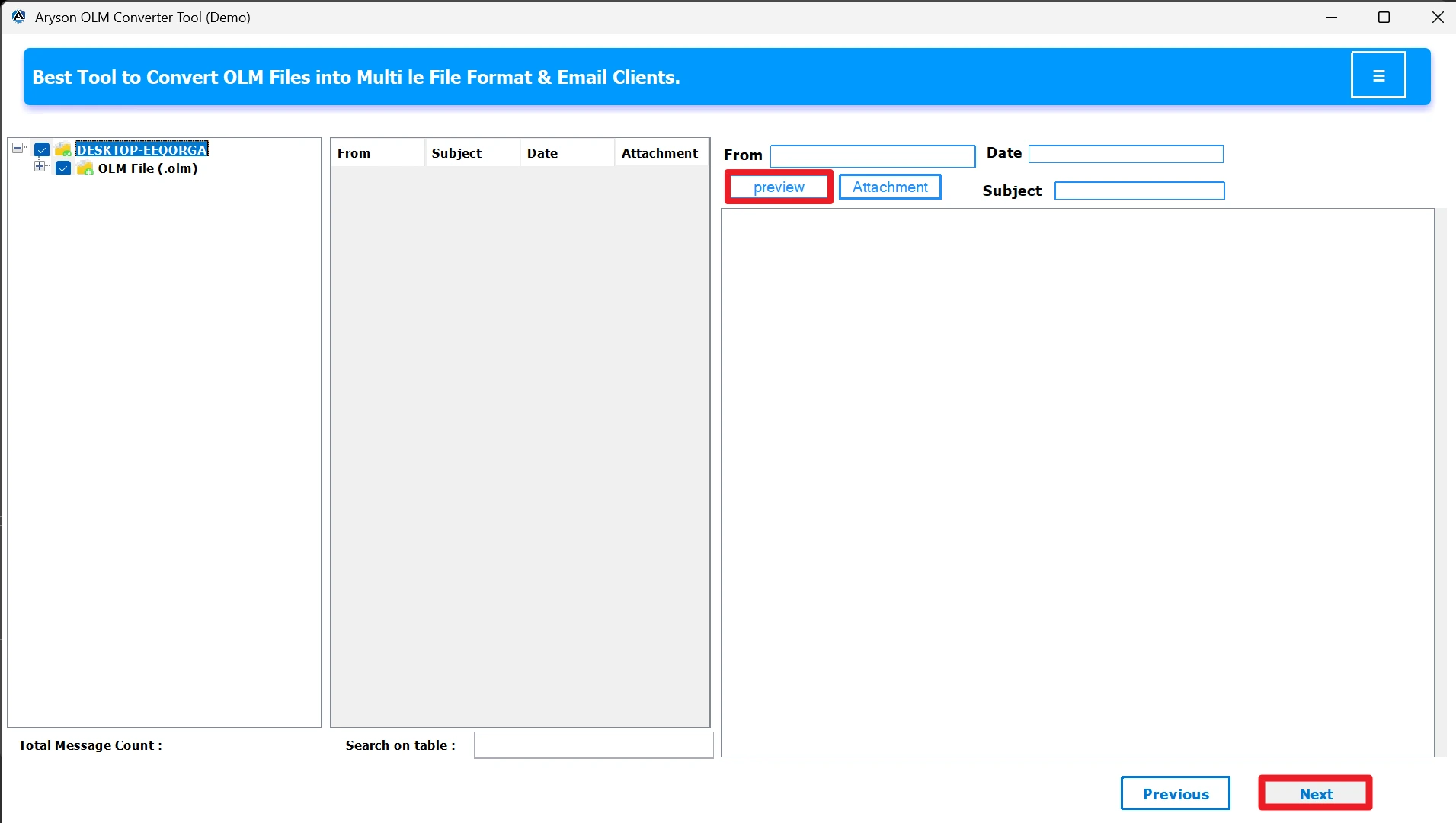
- Select and preview the migrated files before migration.
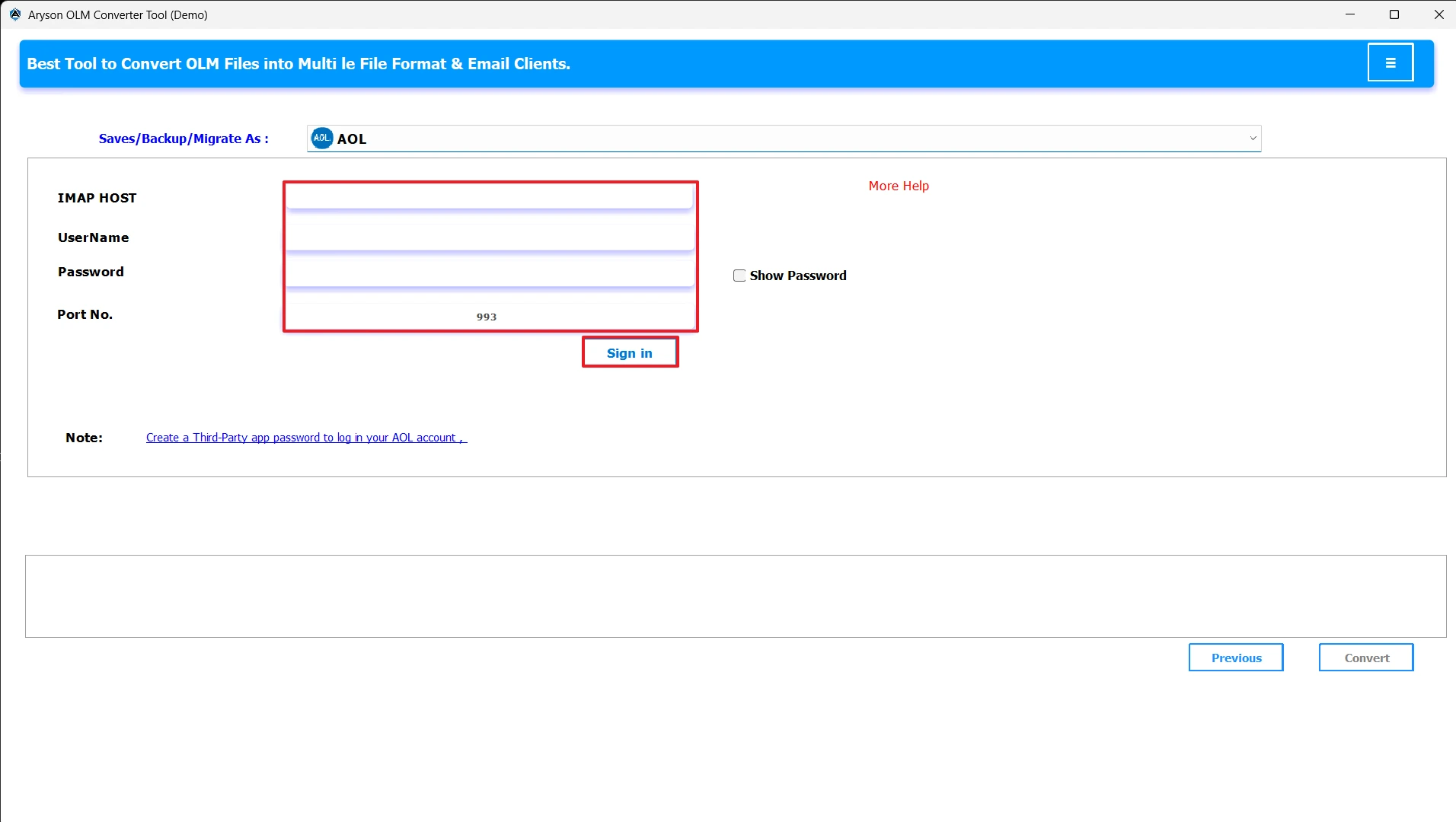
- From the Email client, select AOL Mail from the drop-down menu.
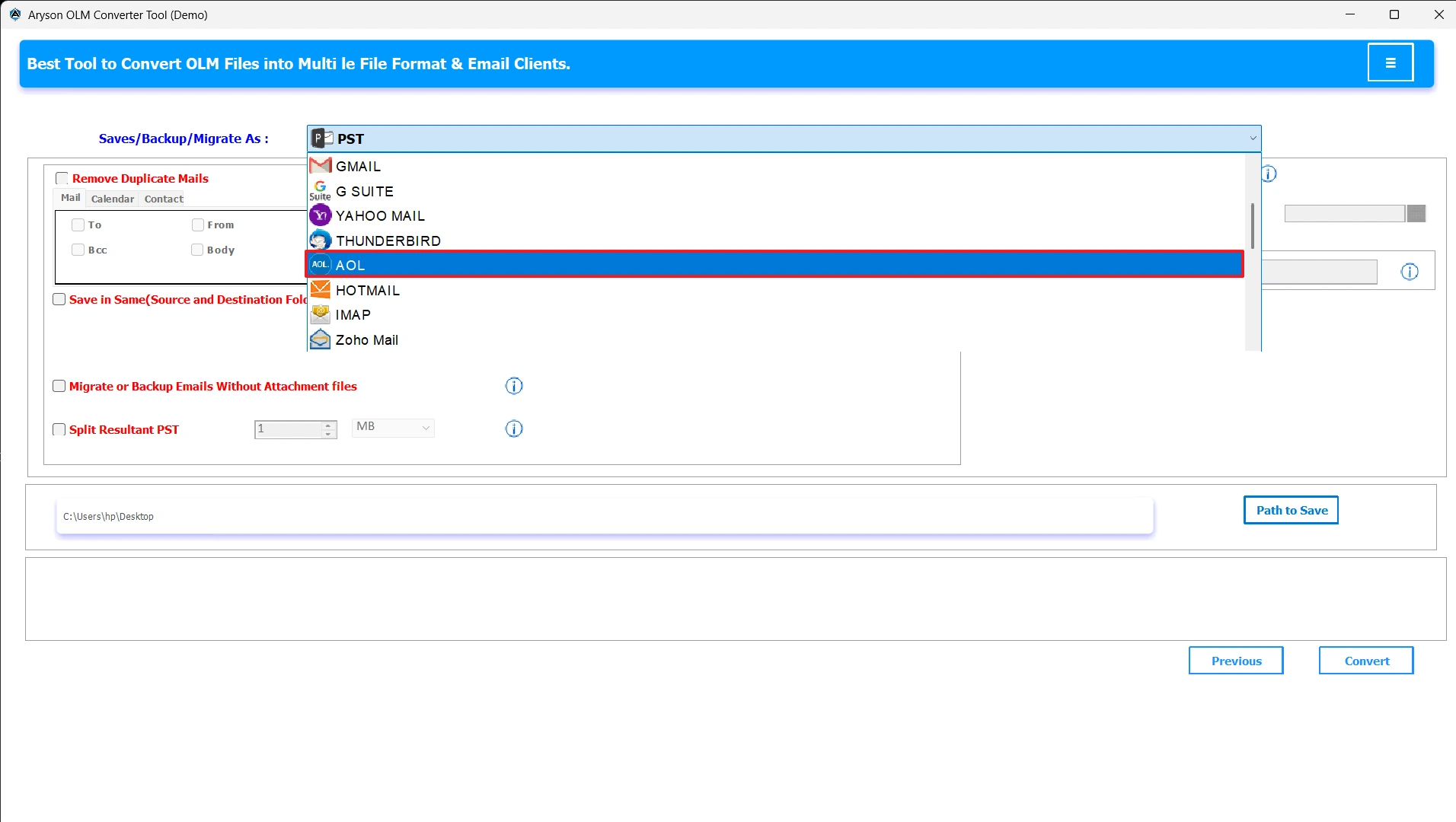
- Select your AOL Mail and enter the login credentials.
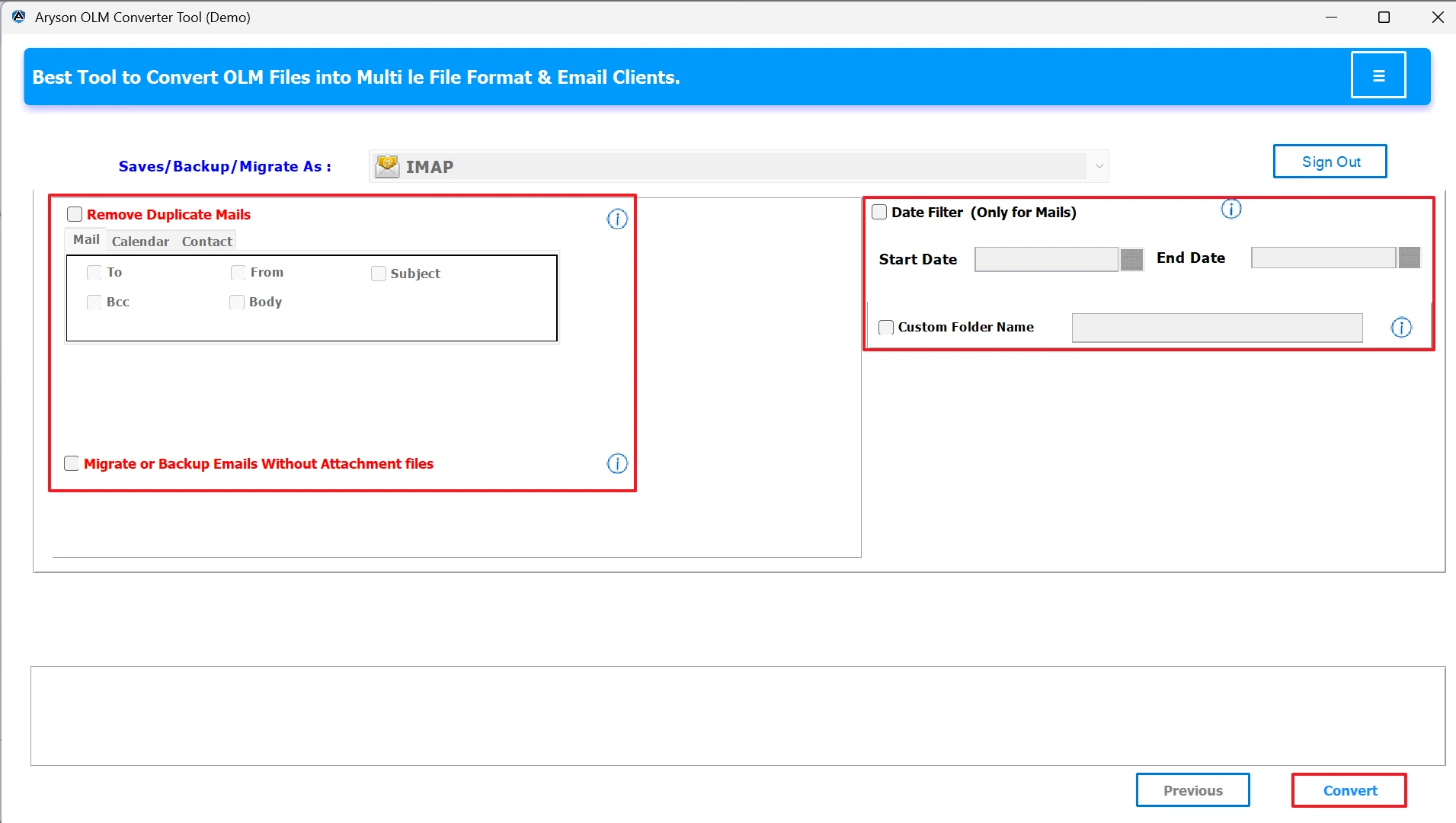
- Pick any optional features and hit Convert to Transfer OLM File Data to AOL Mail.
Conclusion
When a user tries to import OLM to AOL, it can make sure their emails, contacts, and calendar events remain safe, organized, and accessible from any device. While manual methods exist, they are complex and time-consuming. The above-mentioned automated process is for bulk migration, zero data loss, and full preservation of your mailbox structure. It is up to the user to use the above-mentioned solutions according to their situation.
Frequently Asked Questions:
Q.1 How do I transfer my Outlook for Mac emails (OLM) to AOL Mail?
Ans. Use the Aryson OLM Converter Tool to directly import OLM files into AOL Mail while keeping emails, contacts, calendars, and attachments intact:
1. Launch the MSOutlookHelp OLM Converter.
2. Select OLM files from your system.
3. You can preview the OLM file data.
4. Choose the saving email client as AOL.
5. Click Convert for the conversion process.
Q.2 Can I directly import an OLM file into AOL Mail?
Ans. Yes, using the Aryson OLM Converter Tool can directly import an OLM file into AOL Mail.
Q.3 Can I import contacts and calendars from OLM to AOL?
Ans. Yes. Using the Aryson OLM Converter Tool, you can transfer emails, contacts, and calendar events from OLM files to AOL Mail without losing any data.
About The Author:

Evren Cole is an expert in Email and Data Management. She has a strong passion for technology and entrepreneurship. In her free time, she enjoys football, music, and reading books.

