

-
Written By Evren Cole
-
Updated on September 15th, 2025
Import OLM to Zoho Mail: Simple Guide
Summary: If you’ve been working with Outlook for Mac, all your mailbox information is stored in the OLM file format. The problem starts when users decide to import OLM to Zoho for personal or business use. Transferring old Outlook data isn’t straightforward because Zoho doesn’t natively support OLM files. That’s why a dependable method is needed to carry out the migration safely. We will be showing you in this post how to add OLM data to Zoho Mail without losing any info. Using the MSOutlookHelp OLM Converter Tool makes the migration smooth and simple.
Why Do Users Import OLM Emails to Zoho Mail?
- Users who are moving away from Mac systems often shift to Zoho Mail for flexibility.
- Zoho Mail integrates with Zoho CRM, making it easier to manage communication and customer data.
- Data is stored in the cloud with Zoho Mail, which can provide better availability and security.
- Along with that, Zoho is more affordable compared to other enterprise mail solutions
Best Way to Import OLM to Zoho Mail
Moving data from Outlook for Mac to Zoho Mail can feel complicated, especially if you want to keep emails, contacts, and attachments safe. The good news is that you can do this using two main approaches:
- Built-in Zoho import option.
- Professional OLM Converter Tool.
Method 1: Convert OLM Files with OLM Converter
The OLM Converter Tool can move OLM data into Zoho Mail, which is the quickest method. This program can convert OLM files, together with their attachments, into Zoho-compatible formats like MBOX or EML. It is a secure option because this program fixes damaged OLM files before exporting them. Additionally, it can directly import OLM to IMAP, giving you more flexibility during the migration process.
Simple and fast steps to migrate OLM to Zoho Mail:
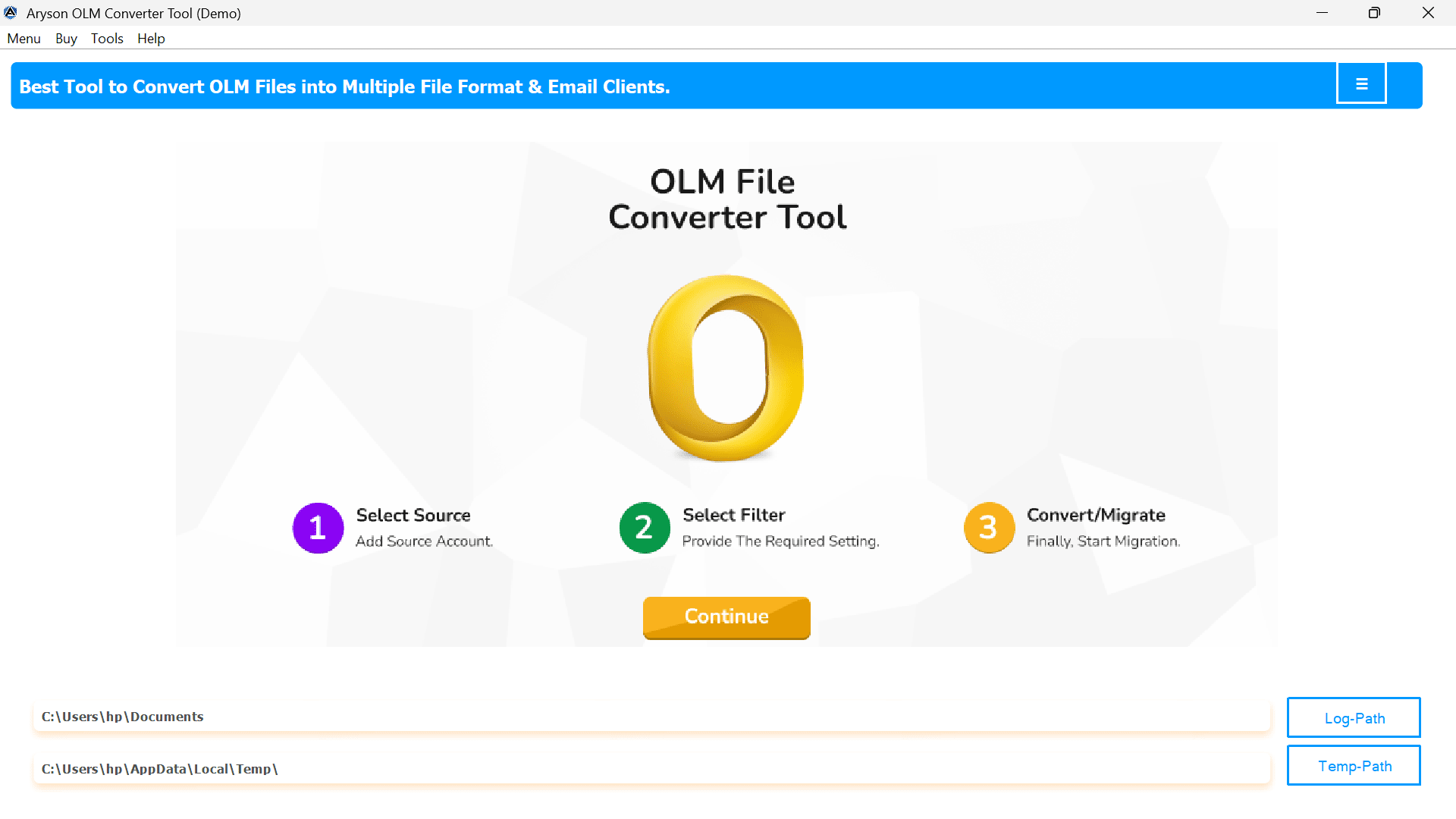
- Firstly, download and install the OLM Converter Tool.
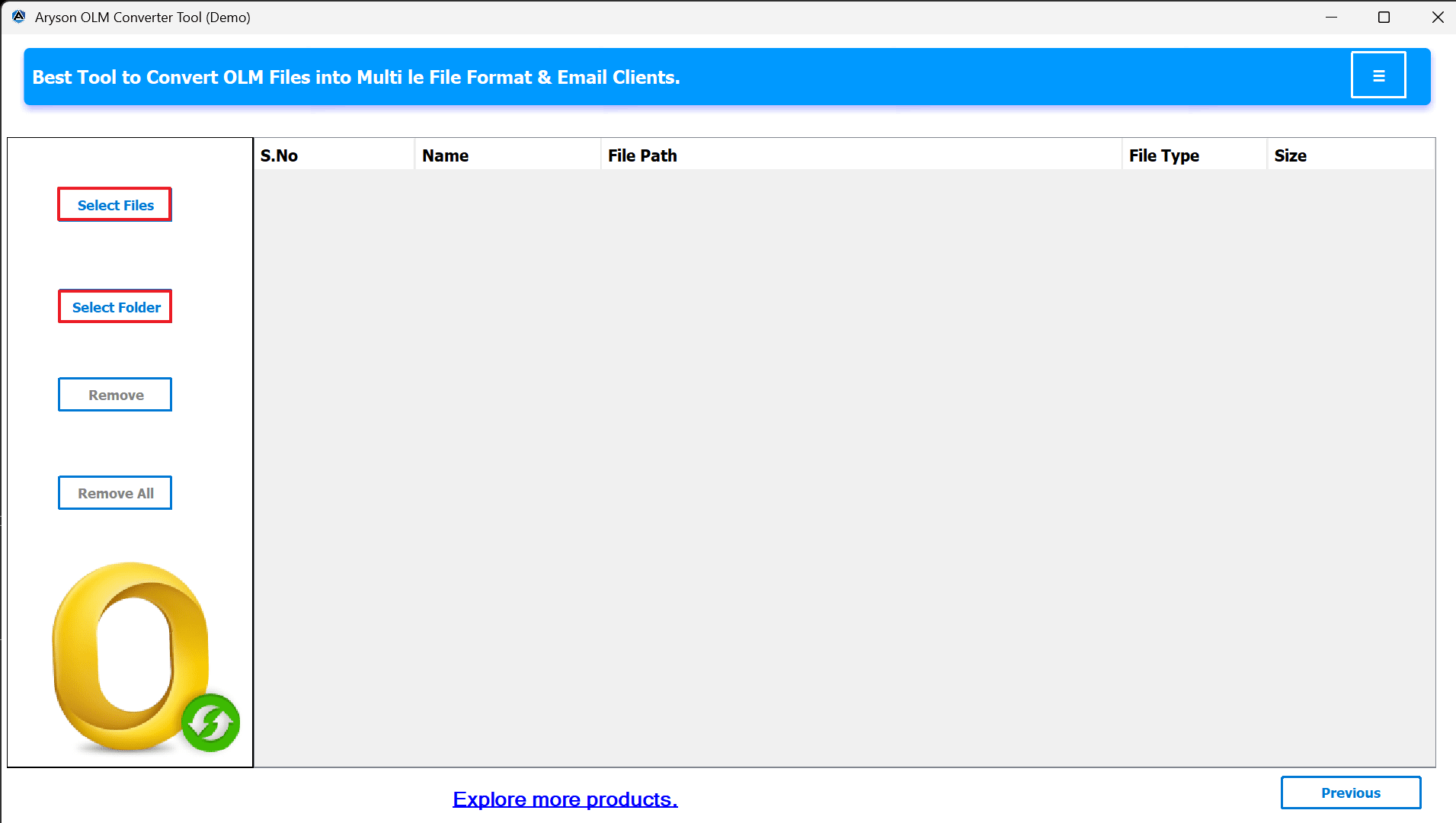
- For selecting the files/folders, click on Add file.
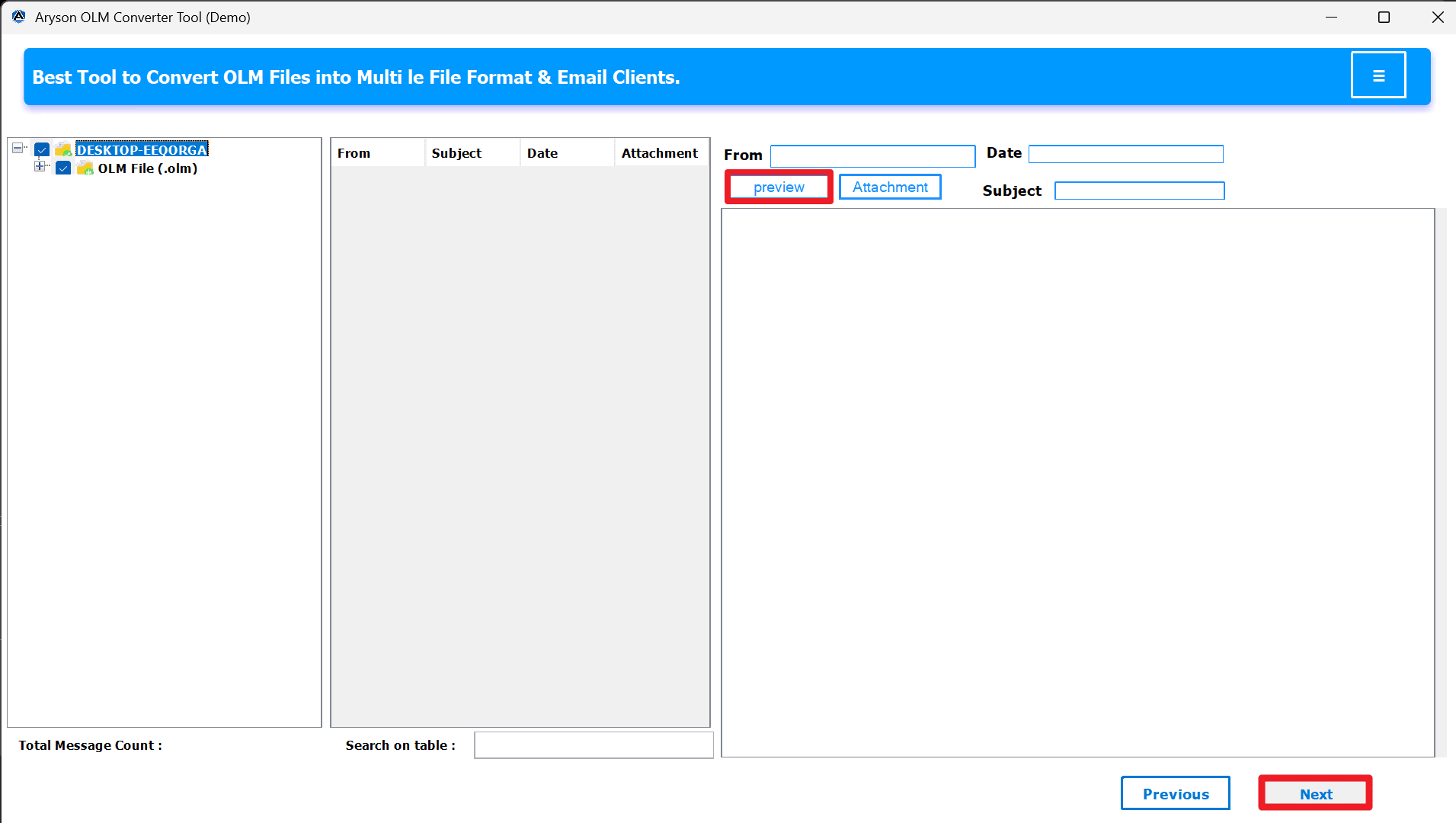
- Display the preview by clicking on the preview.
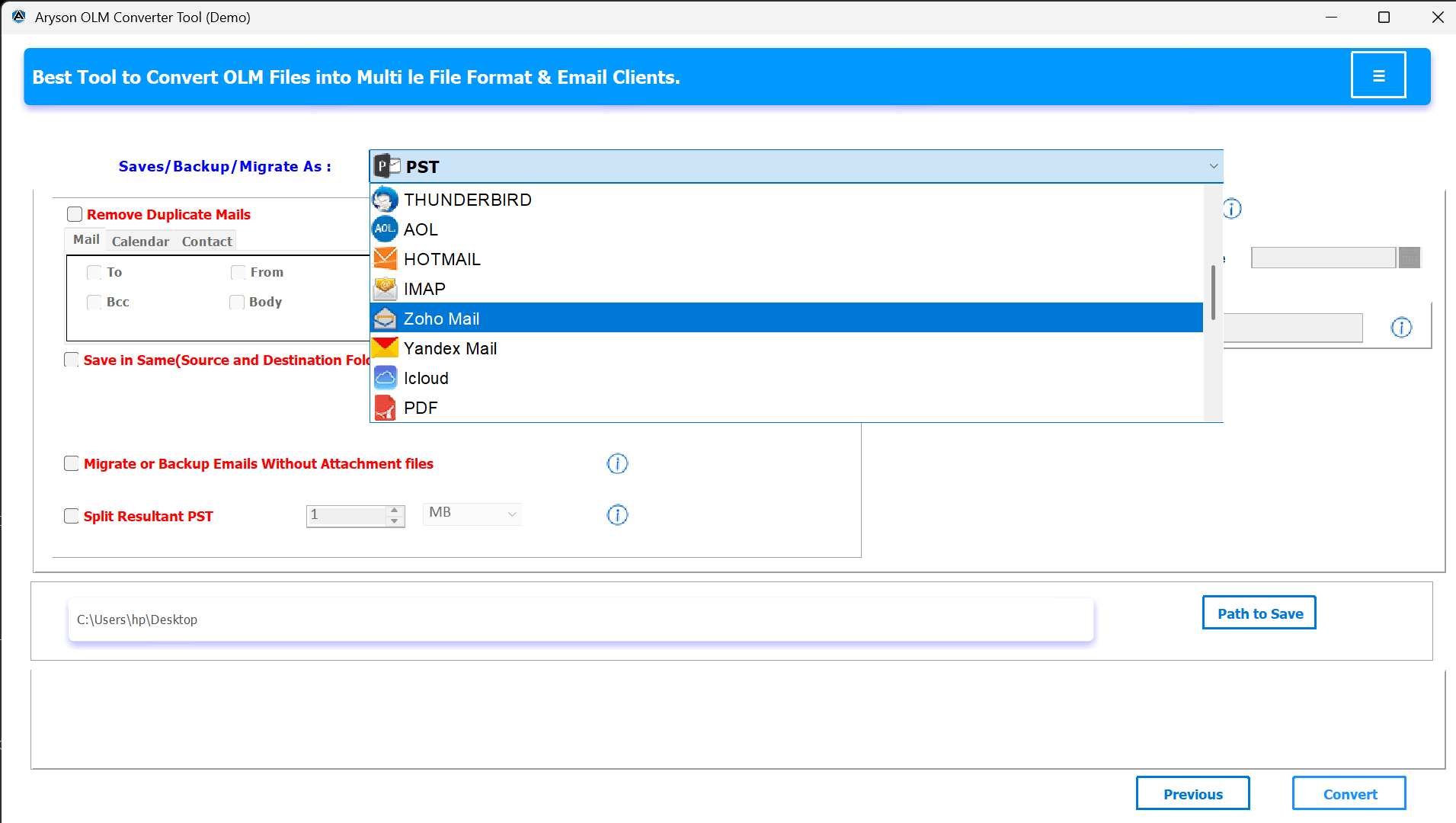
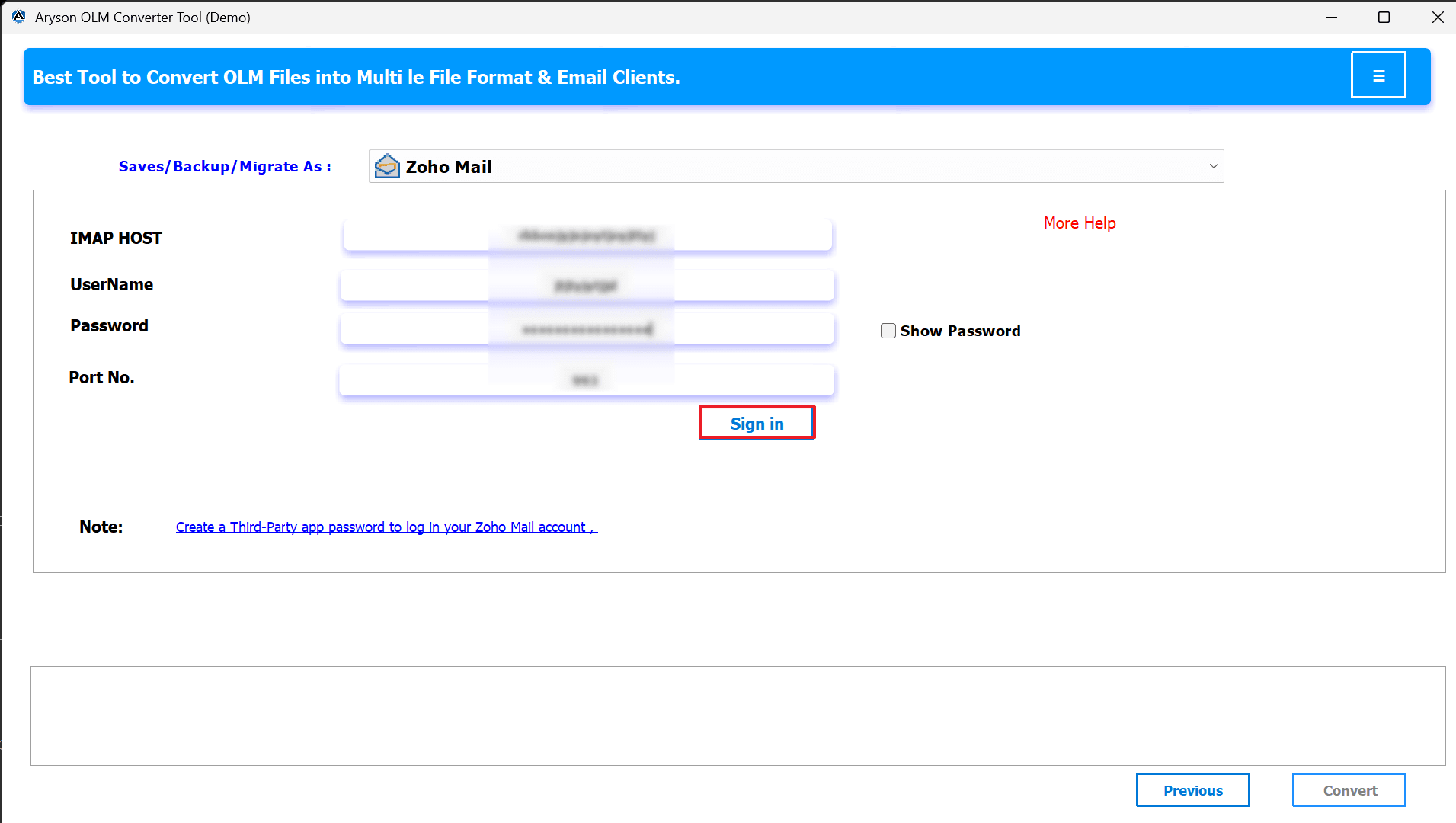
- After that, select the Email client as Zoho Mail.
- Enter your correct email and password and click on Sign In.
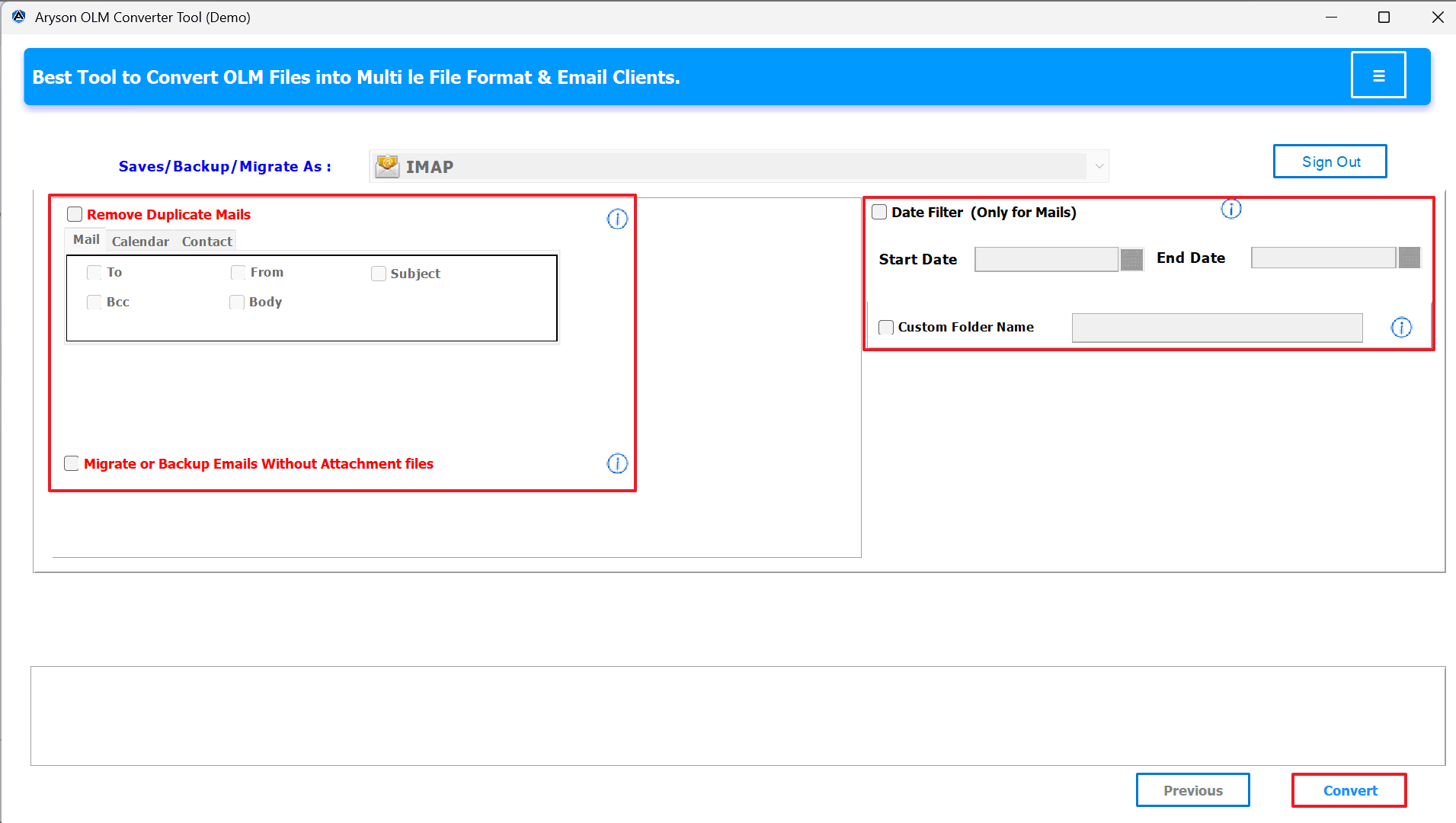
- Apply filters if needed, and click on convert files.
Method 2: Transfer OLM Files into Zoho Mail with built-in.
Zoho Mail has a built-in option for import/export. You must follow the given steps in order to use this procedure:
- First, log in to your Zoho Mail account.
- Next, go to the Settings menu.
- Then, under Import/Export, choose the Import option.
- After that, select the file format you converted.
- Now, browse and upload the converted files.
- Once done, wait for the procedure to complete.
- Finally, your Zoho Mail account will display all your Outlook for Mac emails.
Limitations of the Method:
- When a user tries to upload large files or multiple folders, it can take a lot of time.
- In addition, the user must export OLM files to EML or MBOX before importing.
- Risk of data loss: Emails may also fail or be skipped when handling huge volumes.
- Your original Outlook folder structure might not be preserved, which is another disadvantage.
- Restricted to large-scale migration: In conclusion, this approach is not the best for sending hundreds or thousands of emails.
Conclusion
Users can follow the steps in this guide, and you can successfully import OLM to Zoho Mail. When a user moves from Outlook for Mac to Zoho Mail, it may be complex at first, but with the right approach, it’s simple. Since Zoho Mail cannot support OLM files directly, using any of the methods mentioned above can be very reliable. It helps you convert OLM files into formats like EML or MBOX, which can then be imported to Zoho Mail effortlessly.
Frequently Asked Questions:
Q.1 What to do if the OLM to Zoho migration fails or gets stuck?
Ans. If the process stops midway, first check your internet connection and file size. For smoother results, use the MSOutlookHelp OLM Converter Tool, as it can handle large or even corrupted OLM files without interruptions.
Q.2 What is the best way to import OLM emails into Zoho Mail?
Ans. The most reliable way is to use an OLM Converter Tool. It converts OLM files into Zoho-supported formats like EML or MBOX, which can then be imported easily into Zoho Mail.
Q.3 Can I import OLM files directly into Zoho Mail?
Ans. No, Zoho Mail does not support direct OLM file imports. You need to first convert OLM files into supported formats such as EML or MBOX, and then upload them into your Zoho account.
About The Author:

Evren Cole is an expert in Email and Data Management. She has a strong passion for technology and entrepreneurship. In her free time, she enjoys football, music, and reading books.

