

-
Written By Evren Cole
-
Updated on August 26th, 2025
Convert OFT files to EML – Simple Methods Explained
User Query: “How can I convert multiple OFT template files into EML format so that I can use them across different email clients without losing the original formatting or attachments?”
Summary:In the above query, Joseph from Chicago wants to convert OFT templates into EML format in bulk without losing any attachments. Are you also searching for the same? If so, no worries. Here in this blog, we will discuss an efficient way to convert OFT files to EML, including the MS Outlook Help OFT File Converter. You just have to read the entire write-up to get better clarity.
Reasons to Convert OFT files to EML
It is important to know why we even need to convert OFT Files into EML Format. The answer to this query lies in the table provided below. Just go through it once.
|
Reasons |
OFT |
EML |
|
Compatibility |
It can be opened in MS Outlook only. |
EML files are supported not just by MS Outlook, but also Thunderbird and Windows Mail. |
|
Backup & Archiving |
This file format is not widely supported in archiving solutions. |
EML is a standard format supported by many backup and email archiving tools. |
|
Cross-Platform Accessibility |
It is accessible in Windows Outlook only. |
EML files can be opened on both Windows and macOS without even needing Outlook. |
|
Migration Reliability |
This file format is not reliable for migration. |
EML is relatively more reliable during migration, as it keeps the data preserved. |
|
Portability |
These are not easy to share across systems with no Outlook installed. |
EML files are easier to move as they are lightweight. |
From the above, you can clearly observe the advantages offered by EML files; you must convert OFT Files into EML Format.
Quick and Reliable solution to convert OFT files to EML
MS Outlook Help OFT File Converter is the quickest solution available to convert your OFT files to EML in bulk within a few seconds. This software performs the conversion without losing any data or having it corrupted. You also get the privilege of some built-in features, like the custom name feature and Split PST files. Moreover, it supports the transfer of OFT files to Office 365, Gmail, Yahoo Mail, etc. Also, not just EML, but you can also convert OFT Files to MBOX utilizing the features provided by this software.
Quick Guide to convert Outlook OFT Templates to EML Files is as follows:
- Download and launch the MS Outlook Help OFT File Converter on your existing PC.
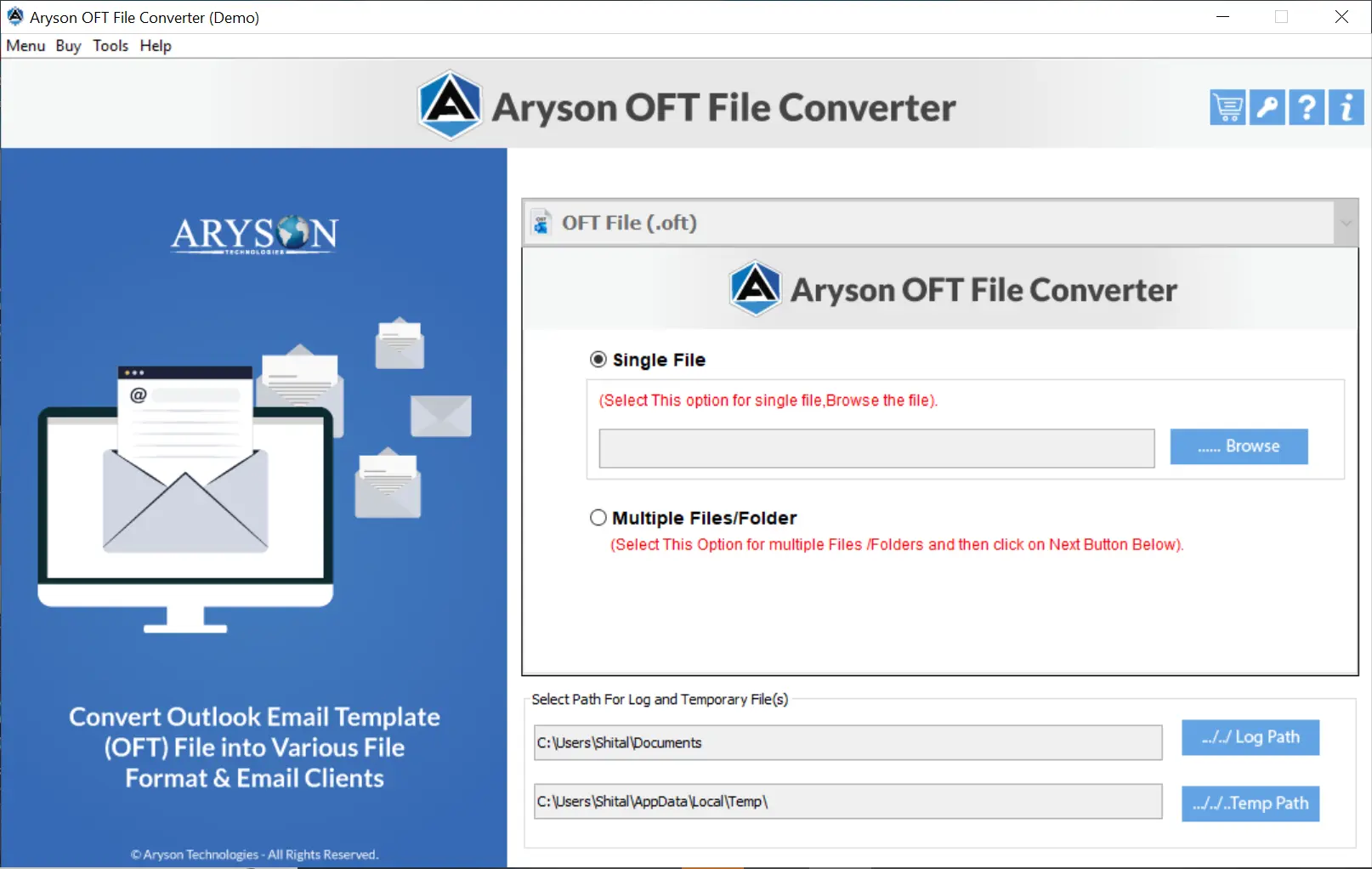
- Then, open your desired OFT file for conversion.

- After that, just select files and folders (at least one file) and click Next to proceed.
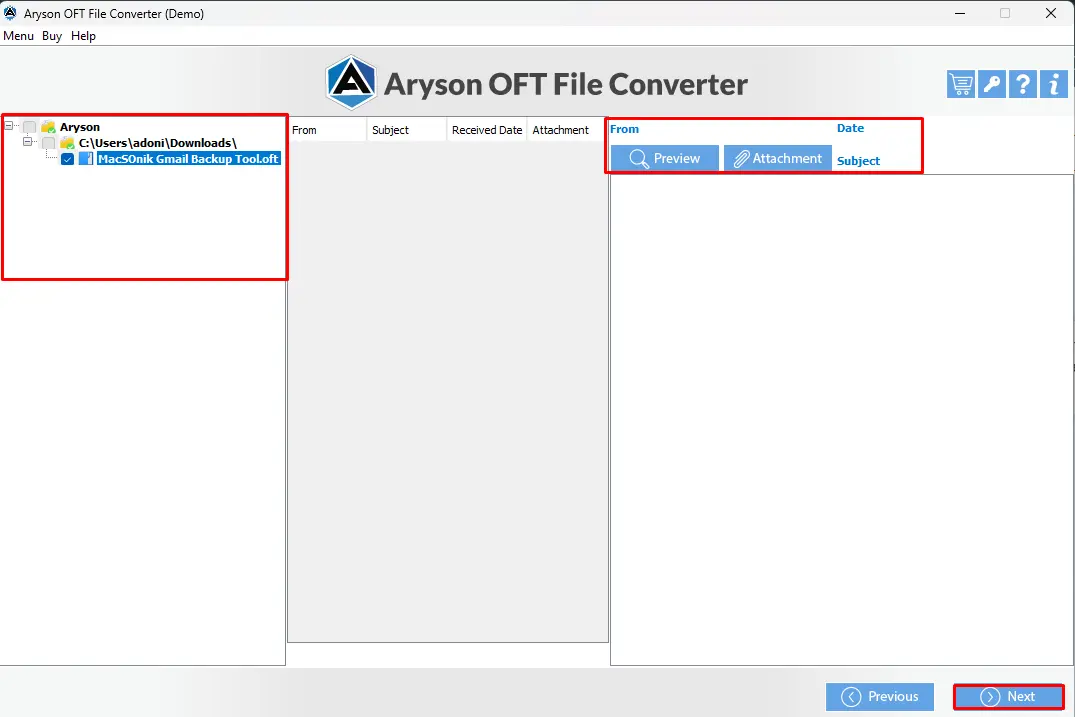
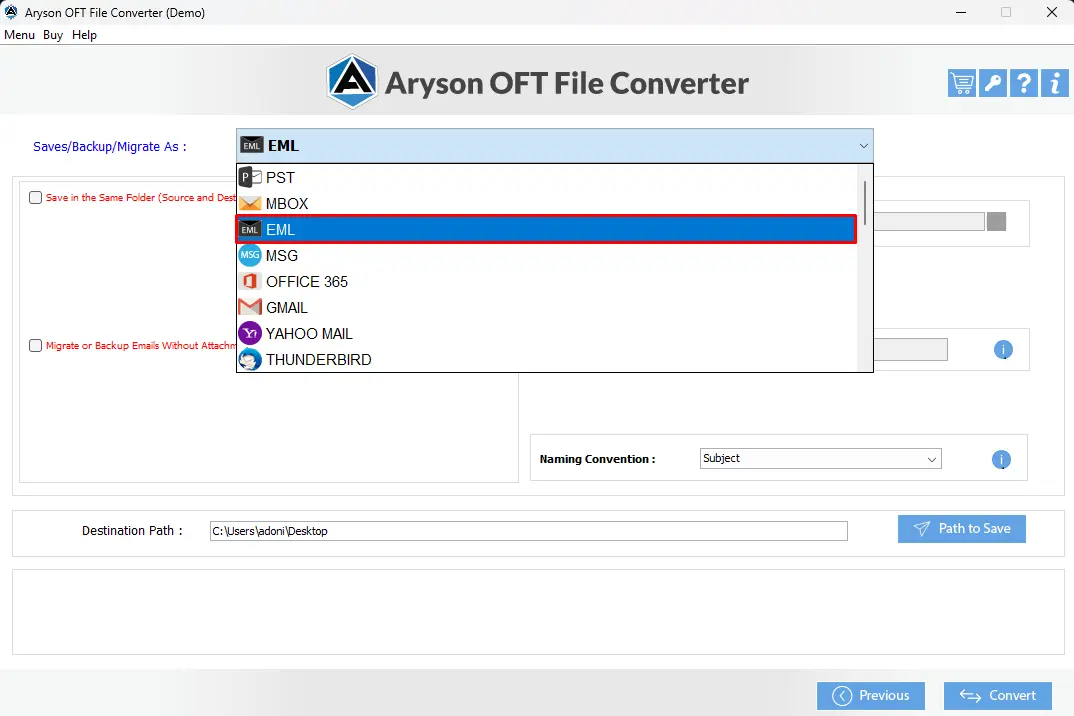
- Now, select EML under the Save/Backup/Migrate As option.
- You can use the additional built-in features provided.
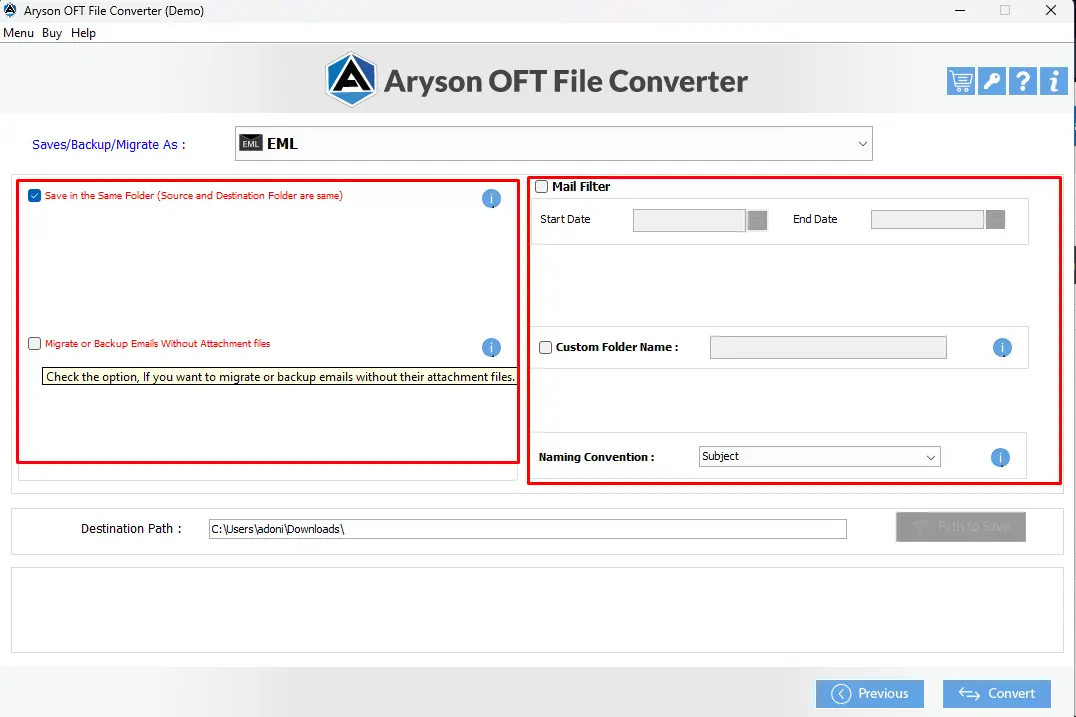
- You can pick any desired location to save your resulting file, & Hit the Convert button.
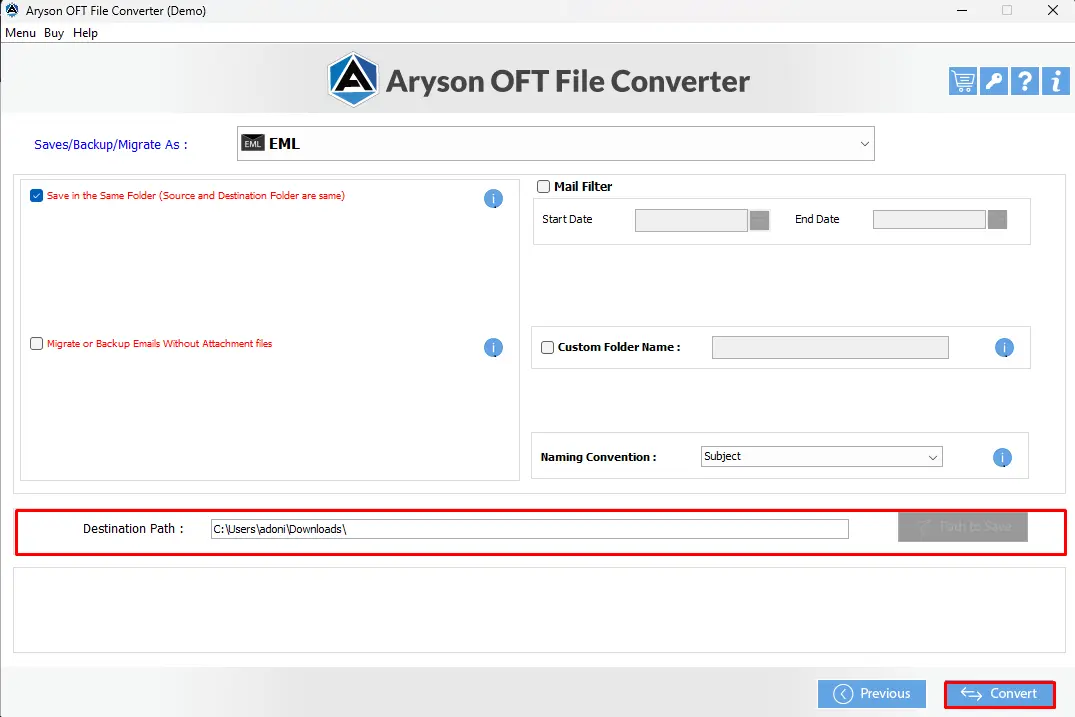
Finally, your OFT File has been successfully converted to the desired EML file format.
Apart from conversion, what other benefits does this tool bring?
You will get the privilege of many other features supported by the software. Let’s have a look at some of them in the section below.
Exclusive Add-ons Offered by OFT Converter
Here we will discuss some of the additional features offered by the above solution, and you can utilize them according to your preference.
Additional features offered by the OFT converter are as follows:
- It supports the conversion of OFT files into 15+ file formats and email clients.
- You can cross-verify your selected files and folders before the conversion process.
- It provides you with the Custom folder Name feature to save the resulting folder with the name you want.
- A feature named Split resultant PST files is also offered by the software.
- It’s a free OFT Converter that offers the conversion of the first 50 emails absolutely free.
Let’s Wrap it Up
In the above write-up, we explored a quick and reliable solution to convert OFT files to EML, which is the MS Outlook Help OFT File Converter. If you want to put in no time in conversion, that too while keeping all your email attachments preserved and the directory structure intact. You can just go through the above given step-by-step tutorial to perform the OFT to EML Conversion effortlessly. Don’t forget to explore the FAQs section below.
Frequently Asked Questions:
Q.1 Can I open an OFT file in email clients other than Outlook?
Ans- No, you can’t open an OFT file in email clients other than Outlook, as it is tightly tied to Microsoft Outlook.
Q.2 Can I batch convert multiple OFT files to EML at once?
Ans- Yes, you can convert multiple OFT files to EML all at once using MS Outlook Help OFT File Converter, that too without losing any data or disturbing the directory structure.
Q.3 Will attachments in my OFT file be preserved after conversion?
Ans- Yes, all your attachments will be preserved when you convert OFT Email Files to EML if you use the above-discussed solution carefully.
About The Author:

Evren Cole is an expert in Email and Data Management. She has a strong passion for technology and entrepreneurship. In her free time, she enjoys football, music, and reading books.

