

-
Written By Evren Cole
-
Updated on August 23rd, 2025
How to Convert OFT Files to MBOX Format Easily
Summary: When the user works with Microsoft Outlook, they might already be used to OFT files. These are template files that help users create designed emails. They are useful when you need to send the same type of email again and again. However, the problem occurs when you want to use those emails without Outlook. Since OFT files are not supported by other mail clients, you need to convert OFT files to MBOX format. This technical post explains the OFT files and how you can do it using both the manual method and using OFT File Converter.
What Exactly Is an OFT File?
OFT is a file format that is used by Outlook to store pre-drafted email messages. For example, if any company is frequently sending newsletters or promotional emails, it might create an OFT template instead of creating a new email from scratch. These templates save time inside Outlook; they are not recognized by other email platforms. This is where users often run into trouble. When you need to convert OFT Emails to MBOX for accessibility.
Understanding why users Convert OFT to MBOX.
Here are a few common reasons:
- MBOX files can be supported by many popular email clients across Windows, macOS, and Linux.
- Converting makes it easier to view and share OFT emails outside Outlook.
- If you are moving from Outlook to Thunderbird or another client, the conversion is essential.
- MBOX is widely accepted as a standard email storage format.
Considering these reasons, now let’s explore some ways to convert Outlook OFT to MBOX in the section below.
How to Convert OFT to MBOX using Outlook?
There is no direct solution to export OFT files into MBOX. As you are aware the Outlook doesn’t support MBOX. Now, follow the given steps:
- Firstly, open your OFT file in Outlook.
- Now, create a new email and save the email in your mailbox.
- Export your mailbox into PST format using the Import/Export wizard present in Outlook.
Additional Note: This method works, but it is a complex method. It requires Outlook, multiple steps, and additional conversion. If you have dozens of OFT files, the process becomes complex and time-consuming.
Quick And Reliable Approach – Using MS Outlook Help OFT File Converter
When the OFT files are in bulk form, MS Outlook Help OFT File Converter is the most efficient way to convert OFT Files to MBOX in bulk. You can perform the migration in bulk without losing yr data or attachments.It can have a very simple interface, and even non-technical users can quickly complete the process. Along with MBOX, you can also convert OFT to PST, PDF, CSV, and more.
Simple Steps to Convert OFT File to MBOX Format
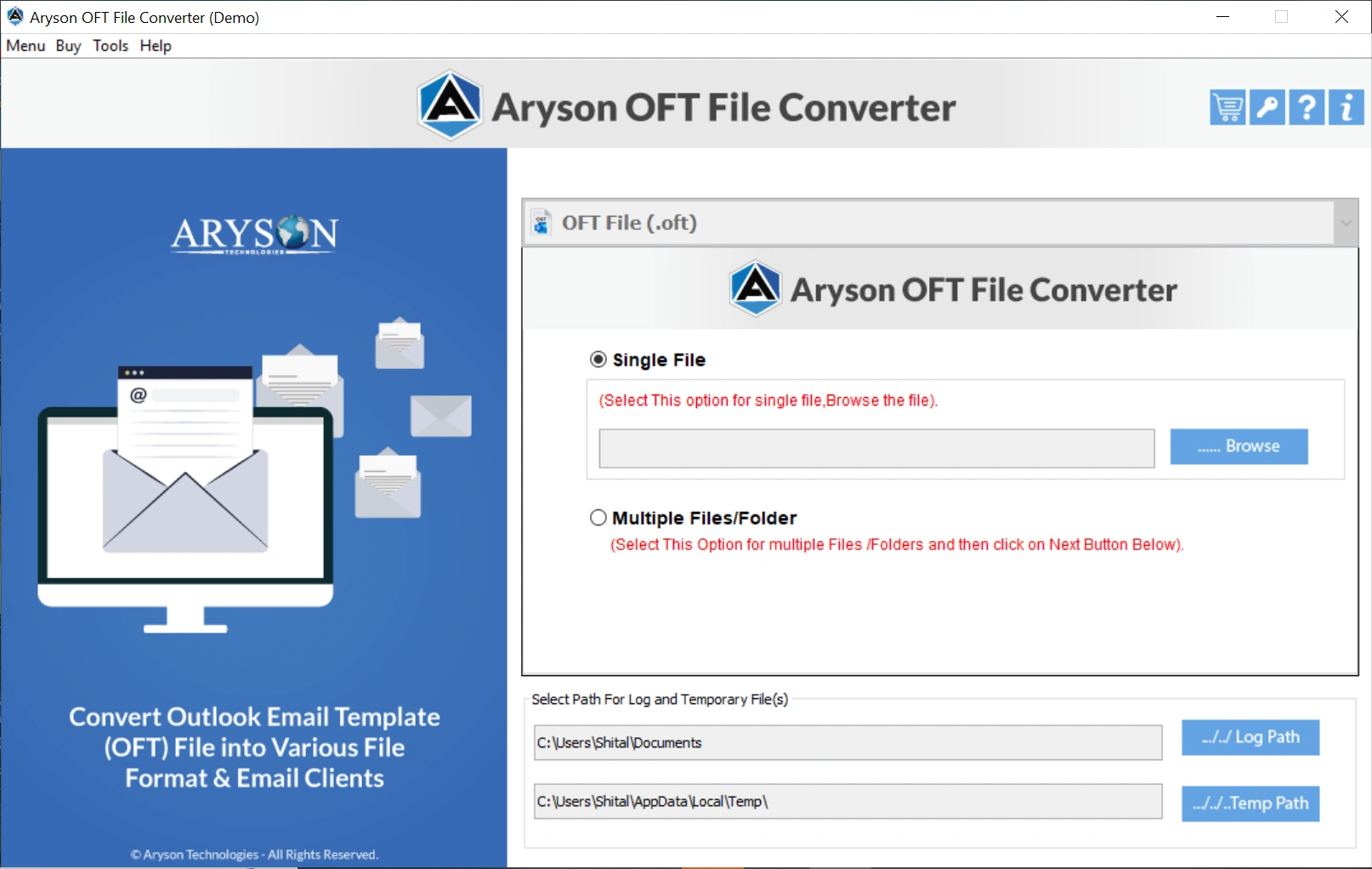
- Simply download and open the MS Outlook Help OFT File Converter.
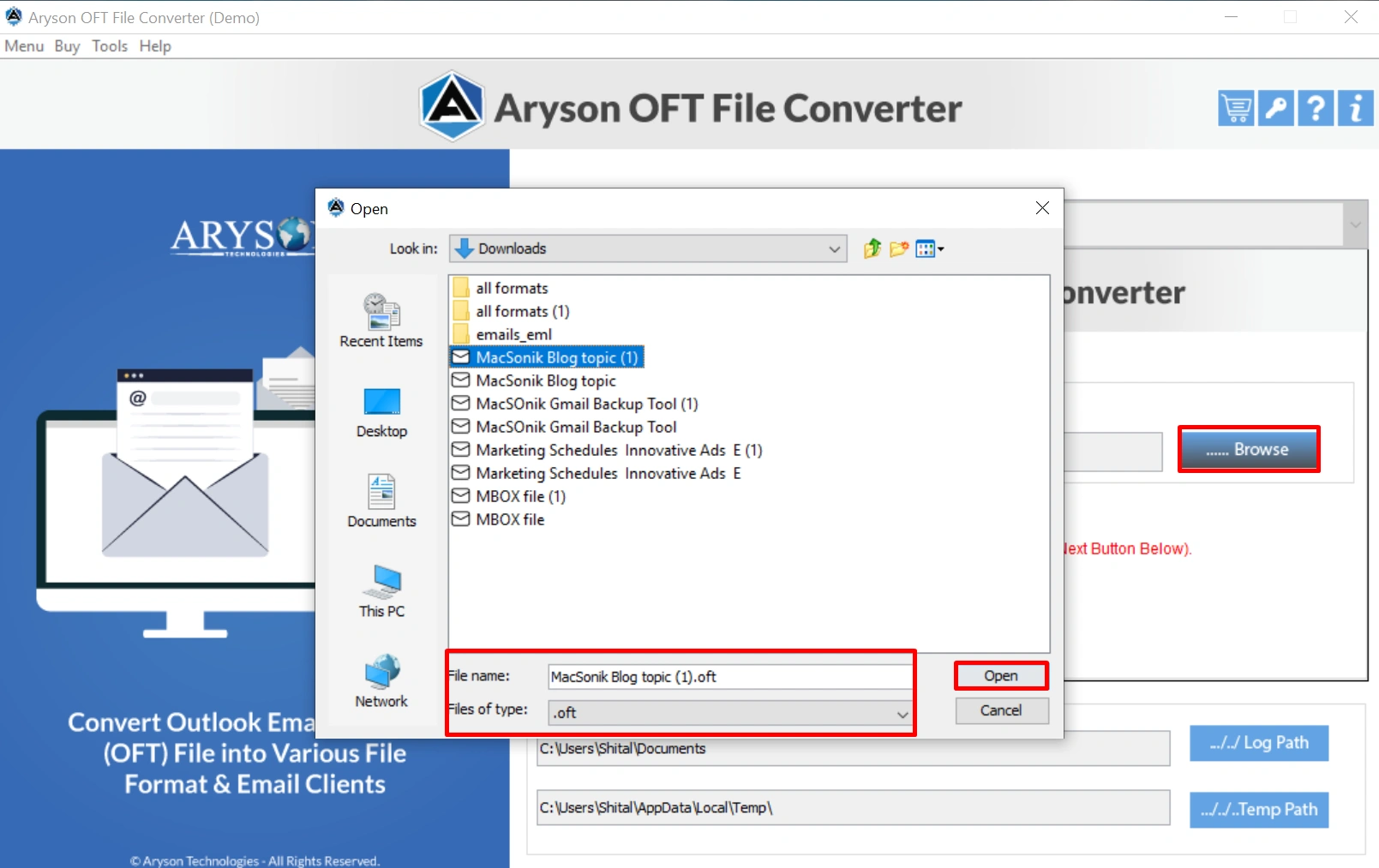
- After that, browse and open the desired file from the device.
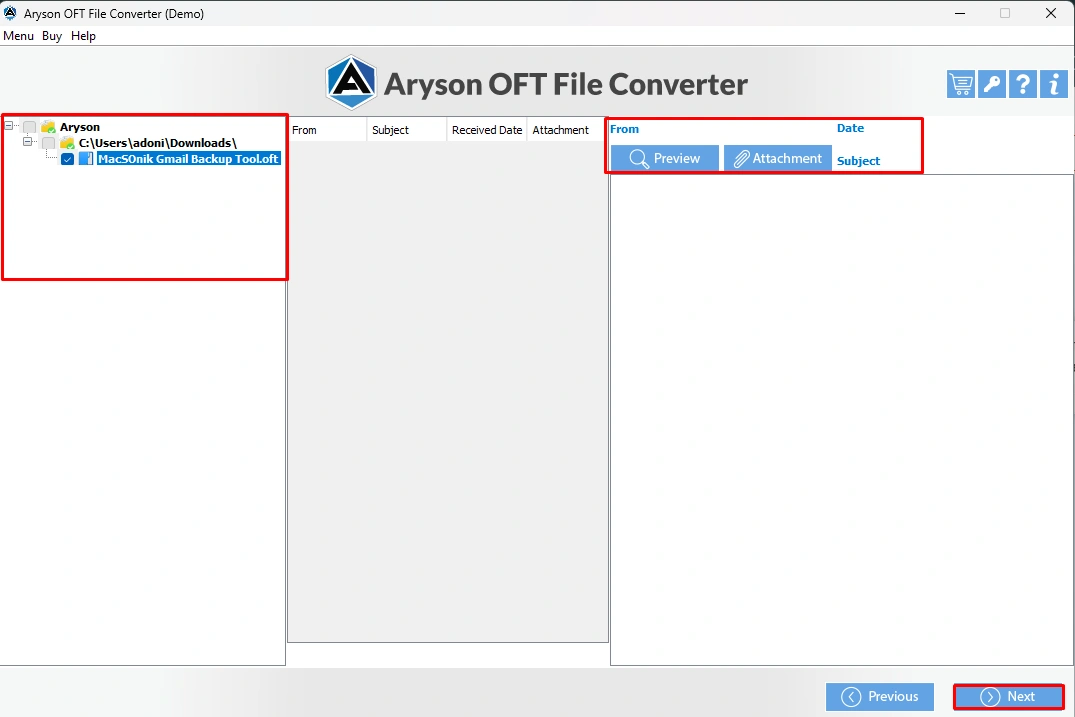
- You can simply click on preview and attachments to see the data inside.
- Next, select the MBOX option under the File Formats list.
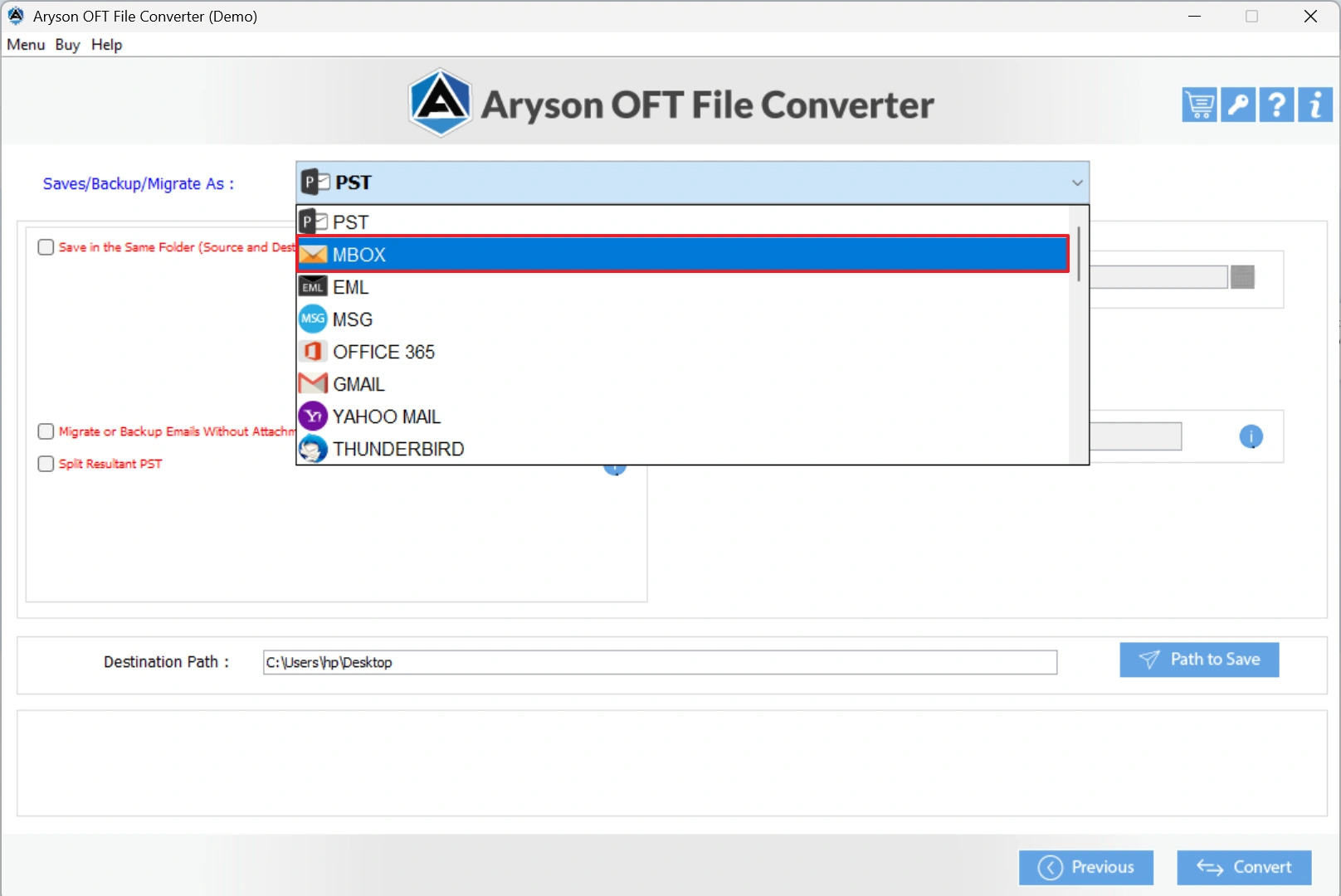
- You can use the built-in features provided by the software if you want.
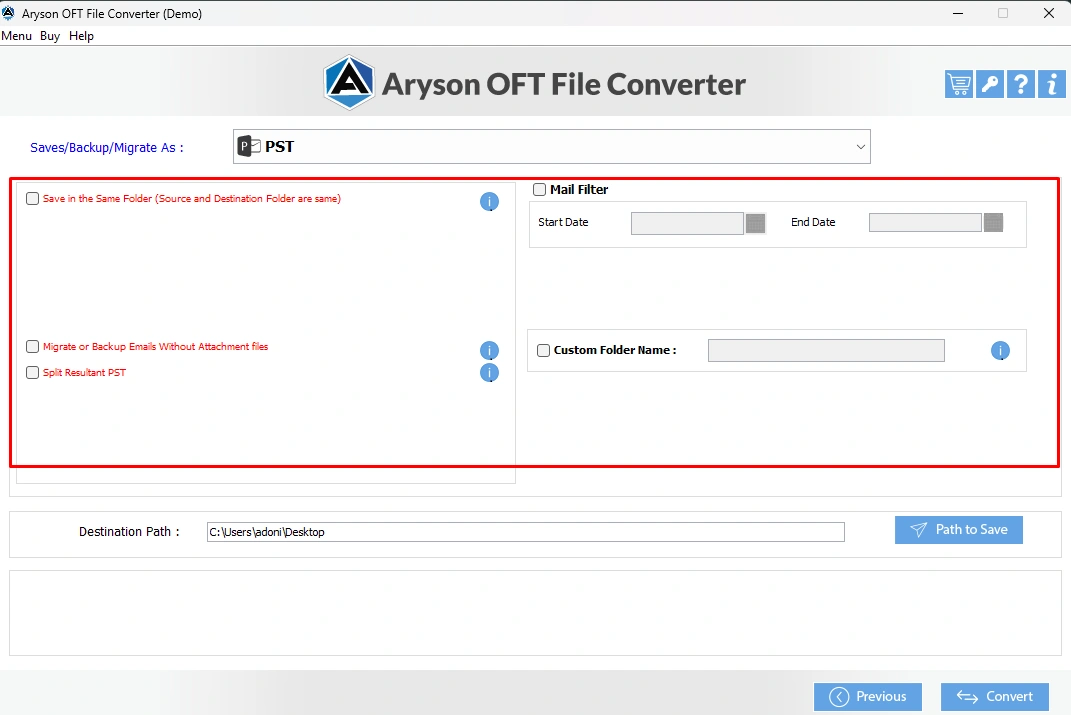
- Pick the desired file location to save the resultant file and hit the Convert button.
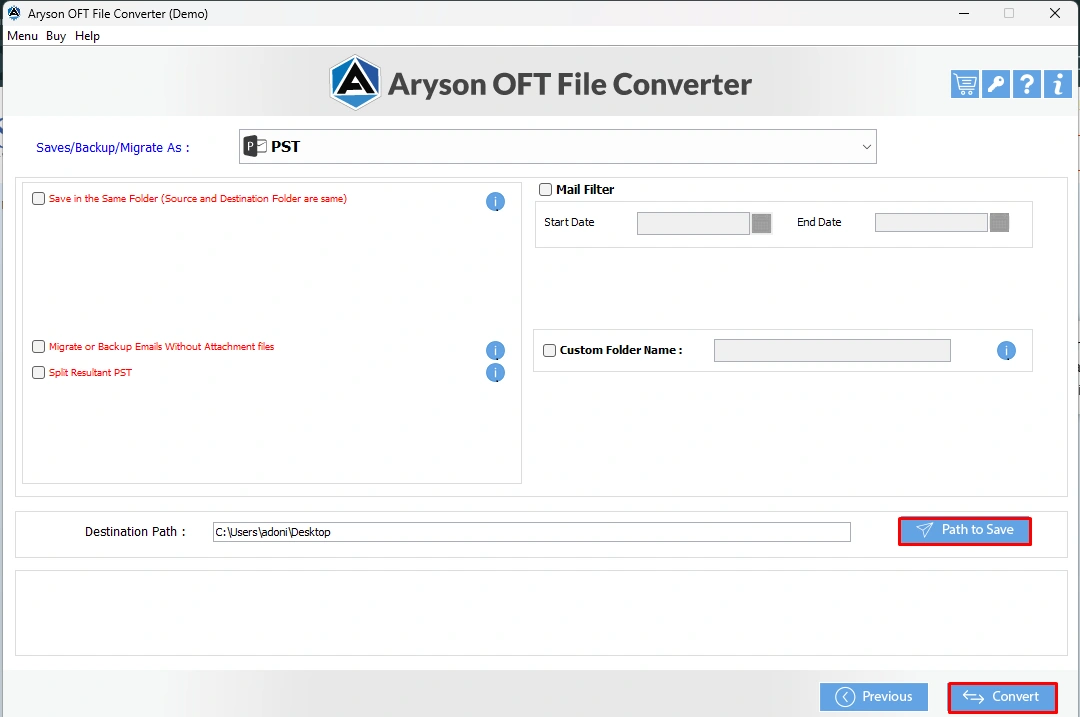
You can follow the above-mentioned steps. So you can convert OFT Files to MBOX in a few seconds without any errors. Also, you can use the OFT to MBOX Converter to convert OFT Files to PST.
Final Words
As we discussed above, there are two different approaches to convert OFT Files to MBOX. If you want better migration support, flexibility, and better accessibility of their emails, using the software is suitable for you. Although a manual workaround exists, it is complicated and requires Outlook. It is quite easy to use the Aryson OFT File converter, which makes the process quick, accurate, and user-friendly.
Frequently Asked Questions:
Q.1 What is an OFT file, and why would I need to convert it to MBOX?
Ans: An OFT file is an Outlook Template file used to create pre-drafted emails. While helpful in Outlook, these files cannot be opened in other email clients. Converting OFT to MBOX makes the emails compatible with popular platforms like Thunderbird, Apple Mail, and others.
Q.2 Can I directly convert OFT files to MBOX without Outlook?
Ans: No, there is no direct manual way to convert OFT files into MBOX without Outlook. However, professional tools such as Aryson OFT File Converter can perform the conversion directly without requiring Outlook installation.
Q.3 I don’t have Outlook installed. Can I still open or convert OFT files?
Ans: Yes, you can still convert and access OFT files without Outlook. By using a specialized converter tool, you can export OFT files into MBOX, PST, EML, or PDF formats, which can then be opened in different email clients easily.
About The Author:

Evren Cole is an expert in Email and Data Management. She has a strong passion for technology and entrepreneurship. In her free time, she enjoys football, music, and reading books.

