

-
Written By Evren Cole
-
Updated on August 22nd, 2025
How to Convert OFT Files to PST in Outlook
User Query: Hi, I’m Steffy from California. I have several email templates saved as OFT files in Outlook, but I want to store them in one PST file for backup and easy access. Is there a way to convert my OFT files to PST without losing formatting?
Summary: Recently, Steffy from California asked for a way to convert OFT Files to PST while keeping the formatting intact. Are you also searching for the same? If so, your search ends here. Here, in this blog, you will come across a quick and reliable way to perform the conversion process, which is through MS Outlook Help OFT File Converter, that too within a few clicks. Just go through the complete blog to get answers to all your queries.
Brief About OFT and PST File Formats
Before performing the conversion process, let’s first have a basic understanding of both the file formats:
- OFT(Outlook Template File): It is a Microsoft Outlook-supported file format used to store email templates that have redesigned emails with a fixed subject line, layout, and even attachments sometimes. Simply, you can open OFT File and use it accordingly.
- PST (Personal Storage Table): It is the main Outlook data file that stores emails, contacts, calendars, tasks, attachments, and other mailbox items. Also, it is used for backup of Outlook data and offline storage, so that you can access your data even when not connected to the server.
Since both file formats are supported by Microsoft Outlook, you might wonder why there is any need to convert OFT Files to PST? The answer lies in the functionality that both file formats offer.
What Makes PST Different from OFT?
|
OFT |
PST |
| A file format used to store email templates with fixed layouts and subject lines. | Whereas it stores emails, contacts, calendar, and other data. |
| You have to perform additional steps to integrate it into Outlook. | On the other hand, it can be accessed directly within Outlook. |
| It doesn’t support portability, being more dependent on Outlook’s environment. | On the contrary, a PST file supports portability and can be transferred to other computers. |
| It is limited to a single email message template. | Whereas it can hold a large amount of Outlook data. |
| It can store only form templates. | In contrast, a PST file can store emails, calendars, contacts, tasks, and much more. |
| They require extra steps to restore or backup as they are closely tied to the Outlook setup. | On the contrary, PST files are way more easier to recover and backup. |
| Difficult to manage different OFT files as they exist independently. | Easier to manage OFT Files when put together in a PST File. |
Considering the above-mentioned benefits offered by PST files, you must perform OFT to PST Conversion. For that, you should refer to the optimized solution introduced below.
Best & Simplified Solution to Convert OFT Files to PST in Bulk
MS Outlook Help OFT File Converter Tool can convert your OFT to PST Format in bulk, just in a few seconds. This tool performs the conversion process without losing the formatting of your OFT file. Also, it can convert OFT files to JSON, PDF, DOC, and DOCX File Formats. Moreover, it provides you with features like Custom Folder Name, Split Resultant PST File, and many more. You can directly perform the OFT File to PST Conversion effortlessly, increasing your efficiency at work. Now, simply go through the step-by-step guide provided below to perform the conversion effortlessly.
Quick tutorial to convert OFT to PST Format is as follows:
- Launch the MS Outlook Help OFT File Converter Tool on your PC.
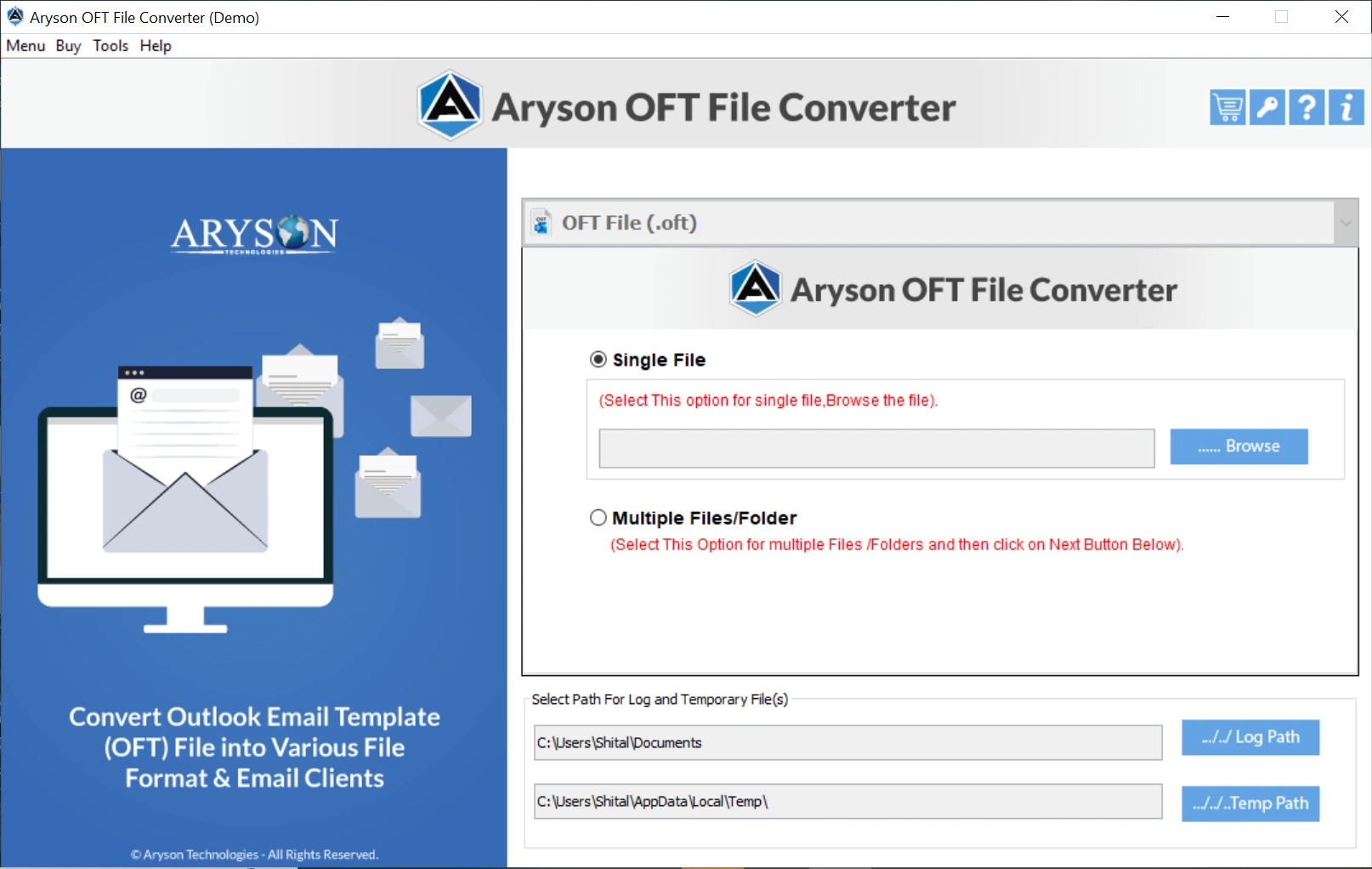
- Then, browse and open your OFT File to convert.
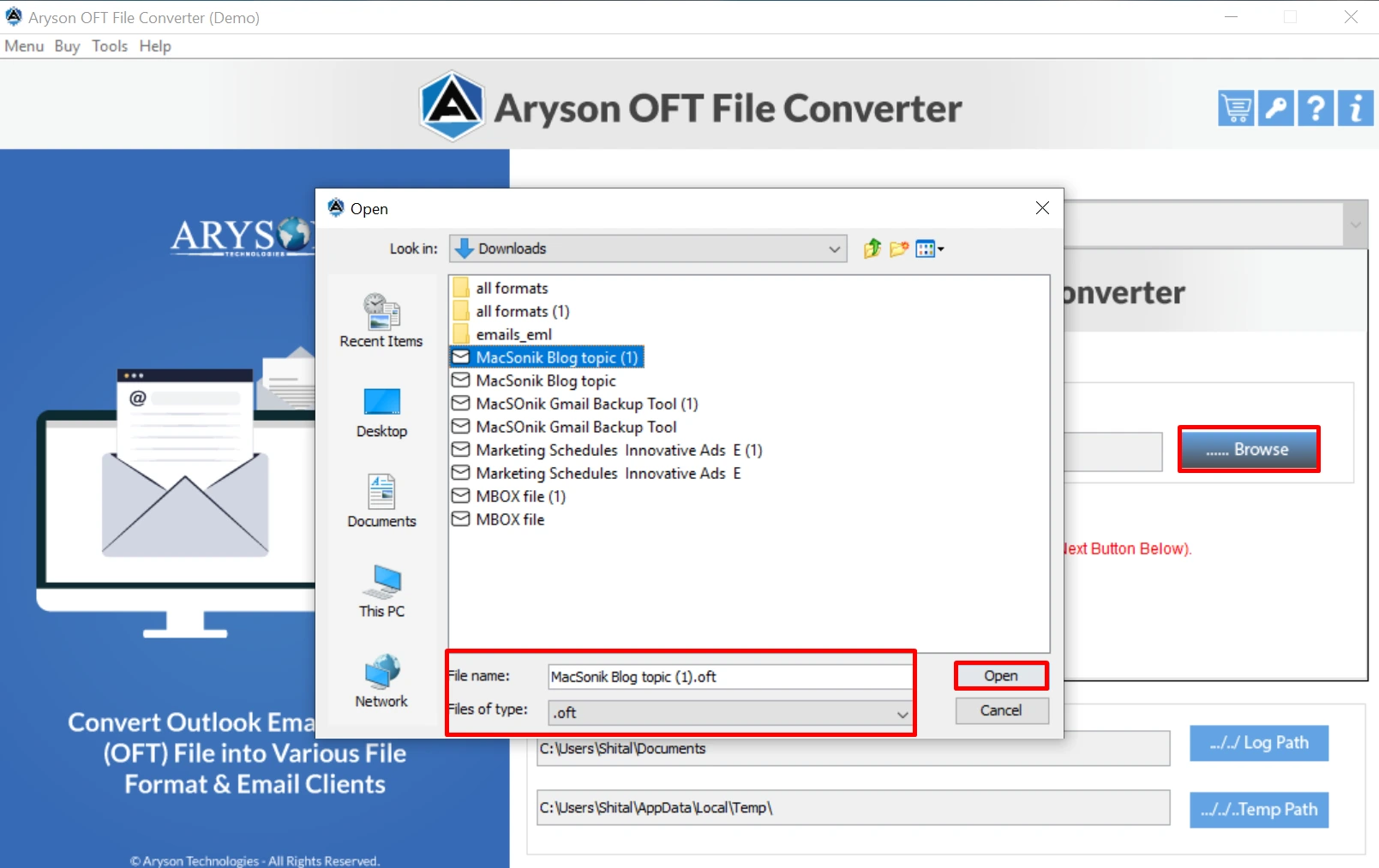
- Now, you can cross-verify your selected files and folders before conversion.

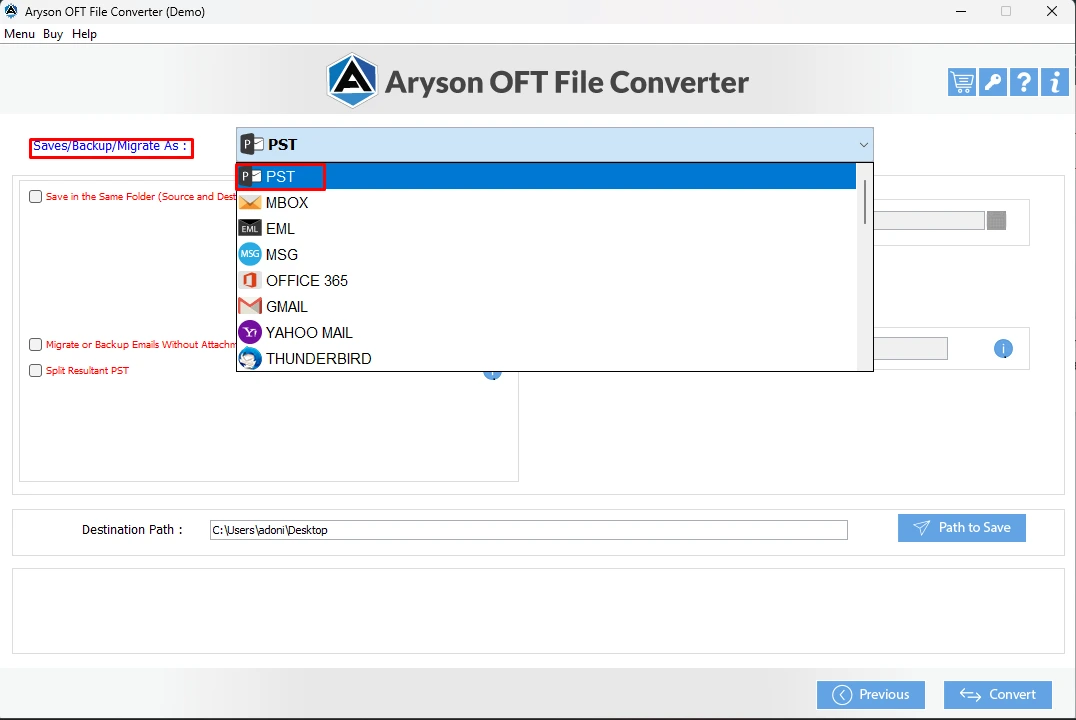
- Then, select PST under the File Formats option.
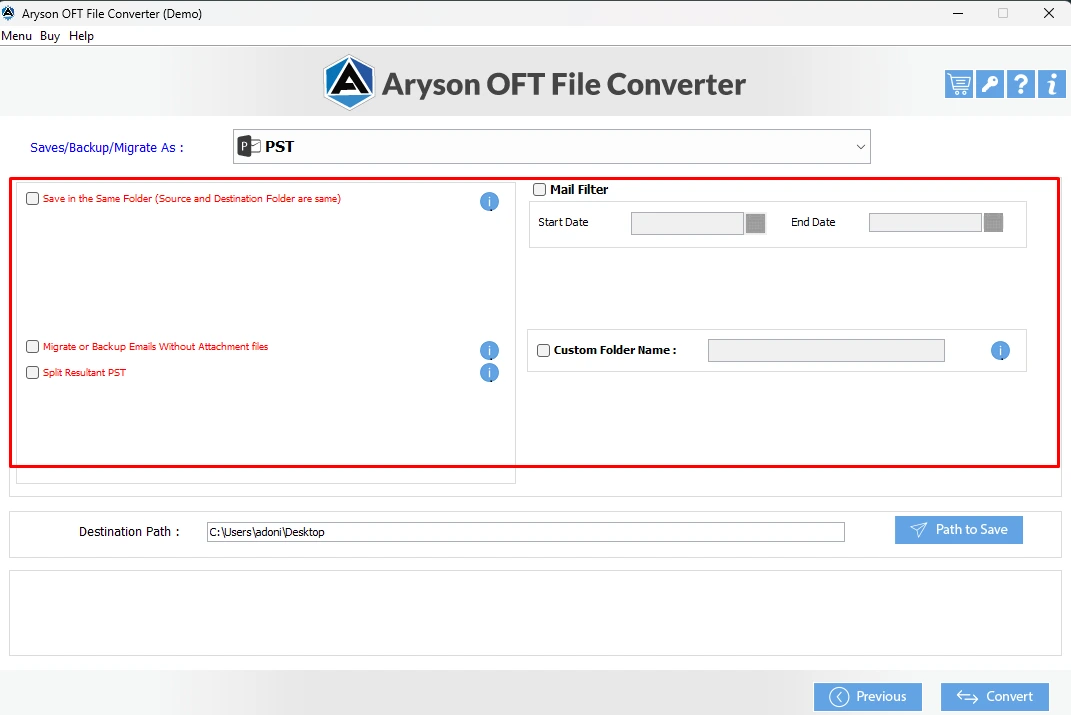
- You can also use the built-in features provided by the software.
- Provide the desired file location & hit the Convert Button.

Just follow the above steps carefully to convert OFT to PST Outlook within a few clicks without any data loss or corruption.
Additional Benefits Offered By this Software
There are several other features offered by this software. Let’s have a look at them and utilize those features according to your requirement:
- Convert single as well as multiple OFT files to 16+ email clients and file formats.
- It provides you Custom Folder Name Feature to save your file with the desired name.
- Also, it has a feature to save the OFT File to Office 365, Yahoo, Gmail, WorkMail, etc.
- Supports Split Resultant PST File feature while converting OST to PST file formats.
- Free OFT File Converter can convert up to 50 OST emails to PST for free.
- This software helps you keep the formatting intact during the conversion.
Conclusion
In the above blog, we explored a highly efficient as well as a reliable method to convert OFT Files to PST in bulk, which is the MS Outlook Help OFT File Converter Tool. This software performs the conversion process within seconds, while keeping the formatting intact. You can simply go through the above step-by-step guide provided and accomplish your desired task in a few clicks. It will eventually increase your efficiency at work. Don’t forget to explore the FAQS section below for more clarity.
Frequently Asked Questions:
Q.1 What is an OFT file in Outlook?
Ans- OFT Files are Outlook template email files having a fixed subject line and layouts. It is used by companies frequently to send recurring emails like newsletters, meeting invites, and standard replies.
Q.2 Can OFT files be directly converted to PST format?
Ans- Use the MS Outlook Help OFT File Converter Tool to convert OFT to PST directly. Go through these steps:
1. Install MS Outlook Help OFT File Converter Tool.
2. Select Files/ Folders having OFT Files.
3. Cross-check emails before conversion.
4. Select PST as the desired File Format.
5. Also, you can apply a built-in feature.
6. Click Convert to start the process.
Q.3 Why would someone want to convert OFT files to PST?
Ans- Seeing the benefits like portability, better management, and fast recovery offered by the PST File format, users must perform conversion.
Q.4 Which Outlook versions support working with OFT and PST files?
Ans- OFT Files: These are supported by most Outlook versions, including 2007, 2010, 2013, 2016, 2019, and Outlook for Microsoft 365.
About The Author:

Evren Cole is an expert in Email and Data Management. She has a strong passion for technology and entrepreneurship. In her free time, she enjoys football, music, and reading books.

