

-
Written By Evren Cole
-
Updated on June 18th, 2026
Quick Ways to Convert Telegram Chat to PDF on Windows and Mac
User Query: Hi everyone, I need some help with exporting Telegram chat history. I’m familiar with how easy it is to export chats from WhatsApp, but Telegram seems a bit more complicated. I’m looking for a reliable way to save or export my conversations without losing any important data. If anyone has experience with this or can suggest the best approach, I’d really appreciate your advice. Thanks in advance!
Overview: In this digital era, Telegram is one of the most popular apps for personal and professional communication. Users need to save their chat history for backup and record-keeping purposes. However, unlike WhatsApp, it is difficult to export Telegram chats, especially for new users.
In this article, we will cover the reliable approaches that will help you to convert Telegram Chat to PDF. Also, we will discuss the Aryson JSON Chat Converter for a hassle-free conversion.
Method 01: Manual Method to Export Telegram Chat to PDF
For small file conversion, use the reliable solutions given below with steps. It helps users to export files into PDF format.
01: Convert Telegram Chat data to PDF via Telegram Desktop
Use the built-in export feature of Telegram to download chat history and save it as a PDF through your web browser’s print option.
- On your Desktop, open Telegram.
- Navigate to the desired chat >> export chat history (HTML format).
- You have to open the exported HTML file in a browser.
- Press Ctrl+P (Windows) or Command+P (Mac) to open Print settings.
- Use the Print option >> Save as PDF.
Best for: It is the best option for those users who want complete chat exports with timestamps and media preferences.
02: Switch from Telegram chat to PDF (Copy & Paste)
For small conversions, you can manually copy Telegram messages into a Word document & then export the file as a PDF.
- Launch Telegram >> Open the conversation that you want to save as a PDF.
- Select the chat >> highlight the message that you want to export.
- Right-click the selected messages >> choose Copy.
- Open Microsoft Word or Google Docs & paste the copied messages via Ctrl + V.
- Review the documents & make any necessary changes, such as Fonts.
- Finally, you have to click on File >> Save as (Word) >> Download >> PDF.
03: Convert Telegram Chat to PDF (Capture Chat Screenshots)
If you only need specific messages on Telegram for the conversion, then use this method.
- You have to capture screenshots of the Telegram conversation.
- Then, insert the images into Word or a PDF creator.
- In the end, you have to save or export the file as a PDF.
Limitations of the manual method
- Important messages or attachments may be skipped at the time of manual copying or screenshot capture.
- The original chat structure & appearance may not be preserved accurately in the final PDF.
- Manual methods do not provide options such as selective export.
- Chats saved as screenshots become image-based PDFs, which makes it difficult to search or copy text later.
Method 02: Professional Method to Convert Telegram Chat to PDF
If the manual methods feel too long or difficult, you can try the JSON Chat Converter. It helps you turn Telegram JSON chat files into PDF without much effort. This software keeps your messages and other chat details intact. The interface is simple, so even beginners can export Telegram chats to PDF in much easier steps. This software is available for both Windows and Mac opertaing system.
Process to Save Telegram Chat History
- Install the JSON Chat Converter and run it.
- Click on Add File and browse the .JSON from your system.
- Preview the files in a table and click on Next.
- Choose the file format as a PDF from the given listed formats.
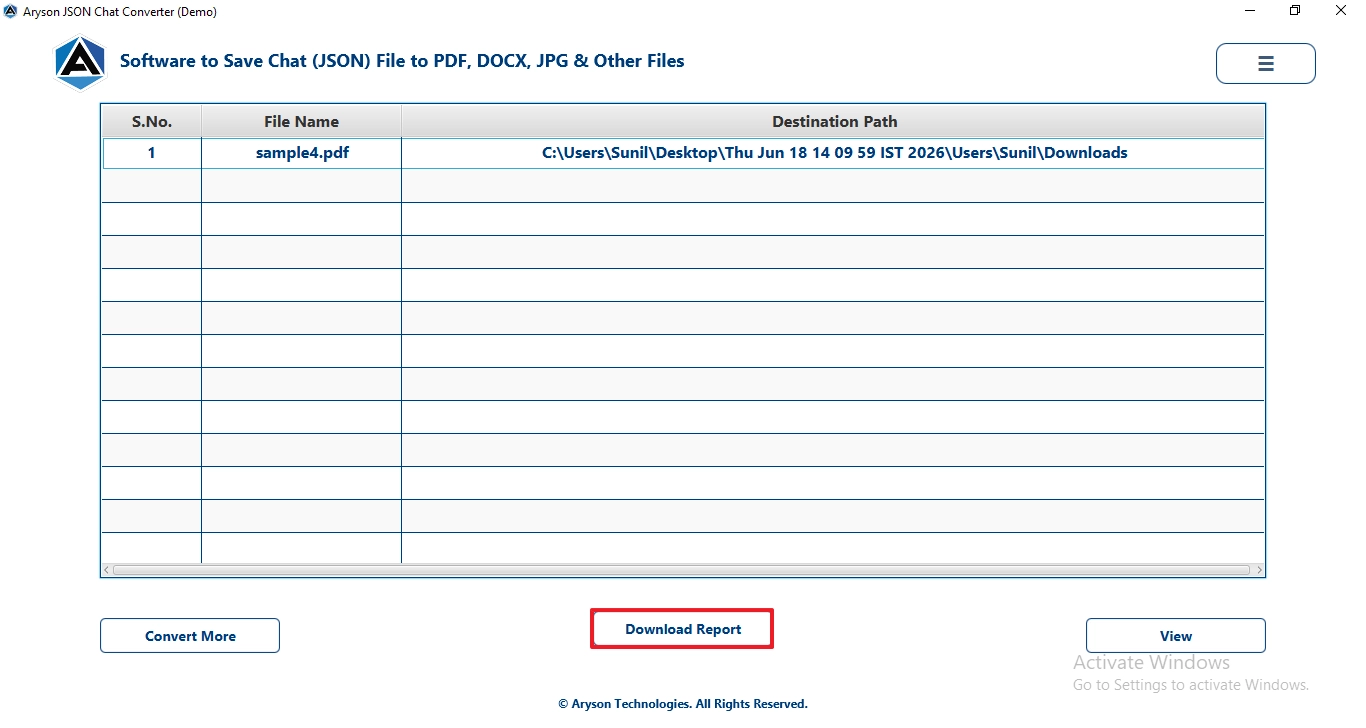
- After that, click on the Download Report to view the log report.
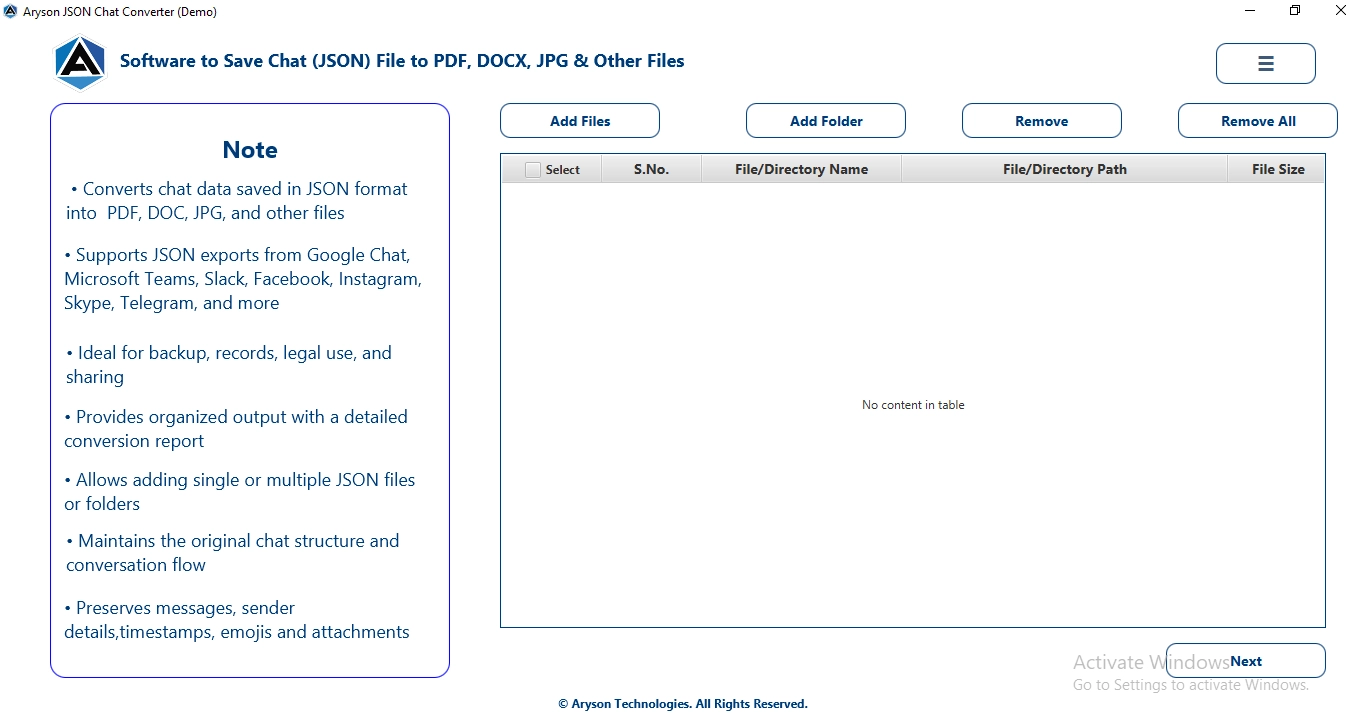
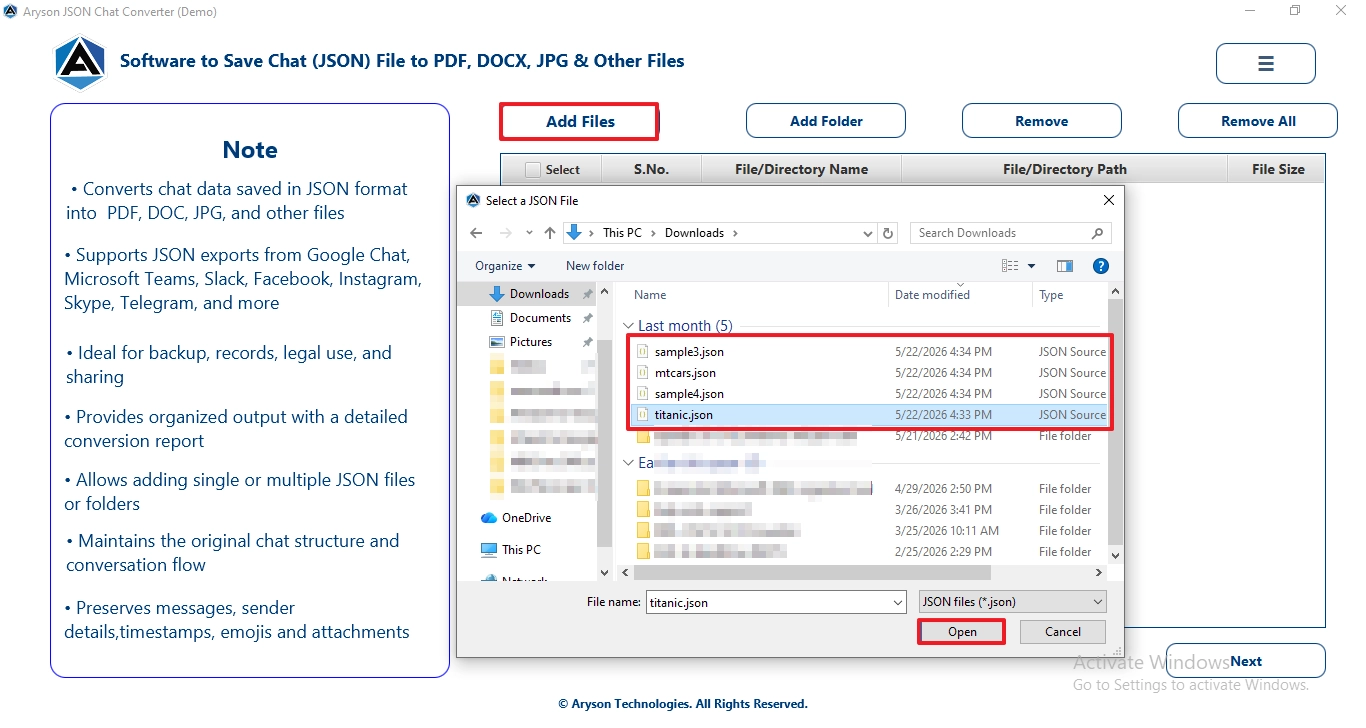
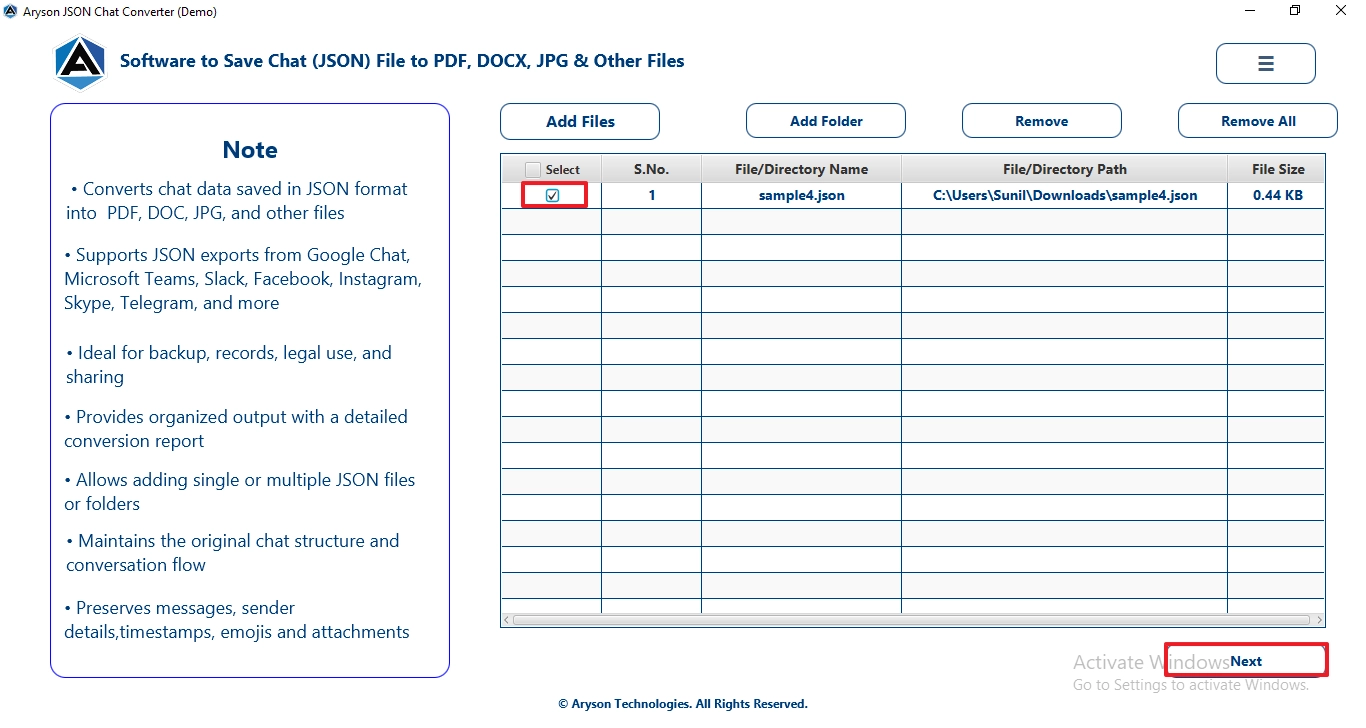
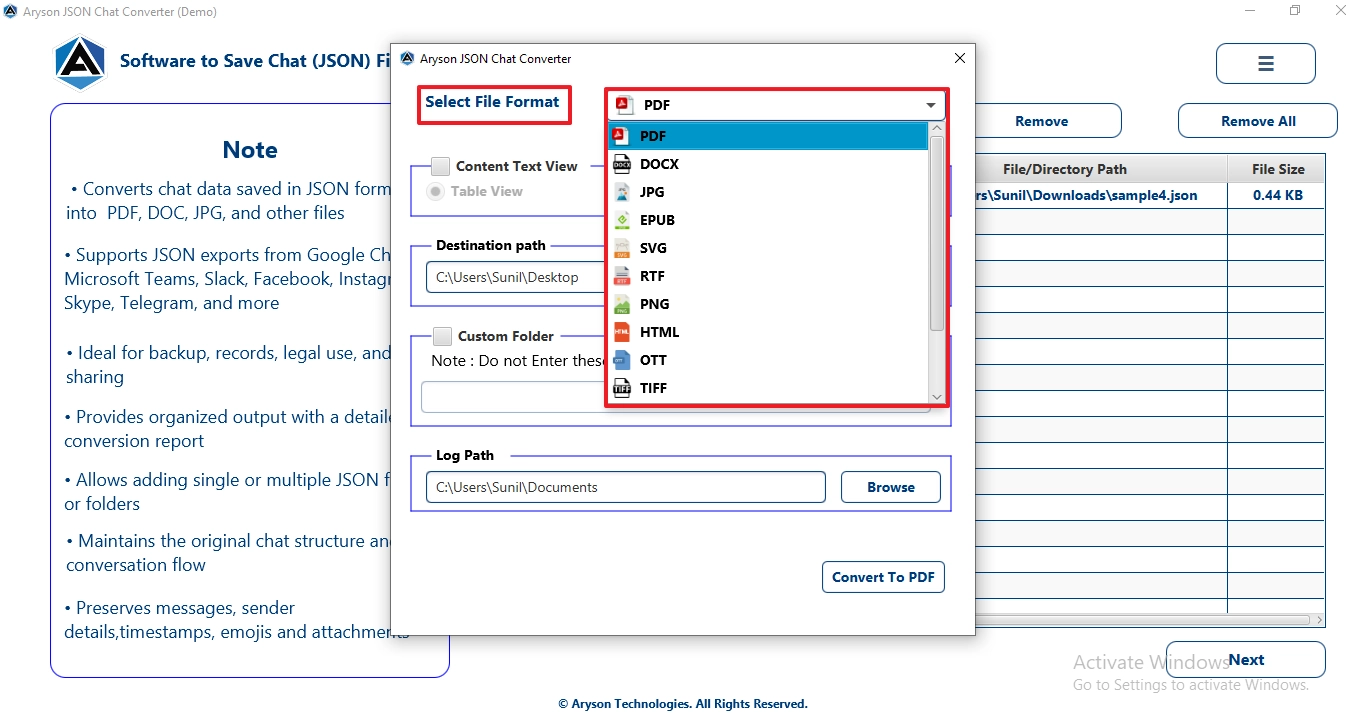
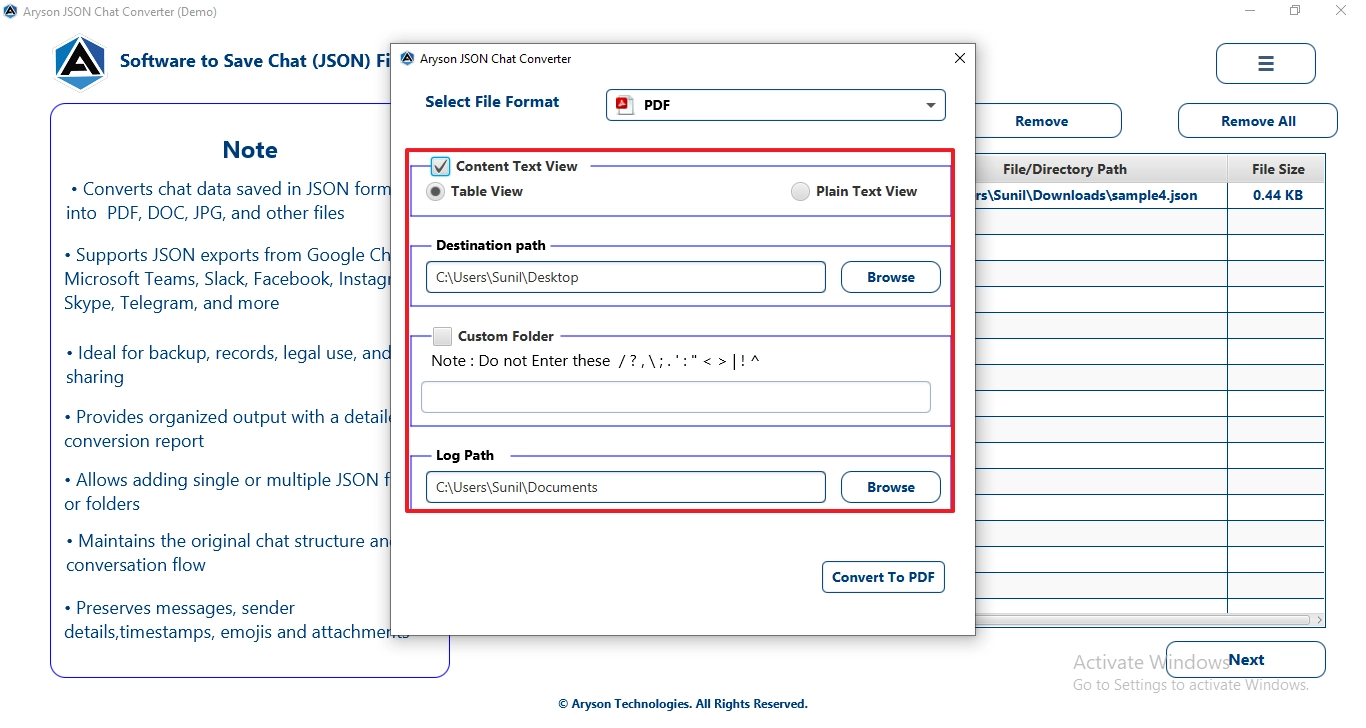 and provide a custom folder name.
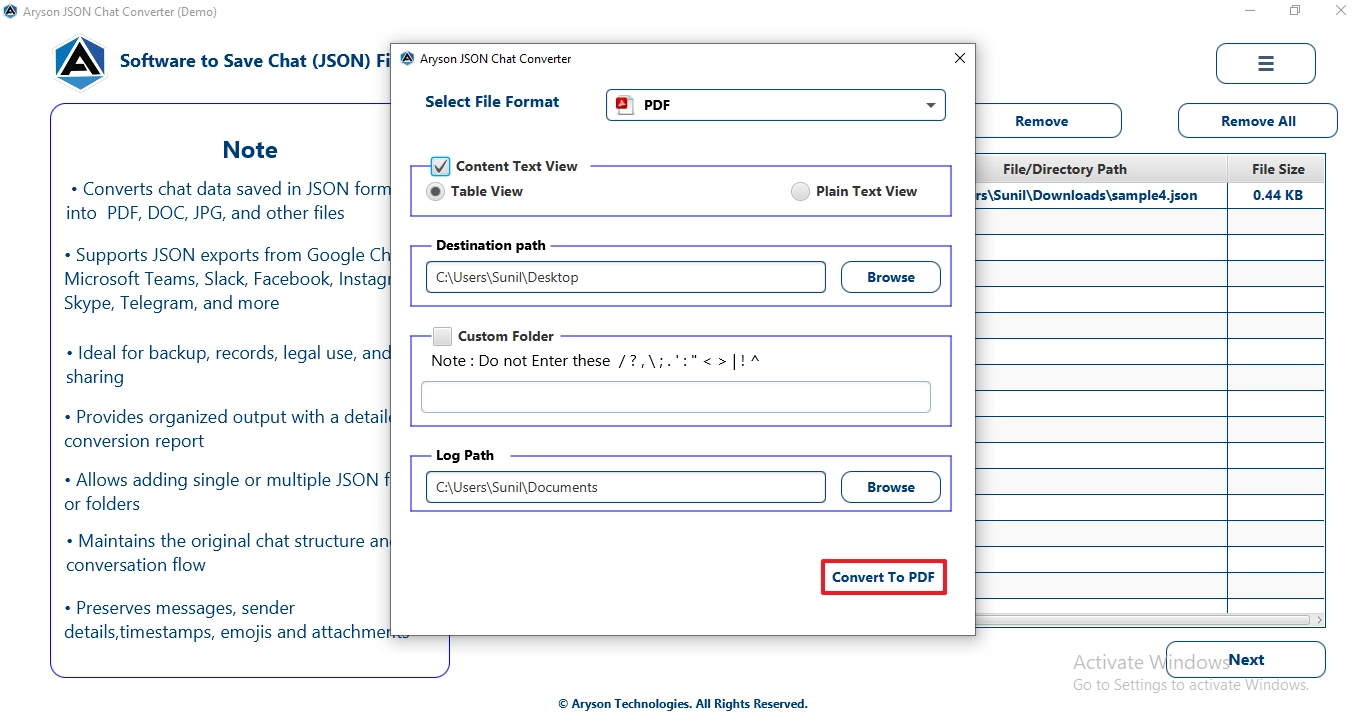 to begin the conversion process.
Advanced Features of this software
- It supports 10+ file formats in which you can convert the files.
- Provide a log report to help users to understand the complete conversion summary.
- The user can choose a preferred location to save the resultant files.
- It preserves the folder structure and data integrity.
Conclusion
Exporting Telegram chats to PDF can be useful to keep and share conversations or create backups. In this guide, we discussed different manual methods, that includes the export of chats through Telegram Desktop into a document, and screenshots. While these methods work for small tasks, they take a lot of time for large files. Therefore, for a simpler & more organized process, you can use the JSON Chat Converter, which helps convert Telegram chat to PDF.
Frequently Asked Questions:
Q1. Will the recipient know if I export a Telegram secret conversation to PDF?
Ans. No, Telegram does not notify recipients when a chat is exported to PDF. However, you should always respect privacy and follow any applicable legal or organizational policies before saving or sharing conversations.
Q2. Does converting Telegram chat to PDF preserve images and attachments?
Ans. The preservation of images and attachments depends on the method used. If media files are included during export, they can usually be retained, but some manual methods may only save text messages.
Q3. How can I convert large Telegram chats to PDF without losing readability?
Ans. For large chat histories, it is recommended to use Telegram’s export feature or a dedicated conversion tool. These methods help maintain message order, timestamps, and formatting, making the PDF easier to read.
Q4. What is the best method to convert Telegram chat to PDF?
Ans. The best method depends on your requirements. Manual methods are suitable for small chats, while professional tools are generally better for large conversations, bulk exports, and preserving complete chat details.
Q5. Why does Telegram Desktop take so long to export chat history?
Ans. Export time mainly depends on the size of the chat and the amount of media it contains. Chats with thousands of messages, images, videos, and documents usually take longer to process and export.
Q6. Can exported Telegram chats be converted into password-protected PDF files?
Ans. Yes, exported Telegram chats can be secured with a password after conversion. Many PDF editing tools and converters provide options to add password protection and restrict unauthorized access.
About The Author:

Evren Cole is an expert in Email and Data Management. She has a strong passion for technology and entrepreneurship. In her free time, she enjoys football, music, and reading books.

