

-
Written By Evren Cole
-
Updated on October 13th, 2025
How to Import MSG to Yahoo Mail: A Step-by-Step Guide
Summary: Email communication is essential in a personal or business context. Often, users back up or migrate emails in Outlook to MSG files on a local machine in order to make this process easy. Email files become very difficult to access when you are moving from Outlook to other platforms. To view or use any of those emails, you need to import MSG to Yahoo Mail. This post will review some easy ways to upload MSG files into Yahoo Mail, as well as explain an automated method using the MSOutlookHelp MSG Converter Tool, which will migrate the data smoothly and safely without loss of any existing data.
What Are MSG Files and Yahoo Mail?
Before we initiate the migration phase, let us explore the formats involved.
- MSG File: An MSG file is an email message saved from Microsoft Outlook. It contains all of the details of the message, including sender, recipient, subject, date, attachments, and formatting. Additionally, MSG files can only be opened in Microsoft Outlook or a tool compatible with the MSG file extension.
- Yahoo Mail: Yahoo Mail is a cloud-based email service that enables users to send, receive, and manage emails from anywhere. Yahoo Mail is built to work through IMAP and POP protocols, which means that users can have the same email account on multiple devices and sync the account across devices.
Why Import MSG Files to Yahoo Mail?
There are a few reasons users like to import MSG files to Yahoo Mail:
- Access in the Cloud: You can have access to your messages anytime and anywhere from any device.
- Backup and Security: Emails saved in the cloud with Yahoo are safe from system crashes and data corruption.
- One Management Point: All emails are synced easily, and you can access them on all devices.
- Migration Requirements: If a user is migrating from Outlook to Yahoo Mail, they will need to access their old emails for a certain period of time.
- Data preservation: By uploading the MSG file into Yahoo Mail as a safeguard, the user will not lose an old email by accidentally deleting it.
MSG to Yahoo Mail Migration with MS Outlook
If you would like an easy-to-do and free method, you can move MSG files to Yahoo Mail without any other tool other than MS Outlook and Mozilla Thunderbird.
How to Import MSG to Yahoo Mail Manually
- First of all, download, install, and open the MS Outlook application on your computer.
- Next, locate the local drive that holds all your MSG files.
- Then, select the MSG that you want to open (by right-clicking).
- After that, download and install the Mozilla Thunderbird application from its website.
- After you open Thunderbird, go to the Settings settings (gear icon).
- Now, click on Add Mail Account to add your Yahoo account.
- After that, enter your Yahoo Mail credentials and your Outlook account credentials.
- Then, wait a few moments for Thunderbird to sync data from both accounts.
- After, you can go to the mailbox or the complementary label to see your Outlook MSG emails.
- After, select the MSGs you want to move to Yahoo Mail.
- Next, drag and drop the MSG emails you want into the Yahoo Mail Folder you want in Thunderbird.
- Finally, wait for the mailbox to sync, and Open MSG File in Yahoo Mail.
Disadvantages of the Manual Process
Though this manual process is functional, there are significant disadvantages:
- It will require Outlook installation and setup.
- Not epic for any substantial number of MSG files.
- No way to apply filters for selective imports.
- Duplicated or corrupt data could occur.
- Takes time and requires technical capability.
- It is due to these reasons that many prefer the sooner and safer way of using automated software.
Automated Method to Import MSG to Yahoo Mail
The most frequent way to upload MSG files to Yahoo Mail is to use the MSOutlookHelp MSG Converter Tool. The application is designed to directly transfer MSG files to Yahoo Mail and multiple other third parties without the need for Outlook. This software helps non-technical users to migrate their data easily without any data loss. This utility is able to bulk convert MSG files for migration while still retaining folder structure, email properties, and attachments. Along with Yahoo Mail, it can also import MSG to IMAP Server with other email clients.
Key Features of MSOutlookHelp MSG Converter
- Transfers MSG files directly to Yahoo Mail without Outlook installation.
- Allows importing multiple MSG files at once.
- Maintains email metadata, attachments, and formatting.
- It lets you apply filters by date, subject, or sender.
- Eliminates duplicate emails automatically during import.
- Displays the MSG file content before migration.
- Supports migration to Gmail, Office 365, IMAP, Thunderbird, and more.
Steps to Import MSG Files into Yahoo Mail
- Firstly, download the MSG Converter Tool on your PC.
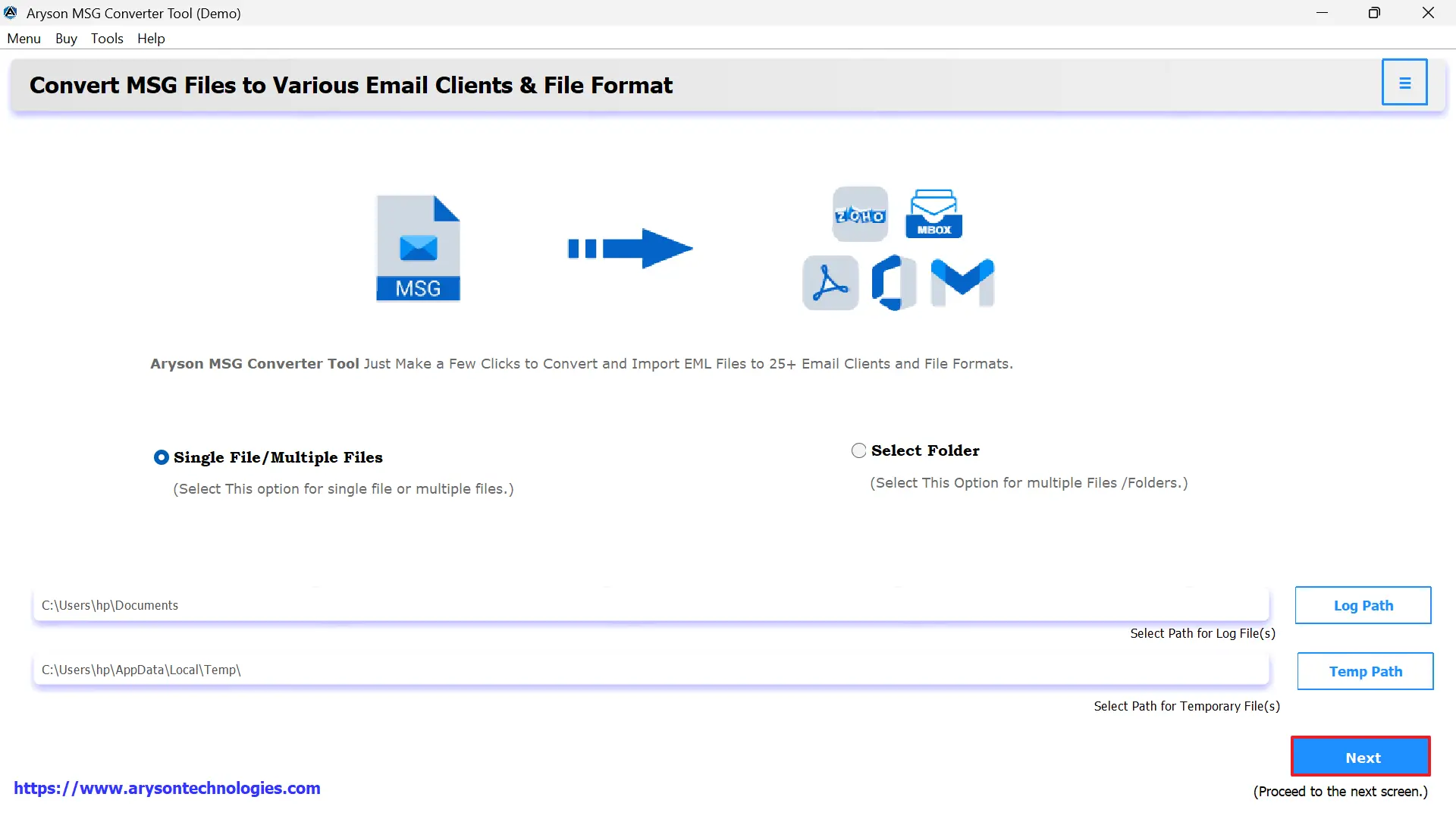
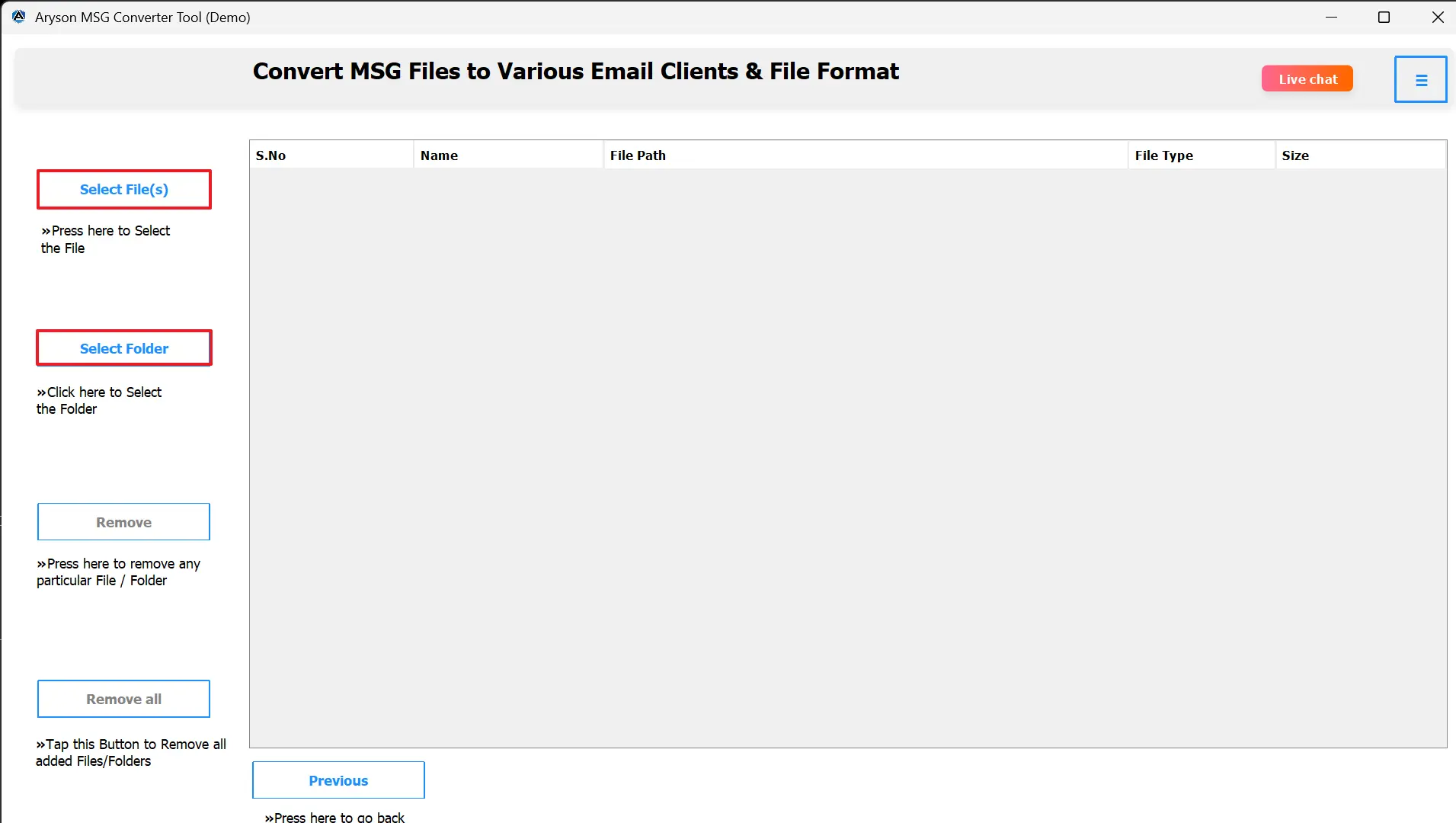
- Next, click Select File or Select Folder to load MSG files.
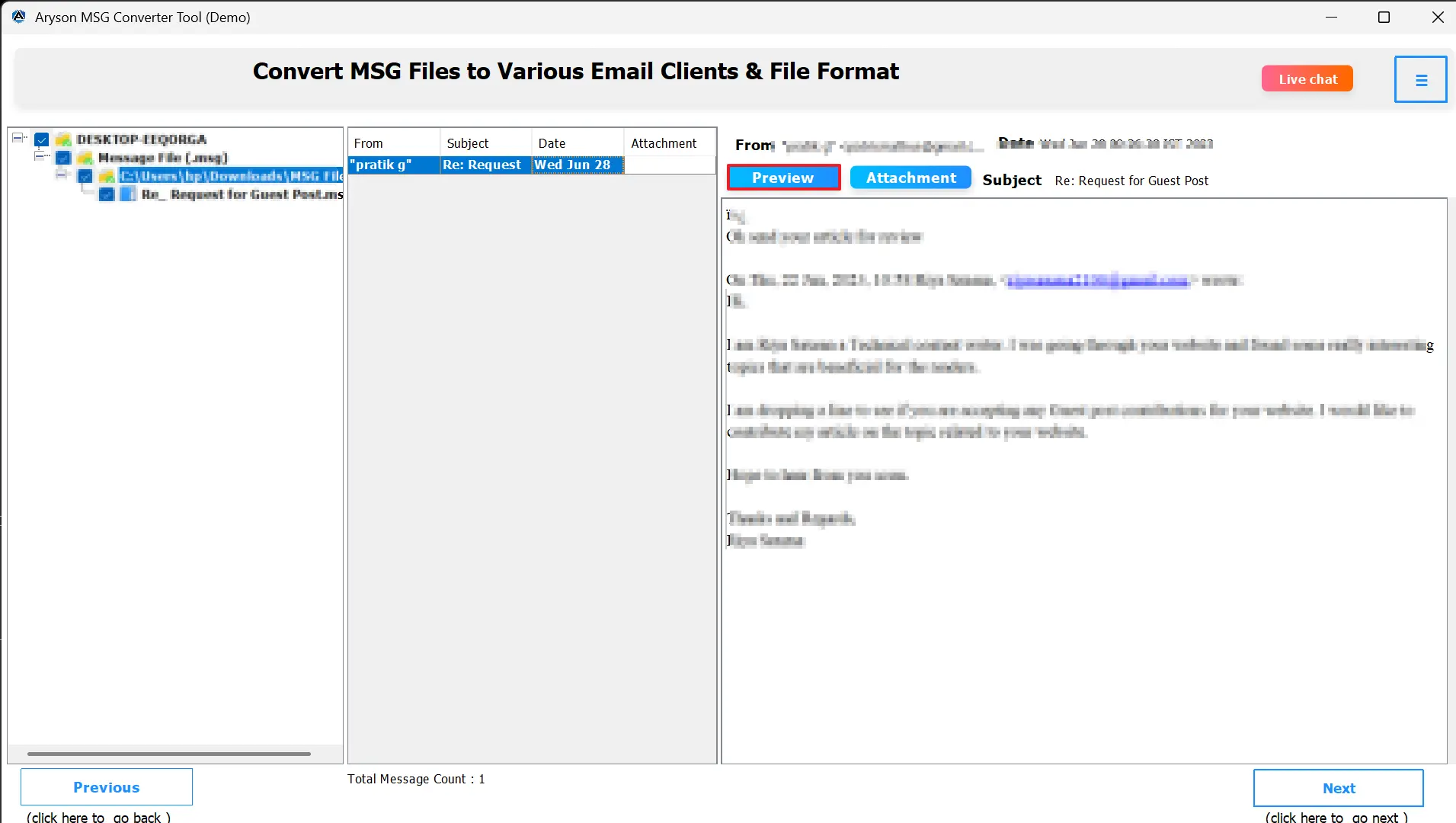
- Afterward, preview all your emails before proceeding.
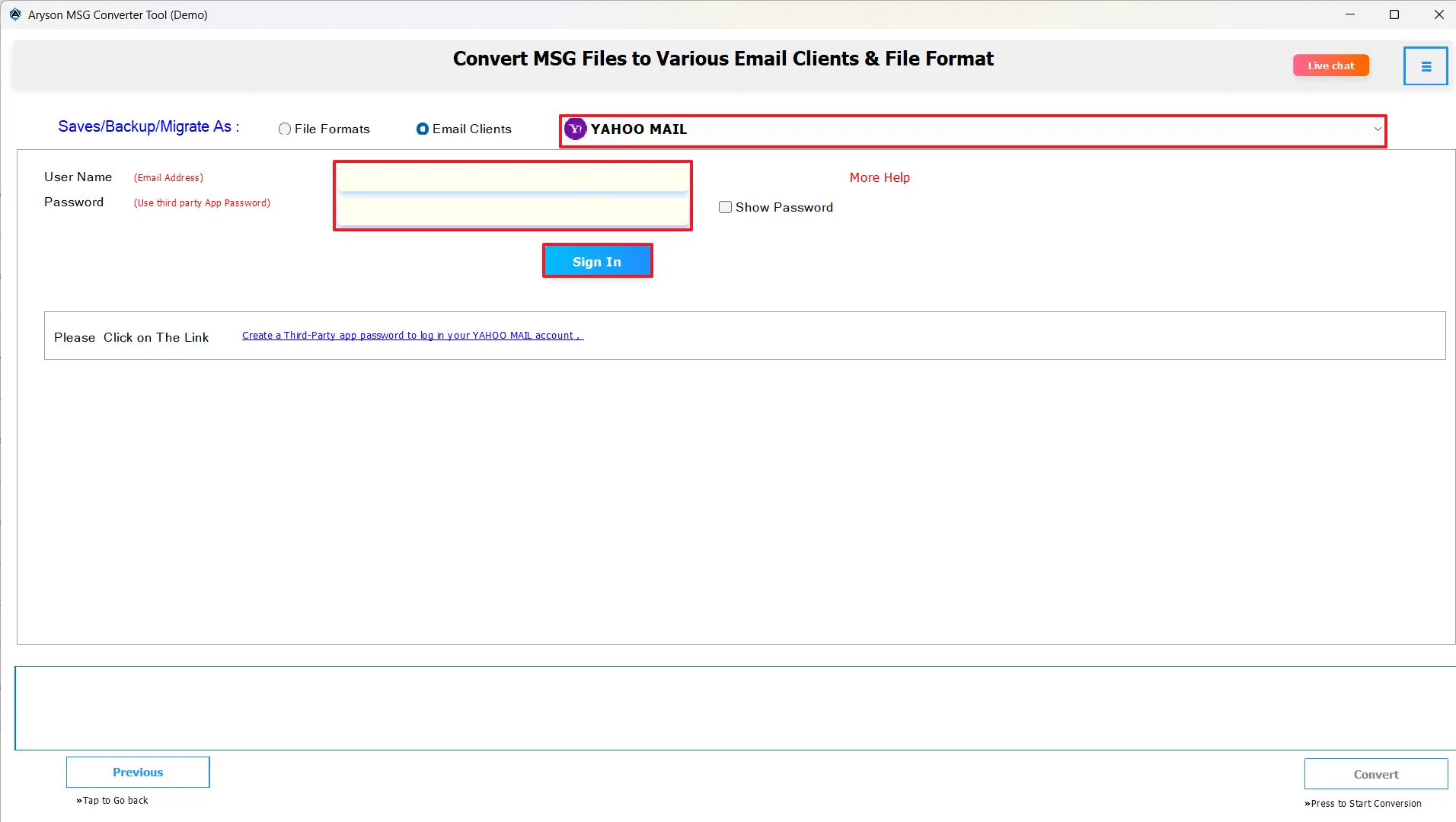
- Then, click on email clients Options, select Yahoo Mail.
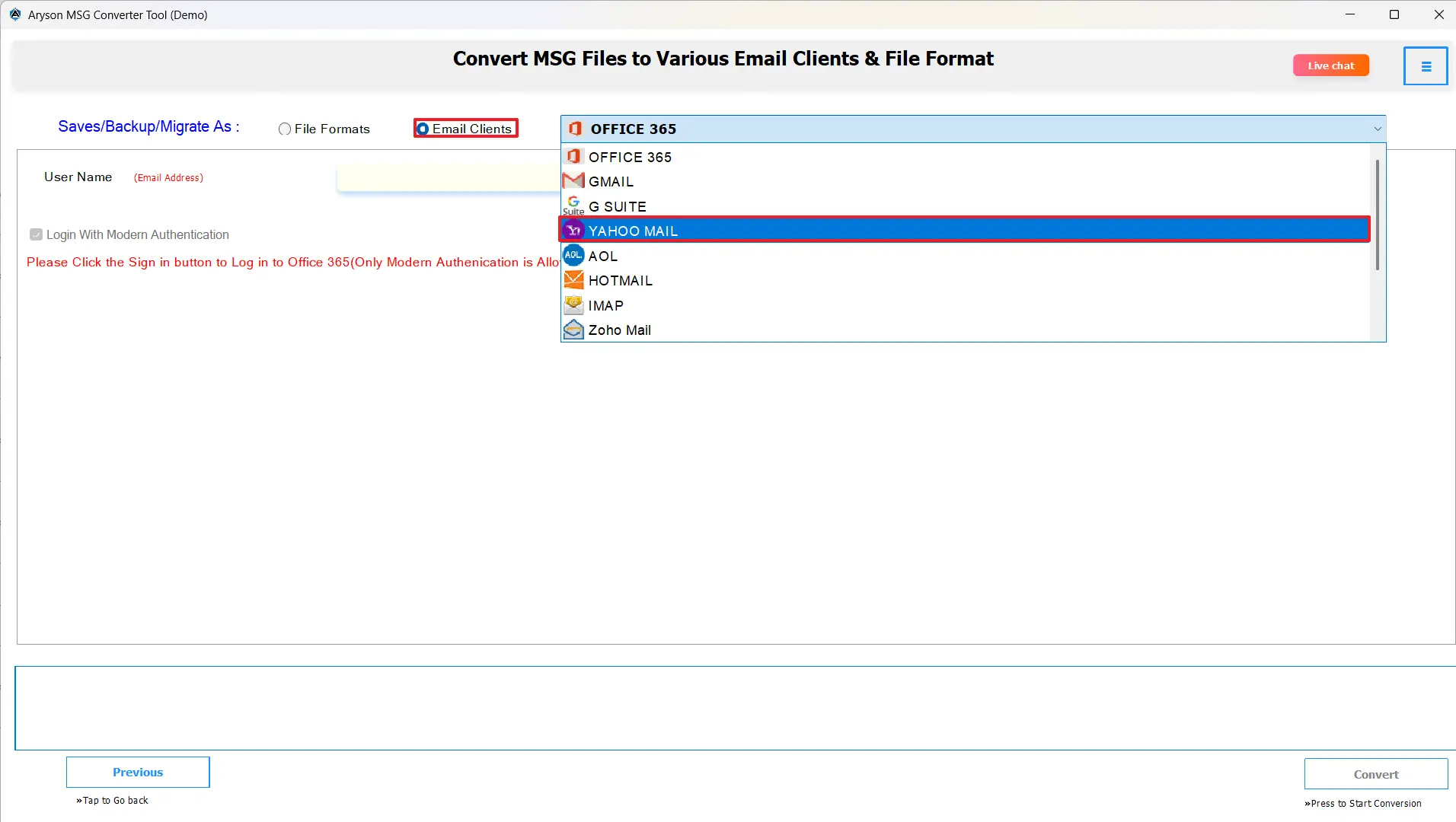
- Now, enter your Yahoo Mail login credentials securely.
- Moreover, apply filters if you wish to import specific emails.
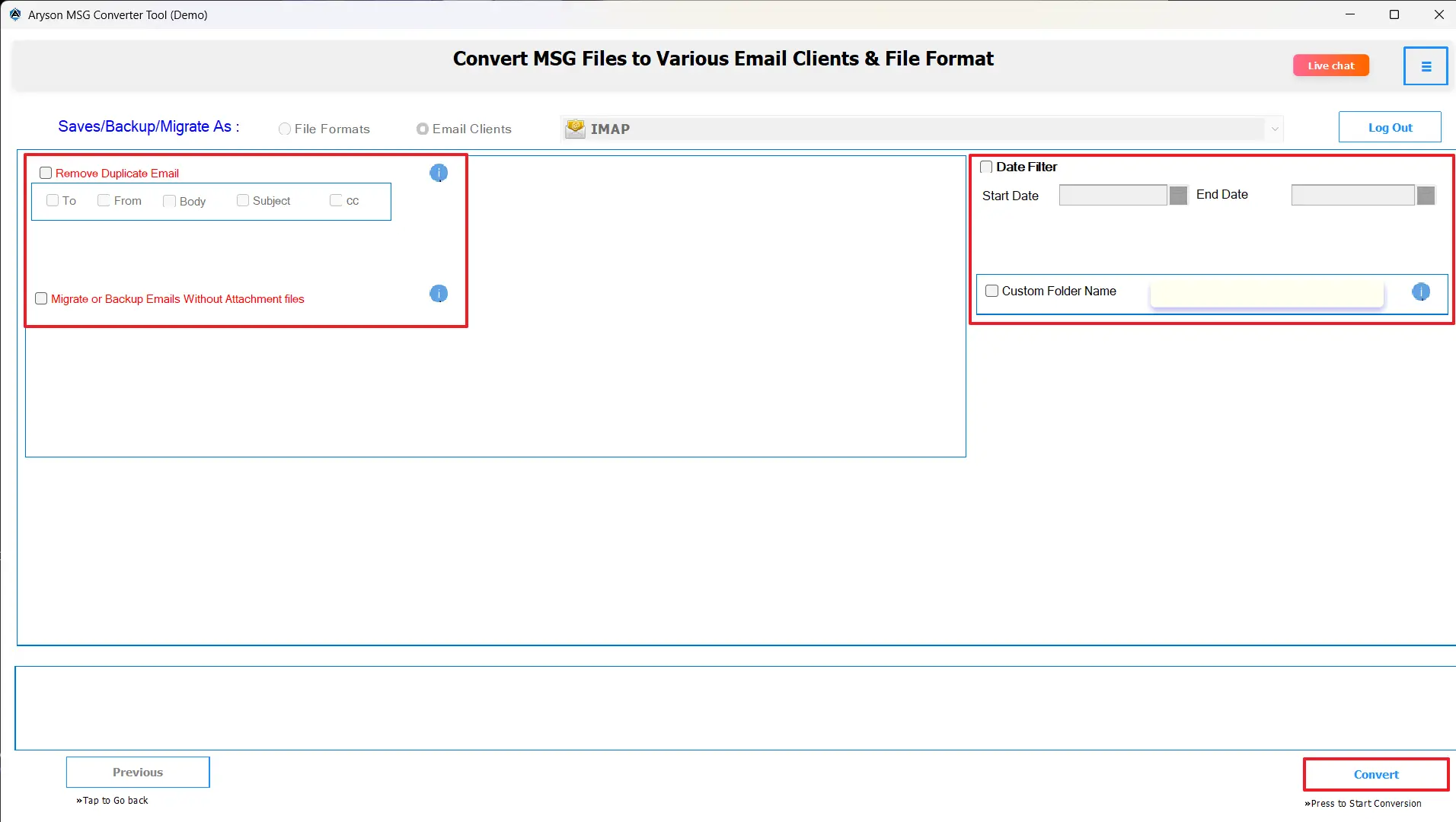
- Finally, click the Convert button to begin the migration process.
Conclusion
In this blog, we have seen the ways to import MSG to Yahoo Mail with the help of the methods mentioned above. It enables you to have all your important Outlook emails available and accessible in an online format. It also helps with data safety and availability across a variety of devices. If you use the right method, you will be able to transfer all your MSG files to Yahoo Mail while still having everything of importance.
Frequently Asked Questions:
Q.1 How do I import Outlook MSG files to Yahoo Mail?
Ans. You can either configure Yahoo Mail with Outlook using IMAP settings or use the MSOutlookHelp MSG Converter Tool for direct import.
Q.2 What is the easiest way to transfer MSG files to Yahoo Mail?
Ans. The simplest method is to use the MSOutlookHelp MSG Converter Tool, which performs direct and automated migration.
Q.3 Is it possible to import multiple MSG files into Yahoo Mail at once?
Ans. Yes, the software allows bulk import of multiple MSG files simultaneously without affecting performance.
Q.4 Can Yahoo Mail read MSG files directly?
Ans. No, Yahoo Mail cannot open MSG files directly. You must convert or import them using an external tool.
About The Author:

Evren Cole is an expert in Email and Data Management. She has a strong passion for technology and entrepreneurship. In her free time, she enjoys football, music, and reading books.

