

-
Written By Evren Cole
-
Updated on November 12th, 2025
Convert EML to EMLX: Everything You Need to Know
Steffi’s Query: My previous workplace used to work with Outlook for managing their emails, whereas the recent one uses Apple Mail. I have several number of emails stored in EML format in my Outlook account and want to convert EML to EMLX. How can I do this without losing the data or attachments?
Overview: EML files are the Microsoft Outlook files that store a single email message. But since it is accessible only in Outlook, users nowadays prefer to convert EML files to EMLX as they move to Apple Mail. To help sch users with the conversion process, this blog is written. Here, you will explore different methods to convert EML file to EMLX format, including the MSOutlookHelp EML Converter, for a quick conversion.
What do you mean by EML and EMLX files?
- EML files are created by email clients like Microsoft Outlook, Windows Live Mail, and Mozilla Thunderbird. These files can store a single email message with all its headers, attachments, and metadata.
- EMLX files are used by Apple Mail on macOS. They also serve the same purpose, but their structure is a little different, such that it is optimized for Apple Mail.
Why Users Might Want to Convert EML to EMLX
There are a number of different reasons why a user would want to convert EML files to EMLX format. Let’s take a look at some of them.
- The user might want to switch from Outlook to Apple Mail.
- To make sure that the data is fully compatible with macOS systems.
- The user might want to maintain the email formatting, metadata, and attachments as during the conversion process.
- To access old emails effortlessly in Apple Mail without using any software.
- For organizing or backing up emails in a format supported by default by macOS.
Best Techniques to Export EML File to EMLX
Among a number of ways available to convert EML to EMLX, we are going to discuss two most effective ones here, to ensure a secure and reliable EML to EMLX Conversion.
Technique 1: Convert EML to EMLX Manually using Apple Mail
You can use the Apple Mail application on macOS to convert EML files to EMLX format. Therefore, it is mandatory for you to install Apple Mail on your system. In case you have not installed it, you can’t proceed with this method.
- To begin, open the Apple Mail application on your Mac system.
- Then, search for and find the EML files you want to convert.
- After that, simply drag and drop the selected EML files into the Apple Mail window.
- This will open your emails in Apple Mail & it will automatically save them in EMLX format.
- Now, access the resultant EMLX file in Apple Mail.
Note for Windows users: You have to transfer your EML files to a macOS system first, as Apple Mail works well for macOS, and this method will not work on Windows.
Cons of the manual method:
- Requires access to a Mac with Apple Mail installed.
- This method is not suitable for converting voluminous data.
- It is a time-consuming process for a large number of emails.
- There is a high possibility of attachments or formatting.
- This method lacks advanced features like selective conversion or folder structure preservation.
Technique 2: Optimized Solution to Convert EML to EMLX
The MSOutlookHelp EML Converter is the most reliable software to convert EML files to EMLX format. Moreover, it helps users convert multiple EML files all at once without affecting the data or attachments. At the same time, it can convert EML to PST, DOC, MBOX, MSG, and many other file formats. It offers an email filtering feature, for example, filtering emails by the desired date, pre-viewing of messages, saving and converting attachments, etc. It has features for PST files, such as splitting a file and naming folders as per requirements. Additionally, it provides an interactive user interface to help beginners work efficiently.
Quick Steps to Convert EML to EMLX
- Install and start the EML Converter tool on your existing system.
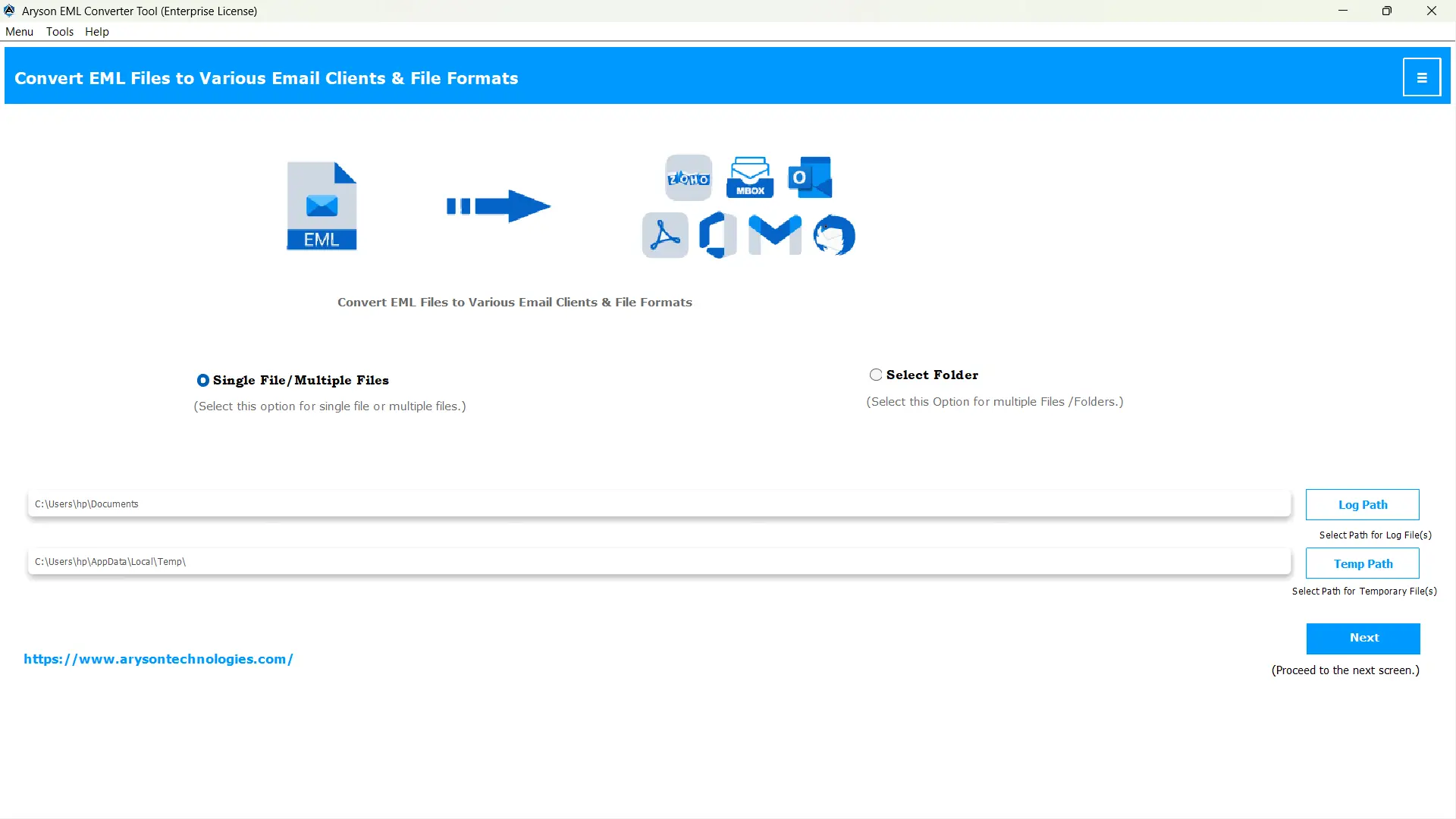
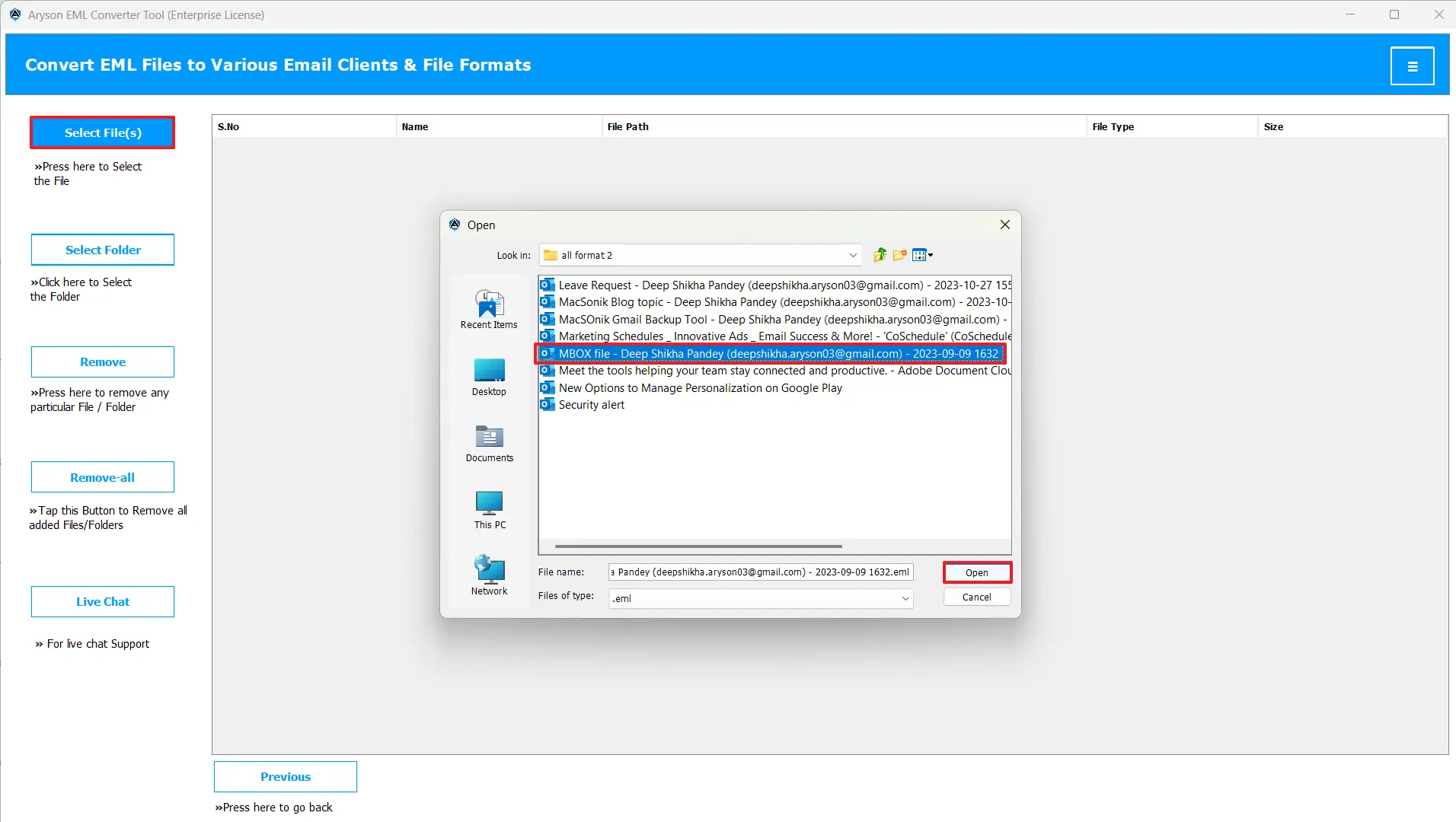
- Then, use Select Files/ Folders to load your EML files into the software.
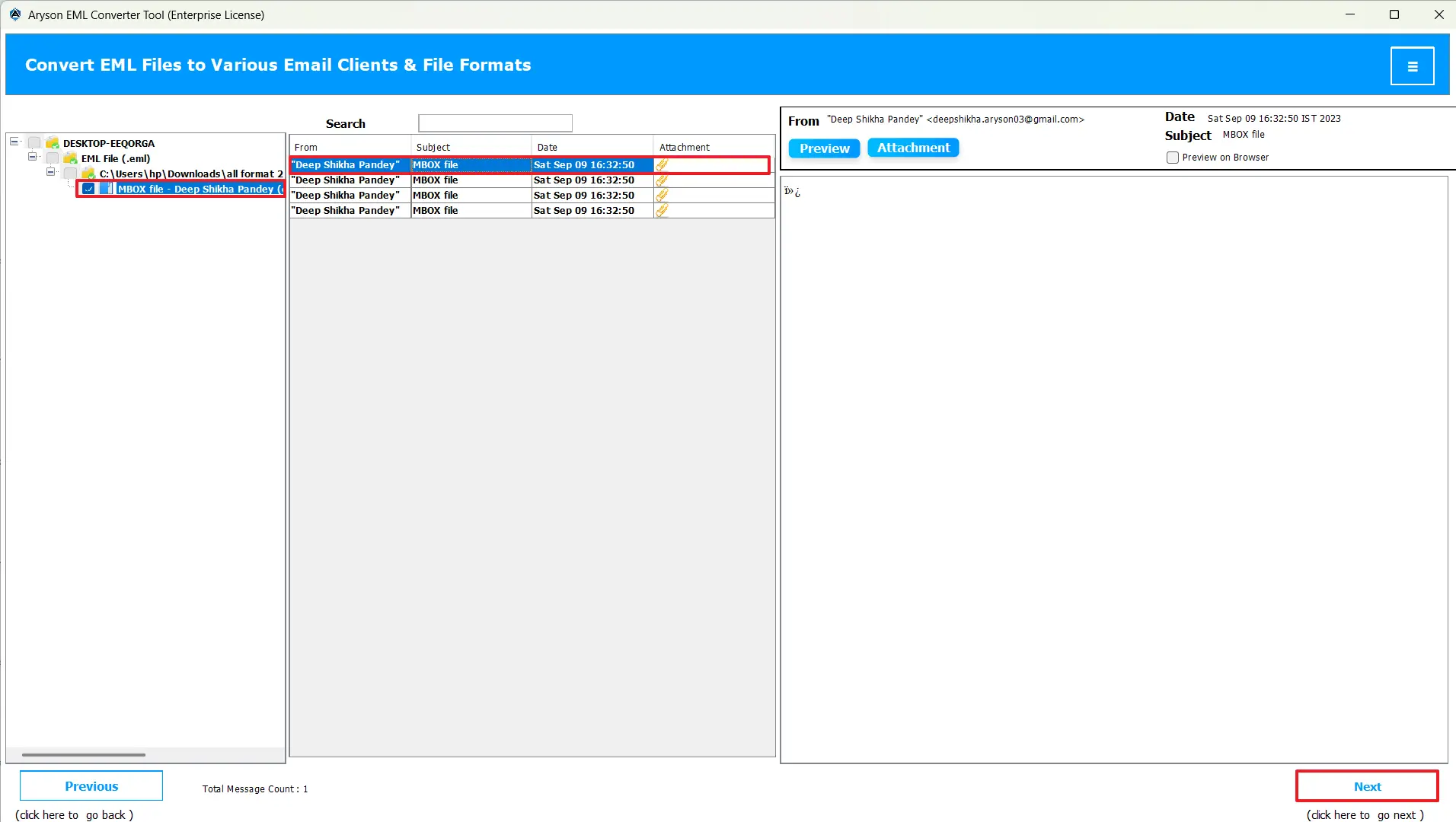
- Choose the EML files/folders from the tree hierarchy to preview before performing the actual conversion.
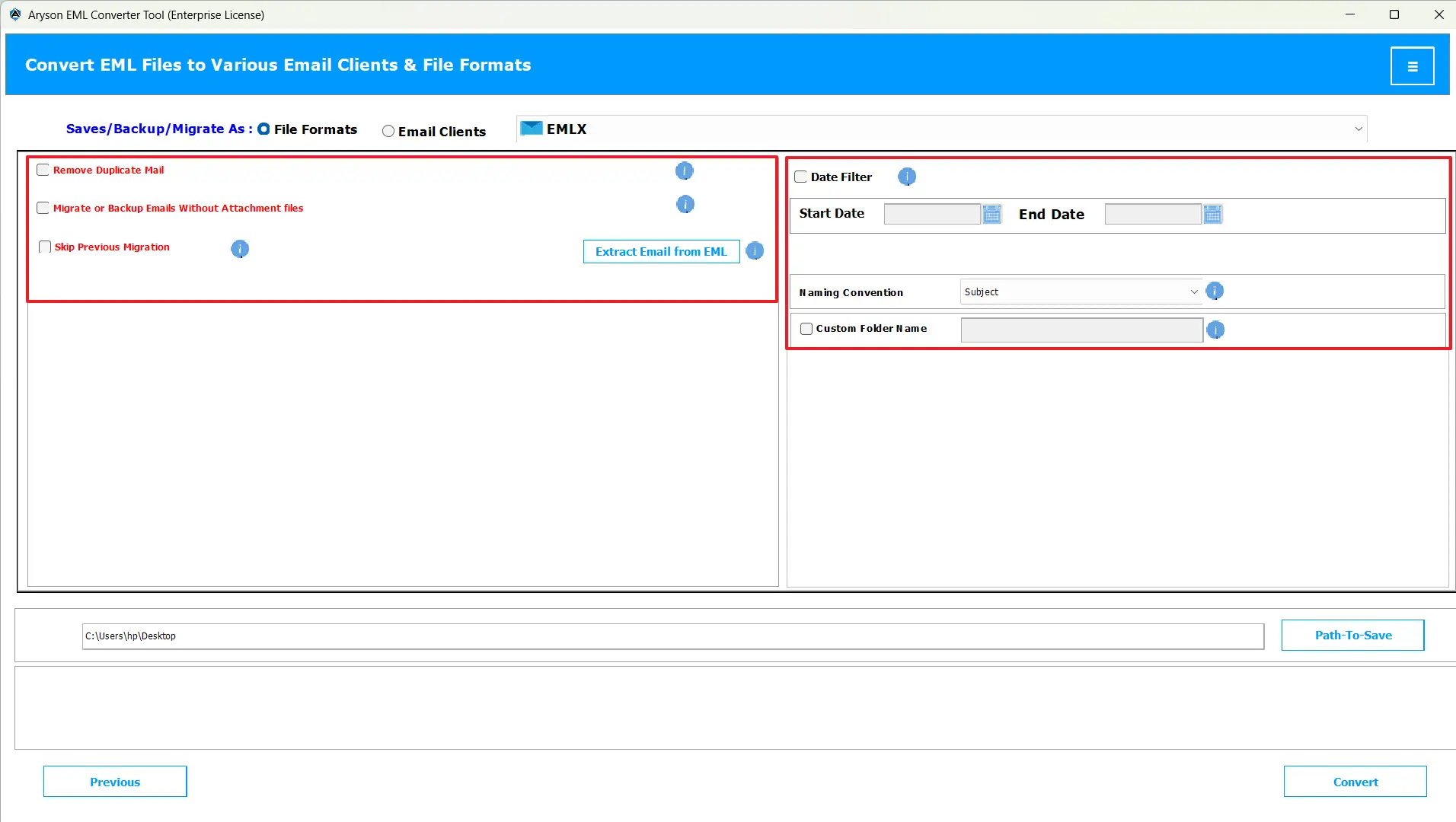
- Next, select the EMLX file format from the listed file formats.
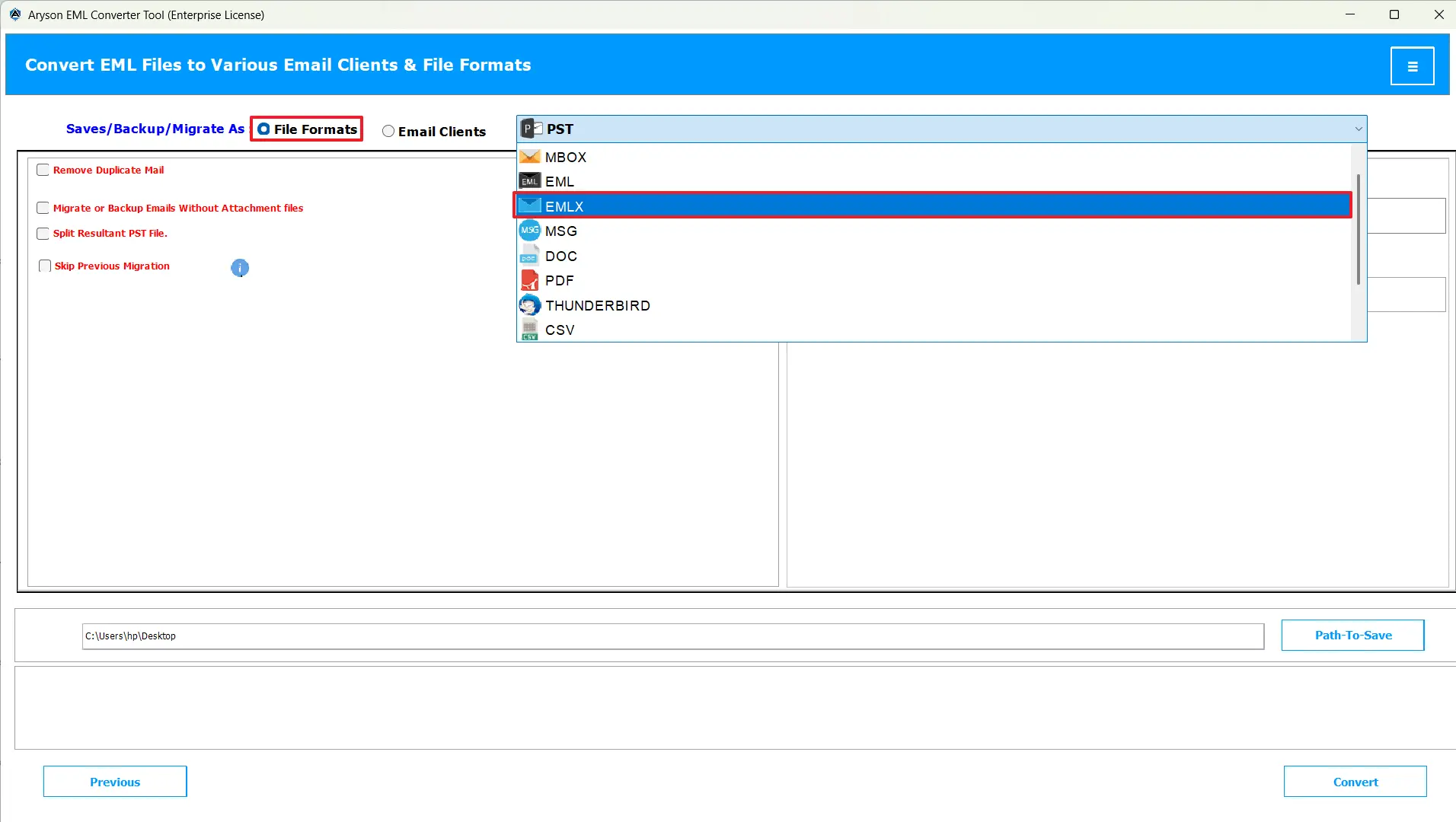
- Apply any additional built-in features if you require.
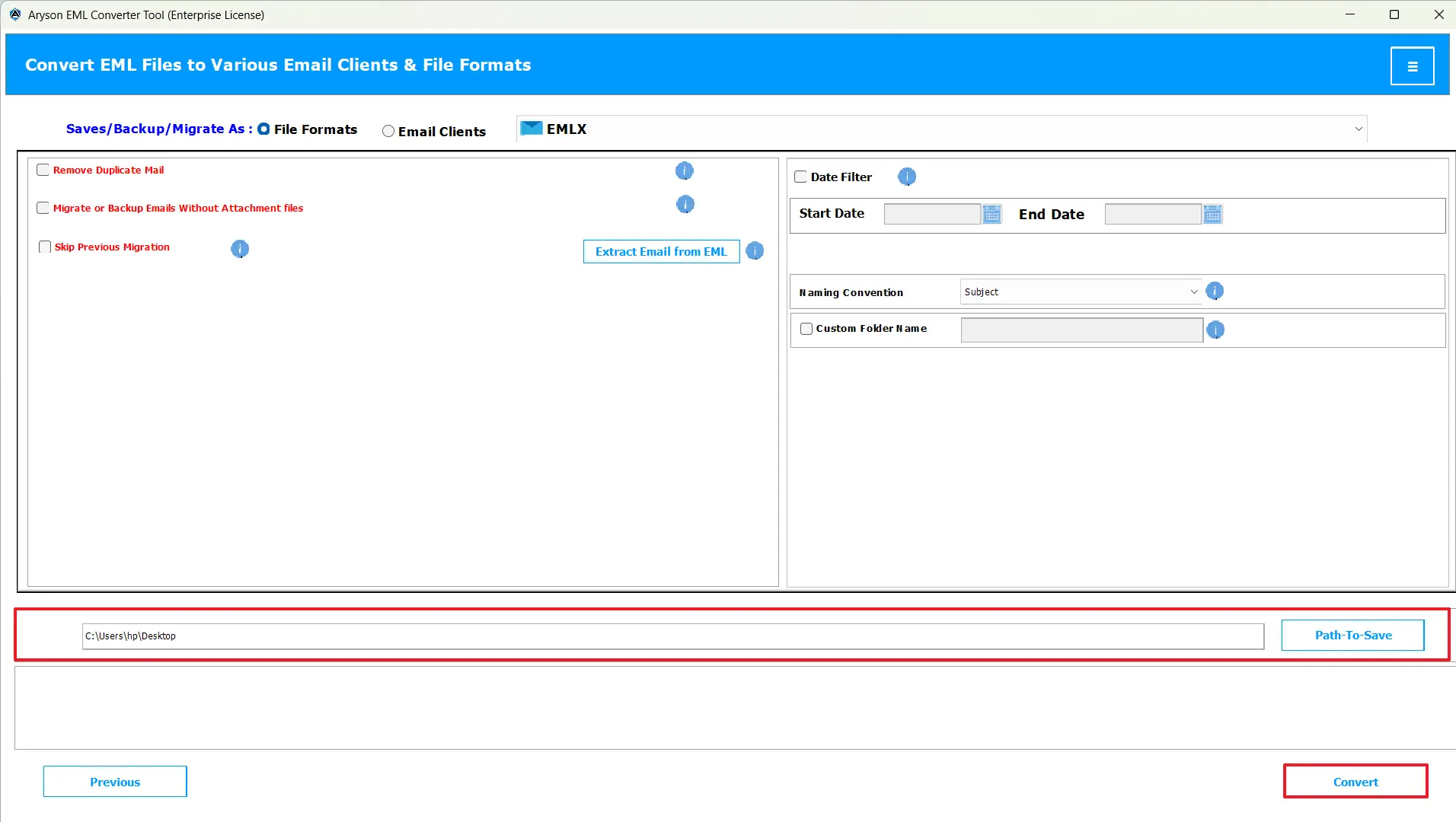
- Lastly, just click Convert to start converting your EML files to HTML.
Conclusion
In order to access your EML files of the Windows-based email client effortlessly on a Mac system, it is important to convert EML to EMLX format. In case you are a beginner or have a large number of files for conversion, you can use the automated software provided along with its steps. Whereas, in the case of a few EML files, you can use the manual method. Make sure to follow the right steps to avoid any discrepancies in data.
Frequently Asked Questions:
Q.1 Why would I need to convert an EML file to EMLX?
Ans. A user may want to convert EML files to EMLX to switch from Windows-based clients to Apple Mail, ensure macOS compatibility, preserve formatting and attachments, access old emails seamlessly, and organize or back up emails natively.
Q.2 Can I migrate multiple EML emails to EMLX at once?
Ans. Yes, you can migrate multiple EML emails to EMLX at once, using the MSOutlookHelp EML Converter.
Q.3 Will attachments and email metadata be preserved during EML to EMLX conversion?
Ans. Yes, if you are using the automated software to transfer EML Data to EMLX, the attachments and email metadata will be preserved during EML to EMLX conversion.
Q.4 How do I open or use the converted EMLX files?
Ans. You can simply navigate to the file explorer and go to the location you provided in the software in the Path-to-Save section, to find the resultant EMLX file.
About The Author:

Evren Cole is an expert in Email and Data Management. She has a strong passion for technology and entrepreneurship. In her free time, she enjoys football, music, and reading books.

