

-
Written By Evren Cole
-
Updated on April 1st, 2026
How to Export IMAP Emails to PDF (Best Bulk Methods in 2026)
Summary: To manage emails through IMAP is convenient. But when you need to keep a record or access them offline, conversion is required. Most of the users look for a simple way to export IMAP emails to PDF without any data loss. Since IMAP stores emails on its server, converting them into PDF can feel like a big challenge. In this guide, we will discuss the best solution for the year 2026 to accomplish the conversion, which includes the IMAP Backup Tool for bulk conversion.
TL;DR: IMAP emails are saved as a PDF file for offline accessibility and portability. To do so, we can either use a built-in Print feature in a web browser or take the help of advanced software.
Key Reasons to Convert IMAP Emails to PDF
It is important to understand why it is required to save IMAP Emails as PDF.
- Emails can be used as valid records for legal & compliance purposes.
- PDF creates a reliable backup for safe storage and future reference.
- Moreover, it is simple to share emails and print them in a readable format.
- Subsequently, it keeps the content secure as it is in a non-editable file type.
- In addition, it allows long-term access without relying on any email apps or servers.
Best Methods to Export IMAP Emails to PDF
Now, we begin with the best two methods that move your IMAP emails to PDF format. Therefore, you can follow any method that is suitable based on your requirements.
- Web Browser (Gmail / Yahoo / Others)
- Advanced IMAP Software
Approach 01: Using a Web Browser (Gmail / Yahoo / Others)
Use this method to convert IMAP emails through a web browser. Most of the email services, like Gmail, offer a built-in print option that saves emails as PDF files.
Steps to Download IMAP Emails as PDF:
- In your web browser, you need to log in to your email account.
- After that, open the email you want to convert.
- Then, click on the Print icon available in the email interface.
- Now, you have to choose Save as PDF as the destination.
- In the end, save the file to your preferred location.
Limitations of this Manual Method:
- This is not suitable for bulk conversion and for large mailboxes.
- In this method, attachments are usually not included in the saved PDF file.
- Moreover, you need to repeat the process, which becomes slow.
- You must have an internet connection throughout the process.
Approach 02: Advanced Software to Export IMAP Emails to PDF
To overcome the limitations of the above method, use the IMAP Backup Tool for the bulk conversion. This software is made to securely convert your IMAP emails while maintaining the folder structure. In addition, enables users to export IMAP Emails to MSG and other file formats. Its simple interface allows users to easily run the software. Moreover, this enterprise utility strictly adheres to the privacy policy and does not store users’ data during or after the process. Subsequently, it offers the demo version of the software that helps users to understand the software’s functionality.
Process to Convert IMAP Emails to PDF in Bulk:
- Download and install the IMAP Backup Tool on your PCs.
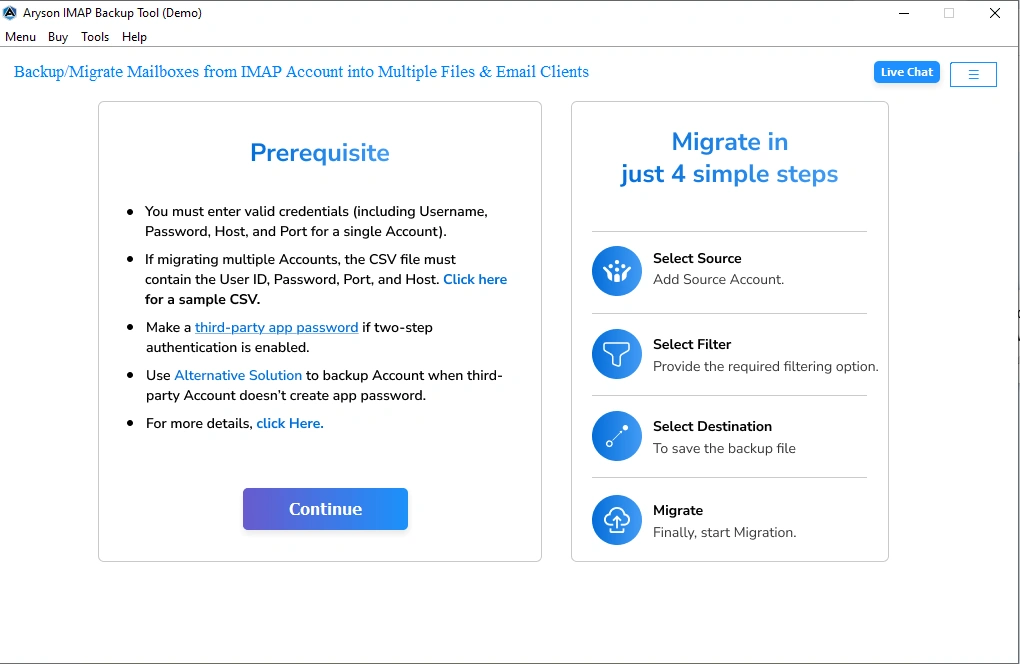
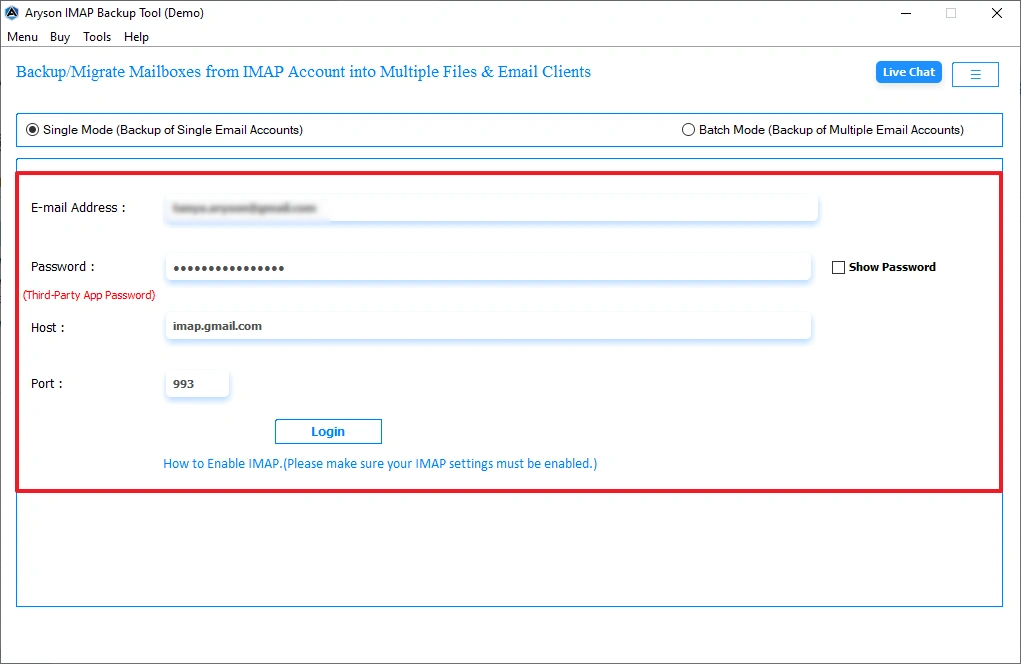
- After that, enter the IMAP credentials for a secure IMAP server connection.
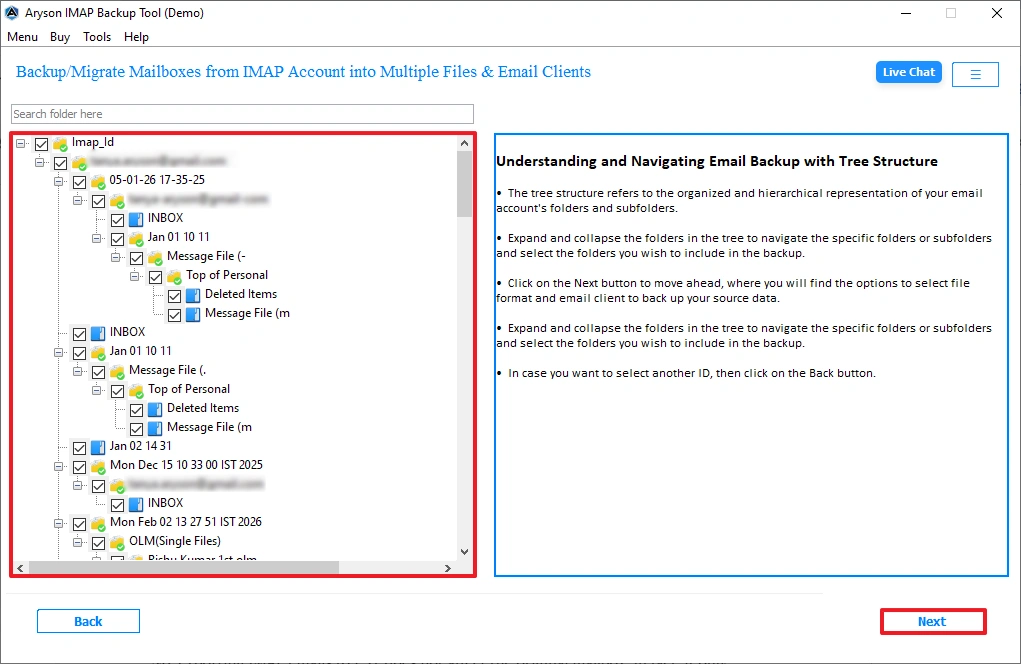
- Then, you can preview the fetched server folders and click on Next.
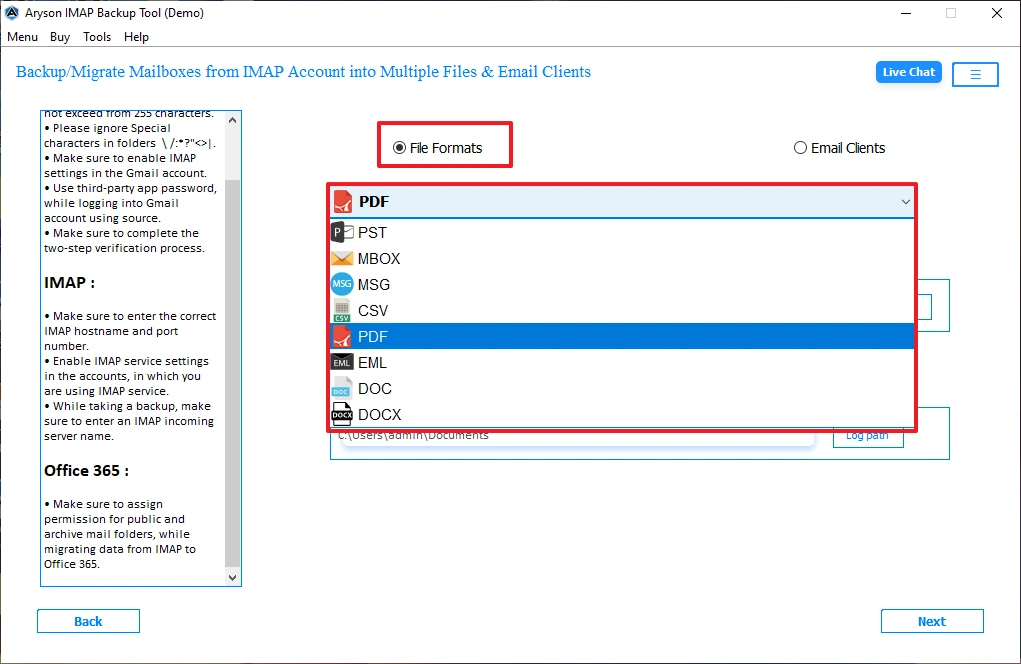
- Now, from the file formats, select PDF as the output format >> Next.
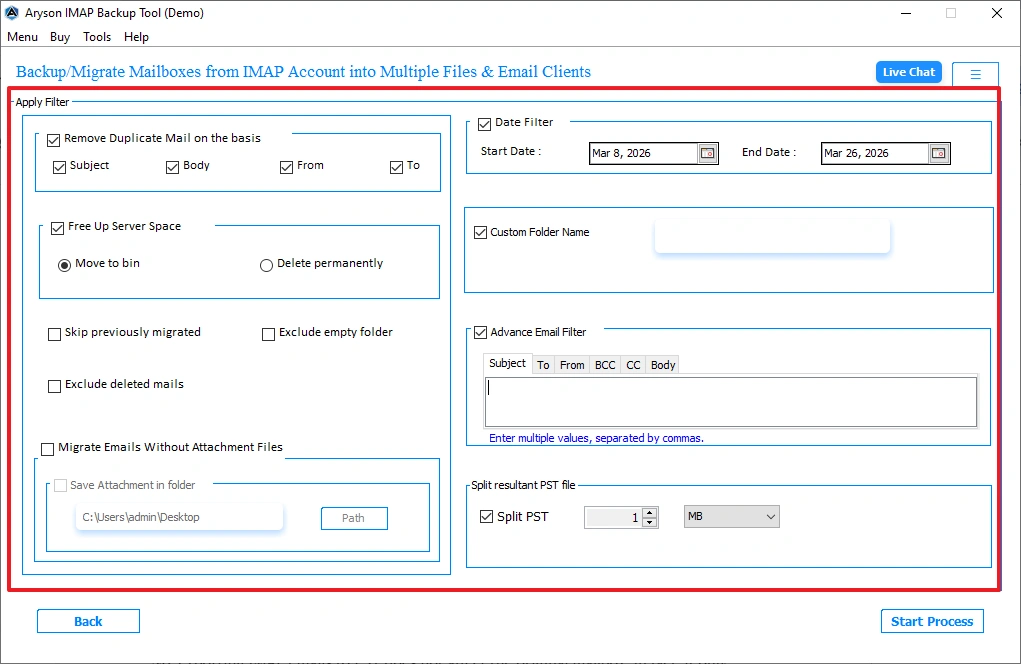
- Moreover, enable the filters for selective export of IMAP emails.
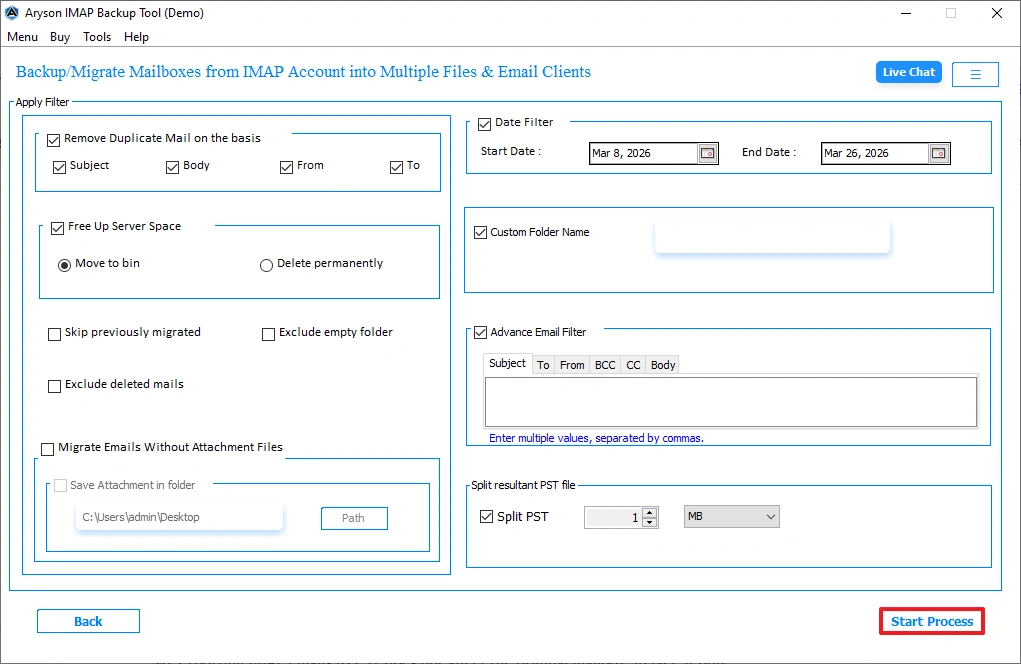
- In the end, click on the Start Process option to begin the export of IMAP emails.
Performance Tips for Bulk Conversion
- Always check that your internet connection is stable.
- Make sure to export your emails in smaller batches.
- Most importantly, avoid the export process during peak server hours.
- Use the advanced filters that help to reduce the load of emails.
Comparison Table: Manual vs Automated Method
|
Features |
Manual Method |
Advanced Software |
|
Bulk Conversion |
No |
Yes |
|
Attachments Handling |
Maybe loss |
Intact |
|
Time Efficiency |
Less |
More |
|
Folder Structure |
Not Maintained |
Maintained |
|
Handling Multiple Accounts |
No |
Yes |
Use Cases in Industry
- Law firms use emails as part of legal documentation and case records. When converting the IMAP emails to PDF format, make sure that the content remains unchanged. Also, PDF files make it simpler to share important communications in court.
- Organizations need to maintain proper records of email communication to meet regulatory and compliance requirements. Saving IMAP emails as PDF helps create a secure and tamper-resistant archive. This format is accepted for audits and to maintain a record for the long term.
Conclusion
To wrap up, exporting IMAP email to PDF is necessary for legal compliance. Here, we discussed the two best methods that complete the conversion process. You can choose any of the approaches to export IMAP Emails to PDF. The manual approach is reliable for a smaller number of files. Therefore, it is recommended to use the advanced software that secures data integrity.
Frequently Asked Questions:
Q.1 How to export IMAP emails to PDF?
Ans. You can export IMAP emails by opening them in an email client or webmail and using the print option to save them as a PDF. For bulk export, using a professional tool is a faster and more efficient option.
Q.2 Can I save IMAP emails as PDF without Outlook?
Ans. Yes, you can save IMAP emails as PDF without Outlook by using web browsers or third-party tools. These methods allow you to convert emails directly without installing any email client.
Q.3 What is the best way to convert IMAP emails to PDF in bulk?
Ans. The best way is to use an MSOutlookHelp IMAP Backup Tool that supports batch conversion and maintains email structure. It helps save time and ensures all emails are converted accurately.
Q.4 How to download IMAP emails as PDF with attachments?
Ans. To download emails with attachments, choose a tool that includes attachments during conversion. This makes sure that both the email content and its files are preserved together.
Q.5 How do I convert IMAP emails to PDF on Mac or Windows?
Ans. You can use advanced tools or manual print-to-PDF options available on both Mac and Windows systems. Automated solutions are more suitable for handling large amounts of data on either platform.
Q.6 How to convert IMAP emails from multiple accounts to PDF?
Ans. Use software that supports multiple account login and batch processing features. This allows you to convert emails from different accounts in a single process without repeating steps.
About The Author:

Evren Cole is an expert in Email and Data Management. She has a strong passion for technology and entrepreneurship. In her free time, she enjoys football, music, and reading books.

