

-
Written By Evren Cole
-
Updated on August 4th, 2025
How to Migrate Yandex Mail to Gmail Easily
Summary: Do you think of switching from Yandex Mail to Gmail? You’re not the only one. Many users are moving to Gmail because it’s easier to use, more secure, and better integrated with Google apps like Drive and Docs. If we talk about a straightforward way to transfer your emails, in this blog, we will cover simple methods, including the Yandex Backup Tool, to migrate Yandex Mail to Gmail with ease.
Basics about Yandex Mail & Gmail
Yandex Mail is a free email service developed by the Russian tech company Yandex, known for its search engine and web services. It allows you to send and receive emails and has a simple design that’s easy to use. Besides that, we have Gmail, which came out in 2004. It works smoothly with other Google tools like Drive and Calendar, blocks spam effectively, offers helpful features to organise your inbox, and keeps your account secure with strong safety measures.
Why Do We Need to Move from Yandex to Gmail?
- Firstly, Gmail offers better spam protection and email filtering.
- Moreover, it syncs easily across all devices with the Google ecosystem.
- Google Drive integration allows quick access to cloud storage.
- Compared to Yandex, Gmail has a cleaner, more user-friendly interface.
- Also, it supports advanced search and smart categorization.
- Gmail offers more reliable uptime and faster performance.
- It’s easier to integrate with other business tools and CRMs.
- When it comes to security, Gmail has stronger account recovery options.
- Lastly, users get frequent updates and better support with Gmail.
Methods to Migrate Yandex Mail to Gmail
You can either transfer your emails manually using Gmail’s built-in import feature or choose an automated tool. The manual method is simple for small inboxes, while the tool is better for large amounts of data, attachments, or advanced filtering.
Method 1: Transfer Emails from Yandex to Gmail Manually
Gmail lets you use this method because it has a built-in feature that pulls your emails from Yandex.
- Firstly, open your Gmail inbox and log in.
- Click the gear icon > Select See all settings.
- Go to the Accounts and Import tab.
- Find the Import mail and contacts section and click on it.
- A pop-up will appear. Type your Yandex email and hit Continue.
- Now enter your Yandex App Password.
- Choose what you want to import (emails, contacts).
- Lastly, Click Start Import.
Once it begins, Gmail will bring over your Yandex emails quietly in the background.
This works fine for small inboxes. But if you have a lot of data or need more control, this method has some real limits.
Drawbacks when the manual method is used
- Takes time with big mailboxes.
- No option to select specific folders or filter by date.
- Cannot migrate attachments in all cases.
- No progress tracking or error logs.
- Not ideal for less tech-savvy users.
Method 2: Automated Solution Migrate Yandex Mail to Gmail
If you want to skip the slow process and move everything without missing a beat, the Yandex Backup Tool is your go-to solution. It is built to move your Yandex mailbox to Gmail. Here are some of the additional pointers associated with the software:
- Transfers Yandex emails to Gmail quickly and securely.
- Keeps your data with structure and attachments intact.
- It lets you filter emails by date.
- It can also migrate Yandex Mail to Office 365
- Can remove duplicates during the transfer.
- You can also backup to formats like PST, PDF, MBOX, and others.
- Comes with an email preview before you start.
- Designed for both home users and IT teams.
Simple Steps to Migrate Yandex to Gmail Account:
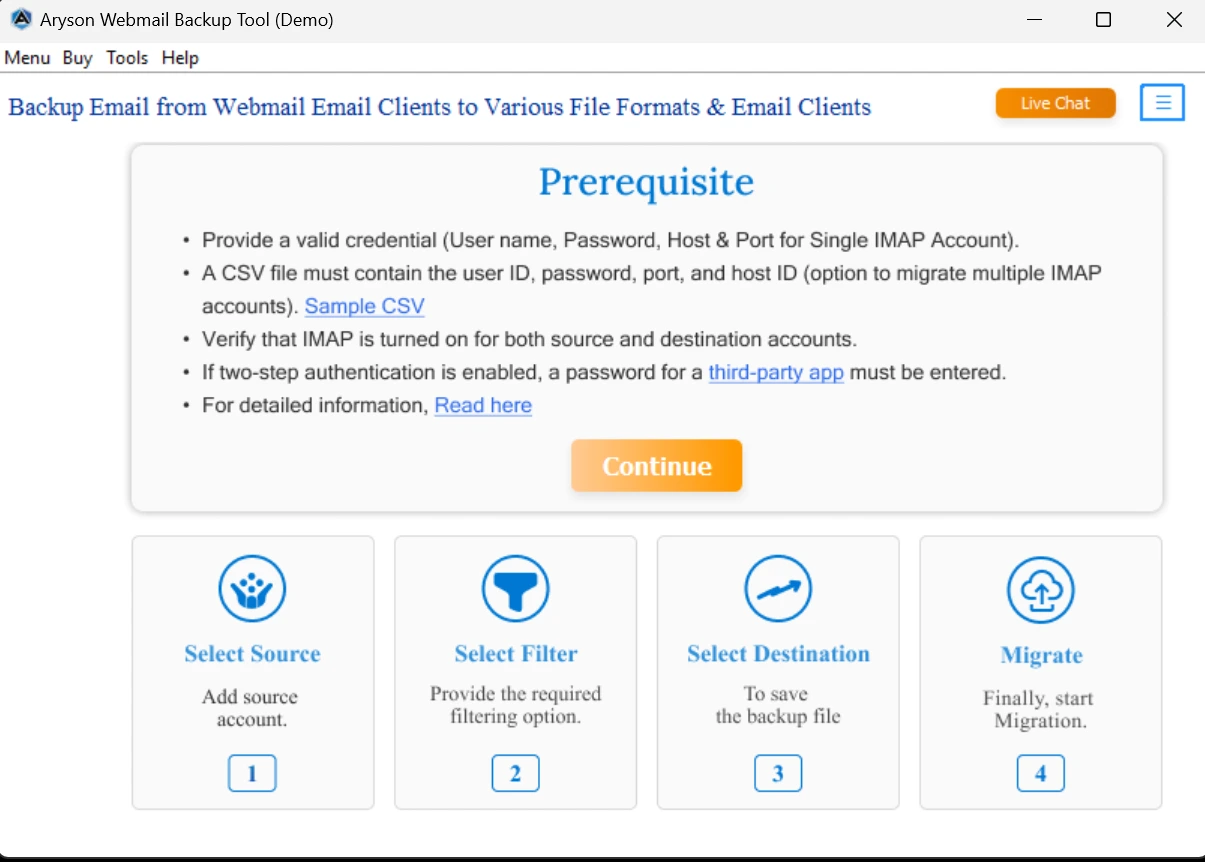
- First, download and open the Yandex Backup Tool on your PC.
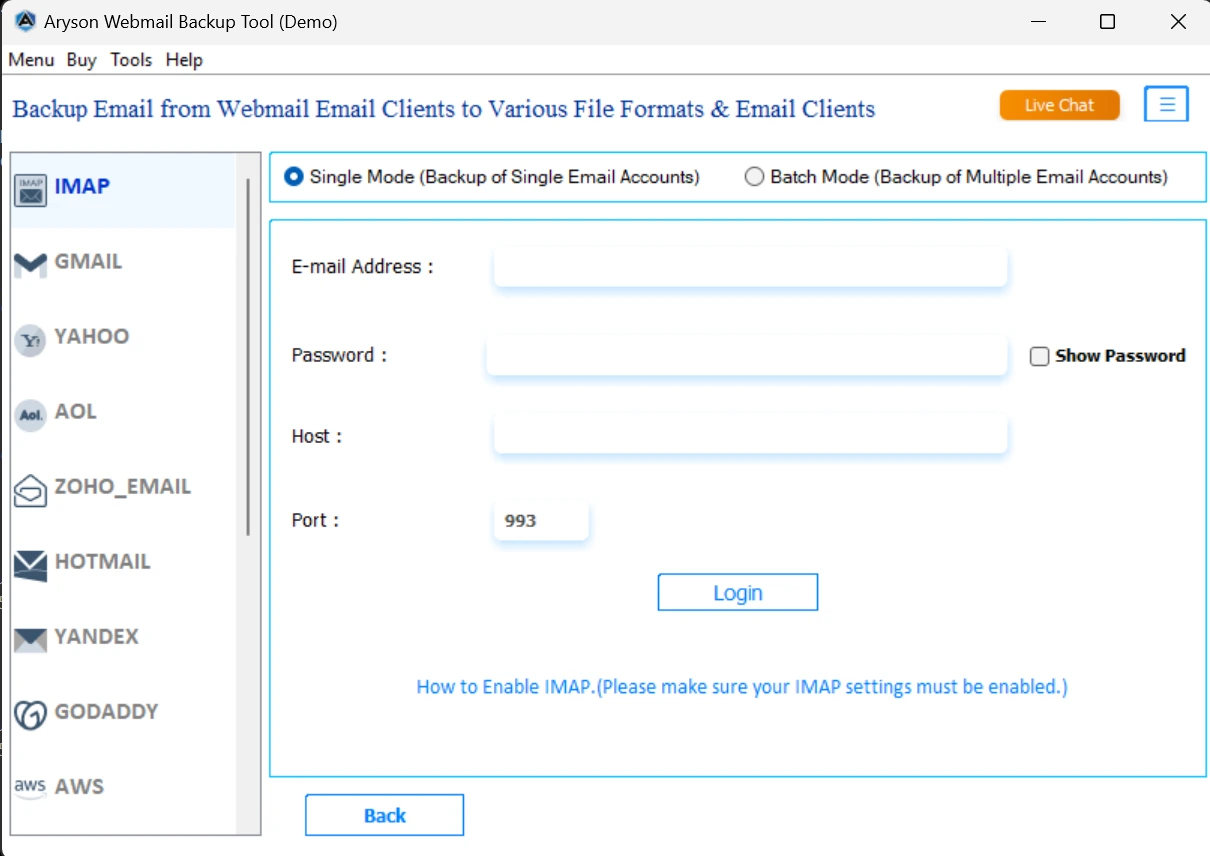
- Log in with your Yandex email credentials.
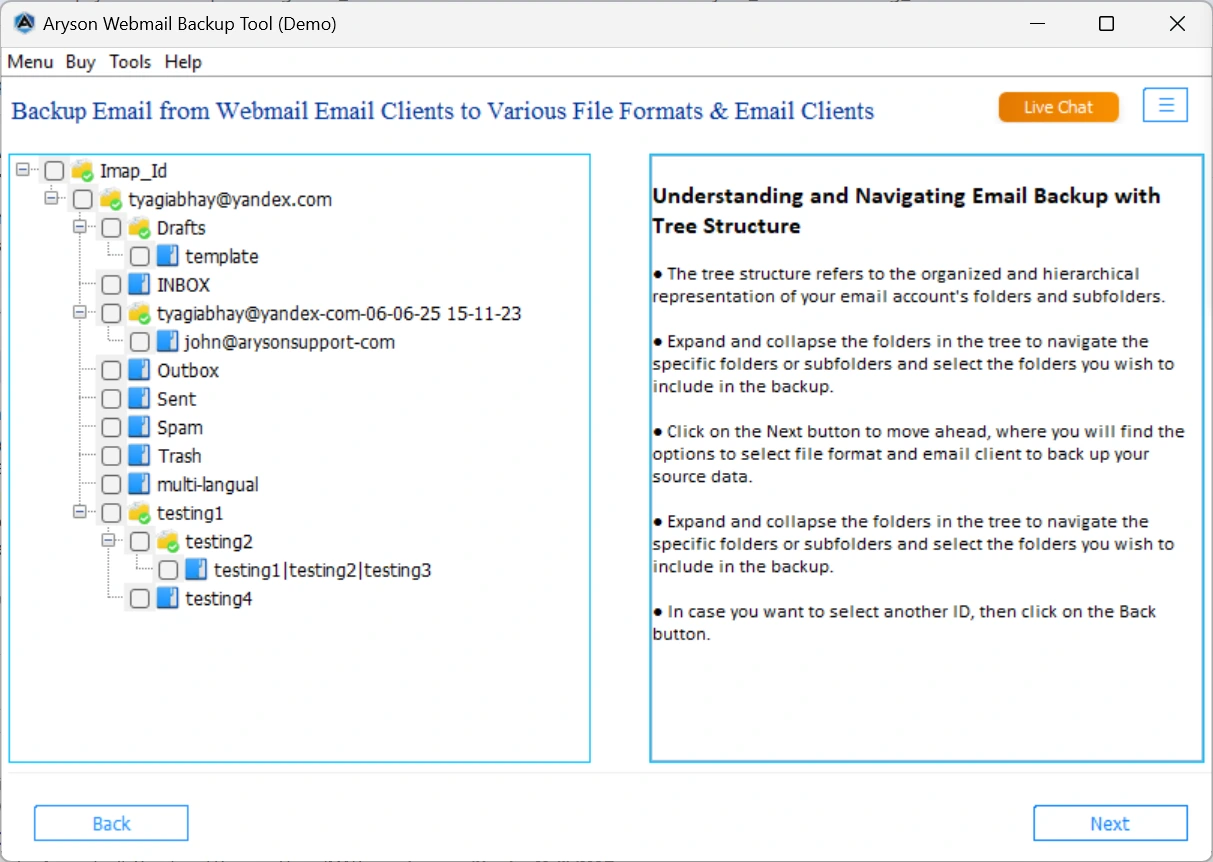
- You can preview the email by double-clicking on it.
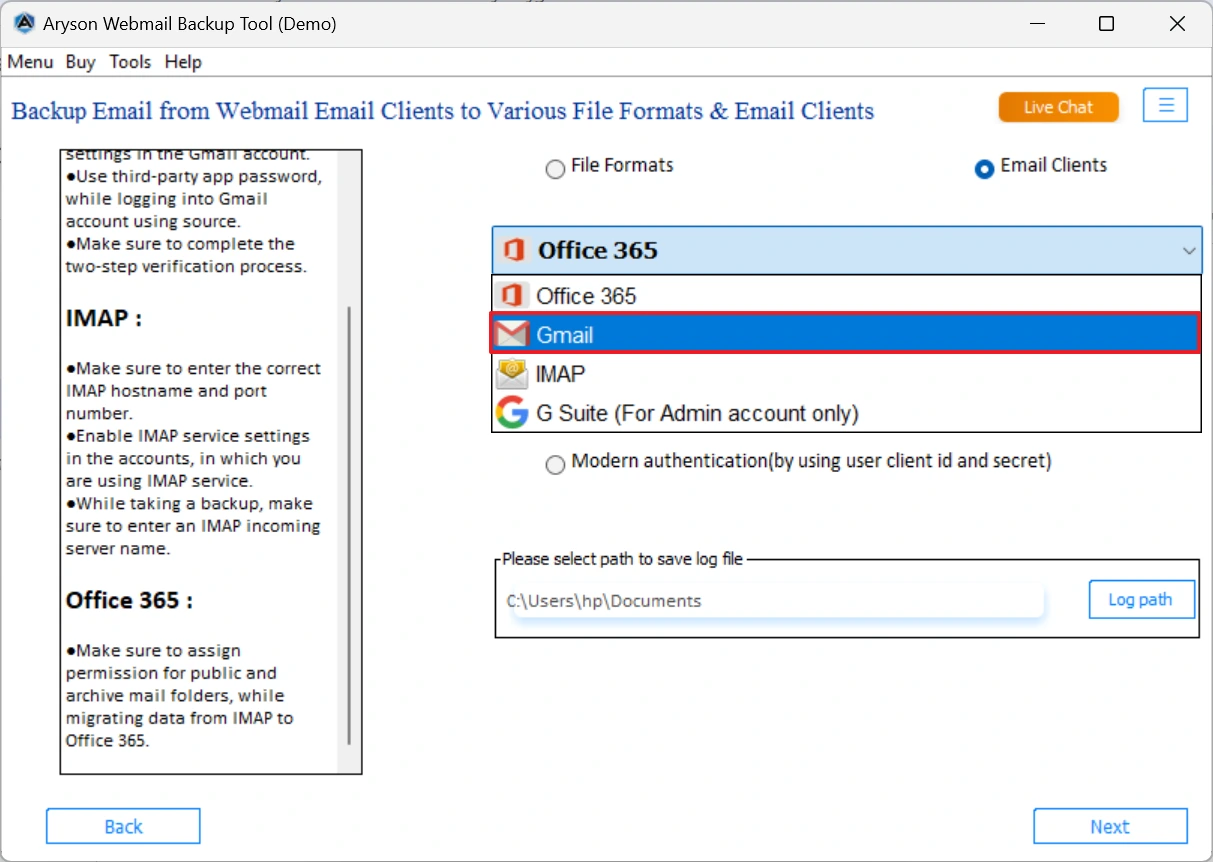
- Now, select the email client as Gmail.
- Sign in to your Gmail account inside the tool.
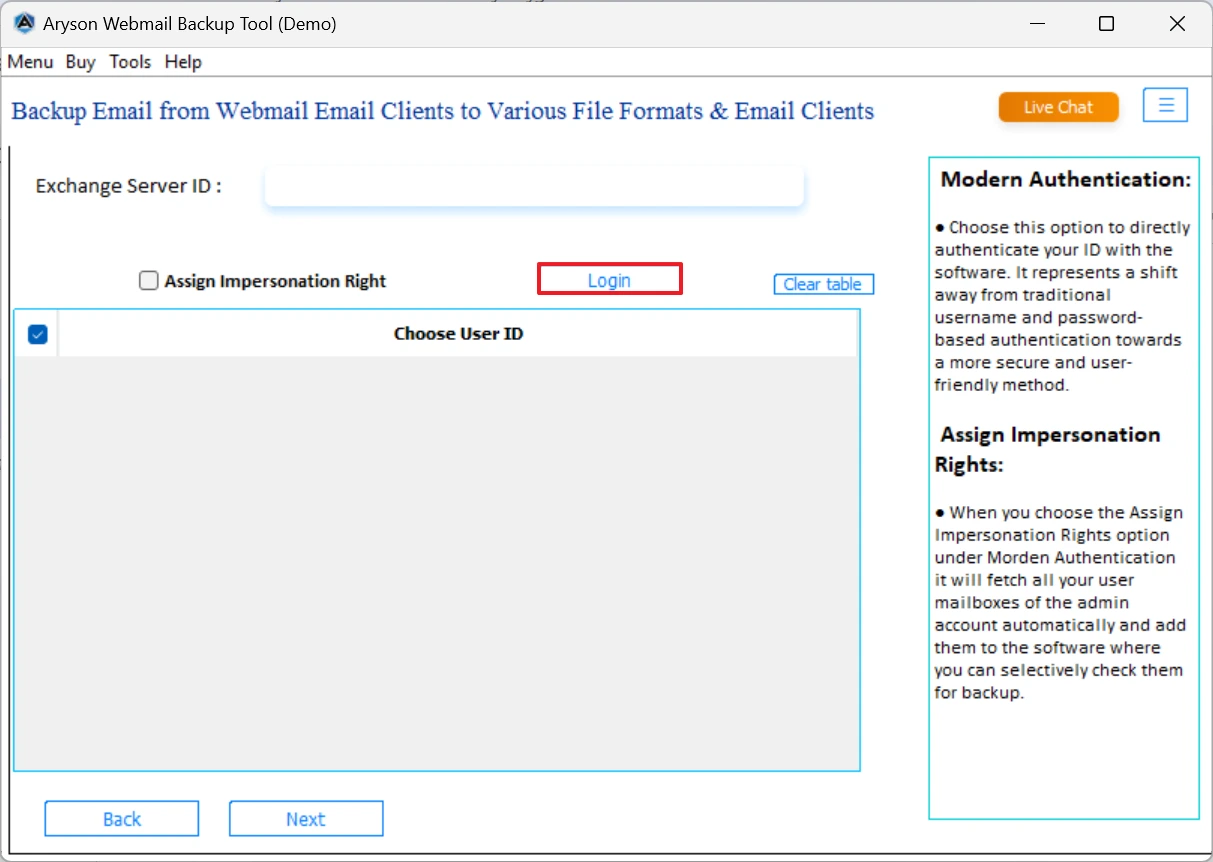
- Choose folders, and set filters if needed.
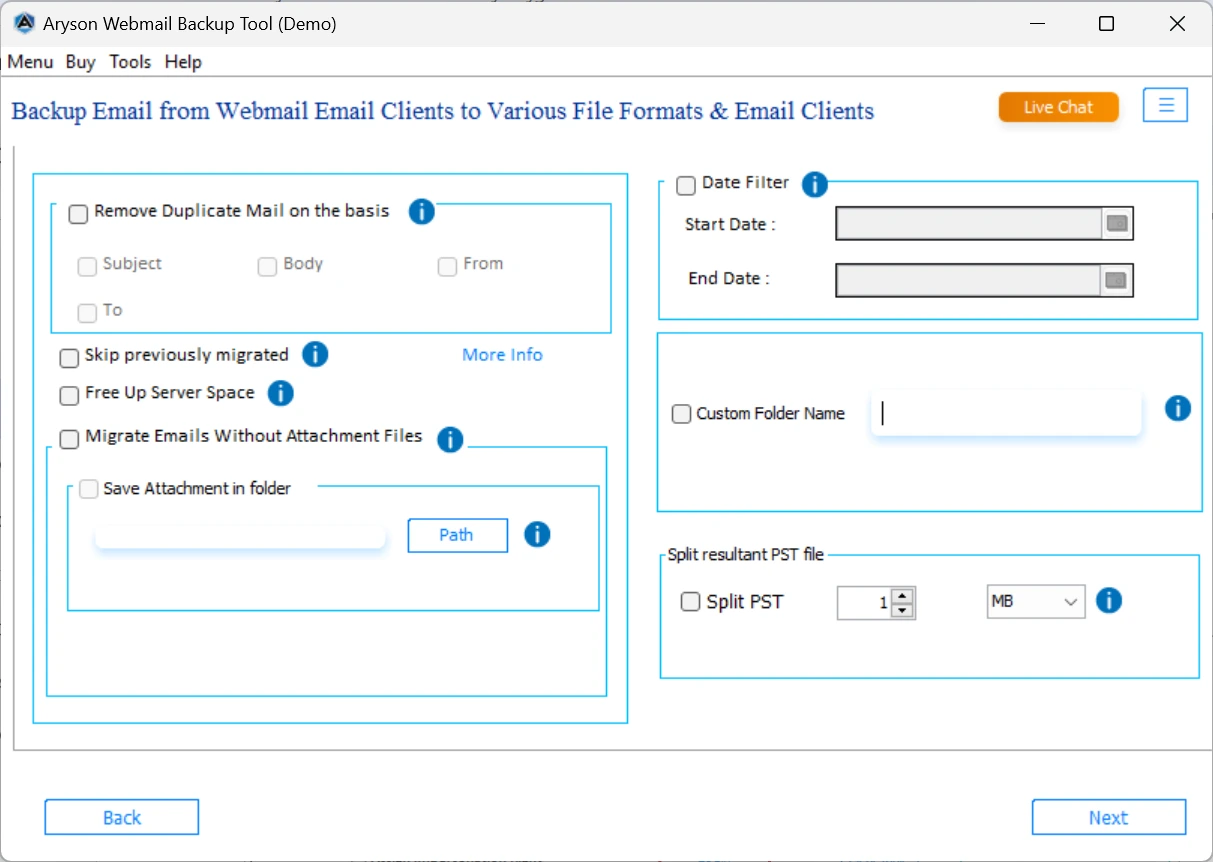
- Hit Start Backup to initiate the Yandex to Gmail Migration
Conclusion
If you only have a few emails, the manual method will work. But for faster results and no risks, go with the Aryson Yandex Backup Tool. It’s built to save time and to migrate Yandex Mail to Gmail smoothly and safely. Try the option that fits your needs and enjoy the benefits of Gmail right away.
Frequently Asked Questions
Q.1 How do I add Yandex Mail to the Gmail app?
Ans.
1. Open Gmail app > Go to Settings > Tap Add account > Choose Other > Enter Yandex email and password > Use:
2. IMAP Server: imap.yandex.com, Port: 993
3. SMTP Server: smtp.yandex.com, Port: 465
4. SSL: Enabled
Q.2 How do I export emails from Yandex?
Ans. Use Aryson Yandex Backup Tool to save emails in PDF, PST, etc.
1. First, download and open the Aryson Yandex Backup Tool on your PC.
2. Log in with your Yandex email credentials.
3. You can preview the email by double-clicking on it.
4. Select the email client as Gmail.
5. Sign in to your Gmail account inside the tool.
6. Choose folders, and set filters if needed.
7. Lastly, hit on the Start Backup.
Q.3 Can I directly move Yandex Mail to Gmail?
Ans. Yes. You can use:
1. Gmail’s “Import Mail and Contacts” feature for basic migration.
2. Or the Aryson Yandex Backup Tool for complete, error-free transfer with more options.
About The Author:

Evren Cole is an expert in Email and Data Management. She has a strong passion for technology and entrepreneurship. In her free time, she enjoys football, music, and reading books.

