

-
Written By Evren Cole
-
Updated on September 27th, 2025
The Ultimate Guide to Import OLM Files to Yandex Mail
Summary: Many users who use Outlook for Mac can have issues in moving their mailboxes to another platform. Outlook for Mac creates files in the OLM format. On the other hand, Yandex Mail does not support this file type. This guide explains how to import OLM files to Yandex Mail by using the MSOutlookHelp OLM Converter Tool. It covers what OLM and Yandex Mail are, why users decide to shift, what options are available, and which tool provides the most reliable result. By the end of this blog, you will know the safest path to achieve a complete migration with all attachments, contacts, and folders intact.
User Query: “I have stored my entire business mailbox in Outlook for Mac for more than five years. Now my company has adopted Yandex Mail because of its simplicity and cost efficiency. However, my mailbox still sits in OLM files. I want to place all of that data into Yandex Mail without any loss of attachments or folder structure. Can I achieve this without technical risk?”
What Are OLM Files and Yandex Mail?
- OLM Files: OLM is the file format that can only work with Outlook for Mac because it is only designed for it. A single OLM file can have emails with all their attachments, like contacts, calendars, tasks, and notes. This file format can only be used in Outlook for Mac.
- Yandex Mail: Yandex Mail is a web-based platform that has a safe environment for free access to email. It also has advanced filters, including the advanced spam filters, unlimited storage space, and integration with other Yandex services. Additionally, it can be supported by standard IMAP and POP3 protocols.
Why Do Users Move OLM Files to Yandex Mail?
These common factors explain the need for this migration:
- Business requirements: Companies that switch to Yandex services need their employees’ past Outlook data accessible in Yandex Mail.
- Accessibility: Yandex Mail works on any device that supports a web browser. Outlook for Mac data, on the other hand, can only be used for Mac systems.
- Backup purposes: Many professionals want a secondary mailbox in Yandex Mail to secure their Outlook data.
- Cost advantage: Outlook for Mac requires a license, while Yandex Mail is free.
Best Methods to Import OLM Files to Yandex Mail
Two ways exist for this migration. One way relies on a manual method with IMAP. The other path involves using a professional converter tool, which makes the task faster and safer.
Method 1: Import .olm files to Yandex Mail with IMAP
Although Yandex Mail cannot accept OLM files directly, you can still transfer data through IMAP. The idea is to configure your Yandex Mail account inside Outlook for Mac, then drag folders across.
Follow the steps given below to move OLM files to Yandex Mail:
- Open Outlook for Mac and navigate to Preferences >> Accounts.
- Add a new account and enter your Yandex Mail login details
- After account creation, Yandex Mail appears on the left panel.
- Choose emails or folders from Outlook and move them into Yandex Mail folders.
- Wait until Outlook syncs with Yandex Mail.
Cons of the above-mentioned method:
- When the data is large, this process can take time.
- Attachments and formatting might get disturbed.
- Incorrect server details may stop the sync process.
Method 2: Import OLM to Yandex Mail with Ease
The OLM Converter Tool helps users export Outlook for Mac OLM files into several formats without any data loss. It transfers emails, contacts, calendars, tasks, and attachments safely. Users can convert OLM files to PST, MBOX, EML, EMLX, PDF, Gmail, Office 365, Yahoo, and many more. This utility can have no limit and also supports bulk conversion and maintains the folder hierarchy. It works on both Windows and Mac platforms with all versions. Even a non-technical user can operate it with ease due to its simple and clear interface. Along with all the formats, it can also import OLM to Google Workspace.
Steps to Transfer Emails from OLM to Yandex Mail:
- Install the software on your system and start it.
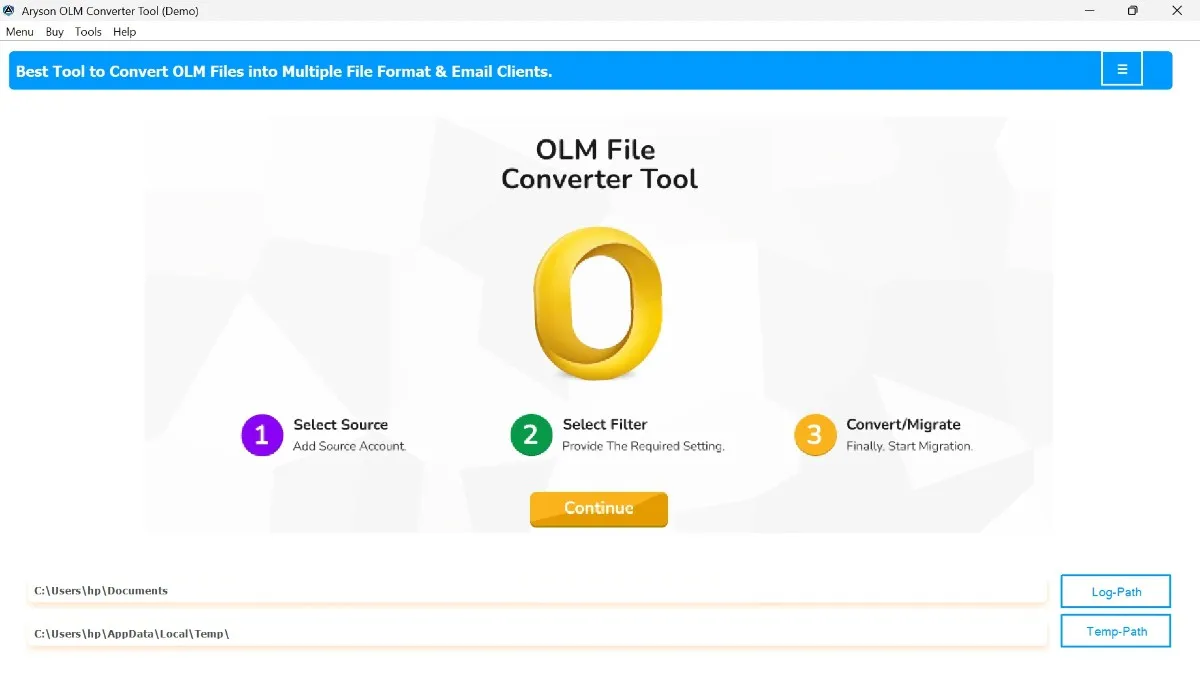
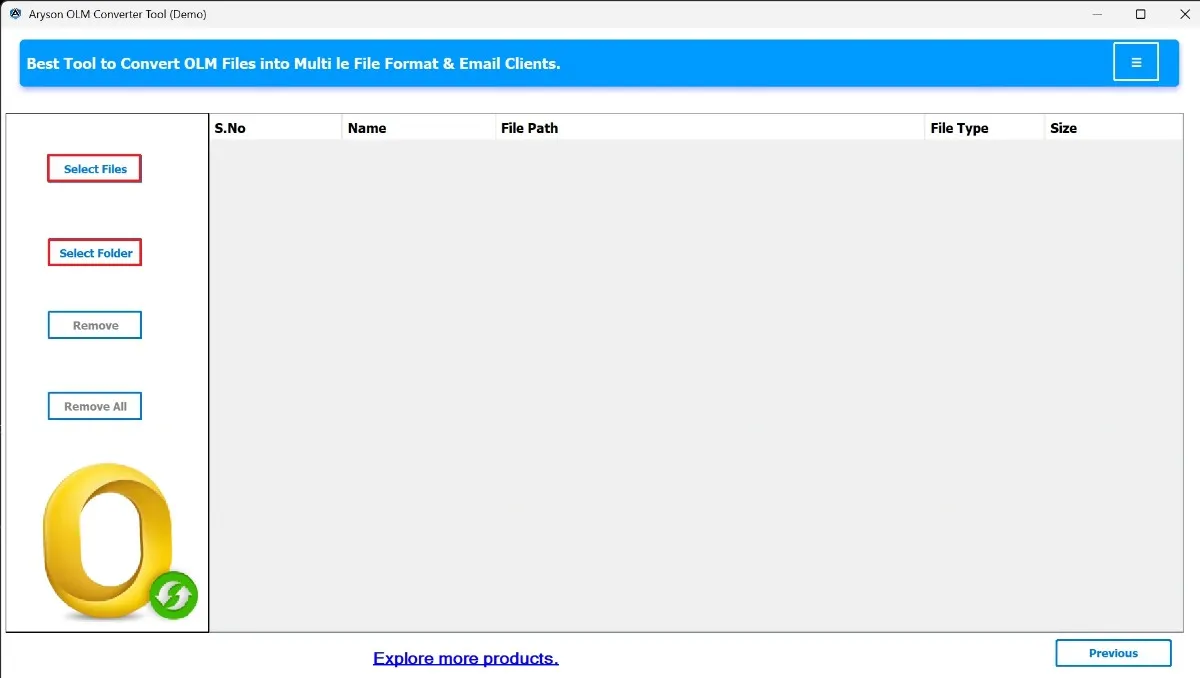
- Click Select Files/Folder and import your OLM files.
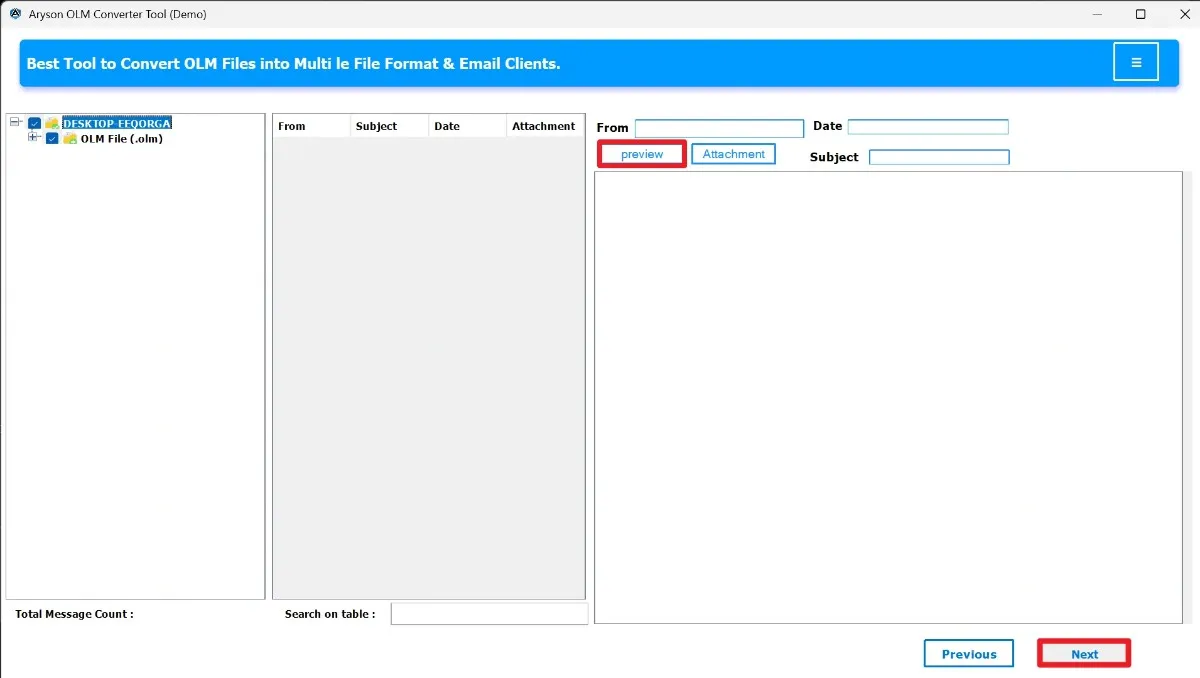
- Preview your mailbox content inside the interface.
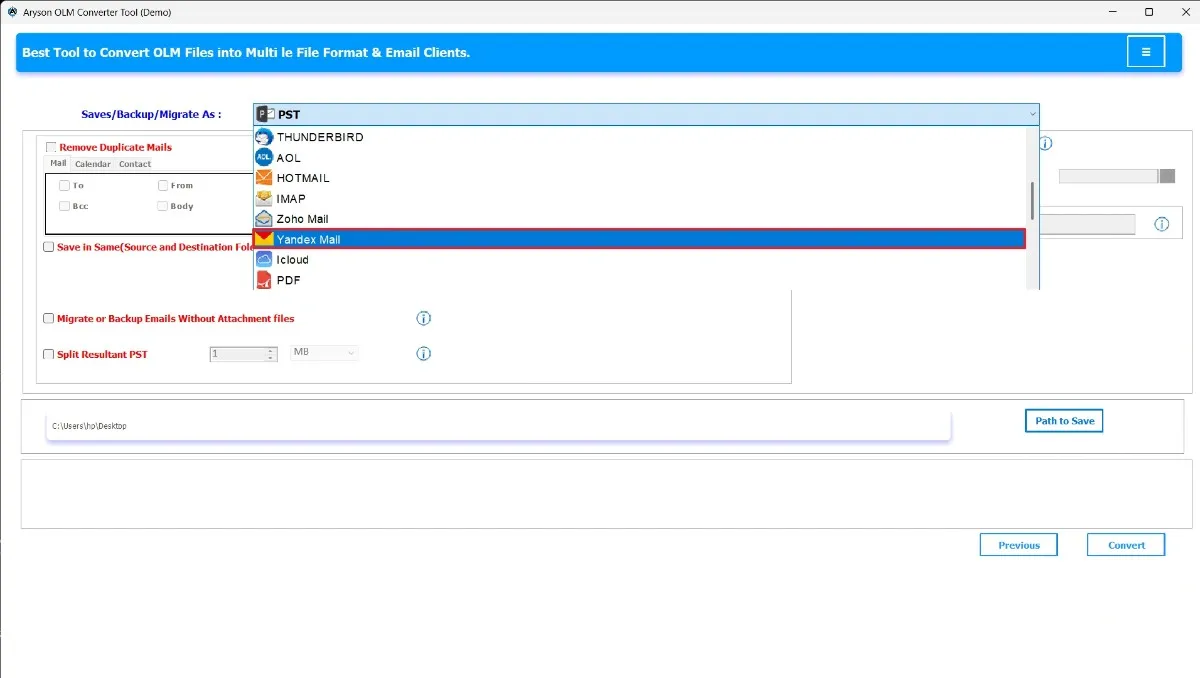
- From the export menu, select Yandex Mail.
- Enter your Yandex Mail account details.
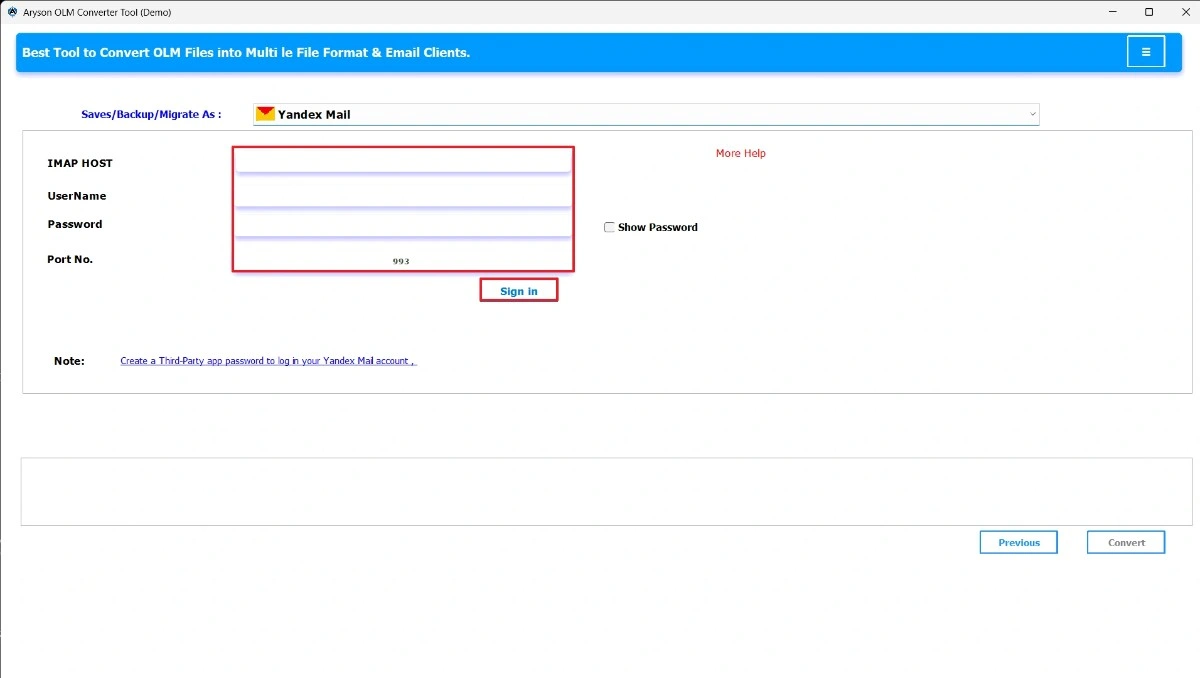
- Apply filters if required according to the user’s needs.
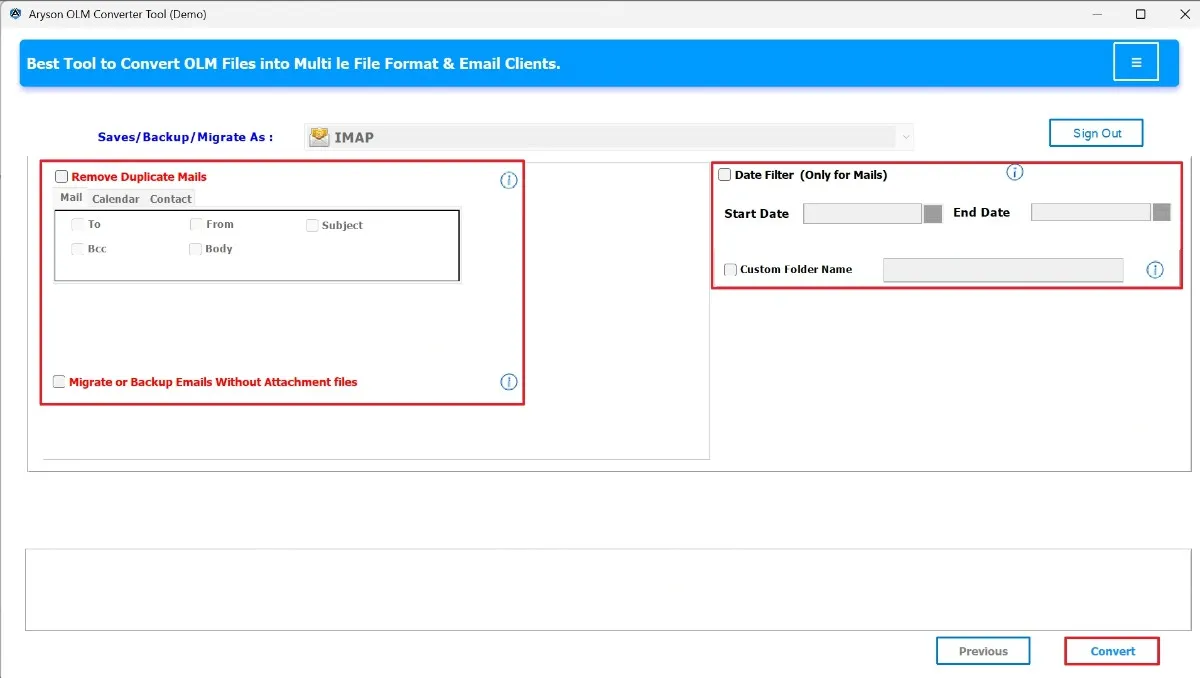
- Finally, press convert to start the OLM to Yandex Migration.
Manual vs. Tool-Based Approach
- The manual path is free, but it is slow, risky, and not ideal for large mailboxes.
- The tool-based path is fast and safe for business-level migration because it removes the possibility of attachment loss or incomplete data.
- For a personal mailbox with a limited size, you may still attempt the manual path. But for bulk OLM files, the MSOutlookHelp OLM Converter Tool is the smarter choice.
Conclusion
Outlook for Mac stores data in OLM format, which Yandex Mail cannot open. Due to this incompatibility, a reliable solution is crucial. Although a manual IMAP path exists, it often fails with large data and may lead to missing attachments. The most secure and efficient method is the MSOutlookHelp OLM Converter Tool, which is used to import OLM files to Yandex Mail in a direct and error-free way.
Frequently Asked Questions:
Q.1 Can I directly import OLM files into Yandex Mail with the tool?
Ans. Yes, the MSOutlookHelp OLM Converter places OLM files into Yandex Mail directly without complex account setup.
1. Install the software on your system and start it.
2. Click Select Files/Select Folder and choose your OLM files.
3. Preview your mailbox content inside the interface.
4. From the export menu, select Yandex Mail.
5. Enter your Yandex Mail account details.
6. Apply filters and press Convert to start the process.
Q.2 What is the difference between importing and moving OLM files with the tool?
Ans. When you use the tool, OLM files go into Yandex Mail instantly in a secure manner. Manual moving relies on IMAP sync, which is slow and unreliable.
Q.3 Can I migrate contacts and calendars along with emails from OLM to Yandex Mail using the tool?
Ans. Yes, the above-mentioned tool transfers not only emails but also contacts, calendars, tasks, and notes.
Q.4 How does the tool handle common issues during OLM to Yandex Mail migration?
Ans. The software avoids sync failures, attachment loss, and structure damage by using a direct and automated process.
About The Author:

Evren Cole is an expert in Email and Data Management. She has a strong passion for technology and entrepreneurship. In her free time, she enjoys football, music, and reading books.

