

-
Written By Evren Cole
-
Updated on September 24th, 2025
Import OLM Files to Yahoo Mail: Step-by-Step Guide
David’s Query: I want to import OLM files into Yahoo Mail. I’m stuck with the question: How can I migrate all my emails, contacts, and attachments without losing anything?
Summary: OLM files can contain data such as emails along with contacts, calendars, and attachments, but they are not directly opened in Yahoo Mail. This can create a complex problem for users using Outlook for Mac who want to import OLM files to Yahoo Mail. To make the process flawless, this blog provides you with MSOutlookHelp OLM Converter to perform the task securely. This utility can make a quick migration of OLM files to Yahoo Mail without data loss.
Know What the OLM Files Are?
OLM is the file format used by Outlook for Mac to store mailbox data. When a user exports data from Outlook for archiving and transfer, these files are produced. In this blog, you will find the correct method to transfer Emails from OLM to Yahoo Mail.
Basic Key Reasons to Import OLM Emails to Yahoo Mail
There are a few reasons why users want to move their emails from Outlook for Mac to Yahoo Mail:
- Accessibility: For instance, users can open Yahoo Mail on any device from Yahoo Mail’s application or any browser.
- Cloud Storage: Additionally, Yahoo Mail can protect contacts, emails, and attachments.
- Data Integrity: Emails and their data remain intact after migration with no risk of data loss.
- Reliable Backup: Furthermore, data stored on Yahoo Mail stays protected even if the local device fails.
- Cross-Device Consistency: Consequently, messages and folders look the same whether accessed from a phone, tablet, or computer.
Best Methods to Import OLM to Yahoo Mail
There are two ways to perform this task:
- Using Outlook for Mac with account configuration
- Using a professional conversion tool
Let’s go through them in detail.
Approach 1: Import OLM Files to Yahoo Mail by Changing Some of the Settings
You can manually change some of the settings in your Yahoo account. To transfer your OLM files into Yahoo Mail, add your Yahoo account to Outlook for Mac.
Steps to follow for the conversion:
- Firstly, open Microsoft Outlook on your computer.
- Go to File and click on Import to select the OLM file.
- After importing, head to Tools > Accounts.
- After that, in the Add Account menu, choose “Other Email” or “IMAP.”
- Similarly, enter your Yahoo credentials along with the server details:
- When your Yahoo Mail is added, your mailbox will appear in Outlook.
- Finally, drag and drop the OLM emails to the Yahoo Mail folder.
Drawbacks of the Manual Method:
- Time-consuming for large OLM files.
- Requires technical expertise for correct IMAP setup.
- Not ideal for bulk migration.
- It may cause missing attachments or folders.
Approach 2: Import OLM Files to Yahoo Mail with the Automated Solution
When a user wants a faster solution, using the MSOutlookHelp OLM Converter is a relaible choice. This tool is specifically designed to transfer Outlook for Mac OLM files to Yahoo Mail and other platforms without risking data loss. It offers multiple saving options such as Gmail, iCloud, Office 365, and more. Additionally, it can import OLM to iCloud with all the other file formats.
Simple Steps to Import Mac Outlook OLM files to Yahoo Mail:
- Firstly, launch and run the OLM Converter on your PC.
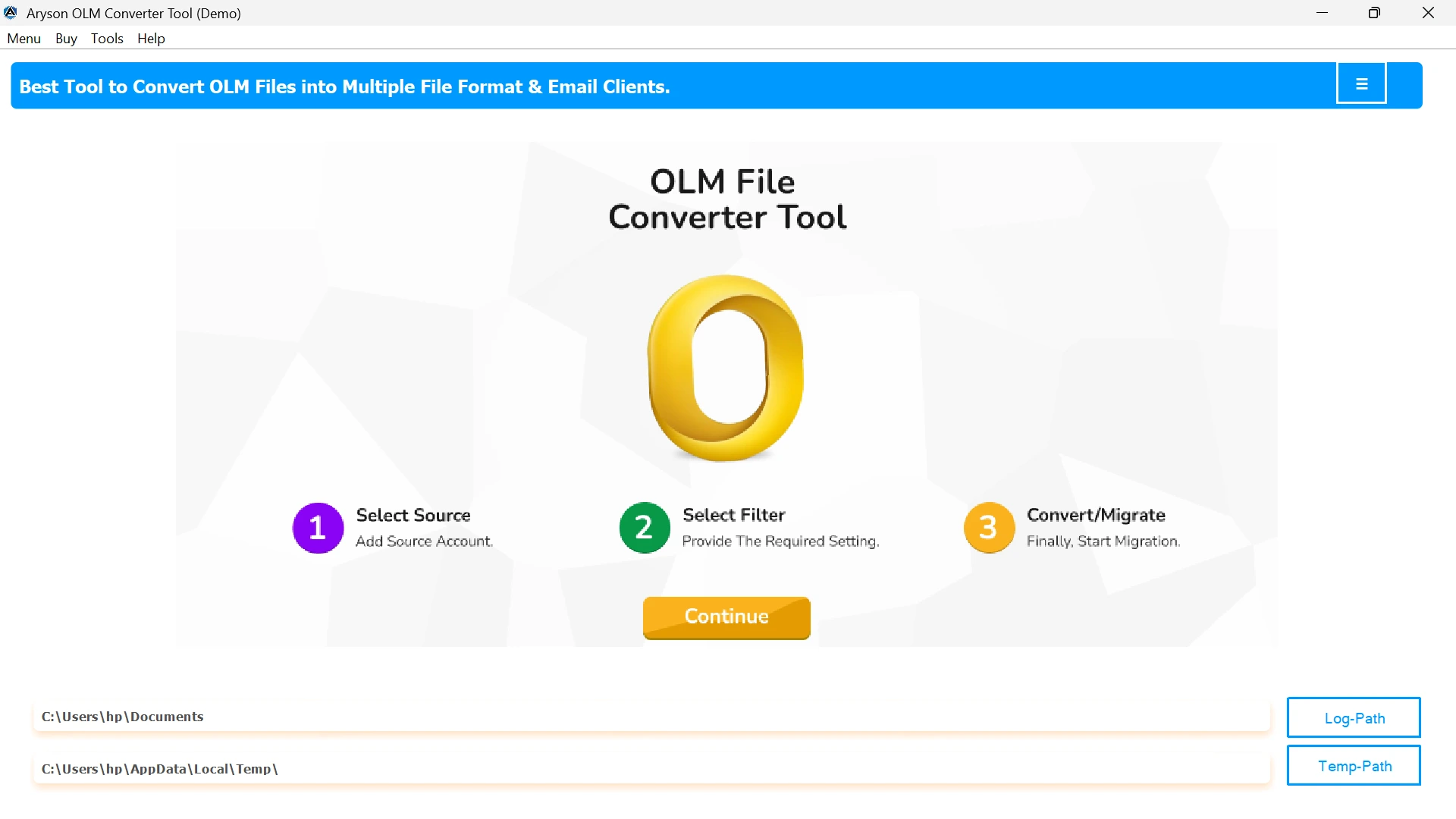
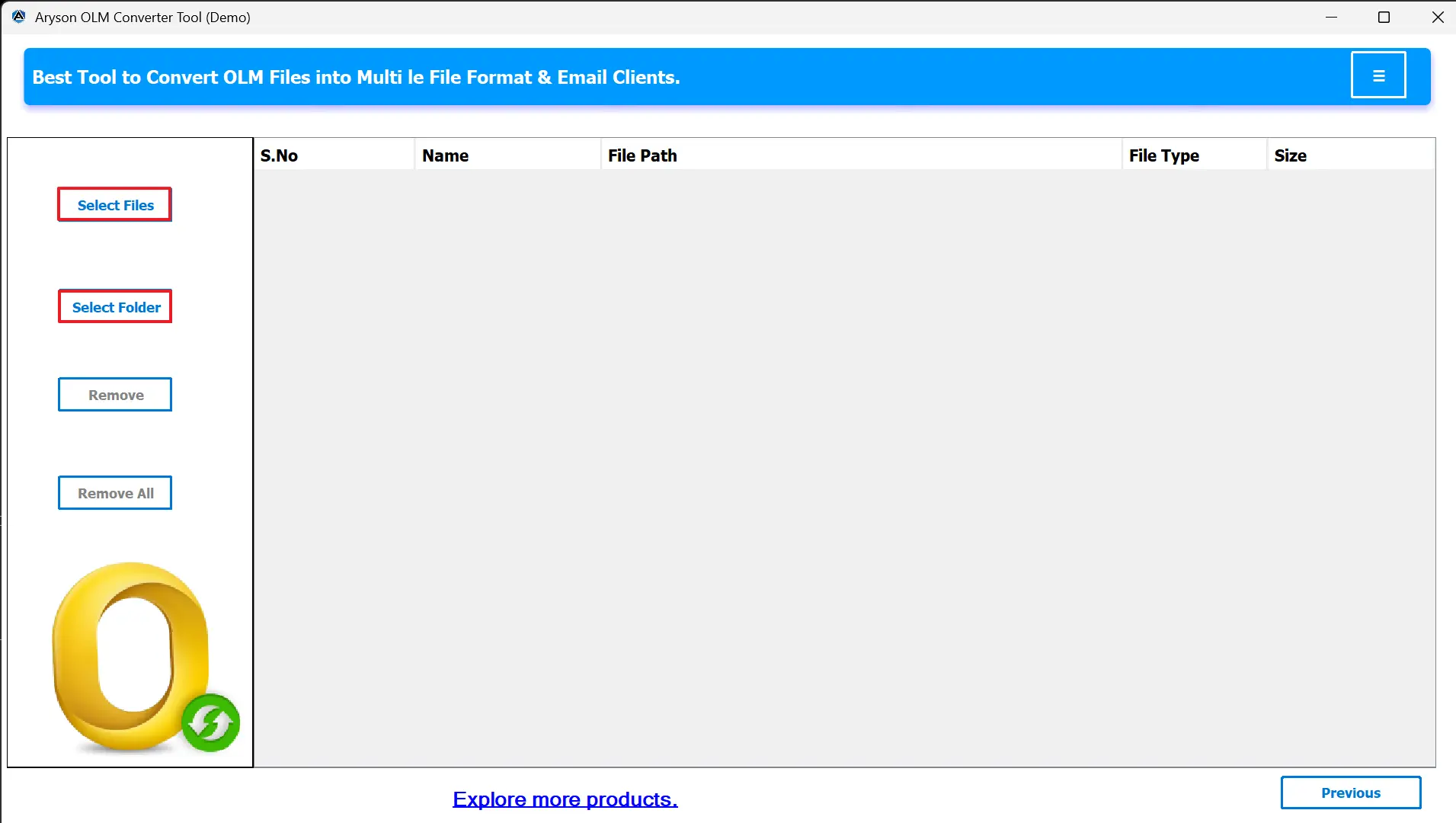
- After that, click on the Select Files or Select Folder to upload OLM files.
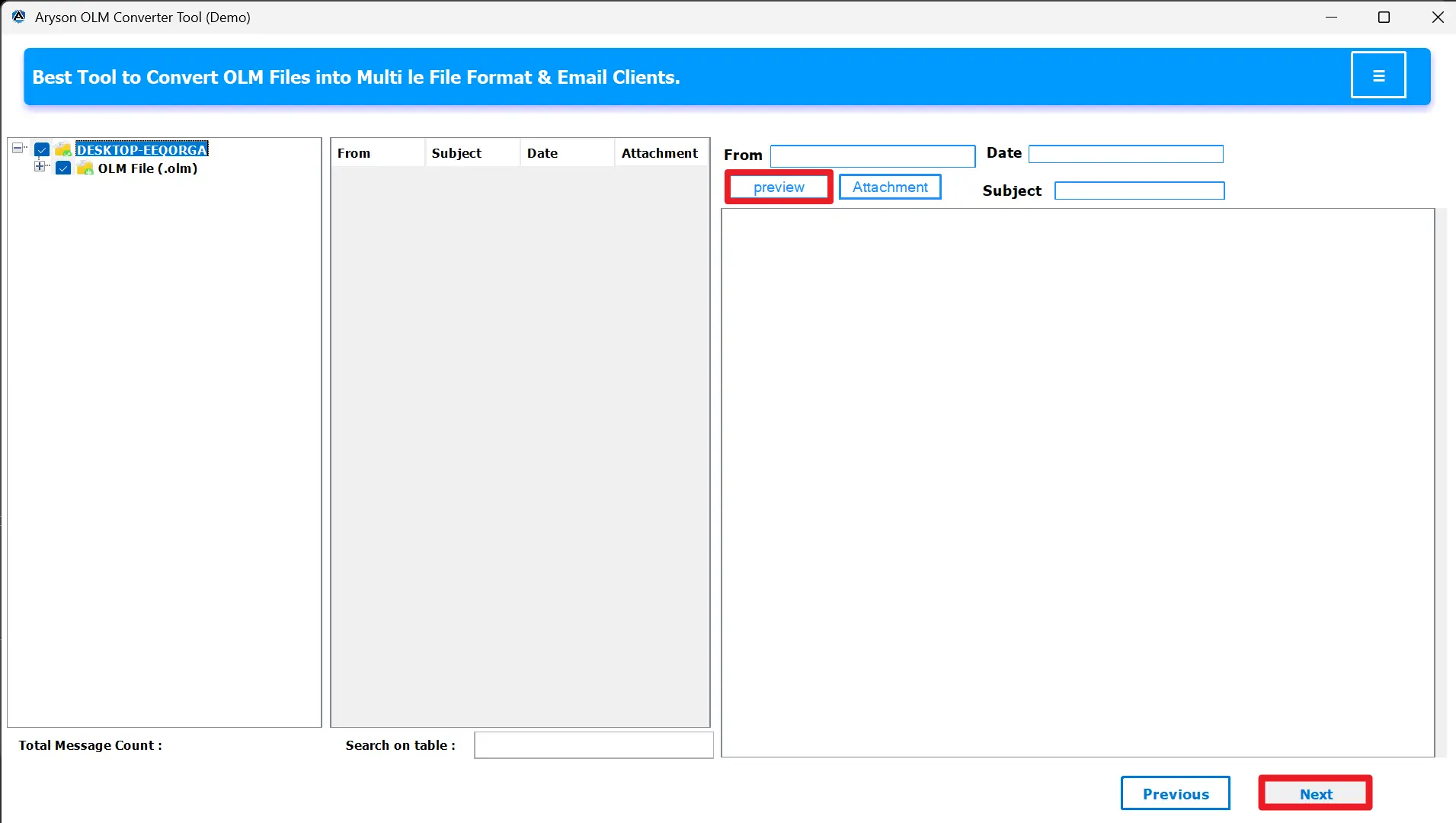
- Now, preview your OLM mailbox data before migration from the panel.
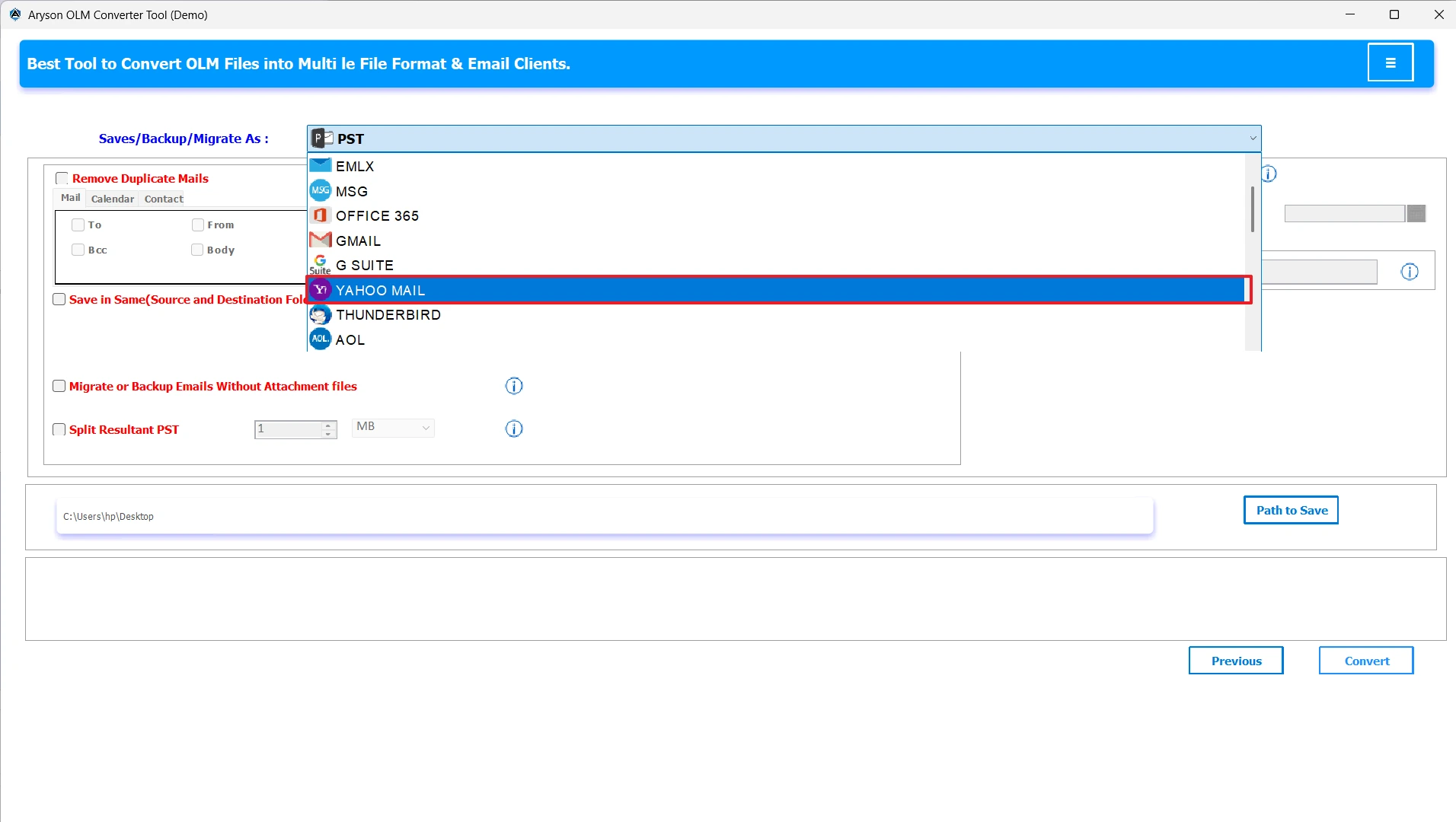
- From the export options, select Yahoo Mail from the list of options.
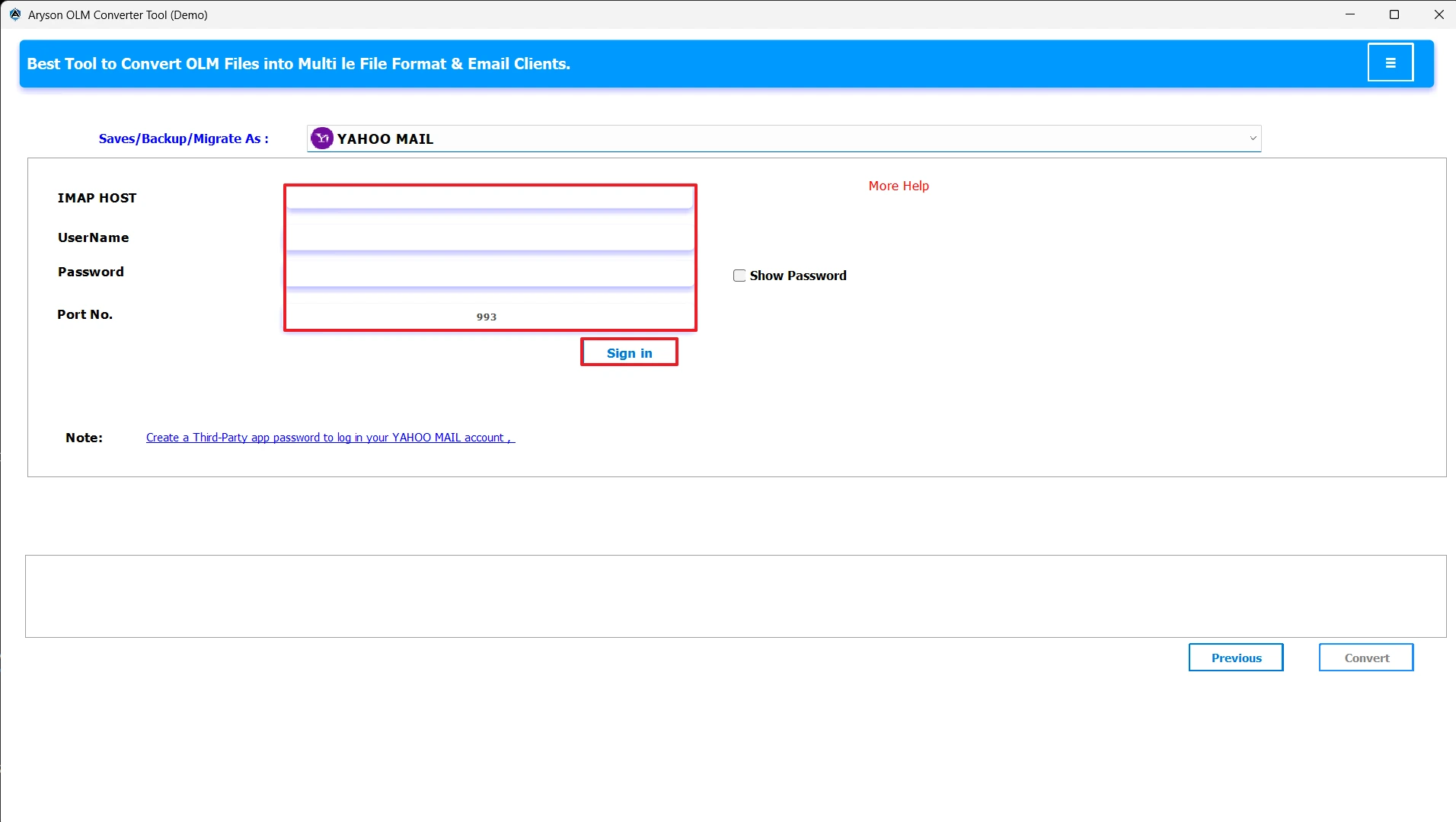
- Enter your Yahoo Mail login credentials correctly and click on Sign In.
- Apply filters according to your needs and select a destination for the file.
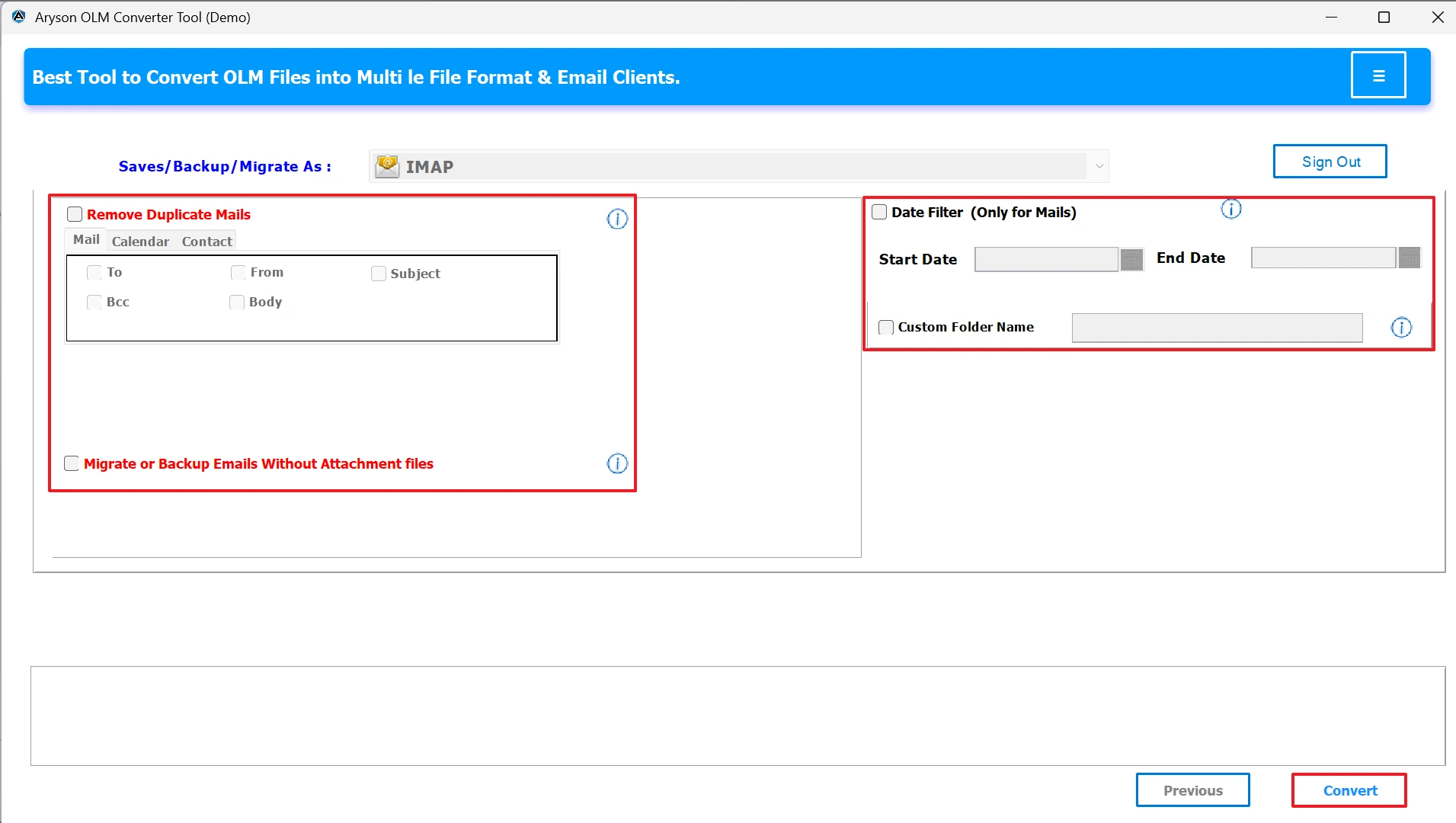
- Finally, click on the convert button for the conversion of your OLM files.
Conclusion
When users import OLM files to Yahoo Mail, they want their emails, along with the contacts and calendar. While the manual method is suitable for small transfers, it can be time-consuming and complex for bulk migrations. The MSOutlookHelp OLM Converter provides a smarter and more secure way to move your data, with zero chances of data loss.
Frequently Asked Questions:
Q.1 Can I import OLM files directly into Yahoo Mail?
Ans. Yes, you can easily import OLM files into Yahoo Mail with the help of a reliable solution like the MSOutlookHelp OLM Converter Tool. It connects your OLM data to Yahoo Mail and uploads emails, contacts, calendars, and attachments without hassle.
Q.2 What is the best way to convert OLM to Yahoo Mail?
Ans. The most effective way is by using the MSOutlookHelp OLM Converter Tool, which directly transfers OLM files to Yahoo Mail. It maintains the original folder structure and ensures there is no data loss during the process.
Q.3 Can I open OLM files without Outlook?
Ans. Yes, the MSOutlookHelp OLM Converter Tool lets you open, preview, and transfer OLM files without needing Outlook installed on your system. This makes it a convenient choice for both Mac and Windows users.
Q.4 Does this tool work on Mac to upload OLM files to Yahoo Mail?
Ans. Yes, the tool works on both Mac and Windows platforms. You can upload OLM files from your Mac and import them into Yahoo Mail directly with just a few simple steps.
About The Author:

Evren Cole is an expert in Email and Data Management. She has a strong passion for technology and entrepreneurship. In her free time, she enjoys football, music, and reading books.

